Trinity Audio
Trinity Audio - Text to Speech AI audio player to convert content into audio · by sergiotrinity
- active installs
- 2K+
- 25 ratings
- 4.0
- since last update
- 21d
- releases in 12 months
- —
- support threads resolved
- 0%
- avg daily downloads
- 152
- on WordPress.org
- 7.3 years
Trinity Audio at a glance
Trinity Audio is a free WordPress AI agent & MCP plugin by sergiotrinity with 2K+ active installs and a 4.0/5 rating from 25 reviews. It was last updated on Oct 19, 2026, is tested up to WordPress 7.1.4 and needs PHP 7.2+. All 5 of its published vulnerabilities have patched versions. Our quality score is 75/100.
What is Trinity Audio?
Trinity Audio adds a text-to-speech player to your WordPress posts so visitors can listen to articles instead of reading them. The audio is produced by Trinity Audio's service, which means the plugin sends your text to Trinity's servers.
You pick a language and narrator from a library of 125 languages and more than 600 voices, set a voice style and choose how the player looks. Settings can be applied site-wide and overridden per post. The player can be added automatically to new posts, and a floating button keeps controls in view as people scroll.
The free plan converts up to 5 articles per month and supports one domain, which suits small blogs or anyone trying it out. Higher volume, extra voices and tools such as podcasts and voice cloning are tied to paid plans.
Best for
- Small blogs that want an audio version of a few posts
- Publishers aiming to reach listeners on the go
- Sites improving accessibility for readers
- Owners who want to test text-to-speech before paying
Trinity Audio features
Text-to-speech player
Adds an audio player that reads headlines and article text aloud.
125 languages, 600+ voices
Choose a language, accent and narrator, and preview voices before saving.
Voice style options
Pick a reading style such as news or formal where the narrator supports it.
Player appearance controls
Set theme, light or dark mode, position, label text and a floating button.
Real-time translation
The player can translate content into six languages for listeners.
Playback speed and sharing
Set a default speed, and let listeners change it or share the audio.
Content filtering
Skip chosen HTML elements, include shortcode output, and add or drop the author name.
Per-post control
Change the voice or turn off the player on individual posts from the editor or the Posts list.
Usage dashboard
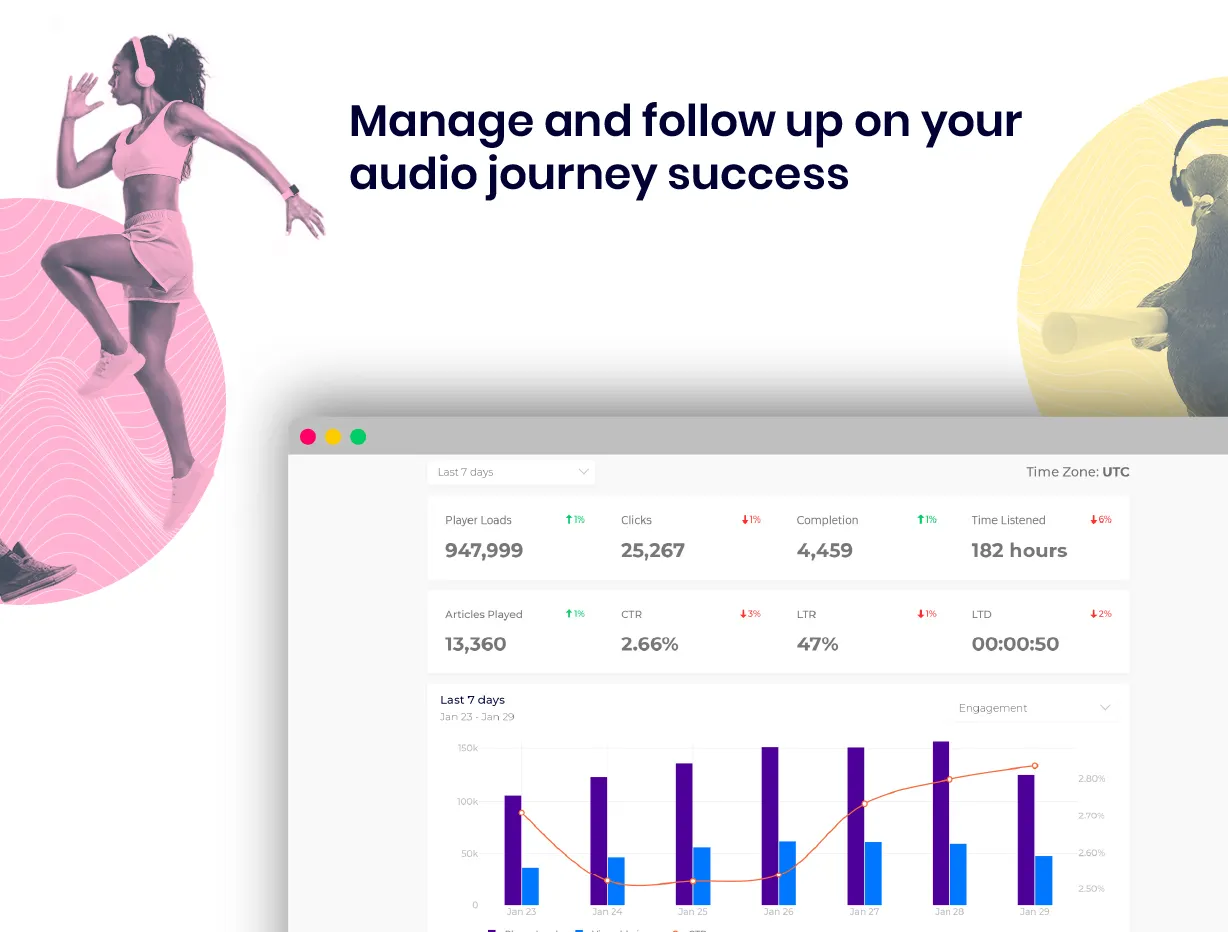
View statistics and usability reports for the player.
Trinity Audio free vs pro
Free WordPress.org version
- Up to 5 articles converted to audio per month
- 125 languages and 600+ voices
- Dashboard with statistics and reports
- One domain
Pro Paid version
- Higher volume and multiple domains
- GenAI voices on plans that include them
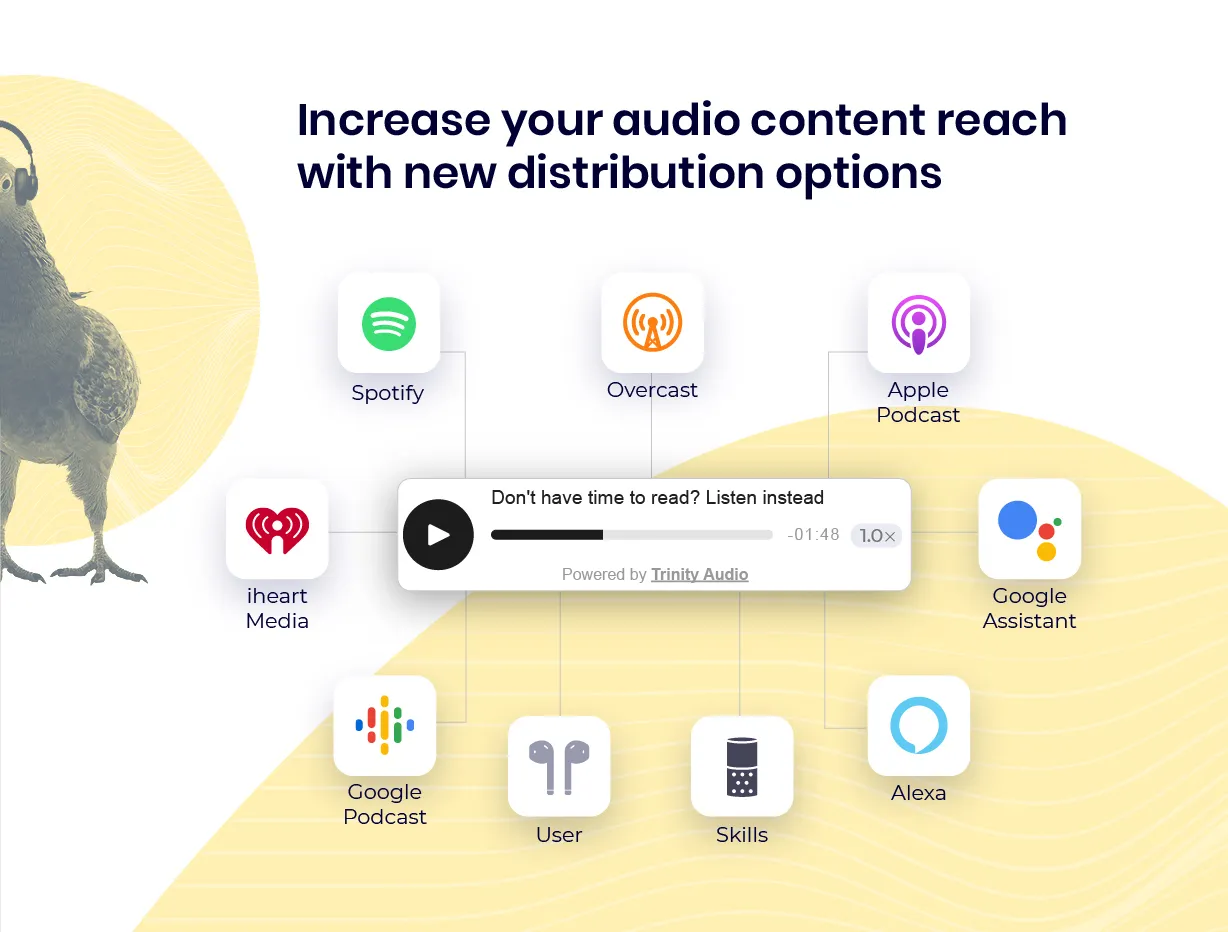
- CMS to distribute audio to Spotify, Apple and Google Podcasts, plus playlists
- AI-powered summaries
- Background music
- Podcast creation and voice cloning
A free plan gives 5 credits per month. Paid plans add more volume, domains and advanced features. The listing does not state prices, and no separate AI provider key is needed. Generated audio stays accessible if your plan changes.
How to use Trinity Audio
- Install the plugin
In wp-admin go to Plugins, then Add New, search for Trinity Audio, then install and activate it.
- Accept the terms
Open the Trinity Audio tab and accept the terms to finish registration.
- Choose a voice
Set the source language, filter by gender and listen to narrators. Pick a GenAI or Premium voice depending on your plan.
- Set the player options
Choose the voice style, theme, position and floating button. Keep New post default and Resource Preconnect checked, as recommended.
- Save and test
Click Save Changes, then open a post to hear the player. Adjust per post if needed.
Trinity Audio screenshots (5)
-
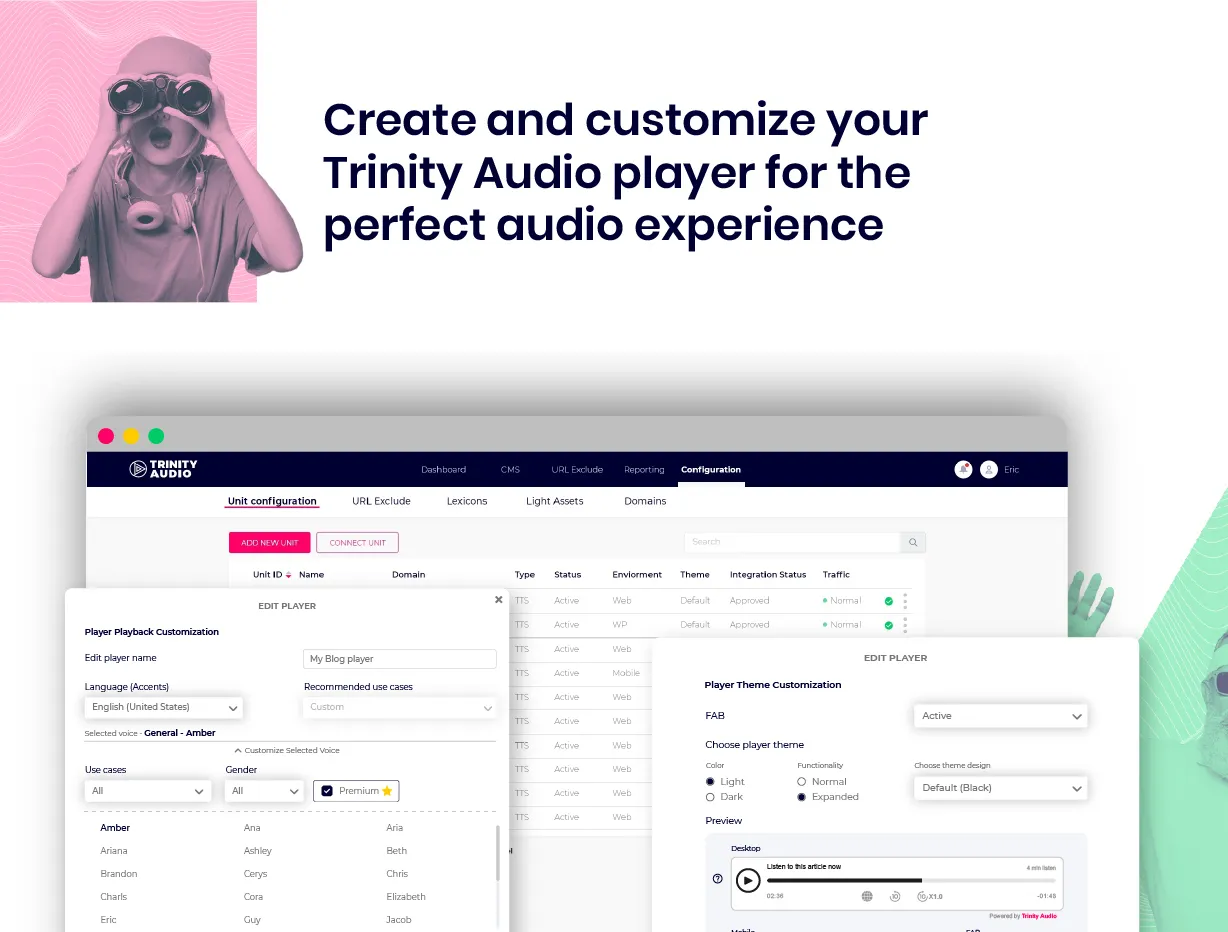
Manage and follow up on your audio journey success. -
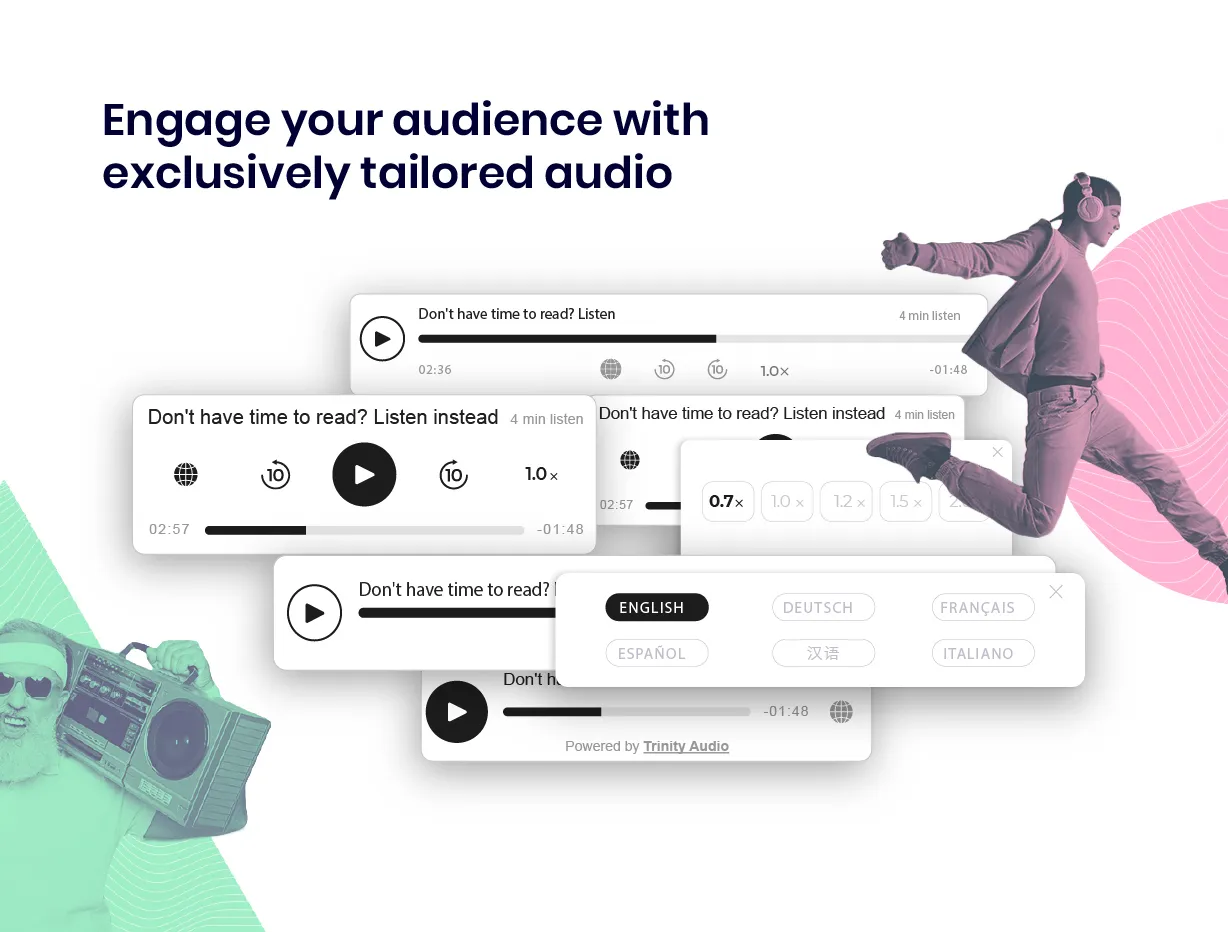
Increase your audio content reach with new distribution options. -
Trusted by leading media publications and content creators. -
-
Important information
- Text-to-speech is done on Trinity Audio's servers, so your content is sent to them. Activating the plugin means accepting their terms.
- The free plan is limited to 5 articles a month and one domain. Some languages are available only on paid plans.
- Requires WordPress 6.0 or later and PHP 7.2 or later.
- Five vulnerabilities have been published for this plugin and are marked patched. Keep it updated.
- For multilingual sites, set the main language in settings and configure other languages per post.
From the Trinity Audio readme
Straight from the developer's WordPress.org listing.
Full description
The audio player will convert your content into audio in just a few clicks, with one-time seamless integration (no support, or special tech knowledge needed), and give your audience the ability to listen to your content on the go.
The free version of this plugin is designed for content creators, such as bloggers who do not produce a large volume of content, and for those who want to give it a try before choosing one of the advanced plans. It enables converting up to 5 articles to audio per month, to add an audio narrator to your blog in 125 languages, 600+ voices (both male and female) and increase accessibility to broader audience.
• Add rich media to your existing pages to improve SEO rankings.
• Dashboard with statistics and usability reports.
• Fast player loading time for a smooth experience that doesn’t affect page loading time.
• Automatic real-time translation
• Multiple playing speed capabilities
• Smart Content Recommendations to enhance user engagement
• A dedicated support team to provide assistance with any issue that might come up.
For a quick start, please follow the instructions on our Implementation Guide.
Explore our advanced products and features:
• Over 125 supported languages with over 600 accents and natural voices
• CMS to manage, edit, and distribute audio content in leading platforms such as Spotify, Apple, and Google Podcast, and create playlists to increase engagement
• Dashboard with statistics and usability reports
• AI-powered summaries for content highlights
• Background music integration
• Podcast creation and distribution
• Voice cloning technology
And much more!
Customer Testimonial
“At a time when consumption of digital audio is stronger than ever, we’re excited to roll out this new audio feature to our customers to enhance their news experience and give them the ability to listen to local journalism where and when they want it. In addition, the integration of this technology across all of our sites will drive advertising revenue.”
Jessica Gilbert, McClatchy Senior Director of Product and Experience
Trinity audio usage terms
The Trinity Audio plugin provides a Text to speech service, which is performed by Trinity Audio.
As such, the service is required to make calls to Trinity’s backend servers.
By activating the plugin you consent to our T&C as stated below:
Service Terms & Conditions
Privacy policy
For more about Trinity Audio: Trinity Audio
Settings and configurations
The following are configuration options you can modify as you see fit:
• Voice Selection: Choose your content language and preferred narrator. For multilingual sites, set the primary language here and configure individual posts separately.
• Voice Style: Select reading style (e.g., news/formal). Available for narrators with wave icons.
• Theme & Appearance: Choose player theme and light/dark mode (or auto-adjust).
• Audio Preview: Test your selected narrator before saving.
• Player Features:
** Floating Button: Control player while scrolling
** Real-time Translation: Translate content to 6 languages in real-time
** Author Credit: Include author name in audio
** Playback Speed: Set default speed (users can adjust during playback).
** Share: Allow users to share the audio with friends, social media or yourself to listen later
• Content Filtering:
** Skip HTML Tags: Exclude specific HTML elements from audio
** Allow Shortcodes: Include shortcode content (comma-separated: vc_row, vc_column, su_heading)
• Player Settings:
** Position: Choose player placement (recommended: before article text)
** Label: Add custom text above player (HTML supported)
** Trinity Credit: Display “Powered by Trinity Audio” attribution
** Performance: Enable resource preconnect for faster loading
** Auto-Enable: Automatically add player to new posts
Still here? Go turn your readers to listeners.
Video
Installation
Instantly convert your content from text to audio with the most natural sounding voices. Just follow these steps:
• Install the Trinity Audio plugin from the “Add new plugin” option on your WordPress installation.
• Activate the plugin.
• Go to the “Trinity Audio” tab in your WordPress admin interface. T&Cs need to be accepted to complete the registration.
• Configure the settings of your plugin and click save to finish the setup.
Recommended setup process
Here are the recommended steps for configuring the plugin:
• Choose the default source language.
• Filter the gender you prefer.
• If your plan includes GenAI voices, choose the GenAI voice tab.
• If your plan doesn’t include GenAI voices, choose the Premium voices tab.
• Listen to the different narrators and choose the one you find as best.
• Choose a voice style you like and click on the player to listen to the sample.
• Make sure the checkbox next to “Help us reach new users” is checked.
• Make sure the checkbox next to “Resource Preconnect” is checked.
• Make sure the checkbox next to “New post default” is checked.
• Click “Save Changes”.
If at any stage you have questions or need support, reach out to us at: wp@trinityaudio.ai – we’d love to hear from you!
Developer FAQ (16)
- What is Trinity Audio?
- Trinity Audio is a unified AI audio platform that helps publishers and content creators convert text to audio with natural-sounding voices. Our technology learns listener behavior and creates smart audio experiences across the entire audio journey.
- Which languages are supported?
- Trinity Audio supports 125+ languages including: Afrikaans, Albanian, Amharic, Arabic, Azerbaijani, Bengali, Bosnian, Bulgarian, Burmese, Catalan, Chinese, Croatian, Czech, Danish, Dutch, English, Estonian, Filipino, Finnish, French, Galician, Georgian, German, Greek, Gujarati, Hebrew, Hindi, Hungarian, Icelandic, Indonesian, Irish, Italian, Japanese, Javanese, Kannada, Kazakh, Khmer, Korean, Lao, Latvian, Lithuanian, Macedonian, Malay, Malayalam, Maltese, Marathi, Mongolian, Nepali, Norwegian, Panjabi, Pashto, Persian, Polish, Portuguese, Romanian, Russian, Serbian, Sinhala, Slovak, Slovene, Somali, Spanish, Sundanese, Swahili, Swedish, Tamil, Telugu, Thai, Turkish, Ukrainian, Urdu, Uzbek, Vietnamese, Welsh, Yue Chinese, and Zulu. Many languages offer multiple accents. We continuously add new languages – contact support for specific requests. Some languages are available only in paid plans.
- How much does Trinity Audio cost?
- The free plan includes 5 credits per month at no cost. For higher volume or advanced features, see our pricing plans. Generated audio remains accessible regardless of plan changes.
- Can I customize voice settings per post?
- Yes! Set default voice in general settings, then customize individual posts from the post editor.
- Can I disable the player on specific posts?
- Yes – you can disable it from the post editor or from the WordPress “Posts” page, even when auto-enable is active.
- Where is the player positioned?
- Player position is configurable in settings. We recommend placing it before the article content body for best engagement.
- What content does the player read?
- The player reads article headlines and body text. Headlines can be excluded via settings, as well as author name.
- Do you support multiple domains?
- Free plan supports one domain. Paid plans support multiple domains with 30-day money-back guarantee. See our pricing page.
- How do I install the plugin?
- Follow our complete Implementation Guide.
- Do you support dark themes?
- Yes! Set appearance to “light”, “dark”, or let the player automatically adjust based on your site’s theme.
- Does the plugin work with pages and custom posts?
- Currently supports posts only. Our JS integration supports all page types – see pricing for details.
- Do you support third-party themes (Divi, etc.)?
- Yes, including Divi. Configure Advanced Settings for optimal compatibility with theme builders.
- Site migration – plugin not working?
- Use your Recovery Token from Trinity Audio → Info → Recovery Token in your previous admin panel. Contact support@trinityaudio.ai if you need assistance.
- Player reading unwanted text?
- Add unwanted HTML elements to “Skip HTML tags” in settings. Contact support@trinityaudio.ai for additional help.
- Player missing text content?
- Add required shortcodes to “Allow shortcodes” section. Contact support@trinityaudio.ai for assistance.
- Player not appearing on posts?
- Check your credit balance in the plugin dashboard. Players won’t appear on new posts when credits are exhausted.
Downloads, last 30 days
Trend vs previous period: -1.1%
Average daily downloads: 82 over the last 7 days , 152 over 30 days.
Security history
Past CVEs, patched · 5 published vulnerabilities (Wordfence) · most recent Dec 12, 2025
- Patched 4.3 Medium Trinity Audio <= 5.23.3 - Missing Authorization CVE-2025-67466 · Dec 12, 2025 · affects *-5.23.3 · fixed in 5.24
- Patched 5.3 Medium Trinity Audio <= 5.21.0 - Unauthenticated Information Exposure CVE-2025-9196 · Oct 11, 2025 · affects *-5.21.0 · fixed in 5.22.0
- Patched 6.1 Medium Trinity Audio <= 5.20.2 - Reflected Cross-Site Scripting CVE-2025-9952 · Oct 3, 2025 · affects *-5.20.2 · fixed in 5.21.0
- Patched 5.3 Medium Trinity Audio <= 5.20.0 - Missing Authorization CVE-2025-49272 · Jun 5, 2025 · affects *-5.20.0 · fixed in 5.20.1
- Patched 4.3 Medium Trinity Audio <= 5.20.2 - Cross-Site Request Forgery CVE-2025-9886 · Oct 3, 2025 · affects *-5.20.2 · fixed in 5.21.0
Trinity Audio FAQ
What is Trinity Audio?
It is an audio platform that turns text into natural-sounding speech for publishers and creators. The plugin adds its player to your WordPress content.
Which languages are supported?
More than 125 languages, many with several accents. The listing says new languages are added over time, and some are available only on paid plans.
How much does it cost?
The free plan includes 5 credits per month. Paid plans exist for higher volume and advanced features. Previously generated audio remains accessible after plan changes.
Can I change the voice per post?
Yes. Set a default in general settings, then change it for any post in the editor.
Can I disable the player on some posts?
Yes. Switch it off in the post editor or from the Posts page, even if auto-enable is on.
What does the player read?
Headlines and body text. You can exclude headlines or the author name in settings.
Does it support dark themes?
Yes. Choose light or dark appearance, or let the player adjust automatically.
Trinity Audio alternatives
Build faster in Elementor with 90+ Elementor widgets and addons, 600+ ready-made Elementor templates, without writing code. Premium Addons powers 600,000+ websites with the Elementor carousel, mega menu, blog posts…
Your WordPress site just became MCP-ready. WPVibe is the Model Context Protocol server for WordPress, connecting your self-hosted site to any AI assistant or AI agent that speaks MCP: Claude, ChatGPT, Cursor,…

Your WordPress site, now in the conversation Jetpack connects your WordPress site to ChatGPT, Claude, and the other AI agents you already use. Ask in plain language to draft a post, see which pages got the most…

This plugin provides Google AI (Gemini) integration for the PHP AI Client SDK. It enables WordPress sites to use Google’s Gemini models for text generation, image generation, text to speech, and other AI…

Secure WordPress MCP server for Claude, ChatGPT and AI agents. Easy MCP AI is a free plugin that turns your own site into a Model Context Protocol (MCP) server. Connect Claude to WordPress , connect ChatGPT to…

miniOrange Secure MCP Server is a complete WordPress MCP server plugin that turns your WordPress site into a fully working Model Context Protocol (MCP) server. Once installed, you can connect Claude to WordPress,…
Listing data from WordPress.org and the Wordfence vulnerability feed, refreshed Nov 9, 2026; listing details fetched Nov 14, 2026. Screenshots are from the plugin's WordPress.org listing. Not affiliated with sergiotrinity.