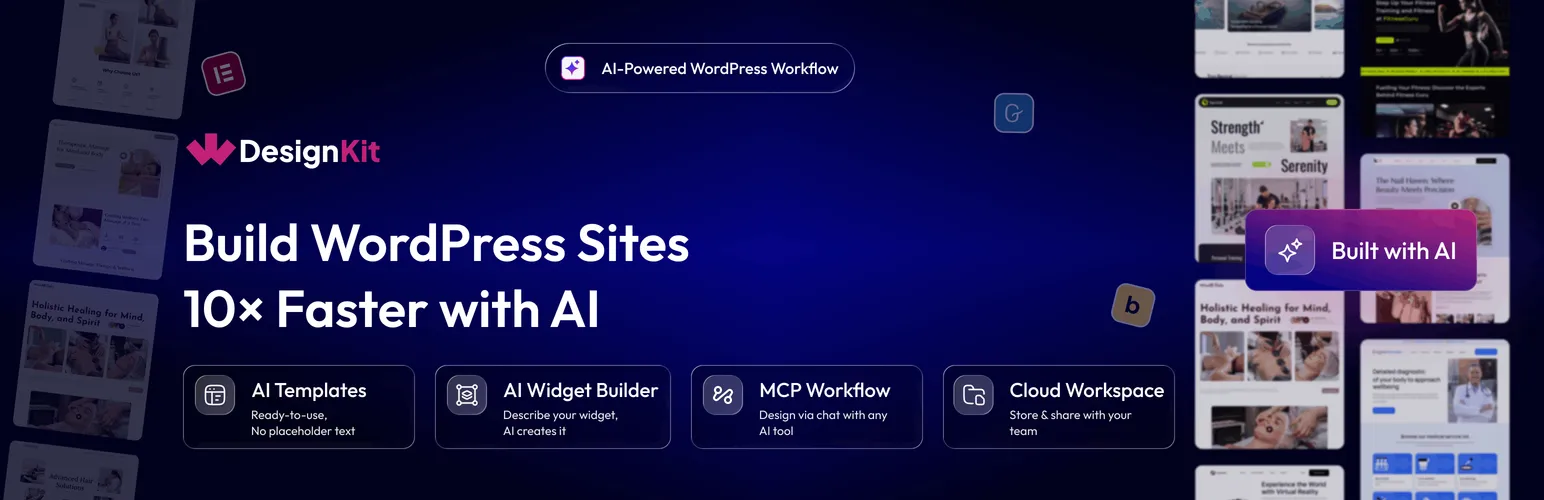

WDesignKit
WDesignKit - AI Website Builder for WordPress with MCP, Elementor AI & AI Widget Builder · by POSIMYTH
- active installs
- 30K+
- 12 ratings
- 4.8
- since last update
- 4d
- releases in 12 months
- —
- support threads resolved
- 100%
- avg daily downloads
- 1,480
- on WordPress.org
- 2.8 years
WDesignKit at a glance
WDesignKit is a free WordPress AI agent & MCP plugin by POSIMYTH with 30K+ active installs and a 4.8/5 rating from 12 reviews. It was last updated on Nov 5, 2026, is tested up to WordPress 7.1.4 and needs PHP 7.4+. It works with OpenAI, Claude, Google Gemini. All 3 of its published vulnerabilities have patched versions. Our quality score is 92/100.
What is WDesignKit?
WDesignKit is a template and widget library for WordPress page builders. It offers thousands of Elementor and Gutenberg templates, over 220 ready-made widgets, blocks and elements, and a widget builder for Elementor, Gutenberg and Bricks. Everything is reached from one library inside wp-admin.
It suits people who build sites with Elementor, Gutenberg or Bricks and want starting points they can import in one click. The widget builder turns your own HTML, CSS and JS into widgets. You can also use it without any AI tool, by importing templates and building widgets by hand.
The AI side works through the WordPress MCP. You connect an assistant such as Claude Code, ChatGPT, Gemini, Cursor, Windsurf or Visual Studio Code. It can then pick AI template kits, build custom widgets, or write code snippets on your site. The AI work is done by the tool you connect.
Best for
- Elementor and Gutenberg users who want ready templates
- Developers building custom widgets
- Agencies sharing assets across a team
- Users who want an AI assistant to build on their site
WDesignKit features
Template library
1600+ Elementor templates, kits and sections, and 1500+ Gutenberg templates and patterns. Import any of them in one click.
Ready-made widgets
220+ items: 110+ Elementor widgets, 30+ Gutenberg blocks and 80+ Bricks elements.
Widget builder
Turn your own HTML, CSS and JS into widgets for Elementor, Gutenberg, Nexter or Bricks. A converter moves widgets between builders.
AI template kits
Describe your site and import a kit pre-filled with AI-written content for your business.
AI widget builder
Describe a widget, such as a testimonial carousel or FAQ accordion, and your connected AI tool builds it.
AI code snippets
Generate custom WordPress snippets by chatting with your AI tool, instead of pasting into functions.php.
MCP workflow
Exposes templates, the widget builder, snippets and workspaces as abilities, so an assistant can run tasks on your site.
Cloud workspace
Store and share templates, widgets and designs with your team. Includes 60+ Figma website kits.
WDesignKit free vs pro
Free WordPress.org version
- Template library import for Elementor and Gutenberg
- Ready-made widgets, blocks and elements
- Widget builder, with a limit on how many widgets you can create
- MCP workflow for connecting an AI assistant
The plugin is free on WordPress.org. The listing links to a pricing page, so a paid plan appears to exist, but it does not describe what it includes. AI features run through an AI tool you connect over MCP, which you may pay for separately.
How to use WDesignKit
- Install the plugin
In wp-admin go to Plugins, then Add New, search for WDesignKit, then click Install Now and Activate.
- Open WDesignKit
Find WDesignKit in the admin menu and connect your account as prompted.
- Import a template
Browse the library for Elementor or Gutenberg and import a page, section or full kit in one click.
- Build a widget
Use the widget builder to turn your own code into a widget, or start from a ready-made one.
- Connect an AI assistant
Follow the MCP Workflow setup, enable permissions and add the MCP configuration to your tool, such as Claude or Cursor.
WDesignKit screenshots (8)
-
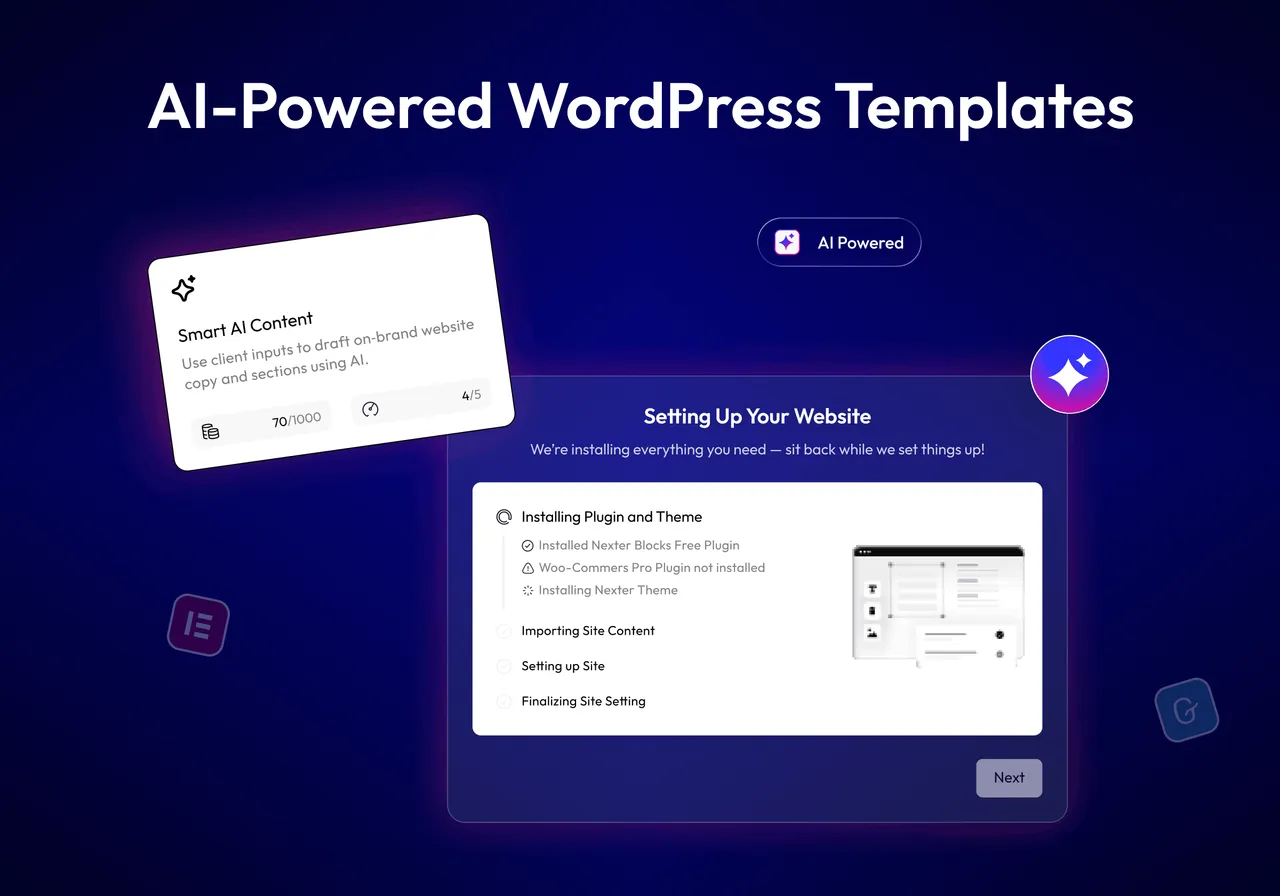
AI Website Builder with AI Template Kits -

Elementor Templates & Gutenberg Templates Library -
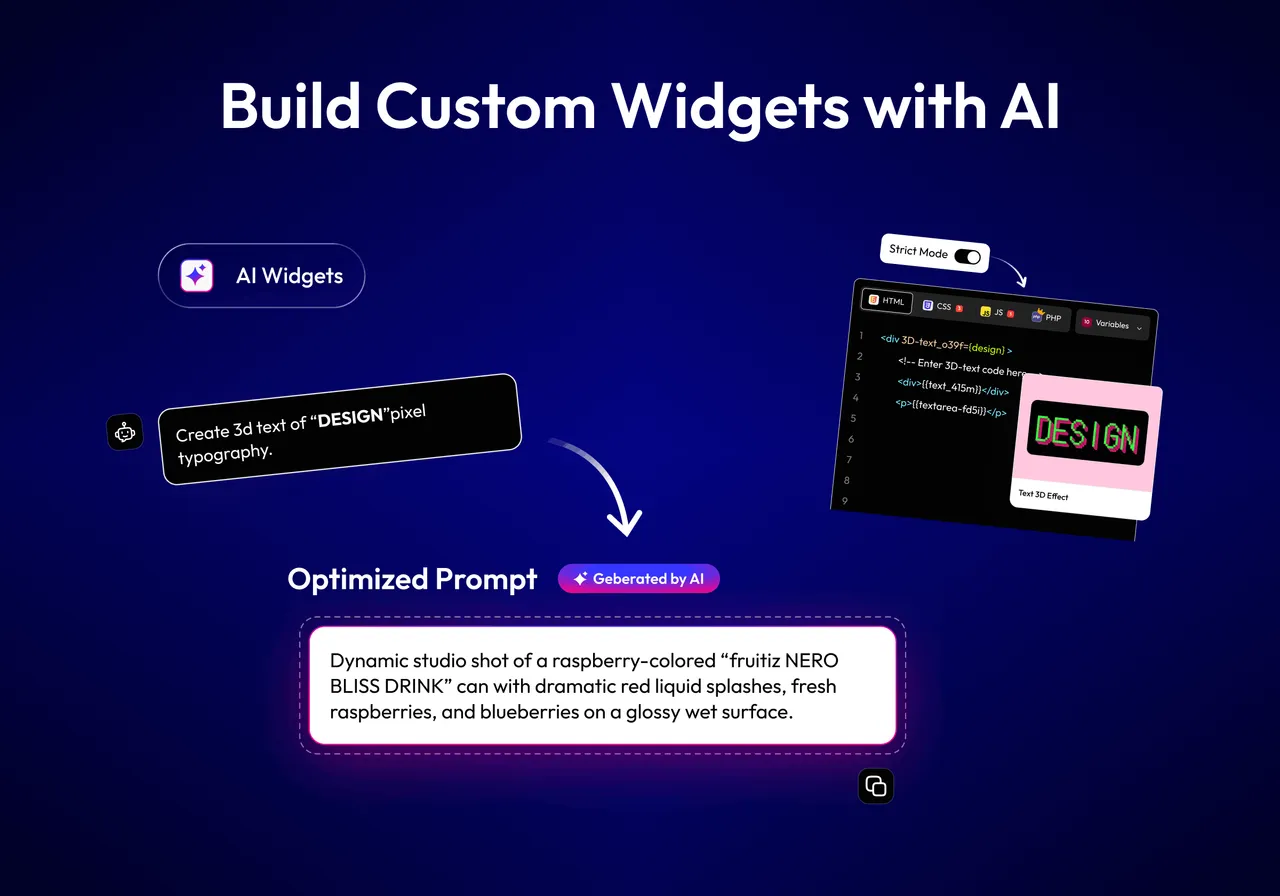
AI Widget Builder for Elementor, Gutenberg & Bricks -
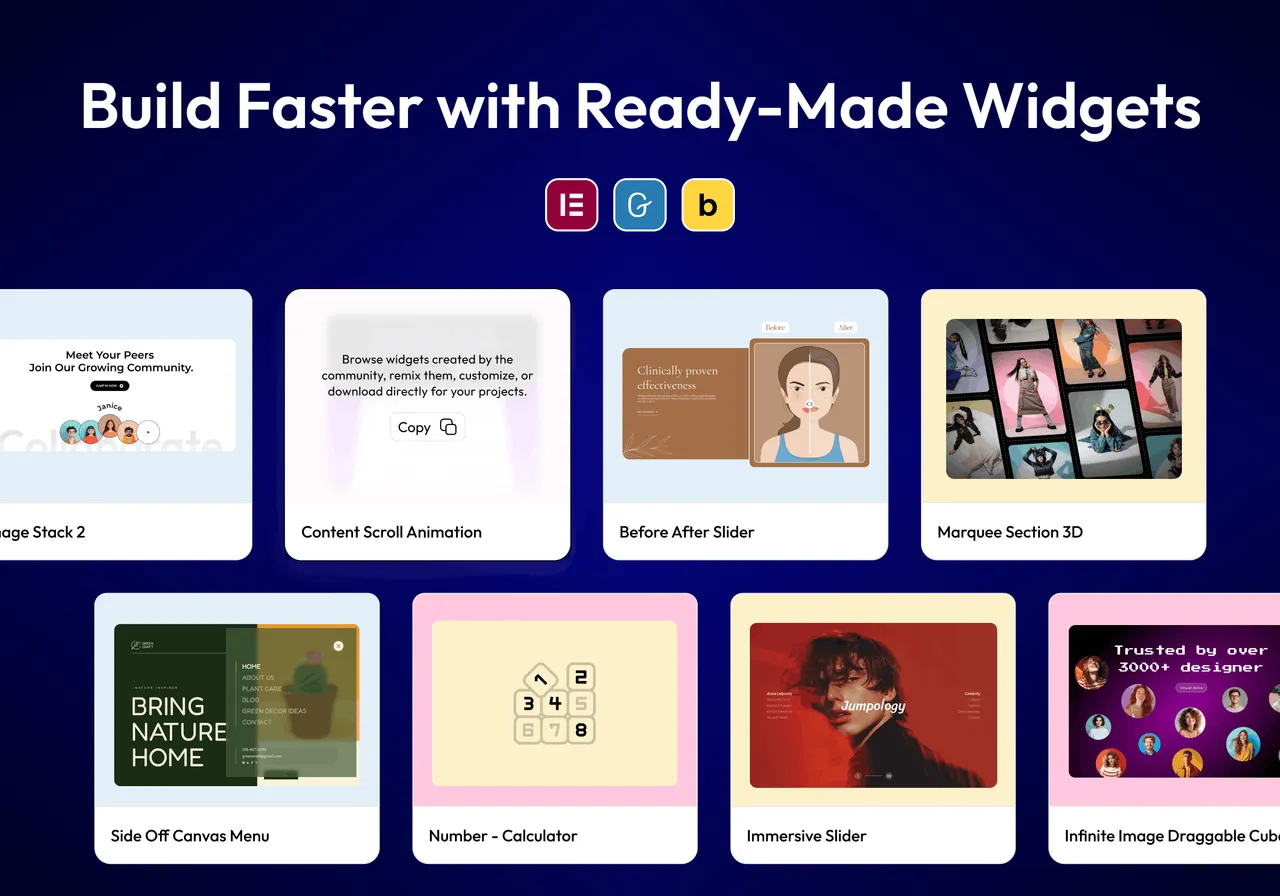
Ready-Made Elementor Widgets, Gutenberg Blocks & Bricks Elements -
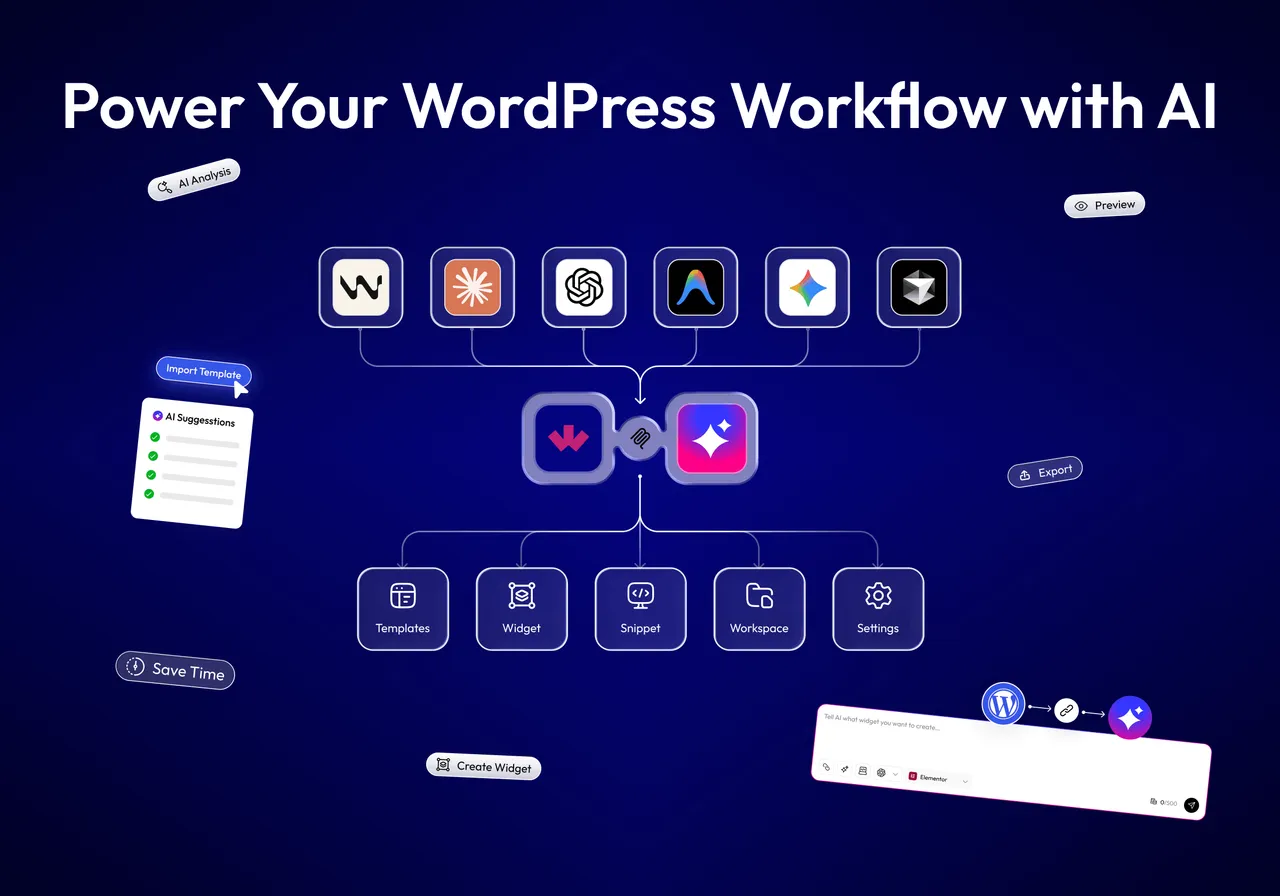
WordPress MCP Workflow with Claude, ChatGPT & Cursor -
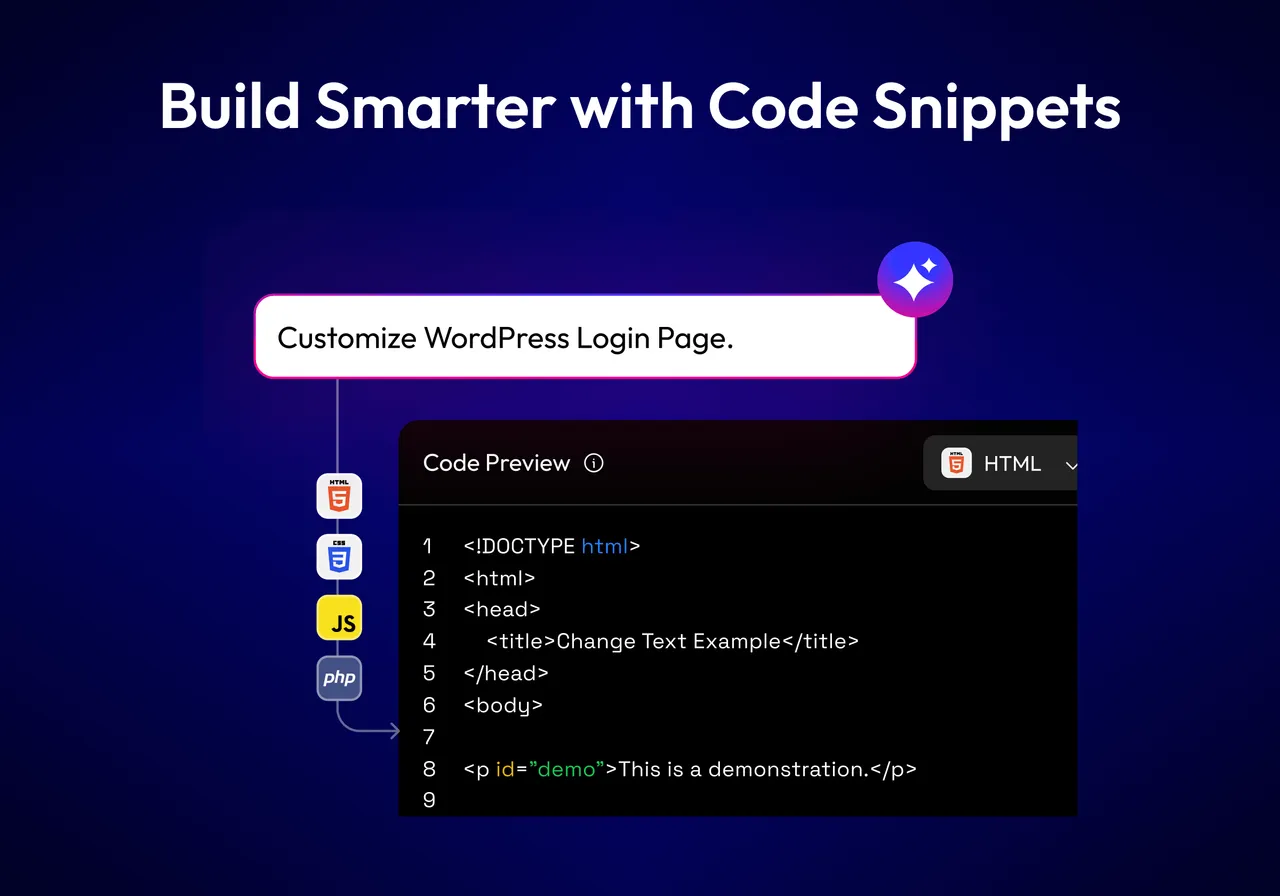
AI Code Snippets for WordPress -
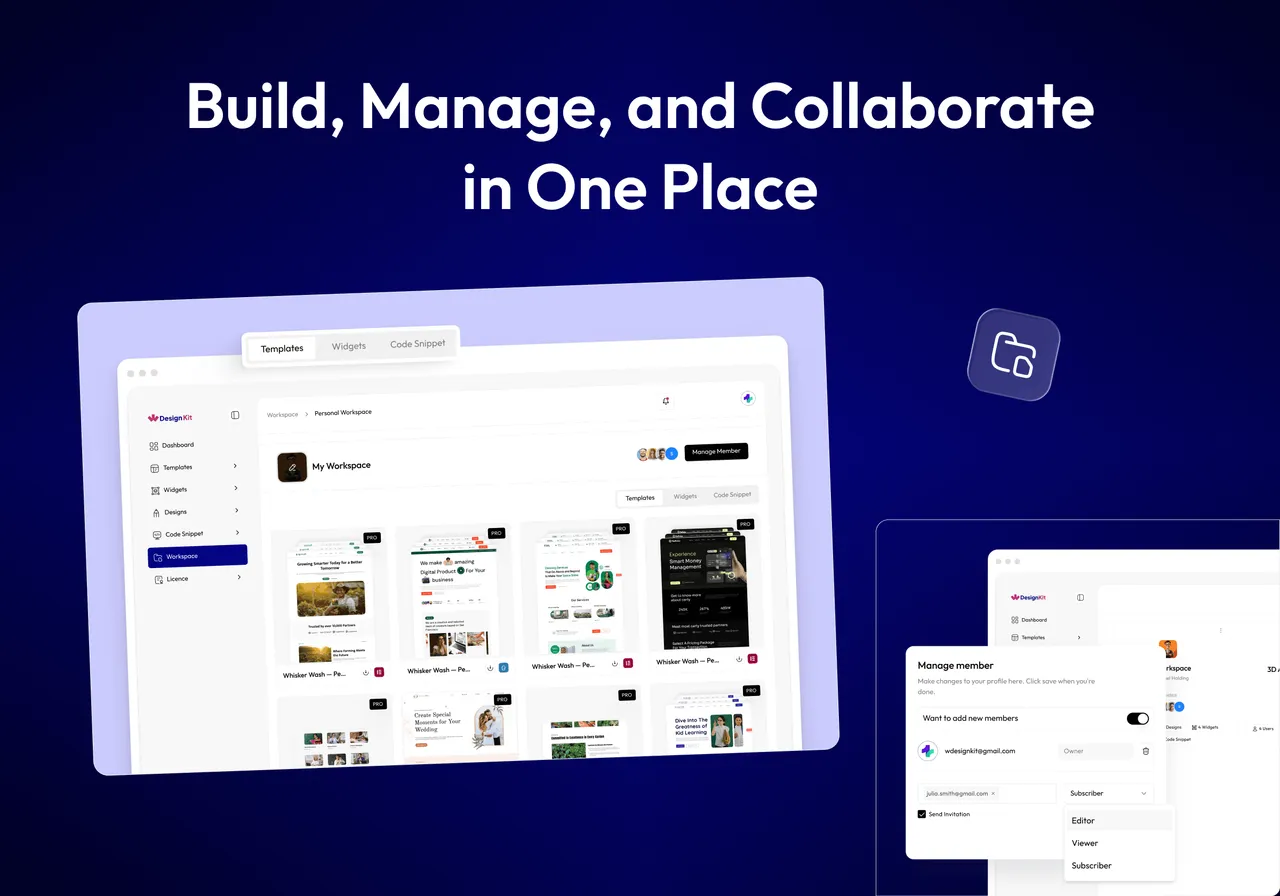
Cloud Workspace for Templates & Widgets -
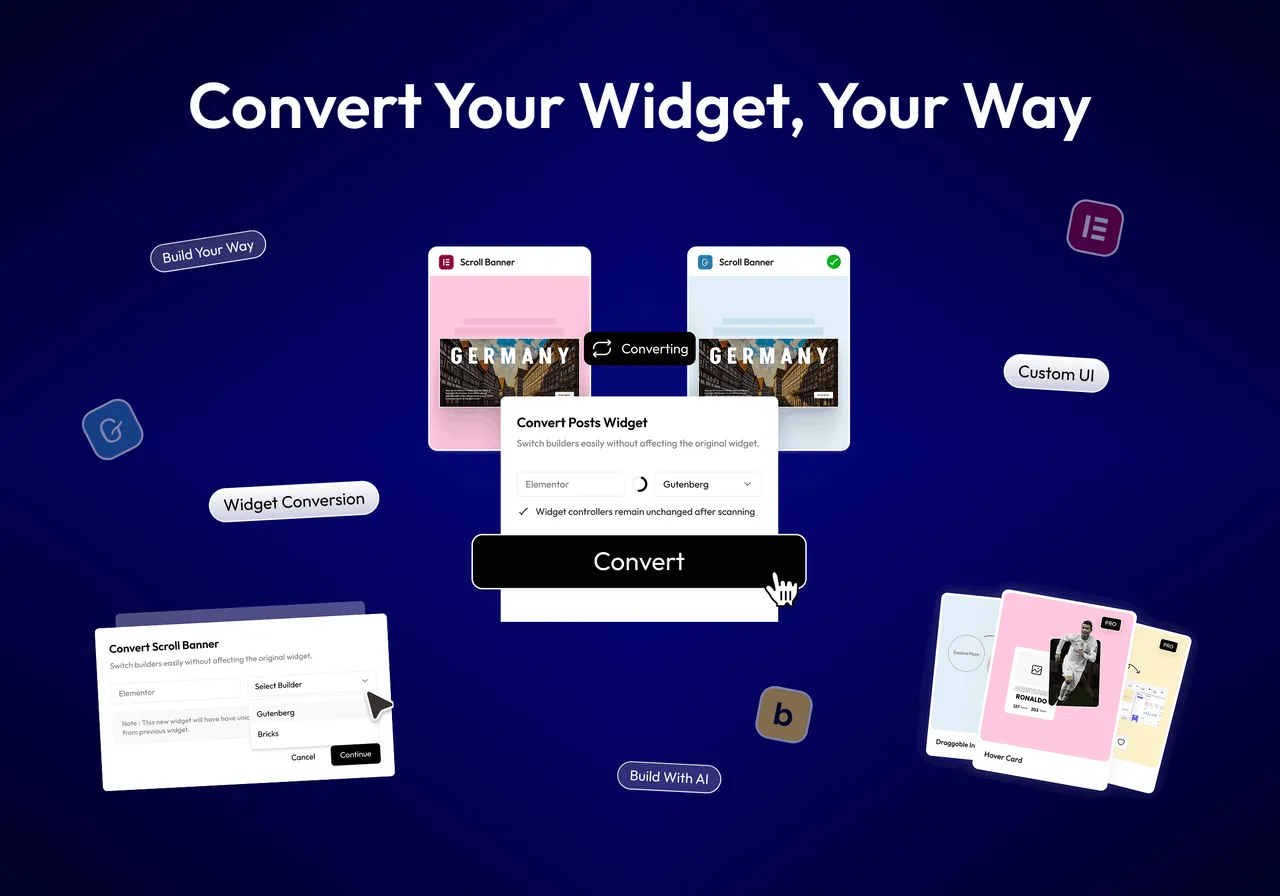
One-Click Widget Converter
Important information
- Requires WordPress 6.0 or higher and PHP 7.4 or higher.
- Building widgets or snippets with AI needs a connected AI tool over MCP. It is not available as a standalone feature.
- The widget PHP editor is not sandboxed. It runs PHP with normal site privileges, so give access to trusted administrators only.
- On Nginx, the .htaccess protection for widget files in the uploads folder does not apply. Block direct access to those files in your server config.
- Some templates need The Plus Addons for Elementor or Nexter Blocks for a full import. Bricks templates are not available yet.
- Usage analytics are off by default and only sent if you opt in. The plugin also calls the vendor API and WordPress.org for updates and compatibility.
From the WDesignKit readme
Straight from the developer's WordPress.org listing.
Full description
WDesignKit gives you 3000+ Elementor templates, Gutenberg templates and template kits, 220+ ready-made Elementor widgets, Gutenberg blocks and Bricks elements, and a free widget builder for Elementor, Gutenberg and Bricks, all from one template library inside WordPress.
Want AI to do the work? Connect your AI assistant through the WordPress MCP (Model Context Protocol) and describe what you need in plain language: a full website from an AI template kit, a custom Elementor, Gutenberg or Bricks widget, or a WordPress code snippet. WDesignKit builds it inside your site, using your page builder.
Works with the AI tools you already use, including Claude Code, ChatGPT, Gemini, Cursor, Windsurf and Visual Studio Code.
VISIT WDESIGNKIT WEBSITE
Quick Navigation Links
Website | Docs | Pricing | Video Tutorials
Elementor Templates, Gutenberg Templates & Template Kits
Browse the full template library (landing pages, full website kits, headers, footers and sections) and import any Elementor template or Gutenberg template in one click. Every AI workflow below draws on the same library:
• 1600+ Elementor Templates, Kits & Sections and 1500+ Gutenberg Templates & Patterns.
• 220+ ready-made widgets: 110+ Elementor widgets, 30+ Gutenberg blocks and 80+ Bricks elements.
• Widget Builder: Turn your own HTML, CSS and JS into Elementor, Gutenberg, Nexter or Bricks widgets, and convert between builders with the 1-Click Widget Converter.
• Cloud Workspace and 60+ Figma Website Kits: Store and share templates, widgets and designs with your team.
AI Website Builder With AI Templates
• AI Templates: Describe your site and import the template kit that fits, pre-filled with AI-written content for your business. No more replacing placeholder text line by line. Your AI assistant can also search the template library and import pages and sections for you.
AI Widget Builder For Elementor, Gutenberg & Bricks
• AI Widget Builder: Describe a widget, such as a SaaS hero, logo cloud, testimonial carousel, stats counter or FAQ accordion, and your AI tool builds it as a production-ready widget.
• Elementor Widgets with AI: Generate full Elementor widgets with editable controls, or convert existing ones.
• Gutenberg: Build core blocks and Nexter blocks from a single prompt.
• Bricks: Create custom Bricks elements without leaving your AI assistant.
AI Code Generator For WordPress Snippets
• AI Code Snippets: Generate custom WordPress code snippets through a conversation with your AI tool. No manual coding or copy-pasting into functions.php.
WordPress MCP Workflow For Your AI Assistant
• MCP Workflow connects your AI assistant to WDesignKit through the WordPress MCP (Model Context Protocol). Instead of clicking through dashboards, you ask in chat and the assistant runs the task on your site.
Setup takes a few minutes: install the plugin, connect WDesignKit, enable permissions, and add the MCP configuration to your AI assistant, such as Claude (Claude MCP for WordPress) or Cursor.
🔍 OUR PRODUCTS
💰 The Plus Addons for Elementor – 120+ Elementor widgets.
💰 NexterWP Theme, Blocks & Extensions – Starter theme, 90+ Gutenberg blocks and 22+ extensions.
💰 UiChemy – Convert Figma designs into Elementor and Bricks websites.
External services
• wdesignkit.com API : This API is used to fetch plugin-related data for onboarding and updates. It sends the plugin version and identifier during activation, updates, or specific plugin-related requests. For more details, you can review the Privacy Policy and Terms of Service.
• api.wordpress.org : This API retrieves plugin metadata and compatibility information from WordPress.org. It sends the plugin identifier during updates or when checking compatibility. More information can be found in the Privacy Policy and Terms of Service.
• api.posimyth.com : Usage analytics. Off by default; submitting the deactivation feedback form also sends it, plus your admin email if you tick the contact box. Terms · Privacy
• AI Templates : This feature sends your prompt to WDesignKit’s AI service to generate ready-to-use template content. No content is sent unless you actively use this feature. For more details, review the Privacy Policy and Terms of Service.
• Model Context Protocol (MCP) : The AI Widget Builder, AI Code Snippets, and MCP Workflow features connect WDesignKit to a third-party AI tool of your choice (such as Claude) over the Model Context Protocol. Your prompts, and where applicable your existing widget/template code, are sent to that AI tool to generate the result. This only happens when you actively connect and use an AI tool via MCP; review the privacy policy and terms of the AI tool you connect, in addition to WDesignKit’s Privacy Policy and Terms of Service.
Installation
• In your WordPress admin, go to Plugins > Add New and search for “WDesignKit”.
• Click Install Now, then Activate.
• Open WDesignKit from the admin menu and follow the MCP Workflow setup to connect your AI assistant.
Developer FAQ (12)
- What is WordPress MCP and why does WDesignKit use it?
- MCP (Model Context Protocol) is an open standard that lets AI assistants use tools on other systems. WDesignKit exposes its templates, widget builder, code snippets and workspaces as MCP abilities, so an assistant such as Claude, ChatGPT or Cursor can build and manage them on your WordPress site from a chat.
- Which AI tools work with WDesignKit?
- Any AI tool that supports MCP, including Claude Code, ChatGPT, Gemini, Cursor, Windsurf and Visual Studio Code.
- Can I use WDesignKit without AI?
- Yes. You can import templates, use the ready-made widgets and build widgets from your own code by hand, without connecting an AI tool.
- Does it Work with Any WordPress Theme?
- Yes this works with all the Themes, but it works best in sync with our Nexter WordPress Theme.
- Is Widget Builder free to use?
- Yes. Our Elementor Widget Builder, Gutenberg Blocks Builder & Bricks Elements Builder are 100% free to use. There are some limitations on the number of widgets you can create in the free plan. Building widgets or code snippets with AI requires a connected AI tool via MCP; it is not available as a standalone feature inside the plugin.
- Can I save templates from both Elementor Free and Pro using WDesignKit?
- Yes, You can save and use Elementor Free and Pro both templates.
- What page builders are currently supported with WDesignKit?
- Currently, for Templates, we have support for Elementor and Gutenberg only. For Widget Builder & ready-made widgets, we support Elementor, Gutenberg, and Bricks. Templates for Bricks are not available yet.
- Do i Need any Elementor Addon to use the Plugin?
- WDesignKit does not have any direct dependency on any Elementor Addon, but some Elementor Templates & Gutenberg Blocks require The Plus Addons for Elementor or Nexter Blocks for full import of website.
- Does WDesignKit share any data about my site?
- Only if you turn it on. Usage analytics are off by default; a few days after installing, WDesignKit asks once whether you want to share non-sensitive usage details, and nothing is sent unless you opt in. You can turn it on or off any time from WDesignKit > Settings. No personal data, no license key and no page content is ever sent.
- How can I report security bugs?
- You can report security bugs through the Patchstack Vulnerability Disclosure Program. The Patchstack team helps validate, triage and handle any security vulnerabilities. Report a security vulnerability.
- I run Nginx. Do I need to block direct access to the Widget Builder files?
- Widgets you build are written as PHP and JSON files under wp-content/uploads/wdesignkit/. The JSON holds the widget’s source, including any custom PHP. WDesignKit writes an .htaccess there that denies direct HTTP access to .php and .json files, but Nginx does not read .htaccess, so on Nginx that file has no effect. Add this to your server block and reload Nginx: location ~* /wp-content/uploads/wdesignkit/.*\.(php|json)$ { deny all; } Place it before any generic PHP location block so it takes precedence. This does not affect the widgets themselves: WordPress loads them from disk, not over HTTP.
- Is the widget PHP editor sandboxed? Is it safe to give any user?
- No. The widget PHP editor executes PHP with the site’s normal WordPress and PHP privileges — the same as code in a theme’s functions.php or a plugin. It is intended only for trusted administrators. WDesignKit scans submitted PHP and blocks common dangerous constructs (shell execution, eval, filesystem writes, and similar). Treat that scan as a guard-rail against accidental or opportunistic mistakes, not as a sandbox or a security boundary: it does not and cannot prevent a determined administrator from writing harmful PHP, because authored code runs with full privileges by design. Access is restricted to administrators with the manage_options capability; on multisite, to network administrators only; and the feature is disabled by default on any site that sets DISALLOW_FILE_EDIT. A site owner can turn it off entirely with the wdkit_can_edit_php filter, or re-enable it under DISALLOW_FILE_EDIT with the wdkit_allow_php_when_file_edit_disabled filter.
Downloads, last 30 days
Trend vs previous period: +25.5%
Average daily downloads: 2,628 over the last 7 days , 1,480 over 30 days.
Security history
Past CVEs, patched · 3 published vulnerabilities (Wordfence) · most recent Oct 3, 2025
- Patched 6.4 Medium WDesignKit - Elementor & Gutenberg Starter Templates, Patterns, Cloud Workspace & Widget Builder <= 1.2.3 - Authenticated (Contributor+) Stored Cross-Site Scripting CVE-2024-12189 · Apr 1, 2025 · affects *-1.2.3 · fixed in 1.2.4
- Patched 7.2 High WDesignkit <= 1.0.40 - Authenticated (Administrator+) Arbitrary File Upload CVE-2024-53811 · Dec 2, 2024 · affects *-1.0.40 · fixed in 1.1.0
- Patched 4.3 Medium WDesignKit - Elementor & Gutenberg Starter Templates, Patterns, Cloud Workspace & Widget Builder <= 1.2.16 - Missing Authentication via wdkit_handle_review_submission Function CVE-2025-9029 · Oct 3, 2025 · affects *-1.2.16 · fixed in 1.2.17
WDesignKit FAQ
What is MCP, and why does WDesignKit use it?
MCP is an open standard that lets AI assistants use tools on other systems. WDesignKit offers its templates, widget builder, snippets and workspaces this way, so your assistant can manage them from chat.
Which AI tools work with it?
Any that support MCP, including Claude Code, ChatGPT, Gemini, Cursor, Windsurf and Visual Studio Code.
Can I use it without AI?
Yes. You can import templates, use the ready-made widgets and write widgets by hand.
Which themes does it work with?
It works with all themes. The vendor says it works best with its own Nexter theme.
Is the widget builder free?
Yes, but the free plan limits how many widgets you can create. Building with AI needs a connected MCP tool.
Does it work with Elementor Free and Pro?
Yes. You can save and use templates from both.
Which page builders are supported?
Templates cover Elementor and Gutenberg. Widgets and elements also cover Bricks.
Does it share data about my site?
Only if you opt in. Analytics are off by default and the plugin asks once. You can change it later in Settings.
WDesignKit alternatives
Build faster in Elementor with 90+ Elementor widgets and addons, 600+ ready-made Elementor templates, without writing code. Premium Addons powers 600,000+ websites with the Elementor carousel, mega menu, blog posts…

Your WordPress site just became MCP-ready. WPVibe is the Model Context Protocol server for WordPress, connecting your self-hosted site to any AI assistant or AI agent that speaks MCP: Claude, ChatGPT, Cursor,…

Your WordPress site, now in the conversation Jetpack connects your WordPress site to ChatGPT, Claude, and the other AI agents you already use. Ask in plain language to draft a post, see which pages got the most…

This plugin provides Google AI (Gemini) integration for the PHP AI Client SDK. It enables WordPress sites to use Google’s Gemini models for text generation, image generation, text to speech, and other AI…

Secure WordPress MCP server for Claude, ChatGPT and AI agents. Easy MCP AI is a free plugin that turns your own site into a Model Context Protocol (MCP) server. Connect Claude to WordPress , connect ChatGPT to…

miniOrange Secure MCP Server is a complete WordPress MCP server plugin that turns your WordPress site into a fully working Model Context Protocol (MCP) server. Once installed, you can connect Claude to WordPress,…
Listing data from WordPress.org and the Wordfence vulnerability feed, refreshed Nov 9, 2026; listing details fetched Nov 14, 2026. Screenshots are from the plugin's WordPress.org listing. Not affiliated with POSIMYTH.