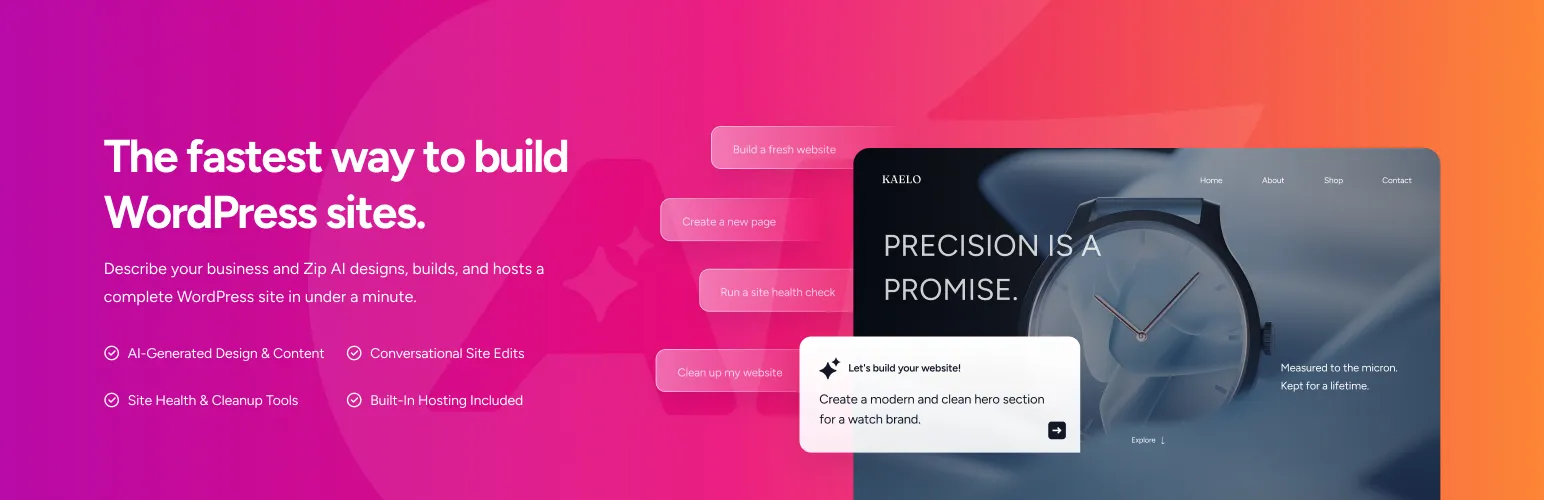

ZIP AI
ZIP AI - AI Website Builder & AI Agent · by Brainstorm Force
Disclosure: affiliated The person who runs WP AI Plugins works at Brainstorm Force. Rankings use the same data and formula as every other plugin.
- active installs
- 2K+
- 2 ratings
- 5.0
- since last update
- 4d
- releases in 12 months
- —
- support threads resolved
- —
- avg daily downloads
- 318
- on WordPress.org
- 4 months
ZIP AI at a glance
ZIP AI is a free WordPress AI agent & MCP plugin by Brainstorm Force with 2K+ active installs and a 5.0/5 rating from 2 reviews. It was last updated on Nov 5, 2026, is tested up to WordPress 7.0.8 and needs PHP 7.4+. It has no published security vulnerabilities in the Wordfence database. Our quality score is 90/100.
What is ZIP AI?
ZIP AI is a WordPress AI website builder and agent that works through a chat in the dashboard. You describe a page, section or change, and it builds layouts, copy, images, headers and footers using Gutenberg and Spectra blocks. The results stay editable in the block editor.
It also acts as an agent for supported site tasks. It proposes an action, you review it and approve it, and then it runs using WordPress tools such as the REST API, WP-CLI and the Abilities API. You can select a block in the editor and ask it to rewrite text, add a section or adjust a layout.
ZIP AI is made by Brainstorm Force and needs a ZipWP account. The full builder supports the Astra theme and compatible block themes only. A built-in code snippet manager for PHP, CSS, JavaScript and HTML is also included.
Best for
- Astra or block theme users building pages by chat
- Spectra users who want AI-made layouts they can edit
- Site owners who want approved, reviewable agent actions
- Developers who want a snippets manager in the same tool
ZIP AI features
Build pages from prompts
Create home, about, service, landing, contact and FAQ pages, with copy and imagery, from plain-language instructions.
Headers, footers and templates
Generate supported headers, footers and site templates, then refine them with follow-up requests.
Block-level editing
Select a supported block and ask for a rewrite, a new section or a layout change without disturbing the page.
Agent with approvals
Supported actions are shown first and applied only after you confirm. Failed operations are reported as failed.
Global Styles awareness
It can use WordPress Global Styles and Spectra design tokens so pages follow your colors and typography.
Site context and memory
It can use posts, pages, options and optional site scans, plus per-site memory and your own instructions. Memory can be reviewed and cleared.
Code snippets manager
Store PHP, CSS, JavaScript and HTML snippets. It is limited to administrators and new snippets start disabled.
Bring your own key
The FAQ says it supports your own API key as well as plan-based usage where available.
ZIP AI free vs pro
Free WordPress.org version
- The plugin is free on WordPress.org
- Chat-based page building and editing
- Agent actions with approval
- Code snippets manager
The plugin is free on WordPress.org and no paid tier is described in the listing. It requires a ZipWP account, and AI use is tracked as credits on the ZIP AI service. It also supports your own API key per the FAQ.
How to use ZIP AI
- Check your theme
Confirm the site uses Astra or a compatible block or Full Site Editing theme before connecting.
- Install the plugin
In wp-admin go to Plugins, then Add New, search for ZIP AI, then install and activate it.
- Connect your account
Open ZIP AI and connect your ZipWP account. WordPress verifies a short-lived token before storing access.
- Describe what you want
Ask it to build a homepage or add a services section, then refine with follow-up messages.
- Review before approving
Read each proposed action and approve it only if it looks right, then keep editing in the block editor.
ZIP AI screenshots (1)
-
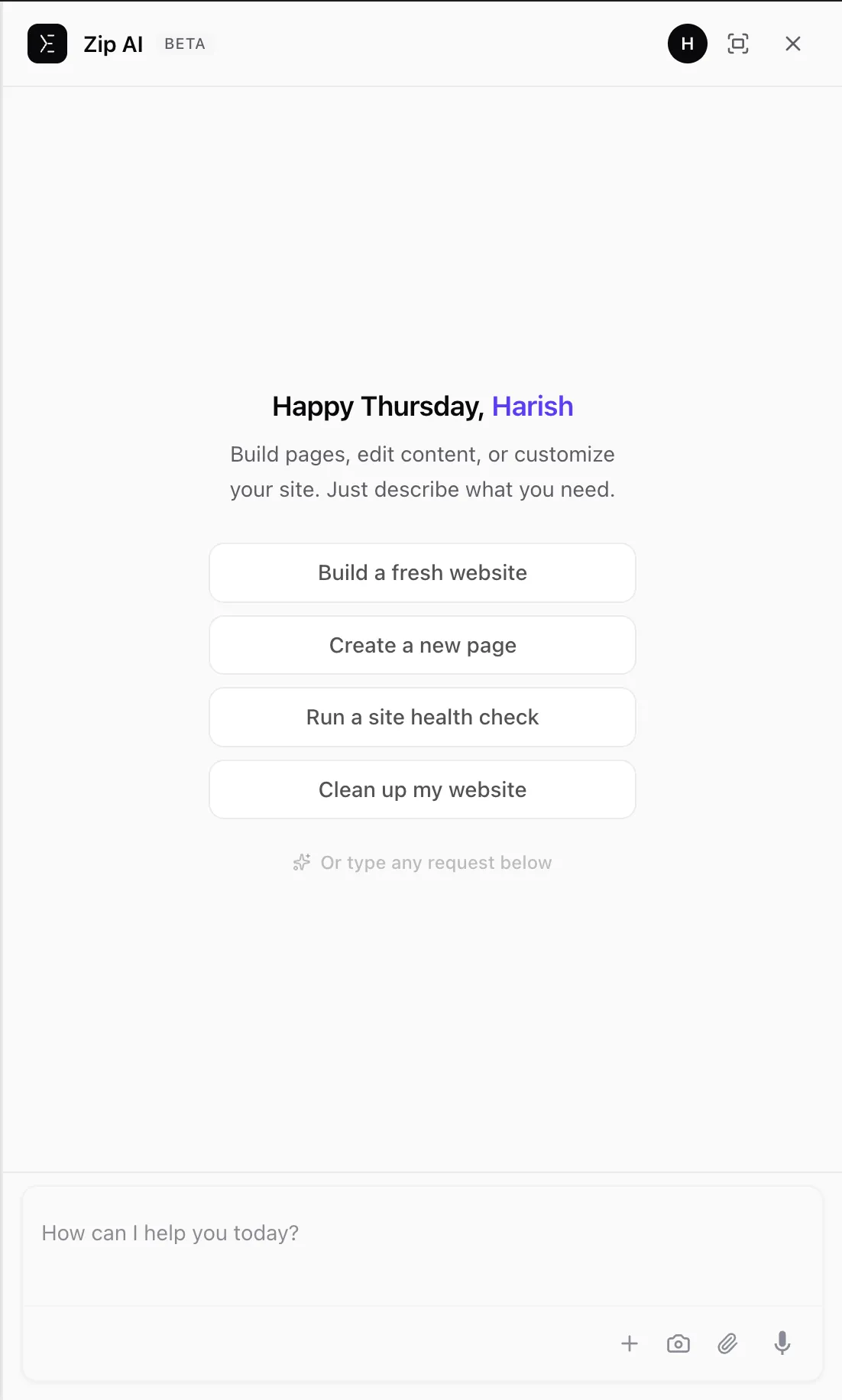
Chat with ZIP AI directly inside your WordPress dashboard to build and edit your site.
Important information
- Full website building supports only Astra and compatible block or Full Site Editing themes. Divi and other classic themes are not supported.
- A ZipWP account is required. Chat messages, site structure, site identity and tool results, which can include post content and option values, are sent to ZipWP services.
- Requires WordPress 6.4 or later and PHP 7.4 or later.
- AI output and command results can contain mistakes. Review every action before approving it.
- PHP snippets run on your site and validation is not a security sandbox. Only run code you trust.
From the ZIP AI readme
Straight from the developer's WordPress.org listing.
Full description
ZIP AI is a WordPress AI website builder and AI agent that lets you create, edit, and manage block-based WordPress websites by chatting inside your dashboard.
Describe the website, page, section, or change you want, and ZIP AI can create layouts, copy, imagery, headers, footers, and pages using Gutenberg and Spectra blocks. The result remains editable in the WordPress Block Editor.
Important: Theme Compatibility
ZIP AI currently supports Astra and WordPress Block / Full Site Editing (FSE) themes for its full website-building functionality.
Astra is currently the only supported classic WordPress theme. Other classic themes such as Divi and traditional or custom classic themes are not currently supported for the full website-building workflow.
ZIP AI can build and edit websites using Astra or a compatible Block / FSE theme.
Please confirm that your site uses Astra or a supported Block / FSE theme before installing and connecting ZIP AI.
Build WordPress Websites With AI
Tell ZIP AI what you want to build in plain language. It can help turn your instructions into WordPress pages, sections, content, and visual elements.
Use ZIP AI to:
• Build pages and sections from prompts
• Generate layouts, headlines, copy, and calls to action
• Create supported headers, footers, and site templates
• Add relevant imagery
• Create home, about, service, landing, contact, and FAQ pages
• Refine generated pages through follow-up instructions
• Continue editing with native WordPress blocks
For example, ask ZIP AI to “build a homepage for my bakery,” “add a services section,” “rewrite this headline,” or “create an FAQ section.”
AI Agent for WordPress
ZIP AI also works as a conversational AI agent inside wp-admin. Describe what you want it to do, review the proposed action, and approve it before a supported change is applied.
For supported operations, ZIP AI uses WordPress tools including the REST API, WP-CLI, and the Abilities API.
Edit WordPress With AI
Select a supported block in the WordPress Block Editor and describe the change you want. ZIP AI can help rewrite copy, improve headlines, add sections, update content, refine layouts, and adapt content while preserving the surrounding page structure.
ZIP AI uses Gutenberg and Spectra blocks. It can also use WordPress Global Styles and Spectra design tokens so supported pages can follow your site’s colors and typography.
Site Awareness and Memory
ZIP AI can use site context including posts, pages, options, metadata, and optional site scanning.
Per-site memory and “Your Instructions” let you provide preferences for later conversations. Stored memory can be reviewed and cleared.
You’re Always in Control
ZIP AI shows you proposed supported actions and asks for confirmation before applying them. Failed operations are reported rather than marked as successful.
AI-generated content, edits, and command output can contain mistakes or unexpected results. Review each action before approving it.
Account and SaaS Connection
ZIP AI is a SaaS-connected plugin and requires a ZipWP account.
After you choose to connect, ZipWP returns a short-lived, single-use token that WordPress verifies server-to-server before storing an access token.
Code Snippets
ZIP AI includes a Code Snippets manager for PHP, CSS, JavaScript, and HTML. It is restricted to administrators with the manage_options capability, and new snippets are disabled by default.
PHP snippets execute on your site. Validation is not a security sandbox; only run code you trust.
Snippet code is stored on your own site and run via a PHP include of a plugin-managed file – the plugin never downloads executable code from a remote server to run it. When you test a snippet, it is validated in a separate, short-lived PHP process (PHP’s -l lint with a time limit) so a syntax error cannot take your site down; this requires exec() on your host and is skipped when it is unavailable.
Built by Brainstorm Force
ZIP AI is built by Brainstorm Force, the team behind Astra, Spectra, Starter Templates, and other WordPress products.
External services
This plugin connects to external services to provide its AI features. Data is only sent after you explicitly authenticate and start a conversation.
1. ZIP AI credit server – https://credits.zipwp.com
Used to: route chat messages, manage your account, track AI-usage credits, and run server-side agent logic.
Data sent: chat messages, site structure (page titles, post counts, active plugin names, active theme name, content categories), site identity (title, tagline, language, domain), optional e-commerce summary (product counts, categories, currency), and the results of the WordPress tools the agent runs at your request, which can include post and page content, option values, and command output.
Terms: Terms of Service – Privacy Policy
2. ZipWP authentication middleware – https://app.zipwp.com/auth/
Used to: authenticate your ZipWP account and issue access tokens to the plugin.
Data sent: email address and OAuth state during the login flow.
Terms: Terms of Service – Privacy Policy
3. ZipWP API – https://api.zipwp.com/api/
Used to: fetch ZipWP product data (templates, design tokens, block presets) when assembling AI responses.
Data sent: authenticated product-lookup queries.
Terms: Terms of Service – Privacy Policy
4. Google Gemini (via the credit server)
Used to: generate AI responses to your chat messages.
Data sent: the text of your chat messages and the site context collected above.
Terms: Google Terms of Service – Google Privacy Policy
5. Anthropic Claude (via the credit server)
Used to: generate AI responses to your chat messages.
Data sent: the text of your chat messages and the site context collected above.
Terms: Anthropic Terms of Service – Anthropic Privacy Policy
6. Unsplash CDN – https://images.unsplash.com/
Used to: fetch the binary of an Unsplash stock photo you have explicitly picked from the in-chat image picker, so the image can be uploaded into your WordPress media library. The Unsplash search itself runs through the ZipWP API (see #3 above); only the chosen image’s bytes are downloaded directly from the Unsplash CDN.
Data sent: a standard HTTP GET request for the image URL. No personal data, no chat content.
Terms: Unsplash Terms – Unsplash Privacy Policy
No data leaves your site until you authenticate and send a message. You can clear all stored memory at any time via “Clear Site Memory” in the plugin menu.
Support
• Support Forum
• Documentation
Installation
Important: ZIP AI currently supports Astra and compatible Block / FSE themes.
Before You Begin
Confirm that your site uses Astra or a WordPress Block / Full Site Editing theme. Astra is currently the only supported classic theme; other classic themes such as Divi and traditional/custom classic themes are not currently supported for the full website-building workflow.
From WordPress
• Go to Plugins > Add New.
• Search for ZIP AI.
• Click Install Now, then Activate.
• Open ZIP AI and connect your ZipWP account.
• Start chatting and review proposed actions before approving them.
Manual Installation
• Go to Plugins > Add New > Upload Plugin.
• Upload the ZIP AI plugin ZIP file, install it, and activate it.
• Confirm your site uses Astra or a compatible Block / FSE theme and connect your ZipWP account.
Developer FAQ (11)
- Can ZIP AI build a complete WordPress website?
- Yes, for sites using Astra or a supported Block / FSE theme. ZIP AI can create pages, layouts, copy, imagery, headers, footers, and site templates.
- Does ZIP AI work with my WordPress theme?
- ZIP AI currently supports Astra and compatible Block / Full Site Editing themes for the full website-building experience. Astra is currently the only supported classic theme. Other classic themes are not currently supported for that workflow.
- I use Astra or another classic theme. Can I use ZIP AI?
- Yes, if you use Astra. Astra is currently the only classic WordPress theme supported for the full website-building workflow. Other classic themes are not currently supported. ZIP AI also supports compatible WordPress Block / FSE themes.
- Do I need an FSE theme to use ZIP AI?
- No. ZIP AI supports Astra as well as compatible WordPress Block / FSE themes. Astra is currently the only supported classic theme.
- Does ZIP AI work with Gutenberg?
- Yes. ZIP AI is designed around the WordPress Block Editor and uses Gutenberg and Spectra blocks for supported building and editing workflows.
- Do I need a ZipWP account?
- Yes. ZIP AI requires a ZipWP account to connect your WordPress website to the services that power its AI features.
- Is ZIP AI an AI agent or a chatbot?
- Both. You communicate with ZIP AI through chat, and for supported tasks it can propose and perform WordPress operations after you approve them.
- Will ZIP AI change my website without asking?
- For supported agent actions, ZIP AI shows the proposed action and asks for confirmation before applying the change.
- Can I use my own AI API key?
- ZIP AI supports Bring Your Own Key (BYOK) as well as plan-based usage where available.
- Can I clear what ZIP AI remembers?
- Yes. You can clear stored site memory from the plugin. Deleting the plugin also removes locally stored plugin data handled by its uninstall process.
- Where do I report security bugs found in this plugin?
- Please report security bugs found in the source code of the ZIP AI plugin through the Patchstack Vulnerability Disclosure Program. The Patchstack team will assist you with verification, CVE assignment, and notify the developers of this plugin.
Downloads, last 30 days
Trend vs previous period: +5.1%
Average daily downloads: 581 over the last 7 days , 318 over 30 days.
Security history
No known CVEs · 0 published vulnerabilities (Wordfence)
Recent releases
- v0.0.6
- Fix: Issue regarding vendor files autoloading.
- v0.0.5
- Public alpha release of ZIP AI.
ZIP AI FAQ
Can it build a whole site?
Yes, on Astra or a supported block theme. It can create pages, layouts, copy, imagery, headers, footers and templates.
Which themes work?
Astra and compatible block or Full Site Editing themes. Astra is the only classic theme supported for the full builder.
Do I need a block theme?
No. Astra works too, as well as compatible block themes.
Does it use Gutenberg?
Yes. It builds and edits with Gutenberg and Spectra blocks inside the block editor.
Do I need a ZipWP account?
Yes. The account connects your site to the services behind the AI features.
Will it change my site without asking?
For supported agent actions, it shows the proposed action and waits for your confirmation first.
Can I use my own API key?
The FAQ says it supports a bring your own key option as well as plan-based usage where available.
Can I clear what it remembers?
Yes. Stored site memory can be cleared in the plugin, and uninstalling removes locally stored plugin data.
ZIP AI alternatives
Build faster in Elementor with 90+ Elementor widgets and addons, 600+ ready-made Elementor templates, without writing code. Premium Addons powers 600,000+ websites with the Elementor carousel, mega menu, blog posts…

Your WordPress site just became MCP-ready. WPVibe is the Model Context Protocol server for WordPress, connecting your self-hosted site to any AI assistant or AI agent that speaks MCP: Claude, ChatGPT, Cursor,…

Your WordPress site, now in the conversation Jetpack connects your WordPress site to ChatGPT, Claude, and the other AI agents you already use. Ask in plain language to draft a post, see which pages got the most…

This plugin provides Google AI (Gemini) integration for the PHP AI Client SDK. It enables WordPress sites to use Google’s Gemini models for text generation, image generation, text to speech, and other AI…

Secure WordPress MCP server for Claude, ChatGPT and AI agents. Easy MCP AI is a free plugin that turns your own site into a Model Context Protocol (MCP) server. Connect Claude to WordPress , connect ChatGPT to…

miniOrange Secure MCP Server is a complete WordPress MCP server plugin that turns your WordPress site into a fully working Model Context Protocol (MCP) server. Once installed, you can connect Claude to WordPress,…
Listing data from WordPress.org and the Wordfence vulnerability feed, refreshed Nov 9, 2026; listing details fetched Nov 14, 2026. Screenshots are from the plugin's WordPress.org listing. Not affiliated with Brainstorm Force.