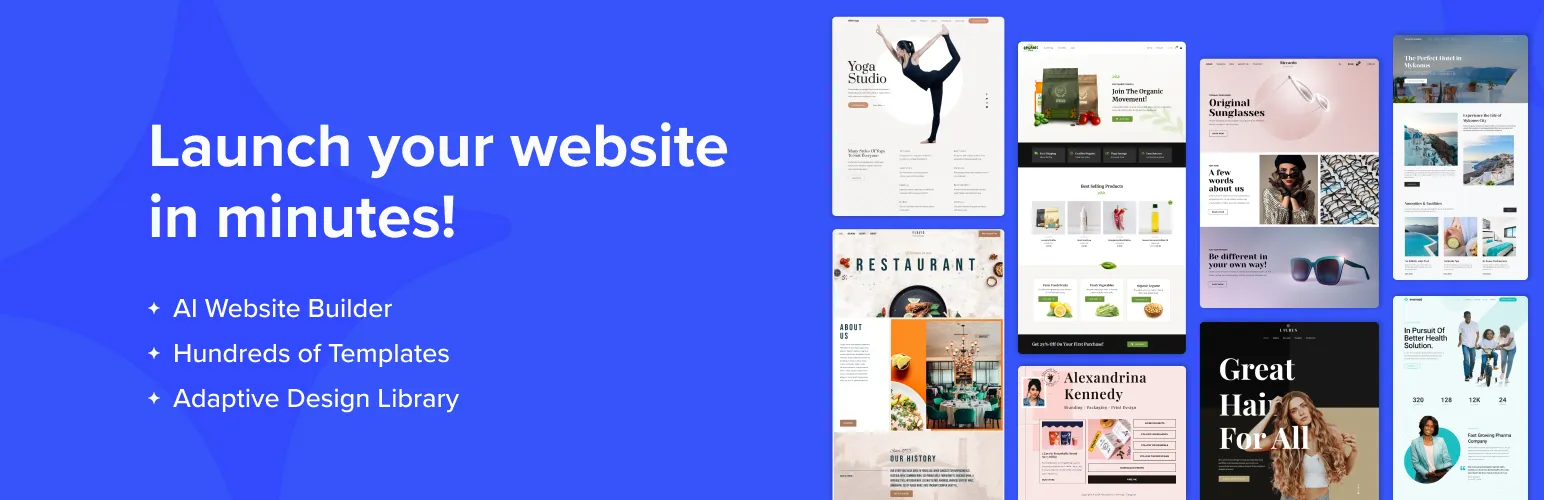

Starter Templates
Starter Templates: AI-Powered Website Templates for Elementor & Gutenberg · by Brainstorm Force
Disclosure: affiliated The person who runs WP AI Plugins works at Brainstorm Force. Rankings use the same data and formula as every other plugin.
- active installs
- 1M+
- 4,755 ratings
- 4.9
- since last update
- 3d
- releases in 12 months
- —
- support threads resolved
- 100%
- avg daily downloads
- 48,401
- on WordPress.org
- 9.3 years
Starter Templates at a glance
Starter Templates is a free WordPress AI website builder plugin by Brainstorm Force with 1M+ active installs and a 4.9/5 rating from 4,755 reviews. It was last updated on Nov 6, 2026, is tested up to WordPress 7.1.4 and needs PHP 7.4+. All 12 of its published vulnerabilities have patched versions. Our quality score is 95/100.
What is Starter Templates?
Starter Templates is a template library for WordPress. It lets you import a ready-made design into your site: a complete website, a single page, or one section. The library holds more than 300 website templates, and the designs work with Elementor, Beaver Builder, Spectra and the standard block editor.
It suits people who would rather edit a finished layout than build from a blank page. A small business owner can pick a restaurant or clinic template and swap in their own text and images. A freelancer can use it to get client sites started faster, and the listing says client use is allowed.
The plugin also includes an AI website builder that generates a site from a description. That part needs a free ZipWP account. If you only import pre-made templates, no account is required. Once a template is imported it becomes normal WordPress content, so you can edit it like any other page.
Best for
- Site owners who want a finished design to edit
- Freelancers and agencies building client sites quickly
- Stores that need a ready-made WooCommerce layout
- Elementor or block editor users who want section patterns
Our take
Brainstorm Force's template library now generates a starter site from an AI prompt (the same lineage as ZipWP). Genuinely useful for a fast start: the AI builds the scaffold, you still do the real work.
Starter Templates features
Full website templates
Import every page, menu and setting for a complete site in one step. Each design is a matched kit, so colors, layouts and typography fit together.
Page and section imports
Add a single page design or one block pattern to a site you already run. Useful when you only need a pricing section or an about page.
Several page builders supported
Templates exist for Elementor, Beaver Builder, Spectra and the block editor. You can filter the library so you only see designs for your builder.
Live demo previews
You can look at any template as a working demo before importing it. That avoids importing a design you then dislike.
Use-case filters
Browse by store, portfolio, business, landing page, blog, restaurant, event or nonprofit. You start from a layout close to your goal.
Bundled plugin setup
Depending on the template, the plugins it needs are installed during import. A store design brings eCommerce plugins, a booking design brings booking plugins.
AI website builder
Describe your site and the AI generates a version of it. This requires a free ZipWP account.
Image library access
Search royalty-free images from Pexels and Unsplash inside the dashboard and swap them into a template.
Starter Templates free vs pro
Free WordPress.org version
- A large library of free website templates, page templates and block patterns (more than 150 free full-site templates)
- Import at site, page or section level
- Support for Elementor, Beaver Builder, Spectra and the block editor
- Pre-made template import without any account
Pro Paid version
- Some designs in the library are marked as available on higher plans
The plugin is free on WordPress.org, and the listing says some designs need a higher plan. AI-generated sites need a free ZipWP account, and the listing does not describe any use of your own API key.
How to use Starter Templates
- Install the plugin
In wp-admin go to Plugins, then Add New, search for Starter Templates, then install and activate it.
- Pick your page builder
Choose Elementor, Beaver Builder, Spectra or the block editor. The library then shows designs built for that tool.
- Preview a template
Browse by category and open a live demo of any design that looks close to what you want.
- Import it
Choose a full site, one page or one section and run the import. Necessary supporting plugins are installed for you.
- Edit the content
Replace text, images, colors and fonts in your builder or the block editor. Afterwards you can deactivate the plugin, though you need it again to import more templates.
Starter Templates screenshots (6)
-
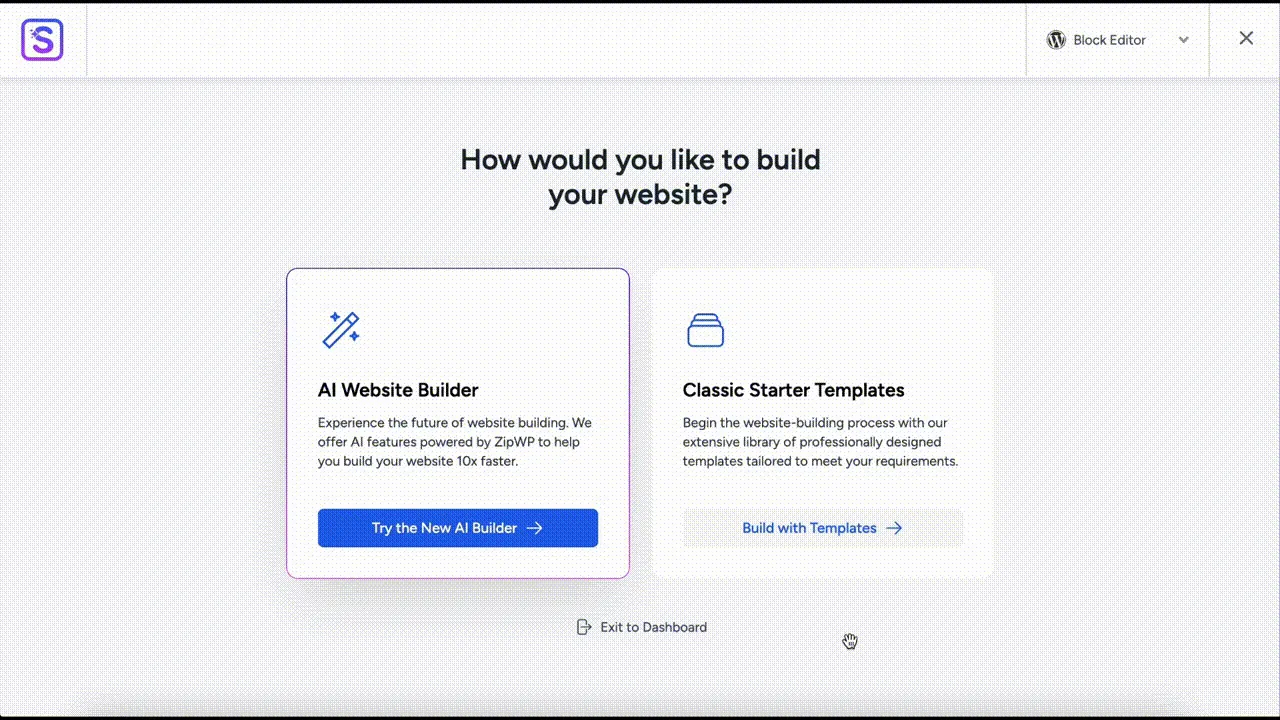
AI Website Builder - Starter Templates has been integrated with ZipWP - our innovative AI Website Builder to make building websites super easy. -
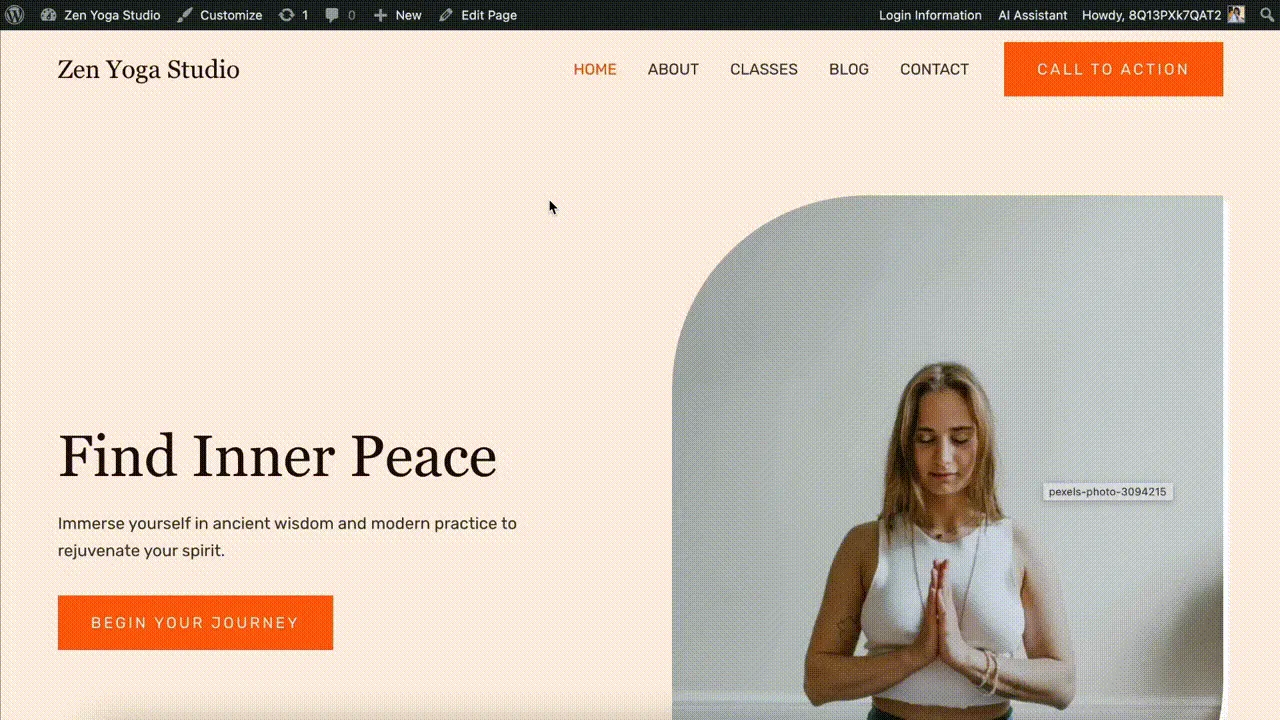
Unlimited Customizations - Enjoy complete control of your website content and layout. Change colors, fonts, add images, create and add new patterns and pages. -
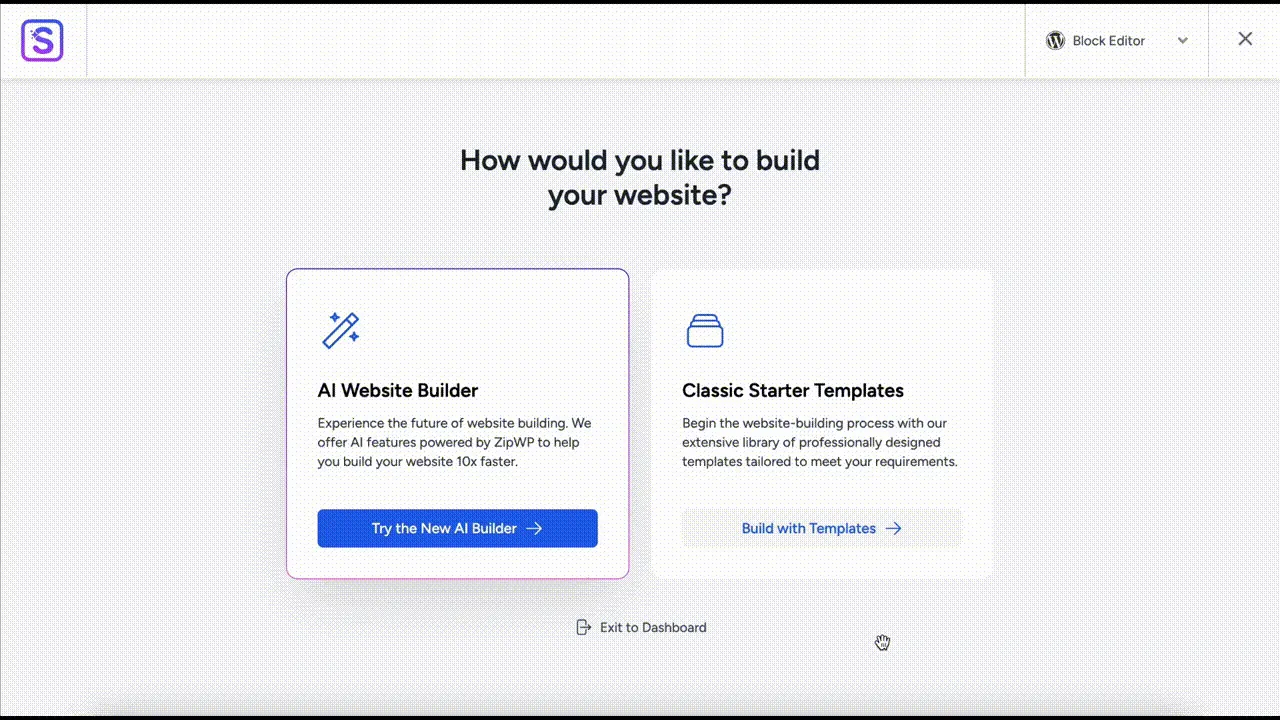
Hundreds of Templates - Choose from over 200 diverse designs to build your dream website in minutes. Whether it's eCommerce, Business, Portfolio, or any niche, find the perfect template tailored to your vision. -
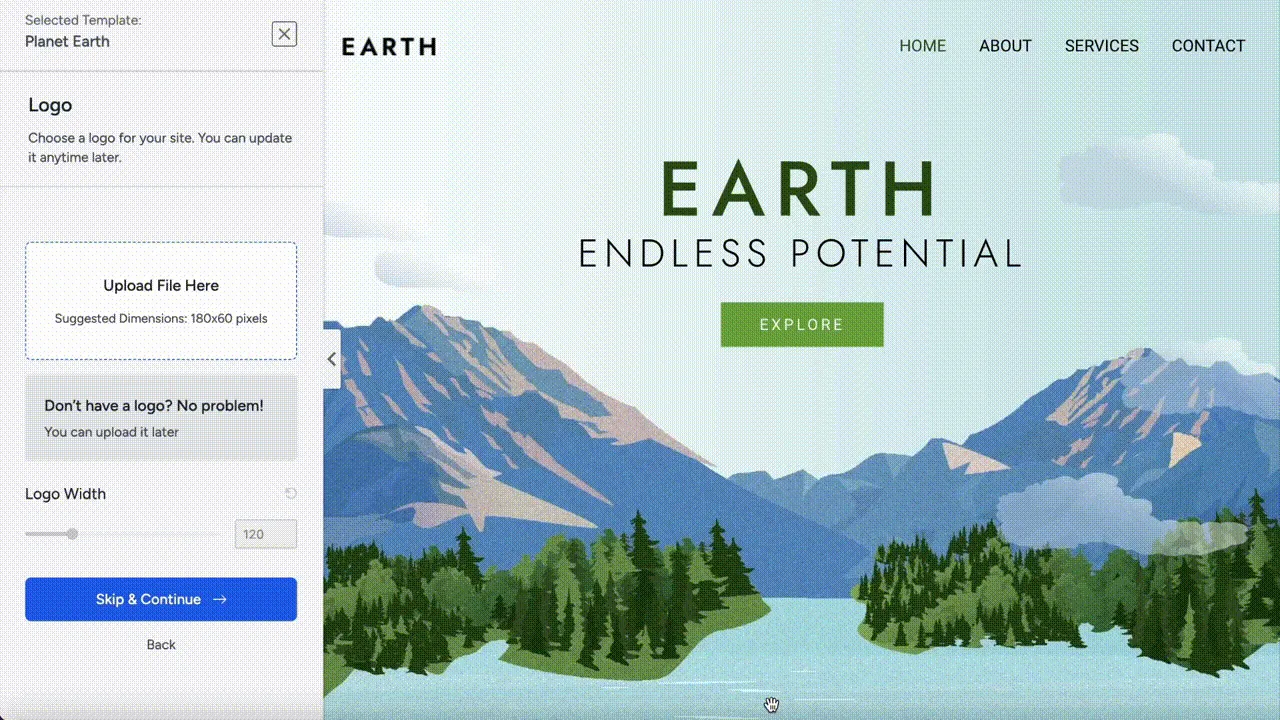
Limitless Customizations- Explore fonts and colors with a simple click. Effortlessly change images add new patterns/pages. -
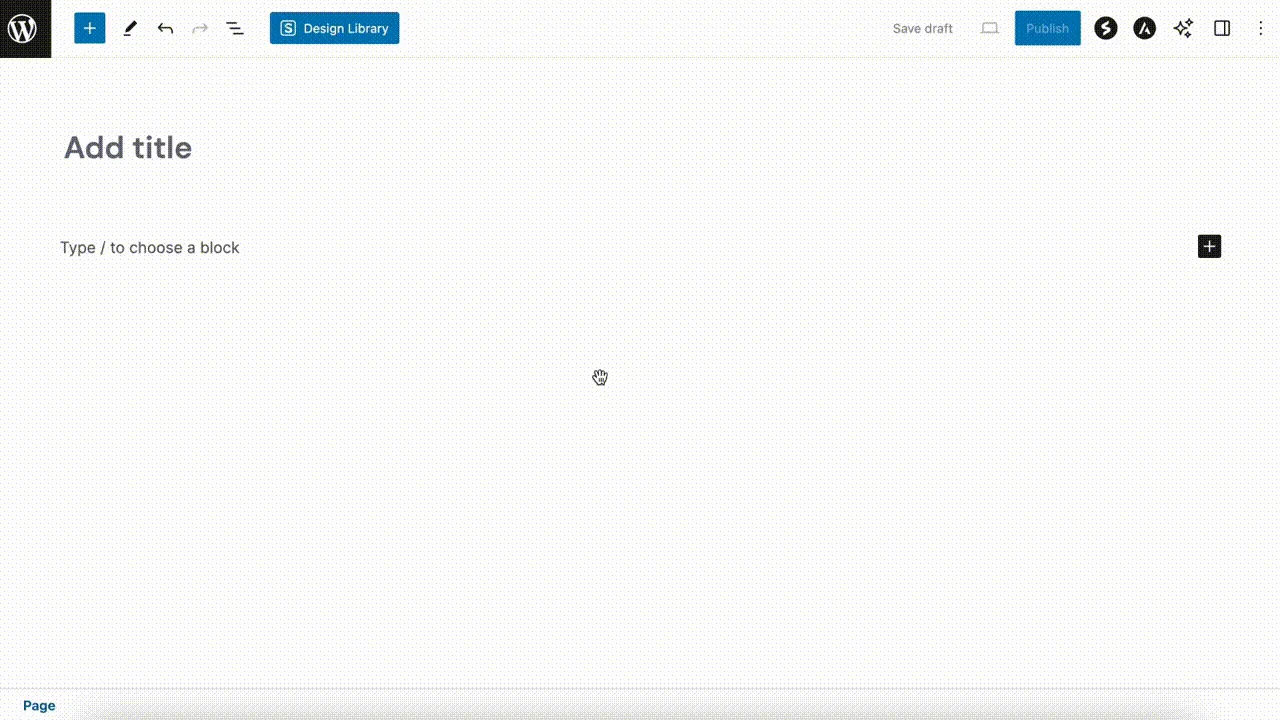
Design Library - No more starting from scratch, no more design roadblocks. Jumpstart your designs with any of our professionally designed pages and patterns templates. -
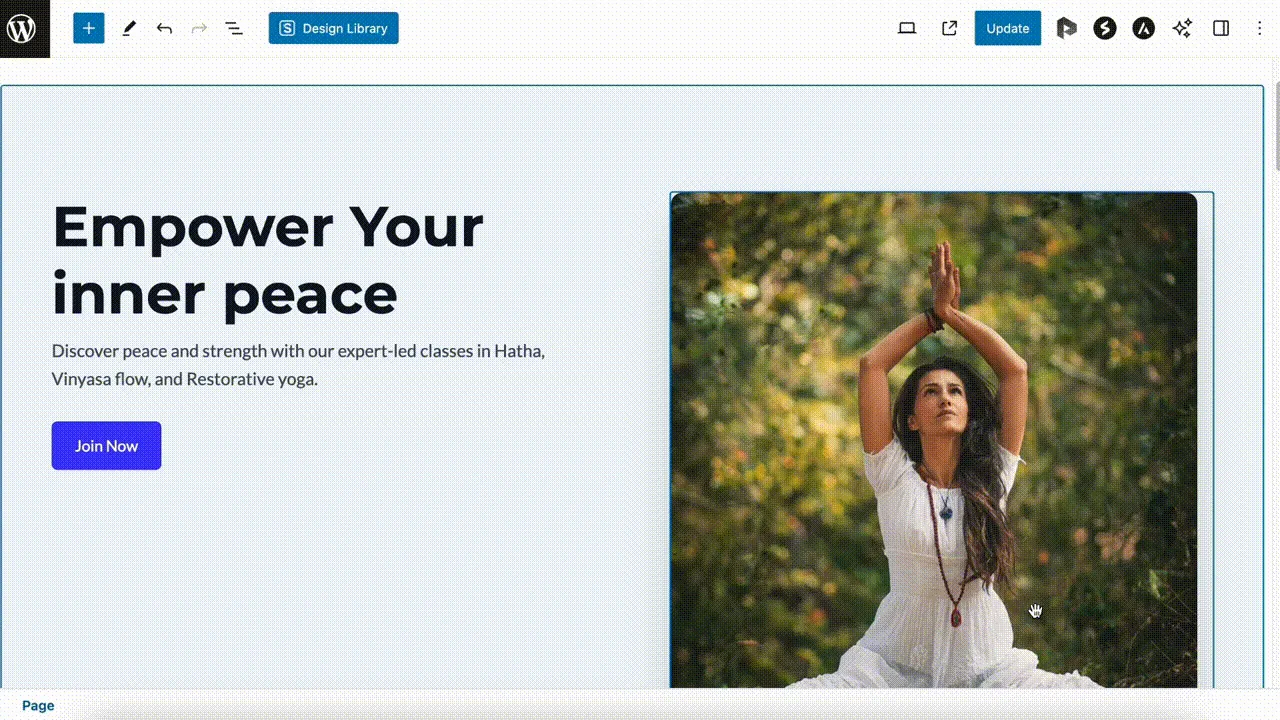
Use the power of AI with a single click to write copy, proofread, translate content into different languages. Adjust content length and tone seamlessly for maximum appeal.
Important information
- Importing a new full template overwrites your existing pages. The listing recommends importing on a clean site first and migrating afterwards.
- The AI builder requires a ZipWP account. Pre-made templates do not.
- Templates use the Astra theme by default, which comes from the same company as the plugin.
- Requires WordPress 6.6 and PHP 7.4. Tested up to WordPress 7.1.4.
- The data shows 12 published vulnerabilities in the plugin's history, and all are marked as patched. Keep the plugin updated.
From the Starter Templates readme
Straight from the developer's WordPress.org listing.
Full description
Website Templates, Page Templates and Block Patterns for WordPress
Starter Templates is a growing library of 300+ ready-to-use website templates for WordPress. Import a complete website design, a single page template, or an individual section, in one click.
Every template works with any WordPress theme, and with the page builder you already use: Elementor, Beaver Builder, Spectra, or the WordPress block editor (Gutenberg).
Starter Templates demo
Highlights
• 300+ website templates and ready-made site designs
• Free Elementor templates and Gutenberg templates
• Gutenberg templates and block patterns, powered by Spectra Blocks and edited natively in the block editor
• 200+ page sections, block patterns and layouts
• Pre-built sections designed for specific use-cases
• Full site templates, page templates and section templates
• AI website builder with built-in AI assistant
• Adaptive design library with royalty-free images
• Works with any WordPress theme
• Supported page builders: Elementor, Spectra, Beaver Builder, and the Gutenberg block editor
One-Click Website Templates and Template Kits
Building a website design from a blank page takes weeks. With Starter Templates you pick a template, import it, and edit the content.
Every design is a complete template kit, not just a demo page, but the pages, layouts and settings that make a finished website.
You can import at three levels:
• Full website templates: Every page, menu, and setting for a complete site
• Page templates: A single page design dropped into your existing site
• Sections and block patterns: Individual layouts added to any page
Preview any template as a live demo before you import it, so you always know what you are getting.
Realistic Templates for Every Business
Starter Templates goes beyond stunning design. It delivers readymade website templates specifically crafted with your business in mind.
Launching an eCommerce store? We have a diverse selection of store templates to get you selling in no time.
Creating a business website? We have dozens of professional-quality designs ready for you to make your mark.
No matter your industry or niche, we have a template that perfectly aligns with your vision.
Free Elementor Templates
A fan of Elementor? Look no further. Starter Templates offers a vast collection of professionally designed Elementor templates, with more than 300 Elementor templates available.
Import entire websites built with Elementor, individual page templates, or specific blocks to enhance your site’s layout and design.
Then just drag, drop, customize, and launch your website.
Gutenberg Templates for the WordPress Block Editor
Starter Templates offers a large library of readymade Gutenberg templates, Gutenberg block patterns and page layouts, all edited natively in the Gutenberg editor rather than in a separate builder interface.
Gutenberg templates are built with Spectra Blocks. Starter Templates installs Spectra for you during import, so there is nothing to set up beforehand, and the design stays editable with the Gutenberg controls you already use.
If you build with Gutenberg, you can import a complete Gutenberg website template, a single Gutenberg page template, or one block pattern at a time, without switching to Elementor.
Hundreds of Sections and Block Patterns
Every section is built for a specific use-case. A hero to open a landing page, a pricing table for a service business, a testimonial layout for social proof, a team grid for an about page.
Drop one into any page and the layout, spacing and styling are already handled. Swap the text and images, and the section is done.
Want to customize your website design to make it truly unique? Use sections, block patterns and layouts to add your personal style.
Available sections include: Hero, Page Header, About, Services, Features, Contact, Why Choose Us, Call To Action, Portfolio, Gallery, Testimonials, Pricing, FAQ, Team, Statistics.
Templates That Install the Plugins They Need
Depending on the type of template you import, Starter Templates also installs the plugins that template needs to work.
Import a booking template and the plugins that provide booking are set up for you. Import an online store template and the eCommerce plugins come with it. You do not need to go hunting for another plugin after importing a template, because the design arrives ready to run.
eCommerce, Portfolio and Business Templates
You can filter the library by what you are building, so you can start from a template made for your use case instead of reshaping a generic one.
• eCommerce templates for online stores, designed to work alongside WooCommerce
• Portfolio templates for designers, photographers, studios and creative freelancers
• Business templates for agencies, consultants, clinics and local service providers
• Landing page templates for campaigns, lead generation and product launches
• Blog and magazine templates for publishers and content sites
• Restaurant, event and nonprofit templates for everything else
Whichever vertical you pick, the template arrives with matching pages, sections and styling rather than a single page you have to build out.
AI-Integrated Adaptive Design Library
Personalize blocks and patterns to match your website style with the power of AI.
The design library within the Starter Templates plugin is integrated with AI and royalty-free image repositories. All elements come pre-populated with relevant text and images that you can easily customize to match your brand.
Lightning Fast Websites
Starter Templates prioritizes speed and efficiency without compromising quality.
Pages created with Starter Templates have efficient, clean code and are free from unnecessary elements. This means faster load times and a smoother experience for visitors on any browser or device.
AI Website Builder
Alongside the template library, Starter Templates includes an AI website builder.
Describe your business and the AI selects a design, generates professional copy, and curates visuals to match your brand, producing a complete website in under two minutes, which you then edit like any other template.
Follow the steps below:
• Enter the name of your website and select the type of website you’re creating (portfolio, business site, landing page, or something else).
• Describe your business. Use AI to refine your description prompt if you need to.
• Add your contact details and social media handles so people can interact.
• The AI will suggest images based on your input. Select the images you want to use.
• Choose the website structure from the options.
• Select any site features you need.
• The AI will generate a website in under 2 minutes.
• Customize your site as you see fit!
AI Assistant for WordPress
Our AI Assistant works in a similar way to ChatGPT but is specifically tailored for WordPress.
With just a click of a button, you can use AI to help write copy for landing pages, proofread blog posts, translate content into different languages, generate custom HTML and CSS codes, and much more.
Royalty-Free Images
The Starter Templates plugin offers seamless integration with leading royalty-free image repositories such as Pexels and Unsplash.
You have access to millions of top-tier images within your WordPress dashboard. Simply search for the image you need and select it.
Training Videos
We offer a range of comprehensive training videos designed to complement our templates. They provide the knowledge and skills necessary to build, launch, and maintain your website.
Types of Websites You Can Create
Starter Templates is perfect for building websites for: personal branding, restaurants, service providers, nonprofits and charities, events, startups, local businesses, wellness businesses, landing pages, lead generation websites, eCommerce stores, blogs, manufacturing businesses, and any other type of WordPress website.
There’s no limit to what you can create.
Please note: To access AI-generated templates and websites, you’ll need a ZipWP account. Signing up is quick, easy, and 100% free.
Fun Facts About Starter Templates
✓ Over 5,000 websites are built with Starter Templates every day.
✓ The plugin has been installed on more than 2 million websites.
✓ Starter Templates has more than 4,500 five-star reviews.
✓ Our team of dedicated full-time WordPress experts help and support hundreds of users daily.
✓ A devoted team of full-time designers keeps the design library up to date.
✓ Our plugin offers more than 150 free Elementor templates.
✓ You can import a complete website, individual page, or section of a page in seconds.
Developer FAQ (21)
- Do I need to know how to code to use Starter Templates?
- No. Starter Templates is built for people who do not write code. You pick a website template, import it, then replace the text and images with your own. Everything is edited visually in your page builder or in the WordPress block editor.
- Will Starter Templates work with my WordPress theme?
- Yes. Starter Templates work with all WordPress themes. The templates are designed to adapt to the theme you already have, so you do not need to switch themes to use them.
- Which page builders does Starter Templates support?
- Starter Templates supports Elementor, Beaver Builder, Spectra, and the WordPress block editor (Gutenberg). You can filter the template library by builder and only see designs built for the one you use.
- Do I need Elementor to use Starter Templates?
- No. Elementor is one of several supported options. If you prefer the WordPress block editor, there is a large library of Gutenberg templates and block patterns built with Spectra Blocks, which Starter Templates installs for you during import.
- Are the website templates free?
- The plugin is free and includes a large library of free website templates, page templates and block patterns, with more than 150 free website templates. Some designs in the library are available with higher plans.
- What is the difference between a website template, a page template and a block pattern?
- A website template is a complete site: every page, the menus and the settings, imported in one step. A page template is a single page design added to a site you already have. A block pattern is one section of a page, such as a hero, a pricing table or a testimonial layout, dropped into any page you like.
- What is a template kit?
- A template kit is a full set of matching designs rather than a single page. Every Starter Templates design is a complete kit, so the pages, layouts, colors and typography all fit together once imported.
- Can I import a single page template instead of a full website?
- Yes. You can import a complete website, a single page template, or an individual section or block pattern.
- Can I import a template into an existing website?
- Yes. You can add individual page templates, sections and block patterns to a site that is already live.
- Will importing a template overwrite my existing content?
- Yes, when you import a new template, your existing pages will be overwritten. It’s recommended you import a template on a clean website instance before migrating it to your existing website.
- Do I still need to keep the plugin active after I import a template?
- No. Once you import a template, you can deactivate the plugin. However, if you’d like to import a template again, you would need to install the plugin again.
- Will Starter Templates slow down my website?
- No. Pages built with Starter Templates use clean, efficient code and are free from unnecessary elements, which means faster load times and a smoother experience for visitors on any browser or device.
- Do the templates work with WooCommerce?
- Yes. The library includes eCommerce and online store designs, and the plugin works alongside WooCommerce and SureCart.
- Can I customize a template after importing it?
- Yes. Once a template is imported it becomes ordinary WordPress content. You can change colors, fonts, text and images, rearrange sections, and add new pages exactly as you would on any other site.
- Where do the images in the templates come from?
- Starter Templates integrates with royalty-free image libraries including Pexels and Unsplash, so you can search millions of images from inside your WordPress dashboard and swap them into any template.
- Do I need a ZipWP account?
- If you’re importing pre-designed templates, you don’t need a ZipWP account. For AI-generated templates, you will need a ZipWP account. Signing up is quick, easy, and 100% free.
- Which theme is used by the AI website builder and other website templates?
- Starter Templates uses the Astra theme. It is the world’s most popular WordPress theme with millions of users. Starter Templates and Astra are developed by the same company, Brainstorm Force.
- What kind of customizations can I make to an AI generated website?
- Once your website is generated, you have complete control over its content and layout. You can customize it as you would any other website, including changing colors, text, adding images, and creating new sections and pages.
- Can I use Starter Templates on client websites?
- Yes, you can use Starter Templates to build websites for your clients.
- Why is this awesome plugin free?
- Free is always the best price. We offer Starter Templates for free to showcase what our team is capable of. It is also good business. If you have a positive experience with Starter Templates, you might be tempted by the extra features included in premium versions of ZipWP, the Astra WordPress theme and other products we produce.
- How can I report a security bug?
- We take plugin security extremely seriously. If you discover a security vulnerability, please report it in a safe and responsible manner. You can report the issue through our Bug Bounty Program.
Downloads, last 30 days
Trend vs previous period: -12.3%
Average daily downloads: 60,021 over the last 7 days , 48,401 over 30 days.
Security history
Past CVEs, patched · 12 published vulnerabilities (Wordfence) · most recent Oct 5, 2026
- Patched 4.3 Medium Starter Templates <= 4.4.9 - Cross-Site Request Forgery CVE-2025-24568 · Jan 24, 2025 · affects *-4.4.9 · fixed in 4.4.10
- Patched 6.4 Medium Starter Templates - Elementor, WordPress & Beaver Builder Templates <= 4.2.1 - Authenticated (Contributor+) Stored Cross-Site Scripting CVE-2024-4630 · May 10, 2024 · affects *-4.2.1 · fixed in 4.2.2
- Patched 4.3 Medium Starter Templates: AI-Powered Website Templates for Elementor & Gutenberg <= 4.7.7 - Missing Authorization CVE-2026-39721 · Oct 5, 2026 · affects *-4.7.7 · fixed in 4.7.8
- Patched 8.8 High Starter Templates <= 4.4.41 - Authenticated (Author+) Arbitrary File Upload via WXR Upload Bypass CVE-2025-13065 · Dec 6, 2025 · affects *-4.4.41 · fixed in 4.4.42
- Patched 4.3 Medium Starter Templates - Elementor, WordPress & Beaver Builder Templates <= 3.1.20 - Cross-Site Request Forgery in add_to_favorite CVE-2022-46851 · Feb 20, 2023 · affects *-3.1.20 · fixed in 3.2.21
- Patched 6.4 Medium Starter Templates <= 3.2.4 - Authenticated (Contributor+) Server-Side Request Forgery CVE-2023-41804 · Sep 5, 2023 · affects *-3.2.4 · fixed in 3.2.5
- Patched 6.4 Medium Starter Templates: AI-Powered Website Templates for Elementor & Gutenberg <= 4.7.7 - Authenticated (Contributor+) Stored Cross-Site Scripting CVE-2026-102393 · Oct 5, 2026 · affects *-4.7.7 · fixed in 4.7.8
- Patched 4.3 Medium Starter Templates: AI-Powered Website Templates for Elementor & Gutenberg <= 4.7.5 - Authenticated (Contributor+) Insecure Direct Object Reference CVE-2026-62134 · Sep 10, 2026 · affects *-4.7.5 · fixed in 4.7.6
Show all 12 vulnerabilities
- Patched 7.6 High Starter Templates - Elementor, Gutenberg & Beaver Builder Templates <= 2.7.0 - Missing Authorization to Stored Cross-Site Scripting CVE-2021-42360 · Oct 4, 2021 · affects *-2.7.0 · fixed in 2.7.1
- Patched 4.3 Medium Starter Templates - Elementor, WordPress & Beaver Builder Templates <= 4.1.6 - Authenticated (Contributor+) Server-Side Request Forgery CVE-2024-1467 · May 8, 2024 · affects *-4.1.6 · fixed in 4.1.7
- Patched 4.3 Medium Starter Templates <= 3.2.5 - Incorrect Authorization CVE-2023-41805 · Sep 5, 2023 · affects *-3.2.5 · fixed in 3.2.6
- Patched 6.4 Medium Starter Templates <= 4.4.0 - Authenticated (Author+) Stored Cross-Site Scripting CVE-2024-47345 · Sep 27, 2024 · affects *-4.4.0 · fixed in 4.4.1
Starter Templates FAQ
Do I need coding skills?
No. You pick a template, import it and replace the text and images. All editing happens visually in your builder or the block editor.
Does it work with any theme?
The listing says the templates work with all WordPress themes and adapt to the one you have. The templates themselves use the Astra theme by default.
Do I have to use Elementor?
No. Elementor is one of several options. Block editor templates are built with Spectra Blocks, which the plugin installs for you during import.
Are the templates free?
The plugin is free and includes over 150 free full-site templates plus page templates and patterns. Some designs in the library are tied to higher plans.
Will an import erase my current pages?
Yes, importing a full template overwrites existing pages. Try it on a fresh site first, or import only single pages and sections on a live site.
Can I remove the plugin after importing?
Yes. Imported content stays as normal WordPress content. You need to reinstall the plugin if you want to import another template later.
Does it work with online stores?
Yes. The library has store designs and works alongside WooCommerce and SureCart.
Is a ZipWP account required?
Only for AI-generated templates, and signing up is free. Importing pre-made designs needs no account.
Starter Templates alternatives
🚀 Explore Powerful 15+ FAQ & Accordion Blocks 📚 Start with 200+ Ready FAQ & Accordion Patterns 🌐 Visit the Official Website Easy Accordion ❤️ 176+ ⭐⭐⭐⭐⭐ Reviews & 4.9/5 Happiness Rating on Trustpilot Create…

Spectra Blocks is a complete rebuild of Spectra on WordPress’s modern core-block APIs - an AI website builder built directly into the Block Editor. Describe the page you want. Zip AI, our AI companion plugin,…

Build Anywhere. Own It In WordPress. Start from a prompt, a client brief, a Figma design, or an AI build. UiChemy turns it into native, editable WordPress you own, in the builder you already use. Building For…

Listdom is a directory system builder for WordPress, built for real directory projects rather than just listing cards. Create business directories, real estate portals, service directories, local guides, and…

CREATE A COMPELLING DARK MODE VERSION OF YOUR WEBSITE ✨ Create a dark mode version of your website without any complicated setup. Activate the plugin and your site visitors will experience a dark mode or light mode…

easyJobs - Job Manager, Hiring Platform, and Career Portal for WordPress easy.jobs is a SAAS recruitment solution which comes with full functionality from WordPress dashboard and it also has Elementor compatibility…
Listing data from WordPress.org and the Wordfence vulnerability feed, refreshed Nov 9, 2026; listing details fetched Nov 14, 2026. Screenshots are from the plugin's WordPress.org listing. Not affiliated with Brainstorm Force.