

Listdom
Listdom: AI-powered Business Directory with Classifieds Ads Listings · by Webilia Inc.
- active installs
- 1K+
- 60 ratings
- 4.9
- since last update
- 8d
- releases in 12 months
- —
- support threads resolved
- 100%
- avg daily downloads
- 138
- on WordPress.org
- 7.2 years
Listdom at a glance
Listdom is a free WordPress AI website builder plugin by Webilia Inc. with 1K+ active installs and a 4.9/5 rating from 60 reviews. It was last updated on Nov 1, 2026, is tested up to WordPress 7.1.4 and needs PHP 7.4+. All 9 of its published vulnerabilities have patched versions. Our quality score is 94/100.
What is Listdom?
Listdom is a directory builder for WordPress. You use it to create business directories, real estate portals, service directories, local guides, store locators and classified ad sites. It handles structured listings, maps, search and filters, front-end submissions and user dashboards.
It is for people building a real directory project rather than a simple list of cards. The free plugin ships more than 80 layouts for listings, native blocks, a design builder for single listing pages, and a choice of Google Maps or OpenStreetMap. A companion theme called Listdomer can import full demo sites.
Recent versions add AI tools: support for OpenAI, Claude and Gemini, multiple AI profiles, and natural-language search over listings. Payments, claims, bookmarks and similar functions come from around 30 paid add-ons, so some projects will need more than the free core.
Best for
- Local business directories and city guides
- Real estate or classified ad portals
- Store locators with map views
- Builders who want lots of layout choices
Listdom features
80+ listing skins
Show listings as list, grid, carousel, table, masonry, cover, slider and more, with style options and a shortcode generator.
Maps and location
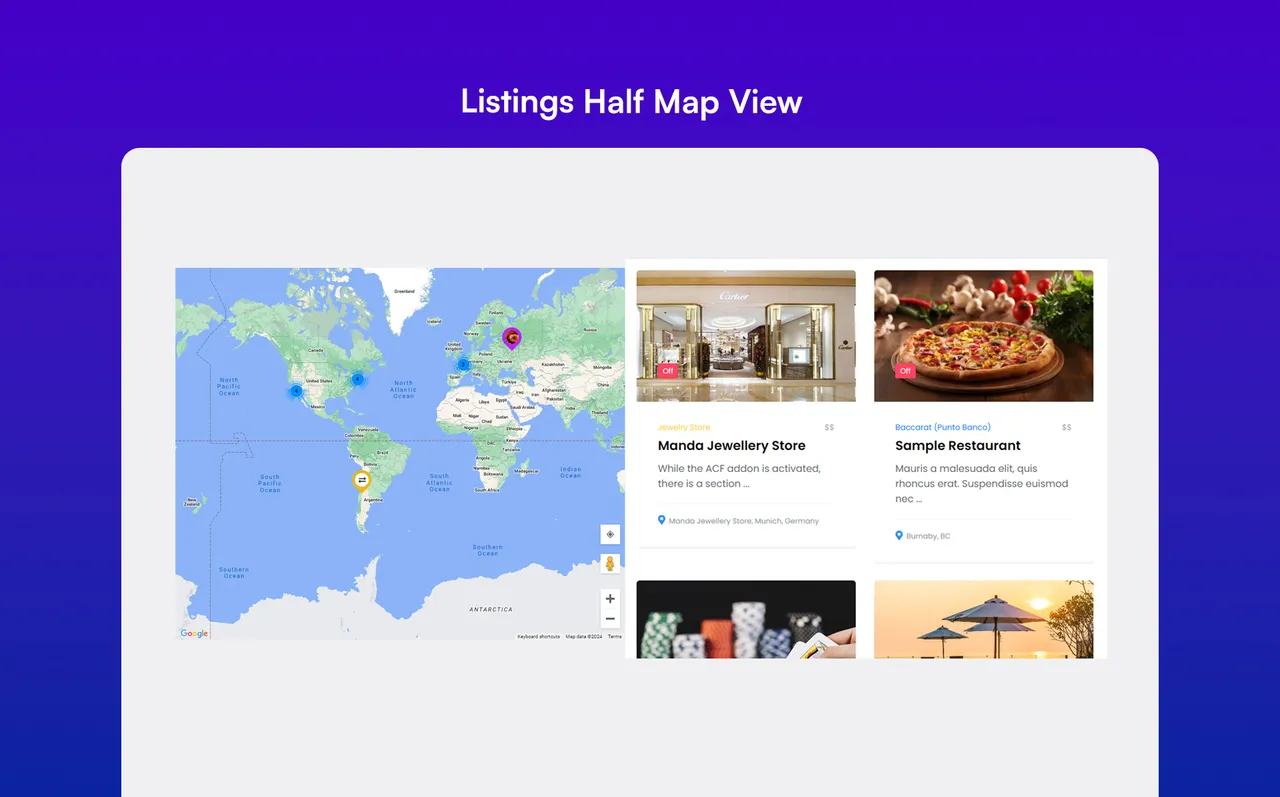
Google Maps or OpenStreetMap, marker clustering and half-map views. Mapbox tiles can be used with your own key.
Search and filters
Flexible search forms and sorting by title, date, price, views and other fields.
Custom and category fields
Create your own fields, including fields that apply only to certain categories.
Single listing design
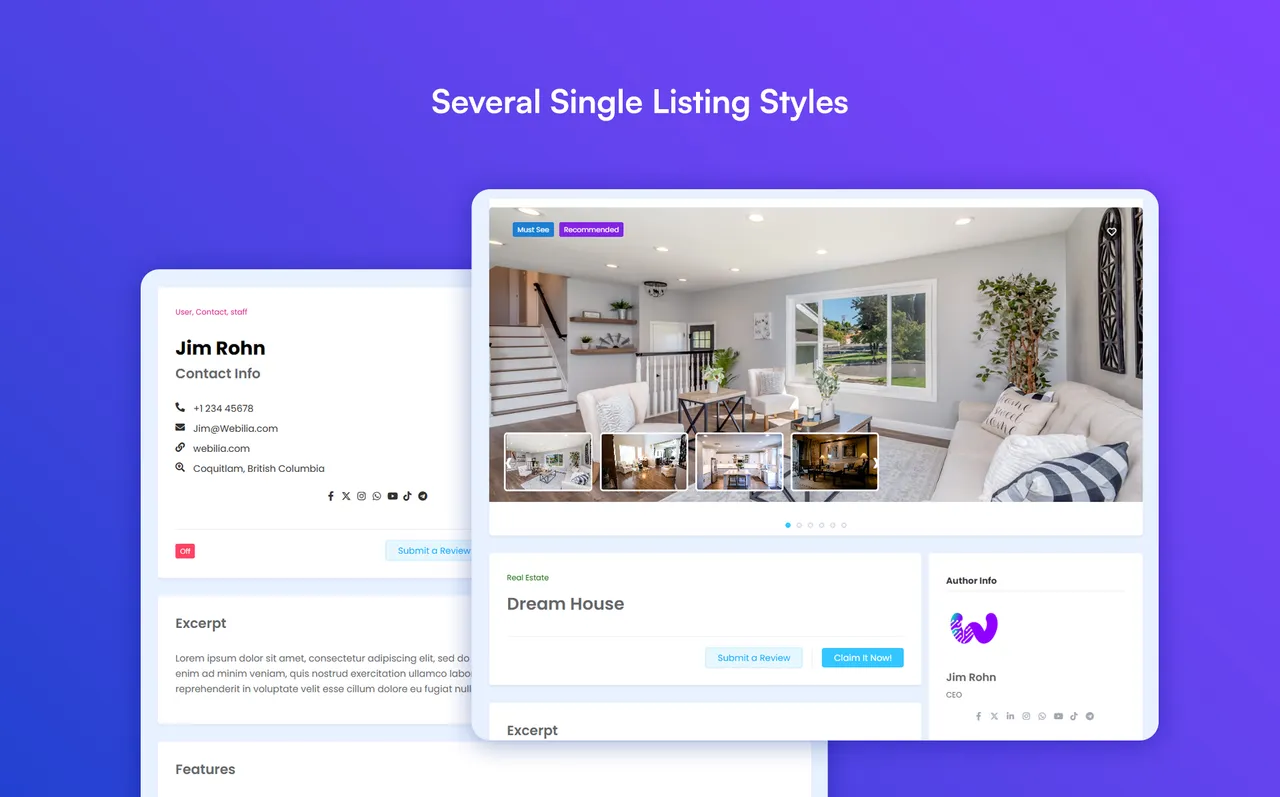
Pick from pre-made styles, or use the Design Builder and Template Builder to lay out listing pages and cards.
AI tools
Connect OpenAI, Claude or Gemini, create AI profiles, and use natural-language listing search.
Front-end submissions
Visitors can submit listings and manage them from a dashboard on your site.
Import tools
CSV import with automatic field mapping, plus compatible import add-ons.
Native blocks and shortcodes
Blocks for layouts, search, dashboard and checkout, and shortcodes that work in any page builder.
Listdom free vs pro
Free WordPress.org version
- Core directory, classifieds and store locator features
- 80+ skins, maps, search, custom fields and front-end dashboard
- AI tools with your own provider key
- CSV import with auto mapping
Pro Paid version
- Listdom Pro with extra features, and around 30 add-ons such as Claim, Topup Listings and Bookmarks
- Stripe payments and paid directory workflows
- Analytics through the Stats add-on
The plugin is free, and Listdom Pro, add-ons and the Listdomer theme Pro version are paid. The listing mentions all-access plans but gives no prices. AI features connect to OpenAI, Claude or Gemini, which suggests your own provider account, though the listing does not spell out billing.
How to use Listdom
- Install the plugin
In wp-admin go to Plugins, then Add New, search for Listdom, then install and activate.
- Open the Listdom menu
Use the new menu to set categories, locations, fields and map options. Dummy data is available to get started.
- Add listings
Create listings yourself, import a CSV, or enable front-end submission for visitors.
- Display the directory
Build a layout with the shortcode generator or blocks, choosing a skin, map and search form.
- Style the listing page
Pick a single listing style or use the Design Builder, and enable AI or add-ons if you need them.
Listdom screenshots (12)
-
Several Single Listing Styles -
User Profile -
Listings Half Map View -
Listings Grid View -
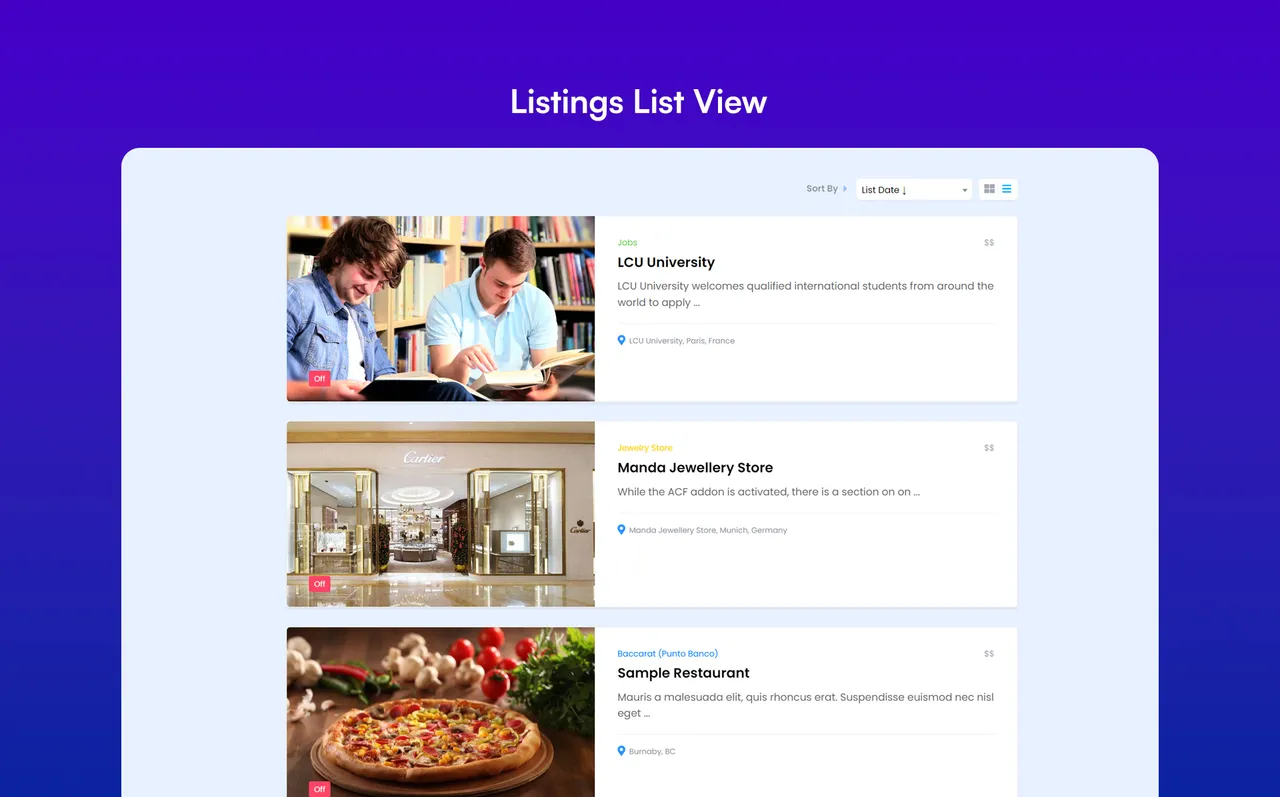
Listings List View -
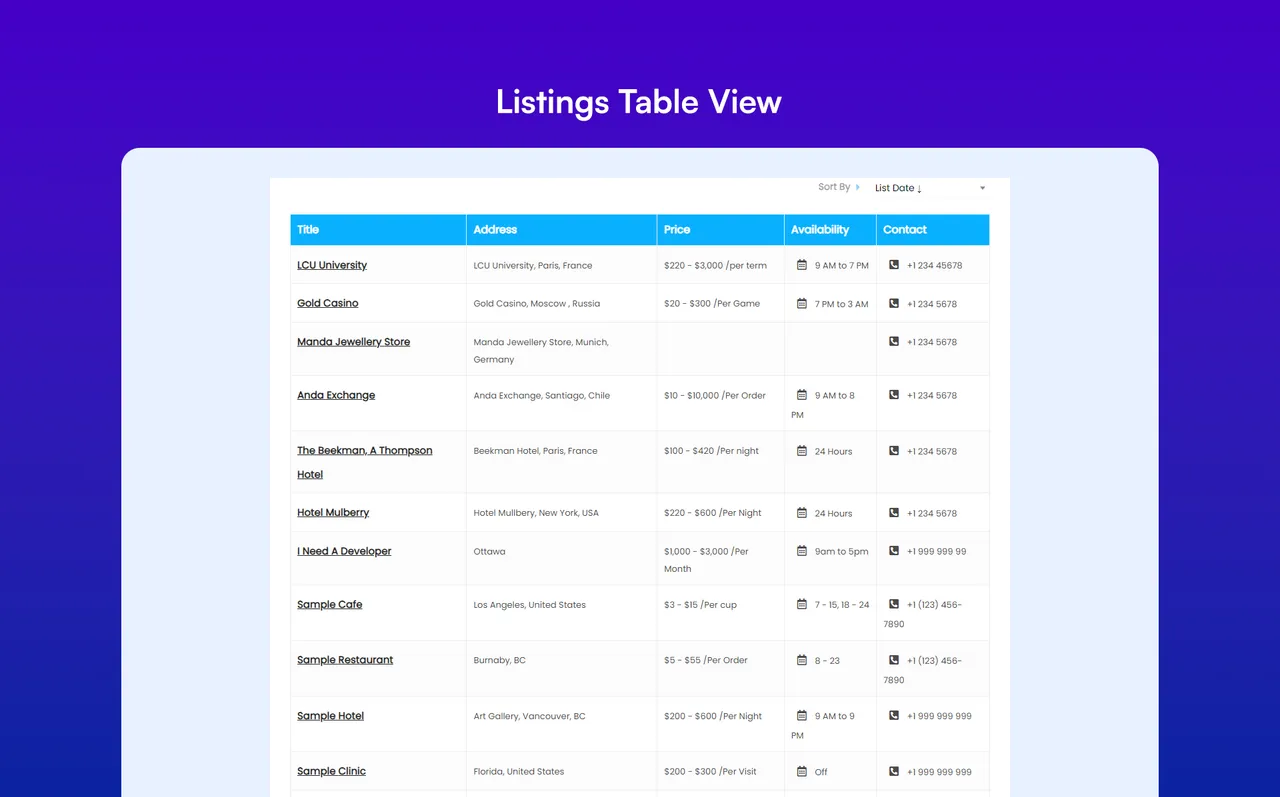
Listings Table View -
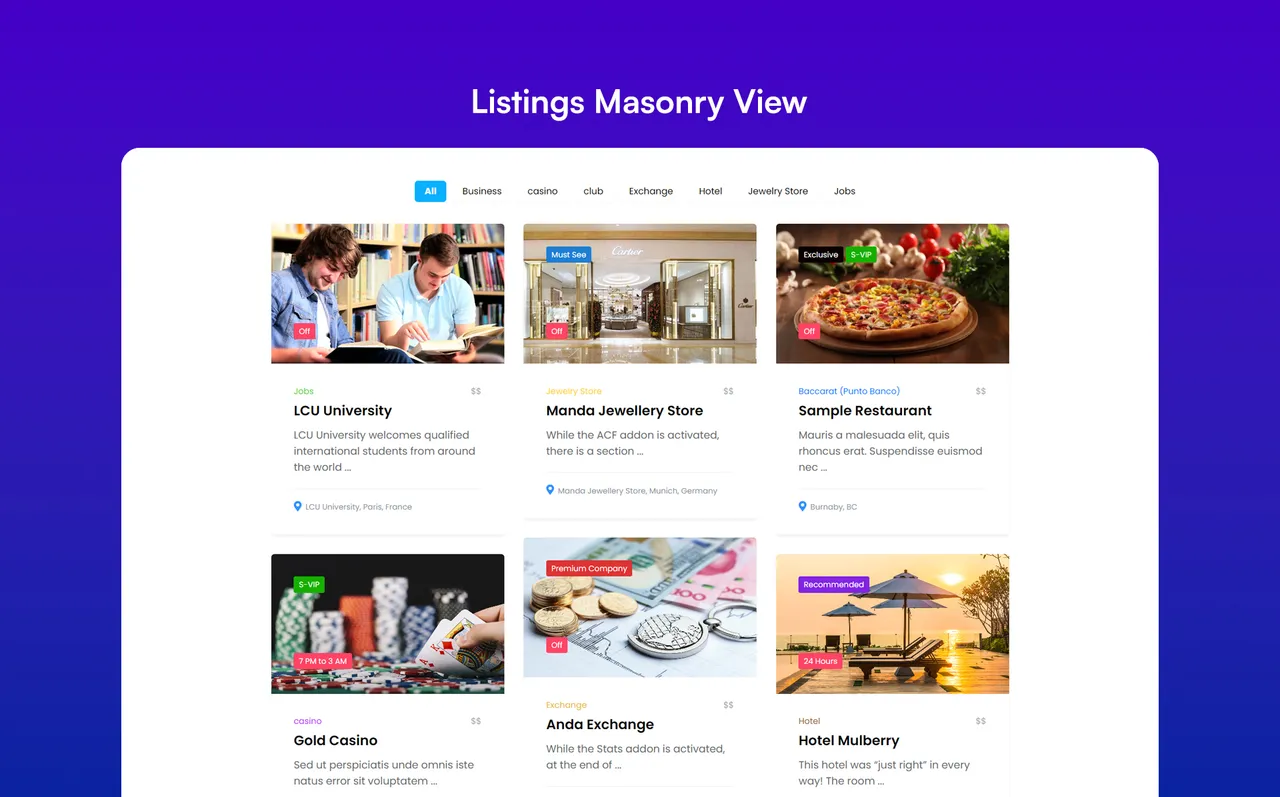
Listings Masonry View -
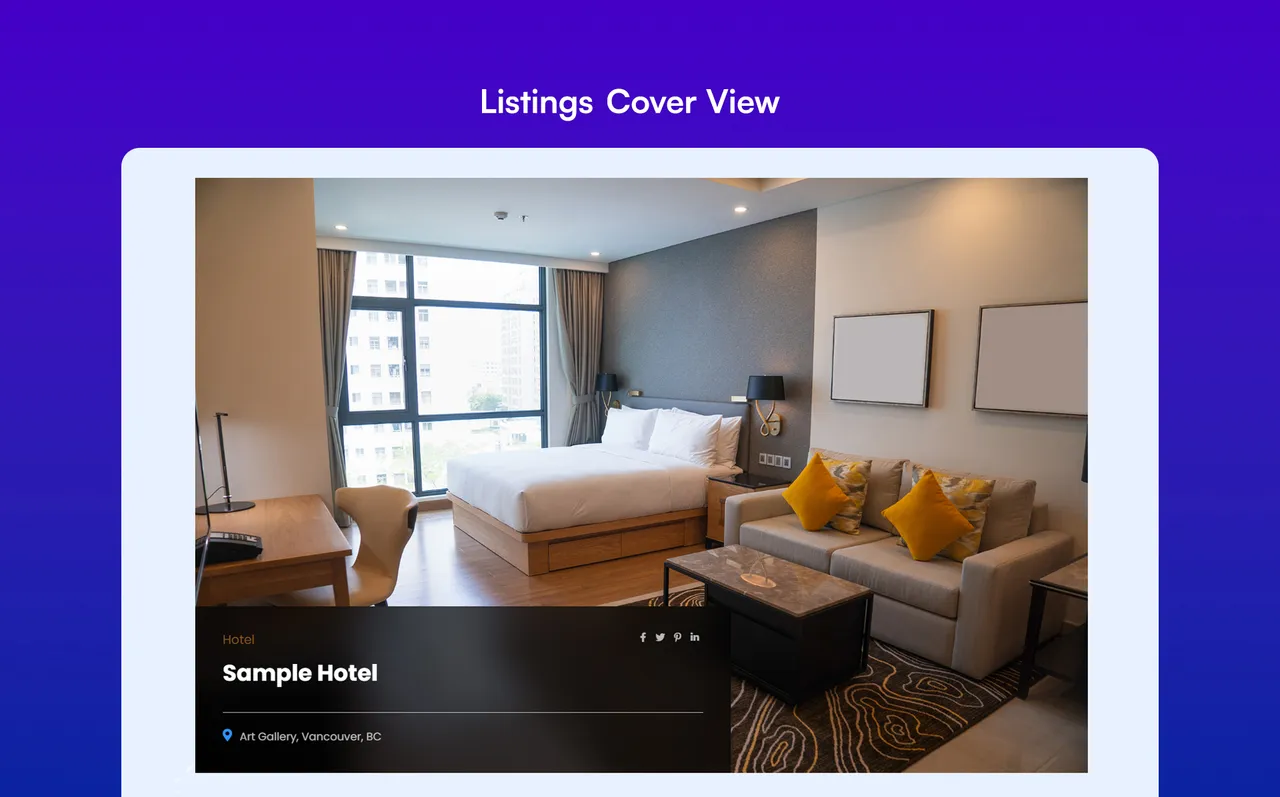
Listings Cover View -
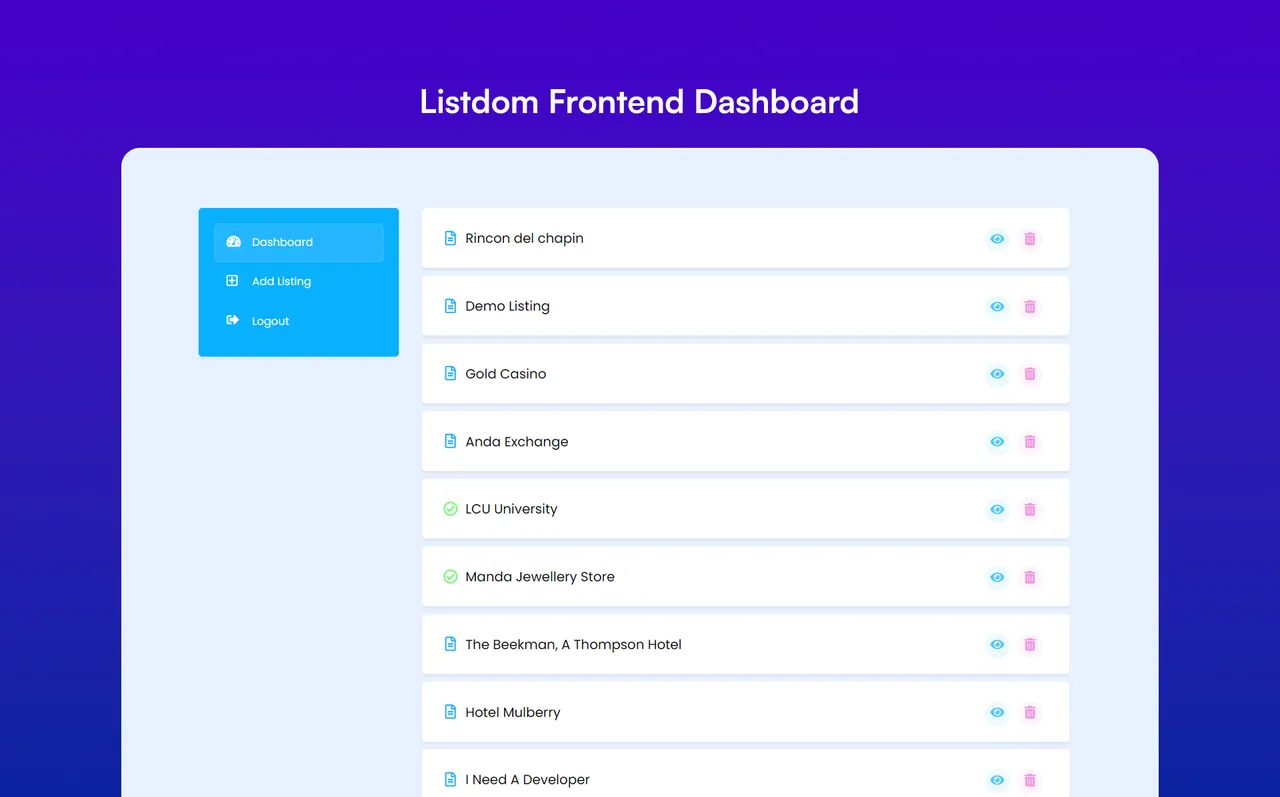
Listdom Frontend Dashboard -
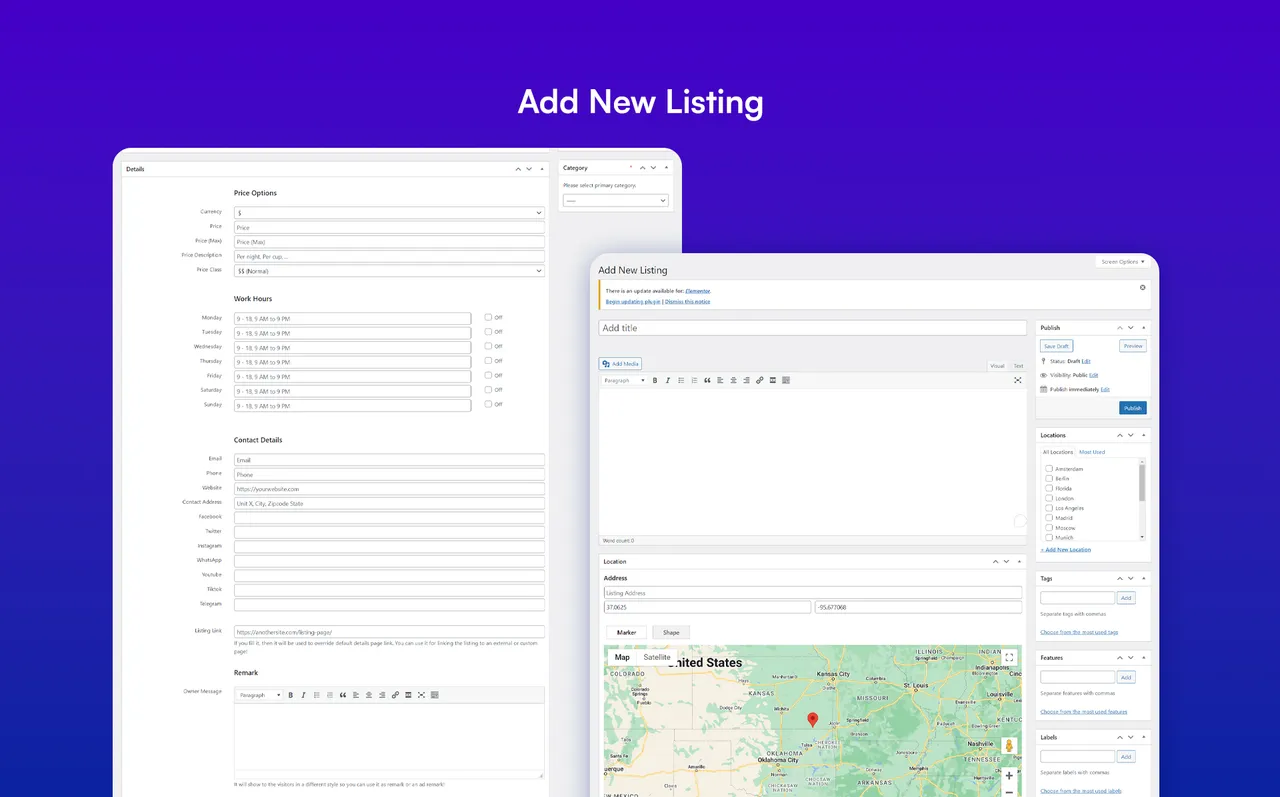
Add New Listing -
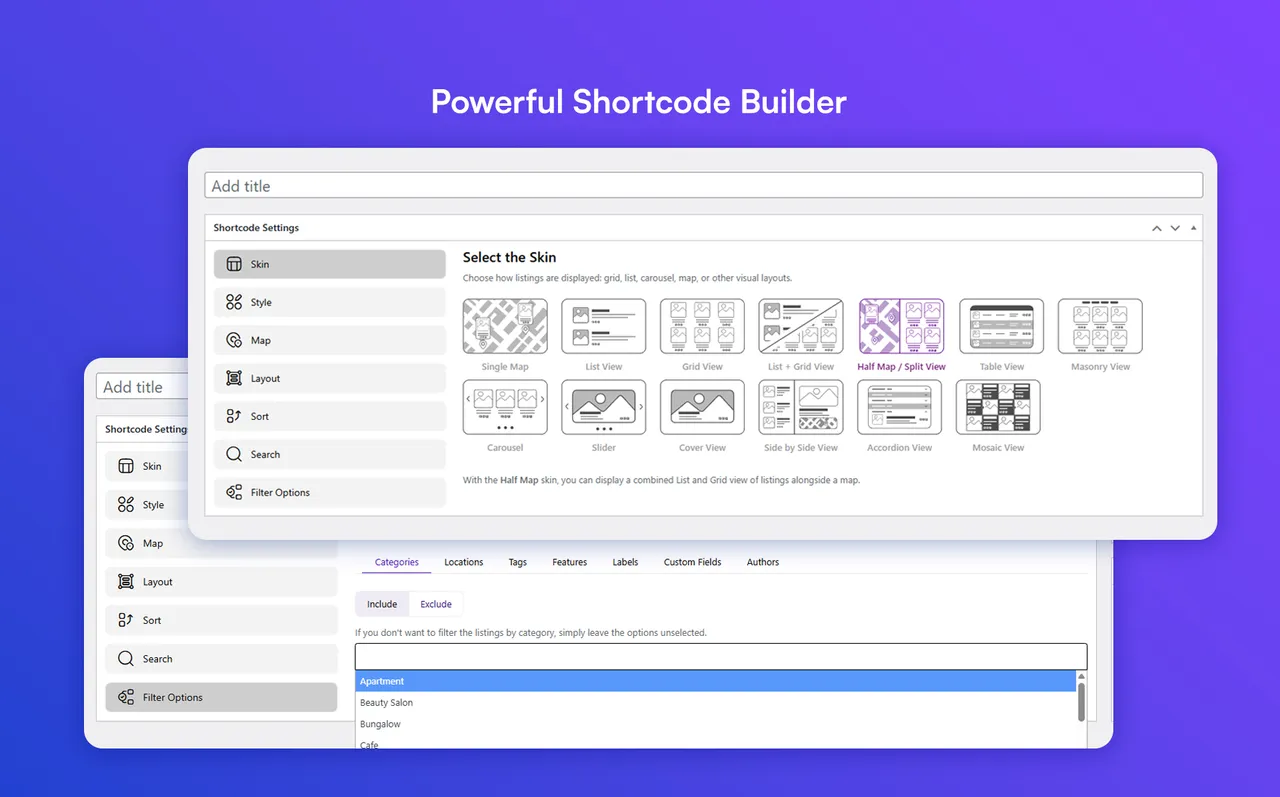
Powerful Shortcode Builder -
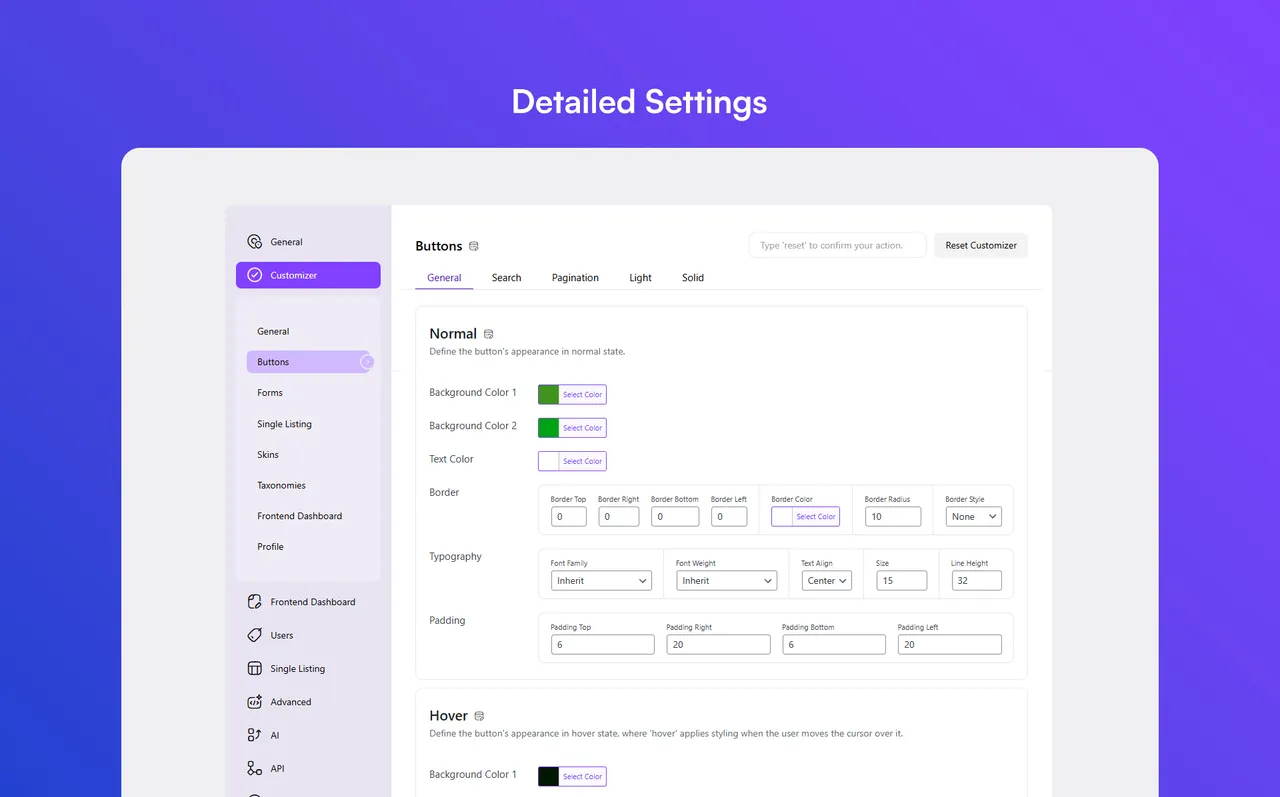
Detailed Settings
Important information
- Requires WordPress 5.0 and PHP 7.4. Tested up to WordPress 7.1.4.
- The data shows 9 published vulnerabilities in the plugin's history, all marked patched. Keep it updated.
- Google Maps can add cost. OpenStreetMap is free, and you can use both on different pages.
- Payments, claims and some other functions need paid add-ons.
- AI features send content to the provider you connect, so check what data your listings hold.
- Some use cases may need Listdom Pro or extra add-ons beyond the free plugin.
From the Listdom readme
Straight from the developer's WordPress.org listing.
Full description
Listdom is a directory system builder for WordPress, built for real directory projects rather than just listing cards.
Create business directories, real estate portals, service directories, local guides, and classified listing websites with structured listings, maps, search and filters, frontend submissions, dashboards, monetization options, layouts, and add-ons.
Fast Listdom Review
Here are the key features of Listdom and how to use them with your WordPress directory plugin or classifieds ads setup:
Listdom includes 80+ responsive skins and views for business directories, store locators, and classifieds.
✅ Demo
✅ Documentation
✅ Support
✅ Live Chat
How to import Demo with Listdomer Theme 👇
Listdom has a dedicated theme called Listdomer that helps you to import full website demos for business directory layouts or classifieds ads setups:
Listdom; The WordPress Directory Plugin by Webilia
Listdom is Webilia’s AI-powered WordPress classified plugin for publishing listings, managing classifieds, and customizing directories or store locators.
Free WordPress Listing Plugin Features
Listdom Free includes the core features needed to launch a searchable directory, classifieds, store locator, service, or local portal. Improvements include richer fields, flexible search forms, frontend workflows, stronger import tools, and structured content.
👉 Display and Layout Tools
• Native WordPress blocks for saved directory layouts, search, dashboard, authentication, checkout, and listing content, with editor previews
• Wonderful 80 different skins for listing cards and archives
• Display listings in List + Grid view (Contains a switch button)
• Display listings in List view
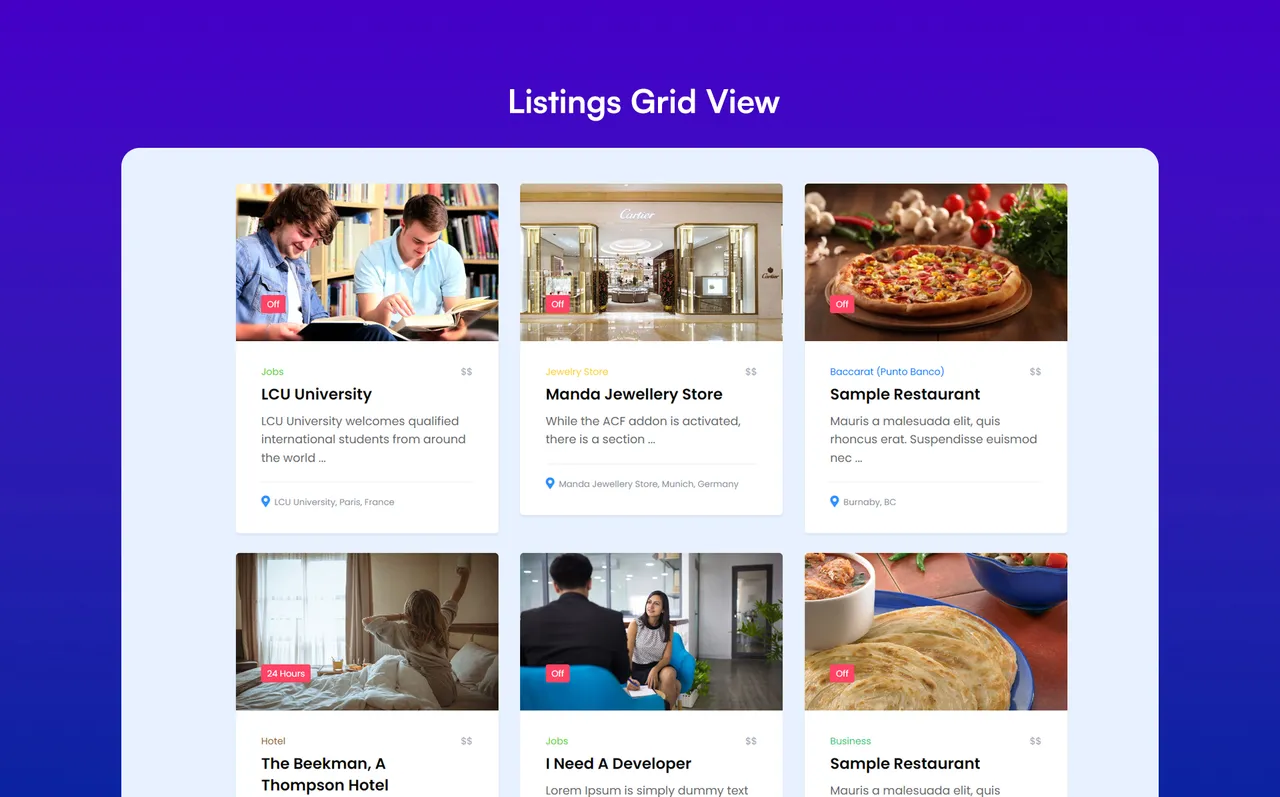
• Display listings in Grid view
• Display listings in Carousel view
• Display listings in Table view with customizable skins
• Display listings in Masonry view
• Display listings in Cover view
• Display listings in Slider view
• Different styles for views and skins
• Elements display options for each skin and style (Excerpt length, elements deactivation, etc.)
• Display views anywhere with a powerful shortcode generator
• Use shortcodes in all page builders
• Assign multiple shortcodes to one page
• Practical sort options (Title, Publish Date, Update Date, Comments, ID, Author, Random, Price, Most Viewed)
• Ability to change default sort parameters
• Dropdown and List sorting style
• Powerful appearance customizer
• Helpful dummy data to boost the start
• Override archive page design
• Font Awesome icons
• Define colors for the skins as you wish
• Use predefined colors
• Font manager
• Several skins and views on one page
• 4 Different pre-made styles for single listing page
• A built-in Design Builder to design the single listing page
• Template Builder for reusable single listing and listing card layouts
• Custom color for settings
• Single listing elements manager (Enable/disable listing elements)
• FAQ element for the single listing
• FAQ schema support for richer structured listing content
• Configurable RSS feed for publishing listing updates
• Available widgets for sidebars
• Show shortcodes with widgets
• Show listing owner data
• Contact listing owner
• Social network buttons manager
👉 Map and Location Features
• Google Maps
• OpenStreetMap (Leaflet)
• Display listings on the map with various styles
• Add a map to each directory list
• Position the map on top, bottom, right, or left of the directories
• Display listings in Half Map / Split views
• Show listings on maps based on their location with full map module options
• Advanced marker clustering
• Show single listing as a modal box on the map
• Stunning map styles (Apple, Ultralight, Dark, etc.)
• Address module and Google map support
• Address to location conversion feature
• Address autosuggest in admin Add Listing form
• Option to enable or disable autocomplete for address suggestions
• Locate Me option for address-based location searches
• Map infowindow trigger and mouse wheel zoom controls in shortcodes
👉 Search and Filter Options of Listdom WordPress Directory Plugin
• Complete search form builder
• Responsive settings for each search form
• Display search fields in popup
• Fully customizable different filters to show listings
• Hidden values and fields
• Search form shortcode
• Flexible field display options, including widths, hidden fields, popup, and responsive forms
• Optional listing counts beside taxonomy choices
• Per-field search buttons for more intentional filter updates
• Search clear button
👉 AI Tools
• Several AI providers support including: OpenAI, Claude, and Gemini
• Multiple AI profiles for different directory tasks
• Structured and semantic AI search for natural-language listing discovery
• Optional AI Visibility feed and discovery hints for public, machine-readable directory content
• CSV import auto mapping, with support for compatible import add-ons
• Native WordPress abilities on WordPress 6.9+ for authorized listing operations, supported settings, read-only diagnostics, and explicitly approved bounded repairs; active add-on and permission requirements still apply
• Text generation
• Work hours generation
👉 Frontend Dashboard and Listing Essentials
• Listing submission via frontend dashboard
• Add listing form’s modules management (Visibility & Requirement)
• Maximum gallery images restriction
• Image size limits on frontend listing submission
• Maximum description length restriction
• Maximum number of tags restriction
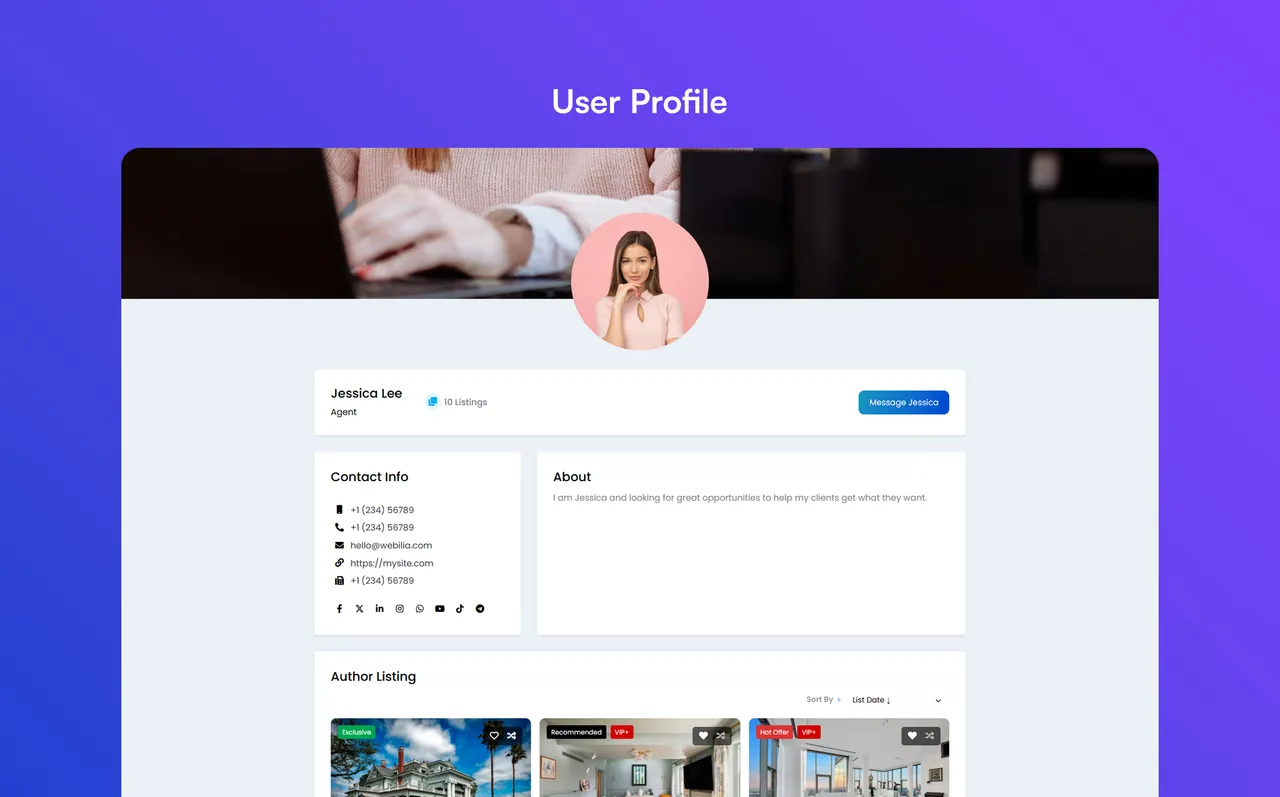
• Directory author profile (User profile)
• Public user profiles and a user directory shortcode
• Subscriber-safe profile image upload from the frontend dashboard
• Listing status controls and status filters for frontend listing management
• Unlimited number of directories
• Custom fields with text, number, email, telephone, URL, date, time, date/time, image, file, dropdown, textarea, radio, checkbox, and separator types
• Filter the listings displayed in each skin by custom fields/attributes
• Search and filter by custom fields/attributes
• Image gallery element with several styles
• Advanced availability time module (Work hours and off days)
• Import and export working hours through supported import/export tools for bulk directory management
• Related or Nearby listings on the single listing page
• Advanced price module
• Global and per listing currency manager
• Define contact information for each listing
• Contact form
• Report Abuse form
• Nice remark module
• Categories in unlimited levels
• Locations
• Labels
• Tags
• Features
• Practical shortcodes to show taxonomies
• Listing owner module
• Contact owner
• Social share module
• WordPress block editor compatibility
• Page builders compatibility
• Listing image
• Listing-specific alt text for featured and gallery images
• Comment for listings
• Numeric, Load more button, and infinite scroll pagination methods
• Advanced components system to disable unused Listdom Core features
👉 Monetization and Payments
• Built-in payment system used by paid addons, with tax handling, invoices, pricing tiers, and checkout flows.
• Frontend payment views for compatible order, subscription, billing, invoice, and Stripe workflows.
• Global and region-based tax options for directory monetization workflows.
👉 Advanced Management and Security
• Powerful login, register, and forgot password shortcodes
• Separate login forms for different user roles
• Block access of different user roles to WordPress dashboard
• CSV importer and exporter
• Webilia Business Data to discover businesses, import drafts, and review enrichment or refresh changes field by field using Webilia Credits
• Directory-wide Analytics with the Stats add-on for listing activity, submitted searches, categories, locations, and conversions
• Import and export listings, working hours, custom fields, and listing taxonomies (categories, locations, tags, features, and labels) with CSV files
• Hierarchical category and location import support for larger directories
• Create missing custom fields during CSV listing import mapping
• Map multiple CSV columns into listing taxonomies and import repeatable FAQ data
• Directory Health and Launch Checklist to review setup, search, submission, monetization, and SEO readiness before launch
• Powerful notifications manager (Admin and user notification emails)
• Custom CSS styles
• Google reCAPTCHA
• Multi-Site compatibility
• Advanced configuration options
• Mailchimp Integration
• Visual Composer support
• King Composer support
• Compatible with Membership plugins
• Settings backup
👉 Performance and Compatibility
• JS and CSS load management (Speed optimization)
• Easy online plugin update (no FTP required)
• Cache plugins compatibility
• Disable Font Awesome package
👉 Localization and Translation Ready
• RTL-ready!
• Translation ready (WPML and PolyLang support for building a multilingual directory)
👉 Seo Ready
* Structured data output for SEO-friendly listing pages
* Public AI feed controls for published listing, category, and location discovery
* Friendly slug manager (Change the slug of listings, categories, features, tags, attributes, labels, locations)
* Compatible with popular SEO plugins e.g. Yoast SEO, RankMath, AIOSEO
👉 Developer Features
• Full developers-friendly
• Support changing the archive page and single page structure in the active theme
• 100% use of WordPress structure
• Override the skins and styles in the active theme
• Define different filters for shortcodes to show different views
• Ability to trigger custom functions using WordPress actions API
• Use Listdom APIs
• Customize features
The Premium Version of Listdom Classified Listing Plugin
For users seeking additional features and capabilities for a WordPress directory plugin, Webilia offers Listdom Pro. It provides advanced functionalities, enhancing the user experience and offering more control and customization options. It’s a solid option for teams that want their business directory site or store locator to grow steadily while keeping the familiar WordPress listing plugin workflow.
👉 Pro Add-on of The Listdom Classified Listing Plugin
• Display listings in Side-by-Side view with great responsive view
• Display listings in Gallery, Timeline, beautiful Mosaic, and modern Accordion views
• Schema option for advanced structured data controls
• Stripe payment gateway support for paid directory workflows
• Recurring payments for memberships and subscriptions
• Listing status controls for expired, on-hold, and offline listings
• Map GPS search
• Frontend dashboard menus customization, including custom menus and ordering
• Guest posting without user registration
• Separate shortcode for Add listing form
• Exclusion filter for the listings displayed in each skin
• Hierarchy Categories
• Embed elements in listings
• Featured video for each listing
• Price options management
• Advanced interactive map search feature
• Singlemap skin sync with other shortcodes
• Radius search field
• Hierarchical dropdowns search field
• Range slider search method
• Drawing tools on the map for search
• Listing cards link options and image status
• Change style and modules per category
• Change style and modules per listing
• Listing slugs with hierarchical categories and locations
• Bulk edit the listings styles
• JSON importer and exporter for listings, custom fields, and listing taxonomies
• API support
WordPress Business Directory Plugin Addons
Listdom offers around 30 add-ons to extend your WordPress directory, business directory, listing, classified, or store locator website. These add-ons include Claim, Topup Listings, Bookmarks, Rank, Reviews, Subscriptions, Labelize, Advanced Map, and more. They add extra interactivity, customization, and workflow-specific features, helping you tailor your directory website to your exact needs.
• Bridge Addon
• Pro Addon
• Claim Listings
• Connect Addon
• Topup Listings
• Bookmarks and Favorite
• Excel Addon
• CSV Auto Importer
• Rank Addon
• Reviews Addon
• Membership
• Labelize Addon
• Booking Addon
• Team Addon
• Multiple Categories
• Advanced Icon
• KML Addon
• Auction Addon
• Stats Addon
• APS Addon
• Compare Addon
• Franchise Addon
• Jobs Addon
• SMS Addon
• ADS Addon
• Divi Addon
• Elementor Addon
• Bricks Addon
• Advanced Map
• BuddyPress Integration
• Advanced Custom Fields (ACF) Addon
• PMS (Paid Member Subscriptions plugin) Addon
• Memberpress plugin Addon
You can see the details of the addons on Listdom website.
Listdomer: The Compatible WordPress Directory Theme by Webilia
In addition to Listdom, Webilia offers Listdomer, a WordPress directory theme designed to complement the functionality of the Listdom listing plugin. This theme provides a visually appealing and user-friendly layout for your WordPress directory site or store locator. It includes a variety of design options, enabling you to customize your directory’s aesthetics to match your brand identity.
PRO Versions Pricing
While Listdom and Listdomer offer free versions, their Pro versions and Listdom Pro add-ons are paid. Webilia’s All-Pass plans provide a cost-effective alternative, giving access to all products at up to 85% off with a 30-day money-back guarantee. This lets users fully leverage the WordPress directory and listing plugins while keeping costs low.
👉 Official Facebook Page: Follow on Facebook
👉 Official X Account: Follow on X
👉 Official LinkedIn: Follow on LinkedIn
Listdom combines structured listing data with configurable directory and store-locator workflows.
Bring Ideas in Action with Listdom WordPress Listing Plugin
Listdom can be used for everything from restaurant listings to local directories and classified ads sites. It enhances user engagement, boosts customer retention, and generates revenue. Beyond business listings, this WordPress directory plugin allows for the creation of any type of WordPress directory, including team or employee directories, company directories, medical directories, and more.
• Local Business Directory (like Yelp, Yellow Pages, Justdial)
• Classified Ads Listing (like ebay)
• Hotels and Apartments (like Airbnb)
• Medical Directory (like ZocDoc)
• Lawyer & Consultation (like Avvo, Justia)
• Services Directory (like HomeAdvisor, Needto)
• Real Estate Directory (like Zillow, Trulia, Realtor)
• Book Review Sites (like Goodreads)
• Software Review Site (like Capterra, TrustPilot, G2)
• Event Ticket Booking (like EventBookings)
• Restaurant Directory (like Yelp, Zomato, Foursquare)
• Provider Directory
• Yellow-Pages-Style Directory
• Staff Directory or Employee Directory
• Address Book or Contact Manager
• Store Locator or Dealer Locator
• Nightlife Directory
• Spa Directory
• Beauty Salon Directory
• Shop Directory or Mall Directory
• Church Directory
• Schools Directory
• College Directory
• Services Directory
• Public Services Directory
• Automotive Directory
• Pet Shop Directory
• and More…
Our WordPress directory plugin is actively utilized by our community to build relationships, support communities, and enhance web traffic in a variety of ways. For instance,
• Help people find local resources, such as sports clubs, churches, farms, and Chamber of Commerce listings.
• Create listing services for therapists, electricians, plumbers, cleaners, locksmiths, wedding vendors, veterinarians, consultants, photographers, artists, authors, etc.
• Build a review-based site like Yelp for travelers, local businesses, hotels, tours, and attractions.
• Promote businesses and sell listings to business owners.
• Offer listings as a membership benefit.
• Connect students with study groups and academic staff.
• Create a niche directory and become a trusted resource in your market.
Some use cases may require Listdom Pro or additional addons.
Support for the WordPress Listing Plugin
Listdom offers support via AI agent, online chat, email, and tickets to help users resolve questions quickly. We aim to provide a smooth experience for business directory plugin setups, store locator projects, and other directory websites.
Documentation
Listdom, a powerful WordPress directory plugin, includes comprehensive documentation. The step-by-step guides cover setup, core features, and advanced options, helping users build classifieds, listing, and directory websites at their own pace.
Commercial
This plugin is free but offers additional paid commercial upgrades and support. Learn more
Installation
Follow these steps to install Listdom on your WordPress website:
✅ Method 1: Install via WordPress Dashboard
• Log in to your WordPress admin dashboard.
• Go to Plugins > Add New.
• In the search bar, type Listdom and press Enter.
• Click the Install Now button next to the Listdom plugin.
• Once installed, click Activate.
✅ Method 2: Upload the Plugin Manually
• Download the Listdom plugin .zip file from the current page.
• Log in to your WordPress admin dashboard.
• Go to Plugins > Add New > Upload Plugin.
• Click Choose File, select the downloaded .zip file, and click Install Now.
• After installation, click Activate Plugin.
🎉 What’s Next?
– Once activated, a new Listdom menu will appear in your WordPress dashboard.
– Use the Setup Wizard to start configuring your directory.
– Start adding listings under the Listings menu.
Developer FAQ (7)
- Does Listdom have a feature to show listings on a map?
- Absolutely! Listdom supports both Google Maps and OpenStreetMap, so you can use your desired map provider.
- Does Listdom support custom fields?
- Yes, of course! You’re able to create your desired custom fields in Listdom. You’re even able to create category-specific fields!
- Is it possible to manage single listing page modules?
- Yes, using our advanced configuration options you’re able to disable/enable the modules on the single listing page, and also you’re able to change their positions if you’re using Style 1.
- Do I have to use Google Maps? it’s a little expensive!
- Listdom supports free OpenStreetMap! It’s possible to use both of them at once. For example, on the single listing page you can use Google Maps but in List, Grid and other skins you can use OpenStreetMap.
- I like to use OpenStreetMap but with more beautiful tiles! What can I do?
- You’re able to insert your Mapbox API key in configuration options and use Mapbox tiles instead of OpenStreetMap tiles.
- Which page builders are supported?
- Listdom uses shortcodes to display the listings grid, carousel, etc. so you can insert the shortcodes into any page builder.
- How do I translate Listdom?
- You can translate Listdom using translation plugins like Loco Translate or by creating .po/.mo language files for your desired language.
Downloads, last 30 days
Trend vs previous period: -21.8%
Average daily downloads: 196 over the last 7 days , 138 over 30 days.
Security history
Past CVEs, patched · 9 published vulnerabilities (Wordfence) · most recent Oct 10, 2026
- Patched 7.2 High Listdom: AI-powered Business Directory with Classifieds Ads Listings <= 5.8.1 - Unauthenticated Stored Cross-Site Scripting via 'lsd[displ][style]' Parameter CVE-2026-19796 · Aug 31, 2026 · affects *-5.8.1 · fixed in 5.9.0
- Patched 4.9 Medium Listdom: AI-powered Business Directory with Classifieds Ads Listings <= 6.1.2 - Authenticated (Administrator+) Path Traversal to Arbitrary File Deletion via 'ix[file]' Parameter CVE-2026-104722 · Oct 10, 2026 · affects *-6.1.2 · fixed in 6.2.0
- Patched 6.4 Medium Listdom - Business Directory and Classified Ads Listings WordPress Plugin <= 3.7.0 - Authenticated (Contributor+) Stored Cross-Site Scripting via shortcode Parameter CVE-2024-11854 · Dec 4, 2024 · affects *-3.7.0 · fixed in 3.7.1
- Patched 7.5 High Listdom: AI-powered Business Directory with Classifieds Ads Listings <= 5.6.0 - Unauthenticated SQL Injection CVE-2026-61969 · Aug 11, 2026 · affects *-5.6.0 · fixed in 5.7.0
- Patched 4.3 Medium Listdom <= 5.0.1 - Missing Authorization CVE-2025-67560 · Dec 15, 2025 · affects *-5.0.1 · fixed in 5.1.0
- Patched 9.8 Critical Listdom: AI-powered Business Directory with Classifieds Ads Listings <= 5.5.0 - Unauthenticated Privilege Escalation CVE-2026-49063 · Jun 8, 2026 · affects *-5.5.0 · fixed in 5.6.0
- Patched 6.4 Medium Listdom: AI-powered Business Directory with Classifieds Ads Listings <= 6.1.1 - Authenticated (Contributor+) Stored Cross-Site Scripting via 'lsd[remark]' Parameter CVE-2026-96647 · Oct 2, 2026 · affects *-6.1.1 · fixed in 6.1.2
- Patched 6.1 Medium Listdom <= 4.0.0 - Open Redirect CVE-2025-39599 · Apr 16, 2025 · affects *-4.0.0 · fixed in 4.1.0
Show all 9 vulnerabilities
- Patched 7.5 High Listdom: AI-powered Business Directory with Classifieds Ads Listings <= 5.4.0 - Unauthenticated SQL Injection CVE-2026-54819 · Jun 17, 2026 · affects *-5.4.0 · fixed in 5.5.0
Recent releases
- v6.4.0
Added native WordPress abilities for listing search, contact, taxonomy management, and complete draft-to-publish listing workflows. * Added administrator abilities to inspect and update supported...
- v6.3.0
Added native WordPress blocks for directory layouts, search, the frontend dashboard, authentication, checkout, and listing content, with editor previews. * Added an Analytics dashboard for listing...
- v6.2.0
Added Webilia Business Data to discover businesses worldwide and import selected results as Listdom draft listings, with taxonomy assignment, duplicate protection, and optional enrichment of...
- v6.1.2
Improved Webilia Connect system. * Improved user interface of taxonomy editing screens. * Fixed listing creation permissions in the frontend dashboard. * Fixed unsafe listing remarks in the...
- v6.1.1
Improved compatibility with installed add-ons when their versions differ. * Fixed guest dashboard listing changes to honor guest-submission permissions.
Show 10 older releases
- v6.1.0
Added an interactive setup wizard to help launch a directory site. * Added Comparison and Frontend Dashboard widgets for Elementor. * Added configurable alt text for listing images. * Enhanced...
- v6.0.0
Added Webilia Connect activation and account-based add-on updates. * Added a streamlined action menu to the My Listings dashboard. * Fixed default notification setup on new installations. * Fixed...
- v5.9.0
Added resume-able CSV and Excel imports with activity history and Resume or Discard controls. * Added dedicated SEO and Geo settings menus for easier directory configuration. * Improved import...
- v5.8.1
Improved Health Checklist performance on large sites. * Fixed Health Checklist status badges and shortcode detection on multisite sites.
- v5.8.0
Added a Template Builder for creating reusable listing layouts. * Added a guided Health Checklist to help configure a new directory site. * Added repeatable field mappings for CSV and Excel...
- v5.7.0
Added a new Frontend Dashboard payments area with order, subscription, billing, invoice, and Stripe payment flows. * Added action-driven setup and demo blueprints to make directory setup, dummy...
- v5.6.0
Added AI-powered search with structured and semantic options, model settings, and connector approval notices. * Added a Back Button element for single listing pages. * Added new single listing...
- v5.5.0
Updated Italian translations for Listdom and its addons. * Added more flexible date and time options for custom fields and search, along with more reliable imported values. * Enhanced the security...
- v5.4.0
[ADDON] Released the Bricks addon to help you build your Listdom directory using Bricks Builder. * [APP] Released the White Label app, allowing agencies and site owners to replace Listdom...
- v5.3.0
Added Mobile App style integration to the search builder with filterable search styles and improved desktop tab behavior. * Added hierarchical category and location import support for CSV and...
Listdom FAQ
Can it show listings on a map?
Yes. It supports Google Maps and OpenStreetMap, and you can use both on different views.
Do I have to pay for Google Maps?
No. OpenStreetMap is free, and Mapbox tiles are an option with your own API key.
Does it support custom fields?
Yes, including fields specific to a category.
Can I control what appears on the single listing page?
Yes. You can switch modules on or off, and move them when using Style 1.
Which page builders work with it?
Any builder, since listings are displayed with shortcodes. Native blocks are also included.
How do I translate it?
Use a translation plugin such as Loco Translate, or create your own language files.
Is it free?
The core plugin is free. Listdom Pro, add-ons and the Pro Listdomer theme are paid.
Listdom alternatives

Website Templates, Page Templates and Block Patterns for WordPress Starter Templates is a growing library of 300+ ready-to-use website templates for WordPress. Import a complete website design, a single page…

🚀 Explore Powerful 15+ FAQ & Accordion Blocks 📚 Start with 200+ Ready FAQ & Accordion Patterns 🌐 Visit the Official Website Easy Accordion ❤️ 176+ ⭐⭐⭐⭐⭐ Reviews & 4.9/5 Happiness Rating on Trustpilot Create…

Spectra Blocks is a complete rebuild of Spectra on WordPress’s modern core-block APIs - an AI website builder built directly into the Block Editor. Describe the page you want. Zip AI, our AI companion plugin,…

Build Anywhere. Own It In WordPress. Start from a prompt, a client brief, a Figma design, or an AI build. UiChemy turns it into native, editable WordPress you own, in the builder you already use. Building For…

CREATE A COMPELLING DARK MODE VERSION OF YOUR WEBSITE ✨ Create a dark mode version of your website without any complicated setup. Activate the plugin and your site visitors will experience a dark mode or light mode…

easyJobs - Job Manager, Hiring Platform, and Career Portal for WordPress easy.jobs is a SAAS recruitment solution which comes with full functionality from WordPress dashboard and it also has Elementor compatibility…
Listing data from WordPress.org and the Wordfence vulnerability feed, refreshed Nov 9, 2026; listing details fetched Nov 14, 2026. Screenshots are from the plugin's WordPress.org listing. Not affiliated with Webilia Inc..