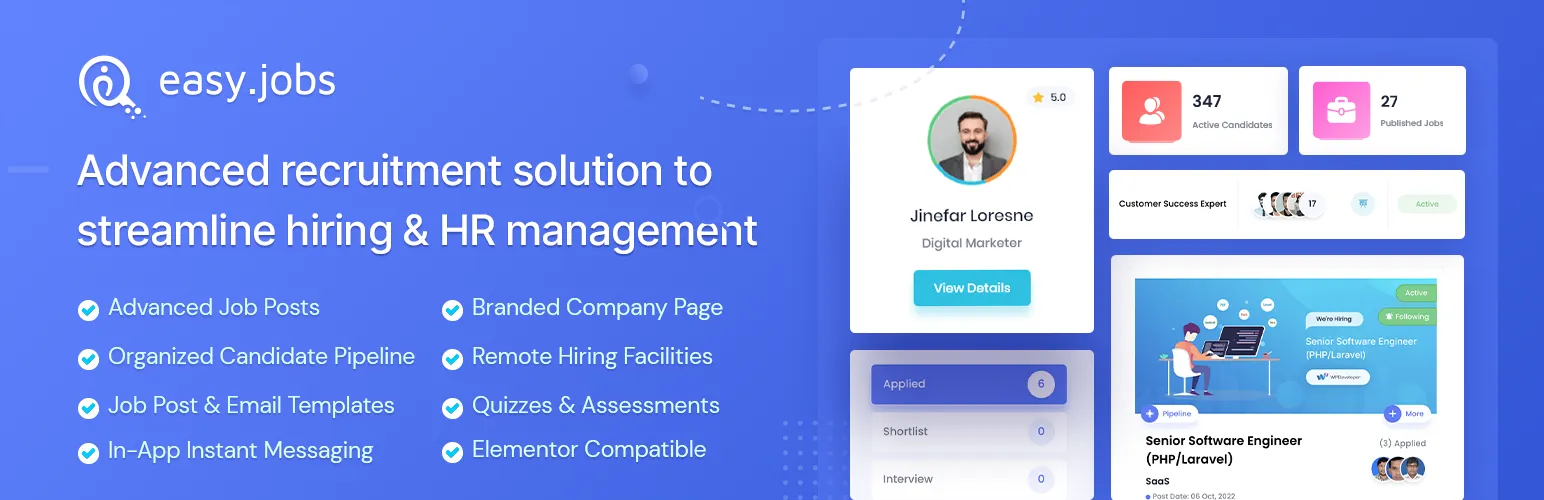

easy.jobs
easy.jobs - AI powered Job Listing, Job Board, Career Page, Recruitment & Hiring Solution · by WPDeveloper
- active installs
- 4K+
- 26 ratings
- 4.7
- since last update
- 13d
- releases in 12 months
- —
- support threads resolved
- —
- avg daily downloads
- 299
- on WordPress.org
- 7 years
easy.jobs at a glance
easy.jobs is a free WordPress AI website builder plugin by WPDeveloper with 4K+ active installs and a 4.7/5 rating from 26 reviews. It was last updated on Oct 27, 2026, is tested up to WordPress 7.1.4 and needs PHP 7.4+. All 5 of its published vulnerabilities have patched versions. Our quality score is 88/100.
What is easy.jobs?
easy.jobs is a recruitment tool that connects WordPress to the easy.jobs hiring service. It lets you post jobs, run a career page and manage candidates from the WordPress dashboard. It also works with Elementor, so you can design a career site without code.
It is a client for a SaaS product, so you must create an easy.jobs account first. Jobs, candidates, pipelines and company settings are stored on easy.jobs, and the plugin links to your account with an API key. A free package is available and no credit card is needed to sign up.
The plugin suits small and mid-sized companies that want a structured hiring process on their own site. Free features cover job posts, pipelines, application forms and email notifications. AI screening, analytics and custom domain career sites are listed as Pro.
Best for
- Companies running hiring from their own WordPress site
- Teams building career pages with Elementor
- Recruiters who want a visual candidate pipeline
- Small HR teams that need email and messaging in one place
easy.jobs features
Job posting from WordPress
Create and edit job posts and manage your hiring pipeline from the WordPress dashboard.
Career page templates
Ready career site templates and a branded company profile help present open roles.
Elementor integration
Build and style the career site with the Elementor page builder.
Candidate pipeline
A visual pipeline helps you screen and move candidates through stages.
Custom application forms
Add job-specific questions, custom fields, skills and categories to filter applicants.
Interviews and messaging
Quizzes, personality tests and in-app messages support the interview process.
Email notifications
Customize the notifications sent to candidates and your team.
AI screening (Pro)
Sort and filter candidates faster with AI-assisted screening.
Analytics and team tools (Pro)
Reports, candidate export, team activity management, Zoom and Google Meet integration and custom domain career sites.
easy.jobs free vs pro
Free WordPress.org version
- Job posts and pipeline management from WordPress
- Career page templates and Elementor compatibility
- Custom application forms and email notifications
- Visual candidate pipeline and in-app messaging
Pro Paid version
- Built-in analytics
- Candidate data export
- AI-powered screening
- Team activity management
- Career site on a custom domain
- Help getting job posts indexed on Google
- Zoom and Google Meet integration
The plugin is free, and the easy.jobs service has a free package with paid upgrades. The listing does not state prices. No AI provider key is mentioned for the AI screening.
How to use easy.jobs
- Create an account
Sign up at easy.jobs. It is free to start and needs no credit card.
- Install the plugin
In wp-admin go to Plugins, then Add New, search for easyJobs, then install and activate it.
- Connect with your API key
Link the plugin to your easy.jobs account using your API key.
- Create a job
Add a new job post, set the application form and edit the hiring pipeline from the dashboard.
- Build the career page
Use a ready template or Elementor to publish your career page, then manage candidates as they apply.
easy.jobs screenshots (6)
-
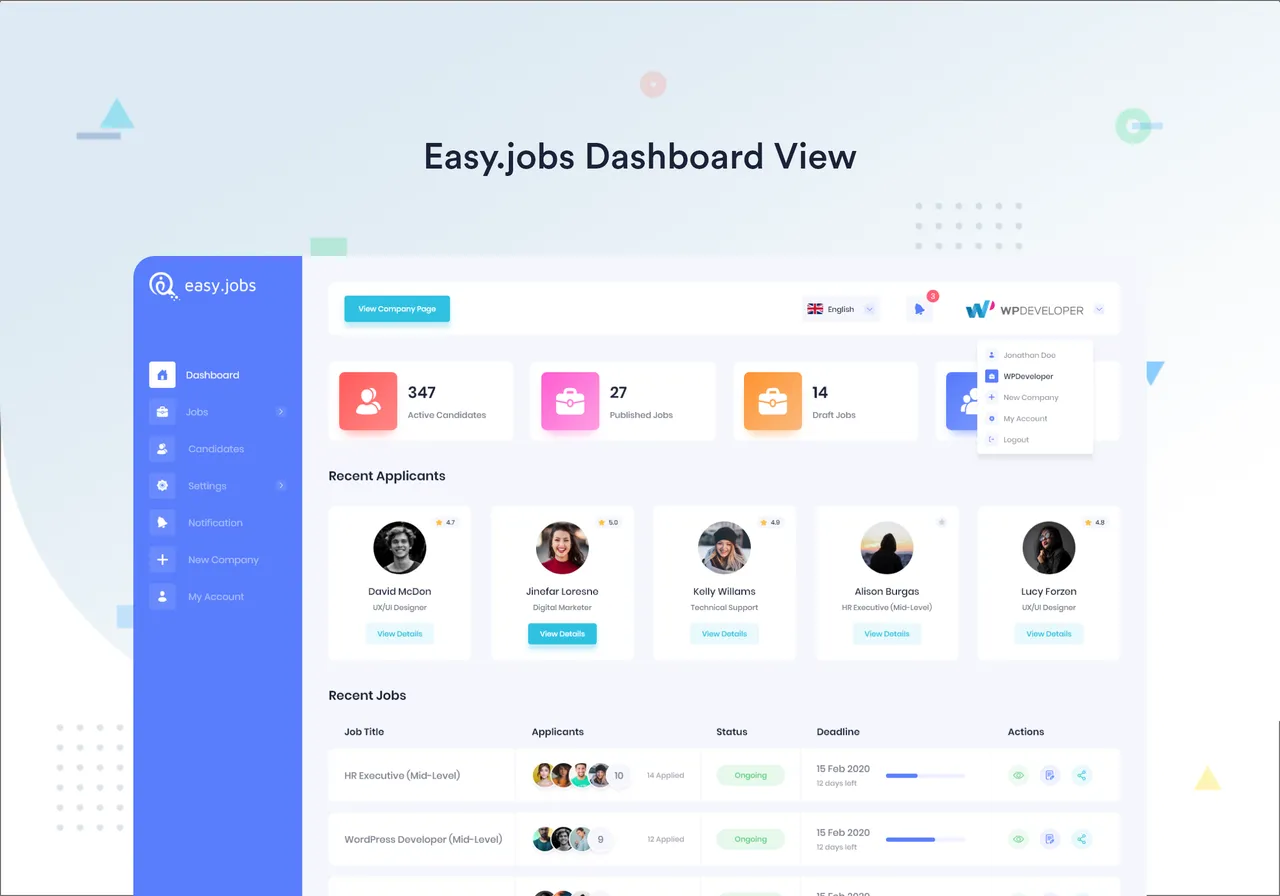
easy.jobs Dashboard View -
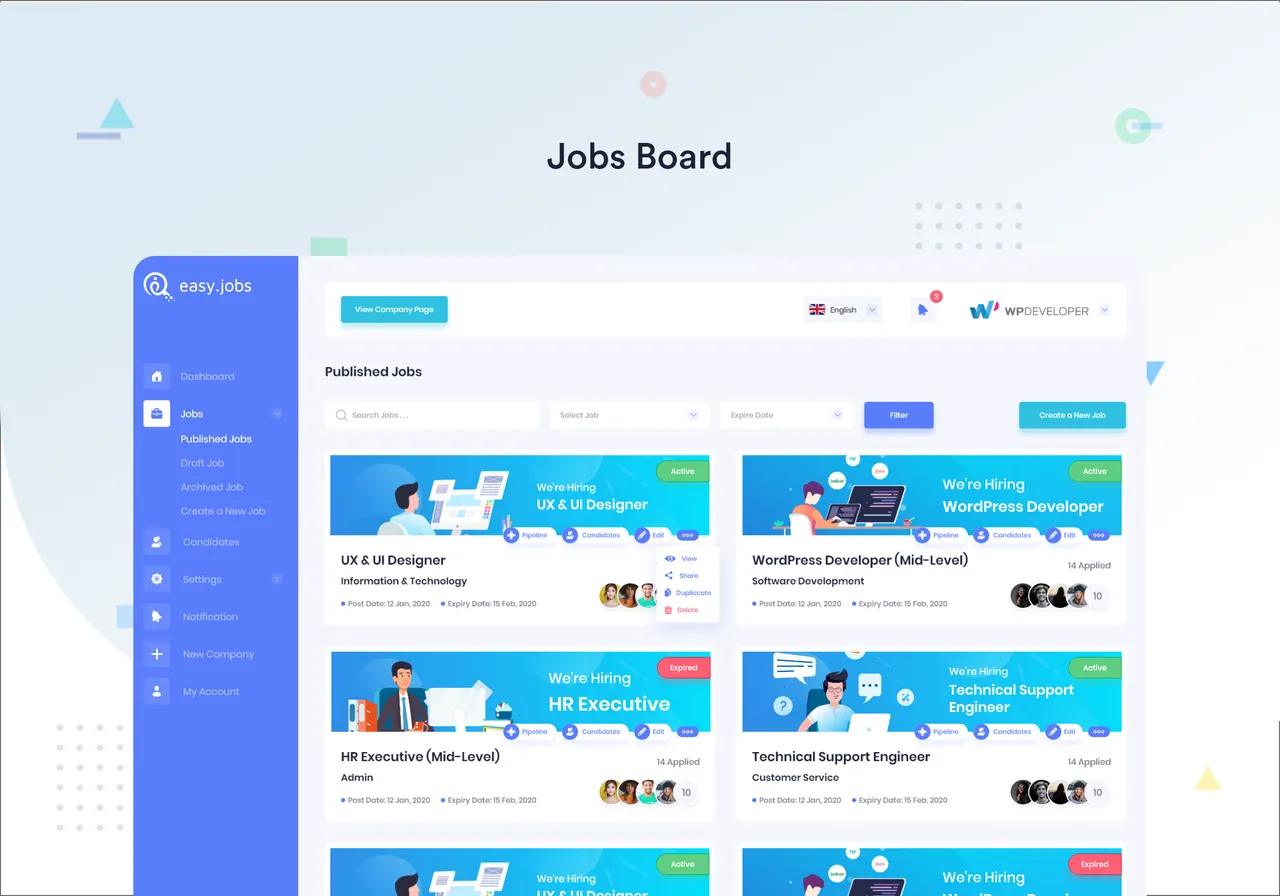
Job Board -
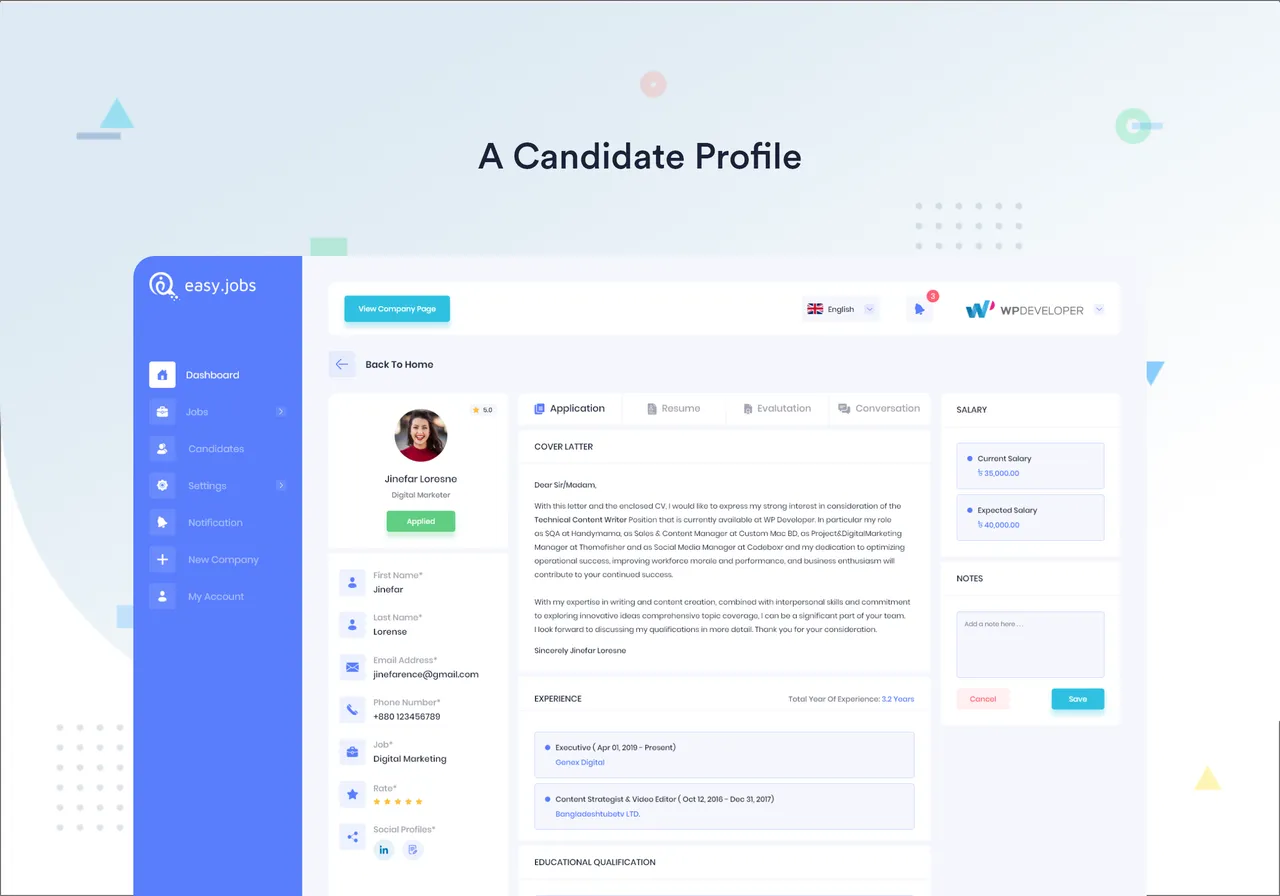
A candidate profile -
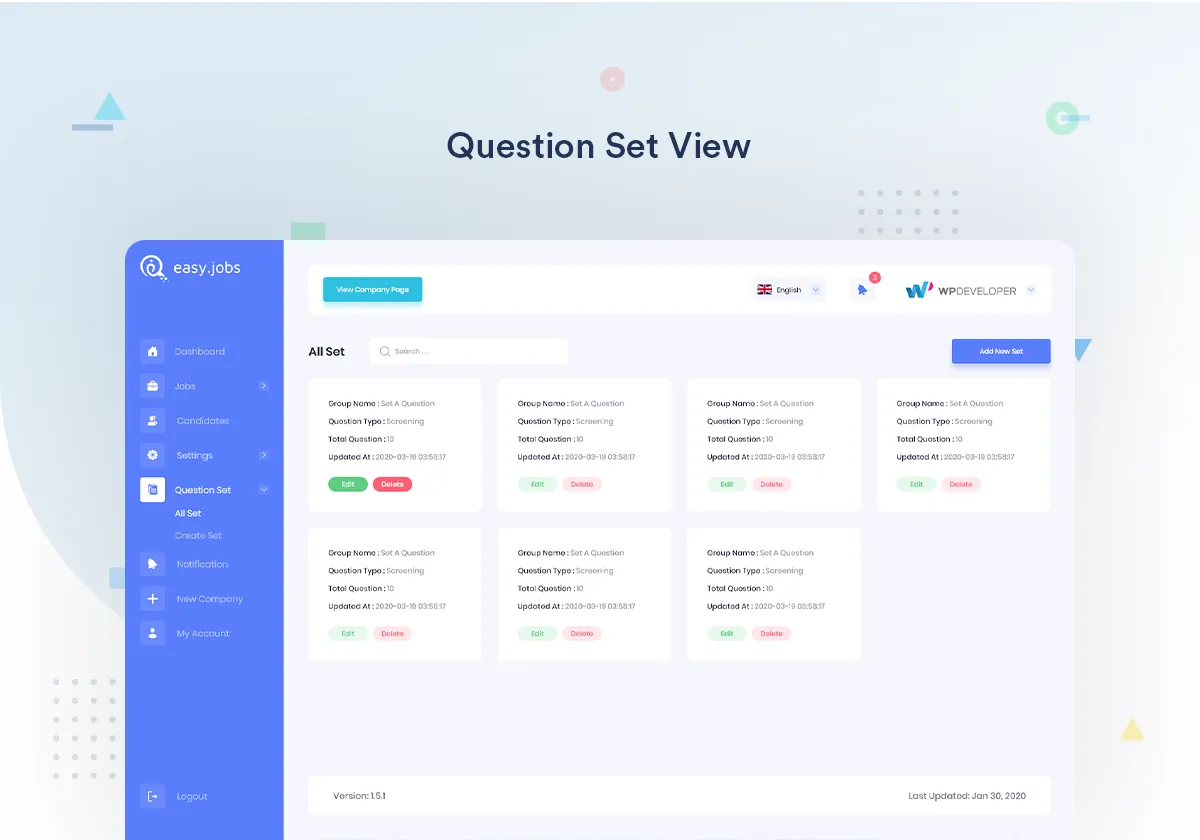
Question set view -
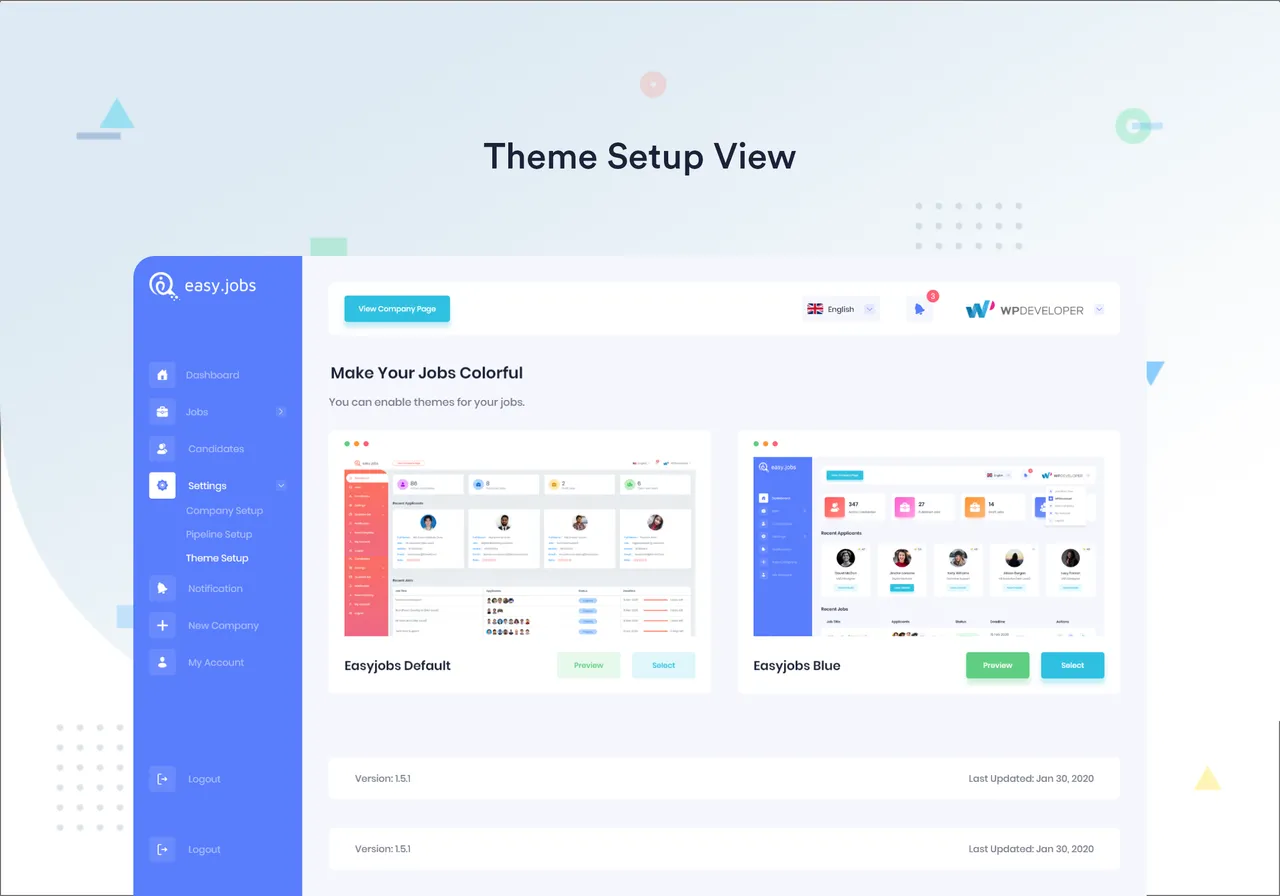
Theme setup view -
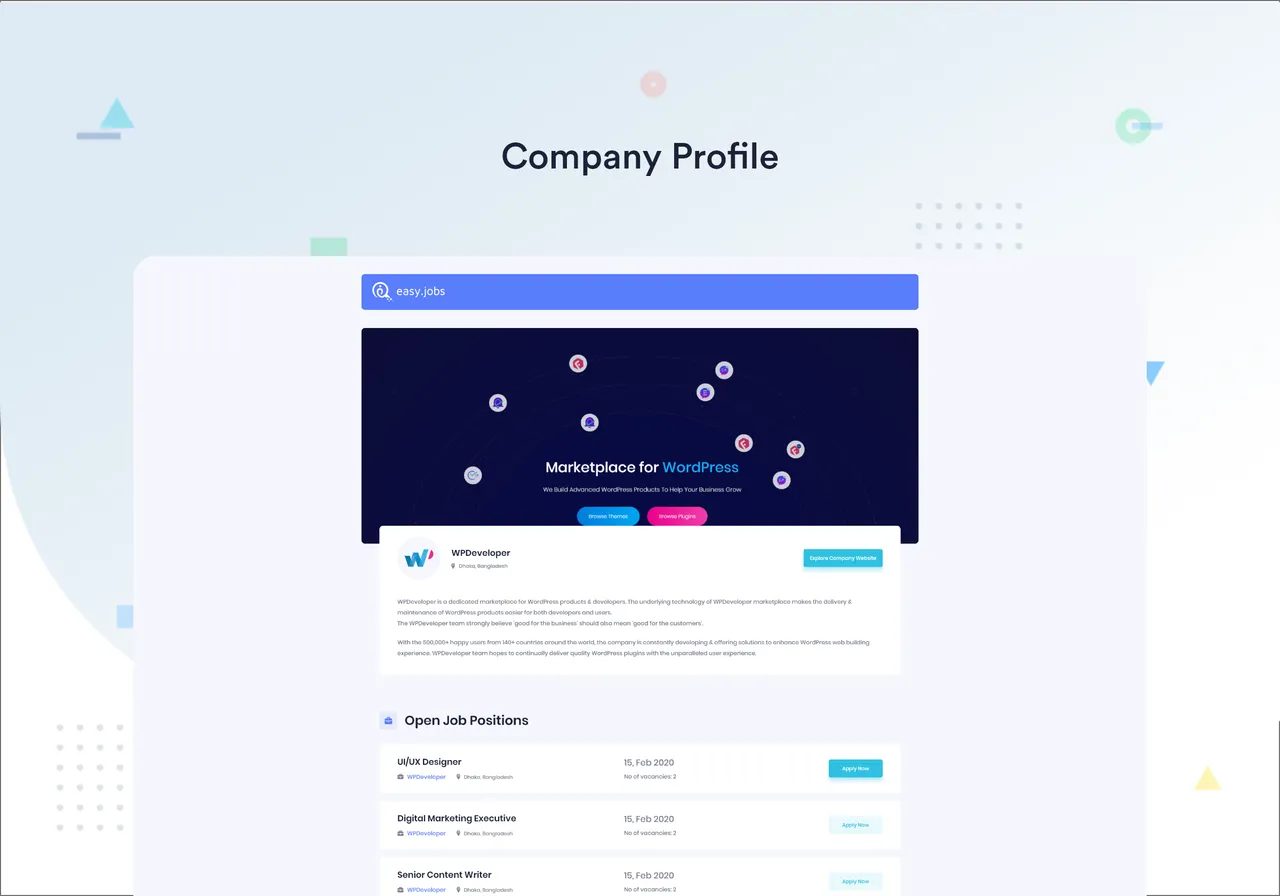
Company profile
Important information
- An easy.jobs account is required. Jobs, candidates, pipelines and company settings are stored on easy.jobs, not only in WordPress.
- Your API key and the data you create in the plugin are sent to the easy.jobs service. Nothing is sent before you connect an account, with limited exceptions listed by the vendor.
- Requires WordPress 6.3 or later and PHP 7.4 or later.
- Five vulnerabilities have been published for this plugin and are marked patched. Keep it updated.
- AI screening, analytics and custom domain career sites need the Pro plan.
From the easy.jobs readme
Straight from the developer's WordPress.org listing.
Full description
easyJobs – Job Manager, Hiring Platform, and Career Portal for WordPress
easy.jobs is a SAAS recruitment solution which comes with full functionality from WordPress dashboard and it also has Elementor compatibility to manage the hiring process without using any codes. You can get started for FREE & use easy.jobs powerful integration with WordPress.
Need a job board or complete hiring solution to take your company to the next level? Recruiting the right team member is the most important but quite difficult task for any business.
However, you can make it easier & effective using the right solution that lets you track, analyze, communicate & most importantly evaluate candidates through advanced filtering systems from a single platform.
Introducing EasyJobs – Easiest solution for the job recruitment to attract, manage & hire right talent faster.
Why Does Your Company Need easy.jobs?
🔸 Attract & Convert The Right Talent
🔸 Faster & Better Hiring Process
🔸 Structured Candidate Pipeline
🔸 Ready Career Site WordPress Templates
🔸 Visual Pipeline For Screening Candidates
🔸 Customize Email Notifications
🔸 In-built Analytics To Analyze Data (Pro)
🔸 Export Candidate Data (Pro)
🔸 AI-Powered Screening System (Pro)
🔸 Manage Team Activity (Pro)
🔸 Create Career Site With Custom Domain (Pro)
🔸 Help Job Posts To Get Indexed On Google (Pro)
🔸 Powerful Integration With ZOOM & Google Meet (Pro)
🔸 Dedicated Support For WordPress Plugin
🔸 Seamless Integration With Elementor Page builder
🔥 KEY FEATURES FOR EXCEPTIONAL HIRING
💯 Get Your Entire Team Onboard
🔸 Collaborate With Hiring Team: Provide personalized team access to have full control over the recruiting team and make better & faster hiring decisions.
🔸 Insightful Reports From Analytics: Use advanced & automated reports to track activities and monitor the recruiting team to improve the hiring workflow.
🔸 Instant Smart Notifications: Get an instant notification to all the updates and also make your applicants alert for future activities to be prepared.
🔸 AI-Powered Screening System: Sort, filter, and screen candidates faster with the power of easy.jobs Artificial Intelligence.
🔸 Set Up Remote Hiring Easily: Recruit top talent remotely with easy.jobs remote hiring features.
🌟 Find The Right Candidate Faster
🔸 Smart Candidate Selection: Analyze and filter your desired applicants to get the right one & make the recruitment process faster than ever before.
🔸 Interactive Interview Process: Quiz, Personality Test & more to make the interview engaging for both and increase the brand value to the candidate.
🔸 Custom Job Apply Fields, Skills & Categories: Filter applicants more thoroughly by adding custom apply fields, skills, and more.
🔸 In-App Messaging With Candidates: Choose, Track and instantly contact with the candidate via messaging & make the hiring process smoother & effective.
💼 Establish Your Employer Brand
🔸 Customize Application Forms: Include job specific questionnaires or just ask some general questions to filter candidate profiles based on their responses
🔸 Branded Company Profile: Create stunning company page to showcase employee benefits & existing talented team activities to attract the top talent
🔸 Personalized Career Pages: Customizable yet responsive and professional looking career page that brings your company maximum exposure for the job posts
🌟 Build Your Career Site On WordPress
🔸 Connect easy.jobs With WordPress: Instantly connect easy.jobs to your WordPress website with API keys.
🔸 Full Control From WordPress Dashboard: Manage your entire hiring process effortlessly straight from your WordPress dashboard.
🔸 Create New Jobs, Edit Pipelines & More: Add new job posts, manage your hiring pipeline, and more with easy.jobs WordPress plugin.
🔸 Seamless Integration With Elementor: Build your career site just the way you want with your favorite Elementor page builder.
🚀 Backed By A Trusted Team
This Recruitment solution is brought to you by the team behind WPDeveloper, a dedicated marketplace for WordPress, trusted by 5,000,000+ happy users.
👨💻 DOCUMENTATION AND SUPPORT
• For documentation and tutorials go to our Documentation
• If you have any more questions, visit our support on the Plugin’s Forum
• For more information about features, FAQs and documentation, check out our website at easy.jobs
External services
easy.jobs is a SaaS (Software as a Service). This plugin is a client for it, so it connects to the services below. Nothing is sent before you connect an easy.jobs account, except where noted.
easy.jobs API (app.easy.jobs)
Required. The plugin stores your jobs, candidates, pipelines and company settings on easy.jobs.
* What is sent: your easy.jobs API key and the data you create or change in the plugin (jobs, candidate actions, messages, company profile, settings). On the career pages, the plugin requests your published jobs and company profile from the server side (visitors’ data is not sent).
* When: when you connect your account and each time you use the EasyJobs admin screens; when a career page needs fresh job data.
* Visitors’ browsers load the company logo, cover photo and gallery images you uploaded to easy.jobs from easy.jobs servers, and the “Apply” button links to app.easy.jobs.
* Terms of Service: https://easy.jobs/terms/ — Privacy Policy: https://easy.jobs/privacy/
easy.jobs visitor analytics (analytics.easy.jobs, Matomo)
Optional and OFF by default. Turn it on under EasyJobs → Settings → Privacy.
* What is sent: when it is on, the career pages built with the [easyjobs_list] and [easyjobs_details] shortcodes load a Matomo script from analytics.easy.jobs. It sends page views, link clicks, the visitor’s IP address, browser and device details. When you turn it on (and when you sync), your site URL is registered with easy.jobs analytics.
* Why: to show job-page statistics in your easy.jobs dashboard.
* If you turn it on, add it to your site’s privacy policy and ask visitors for consent where the law requires it.
* Terms of Service: https://easy.jobs/terms/ — Privacy Policy: https://easy.jobs/privacy/ — Matomo: https://matomo.org/privacy-policy/
Google Translate (translate.google.com)
Optional and OFF by default. It runs only when you enable “Translate input fields” for your company on easy.jobs.
* What is sent: on the career pages, the visitor’s browser loads the Google Translate script and Google receives the page content, the visitor’s IP address and browser details. A googtrans cookie stores the target language.
* Google Terms of Service: https://policies.google.com/terms — Privacy Policy: https://policies.google.com/privacy
Google Fonts (fonts.googleapis.com) — block editor only
The plugin ships its own fonts (Poppins, Inter) and does not load Google Fonts on your site. Only in the block editor, when you choose a Google font in an EasyJobs block’s typography control, the editor loads that font from Google so you can preview it. Google receives the editor user’s IP address and browser details.
* Google Terms of Service: https://policies.google.com/terms — Privacy Policy: https://policies.google.com/privacy
WPInsights usage tracking (send.wpinsight.com)
Optional and OFF by default. The plugin asks once (admin notice) whether you want to share usage data. Nothing is sent unless you click “Allow”.
* What is sent: site URL, admin email address, WordPress, PHP and server versions, active and inactive plugins, active theme, and text direction. When you deactivate the plugin, the optional deactivation reason you choose.
* Why: to keep the plugin compatible with popular themes and plugins.
* Run by WPDeveloper. Terms: https://wpdeveloper.com/terms-and-conditions — Privacy Policy: https://wpdeveloper.com/privacy-policy
Video embeds in the admin (YouTube, Vimeo, Google Drive)
Admin screens only. The welcome screen and the dashboard embed an easy.jobs introduction video from YouTube. When a candidate answers a question with a video link, the candidate’s Application tab embeds it from YouTube, Vimeo or Google Drive. The provider receives the admin user’s IP address and browser details when the video loads.
* YouTube / Google Drive: Terms https://policies.google.com/terms — Privacy https://policies.google.com/privacy
* Vimeo: Terms https://vimeo.com/terms — Privacy https://vimeo.com/privacy
Source code and build
Every compiled file ships with its human-readable source in this plugin:
• Admin dashboard (React): admin/react/src/ → admin/assets/dist/react/. Build: cd admin/react && npm install && npm run build.
• Gutenberg blocks: blocks/blocks/*/src/, blocks/store/, blocks/index.js → blocks/dist/index.js, and blocks/controls/src/ → blocks/dist/modules.js. Build: npm install && npm run build (root), and cd blocks/controls && npm install && npm run build.
• Admin and public CSS/JS: admin/assets/src/, admin/assets/vendor/scss/, public/assets/src/ → admin/assets/dist/, public/assets/dist/. Build: npx gulp build.
• admin/assets/dist/js/easyjobs-admin-vendor-bundle.min.js is built from admin/assets/src/lib/js/ (Bootstrap 4.3.1 bundle and jquery-dateFormat 1.0.4).
Bundled third-party libraries (contents unchanged, with their licences): PDF.js 5.7.284 (Apache-2.0, admin/assets/vendor/pdfjs/, source https://github.com/mozilla/pdf.js; build files renamed from .mjs to .js), SweetAlert 2.1.0 (MIT, https://github.com/t4t5/sweetalert), Select2 4.0.6 (MIT, https://github.com/select2/select2), Bootstrap 4.3.1 (MIT, https://github.com/twbs/bootstrap), Owl Carousel 2.3.4 (MIT, https://github.com/OwlCarousel2/OwlCarousel2), Poppins and Inter fonts (SIL OFL 1.1, public/assets/vendor/fonts/).
Installation
• Upload easyjobs to the /wp-content/plugins/ directory
• Activate the plugin through the ‘Plugins’ menu in WordPress
Developer FAQ (3)
- Do I need to sign up to easy.jobs?
- Yes, as it’s a Software as a Service (SaaS), you need to sign up to easy.jobs first.
- Is it free to sign up to easy.jobs?
- Yes, as it’s free to get start and you can use the free package and upgrade anytime you want.
- Do I need a credit card to sign up?
- No, credit card is not required to sign up.
Downloads, last 30 days
Trend vs previous period: +175%
Average daily downloads: 117 over the last 7 days , 299 over 30 days.
Security history
Past CVEs, patched · 5 published vulnerabilities (Wordfence) · most recent Oct 30, 2026
- Patched 6.5 Medium easy.jobs <= 2.4.6 - Missing Authorization to Settings Update CVE-2023-6843 · Jan 21, 2024 · affects *-2.4.6 · fixed in 2.4.7
- Patched 6.4 Medium easy.jobs <= 2.8.2 - Authenticated (Contributor+) Stored Cross-Site Scripting via 'icon' Block Attribute CVE-2026-108366 · Oct 28, 2026 · affects *-2.8.2 · fixed in 2.8.3
- Patched 7.2 High easy.jobs <= 2.8.4 - Unauthenticated Stored Cross-Site Scripting via 'cover_letter' Parameter CVE-2026-112365 · Oct 30, 2026 · affects *-2.8.4 · fixed in 2.8.5
- Patched 6.1 Medium EasyJobs <= 2.4.14 - Reflected Cross-Site Scripting CVE-2024-43997 · Aug 29, 2024 · affects *-2.4.14 · fixed in 2.4.15
- Patched 6.1 Medium EasyJobs <= 1.4.7 - Reflected Cross-Site Scripting Feb 3, 2022 · affects [*, 1.4.8) · fixed in 1.4.8
easy.jobs FAQ
Do I need an easy.jobs account?
Yes. It is a software as a service product, so you must sign up first and connect the plugin to your account.
Is signing up free?
Yes. You can start on the free package and upgrade later when you need more.
Do I need a credit card?
No. A credit card is not required to sign up.
Does it work with Elementor?
Yes. The plugin is listed as compatible with Elementor, so you can design the career site visually.
Does it include AI?
AI-powered candidate screening is listed as a Pro feature. The listing does not give more detail on how it works.
Where is candidate data stored?
Jobs, candidates, pipelines and company settings are stored on easy.jobs, which the plugin connects to.
easy.jobs alternatives

Website Templates, Page Templates and Block Patterns for WordPress Starter Templates is a growing library of 300+ ready-to-use website templates for WordPress. Import a complete website design, a single page…

🚀 Explore Powerful 15+ FAQ & Accordion Blocks 📚 Start with 200+ Ready FAQ & Accordion Patterns 🌐 Visit the Official Website Easy Accordion ❤️ 176+ ⭐⭐⭐⭐⭐ Reviews & 4.9/5 Happiness Rating on Trustpilot Create…

Spectra Blocks is a complete rebuild of Spectra on WordPress’s modern core-block APIs - an AI website builder built directly into the Block Editor. Describe the page you want. Zip AI, our AI companion plugin,…

Build Anywhere. Own It In WordPress. Start from a prompt, a client brief, a Figma design, or an AI build. UiChemy turns it into native, editable WordPress you own, in the builder you already use. Building For…

Listdom is a directory system builder for WordPress, built for real directory projects rather than just listing cards. Create business directories, real estate portals, service directories, local guides, and…

CREATE A COMPELLING DARK MODE VERSION OF YOUR WEBSITE ✨ Create a dark mode version of your website without any complicated setup. Activate the plugin and your site visitors will experience a dark mode or light mode…
Listing data from WordPress.org and the Wordfence vulnerability feed, refreshed Nov 9, 2026; listing details fetched Nov 14, 2026. Screenshots are from the plugin's WordPress.org listing. Not affiliated with WPDeveloper.