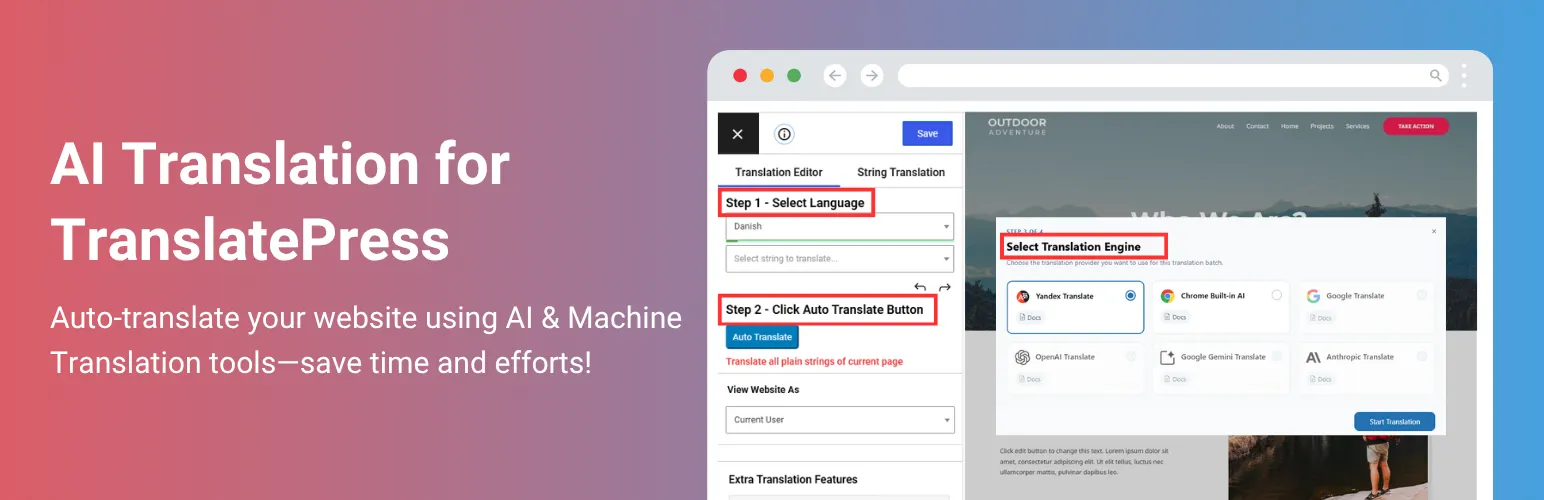

AI Translation For TranslatePress
AI Translation For TranslatePress · by Cool Plugins
- active installs
- 10K+
- 69 ratings
- 4.8
- since last update
- 13d
- releases in 12 months
- —
- support threads resolved
- 0%
- avg daily downloads
- 280
- on WordPress.org
- 5.8 years
AI Translation For TranslatePress at a glance
AI Translation For TranslatePress is a freemium WordPress AI translation plugin by Cool Plugins with 10K+ active installs and a 4.8/5 rating from 69 reviews. It was last updated on Oct 27, 2026, is tested up to WordPress 7.1.4 and needs PHP 5.6+. It has no published security vulnerabilities in the Wordfence database. Our quality score is 83/100.
What is AI Translation For TranslatePress?
AI Translation For TranslatePress is an addon that adds automatic machine translation to the free TranslatePress plugin. In the free version it uses the Yandex translate widget, and the listing also names Chrome and Edge built-in AI translation as part of the feature set. You translate a page in one click and then edit the result by hand. It installs like any other plugin from the Plugins screen and adds its own menu to the WordPress admin.
The headline claim is that no API key is needed and there is no character limit in the free version. That makes it cheap to try, but machine output can be wrong, and the listing itself advises reviewing translated text before publishing. Automatic translation of SEO meta details is included. Read the free and paid split carefully before you build a workflow around any single feature.
It suits site owners who already use TranslatePress and want a quick first pass at translation. It is not a standalone plugin, since TranslatePress must be installed and active. Google Translate widget, OpenAI, Gemini, Anthropic, bulk translation and slug translation are listed for the Pro version. Try it on a staging copy of your site first, so you can check compatibility with your theme and other plugins.
Best for
- TranslatePress users who want a quick first draft
- Small sites with a tight budget
- Sites that need translated SEO meta text
- Editors who will proofread translations
Our take
Bolts unlimited AI/machine auto-translation onto TranslatePress. Useful companion if you've already committed to TranslatePress and want fewer manual strings.
AI Translation For TranslatePress features
One-click page translation
Translates a whole page in a single action, after which you can edit strings in TranslatePress.
No API key required
The listing says the free version works without an API key using free translation widgets.
Unlimited characters
No character cap is stated for the free version.
Yandex machine translation
Translates pages using the Yandex translate widget. Language availability depends on the widget.
SEO meta translation
Translates supported SEO meta details into the selected language.
Manual editing
Automatic output can be changed afterward in TranslatePress.
Wide compatibility
Listed as working with Elementor, the block editor, Astra, WooCommerce, Contact Form 7, WPForms and The Events Calendar.
AI Translation For TranslatePress free vs pro
Free WordPress.org version
- Yandex widget machine translation
- Automatic SEO meta translation
- One-click page translation
- Manual editing of results
Pro Paid version
- Google Translate Widget
- Chrome and Edge built-in AI translation
- OpenAI, Gemini and Anthropic translation
- Automatic URL slug translation
- Front-end page translation, automatic language detection and bulk translation
- Premium support
A Pro version exists and adds the engines and features above. The free version needs no API key. The listing does not state Pro prices or how AI provider usage is billed.
How to use AI Translation For TranslatePress
- Install TranslatePress first
The addon needs the free TranslatePress plugin installed and active.
- Install the addon
In wp-admin go to Plugins, Add New, search for the addon, then install and activate it.
- Set up languages
Choose your languages in TranslatePress.
- Translate a page
Use the addon's one-click action on a page to run automatic translation.
- Review the result
Edit any text that reads badly using the TranslatePress editor before publishing.
AI Translation For TranslatePress screenshots (3)
-

Automatic translation content preview with Yandex Widget. -

Translation using Google Chrome AI. -
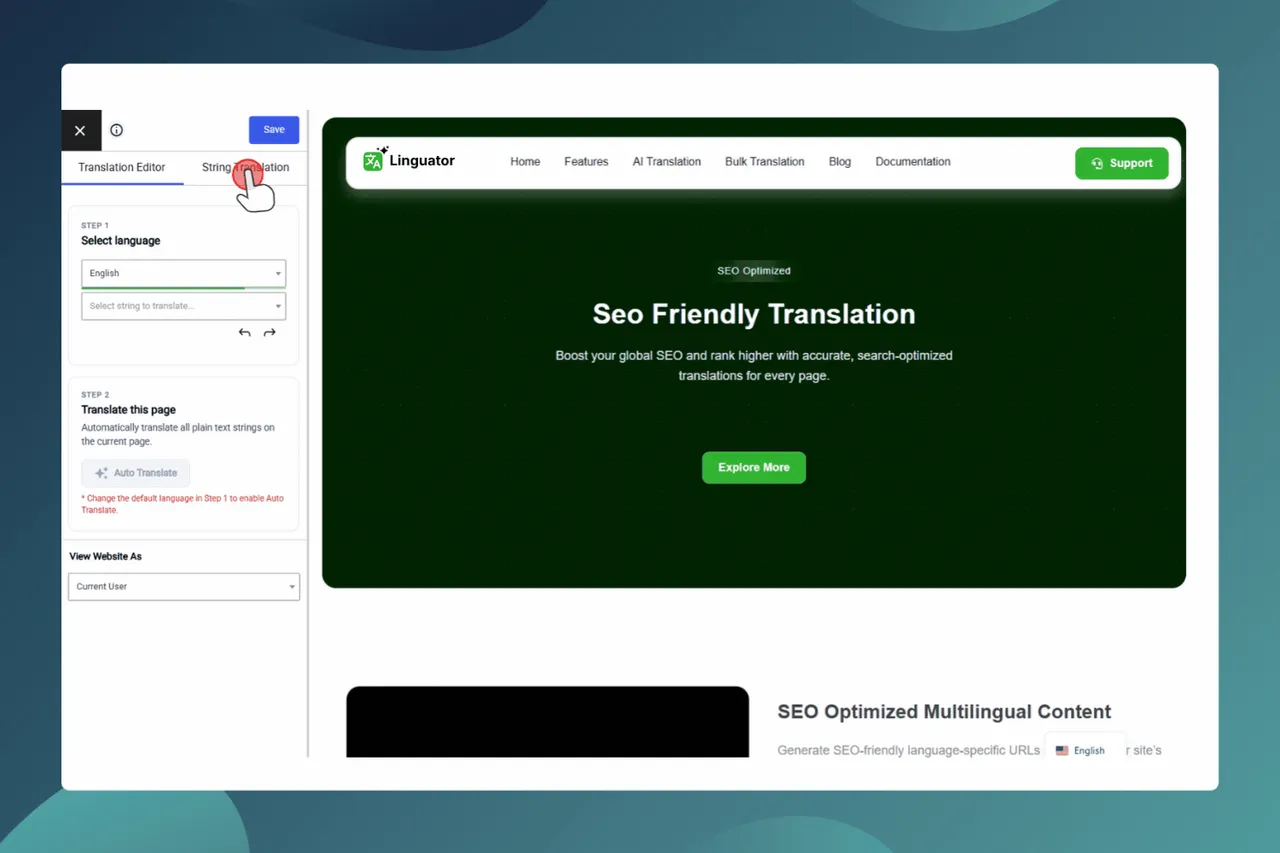
Slug Translation.
Important information
- TranslatePress free must be installed and active.
- Requires WordPress 5.0 or later and PHP 5.6 or later.
- Machine translation can be inaccurate. The vendor recommends reviewing all translated content before publishing.
- Free translation widgets send page text to those services. Read their terms before translating private content.
- The data shows no published vulnerabilities for this plugin.
From the AI Translation For TranslatePress readme
Straight from the developer's WordPress.org listing.
Full description
AI Translation For TranslatePress is a powerful TranslatePress extension that enhances the functionality of the TranslatePress plugin. This addon uses advanced translation services, like Yandex, Edge Built-in AI, and, Chrome AI to provide accurate and instant translations for your web pages automatically.
Powered by advanced AI translator resources, it delivers accurate and fast translations, helping you reach a global audience with ease.
Upgrade to Pro!!
Compatibility
AI Translation for TranslatePress is fully compatible with popular WordPress editors, page builders, plugins, and custom fields, making it easier to create and manage multilingual websites.
• Elementor: Translate supported Elementor page content, including text, widgets and other translatable elements, while keeping the existing page design and layout.
• Gutenberg Block Editor: Translate supported content created with the WordPress block editor without changing the existing block structure or page layout.
• Astra Theme: Create multilingual websites using the Astra theme and translate supported theme-related content through TranslatePress.
• WooCommerce: Translate supported WooCommerce content, including store pages and other translatable elements, to help create multilingual online stores.
• Contact Form 7: Translate supported form content, labels, and other strings automatically.
• WPForms: Translate supported WPForms content and form-related strings.
• The Events Calendar: Translate supported event page content, event details, and other translatable strings detected by TranslatePress.
Key Features
• Chrome Built-in AI: The addon uses Chrome’s built-in AI for translation, providing a fast and efficient way to translate content without relying on external services or paid APIs.
• Edge Built-in AI Translation: Translate website content using Microsoft Edge’s built-in Translator API. The translation runs through the browser’s supported AI translation features in real-time.
• Machine Translation: Automatically translate entire webpages using Yandex Translate Widget into multiple languages.
• No API Key Required: Access advanced translation resources without any need to set up or pay for an API key, just install the addon and start translating instantly.
• Unlimited Translations: Translate unlimited characters and strings across your entire website, completely free of charge.
• One-Click Automatic Translation: Easily translate entire web pages within a single click.
• Edit Translations: After automatic translation, if you are not satisfied with the translated content, you can manually edit it for better accuracy and readability.
• Automatic SEO Meta Translation: Automatically translate supported SEO meta details into your selected language, improving multilingual SEO.
• Manual URL Slug Translation: Manually translate post, page, term, taxonomy, and post type base slugs.
“If you spend too much time thinking about a thing, you’ll never get it done. Stop wasting time, complete work smartly & quickly!”
Pro Features
• Google Translate Widget: Use the Google Translate widget to automatically translate your website into supported languages.
• OpenAI Translation: Connect your OpenAI API key and use OpenAI models to automatically translate WordPress content.
• Gemini AI Translation: Use Google Gemini as an AI translation provider for translation while preserving surrounding context, helping produce more natural and meaningful translations.
• Anthropic Translation: Connect Anthropic as a translation provider to translate WordPress content using AI models.
• Front-End Page Translation: Run page translation directly from the front end for a faster translation workflow.
• Automatic Language Detection: Automatically detect a visitor’s preferred language and suggest switching the website to that language.
• Bulk Translation:Translate multiple pages at once instead of opening and translating each page individually, saving time and manual efforts.
• Clear Translation: Quickly remove existing automatic translations from supported pages when you want to reset the translated content and start the translation process again.
• Automatic URL Slug Translation: Translate post, page, term, taxonomy, and post type base slugs automatically using AI.
Free vs. Pro Version Comparison
Free Version:
✅ Yandex Translate Widget for automatic translations
✅ Chrome Built-in AI translation
✅ Edge Built-in AI translation
✅ Unlimited translations
✅ One-click automatic translation
✅ Manual editing of translated content
✅ Automatic SEO meta translation
✅ Manual slug translation
❌ OpenAI translation
❌ Gemini AI translation
❌ Anthropic Translation
❌ Front-end page translation
❌ Automatic language detection
❌ Bulk Translation
❌ Clear translation
❌ Automatic slug translation
❌ Premium Support
Pro Version:
✅ Google Translate widget for accurate translations
✅ Unlimited translations without API keys
✅ OpenAI translation (Via API Key)
✅ Gemini AI translation (Via API Key)
✅ Anthropic Translation (Via API Key)
✅ Bulk Translation
✅ Clear Translation
✅ Front-end page translation
✅ Automatic language detection
✅ Automatic SEO meta translation
✅ Automatic slug translation
✅ Premium Support (24-48 hour response time)
Upgrade to Pro!!
Important Notice: This addon only provides settings to use third-party auto-translation widgets and services (Yandex), it does not provide any translation service. So, we don’t guarantee 100% correctness. Please check all translated text carefully before making it live on your production site. If any auto-translate provider stops providing an auto-translation widget or service in the future, in that case, the plugin will not support that translation provider.
Check out our other advanced Automatic Translate Addons
• LocoAI – Auto Translate for Loco Translate is an addon that enhances the functionality of the Loco Translate plugin by enabling the automatic translation of WordPress themes and plugins. This addon connects with sources like Google, Yandex, DeepL, or AI-powered sources like ChatGPT, Gemini AI and Chrome AI to provide instant and automated translations.
• AutoPoly – AI Translation For Polylang duplicates your page or post titles, content, images, galleries, or meta fields, and automatically translates them into the selected language. Whether you’re using Elementor or Gutenberg, this addon makes the translation process easier.
• Linguator – AI Auto Translate & Create Multilingual Sites is a powerful multilingual plugin that helps you create and manage multilingual content on your WordPress website. Easily translate your posts, pages, menus, and categories into different languages using AI and connect with visitors worldwide.
• AutoMLP – AI Translation for WPML is WPML automatic translation addon. It allows you to translate your WordPress website using different AI services like OpenAI, Google Gemini, or Chrome AI at low cost.
• Toolkit for Polylang – Translation Inspector & Duplicate Content is a powerful addon for Polylang that scans and manages your Polylang website for missing translations, outdated content, URLs & routing, site setup, Elementor translation, and more issues from one place.
Special THANKS!
Special thanks to TranslatePress – Translate Multilingual sites plugin author, cozmoslabs, Razvan Mocanu, for creating an awesome plugin for translations and also thanks to Yandex for providing a translate widget for websites.
Important Links & Information
Yandex Translate Terms
Yandex Privacy Policy
Use of 3rd Party Services: This plugin connects to the Cool Plugins feedback server only for optional usage data sharing and voluntary feedback submission (for example, during plugin deactivation). Data is transmitted solely after explicit user consent. No hidden tracking is performed, and no frontend visitor or site user data is collected. For more details, please review our Data Usage Policy, TOS, and Privacy Policy.
Installation
• Install AI Translation for TranslatePress from the WordPress.org repository or upload the plugin-zip unzipped folder to the /wp-content/plugins directory.
• Activate the plugin through Plugins >> Installed Plugin menu in WordPress.
• Now you can translate any page content within a single click.
• If you want to use Google Translate Widget for automatic translation, then you need to purchase premium plugin.
Developer FAQ (11)
- Are you using any language translation API?
- No, there is no requirement for any translation API key to use this plugin free or pro version. It uses free page translation widgets and services for unlimited automatic translations.
- Is there any translation limit?
- There is no limit; you can translate unlimited characters without any API key.
- What languages can I translate to?
- The languages available depend on the translation widget you use.
- Can I edit the automatically translated text?
- Yes, you can still manually edit the translated text using TranslatePress.
- Is the translation guaranteed to be accurate?
- No, the plugin uses machine translation, which can be inaccurate. So, we recommend you to review all translated content before publishing it.
- Can I automatically translate SEO details?
- Yes, you can automatically translate SEO details into your selected language to help localize your website’s SEO content.
- Can I automatically translate URL slugs using AutoTP?
- Automatic URL slug translation is available in the Pro version of AutoTP. You can upgrade to Pro to use this feature. In the free version, you can still manually translate URL slugs using the String Translation editor.
- Do I need to install TranslatePress first?
- Yes, you need to install and activate the free version of “TranslatePress – Translate Multilingual sites” before using this addon.
- What are the benefits of the Pro version?
- The Pro version adds Google Translate Widget, Chrome Built-in AI Translation, Edge Built-in AI Translation, OpenAI, Gemini AI, Anthropic Translation, Front-End Page Translation, Automatic Language Detection, Bulk Translation support, and Premium Support.
- Will automatic translation change my website design?
- The plugin focuses on translating content available through TranslatePress. Your existing theme and page layout should remain in place, although compatibility can vary depending on how a theme, plugin, widget, block, or custom content is generated.
- How can I report security bugs?
- You can report security bugs through the Patchstack Vulnerability Disclosure Program. The Patchstack team helps validate, triage, and handle any security vulnerabilities. Report a security vulnerability
Downloads, last 30 days
Trend vs previous period: +86.2%
Average daily downloads: 157 over the last 7 days , 280 over 30 days.
Security history
No known CVEs · 0 published vulnerabilities (Wordfence)
AI Translation For TranslatePress FAQ
Does it use a translation API?
Not in the free version. It uses free page translation widgets, so no API key is needed.
Is there a translation limit?
No limit is stated. You can translate unlimited characters without an API key.
Which languages can I translate to?
It depends on the translation widget in use.
Can I edit translated text?
Yes. You can change it in TranslatePress after automatic translation.
Is the translation accurate?
Not guaranteed. It is machine translation, so review it before publishing.
Do I need TranslatePress?
Yes. Install and activate the free TranslatePress plugin first.
Can it translate URL slugs?
Automatic slug translation is Pro only. Free users can translate slugs manually in the string editor.
AI Translation For TranslatePress alternatives

Experience a better way to translate your WordPress site and go multilingual, directly from the front-end using a visual translation interface. The built-in AI translation lets you translate automatically, then…

Weglot 2.0 is a website translation plugin that translates your WordPress site into 110+ languages, with AI translations built around your brand. Trusted by 110,000+ websites, Weglot detects and translates all of…

The Best AI Translation Plugin for Multilingual WordPress Sites Universally is the fastest way to translate your WordPress website into 110+ languages and run a fully multilingual site. The plugin connects WordPress…

Linguator AI - Auto Translate & Create Multilingual Sites is an AI-powered translation plugin that works seamlessly with Elementor , Gutenberg , the Classic Editor , WooCommerce , ACF , Rank Math , Yoast SEO ,…

An all-in-one solution that makes your websites multilingual and translate them automatically, without word limits. ✓ One free first language for non-commercial websites ✓ Automatic translation API connector ✓…

Why Use This Plugin? When sharing links with titles in non-English languages (e.g., Hebrew, Arabic, Hindi, Chinese, or Russian) on platforms like Facebook or WhatsApp, the URLs often turn into a confusing string of…
Listing data from WordPress.org and the Wordfence vulnerability feed, refreshed Nov 9, 2026; listing details fetched Nov 14, 2026. Screenshots are from the plugin's WordPress.org listing. Not affiliated with Cool Plugins.