
Linguator
Linguator - AI Auto Translate & Create Multilingual Sites · by Cool Plugins
- active installs
- 3K+
- 20 ratings
- 4.6
- since last update
- 7d
- releases in 12 months
- —
- support threads resolved
- 100%
- avg daily downloads
- 148
- on WordPress.org
- 5.5 years
Linguator at a glance
Linguator is a free WordPress AI translation plugin by Cool Plugins with 3K+ active installs and a 4.6/5 rating from 20 reviews. It was last updated on Nov 2, 2026, is tested up to WordPress 7.1.4 and needs PHP 7.2+. It works with Google Gemini. It has no published security vulnerabilities in the Wordfence database. Our quality score is 96/100.
What is Linguator?
Linguator is a multilingual plugin for WordPress that translates your content with AI and manages the language versions of your site. It translates posts, pages, menus, categories, custom post types, media and SEO data from the dashboard. You can then edit the results by hand. The plugin was previously called Translate Words.
It suits business sites, blogs, agencies and shops that want a second or third language without building it manually. It works with Elementor, Gutenberg, the Classic Editor, WooCommerce, ACF, Rank Math and Yoast SEO. Each language gets its own URLs, and there is a language switcher and optional detection of the visitor's browser language.
AI translation runs through Chrome's built-in AI or Google Translate, which the listing says need no external API keys or subscriptions. Google Gemini is another option, for WordPress 7.0 and higher, and the listing links to getting a Gemini API key. A Pro version adds site scanning for missing translations and other issues.
Best for
- Business and agency sites adding languages
- Elementor landing pages
- WooCommerce shops going multilingual
- Site owners who want AI translation without a SaaS plan
Linguator features
AI automatic translation
Translates posts and pages into several languages in one click. The listing says a standard page takes under 10 seconds.
Elementor page translation
Translates whole Elementor pages with their sections and widgets, keeping styles and design.
Gutenberg block support
Translates core blocks and blocks from popular libraries such as Spectra, Kadence, Stackable, Otter and Essential.
Bulk and inline translation
Translate many posts, pages or products at once, or translate a single widget or block inside the editor.
Glossary support
Keeps terminology consistent across the site, and you can edit any translation by hand.
WooCommerce and ACF
Translates product titles, descriptions, categories and ACF fields. Stock quantities are not translated.
SEO data translation
Translates SEO titles and meta descriptions from Rank Math and Yoast SEO, and uses language-specific URLs.
Media and menus
Translates image titles, captions, alt text and descriptions, and supports a separate menu for each language.
Language switcher
Place it in menus, sidebars, headers or footers, or use the Elementor widget. Classic, block and Elementor styles exist.
Browser language detection
Can show visitors the site in their browser language.
Linguator free vs pro
Free WordPress.org version
- AI translation, bulk translation and inline translation
- Language switcher and multilingual SEO features
- Support for Elementor, Gutenberg, WooCommerce, ACF, Rank Math and Yoast SEO
- Unlimited languages
Pro Paid version
- Multilingual site scan for missing translations, outdated content, 404 errors and broken URLs
- Untranslated content inspector on the frontend
- Issue grouping by severity and status
- Elementor translation checks for headers, footers and templates
- Site checks that run inside WordPress without sending content out
The plugin is free on WordPress.org and a paid Linguator Pro exists. The listing gives no prices. Chrome built-in AI and Google Translate need no API key per the listing, while Gemini needs a key from Google, billed by Google.
How to use Linguator
- Install the plugin
In wp-admin go to Plugins, then Add New, search for Linguator, click Install Now and then Activate.
- Run the setup wizard
Choose your main language, which is the fallback for visitors, then add the other languages you want.
- Set URLs and the AI source
In the wizard, choose your SEO-friendly URL structure and pick the AI source, Google or Chrome AI.
- Translate content
Open a post, page or product and run AI translation. Use bulk translation for many items at once.
- Review and place the switcher
Edit translations that need your tone, then add the language switcher to a menu, widget area or page.
Linguator screenshots (4)
-
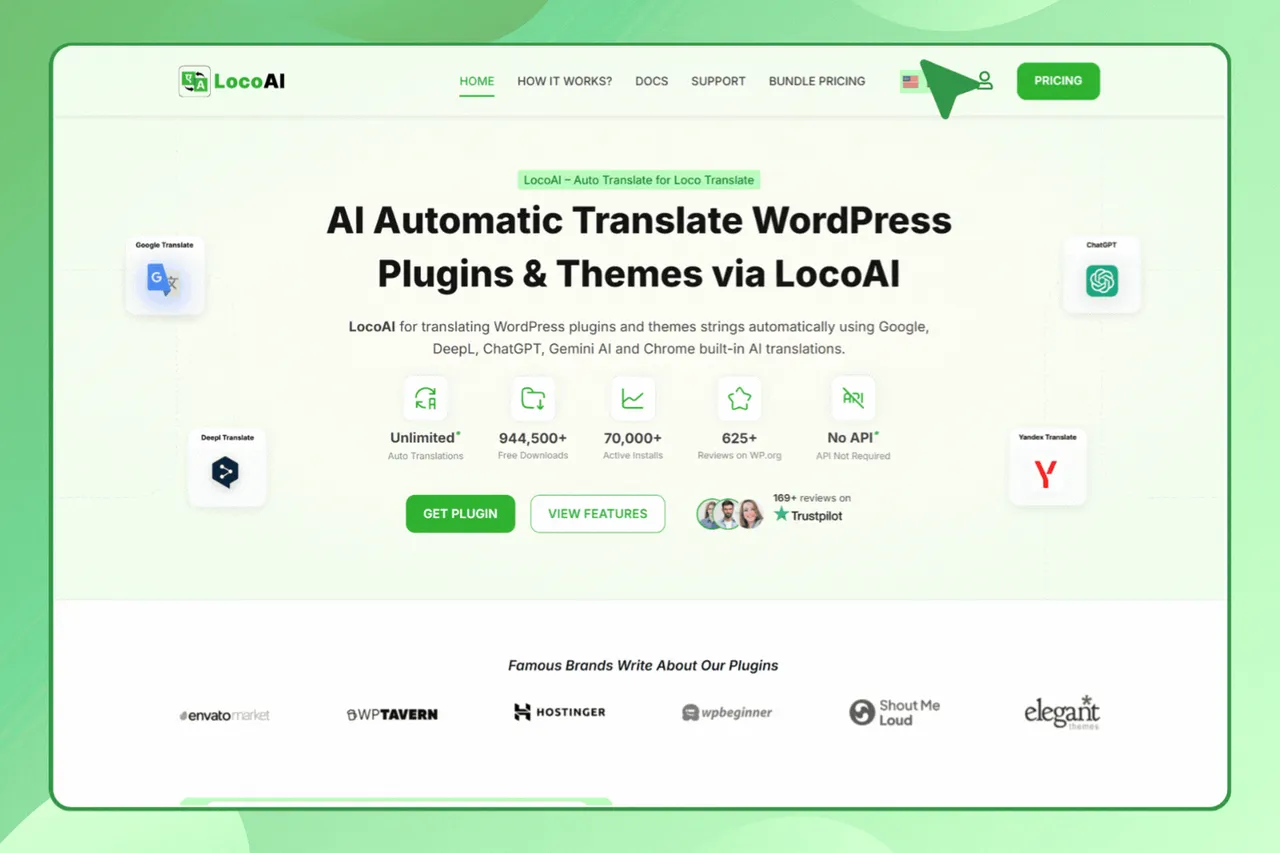
Linguator Language Switcher Preview. -
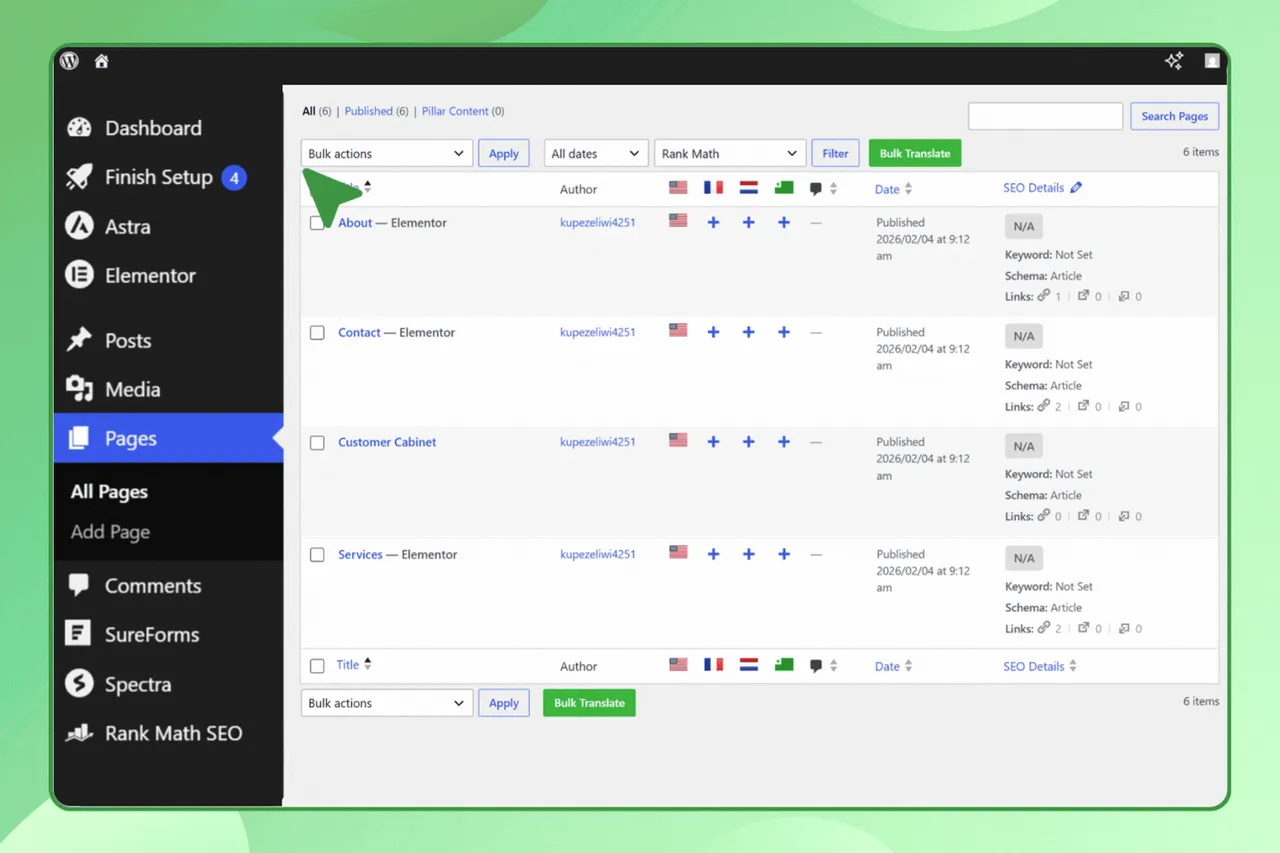
Bulk Pages/Post Translation Preview. -
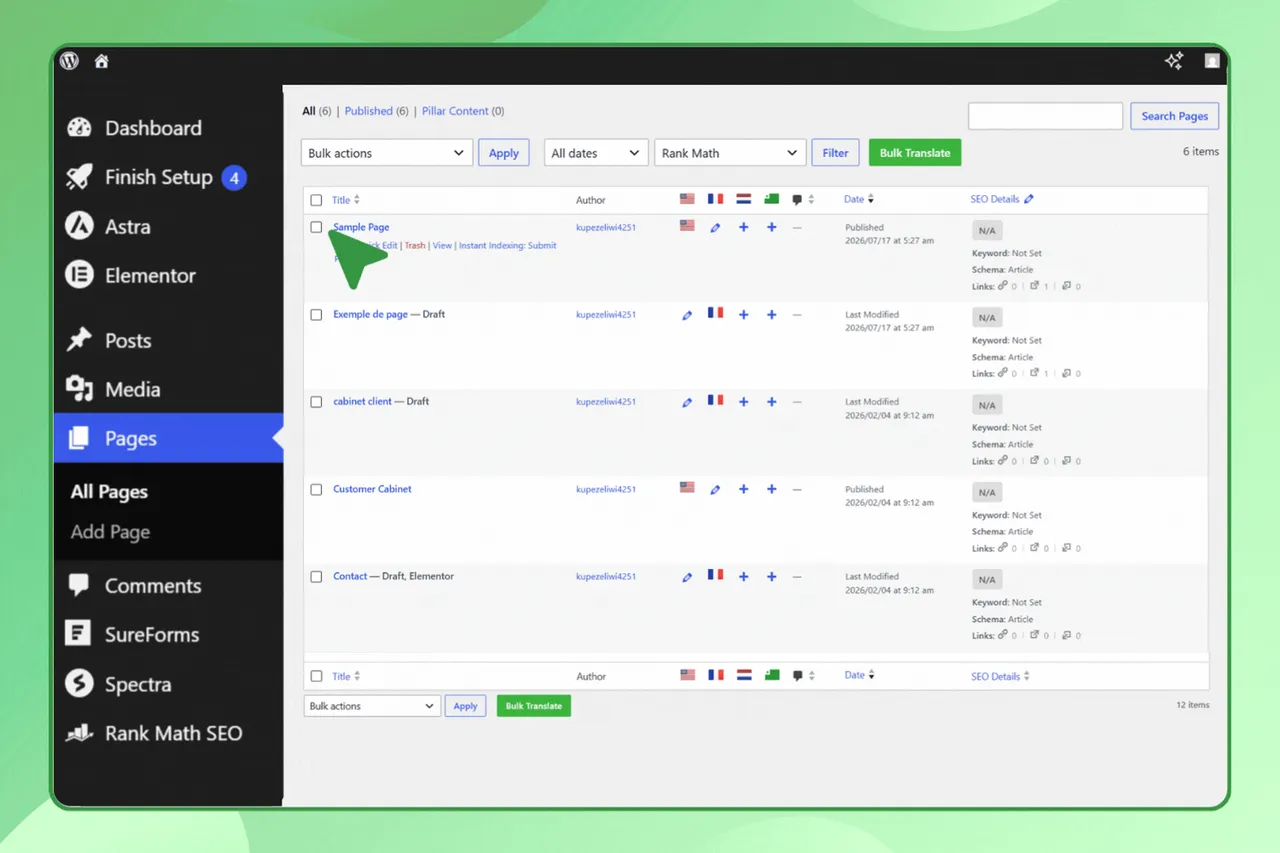
Gutenberg Page Translation Preview. -
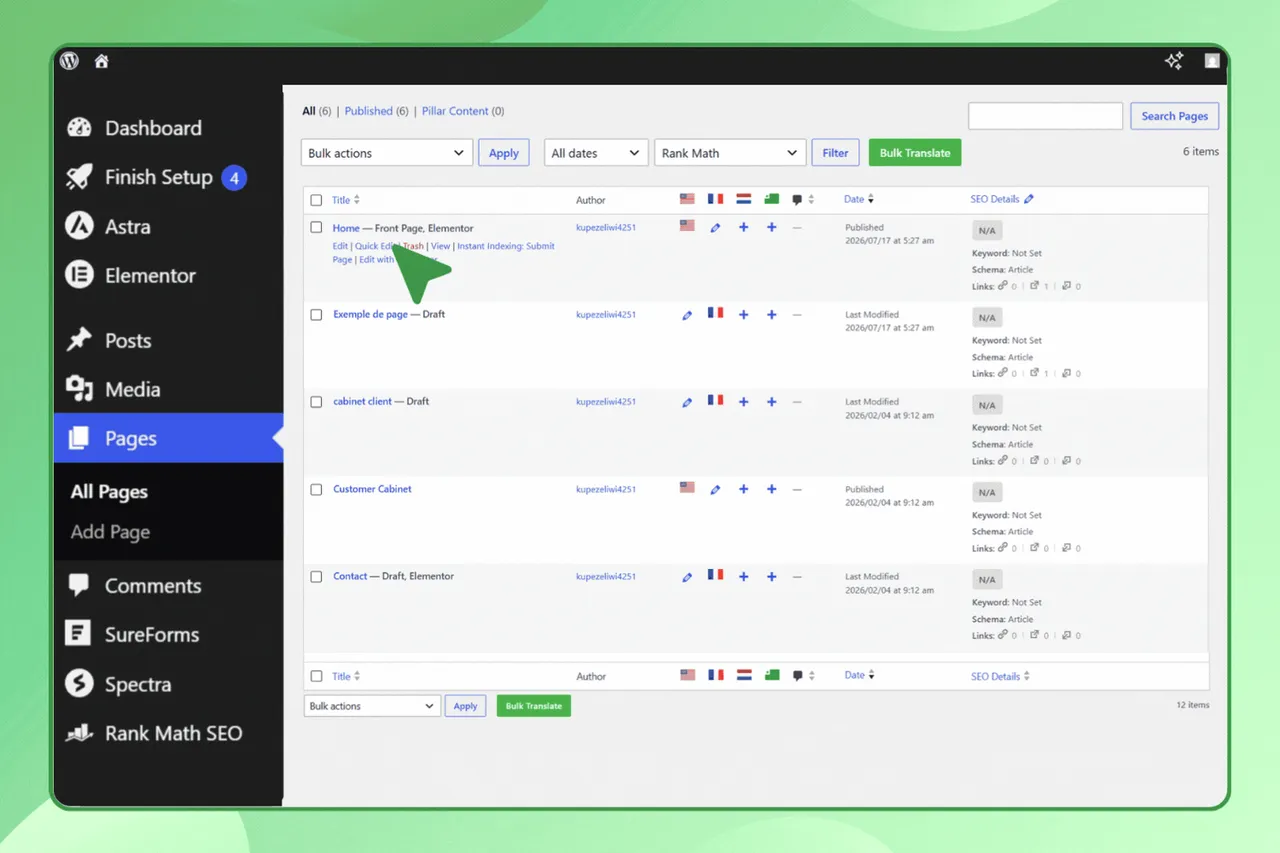
Elementor Page Translation Preview.
Important information
- Requires WordPress 6.8 or higher and PHP 7.2 or higher.
- Chrome built-in AI is used by you, the admin, to make translations. Visitors see the translated content in any browser.
- Gemini translation is available for WordPress 7.0 and higher and needs a Google API key. Content you translate is sent to the provider you choose.
- Plugin transition: Translate Words is now maintained by Cool Plugins and is evolving into Linguator. If you rely on manual string translation, the vendor suggests Loco Translate. A migration panel in the settings gives guidance.
- AI translations can contain errors. Review important pages, and add glossary terms for brand names.
From the Linguator readme
Straight from the developer's WordPress.org listing.
Full description
Linguator – AI Auto Translate & Create Multilingual Sites is an AI-powered translation plugin that works seamlessly with Elementor, Gutenberg, the Classic Editor, WooCommerce, ACF, Rank Math, Yoast SEO, helping you create multilingual websites in just a few clicks without any complex setup.
Automatically translate your posts, pages, menus, categories, custom post types, media, and SEO data using AI, and refine translations manually when needed, all from your WordPress dashboard.
Upgrade to Linguator Pro
• Multilingual Site Scan: Scan your WordPress website to identify missing translations, outdated content, 404 errors, broken URLs, multilingual configuration, and more issues.
• Untranslated Content Inspector: Find pages or posts content that still needs translation directly from the frontend.
• Issue Severity & Status: Organize scan results into Critical, Warning, Passed, and Ignored categories to quickly prioritize issues and track resolved checks.
• Elementor Translation Checks: Detect multilingual issues in Elementor headers, footers, templates, and display conditions that could cause incorrect templates to appear on translated pages.
• Privacy-Friendly Site Inspection: Linguator Pro performs its core site checks within your WordPress installation without sending website content to external services for inspection.
Compatible With Popular WordPress Plugins?
Linguator is fully compatible with popular WordPress editors and plugins, including Elementor, Gutenberg, WooCommerce, ACF, Rank Math, and Yoast SEO, so you can generate high-quality translations without external API keys or subscriptions using Chrome’s built-in AI and Google Translate, directly from WordPress.
Check Live Demo | Learn more
AI Translation Made Easy for WordPress
• Easy to install and use: Linguator is quick to install and beginner-friendly, allowing you to get started in minutes. Simply install the plugin, run the setup wizard, select your languages, and start translating. No coding required.
• Multilingual SEO: The plugin follows WordPress and Google best practices. Each language version of your content contains, language-specific URLs with SEO-friendly permalink structures. Metadata can be translated helping search engines properly index your site in multiple languages and improve your global visibility.
• Translation Quality & Accuracy: Linguator allows you to generate fast, natural and accurate AI-powered translations while still giving you full control. You can manually edit translations to improve accuracy or match your tone, translate specific blocks or widgets inline, and use glossary support to maintain consistent terminology across your site.
Multilingual & AI Translation Features
• AI-Powered Automatic Translation: Save hours of manual work. Linguator uses powerful AI translation engines to automatically translate your posts and pages into multiple languages giving you high-quality, natural translations in one click.
• Elementor Page Translation: Translate entire Elementor pages, including all sections, widgets, and content, without losing styles or design.
• Gutenberg Block Compatibility: Automatically translate content within Gutenberg blocks, including core blocks and popular third-party blocks like Spectra, Kadence, Stackable, Otter, and Essential.
• Bulk Translation: Instantly translate multiple posts, pages, or products at once with a single click, saving time and effort.
• Inline Translation: Translate specific widgets or blocks of content directly within the editor, without translating the entire page, using advanced AI-powered translation tools.
• Media and Menu Translation Management: Translate image titles, captions, alt text, and descriptions to match each language. Create separate navigation menus per language and let visitors switch between them.
• Language Switcher: Add a language switcher to your site with multiple display options, including Classic, Block-based, and Elementor widget styles, to easily switch languages.
• WooCommerce Translation: Translate WooCommerce product titles, descriptions, categories, and other customer-facing content.
• ACF & Custom Fields Support: Translate content stored in Advanced Custom Fields (ACF) and other WordPress custom fields while keeping the original field structure intact.
• Custom Post Type Translation: Translate custom post types created by themes or plugins, including portfolios, services, testimonials, listings, and other custom content.
• SEO Plugin Compatibility: Linguator works with Rank Math SEO and Yoast SEO, allowing you to translate supported SEO titles, meta descriptions, and other SEO data for each language.
• Google Gemini AI Integration: Translate your website using advanced Google Gemini AI technology with better context and natural language accuracy. (available for WordPress 7.0+).
Trusted by 80,000+ users worldwide – Linguator is built by experts in AI translation the same team behind LocoAI – Auto Translate for Loco Translate.
With 580+ five-star reviews, our plugins are proven to deliver quality and user satisfaction.
Perfect For
• Business websites
• Blogs and publishers
• Agency websites
• Elementor landing pages
• Educational websites
• Portfolio websites
• Global multilingual brands
Service Provider
This plugin offers AI translation services via Chrome’s built-in AI APIs. Learn more about Chrome AI using the links below.
• Chrome Built-in AI APIs Documentation
• Chrome Summarizer API Documentation
• Chrome Prompt API Documentation for Extensions
• Google Gemini get API key
• Google Gemini Terms of Service
Linguator AI on GitHub.
Credits
While the core of this plugin is a fork of the free version, it incorporates the Abstract_Screen class structure originally found in the WP_Syntex\Polylang_Pro\Editors\Screens namespace of Polylang Pro. This architecture has been refactored into the Linguator\Modules\Editors\Screens namespace to ensure a unique environment, maintain compatibility, and prevent naming collisions with the original plugin.
This plugin is distributed under the terms of the GNU General Public License, version 3 (GPLv3). We are grateful to the original authors, Frédéric Demarle and the WP SYNTEX team, for their foundational work in the WordPress multilingual space.
Use of 3rd Party Services: This plugin connects to the Cool Plugins API to display information about related plugins inside the dashboard. It offers optional usage tracking and feedback submission on deactivation only after explicit user consent. Additionally, it connects to Google Translate (Google LLC) via translate.googleapis.com and translate.google.com to translate post, page, and taxonomy content. This plugin also uses the DataTables library in the admin interface to display/manage tabular data. DataTables is licensed under the MIT License. Please review our Data Usage Policy, TOS, and Privacy Policy, Google Terms of Service and Google Privacy Policy.
Installation
• Install: Search for “Linguator” in your WordPress dashboard and click Install Now.
• Activate: Click Activate to launch the 2-minute Setup Wizard.
• Configure: The wizard will guide you through:
• Choosing your primary and secondary languages.
• Setting up your SEO-friendly URL structure.
• Selecting your AI source (Google or Chrome AI).
• Win: Your site is now ready for translation!
That’s it! Linguator AI – Auto Translate & Create Multilingual Sites is now installed and activated. You can start translating your website automatically using the power of AI.
Configuration steps in details
When you first activate Linguator, a simple Setup Wizard will guide you through configuring your multilingual website.
Follow these steps to complete the setup:
• Choose the main language for your website. This will be the fallback language shown when a visitor’s preferred language isn’t available.
• Select additional languages you want to support from the list of available languages.
• Decide how different language versions will appear in your URLs (e.g., subdirectories like /fr/ or query parameters like ?lang=fr).
• Turn on this option to automatically translate media details such as title, alt text, caption, and description for each selected language.
• Choose your preferred translation source Google Translate or Chrome’s built-in AI translator to handle your translations.
• Choose how and where the language switcher will appear on your website so visitors can easily switch between languages.
That’s it! The setup configuration has been successfully completed. You can now start translating your website content and make it fully multilingual.
Developer FAQ (21)
- How long does it take to translate my first page?
- With our AI-powered engine, you can translate a standard page or post in under 10 seconds.
- Does this work for my visitors who don’t use Chrome?
- Yes! The Chrome Built-in AI is a tool used by you (the admin) to generate the translations. Once translated, your site visitors will see the content perfectly on any browser (Safari, Firefox, Edge, etc.).
- Will this slow down my website?
- No. Linguator is built to be lightweight. It does not rely on external SaaS calls for every page load, ensuring your site remains fast for every visitor.
- Is it compatible with Elementor and Gutenberg?
- Absolutely. You can translate your content directly within your favorite page builder without breaking the design.
- Which languages are supported?
- Linguator supports all languages that WordPress supports, including RTL languages.
- Is it compatible with all WordPress themes?
- Yes, Linguator is designed to work with any properly coded WordPress theme.
- Does Linguator support WooCommerce?
- Yes. Linguator can translate WooCommerce product titles, descriptions, categories, and other customer-facing content. Inventory information such as stock quantity is not translated.
- Can I translate ACF custom fields with Linguator?
- Yes. Linguator supports Advanced Custom Fields (ACF) and can translate supported content stored inside custom fields while keeping the field structure unchanged.
- Does Linguator work with Rank Math and Yoast SEO?
- Yes. Linguator is compatible with both Rank Math SEO and Yoast SEO and can translate supported SEO data such as SEO titles and meta descriptions.
- Can Linguator translate custom post types and custom fields?
- Yes. Linguator supports custom post types and custom fields, allowing you to translate content created by themes, plugins, or your own WordPress setup.
- Can I create different menus for each language?
- Yes. You can create and manage separate navigation menus for each language and let visitors switch between them.
- Where can I place the Language Switcher on my site?
- You can place it in menus, sidebars, headers, footers, or any widget-ready area. If you use Elementor, you can add it directly to your page or template using the Elementor widget.
- Can I translate media, such as images and videos?
- Yes. Linguator allows you to translate media metadata, including image titles, alt text, captions, and descriptions, ensuring your content is fully localized.
- Can it detect the visitor’s browser language?
- Yes. Linguator includes an option to automatically detect the visitor’s browser language and display the site in that language.
- How many languages can I add with Linguator?
- There is no limit. You can add as many languages as you want to your website using Linguator.
- What is the difference between Linguator Free and Pro?
- Linguator Free helps you create multilingual WordPress websites using AI translation, bulk translation, language switchers, and multilingual SEO features. Linguator Pro adds advanced site scanning, translation inspection, and issue detection tools to help you maintain your multilingual website.
- Can Linguator Pro find missing translations on my website?
- Yes. Linguator Pro scans your website to identify posts, pages, and other supported content that haven’t been translated into your selected languages, helping you find translation gaps without manually checking every page.
- Can Linguator Pro detect multilingual SEO issues?
- Yes. Linguator Pro checks supported language-specific URLs and multilingual configurations to help identify potential issues that could affect how search engines understand your translated website.
- Transition Notice
- Translate Words is now maintained by Cool Plugins and will gradually evolve into our modern AI multilingual plugin, Linguator AI. If you want to continue using a manual string translation workflow, we recommend migrating to the Loco Translate plugin, which offers enhanced stability, better performance, and active development. You are not required to take immediate action. Your website will continue working normally during the transition period. A detailed migration panel is included inside the plugin settings with all guidance and support information.
- How can I report security bugs?
- You can report security bugs through the Patchstack Vulnerability Disclosure Program. The Patchstack team help validate, triage and handle any security vulnerabilities. Report a security vulnerability.
- Why Use Linguator?
- • Simple and Familiar Interface – Built with WordPress standards in mind, Linguator feels natural and easy to use, even for beginners. • AI Power Without Extra Cost – Leverage AI translation features for free — no need to pay for costly external AI credits. • No Monthly Fees or SaaS Dependency – Linguator runs fully inside WordPress — once installed, it’s yours! No external API or subscription required. • Fully Compatible with Elementor & Gutenberg – Translate visually designed pages effortlessly without breaking layouts. • Save Time with AI-Powered Translation – Instantly translate your posts, pages, and menus using advanced AI translation technology. • Reach a Global Audience – Translate your content into multiple languages and expand your website’s reach worldwide. • Build Trust with Localized Content – Speak to visitors in their own language to increase engagement and conversions. • SEO-Optimized for Multilingual Sites – Generate search-friendly URLs for every language to improve visibility in Google. • Lightweight & Optimized for Speed – Linguator is built with performance in mind and doesn’t slow down your pages or website loading time. Legacy Version: If you need the previous implementation of Translate Words, you can download the legacy code that was removed in version 2.1.10 from our GitHub repository.
Downloads, last 30 days
Trend vs previous period: +16.7%
Average daily downloads: 237 over the last 7 days , 148 over 30 days.
Security history
No known CVEs · 0 published vulnerabilities (Wordfence)
Linguator FAQ
How long does a first translation take?
The vendor says a standard page or post takes under 10 seconds with the AI engine.
Does it work for visitors who do not use Chrome?
Yes. Chrome's built-in AI is only a tool the admin uses to make translations. Once saved, any browser shows the translated pages.
Will it slow my site?
The vendor says no. It does not make external service calls on every page load.
Does it work with Elementor and Gutenberg?
Yes. You can translate content within either editor without breaking the design.
Which languages are supported?
All languages that WordPress supports, including right-to-left ones. There is no limit on how many you add.
Does it translate WooCommerce and ACF content?
Yes. It handles product titles, descriptions, categories and supported ACF fields. Stock data is not translated.
Does it work with Rank Math and Yoast SEO?
Yes. It translates supported SEO titles and meta descriptions for each language.
What does Pro add?
Pro adds site scanning, an untranslated content inspector and issue detection to help maintain a multilingual site. The free version covers translation and SEO features.
Linguator alternatives

Experience a better way to translate your WordPress site and go multilingual, directly from the front-end using a visual translation interface. The built-in AI translation lets you translate automatically, then…

Weglot 2.0 is a website translation plugin that translates your WordPress site into 110+ languages, with AI translations built around your brand. Trusted by 110,000+ websites, Weglot detects and translates all of…

The Best AI Translation Plugin for Multilingual WordPress Sites Universally is the fastest way to translate your WordPress website into 110+ languages and run a fully multilingual site. The plugin connects WordPress…

An all-in-one solution that makes your websites multilingual and translate them automatically, without word limits. ✓ One free first language for non-commercial websites ✓ Automatic translation API connector ✓…

Why Use This Plugin? When sharing links with titles in non-English languages (e.g., Hebrew, Arabic, Hindi, Chinese, or Russian) on platforms like Facebook or WhatsApp, the URLs often turn into a confusing string of…

AI Translation For TranslatePress is a powerful TranslatePress extension that enhances the functionality of the TranslatePress plugin. This addon uses advanced translation services, like Yandex, Edge Built-in AI,…
Listing data from WordPress.org and the Wordfence vulnerability feed, refreshed Nov 9, 2026; listing details fetched Nov 14, 2026. Screenshots are from the plugin's WordPress.org listing. Not affiliated with Cool Plugins.