
Tidio
Tidio - Live Chat & AI Chatbots · by Tytus Gołas
- active installs
- 70K+
- 395 ratings
- 4.8
- since last update
- 69d
- releases in 12 months
- —
- support threads resolved
- 100%
- avg daily downloads
- 402
- on WordPress.org
- 12.6 years
Tidio at a glance
Tidio is a freemium WordPress AI chatbot plugin by Tytus Gołas with 70K+ active installs and a 4.8/5 rating from 395 reviews. It was last updated on Sep 1, 2026, is tested up to WordPress 7.1.4 and needs PHP 7.4+. All 2 of its published vulnerabilities have patched versions. Our quality score is 91/100.
What is Tidio?
Tidio adds a live chat widget to a WordPress site and ties it to a Tidio account, where you answer visitors, run chatbots and manage conversations. It also offers Lyro, an AI support agent that answers common questions based on your FAQs. The chat and chatbot settings live in the Tidio panel, with the plugin handling installation on your site.
It is aimed at small businesses and online stores that want real-time support without building a helpdesk. Messages from live chat, Facebook Messenger, Instagram and email go into one inbox. Chatbot templates and a visual builder help with lead capture and common questions, and proactive triggers can start a chat based on visitor behavior.
A Tidio account is required. The free plan has no time limit, and paid plans add more features. The Lyro AI agent is limited on the free plan. If you run WooCommerce, agents can see visitor carts and order history and send product cards inside the chat.
Best for
- Small businesses that want live chat without a helpdesk setup
- WooCommerce stores that want cart-aware support
- Sites that want an AI bot to answer routine questions
- Teams that want chat, Messenger and Instagram in one inbox
Our take
A polished live-chat suite with AI chatbots bolted on; strong for support teams that want humans and bots in one inbox. The AI tier is a paid add-on, so the free plugin is really live chat with a taste of automation.
Tidio features
Customizable chat widget
Change colors, greetings and placement to match your site. The widget works on desktop, tablet and mobile.
Lyro AI support agent
Lyro answers repetitive questions using your FAQs, so human agents can focus on harder cases. Usage is limited on the free plan.
Chatbot builder and templates
Build bots with a drag and drop editor or start from prebuilt templates for lead generation and support.
Unified inbox
Handle live chat, Messenger, Instagram and email messages from one place.
WooCommerce chat tools
See a visitor's cart and order history and send product cards during a conversation.
Proactive triggers
Start conversations automatically based on time on page, exit intent, behavior or location.
Visitor tracking
See who is on your site now and begin a chat with them.
Departments and routing
Send chats to the right team. Several agents can use the chat at once.
Display rules and hours
Show or hide the widget by page, country or device, and schedule operating hours with automatic replies.
Tidio free vs pro
Free WordPress.org version
- Customizable live chat widget on your WordPress site
- Chat with unlimited visitors
- Prebuilt chatbot templates
- Lyro AI for common questions, with limited interactions
- Single inbox for live chat, Messenger, Instagram and email
- Mobile apps for iOS and Android
Pro Paid version
- Unlimited AI chatbot responses
- Additional automation and multi-agent support
- Other premium features, starting from $29 a month with a 7-day free trial
The plugin is free but needs a Tidio account. The Tidio free plan has no time limit and needs no credit card. Paid plans start from $29 a month per the listing, and Lyro AI is run by Tidio, so you do not supply your own API key.
How to use Tidio
- Install the plugin
In wp-admin go to Plugins, then Add New, search for Tidio, install it and click Activate.
- Open the Tidio menu
A live chat icon appears in the left admin menu. Click it to start.
- Create or connect an account
Create a free Tidio account from the panel, or log in with an existing one.
- Customize the widget
Follow the product tour to set colors, greeting, placement and where the chat appears.
- Add bots and start chatting
Pick a chatbot template or build a flow, add FAQs for Lyro, and answer visitors from the dashboard or mobile app.
Tidio screenshots (4)
-
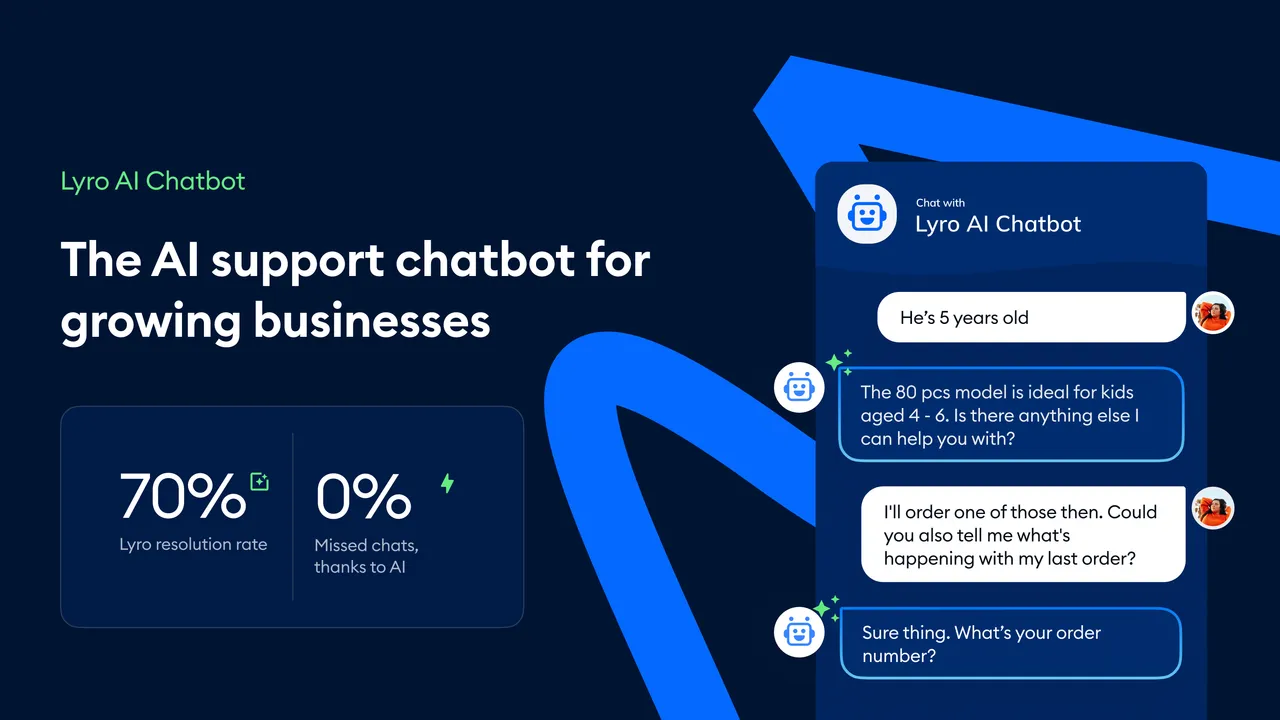
Solve up to 70% of customer problems with Lyro AI Chatbot. -
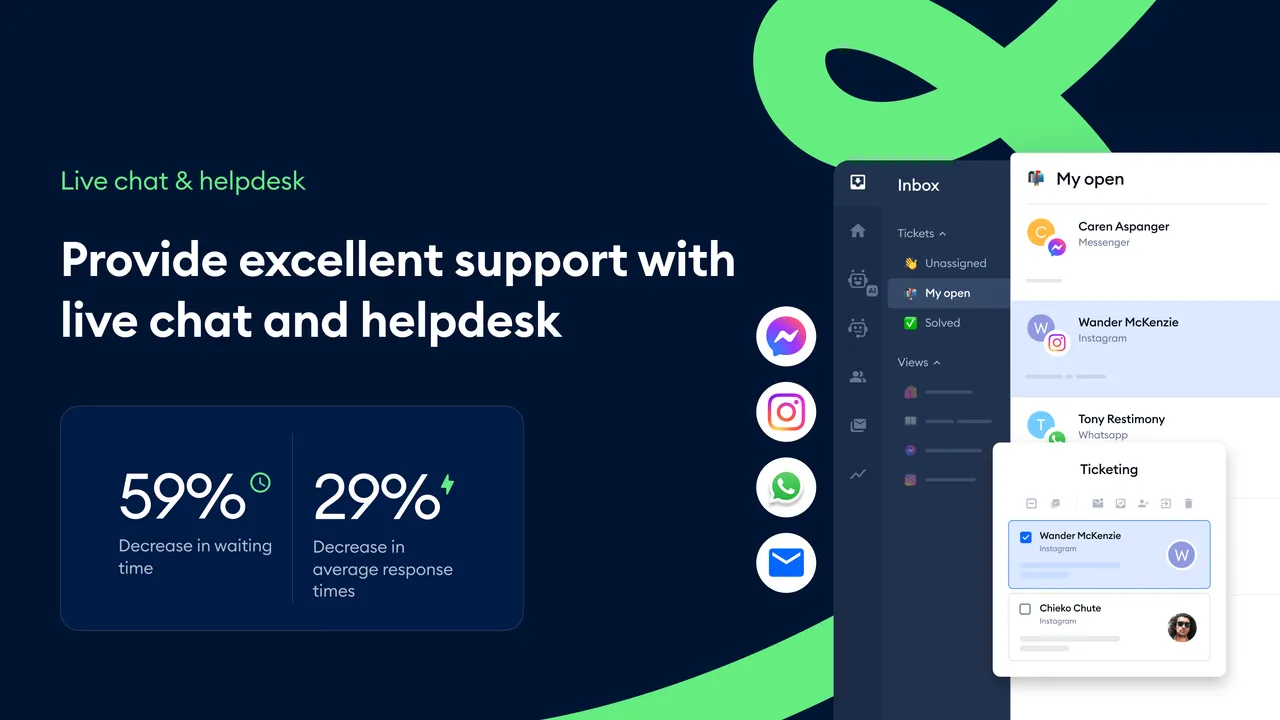
Talk to visitors in real-time with live chat. Decrease your response times with ticket filtering and prioritization. -
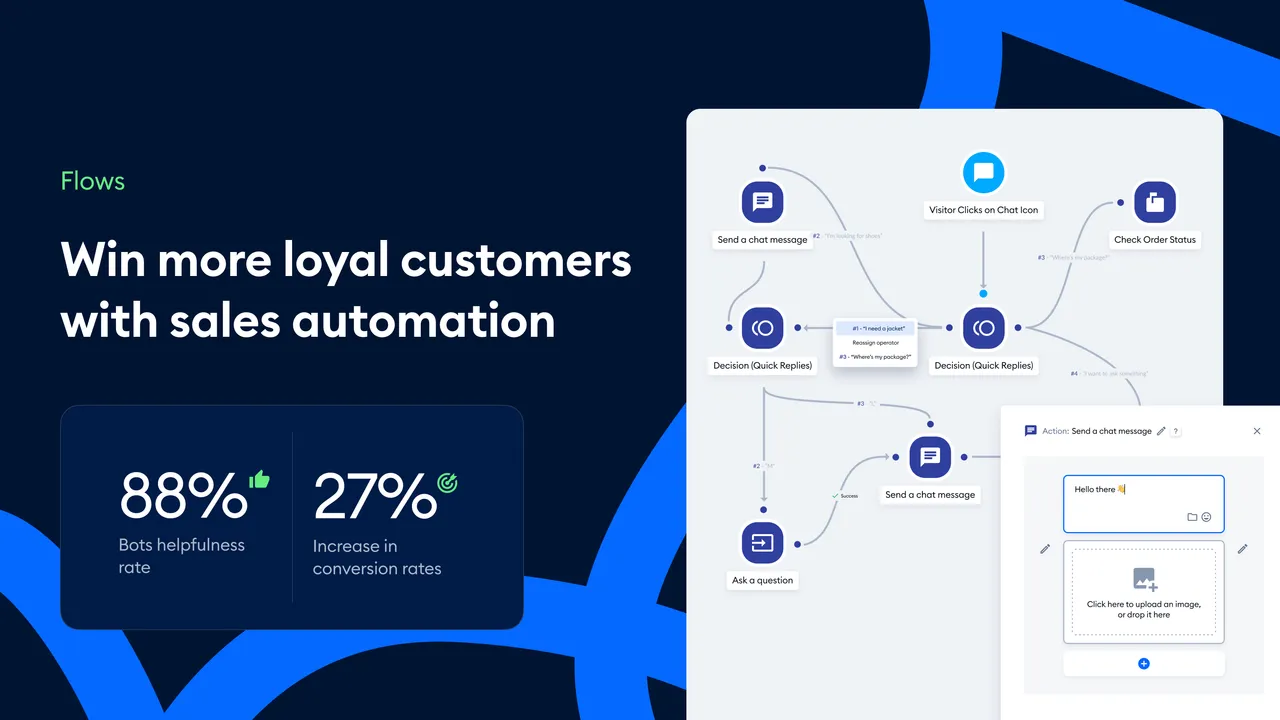
Proactively engage visitors and move leads through your funnels with automation. -
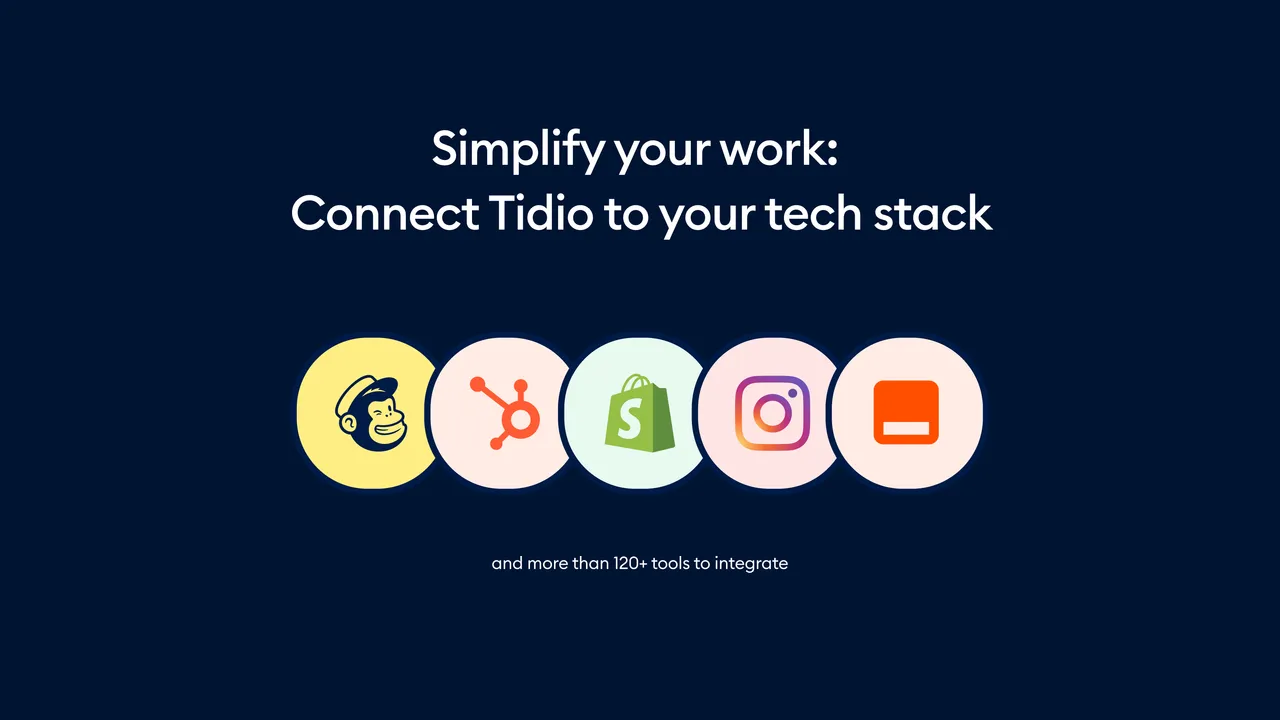
Connect Tidio to all your work tools and services.
Important information
- A Tidio account is required. Chat conversations and visitor data are handled on Tidio's service, so review its privacy terms.
- The listing recommends a host with OpenSSL and cURL support.
- Requires WordPress 4.7 or newer and PHP 7.4 or newer. Tested up to WordPress 7.1.4.
- Lyro AI interactions are limited on the free plan. Unlimited AI responses need a paid plan.
- Two vulnerabilities have been published for this plugin in the past and are marked patched. Keep it updated.
- The chat widget supports six languages: English, German, French, Spanish, Italian and Portuguese.
From the Tidio readme
Straight from the developer's WordPress.org listing.
Full description
🟦 Tidio – Live Chat for WordPress with AI Chatbots, Customer Support & Sales Tools
Tidio Live Chat is an all-in-one customer support plugin for WordPress that lets you talk to your website visitors in real time. Provide 24/7 live chat support, generate leads, answer FAQs, and increase sales with our powerful AI chatbots and live chat widget.
With Tidio’s Live Chat for WordPress, you can boost customer satisfaction, solve problems instantly, and grow your business with proactive messaging and automation — all from one intuitive dashboard. Plus, with Lyro – Tidio’s AI customer support agent – you can automate up to 70% of inquiries, providing fast, accurate answers 24/7 without human intervention.
💬 Why Use Tidio Live Chat on Your WordPress Website?
✅ Real-Time Live Chat Support: Chat instantly with visitors and customers to solve their issues and answer questions.
✅ Live Chat + AI Automation: Combine traditional live chat with AI-powered chatbots for faster, smarter responses.
✅ Automated Support with Lyro AI: Let Lyro, Tidio’s conversational AI, handle up to 70% of customer inquiries automatically, saving time and improving response speed.
✅ Boost Conversions with Proactive Chat: Start live chat conversations when visitors need help — recover abandoned carts and offer discounts in real-time.
✅ Mobile-Friendly Live Chat Widget: Fully responsive live chat widget that looks and works great on desktop, tablet, and mobile devices.
✅ Multichannel Live Chat Plugin: Manage conversations from Live Chat, Facebook Messenger, Instagram, and Email in one inbox.
🚀 Top Features of Tidio WordPress Live Chat Plugin
🟢 Live Chat Widget Customization – Match the live chat to your website branding and user experience.
🟢 AI Chatbot (Lyro) – Resolve up to 70% of customer questions instantly with our advanced conversational AI.
🟢 WooCommerce Live Chat Integration – View visitor carts, order history, and send product cards directly in chat.
🟢 Chatbot Templates & Visual Builder – Use drag-and-drop tools to build custom chatbots or choose from dozens of prebuilt templates.
🟢 Live Visitor Tracking – See who is online and start live chat conversations based on behavior or location.
🟢 Departments & Agent Routing – Route live chat messages to the right team instantly.
🟢 Smart Popups – Trigger proactive live chat messages based on user actions.
🌍 Multi-Language Live Chat for Global Support
Tidio’s live chat widget supports 6 languages: English, German, French, Spanish, Italian, and Portuguese. Deliver a personalized live chat experience to users in their native language automatically.
📱 Live Chat on Mobile & Desktop Apps
Download the Tidio mobile app for iOS and Android to respond to live chat messages wherever you are. Stay connected with your customers anytime, anywhere.
🛒 Live Chat for eCommerce
Whether you run a WooCommerce store or a service website, Tidio’s Live Chat for WordPress helps you:
• Engage visitors in real time
• Recommend products and upsell with product cards
• Recover abandoned carts through chatbot campaigns
• Convert passive users into paying customers with live support
🔐 Reliable, Fast, Secure
Tidio is optimized for performance and security. Your Live Chat for WordPress runs smoothly, loads fast, and protects your customer data.
💬 Real-Time Conversations with Website Visitors
Engage visitors the moment they land on your site using a fast, responsive live chat widget. Answer questions, resolve issues, and guide users through their journey in real time — increasing satisfaction and conversion rates instantly.
📱 Mobile-Friendly & Fully Customizable Widget
Tidio’s live chat widget adapts seamlessly to all devices — desktop, tablet, or mobile. Customize colors, greetings, and placement to match your brand and provide a smooth experience across your entire website.
🎯 Proactive Messaging & Visitor Triggers
Don’t wait for visitors to reach out. Set up automated triggers to proactively start live chat conversations based on user behavior — like time on page or exit intent — turning passive browsing into active engagement.
📨 Unified Inbox for Multichannel Support
Tidio acts as a central helpdesk, bringing together messages from live chat, email, Messenger, and Instagram into one simple interface. Manage all customer conversations efficiently without switching tabs or tools.
🧠 Lyro AI – Your 24/7 Support Agent
Let Lyro AI, Tidio’s conversational chatbot, automatically resolve up to 70% of repetitive support queries. It learns from your FAQs, delivers instant answers, and keeps your human team focused on complex cases.
🔧 Built Specifically for WordPress – Seamless Live Chat Integration
Tidio is a native WordPress live chat plugin, built to work flawlessly with your website from the moment you install it. You can set up Tidio in just a few clicks—no coding, no complex configuration. The entire integration process is smooth and intuitive, allowing you to:
• Add the live chat widget to your site automatically
• Manage all chat and chatbot settings directly from your WordPress admin panel
• Use shortcodes and native WordPress tools to display or hide the chat on specific pages
• Sync visitor data and conversations with WordPress user accounts for more personalized support
Whether you’re a beginner or an advanced user, Tidio’s tight integration with WordPress ensures your live chat runs smoothly and feels like a natural part of your site — not an external add-on.
🌟 What Makes Tidio Live Chat the Best?
• Used by over 300,000 websites
• 4.8+ ★ average rating
• Trusted by businesses in 150+ countries
• Seamless installation – set up live chat in under 30 seconds
🆓 Start with Tidio’s Powerful Free Plan
Tidio offers a fully functional free plan that includes everything you need to get started with live chat and AI-powered customer support. With no credit card required, you can:
• Add a customizable live chat widget to your WordPress site
• Chat with unlimited visitors in real time
• Use pre-built chatbot templates for lead generation and support
• Access Lyro AI to automate common questions (limited interactions)
• Manage conversations from live chat, Messenger, Instagram, and email — all in one place
• Download mobile apps and stay connected on the go
Whether you’re running a small business or launching a new online store, Tidio’s free plan gives you the tools to offer high-quality customer support and grow your business — without paying a cent.
✅ Get Started with Tidio Live Chat Today
Installing Tidio Live Chat for WordPress takes just a few clicks. Get started with our free plan and upgrade anytime to access powerful premium features like unlimited AI chatbot responses, automation, and multi-agent support.
Download Tidio Live Chat Plugin and start chatting with your website visitors today!
💰 Pricing
Most of our powerful features are available in the free plan. If you want to test all of them, sign up for a 7-day free trial.
See all available pricing options on our website.
⚙️ Technical Requirements
To run Tidio Plugin for WordPress we recommend your host support:
– OpenSSL (to increase security by encrypting your access tokens)
– cURL
🔥 Hot Features
• CC/BCC for tickets
• Filters for new Lyro Knowledge tab
• Historical conversations as data source
• Sort direction in Smart Views tickets
• First person perspective styling
Installation
Tidio WordPress chat plugin installation:
• Log into your WordPress admin dashboard.
• Go to “Plugins” using the sidebar on the left.
• Click “Add New” and find “Tidio” in the search bar.
• Install the plugin and activate it.
• The live chat icon will appear on the left sidebar of your WP admin panel.
After activating the plugin, create your account and start the product tour. Follow the steps to customize your widget, and you’re ready to chat!
For more detailed instructions, go to the install Tidio on WordPress page
Developer FAQ (15)
- How much does Tidio Live Chat cost?
- Tidio offers you a basic version, which is free (no credit card details required). You can also unlock additional premium features for a small price starting from $29/month and test them with a 7-day free trial.
- I’ve installed the WordPress chat plugin—what happens next?
- Click on the new Tidio live chat icon that appeared on your WP-admin menu on the left. You’ll be able to create your Tidio account connected to the plugin. Finish the initial configuration and you can start using the best live chat plugin for WordPress.
- Do I need a Tidio account to use this WordPress live chat plugin?
- Yes. Install the plugin, activate it, and create your free Tidio account from your WP admin panel. Alternatively, you can sign up first, install the plugin, click the Tidio icon in your WP panel, and then use your Tidio login credentials. Find out more about the installation process.
- Does Tidio offer a free trial?
- Yes! Tidio has a free plan but you can also test all the premium features for 7 days.
- Will I have to upgrade my account at some point?
- Tidio has a free plan (no credit card details required), which you can use for an unlimited time before deciding which premium plan make sense for you.
- Do I need to install any additional tools to use the live chat widget?
- No. Tidio is a fully-integrated WordPress live chat solution. You can start chatting right after you install the Tidio WP chat plugin and create a free Tidio account.
- Can I show or hide the widget only on some pages of my WordPress website?
- Yes. You can specify which pages should display the widget. You can also show it only in specific countries or even hide it on mobile devices.
- Can I schedule when to display/hide the widget?
- Yes. You can schedule your operating hours or show the widget only when you are online. You can also set up automatic responses to be sent on specific days of the week.
- Are there any resources I can use to learn more about using Tidio?
- Yes. Apart from the tips available inside the tool itself, you can learn more about using Tidio live chat from: • Knowledge Base • Tidio Blog • Case Studies
- Can several support agents use the free chat at the same time?
- Yes. You can also transfer conversations between an unlimited amount of operators.
- Can visitors start chatting without providing their email addresses?
- Yes, but you need to switch off the pre-chat survey. By default, Tidio shows a survey that visitors have to fill in before joining a live chat conversation.
- Can I check if I missed any messages from my visitors?
- Yes. All messages and live chat conversations are grouped and available in your panel. Tidio does not delete conversations. You can remove them permanently and clear the live chat history manually if you need.
- Can I add this live chat to my Facebook page?
- Yes. You can easily integrate Tidio live chat with FB Messenger. To find out more, read Facebook live chat integration.
- Can I integrate Tidio with 3rd party apps?
- Yes. You can connect Tidio to popular eCommerce platforms, Google Analytics, marketing apps, or CRM systems. Check the full list of available integrations. You can also connect Tidio with 3,000+ external apps for free using Zapier.
- Can I use Tidio in languages other than English?
- Tidio offers six language versions: English, French, German, Spanish, Italian, and Portuguese.
Downloads, last 30 days
Trend vs previous period: -34.8%
Average daily downloads: 373 over the last 7 days , 402 over 30 days.
Security history
Past CVEs, patched · 2 published vulnerabilities (Wordfence) · most recent Sep 20, 2022
- Patched 8.8 High Tidio Live Chat < 4.2.1 - Cross-Site Request Forgery to Stored Cross-Site Scripting Nov 5, 2019 · affects [*, 4.2.1) · fixed in 4.2.1
- Patched 5.3 Medium Tidio - Live Chat, Chatbots & Email Integration <= 5.2.0 - Sensitive Information Disclosure Sep 20, 2022 · affects *-5.2.0 · fixed in 5.3.0
Recent releases
- v8.0.1
- Add plugin compatibility with WordPress 7.1
- v8.0.0
- Add plugin compatibility with WordPress 7.0 - Breaking Change: minimal supported php version is 7.4
- v7.0.0
- Breaking Change: Async widget loading priority changed from PHP_INT_MAX to 1000 for compatibility with consent management and caching plugins. Use the `tidio_widget_footer_priority` filter to...
- v6.1.0
- Require read_write scope for WooCommerce integration
- v6.0.31
- Tested up to WordPress 6.9
Show 10 older releases
- v6.0.30
- Update plugin icon
- v6.0.29
- Rewrite description
- v6.0.28
- Update description
- v6.0.27
- Tested up to WordPress 6.8
- v6.0.26
- Update description
- v6.0.25
- Redirect to the plugin page upon activation - Show lyro upselling banner only for integrated projects - Add AI keyword to the app name for WooCommerce integration
- v6.0.24
- Update description
- v6.0.23
- Tested up to WordPress 6.7
- v6.0.22
- Update description
- v6.0.21
- Tested up to WordPress 6.6 - Update description
Tidio FAQ
What does Tidio cost?
A basic plan is free with no card needed. Premium features start from $29 a month, and you can test them with a 7-day free trial.
Do I need a Tidio account?
Yes. After activating the plugin you create a free account from the admin panel. You can also sign up first and log in through the plugin.
Will I have to upgrade eventually?
No. The free plan has no expiry. You only upgrade if you want features beyond it.
Can I show the widget only on some pages?
Yes. You can choose which pages show it, limit it to certain countries or hide it on mobile.
Can I schedule when the chat is available?
Yes. Set operating hours, show the widget only when you are online and send automatic replies on specific days.
Can visitors chat without entering an email?
Yes, if you turn off the pre-chat survey, which is shown by default.
Does it work with other tools?
It connects to ecommerce platforms, Google Analytics, marketing apps and CRMs. Zapier gives access to more than 3,000 apps.
Which languages does the widget support?
English, French, German, Spanish, Italian and Portuguese.
Tidio alternatives

The free MCP server and AI chatbot for WordPress. Claude and ChatGPT connect to your site with no account, no API key and no usage limits. AI Engine connects WordPress and AI, both ways. AI comes into your site:…

Chatway is a WordPress live chat, AI chatbot, and helpdesk plugin for customer support. Chat with website visitors in real time, automate replies with an AI chatbot, or connect your own AI agents including ChatGPT,…

THE SIMPLE, SECURE AND FEATURE-RICH SUPPORT TICKETING SYSTEM PLUGIN FOR YOUR WORDPRESS SITE. Click here to visit our official website. SupportCandy is a self-hosted WordPress helpdesk and support ticket system.…

AI ChatBot for WordPress - WPBot. Support, Sale, Convert, Automate WPBot is a feature rich AI ChatBot for WordPress websites. Provide 24/7 Automated Live Chat Support , Generate Leads and Convert , Collect…

MxChat is the most powerful free AI chatbot and content generation plugin for WordPress - connecting your website to ChatGPT, Claude, Gemini, Grok, DeepSeek, and 100+ AI models through a single, easy-to-use…

Buttonizer is a powerful platform with Live Chat, AI Chatbots, and Real-Time Visitor Monitoring! In addition to chat features, you can create Call, Email, SMS, & Contact buttons to increase conversions. Supports…
Listing data from WordPress.org and the Wordfence vulnerability feed, refreshed Nov 9, 2026; listing details fetched Nov 14, 2026. Screenshots are from the plugin's WordPress.org listing. Not affiliated with Tytus Gołas.