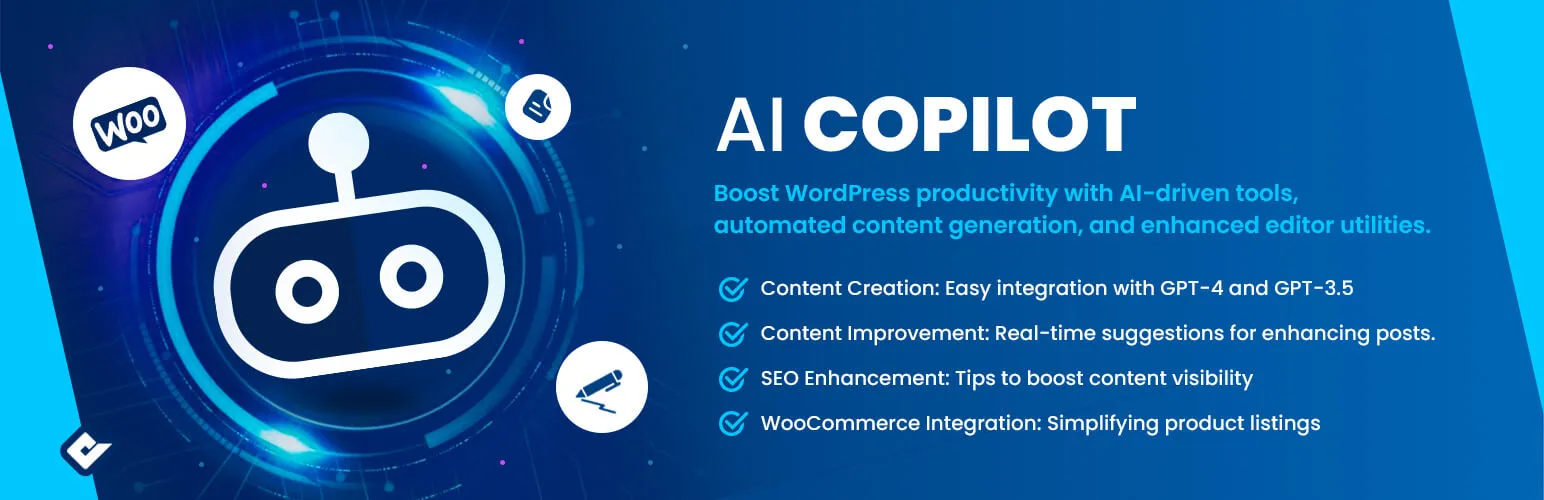

AI Copilot
AI Copilot - ChatGPT Chatbot & AI Engine for Post Automation · by quadlayers
- active installs
- 1K+
- 6 ratings
- 4.2
- since last update
- 35d
- releases in 12 months
- —
- support threads resolved
- 0%
- avg daily downloads
- 53
- on WordPress.org
- 2.6 years
AI Copilot at a glance
AI Copilot is a freemium WordPress AI content writing plugin by quadlayers with 1K+ active installs and a 4.2/5 rating from 6 reviews. It was last updated on Oct 5, 2026, is tested up to WordPress 7.1.4 and needs PHP 5.6+. It works with OpenAI. It has an unpatched published vulnerability, so check the security section before installing. Our quality score is 63/100.
What is AI Copilot?
AI Copilot is a WordPress plugin that adds OpenAI-powered writing and chat tools to your site. It can draft and improve content, offer SEO suggestions, help with WooCommerce listings and run a chatbot that uses your site content. You supply your own OpenAI API key.
It is aimed at bloggers, store owners and content teams who want AI help inside the WordPress editor. The listing mentions GPT-4 and GPT-3.5, content templates and editor tools for translation, correction and SEO. A consumption tracker estimates OpenAI usage by user, role, module and model.
Plan for ongoing OpenAI costs, since requests are billed by that provider. The data also shows a published vulnerability that is not marked as patched, so check the plugin's status before installing it on a live site. The listing points to a premium version but does not describe what it adds.
Best for
- Bloggers who want AI drafting in WordPress
- Small stores wanting product text help
- Sites that want a chatbot trained on their content
- Users already comfortable with an OpenAI key
Our take
A ChatGPT copilot that enhances the Gutenberg editor and adds a chatbot. Early-stage with few reviews; promising for writers who live in the block editor.
AI Copilot features
AI chatbot with knowledge base
A chatbot that works with your site content and knowledge base. It can be used for support or sales questions.
Content creation
Generate content with models such as GPT-4 and GPT-3.5. You set parameters and prompt the AI.
Content improvement
Get suggestions for refining existing posts and custom post types.
SEO suggestions
Prompts to improve SEO of your content.
WooCommerce help
Assists with writing product listings.
Content templates
Pre-built structures that save setup time when creating content.
Automated editor tools
Tools for translation, correction and SEO optimization inside the editor.
Usage tracker
Estimates OpenAI API consumption by user, role, module and model. The FAQ says it is an estimate, not exact.
Pexels image search
Image search uses the Pexels API, and the search terms are sent to Pexels.
AI Copilot free vs pro
Free WordPress.org version
- AI chatbot with knowledge base
- Content creation and improvement tools using OpenAI models
- SEO suggestions and WooCommerce help
- Content templates and automated editor tools
- API consumption tracker
The listing links to a Premium version but does not say what it includes or what it costs. All AI features need your own OpenAI API key, and OpenAI bills that usage.
How to use AI Copilot
- Install and activate
In wp-admin go to Plugins → Add New, search for AI Copilot, then click Install Now and Activate.
- Create an OpenAI key
Register an account with OpenAI and create an API key from its dashboard.
- Add the key
Open AI Copilot → Settings in the dashboard and save the key there.
- Try the tools
Use the content templates, editor tools or chatbot setup. Review everything the AI writes before publishing.
- Watch usage
Check the consumption tracker and your OpenAI account to keep an eye on spend.
Important information
- Requires WordPress 4.7 or newer and PHP 5.6 or newer. Tested up to WordPress 7.1.4.
- A published vulnerability exists for this plugin and the data does not show it as patched. Check its status before installing, especially on a production site.
- Input data is sent to OpenAI when AI features are used, and image search terms go to Pexels. Review both privacy policies.
- OpenAI usage is billed to your account. The built-in tracker is only an estimate.
- Check AI-written content for accuracy before publishing.
From the AI Copilot readme
Straight from the developer's WordPress.org listing.
Full description
Premium | Documentation | Community
We’re proud to introduce AI Copilot. We built this not just as another WordPress plugin, but as a tool we wished existed when we were writing and managing content. Whether you’re an individual blogger, run an e-commerce site, or simply someone exploring content creation, AI Copilot has been crafted to help you every step of the way.
Our AI Engine equips you with a suite of tools to craft exceptional content, engage users dynamically, and achieve SEO excellence.
Features
• **AI Chatbot **: Interactive chatbot that works with your site’s content and knowledge base.
• Content Creation: Simple integration with models like GPT-4 and GPT-3.5 makes content creation a breeze.
• Content Improvement: Real-time suggestions for refining existing posts or any custom post type.
• SEO Improvement: Friendly nudges for improving SEO, making sure your content gets the attention it deserves.
• WooCommerce Integration: Making product listings just a tad bit easier.
• Pre-Crafted Content Templates: Save time with our favorite structures for content creation.
• Pre-Crafted Automated Tools: Save time with our favorite content editor tools .
AI Chatbot Knowledge Base
Deploy a versatile, interactive chatbot that enhances customer support, sales, or home automation, while seamlessly integrating with your site’s content and knowledge base.
Automated Content Generation
Experience automation like never before. Set parameters, prompt the AI, and watch as AI Copilot crafts content that resonates with your audience.
Automated Editor Tools
From content translation, correction, to SEO optimization, AI Copilot’s suite of tools ensures your WordPress site stays ahead of the curve.
API Consumption Overview
Effortlessly track your OpenAI usage with our comprehensive consumption tracker. Designed for transparency, this module provides clear insights into API consumption by user, user role, module, and the specific API model employed on your site.
Open AI
We value transparency and security. AI Copilot, in association with OpenAI, ensures your data remains private and is used exclusively for enhancing your content experience. Please review OpenAI’s Privacy Policy and Terms of Service for comprehensive details.
Usage
• Register an account with OpenAI.
• Acquire an API key and integrate it into the plugin settings (Dashboard -> AI Copilot -> Settings).
• Go to AI Copilot admin menu and seve API keys.
• Always monitor your OpenAI usage to keep track.
Upon installation, navigate to Appearance > Menus to incorporate your WordPress menu icons.
Using Third-Party APIs
OpenAI API
= Third-Party Service Disclosure =
Our plugin also integrates with the OpenAI API to enhance its functionality. This may include features like content generation, data analysis, or other AI-driven tasks.
Data Transmission to OpenAI
When using AI-powered features, certain input data may be sent to OpenAI’s servers for processing. We ensure that only necessary data for the feature’s functionality is transmitted.
Legal and Privacy Concerns for OpenAI
We are committed to transparency and legal compliance. Please review OpenAI’s policies:
– OpenAI Website: https://www.openai.com/
– Usage Policy: OpenAI Usage Policy
– Privacy Policy: OpenAI Privacy Policy
Pexels API
= Third-Party Service Disclosure =
This plugin utilizes the Pexels API for fetching images. When you use features related to image search, your search queries are sent to Pexels to retrieve relevant images.
Data Transmission to Pexels
Be aware that search terms used in the image search feature are transmitted to Pexels. No personal data is sent aside from the necessary search queries.
Legal and Privacy Concerns for Pexels
For transparency and legal compliance, review Pexels’ policies:
– Pexels Website: https://www.pexels.com/
– Terms of Service: Pexels Terms of Service
– Privacy Policy: Pexels Privacy Policy
Installation
• Navigate to the Plugins page in WordPress.
• Search for “AI Copilot”.
• Click “Install” and experience the AI revolution.
Developer FAQ (5)
- What is AI Copilot?
- AI Copilot is a WordPress plugin designed to enhance content creation and management. It integrates AI-driven tools like GPT-4 for automated content generation, SEO improvement, and editor utilities.
- How can I track my API usage?
- The plugin includes a consumption tracker to monitor OpenAI usage, providing insights by user, role, module, and API model. However this is not 100% accutare, is an estimation based on the API calls and the costs detailed in the documentation.
- Is my data secure with AI Copilot?
- Yes, in association with OpenAI, AI Copilot prioritizes data privacy and security. Review OpenAI’s Privacy Policy and Terms of Service for details.
- How do I install AI Copilot?
- Install AI Copilot by navigating to the Plugins page in WordPress, searching for “AI Copilot,” and clicking “Install.”
- How to create OpenAI API
- To create your OpenAI API key you can follow the instructions in our documentation page here
Downloads, last 30 days
Trend vs previous period: -7.1%
Average daily downloads: 52 over the last 7 days , 53 over 30 days.
Security history
Open vulnerability · 1 published vulnerability (Wordfence) · most recent Dec 31, 2025
- Unpatched 5.3 Medium AI Copilot <= 1.4.7 - Missing Authorization CVE-2025-62116 · Dec 31, 2025 · affects *-1.4.7
Recent releases
- v1.5.9
WooCommerce 11.1 compatibility
- v1.5.8
fix: WooCommerce and WordPress compatibility
- v1.5.7
fix: WooCommerce compatibility
- v1.5.6
WordPress 7.0 compatibility
- v1.5.5
fix: WooCommerce compatibility
Show 10 older releases
- v1.5.4
Fix: pro compatibility
- v1.5.3
Fix: textdomain php error
- v1.5.2
fix: knowledge base "Uploading file, please wait." spinner never clearing after error * fix: knowledge base polling incorrectly calling OpenAI sync API causing false "credits limit" error
- v1.5.1
fix: woocommerce compatibility
- v1.5.0
- fix: WooCommerce compatibility
- v1.4.8
- feat: add OpenAI models support
- v1.4.7
- fix: WordPress compatibility
- v1.4.6
- fix: premium compatibility
- v1.4.5
- fix: premium compatibility
- v1.4.4
- fix: php 7.2 errors
AI Copilot FAQ
What is AI Copilot?
A WordPress plugin for content creation and management. It uses AI such as GPT-4 for drafting, SEO suggestions and editor tools.
How can I track API usage?
A consumption tracker shows OpenAI usage by user, role, module and model. It is an estimate based on API calls and published costs.
Is my data private?
Data goes to OpenAI when you use AI features. The listing says it is used for your content experience, and tells you to read OpenAI's policies.
How do I install it?
Go to Plugins in WordPress, search for AI Copilot and click Install.
How do I get an OpenAI key?
Register with OpenAI, create an API key and paste it into the plugin settings. The vendor documentation has steps.
Does it need other services?
Image search uses the Pexels API, and the search terms are sent to Pexels.
AI Copilot alternatives

GetGenie is the #1 AI SEO assistant for WordPress - the only AI plugin that combines AI keyword research, competitor analysis, content writing, AEO, GEO, and SEO performance tracking in a single dashboard inside…

WP RSS Aggregator is the perfect plugin to quickly import RSS feeds, build a news aggregator, and for easy autoblogging. This is why it is used on 40,000+ websites to aggregate and curate content from all over the…

AI Puffer (formerly AI Power) lets ChatGPT and Claude work on your WordPress site through MCP, using your chosen safety level. It also brings an AI chatbot, content writer, automations, AI forms and image generation…

BotWriter is the most complete AI writer plugin for WordPress . It works as an AI auto blogging tool that automatically generates and publishes SEO-optimized articles, and as a WooCommerce AI content optimizer that…

AI Powered Free WordPress Link Directory Plugin to curate links for web directory Free WordPress Link Directory Plugin for your External Link Directory Listings! Simple Link Directory is a simple WordPress Directory…

AI WP Writer is a powerful AI content generator for WordPress. It works seamlessly in both the Classic Editor and the Gutenberg editor, giving you flexibility in how you create content. For text generation, it…
Listing data from WordPress.org and the Wordfence vulnerability feed, refreshed Nov 9, 2026; listing details fetched Nov 14, 2026. Screenshots are from the plugin's WordPress.org listing. Not affiliated with quadlayers.