
Simple Link Directory
Simple Link Directory - AI Powered · by QuantumCloud
- active installs
- 2K+
- 121 ratings
- 4.8
- since last update
- 33d
- releases in 12 months
- —
- support threads resolved
- 100%
- avg daily downloads
- 82
- on WordPress.org
- 10.2 years
Simple Link Directory at a glance
Simple Link Directory is a free WordPress AI content writing plugin by QuantumCloud with 2K+ active installs and a 4.8/5 rating from 121 reviews. It was last updated on Oct 7, 2026, is tested up to WordPress 7.1.4 and needs PHP 7.4+. It works with OpenAI, Google Gemini, OpenRouter. All 7 of its published vulnerabilities have patched versions. Our quality score is 90/100.
What is Simple Link Directory?
Simple Link Directory is a WordPress plugin for building lists of links, such as a resources page, a link library or a small web directory. You create lists of links, then display them on any page with a shortcode or a Gutenberg block. It works with any theme.
The listing says AI can generate lists of links, titles, subtitles, images and long descriptions, using Gemini, OpenAI or OpenRouter. The listing does not say clearly which of these AI features sit in the free version, so check this before relying on them.
It suits bloggers, content curators, marketers and agencies who want a simple directory on one page. Lists are the main unit, not single links, so each link belongs to one list. Pro adds things like pagination, filter buttons, monetization and a link exchange add-on.
Best for
- Bloggers who want a resources or links page
- Content curators building a small directory
- Marketers and agencies listing vendors or partners
- Sites wanting AI-assisted link lists
Simple Link Directory features
Unlimited directories and lists
Create as many lists of links as you need and show them on any page.
Shortcode generator
Build the shortcode with options for layout and style, then paste it into a page.
Gutenberg block
A Link Directory block lets you add lists in the block editor.
AI list generation
The listing mentions generating links, titles, subtitles, images and long descriptions with Gemini, OpenAI or OpenRouter.
Upvotes and ordering
Visitors can upvote links, and lists can be sorted by votes for a simple top sites list.
Multiple templates
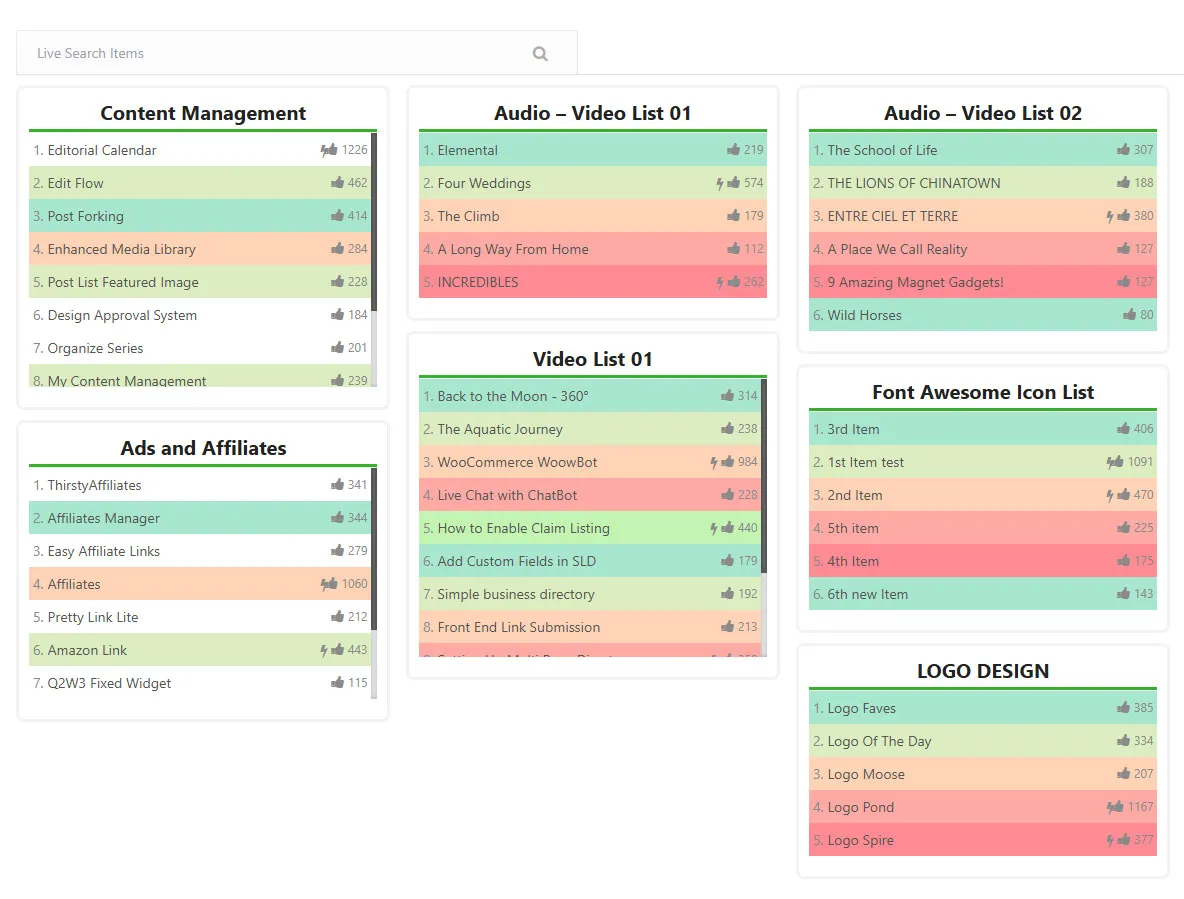
Style options such as style-1 show subtitles, and several lists can display together in columns.
Many directory uses
The listing names resource pages, intranet link pages, vendor lists, affiliate lists and local business lists as uses.
Pro monetization and video
Pro lets you monetize listings, mask URLs, paginate items and show YouTube or Vimeo links in a lightbox.
Simple Link Directory free vs pro
Free WordPress.org version
- Unlimited directories and lists
- Shortcode generator and Gutenberg block
- Upvotes and ordering by votes
- Compatible with any theme
Pro Paid version
- Pagination of list items
- Filter buttons
- Subtitles as tooltips on the default template
- Monetizing listings and a link exchange add-on
- URL masking for affiliate links
- YouTube and Vimeo video directory with lightbox playback
A free version exists and a Pro version adds the items above. The listing does not state prices. AI features use providers such as Gemini, OpenAI or OpenRouter, and the listing does not explain how those are billed.
How to use Simple Link Directory
- Install the plugin
In wp-admin go to Plugins, then Add New, search for Simple Link Directory, then install and activate it.
- Create a list
Add a new directory list and enter your links, titles and descriptions.
- Generate the shortcode
Use the shortcode generator to choose a list, style and options.
- Add it to a page
Paste the shortcode into a new page, or add the Link Directory block in the editor.
- Check the layout
View the page. For several columns, create multiple lists and choose to show all lists.
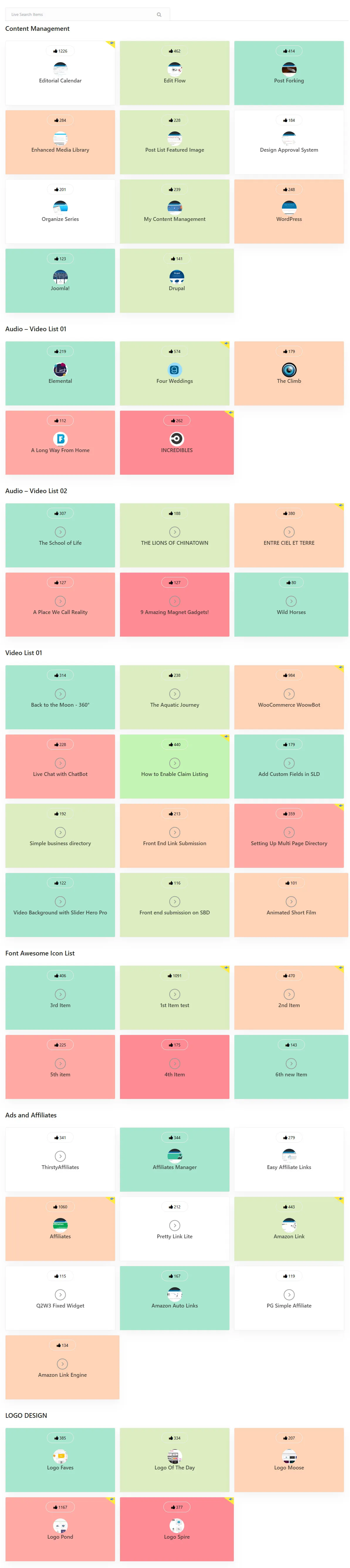
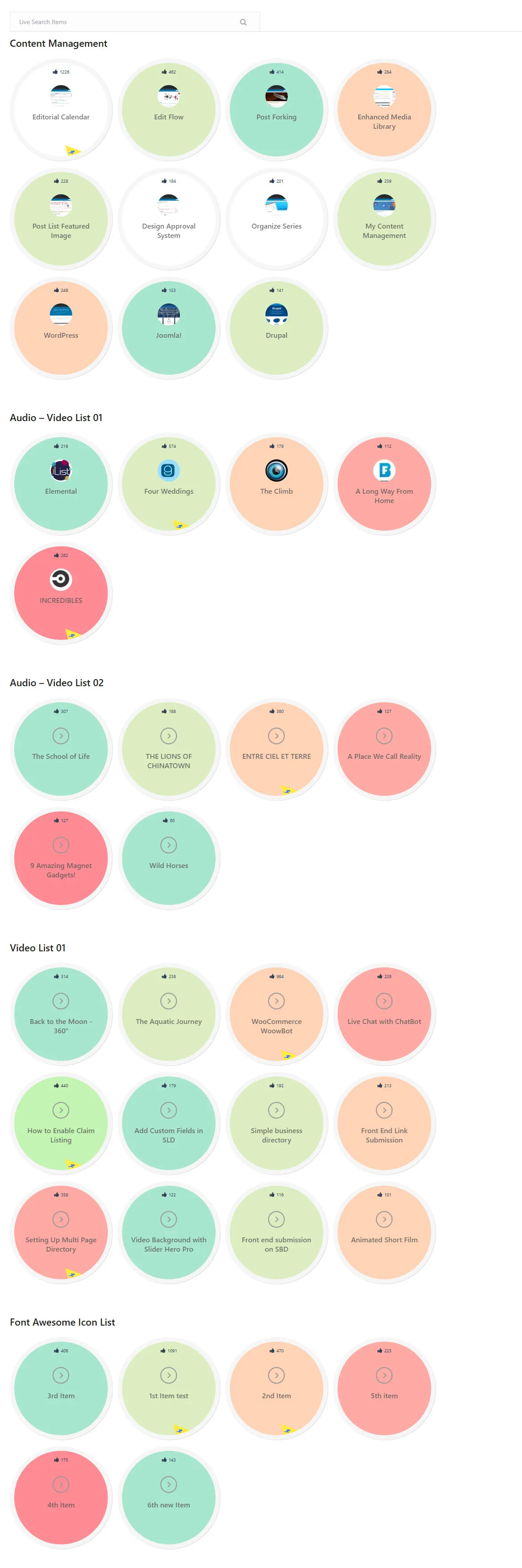
Simple Link Directory screenshots (12)
-
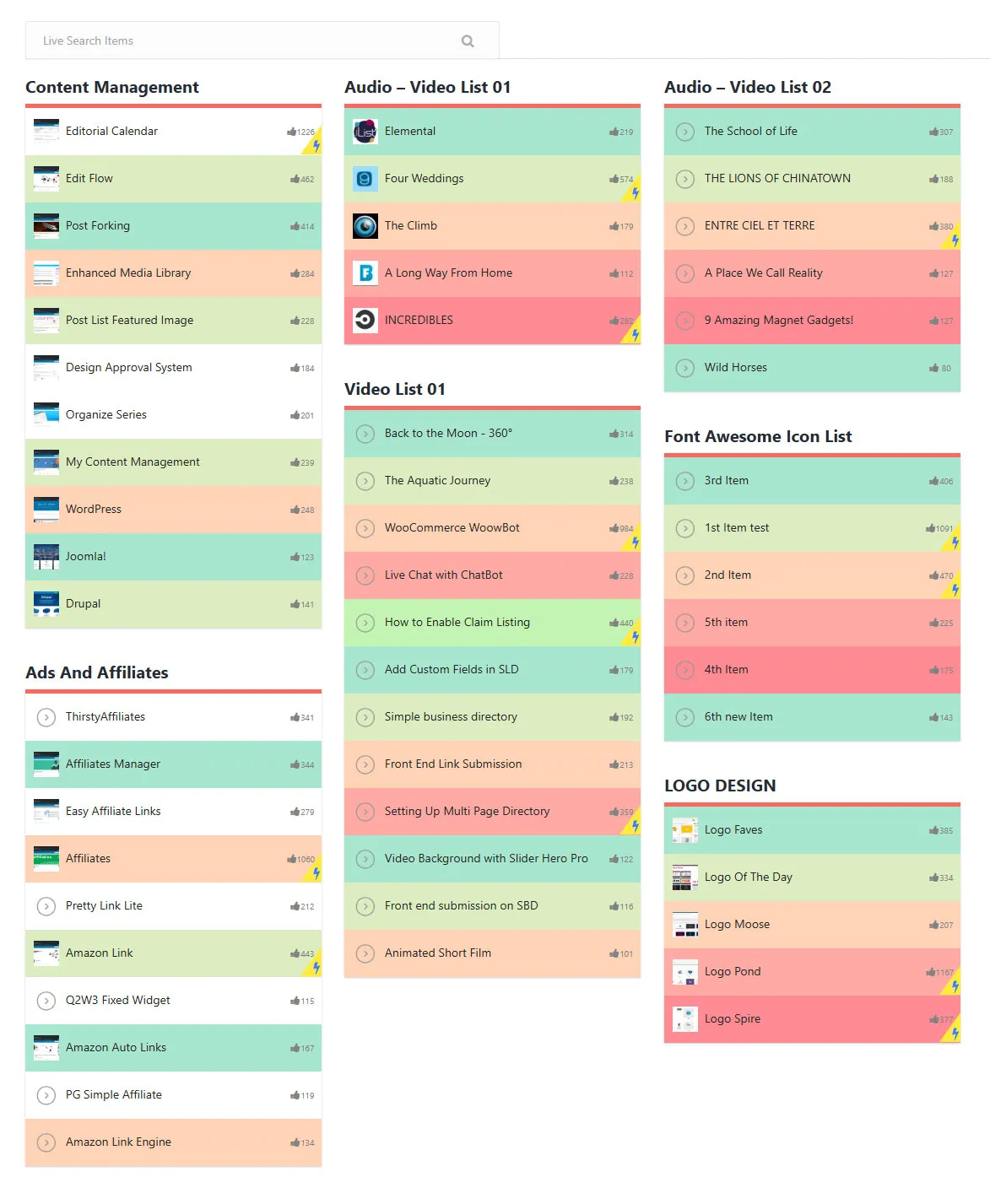
Link Directory Plugin for WordPress Front End -
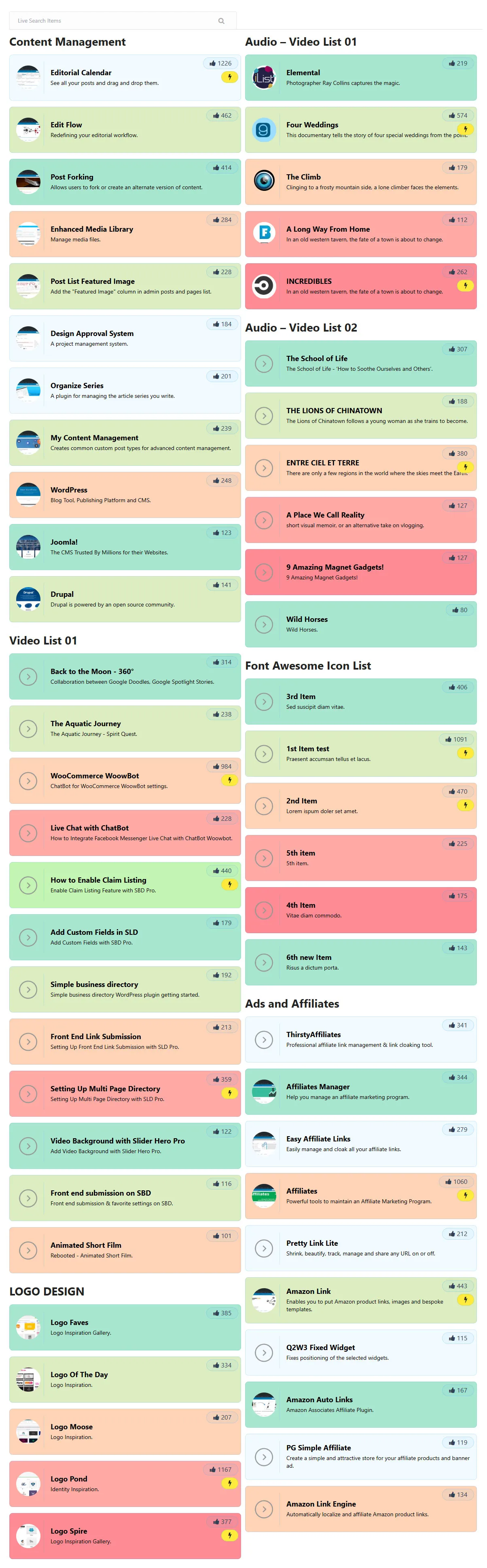
Link Directory for WordPress Front End -
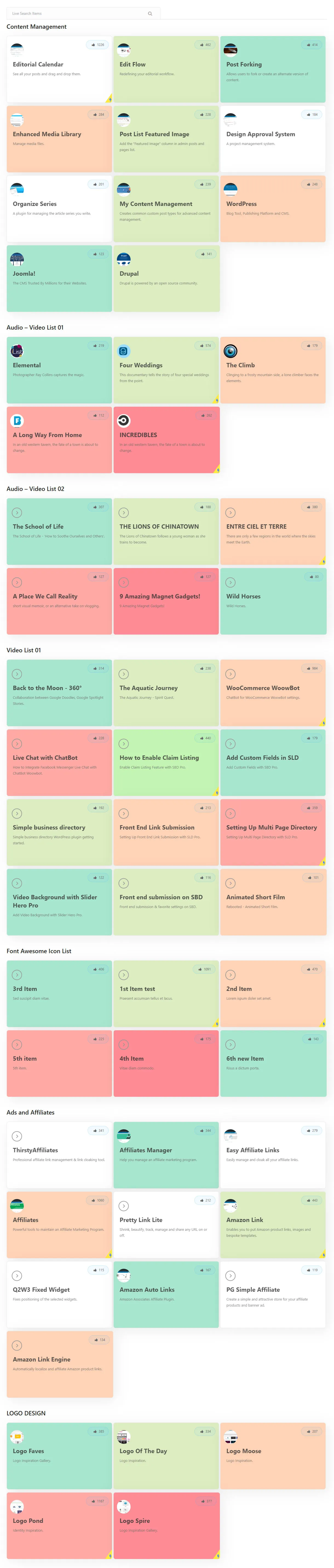
Link Directory for WordPress Front End -
Link Directory for WordPress Front End -
Link Directory for WordPress Front End -
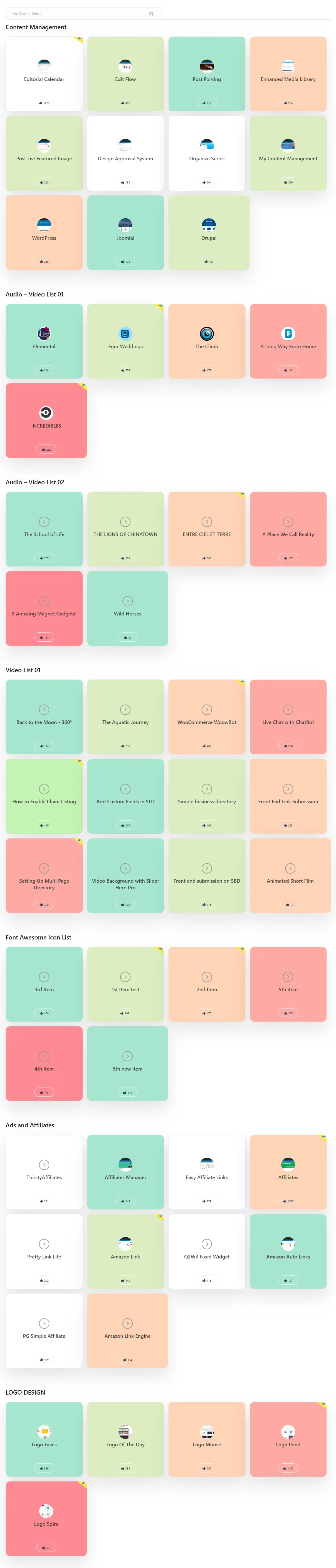
Link Directory for WordPress Front End -
Link Directory for WordPress Front End -
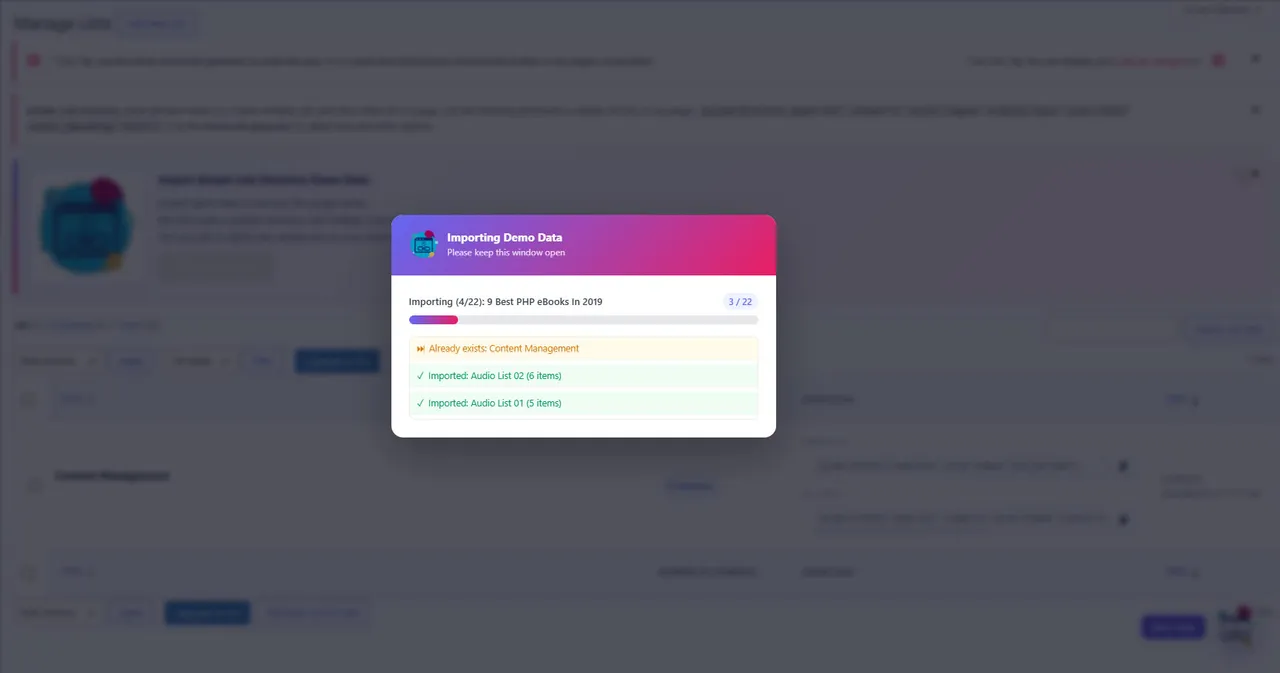
Link Directory Plugin for WordPress Back End -
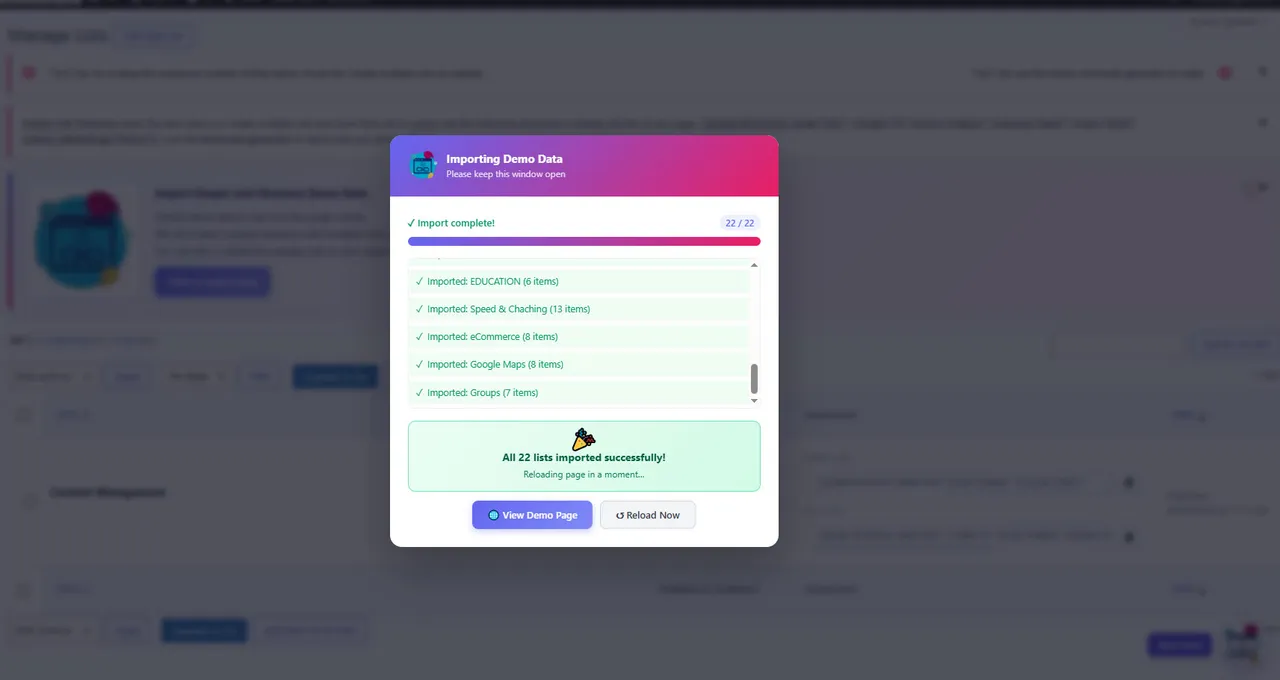
Link Directory Plugin for WordPress Back End -
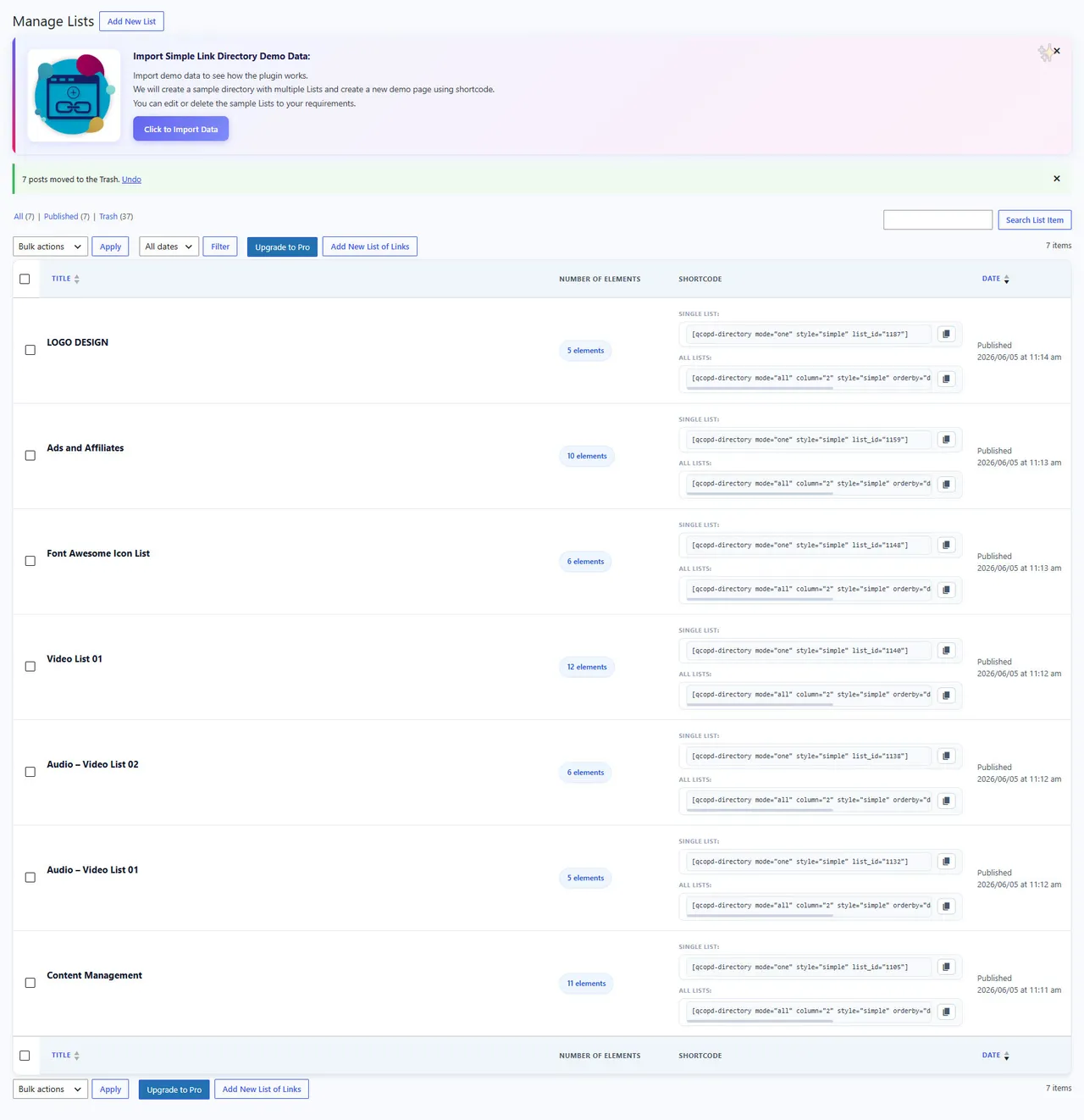
Link Directory Plugin for WordPress Back End -
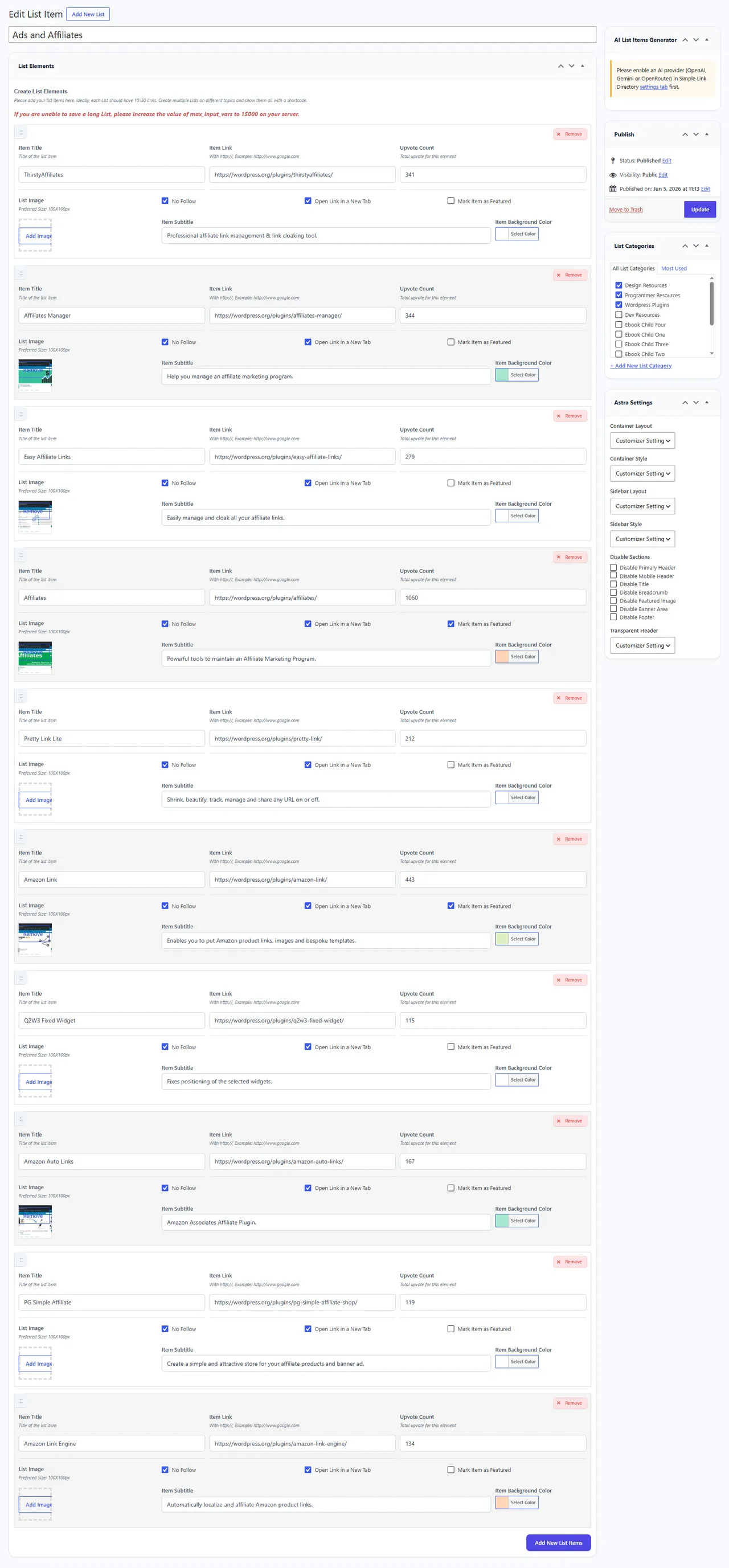
Link Directory Plugin for WordPress Back End -
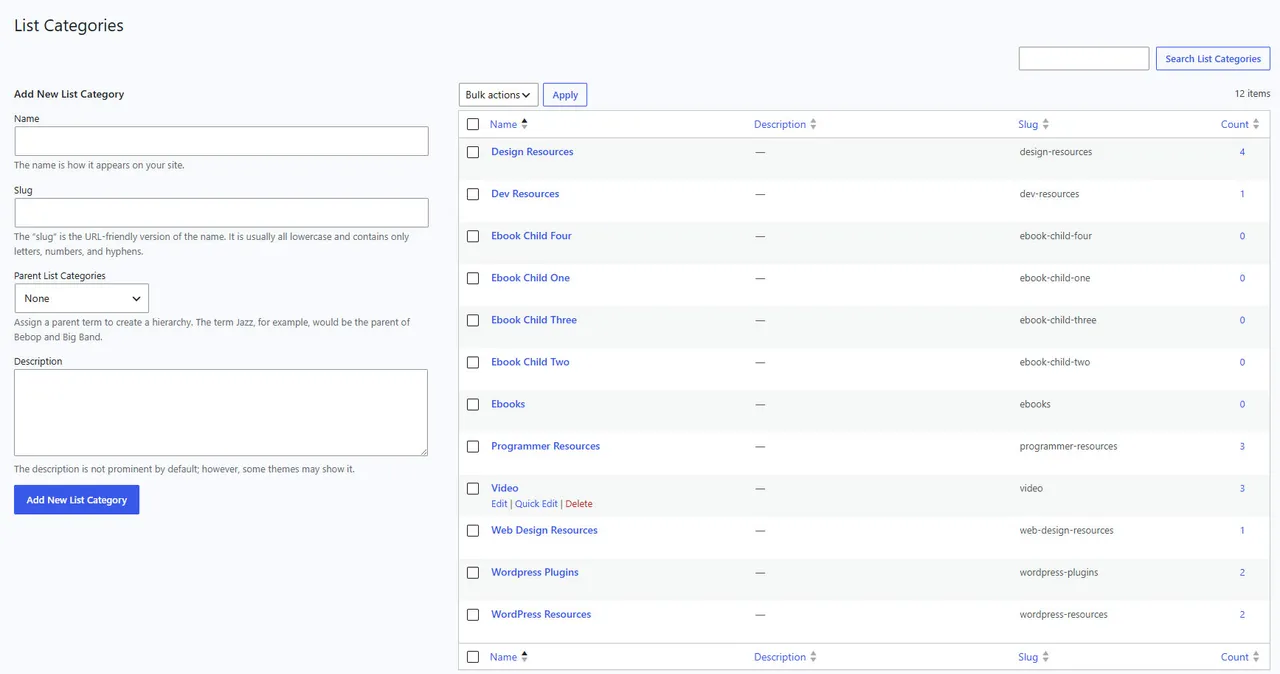
Link Directory Plugin for WordPress Back End
Important information
- If lists will not save after you add many links, your server's max_input_vars limit is probably too low. The vendor suggests raising it, for example to 10000.
- A single list always shows in one column. For more columns, create several lists.
- Requires WordPress 5.2 or later and PHP 7.4 or later.
- Seven vulnerabilities have been published for this plugin and are marked patched. Keep it updated.
- A link belongs to one list only, so categories apply to lists, not individual links.
From the Simple Link Directory readme
Straight from the developer's WordPress.org listing.
Full description
AI Powered Free WordPress Link Directory Plugin to curate links for web directory
Free WordPress Link Directory Plugin for your External Link Directory Listings! Simple Link Directory is a simple WordPress Directory plugin and an External Link Listings Manager for One Page directory and Content Curation. Create innovative and elegant Link, Resources page or Link page on your WordPress website in matter of minutes.
🚀 Upgrade to Simple Link Directory PRO now!
🚀 Support, Bug Report, Feature Requests | Link Directory Demo
🚀 Generate Lists with links using AI – Gemini, OpenAI, Openrouter. Auto Generate Links, Titles, Sub titles, Images, and Long Description with AI
Simple Link Directory includes Shortcode Generator Link Directory Block for Gutenberg.
++ Looking for a Business Directory? Check out our Simple Business Directory Plugin with Google Maps
SLD is the best Free WordPress Link Directory plugin powered by AI for the new age web. Compatible with any theme. With the Pro version of Simple Link Directory you can Monetize directory listings and start making money or generate backlinks with the link exchange addon on complete Auto Pilot. This plugin can be used for Single page Business directory, One page External Link directory, Link library, Bookmark collection, Directory listing, Web directory, Listing directory, Video Gallery, Youtube Video Directory, Video Database, Vendor or Partners Directory, Affiliates Directory, Resources page, Link Curation, Intranet etc.
++ Looking for a Complete Solution? Get a Premium Link Directory Theme!
Who Should Use this Simple Link Directory Plugin?
This Link Directory plugin is a good fit for you if you are a:
• Prolific Blogger and need a directory to showcase your links
• SEO Specialist wanting to create backlinks from Link Exchange
• Content Curator to create an External Link Directory
• Marketer
• Webmaster
• Advertising or Marketing Agency
• Powered by AI – Gemini, OpenAI, Openrouter
Simple Link Directory Use Cases
Use for Your Resources Page:
Do you manage a Resources Page or Links Page with lists of useful links to other websites? If so, Simple Link Diretory is a perfect solution for you to manage those links, show them beautifully and invite user engagement.
Build a Complete Directory Website:
These days one page or small directory websites have become quite popular. If you are passionate about something why not turn your bookmarks into a Single Page directory? With the help of this plugin, you can create niche specific Web Directory websites within a matter of hours that can attract a lot of new visitors and attention.
Create a Link Management System for Company Intranet:
A lot of businesses require their company employees to access certain websites on regular basis. Such as Media or Marketing companies. You can use this free link directory plugin for WordPress for your company Intranet.
Create a Local Business Directory:
Do you want to create Lists of the best restaurants or pet shops in your city? You can do that with SLD. Create a directory for Chiropractors, resorts, schools or local businesses with SLD.
Create a Vendor Directory:
If you are a business with a lot of vendors that carry your products – use this plugin to List them in a user friendly manner. Your website users will thank you.
Create a Video Gallery or Video Directory
You can use Simple Link Directory as a Vimeo or Youtube Video Directory Listing. With the pro version, simply add links to Vimeo or Youtube Videos and the video will play in a lightbox. Create a Video Gallery or Video database from Youtube and Vimeo easily with this multi-purpose directory plugin. Check the Video Directory Demo You can use any of the available templates for the Video Gallery or Video Directory!
Create Affiliate Links Directory:
Want to create useful directories with affiliate links? This plugin is perhaps the best possible solution that you will find online for the purpose. The professional version even allows you to mask URLs, should you want.
Create Top Sites List:
Although, Simple Link Directory does not have all the bells and whistles of top site scripts but you can easily make it work like that. The Upvote feature allows users to Vote for Links that they like and find useful. Order by UpVote feature lets you sort the links by number of upvotes. Pretty handy.
Make Money with Your Link Directory – Passive Income:
With the SLD Professional Version it is dead simple and insanely quick to create a best directory set up that can generate passive income for you over time. Do some SEO and regular blogging along with your website and you can start making money online with minimal effort.
Simple Link Directory Lite Version vs Professional Version
The Free WordPress Link Directory is perfectly fine if you plan to have a small directory of few lists that you want to show on any one of your WordPress page. Below are the Lite version Main Features:
• Unlimited Directories and Lists that can be displayed on any of your pages easily
• Gutenberg Block for Directory
• 4 Beautiful, Responsive Templates
• Embed Option to share your Listing Directories
• Show Single List or All Lists
• Import Lists from CSV file
• Integrated real support
• Scroll to top
• Outbound click tracking through google analytics
• Upvote or Like Links
• Add Link Button that Can Link to A Contact Form Page of Your Choice so Anyone Can Suggest Links to Your
• Easy and Quick Short Code Generator, so you do not have to hunt down the shortcode parameters
A pro version of Simple Link Directory is available with more advanced features to run a link directory portal website and you can Monetize your directory listings.
Simple Lik Diretory Pro features:
Usability
• Build link lists with dozens or hundreds of links and show them in one page
• Auto Generate Title and Description from website links
• Auto Generate Thumbnail from Website link
• Topic based Link Lists that can be Displayed Category wise
• Multi Page mode generates Category, Lists and Link Details pages automatically starting with your page slug from a single shortcode
• Tabbed Category Listing of All Your Directory Lists
• Video Gallery – Vimeo Video Directory and Youtube Video Directory
• Play Youtube Video and Vimeo Video Links in a LightBox Modal
• Use as Link Directory, Resources page, Links page, Partners page, Associates page, Logo showcase, Local Business Directory, or Vendors page. Possibilities are endless
• Live, on page, instant search
• Live, on page, instant filtering of lists
• Live, on page, instant filtering by Tags
• Scroll to Top Button
• RTL support
• Optional Fixed Position Filter buttons that can be Left aligned or placed at top of your Lists
• Multi Language support with mo/pot file. Dutch and Russian language files included.
• Compatible with Gutenberg, Visual Composer, Elementor, Beaver Builder or any Visual Builder that supports shortcode.
Powered by AI
• Bulk Generate Lists with links using AI
• Supports Gemini, OpenAI, Openrouter.
• Auto Generate Links, Titles, Sub titles, Images, and Long Description with AI
Community Features
• Allow users to submit links to your directory
• Complete front end user registration, login and link submission
• Free or Paid Link Listing Opportunity
• Auto approve option for user registration to the directory
• New user role: SLD User
• Allow any WordPress User to Add Link
• Auto approve links option
• Manage user submitted links to the directory
• Unlimited front end link submission for Admin user
• Invite user interaction with Upvote
• Enable Upvote for Main Click in General settings
• Choose your UpVote icon: Thumbs up, Firey Hot, Heart, Star or Smiley Face.
• Allow users to embed your lists on their websites
• Allow registered users to create their own Favorite List of links
Link Directory Designa
• 16 templates to choose from for Single Page mode
• 2 templates to choose from for Multi Page mode
• Fully responsive and modern designs
• Directory templates are designed for different use case scenarios
• Use theme fonts or choose a Google font
• Fixed position filtering area
• Custom CSS to add your own style
Front End Submission to Monetize directory listings
• Front End User Registration with Captcha, Log in, Link Submission
• Alternaive option for link submission button (link to a contact form or google doc)
• Admin Approves User Submitted Links to Listing Directory or Set to Auto Approve
• Enable Free Frontend Submission
• Free Submission Limit
• Enable Email Notification for New Item Submission
• Mark Paid Item as Featured
• Show Featured Item at Top
• Registration Captcha
• Allow any logged in user to add link. Makes it possible for your existing site users to add link without registering again.
• Allow User to Update Profile
• Allow User to Upload Image
• Do Not Allow do-follow Links
• Auto Approve Registered Users
• Auto Approve Item Submission
• Exclude Lists from Front End Submission
• Enable Email Notification for Package Expiration
• Enable Claim Listing
• Show Claim Listing Button at Top
• Enable Paypal payment
• Enable Paypal Test Mode
• Enable Stripe payment
Admin Friendly Functionality
• 5 ways to add images: Auto Favicon, Font Awesome Icon, Upload Image, Paste Image Link OR Auto Generate Screenshot thumbnails from Website Links
• Auto Generate Title and Description from website link
• Auto Generate Thumbnail from Website link
• 3 Sidebar Widgets for Latest Links, Most Populat Links and Random Links
• User Up Vote Management
• Reset Upvotes – Upvote Expire after certain days
• Admin settings to turn on/off live search, filtering
• Two Diefferent Ways to Edit Directory Lists
• Copy List Items or Links to Other Lists
• Unpublish List Items or Links
• Admin settings to turn on/off live search, filtering
• Text block with each list that supports any shortcode. Display Ads Inside Directory
• Embed option. Other website owners can now embed the useful lists you create on their websites with a backlink to your own website. Configure the text that will show with the embeds. Great for SEO!
• Google Analytics Integration for outbound link click tracking!
• CSV Import to create new lists easily.
• CSV Export your lists for backup
• Import your exported CSV back with update lists
• Edit Front End Text Labels from Laanguage Settings Area
Customizability and Flexibility
• Choose theme font or google font.
• Configurable highlight color for each list
• Customize colors, fonts and almost all aspects of the link lists
• Complete control over directory list ordering
• Custom Ordering of Lists
• Order List Items by Up votes, Item title, Date
• Randomize Lists and List Items
• Over a dozen shortcode parameters
• Easy and Powerful Shortcode Generator – no need to hunt down all the different parameters
• Custom JS and CSS panel to modify directory functionality
• Pagination for List Items available as a shortcode option.
• Mark Directory Links as New or Featured
• Expire Items Marked as New After a Certain Time Defined by You
• Language center to easily update system languages
Topsite List Script Features
• Order Listing Directory by Link Clicks
• Click statistics for admin
• Restrict upvote by IP
• Restrict UpVote for Logged in Users only
• Reset upvotes for Specific Lists
• Reset upvotes for All Lists
• Enable Upvote for Main Click in General settings
Link Directory for Company Intranet
* Allow any registered user to create their own favorite List by bookmarking links from your diretory lists.
* Dynamically add or remove links from bookmark list from front end
* Use a single master CSV file to Export and Import your listings
Monetization Option to Earn Money Online on Auto Pilot
• Integrated PayPal payment option for user link submission
• Create subscription package with any amount and your PayPal email ID
• Free and/or Paid Listing to Earn Money
• Claim Listing
• Define link visibility duration and your currency of payment
• AD/Text Block with each list to make money using shortcode of other plugin
• URL masking option for affiliate links
• SLD is the best way to earn money online – and the quickest. You can start making money with wordpress in 48 hours or less
Directory AddOns
Broken Link Checker
• Checks broken links on all pages, posts and custom post types
• Checks broken links for the Simple Link Directory Lists
• Quick Scan broken links any time
• Full Scan broken links on automated scheduled times with time scope and post status
• Send email notifications and view saved report
• Link Report for Internal External links on all pages and posts
Review, Rating for SLD Pro
• Allow your site users to leave a review comment and rate the link listings.
• Allow review for logged in users only or allow guest
• Auto approve reviews or approve by admin before being published
• Turn rating, review on and off shortcode or page basis
• Add/Edit/Manage reviews from admin
• Change All language texts from admin
• Contact Us for Details.
Modern Multi Page Mode
• Display your Link Lists with a Completely Innovative Look!
• Modern and innovative List view and link display
• Choose from two different templates
• Filter by List, Categories and Tags
• Pagination support
• Change all text languages
🚀 Upgrade to Simple Link Directiory Pro
🚀 Looking for a Complete Solution? Check Out our Simple Link Directory Theme
//-> Try our FREE ChatBot for WordPress with AI – WPBot. It is an easy to use, Native, No coding required, AI ChatBot to provide Automated Live Chat Support. Use ChatBot to answer user questions and also collect information from the users using conversational forms. It can be also be powered by DialogFlow, Tavily or OpenAI ChatGPT or simply use the built-in features to provide Live support and collect data. ++++ Check out the ChatBot for WordPress Demo.
Power Up with AddOns for Simple Link Directory Pro
• Link Exchange AddOn
• Broken Link Checker AddOn
• Review Rating AddOn AddOn
• Modern MultiPage Mode AddOn
Use
• Create Multiple lists with your links. Each list should be focused on a single topic
• After activating the plugin, create a new page or post. In the body section write this shortcode
[qcopd-directory mode=”all” column=”3″ style=”style-1″ ]
• Save the page/post and check the page in front end. You’ll see a nicely designed Link Directory.
• Under the SLD Settings-Help in admin area you can find more details and tips.
Installation
• Download the plugin zip file. Extract and upload simple-link-directory in your wp-content/plugins folder.
• From the wp-admin panel go to plugins and activate the plugin
• Create a new page and paste the plugin Short Code with short code generator.
Developer FAQ (12)
- I cannot save my Directory List. delete item or add new items to the List
- The issue you are having with saving the Diretory Lists is because of a limitation set in your server. Your server probably has a low limit for how many form fields it will process at a time. So, after you have added a certain number of links, the server refuses to save new link items. The server’s configuration that dictates this is max_input_vars. Set it to a high limit like max_input_vars = 10000. You can do it with local php.ini file or htaccess if your server supports it, Otherwise, please contact your hosting company support if needed.
- The sub title is not showing
- The default template does not show subtitles. Use style-1 from the shortcode generator to display subtitles. To show sub titles on the default template as tool tip, please upgrade to the Simple Link Directory Pro version.
- Does the free version have filter buttons?
- No. It is a pro version feature at the moment. But in the future, we have plans to make it available in the free version as well.
- I cannot have more than 1 columns
- To display more than one column, you need to create multiple Lists and choose to Show All Lists from the shortcode generator. A single list will always show in a single column.
- I’m having trouble grasping the use of categories. It seems like and that they can only be assigned to a list rather than a specific link.
- The base pillars of SLD are Lists, not individual links. The most common use case scenario of SLD is to create and display multiple Lists of many Links on specific topics. As such, there is no option for a Link (list item) to belong to multiple Lists or Categories. That would make the process of creating Lists slower. For each link you would have to select a List and a Category from drop downs despite the chances of a single List item to belong to multiple Lists are usually not that high. When you have dozens or hundreds of Lists that would become a real issue to create or manage your Lists.
- Do you have pagination or load more items? I have thousands of links
- Items in lists can be paginated in the pro version. This option is available in the shortcode generator. But you can also add the parameters manually. Values: “true”, “false”. This option will allow you to paginate list items. It will break the list page wise. Example: paginate_items=“true”. You also need to add the parameter per_page. This option indicates the number of items per page. Default is “5”. paginate_items=“true” is required to get this parameter working. Example: per_page=“5” Lists themselves cannot be paginated as the main concept of SLD is to be a Simple, One Page Directory.
- I have a list to import but it does not work and there is no message saying why my import does not work.
- The most common reason for failed import is encoding. The CSV file itself and characters in it must be in utf-8 format. Please check your CSV file for any unusual/non-utf-8 characters. If the problem persists, please email us the CSV file.
- I have some blank page that are crawled by Google! How to avoid them?
- Like many, if not most, WordPress plugins SLD uses custom posts and WordPress creates slug URLs even though they are not being used by SLD at the moment. We are working on making use of them. But rest assured they are not harmful. They are generally not linked from anywhere and not indexed by Google. The only exception is if you have an XML sitemap generator that automatically scans and generates Links to these slug URLs. Yoast SEO plugin does that. You can exclude those slugs from xml sitemap. Go to Yoast->XML Sitemap->Post Types tag and select Manage List Items (sld) to Not in sitemap – then Save.
- How can I upgrade from free version of SLD to Pro version?
- • Download the latest pro version of the plugin from website • Log in to your WordPress admin area and go to the Plugins management page. • Deactivate and Delete the old version of the plugin (don’t worry – your data is safe) • Upload and Activate the latest pro version of the plugin • You are done.
- I have setup List Categories and Lists and neither is showing on home page. Did I install correctly?
- You have to put the short code on the WordPress oage or post page where you want to show the List/s. There is a Shortcode generator in your page or post visual editor. Use that to create shortcode and insert to your page, where you want to display the lists, easily.
- Is SLD mobile friendly? Does it function well on cells and tablets?
- Yes, all templates are mobile device friendly and Responsive.
- How Can I Translate Your Plugin or Use Another Language Besides English?
- You can change the language texts from the Settings area. Currently, multi language is not supported.
Downloads, last 30 days
Trend vs previous period: -24.9%
Average daily downloads: 76 over the last 7 days , 82 over 30 days.
Security history
Past CVEs, patched · 7 published vulnerabilities (Wordfence) · most recent May 1, 2026
- Patched 9.8 Critical Simple Link Directory <= 7.7.1 - Unauthenticated SQL Injection CVE-2022-0760 · Feb 28, 2022 · affects [*, 7.7.2) · fixed in 7.7.2
- Patched 4.3 Medium Simple Link Directory <= 8.8.3 - Cross-Site Request Forgery CVE-2025-67465 · Dec 15, 2025 · affects *-8.8.3 · fixed in 8.8.4
- Patched 5.3 Medium Simple Link Directory <= 8.8.3 - Missing Authorization CVE-2025-67576 · Dec 15, 2025 · affects *-8.8.3 · fixed in 8.8.4
- Patched 6.4 Medium Simple Link Directory <= 8.9.2 - Authenticated (Contributor+) Stored Cross-Site Scripting via Shortcode Attributes CVE-2026-7209 · May 1, 2026 · affects *-8.9.2 · fixed in 8.9.4
- Patched 6.5 Medium Simple Link Directory <= 8.4.5 - Unauthenticated Arbitrary Shortcode Execution CVE-2024-12417 · Dec 13, 2024 · affects *-8.4.5 · fixed in 8.4.6
- Patched 8.8 High Simple Link Directory <= 5.6.0 - PHP Object Injection Nov 12, 2018 · affects *-5.6.0 · fixed in 5.7.0
- Patched 6.1 Medium Simple Link Directory < 7.3.5 - Reflected Cross-Site Scripting CVE-2019-13463 · Jul 9, 2019 · affects [*, 7.3.5) · fixed in 7.3.5
Recent releases
- v9.2.2
# Fixed "Deactivate" popup issue
- v9.2.1
# Fixed some issues with template 16
- v9.2.0
# KB Link fixed
- v9.1.9
# Updated domain and misc fixes
- v9.1.6
# Fixed a conflict with WP 7.1
Show 10 older releases
- v9.1.5
# "Share List" Modal design updated
- v9.1.4
# Improved OpenAI features
- v9.1.3
# Dark Mode Improved # Improved RWD
- v9.1.2
# Dark Mode issue Fixed # Fixed RTL issue
- v9.1.1
# Support Link updated
- v9.1.0
# Background Color picker Issue fixed
- v9.0.9
# FAQ link update # Add nofollow tag
- v9.0.8
# Admin UI update
- v9.0.7
# Fixed a conflict with Pro version
- v9.0.6
# Fixed some CSS issues
Simple Link Directory FAQ
Why can I not save a long list?
Your server probably limits how many form fields it processes. Raise max_input_vars to a high value such as 10000 in php.ini or .htaccess, or ask your host to do it.
Why are subtitles not showing?
The default template does not show subtitles. Choose style-1 in the shortcode generator. Tooltip subtitles on the default template need Pro.
Does the free version have filter buttons?
No. Filter buttons are a Pro feature at the moment, though the vendor says it plans to offer them in the free version later.
Can I show more than one column?
Yes, but a single list is always one column. Create several lists and choose Show All Lists in the shortcode generator.
Can a link belong to several lists?
No. Lists are the main unit, so each link sits in one list and categories are assigned to lists.
Can I paginate thousands of links?
Pagination of list items is a Pro feature, set with the paginate_items and per_page options in the shortcode.
Which AI providers are mentioned?
The listing names Gemini, OpenAI and OpenRouter for generating lists, titles, images and descriptions.
Simple Link Directory alternatives

GetGenie is the #1 AI SEO assistant for WordPress - the only AI plugin that combines AI keyword research, competitor analysis, content writing, AEO, GEO, and SEO performance tracking in a single dashboard inside…

WP RSS Aggregator is the perfect plugin to quickly import RSS feeds, build a news aggregator, and for easy autoblogging. This is why it is used on 40,000+ websites to aggregate and curate content from all over the…

AI Puffer (formerly AI Power) lets ChatGPT and Claude work on your WordPress site through MCP, using your chosen safety level. It also brings an AI chatbot, content writer, automations, AI forms and image generation…

BotWriter is the most complete AI writer plugin for WordPress . It works as an AI auto blogging tool that automatically generates and publishes SEO-optimized articles, and as a WooCommerce AI content optimizer that…

AI WP Writer is a powerful AI content generator for WordPress. It works seamlessly in both the Classic Editor and the Gutenberg editor, giving you flexibility in how you create content. For text generation, it…

Best AI Plugin for WordPress AI Bud is the best ai content generator and chatbot plugin for WordPress . AI Bud is a perfect WordPress AI plugin for all kind of AI generated content, comment generation, chatbot and AI…
Listing data from WordPress.org and the Wordfence vulnerability feed, refreshed Nov 9, 2026; listing details fetched Nov 14, 2026. Screenshots are from the plugin's WordPress.org listing. Not affiliated with QuantumCloud.