
AI Bud
AI Bud - AI Content Generator, AI Chatbot, ChatGPT, Gemini, GPT-4o · by WebFactory
- active installs
- 2K+
- 23 ratings
- 4.5
- since last update
- 85d
- releases in 12 months
- —
- support threads resolved
- —
- avg daily downloads
- 45
- on WordPress.org
- 3.6 years
AI Bud at a glance
AI Bud is a freemium WordPress AI content writing plugin by WebFactory with 2K+ active installs and a 4.5/5 rating from 23 reviews. It was last updated on Aug 16, 2026, is tested up to WordPress 7.1.4 and needs PHP 7.4+. It works with OpenAI, Claude, Google Gemini, OpenRouter. It has an unpatched published vulnerability, so check the security section before installing. Our quality score is 75/100.
What is AI Bud?
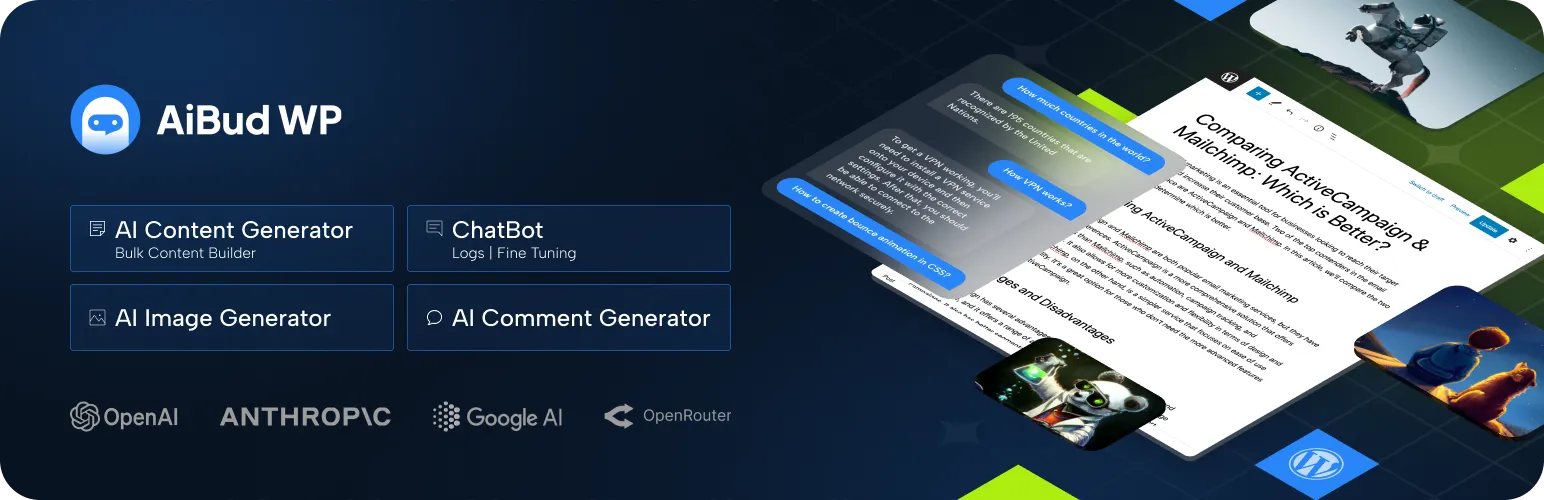
AI Bud is a WordPress plugin that generates content with AI models. It can write posts, excerpts, titles, product descriptions and images from inside the editor, and it supports OpenAI, Anthropic Claude, Google Gemini and OpenRouter models. You can set the language, writing style and tone, or write your own prompts. Right after activation, a popup asks for your OpenAI secret key, which is the usual first step before any text is generated.
The free version covers the content builder and the image generator. A bulk mode lets you enter several titles and have all the articles drafted at once. The chatbot, the comment generator and some SEO plugin integrations are Pro features. The chatbot can be fine-tuned on your own questions and answers, and it can collect visitor emails. Pro adds SEO integrations with Yoast and Rank Math, and the chatbot can be fine-tuned on your own questions and answers.
It suits bloggers and store owners who want a single plugin to draft text and images and are happy to pay a model provider for the usage. Check the security note first. The data lists an open vulnerability for this plugin. Review every generated post before publishing, since AI text can contain mistakes, and keep an eye on provider costs when you use bulk mode.
Best for
- Bloggers who draft articles in bulk
- WooCommerce owners writing product descriptions
- Sites that want content and images from one plugin
- Users comfortable with their own provider keys
Our take
AI Bud bundles content, images and a chatbot across OpenAI, Perplexity and Gemini. A jack-of-all-trades for small sites that want one plugin to do several AI jobs.
AI Bud features
AI content builder
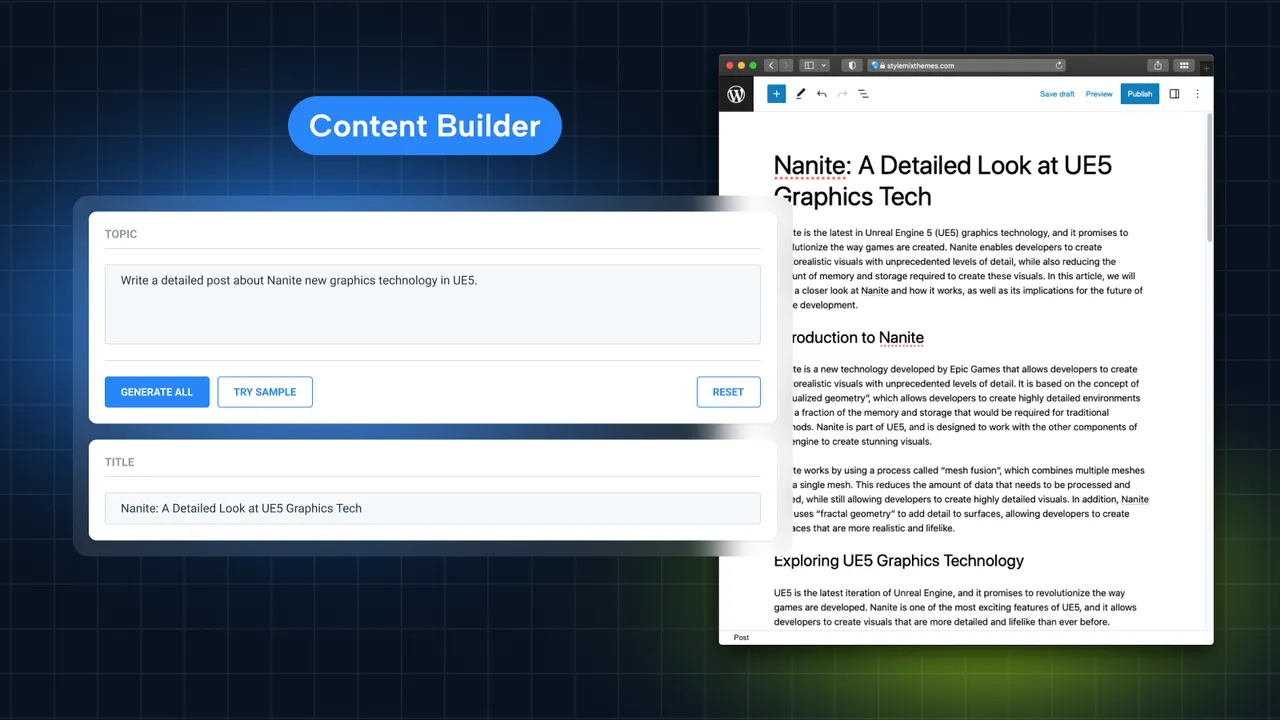
Create single posts or whole topics by choosing how many sections and paragraphs to generate. The builder includes a Gutenberg block.
Multiple AI providers
Choose OpenAI, Claude, Google Gemini or OpenRouter models to generate content.
Helpers in the edit screen
Metaboxes on the post edit page generate titles, excerpts, images and WooCommerce product content.
Bulk content generator
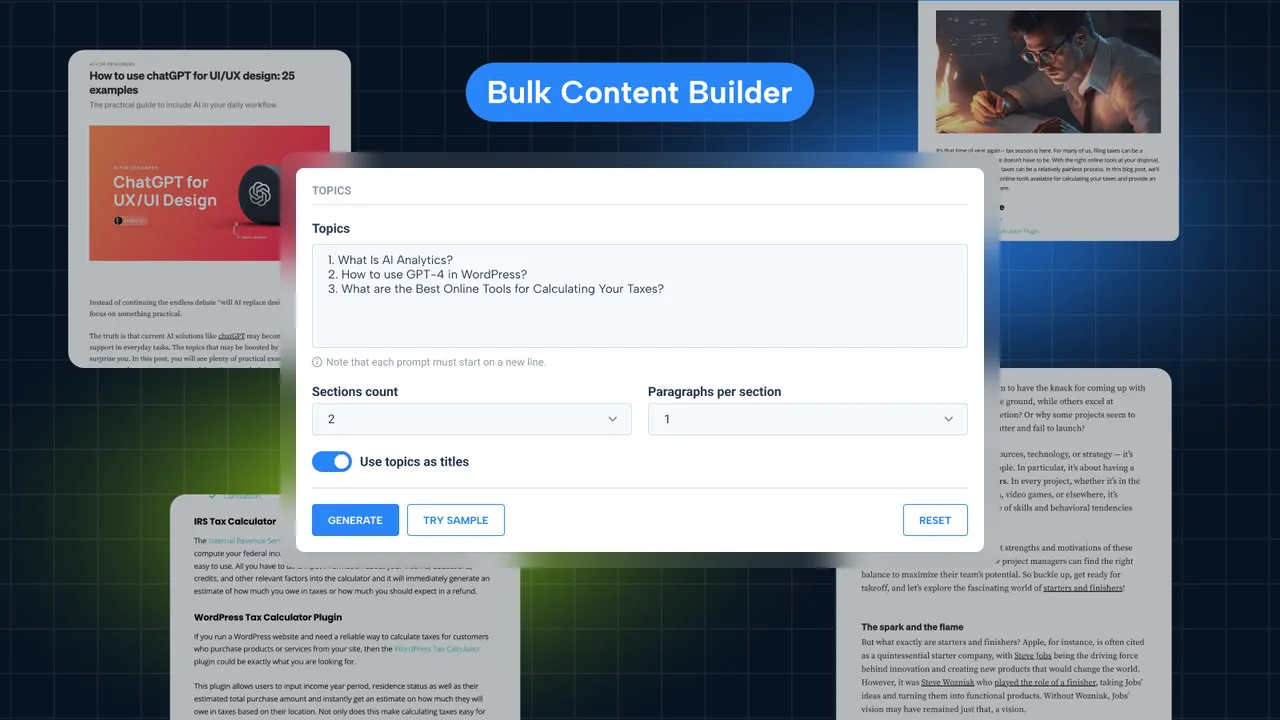
Enter a list of titles and the plugin writes the content for all of them.
Custom prompts and tone
Set language, writing style and tone, or write custom prompts. The listing says over 30 languages are supported.
AI image generator
Generate images, logos and banners from a text prompt. The listing says this uses the DALL-E model.
SEO helpers
Write content around keywords and bold them automatically. Yoast and Rank Math integration is Pro.
WooCommerce product writer
Generate product descriptions and page content for a store, including in bulk.
Chatbot (Pro)
Add a chatbot by shortcode, with fine-tuning, saved logs, email collection and a choice of models.
Comment generator (Pro)
Adds a Generate Comment button to comment forms and WooCommerce reviews, with a word limit and optional emojis.
AI Bud free vs pro
Free WordPress.org version
- AI content builder with Gutenberg block
- Bulk content generator
- AI image generator
- Custom prompts, languages, styles and tones
- WooCommerce product content and helper metaboxes
Pro Paid version
- AI chatbot with fine-tuning, logs and email collection
- AI comment and review generator
- Yoast and Rank Math SEO integration
A Pro version exists and adds the items above, but the listing does not state prices. AI use needs your own API key, such as an OpenAI secret key entered after activation, and the model provider bills you for usage.
How to use AI Bud
- Install the plugin
In wp-admin, go to Plugins, then Add New, search for AI Bud, then install and activate it.
- Enter your API key
After activation a popup asks for your OpenAI secret key. Paste it in, or add another provider's key in the settings.
- Open the content builder
Use the AI Bud menu or the block in the editor. Choose a topic, language, style, tone and the number of sections.
- Use the edit screen helpers
On a post or product, use the metaboxes to generate a title, excerpt, image or product description.
- Review before publishing
Read and edit the output. For several articles at once, use bulk mode and check each result.
AI Bud screenshots (4)
Important information
- The data shows an unpatched published vulnerability for this plugin, so check the current advisories before installing it.
- You need your own API key from a provider. Prompts and content go to that provider, which bills you.
- The plugin needs WordPress 4.6 and PHP 7.4, and is tested up to WordPress 7.1.4.
- Generated text can contain errors. Fact-check posts and product claims before publishing.
- The chatbot, comment generator and SEO integrations are Pro only.
From the AI Bud readme
Straight from the developer's WordPress.org listing.
Full description
Best AI Plugin for WordPress
AI Bud is the best ai content generator and chatbot plugin for WordPress. AI Bud is a perfect WordPress AI plugin for all kind of AI generated content, comment generation, chatbot and AI generated images.
AI Bud Pro ⭐ | Features | Documentation | Contact Us
AI Bud provides chatbot, image & content generator, model finetuning, WooCommerce product writer, SEO optimizer, content translator and text proofreading features, etc. Based on GPT-3 and GPT-4 by OpenAI, Google Gemini, Claude or OpenRouter, this WordPress plugin harnesses the power of the latest AI technology to produce high-quality content in various languages, with customizable writing styles and tones that match your needs.
Whether you need to create compelling blog posts with SEO-titles, product descriptions, visually stunning images, or text proofreading, text translation to 30+ languages, AI Bud has got you covered. Say goodbye to the hassle of creating content from scratch and hello to an AI-powered, user-friendly tool that streamlines your content creation process.
Do you want to check AI Bud WP Pro Version 👉 https://aibudwp.com/
Want to learn more? Check our documentation 👉 https://aibudwp.com/docs/
Do you want to ask pre-sale question, feedback, support? Let us know! 👉 https://aibudwp.com/contact/
MAIN FEATURES
AI Content Generator 🤖 (Free Feature ✨)
Create content in minutes with the AI Content Builder module. You can generate both individual posts or entire topics by defining the number of sections and paragraphs at once in bulk mode. Here are the prompts for the content builder module:
• Different AI Models: Create engaging content using different AI Models such as OpenAI, Claude, and Google Gemini,Open Router models.
• Block Editor Support: AI Bud has a Gutenberg Block inside the plugin so you can easily create AI powered content within the WordPress Block Editor.
• Helper in Edit Post: AI Bud provides several metabox that will allow you to create title, excerpt, image, WooCommerce products easily in the Edit Page of WordPress.
• Bulk Content Generator: AI Bud has bulk content editor that helps you to create multiple content in seconds. You just need to enter the titles and it will create all contents for them.
• AI SEO Optimizations: This section will help you to create content for your keywords, make them bold automatically in the content. Also there are some integrations with Yoast, Rank Math SEO plugins in the Pro version.
• Custom AI Prompts You should create customized AI contents! You can create contents in different languages, writings styles, writing tones with AI Bud. Also there is an option to create your own custom prompts for tailored content creation experiences.
• WooCommerce AI Support Don’t think about only posts, we also giving option to create content for WooCommerce products and also pages.
AI Content Builder Documentation
AI Comment Generator 💬 (Pro Feature ⭐
AI Bud is the only AI plugin that provides such a feature!
Your visitors will se a “Generate Comment” button in WooCommerce reviews section and WordPress default comment forms, and they will be able to create AI powered comments within seconds!
This feature makes it easier than ever for users to leave feedback. AI Comment Generator is available exclusively in the Pro version of the plugin.
• Ease of Use: With a simple click, users can generate insightful and relevant comments related to the product or post they are viewing.
• WooCommerce Review Generator: It’s not just Post comments, you can also use this feature in product pages. You can get more reviews for your products from your visitors with this feature.
• Increased Engagement: By lowering the barrier to leaving comments, the Comment Generator can significantly increase the number and quality of reviews and feedback. This valuable user-generated content can improve SEO, provide social proof, and influence potential customers’ buying decisions.
• Customization Options: Site administrators can customize the feature by setting a maximum word count for generated comments, ensuring that the feedback is concise and to the point. Additionally, the option to include emojis offers a touch of personality and visual appeal, making the comments more engaging and relatable.
AI Chat Bot 👨💻 (Pro Feature ⭐)
AI Bud provides the best AI Chatbot feature!
Pro version of plugin includes a Chatbot is a powerful tool that allows users to perform various tasks based on requests and instructions. With customizable appearance and advanced features, it can be easily integrated into any website. Chatbot is available exclusively in the Pro version of the plugin.
• Learns Your Business: AI Bud has fine tuning feature, so you can create a chat bot who knows your website & business and answer the questions much more logical.
• Collect Email Feature: When this feature is enabled, the chatbot will ask users for their email address in the beginning of the conversation. The entered email addresses are securely logged, creating a valuable database for your marketing campaigns. You can access and export this data, which now includes a dedicated email column in the logs, through your WordPress admin panel.
• Save Logs: Saving logs will help you to analyze your visitor needs better. There is an option to save all the conversations that has been made with chatbot. After that, you can easily see each conversation from the admin panel.
• Different AI Models: You can choose different AI Language Models for your Chatbot so you can decide how smart and fast it will be.
• Display Options: You can easily display the chatbot on whole website or spesific pages with using shortcode. There are options to specify the place of chatbot as well.
• Customized Styling You can customize AI Chatbot appearance, including name, placeholder text, button text, icons, and themes (dark and light mode).
AI ChatBot Documentation
AI Image Generator 🤖 (Free Feature ✨)
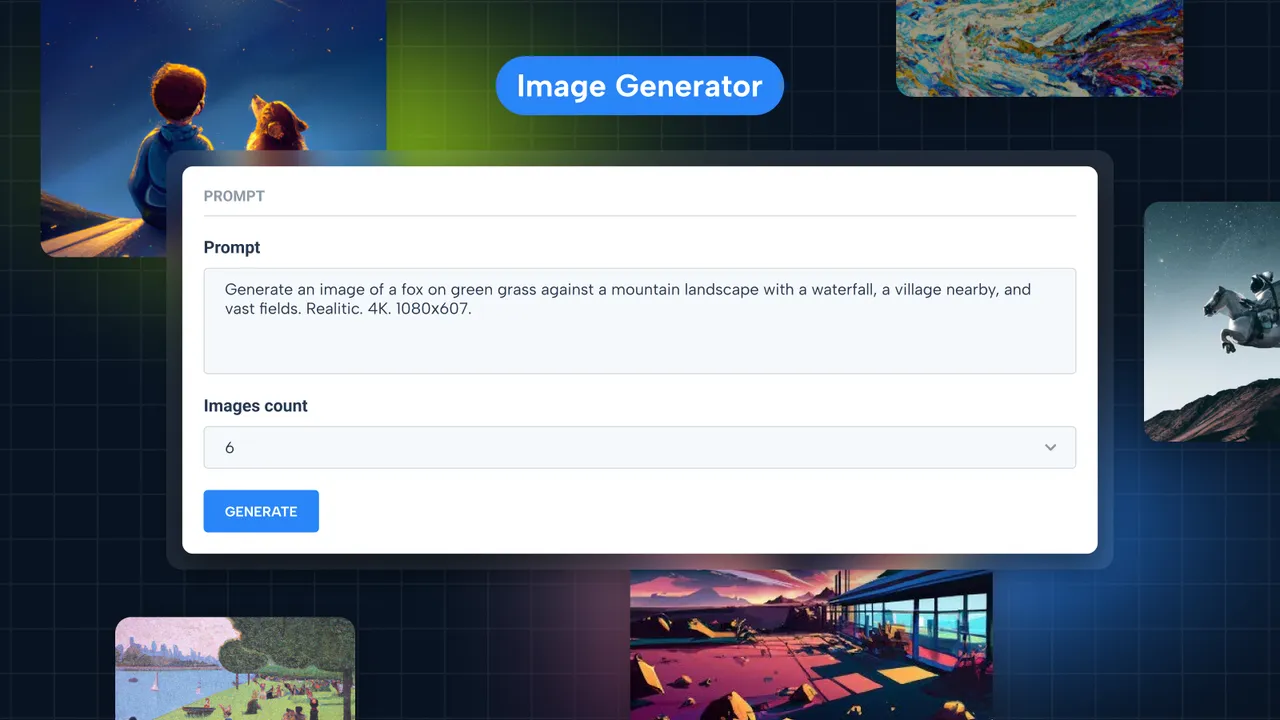
The image generator module tool, based on ChatGPT AI, helps you to create images by entering prompts through a command line. This can be useful for automating the creation of large numbers of images, as well as for creating images with specific parameters. The module leverages DALL-E model by OpenAI.
• Multiple Image Generator: One important aspect of this module is controlling the number of images being generated. Simply describe the image you need and specify the number of images you need.
• Create SEO Optimized Images: When you create the image with our AI image generator, we are also creating Title, Description Alt Text for the image with AI. So you can use them in your website for SEO purposes.
• Customization Options: You can create unique logos, graphics, photo-realistic scenery, banners, product descriptions, cartoon portraits, and digital art. The only limit is your imagination.
AI Image Generation Documentation
AI Fine Tuning 🧠 (Pro Feature ⭐)
Fine tuning is absolutely most important part for chatbot. Don’t use a chatbot that doesn’t know anything about your business or website. Fine Tuning is available exclusively in the Pro version of the plugin.
• Educate AI models by providing custom questions and answers.
• With using Entry generators, you can educate your model with all the content from your posts and pages. So it will automatically go through all of your contents and educate itself.
• No need to handle something on OpenAI side. You can create datasets, upload them to OpenAI and use it as a model from your WordPress Admin Dashboard.
AI Fine Tuning Documentation
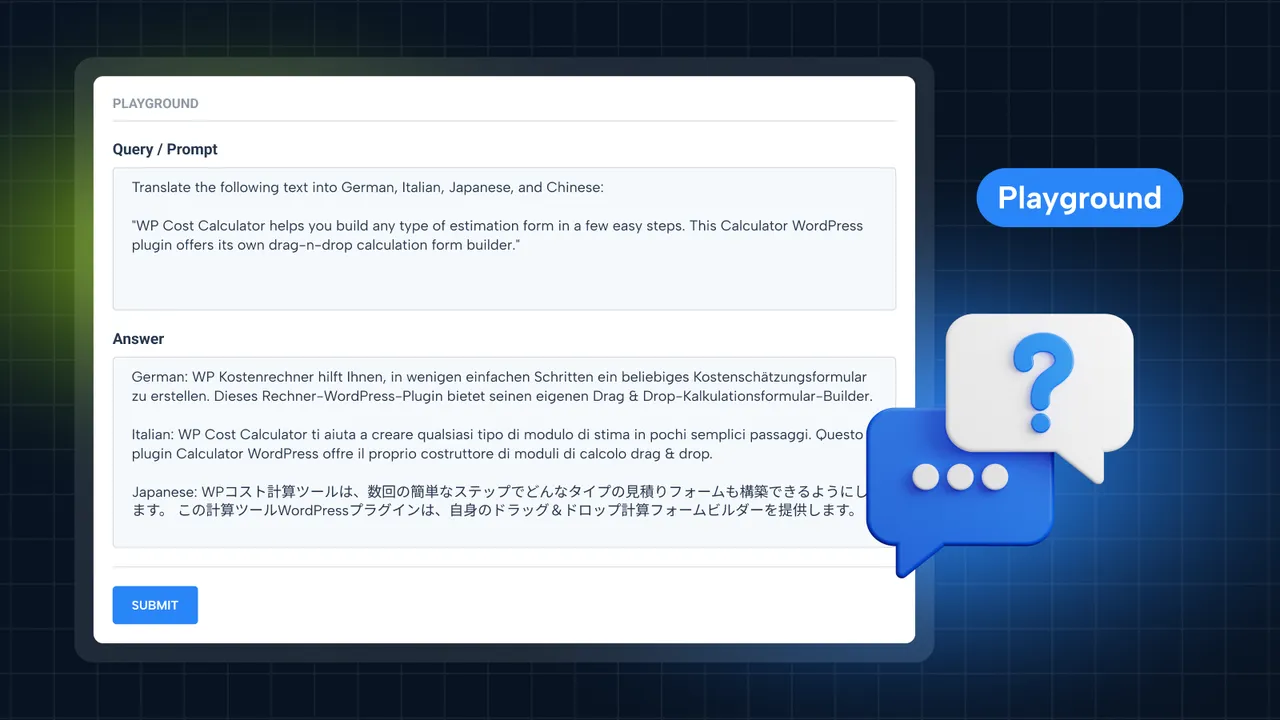
Playground 🤖 (Free Feature ✨)
The Playground is a powerful tool that allows you to interact with the AI and explore its capabilities via a live dialogue. You can ask any question and get a response immediately.
One of the key features of the Playground module is that users can control the Temperature and Max Tokens of the generated text. Temperature controls the creativity of the AI’s responses, with higher temperatures leading to more creative and unpredictable outputs. Max tokens, on the other hand, limit the length of the generated text, ensuring that responses are concise and to-the-point.
AI Playground Documentation
A PACK OF INTEGRATIONS
AI Bud WP supports the following tools and technologies:
• OpenAI – GPT (Generative Pre-trained Transformer 4) is the number one largest and most advanced language model in the world.
• Gemini Pro – Google provides great AI model named Gemini, the service old name was Google Bard.
• Claude – Anthropic provides awesome AI model named Claude. If you never try this you definitely should!
• OpenRouter – OpenRouter is a service that provides a range of AI models for content creation.
• Davinci – a smart and capable model to respond to a vast range of questions, solutions, discussions, advice, and dialogues.
• DALL-E – image generator core algorithm.
• ChatBot Logs Saving
• SEO Title Suggestions – virtual writer a search-competitive title for your content.
• Custom Chatbot language model with fine tuning.
• WooCommerce Product Generator – fill in the high-quality description of your products on your store instantly.
MODELS
You can use the following AI models in AI Bud WordPress Plugin:
* GPT 4o
* GPT 4 Turbo
* GPT 4
* GPT 3.5 Turbo 16k
* GPT 3.5 Turbo
* Gemini 2.5 Pro Preview
* Gemini 2.0 Flash
* Gemini 1.5 Flash
* Gemini 1.5 Pro
* Claude 3.7 Sonnet
* Claude 3.5 Sonnet v2
* Claude 3.5 Haiku
* Claude 3.5 Sonnet
* Llama
* Mistral
* Mixtral
* Perplexity
OFFICIAL DOCUMENTATION AND LANDING PAGE
For getting help, visit AI Bud WP documentation. We also have the official page.
External services
AI Bud relies on external APIs from Claude, Google, OpenAI, and OpenRouter to provide its AI-powered features. These integrations allow users to generate AI-based content, and image generation efficiently.
We only make API requests when the user initiates an action, such as generating content, or creating an image. AI Bud does not send any data to these external providers in the background or without explicit user interaction. This ensures user data privacy and control over AI-related tasks.
Terms of Use and Privacy Policies:
• OpenAI: Terms of Use | Privacy Policy
• Google Gemini: Terms of Use | Privacy Policy
• Claude (Anthropic): Terms of Use | Privacy Policy
• OpenRouter: Terms of Use | Privacy Policy
Installation
Installation is easy – all you need to do is to follow a few steps:
• Install the plugin.
• Activate it.
• Right after activation you will see the popup where you should copy and paste your OpenAI API Secret Key. You can find or generate your Secret API key in the User settings on your OpenAI account.
• That’s it! Now you can play and use AI Bud WP.
Developer FAQ (9)
- What AI models does AI Bud support?
- AI Bud integrates with a range of AI models including OpenAI’s GPT-3.5 Turbo (in various configurations), GPT-4, Google’s Gemini Pro, and Anthropic’s Claude (Opus and Sonnet versions). This allows for diverse content creation, image generation, and AI-driven chatbot interactions to suit various needs.
- Can I generate content in languages other than English?
- Yes, AI Bud supports content generation in over 30 languages. You can create customized content in different languages, styles, and tones, making it a versatile tool for global websites and multilingual content strategies.
- Does AI Chatbot collect email from users?
- AI Bud offers a Collect Email and Save Logs features. So you will be able to logs all the conversations and also collect email addresses from your visitors. And after that you will be able to export them as well.
- How does AI Bud help with SEO optimization?
- AI Bud’s SEO Optimization section helps in tailoring content for specific keywords, making them bold within the content for emphasis. It integrates with SEO plugins like Yoast and Rank Math in the Pro version, enhancing your content’s search engine visibility.
- Can AI Bud create WooCommerce product descriptions?
- Absolutely. AI Bud can generate compelling WooCommerce product descriptions, streamlining the process of adding new products to your store. It offers options for bulk content creation, making it easier to manage large inventories.
- How do I integrate AI Bud’s chatbot into my website?
- The Pro version of AI Bud includes a customizable chatbot that can be integrated into your site using shortcodes. You can specify its appearance, functions, and whether it appears site-wide or on specific pages. The chatbot is also capable of saving logs for insights into visitor interactions.
- What is Fine Tuning and how does it benefit my chatbot?
- Fine Tuning allows you to tailor the AI model based on custom questions and answers, making the chatbot more aligned with your business or website’s specifics. It improves the chatbot’s relevance and accuracy in answering user queries.
- How does AI Bud handle image generation?
- AI Bud leverages the DALL-E model for image generation. You can specify prompts in the command line within the plugin, and AI Bud will generate unique images, logos, banners, and more, requiring no design skills from the user.
- Can I use AI Bud for free?
- AI Bud offers a robust set of features in its free version, including content and image generation, SEO optimizations, and more. The Pro version unlocks advanced features like the chatbot, fine tuning, and additional AI models for a more comprehensive AI toolset.
Downloads, last 30 days
Trend vs previous period: -10.6%
Average daily downloads: 45 over the last 7 days , 45 over 30 days.
Security history
Open vulnerability · 2 published vulnerabilities (Wordfence) · most recent May 1, 2026
- Unpatched 7.2 High AiBud WP <= 1.8.5 - Authenticated (Admin+) Arbitrary File Upload CVE-2025-23968 · Jul 3, 2025 · affects *-1.8.5
- Patched 6.1 Medium Freemius <= 2.10.1 - Reflected DOM-Based Cross-Site Scripting via url Parameter CVE-2024-13362 · May 1, 2026 · affects *-1.7.2 · fixed in 1.8.5
Recent releases
- v1.9
2025/08/03 * WebFactory took over development * 3,000 installations * compatibility fixes for new versions of PHP and WP * old changelog
- v1.0
2023/03/03 * initial Release
AI Bud FAQ
Which AI models are supported?
The listing names OpenAI GPT-3.5 Turbo and GPT-4, Google Gemini Pro and Anthropic Claude Opus and Sonnet, plus OpenRouter models.
Can it write in other languages?
Yes, in more than 30 languages, with your choice of style and tone.
Does the chatbot collect emails?
In Pro, yes. It can ask for an email at the start, save conversation logs and let you export them.
Does it help with SEO?
It can write content around your keywords and bold them. Integration with Yoast and Rank Math is in the Pro version.
Can it write WooCommerce descriptions?
Yes. It generates product descriptions, in bulk if you like, which helps with large catalogs.
How does it make images?
It uses the DALL-E model. You type a prompt and it creates images, logos or banners without design skills.
What is fine-tuning?
It trains the model on your own questions and answers so the chatbot gives answers closer to your business. It is part of the Pro chatbot.
AI Bud alternatives

GetGenie is the #1 AI SEO assistant for WordPress - the only AI plugin that combines AI keyword research, competitor analysis, content writing, AEO, GEO, and SEO performance tracking in a single dashboard inside…

WP RSS Aggregator is the perfect plugin to quickly import RSS feeds, build a news aggregator, and for easy autoblogging. This is why it is used on 40,000+ websites to aggregate and curate content from all over the…

AI Puffer (formerly AI Power) lets ChatGPT and Claude work on your WordPress site through MCP, using your chosen safety level. It also brings an AI chatbot, content writer, automations, AI forms and image generation…
BotWriter is the most complete AI writer plugin for WordPress . It works as an AI auto blogging tool that automatically generates and publishes SEO-optimized articles, and as a WooCommerce AI content optimizer that…

AI Powered Free WordPress Link Directory Plugin to curate links for web directory Free WordPress Link Directory Plugin for your External Link Directory Listings! Simple Link Directory is a simple WordPress Directory…
AI WP Writer is a powerful AI content generator for WordPress. It works seamlessly in both the Classic Editor and the Gutenberg editor, giving you flexibility in how you create content. For text generation, it…
Listing data from WordPress.org and the Wordfence vulnerability feed, refreshed Nov 9, 2026; listing details fetched Nov 14, 2026. Screenshots are from the plugin's WordPress.org listing. Not affiliated with WebFactory.