
- active installs
- 6K+
- 0 ratings
- —
- since last update
- 479d
- releases in 12 months
- 0
- support threads resolved
- —
- avg daily downloads
- 27
- on WordPress.org
- 2.1 years
AIKO at a glance
AIKO is a free WordPress AI-powered plugin by boldthemes with 6K+ active installs. It was last updated on Jul 18, 2025, is tested up to WordPress 6.8.12 and needs PHP 7.0+. It has no published security vulnerabilities in the Wordfence database. Our quality score is 55/100.
What is AIKO?
AIKO is a WordPress plugin that writes other WordPress plugins from a plain-language description. You describe what you want, an AI model generates the code, and you test the result and install it as a plugin. It targets site owners and small business users who want a small custom feature without hiring a developer or buying another plugin. You get a few example prompts, a test option in WP Playground and a saved history of code versions to work from.
It works by calling the API of an AI platform you choose. An AI platform subscription or API account is required, so the plugin itself is only the front end. The listing describes three roles for the AI: a developer that writes the code, a reviewer for quality checks, and a consultant that helps shape requirements. The reviewer is part of the paid version.
Treat generated code with care. This plugin has not been updated for over a year and has only been tested up to WordPress 6.8.12, so check it works with your WordPress version before depending on it. Test every generated plugin on a staging site first. It is best for simple features such as pop-ups or post cloning, which are the kinds of examples the listing uses.
Best for
- Site owners who need a small custom feature
- Developers who want a quick prototype
- Agencies testing simple plugin ideas on staging
- Users who already hold an AI platform account
AIKO features
Plugin generation from a prompt
Describe the plugin in plain words and the AI builds it. The listing says this takes a few minutes.
Choice of AI platforms
Uses APIs from different AI platforms to generate code. You use your own account with the platform you pick.
Test before installing
Try the plugin in WP Playground or locally with one click, then download a ZIP to install manually.
Code history and revisions
Saves earlier versions of generated code and plugin revisions so you can go back.
Ready-made examples
Includes example prompts, such as an age verification pop-up and a one-click post cloner.
AI feedback loop
Refine the results with automated AI feedback after testing.
Requirement help
AI helps rephrase your idea and prepare a functional specification. Some rephrasing tools are paid.
Paid reviewer and auto install
The paid version adds AI code review, improvement suggestions and automatic installation.
AIKO free vs pro
Free WordPress.org version
- Plugin generation from a text description
- Settings and interface for non-developers
- WP Playground testing and manual ZIP download
- Code history and plugin revisions
- Example prompts
Pro Paid version
- AI Reviewer for code checks
- Improvement suggestions for requirements
- Rephrasing of your requirements for better output
- Automatic installation of generated plugins
A Pro version exists and adds the items above, but the listing gives no prices. Generating plugins requires an account with an AI platform, which bills you for usage. The listing mentions a small additional cost per plugin.
How to use AIKO
- Install the plugin
In wp-admin, go to Plugins, then Add New, search for AIKO AI Developer Lite, then install and activate it.
- Add an AI platform key
Open the settings and connect the AI platform you subscribe to, using your own API access.
- Describe your plugin
Write the idea and technical needs in plain words. Clear prompts give better results, so list the options and behavior you expect.
- Generate and test
Run the build, then test the result in WP Playground or locally before touching a live site.
- Install the plugin
Download the ZIP and install it through Plugins, then Add New, then Upload Plugin. Refine with feedback if something is off.
AIKO screenshots (12)
-
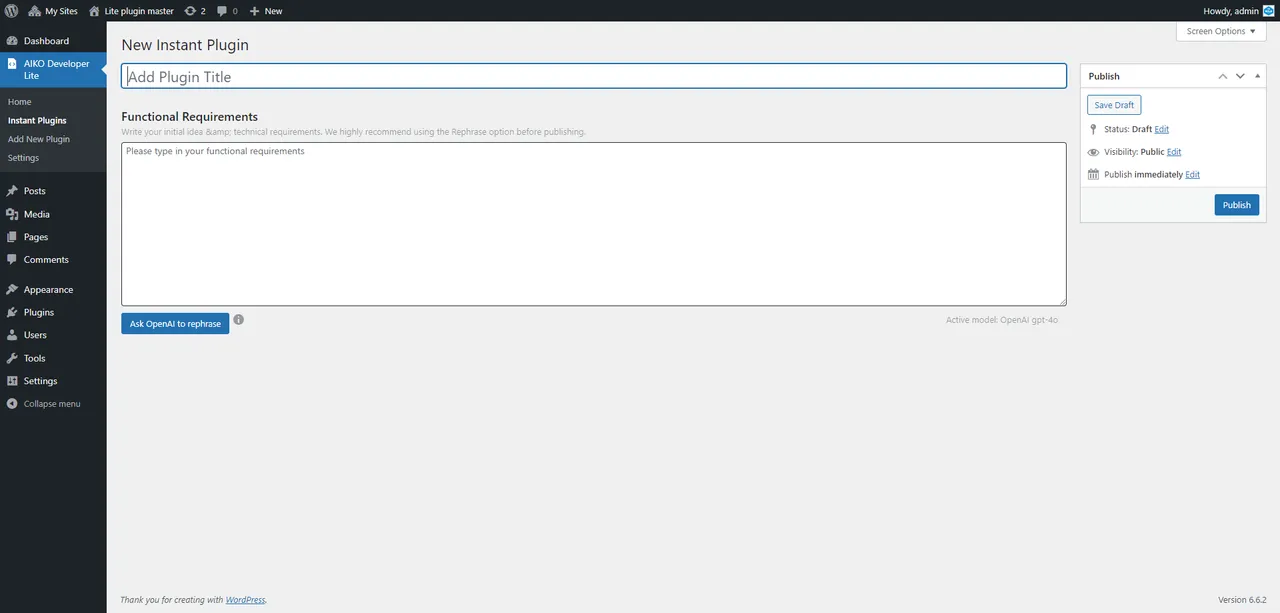
Add new plugin -
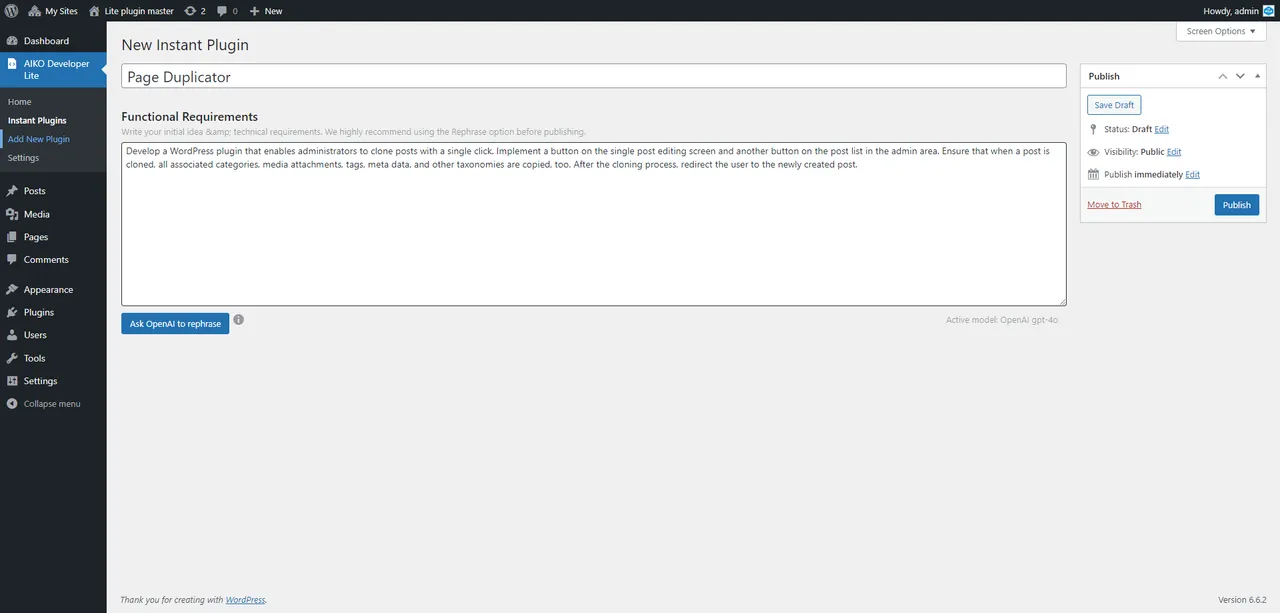
Type your idea -
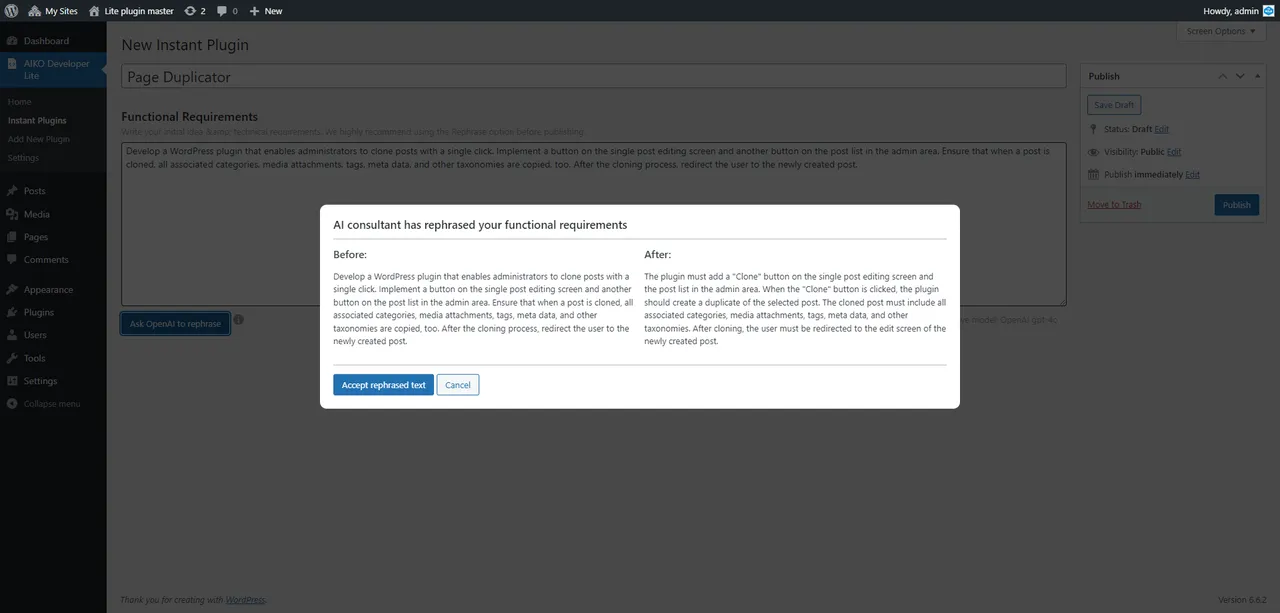
Ask AI to rephrase it -
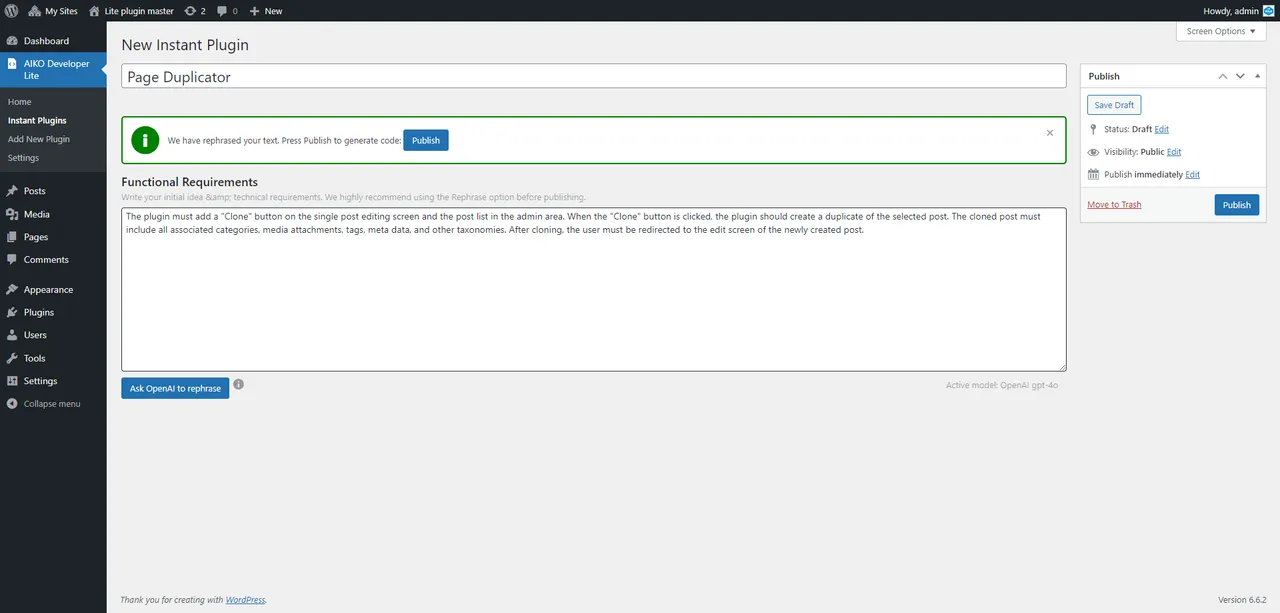
Check rephrased text -
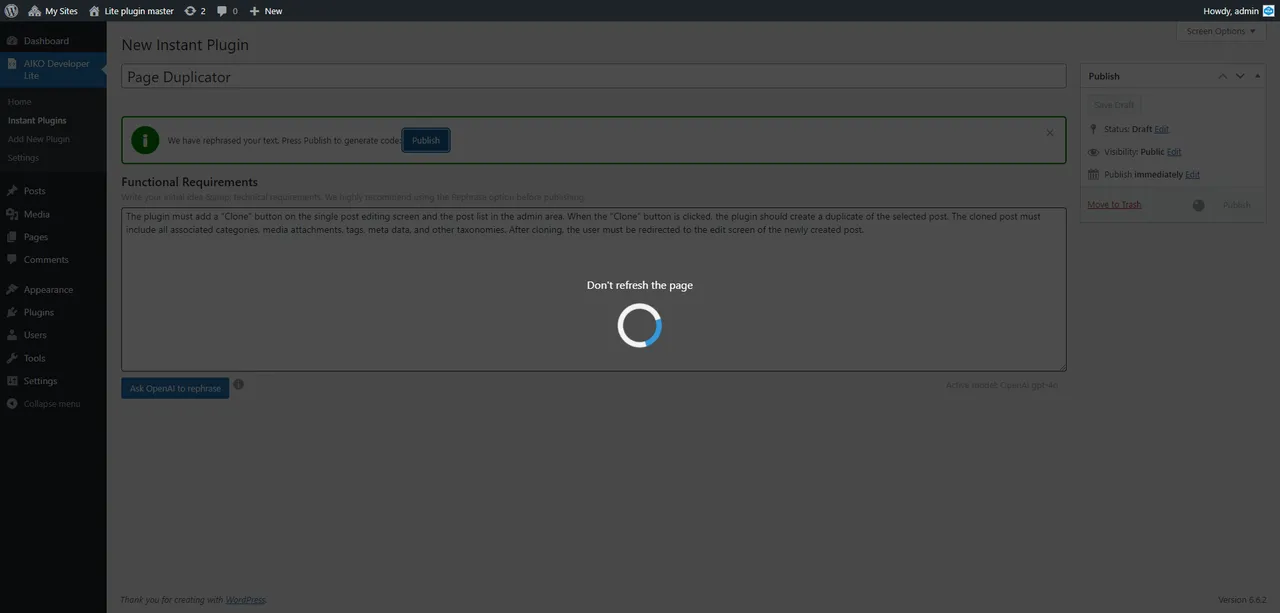
Ask AI to generate the code -
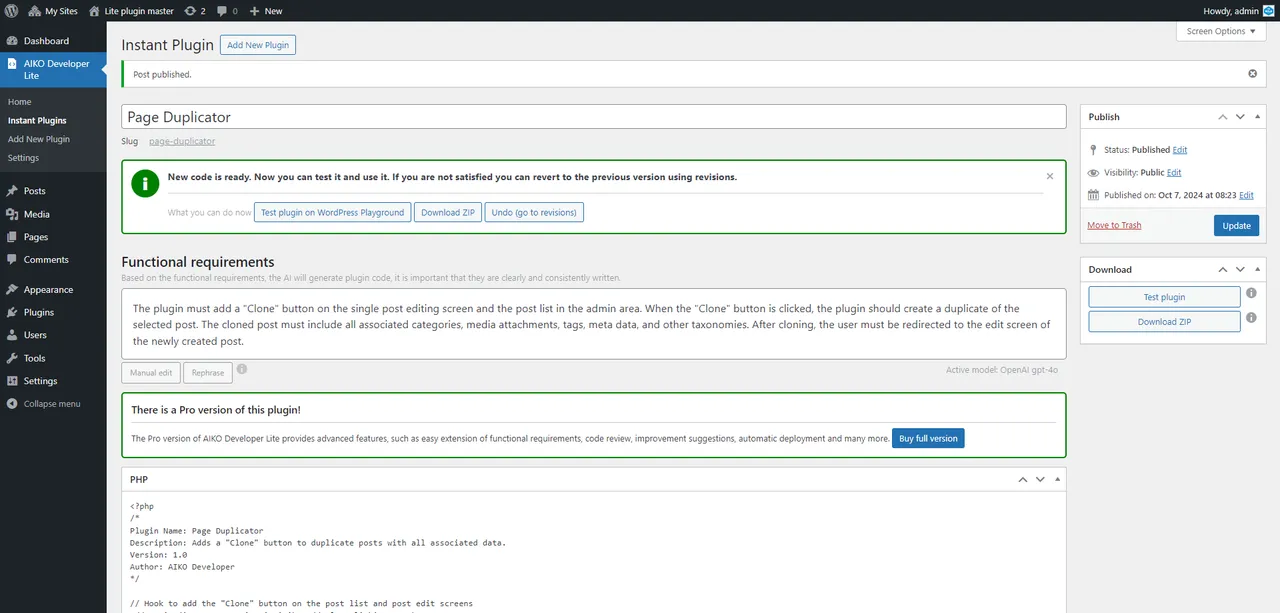
AI generated plugin is ready -

Open WordPress Playground -
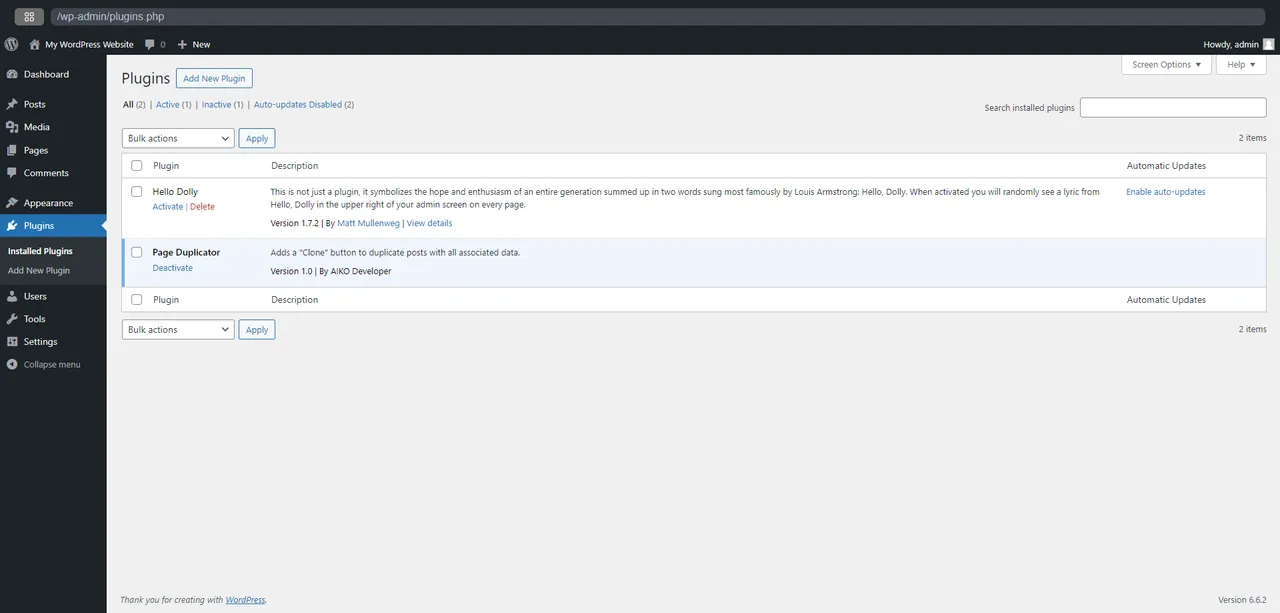
Plugin is installed on WordPress Playground -
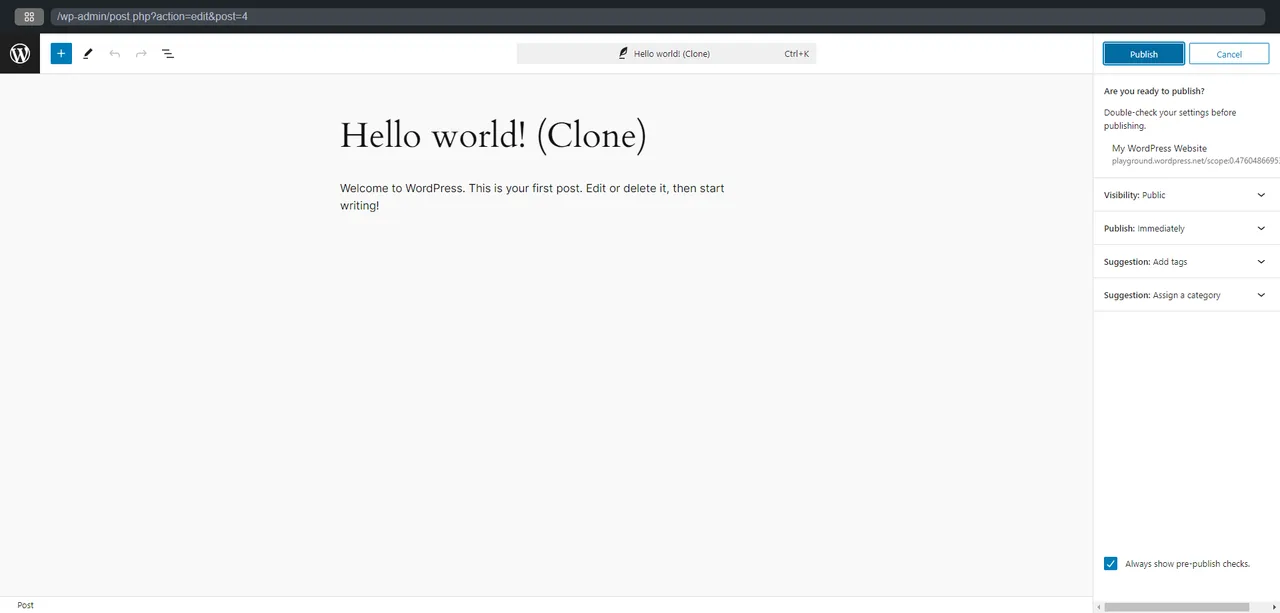
Test the plugin on WordPress Playground (1) -
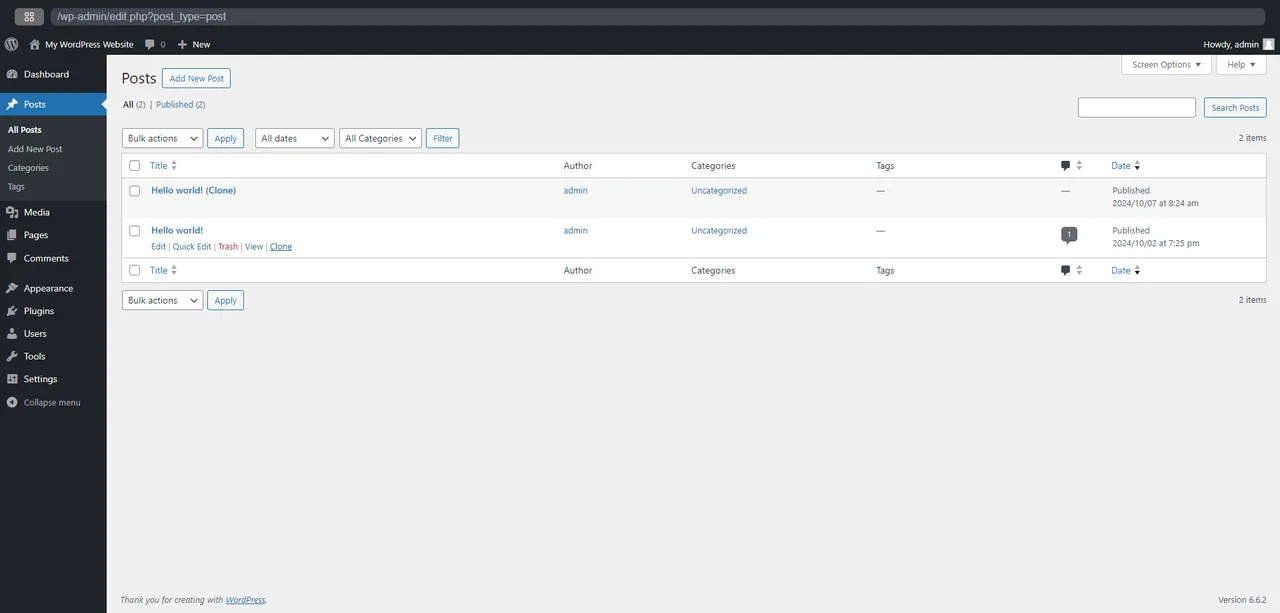
Test the plugin on WordPress Playground (2) -
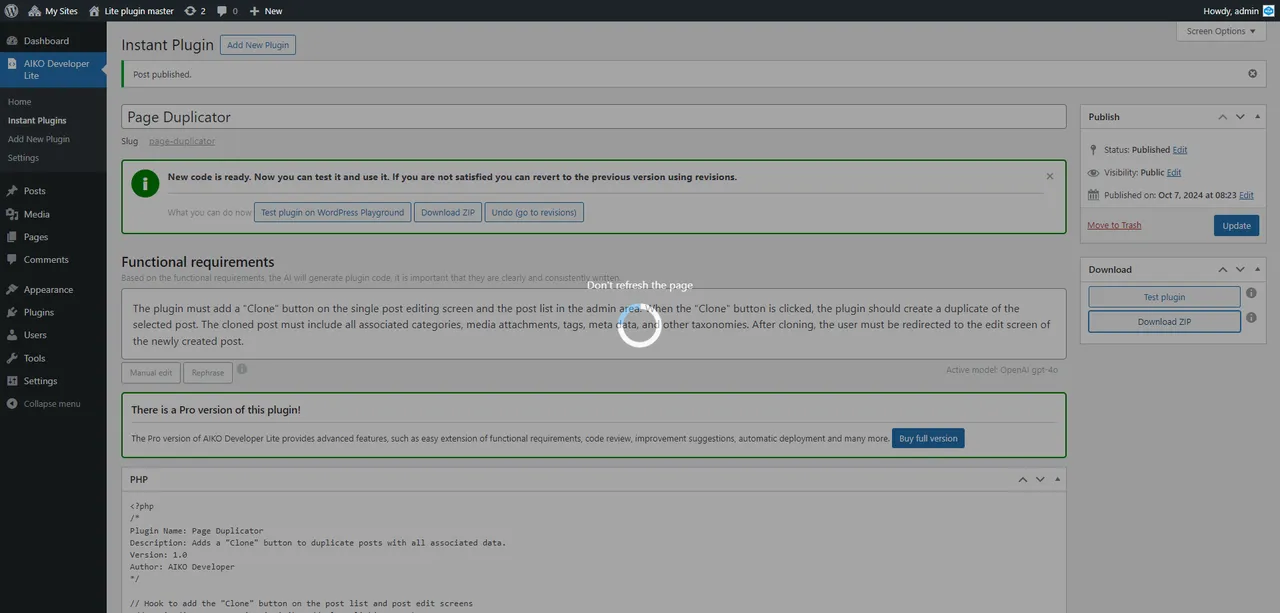
Download ZIP -
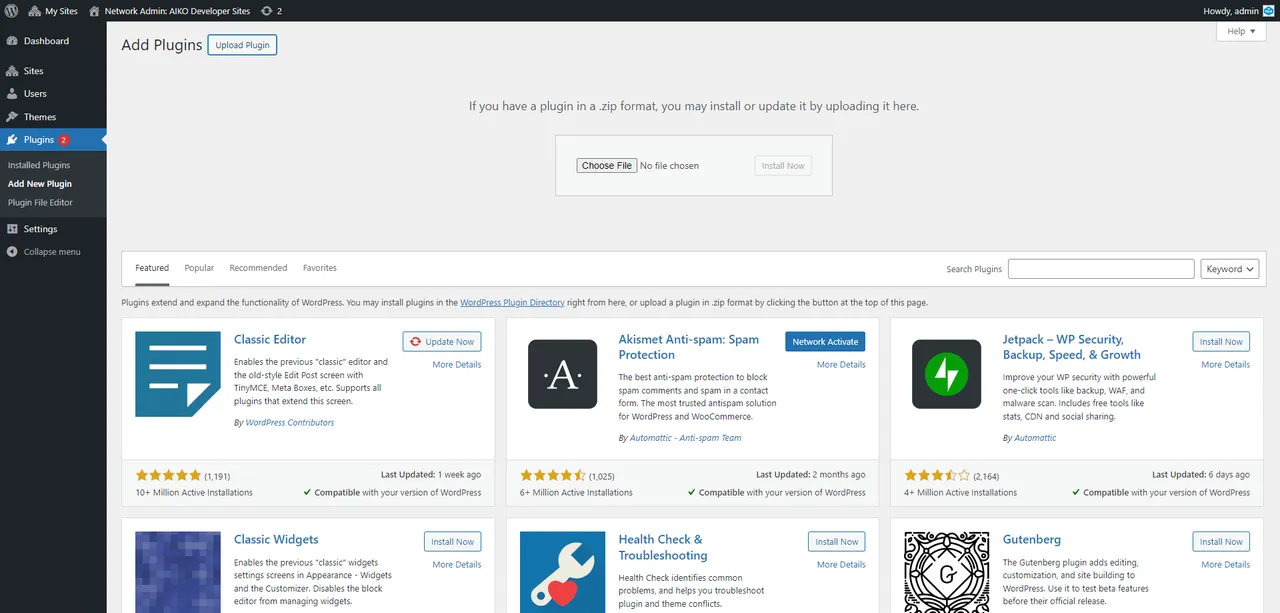
Install and use the plugin
Important information
- An AI platform subscription is required. The code and your prompts are sent to that platform, so review its terms and privacy policy.
- The plugin has not been updated in more than a year and is only tested up to WordPress 6.8.12. It needs WordPress 5.0 and PHP 7.0.
- AI-generated plugins can contain bugs or insecure code. Test them on staging and review anything that handles user input or the database.
- No known vulnerabilities are recorded for the plugin itself, but that says nothing about the plugins it creates.
- The AI reviewer, automatic install and several helper tools need the paid version.
From the AIKO readme
Straight from the developer's WordPress.org listing.
Full description
Transform your WordPress experience by using our revolutionary new AI powered plugin – AIKO, a plugin that makes other plugins! Designed for easy use, AIKO empowers you to create new instant custom plugins in a few minutes. An AI platform subscription is required to use AIKO.
• Save Time
Quickly generate custom plugins in minutes, tailored to your needs.
• Customized Features
Create plugins with the exact functionality your site requires.
• Streamlined Management
Minimize plugin bloat and simplify site maintenance
• Cost-Effective
Avoid spending on multiple premium plugins by generating what you need
• Scalable
Easily adapt and expand your site’s functionality as it grows
• No Coding Required
Create powerful plugins without any coding knowledge.
Meet the Team
In order to solve your needs AIKO – Instant Plugins AI Developer has a unique 3-in-1 architecture. This 3-in-1 solution enables AIKO to perform the challenging task of creating a plugin and making sure that it does the job efficiently. To that end, AIKO’s AI platform models serve three distinct roles.
• AI Developer
Expert WordPress programmer utilizing different AI platforms for instant results.
• AI Reviewer
Advanced code reviewer ensuring plugin quality and robustness (avaliable in Pro version).
• AI Consultant
Aiding you in shaping functional requirements to fit your idea perfectly
Who Can Benefit from AIKO AI Developer Lite?
Website admins, developers, and small business owners looking to save time, reduce costs, and efficiently manage custom functionalities on their WordPress sites. Whether you’re a seasoned developer looking to save time and money or a beginner with a unique plugin idea, AIKO is here to make your job easier by creating custom plugins with just the right functionality and quickly. Embrace the future of WordPress plugins today!
Use our AI powered plugin Aiko to develop your custom plugin
• Extend – Use AI to extend your WordPress site exactly where needed
• Unlimited – Create as many plugins as you can imagine for any number of needs
• Fast– Go from idea to execution in a few minutes with no additional costs
• Scalability – Add additional plugins and functionalities as your site grows
Aiko’s algorithm takes you from idea to a live plugin in a few easy steps
• Write our Idea
Describe your initial idea and technical requirements in plain words. AI will assist you in rephrasing your words and in preparing the functional specification.
• AI Development
With Aiko and one of the AI platforms, build your plugin at the click of a button. You’ll also get ready-to-use improvement suggestions to extend functional requirements (avaliable in Pro version).
• Test & Improve
Use WP Playground or test locally by just clicking a button. Download ZIP or use automated (avaliable in Pro version) installation. Refine the results with automated AI feedback.
• Install & Go Live
From idea to implementation in a few minutes
Main AIKO’s Features
AIKO Instant Plugins AI Developer allows non-developers to create custom plugins without coding or technical knowledge.
• AIKO creates plugins, with small additional cost
• It’s designed for users with no programming experience
• Has easy to use settings & interface
• Provides feedback and improvement suggestions (avaliable in Pro version)
• Only a few minutes from idea to implementation
• Includes simple manual or automatic (avaliable in Pro version) installation
• Saves code history & plugin revisions
• Rephrases your requirements for better output (avaliable in Pro version)
• Code check (avaliable in Pro version), test on WP playground and deployment
• Includes many ready to use examples
External Service Disclosure
This plugin utilizes APIs from differnet AI platforms to generate custom WordPress plugins.
Important Information About External Service
• Third-Party Service: This plugin relies on differnet AI platforms for its functionality.
• Terms of Use and Privacy Policy: Please review the Terms of Use and Privacy Policy of the AI platform you are using for more details.
By using this plugin, you acknowledge and agree to the terms and conditions set forth by used AI platform. This ensures that any legal considerations regarding data transmission are properly addressed.
Installation
Use WordPress Add New Plugin feature (Plugins panel) and search for AIKO AI Developer Lite. Click install and then activate (once the plugin has been installed).
Developer FAQ (4)
- Is there a premium version?
- Yes. There is a Pro version and you can find it here.
- How to write prompts?
- To get the best results from the AIKO, it’s essential to craft clear and effective prompts. This article from AIKO’s documentation will guide you on how to write the correct prompts for ChatGPT to maximize the potential of your code.
- Can I see the example?
- Yes. You can try to use OpenAI model 4o Mini and try with this prompt: “Develop a WordPress plugin that prompts visitors to verify their age before accessing the site. The age verification pop-up must be displayed in fullscreen mode. It should include a title, a subtitle, descriptive text, and a button for user interaction. Users must be able to close the pop-up by clicking the button. Once closed, the pop-up should not reappear for the same user for a duration of 5 days. Implement customizer option to enable or disable the pop-up. Also, provide options to customize the title, subtitle, descriptive text, and button text displayed in the pop-up”
- One more?
- Of course: “Develop a WordPress plugin that enables administrators to clone posts with a single click. Implement a button on the single post editing screen and another button on the post list in the admin area. Ensure that when a post is cloned, all associated categories, media attachments, tags, meta data, and other taxonomies are duplicated. After the cloning process, redirect the user to the newly created post.”.
Downloads, last 30 days
Trend vs previous period: +14.9%
Average daily downloads: 26 over the last 7 days , 27 over 30 days.
Security history
No known CVEs · 0 published vulnerabilities (Wordfence)
Recent releases
- v2.0.3
Minor bug fixes * Plugin sharing enabled
- v2.0.2
Minor bug fixes * Support for additional AI models * Php 8.4 compatibility improved
- v2.0.1
Minor bug fixes * Support for additional AI platforms (Pro version only: Claude and DeepSeek)
- v2.0.0
Minor bug fixes * Rephrase functional requirements algorithm & interface updated * Requirements clarifications functionality added (Pro version only) * Code reviewer suggestions algorithm updated...
- v1.0.4
Minor bug fixes * Developer algorithm updated
Show 4 older releases
- v1.0.3
Minor bug fixes * Change functional requirements algorithm updated
- v1.0.2
Minor bug fixes * Code development and review algorithm updated
- v1.0.1
Minor bug fixes * o1-preview and o1-mini added (usage limits apply)
- v1.0.0
Initial release
AIKO FAQ
Is there a paid version?
Yes. A Pro version exists and adds an AI reviewer, improvement suggestions, rephrasing of requirements and automatic installation.
How should I write prompts?
State the goal, the options you want in settings, what shows on screen and when. The vendor documentation has a guide to writing prompts for ChatGPT-style models.
Is there an example prompt?
Yes. One asks for an age verification pop-up that shows fullscreen and stays hidden for five days after closing, with a customizer option to switch it off. The listing suggests trying it with OpenAI's 4o Mini model.
Can it clone posts?
The listing gives that as a second example prompt. It describes a plugin that adds a clone button to the post editor and list, and copies categories, tags, media and meta data.
Do I need an AI account?
Yes. The plugin calls the API of an AI platform, and you need a subscription with that platform. It bills you for usage.
Can I test a plugin before installing it?
Yes. You can test in WP Playground or locally with one click, then download a ZIP for manual installation.
AIKO alternatives

Live Demo | Add-ons | Assets | Documentation | Code Snippets GamiPress is the easiest way to gamify your WordPress website in just a few minutes, letting you award your users with digital rewards for interacting with…

Better Messages is the most feature-rich realtime private messaging system for WordPress , with native integrations for BuddyPress, BuddyBoss Platform, Ultimate Member, PeepSo and any other WordPress powered…

Visualizer: Tables and Charts Manager for WordPress is a powerful and easy to use plugin used to create, manage and embed interactive, responsive charts & tables into your WordPress posts and pages. The plugin…

Smart Search, Replace & Media Tool (with AI) for WordPress Better Find and Replace lets you easily search and replace text, HTML, links and media across your entire WordPress site - no coding needed. Perfect for…

👉 See what users are saying about Directorist ⭐⭐⭐⭐⭐ I’ve been using Directorist for my directory website for over a year now, and I can honestly say it’s one of the most reliable and feature-rich directory plugins…

Any map. One prompt. Describe the map you want. MapSVG AI helps you build and configure it directly in WordPress: connect your data, place it on the map, arrange the layout and set the styling. See the actual result…
Listing data from WordPress.org and the Wordfence vulnerability feed, refreshed Nov 9, 2026; listing details fetched Nov 14, 2026. Screenshots are from the plugin's WordPress.org listing. Not affiliated with boldthemes.