
All in One SEO
All in One SEO - AI SEO Plugin to Boost SEO Rankings & Traffic (Schema, Local SEO, Sitemap & SEO Insights) · by Syed Balkhi
- active installs
- 2M+
- 5,232 ratings
- 4.7
- since last update
- 5d
- releases in 12 months
- —
- support threads resolved
- 87%
- avg daily downloads
- 72,025
- on WordPress.org
- 19.6 years
All in One SEO at a glance
All in One SEO is a free WordPress AI SEO plugin by Syed Balkhi with 2M+ active installs and a 4.7/5 rating from 5,232 reviews. It was last updated on Nov 4, 2026, is tested up to WordPress 7.1.4 and needs PHP 7.4+. It works with Google Gemini. All 33 of its published vulnerabilities have patched versions. Our quality score is 92/100.
What is All in One SEO?
All in One SEO is a WordPress SEO plugin that manages page titles, meta descriptions, schema, XML sitemaps and social tags from one settings area. It has been around since 2007, and the free version covers the basics most sites need to be indexed and described properly in search results, with a setup wizard to get you started. It installs like any other plugin from the Plugins screen and adds its own menu to the WordPress admin.
The current releases add AI on top of the classic toolkit. You can generate titles, descriptions, FAQs, alt text, images and full articles inside the editor, and ask AI to produce schema markup. It also writes an llms.txt file so AI search tools can find your content, and it exposes an MCP server so agents such as Claude can read and edit SEO data.
It suits site owners who want one SEO plugin that works with the block editor, the Classic Editor and common page builders. Heavier features such as redirects, local SEO, rank tracking and automatic internal linking sit in the paid Pro version, so check the free and Pro split before you commit to it. Try it on a staging copy of your site first, so you can check compatibility with your theme and other plugins.
Best for
- Sites switching from Yoast or Rank Math
- Owners who want AI-written titles and descriptions
- Stores that need WooCommerce SEO options
- Sites that want to appear in AI search results
All in One SEO features
AI content generator
Writes SEO titles, meta descriptions, FAQs, alt text and full articles from inside the editor. Bulk actions apply titles, descriptions and alt text to many posts at once.
AI image and schema tools
Creates images for posts on request and builds structured data from prompts. This saves time if you do not want to write schema by hand.
Built-in MCP server
Lets AI agents like Claude connect to your site to read, audit and update SEO data. It also supports the WordPress Abilities API.
llms.txt generation
Produces an llms.txt file so AI search engines can discover your content. It is aimed at visibility in tools such as ChatGPT and Google AI Overviews.
TruSEO content analysis
Scores each post against on-page checks while you write. It works in both the block editor and the Classic Editor.
XML sitemaps
Replaces the default WordPress sitemap with a more detailed one, including a multilingual sitemap for sites with several languages.
Importer for other SEO plugins
Brings over titles, descriptions and settings from Yoast SEO, Rank Math and SEOPress. Redirects can be imported from common redirect plugins.
Page builder and store support
Integrates with Elementor, Divi, Bricks, Oxygen, WP Bakery and SeedProd, and includes WooCommerce SEO options for product pages and categories.
All in One SEO free vs pro
Free WordPress.org version
- Titles and meta descriptions
- XML sitemap
- Schema markup
- Google Search Console integration
- TruSEO content analysis
- Setup wizard and SEO site analysis
- Import from Yoast SEO, Rank Math and SEOPress
Pro Paid version
- Redirection manager
- Local SEO module
- Keyword rank tracking
- Automatic internal linking
- WooCommerce SEO
- Advanced modules beyond the free set
A paid Pro version exists and adds the advanced modules listed above. The listing does not state prices or whether the AI features need your own API key, so check that inside the plugin before relying on them.
How to use All in One SEO
- Install the plugin
In wp-admin go to Plugins, Add New, search for All in One SEO and click Install Now, then Activate.
- Run the setup wizard
Answer the wizard questions about your site type and preferred features. It sets sensible defaults for titles, sitemaps and social tags.
- Import old SEO data
If you are switching from Yoast SEO, Rank Math or SEOPress, run the built-in importer so your titles and descriptions carry over.
- Connect Search Console
Link your Google Search Console account so you can see search data from inside WordPress.
- Optimize posts
Open a post, fill in the SEO title and description in the AI SEO panel, and use the content analysis to fix weak points. Try the AI generator for first drafts of titles and descriptions.
All in One SEO screenshots (12)
-
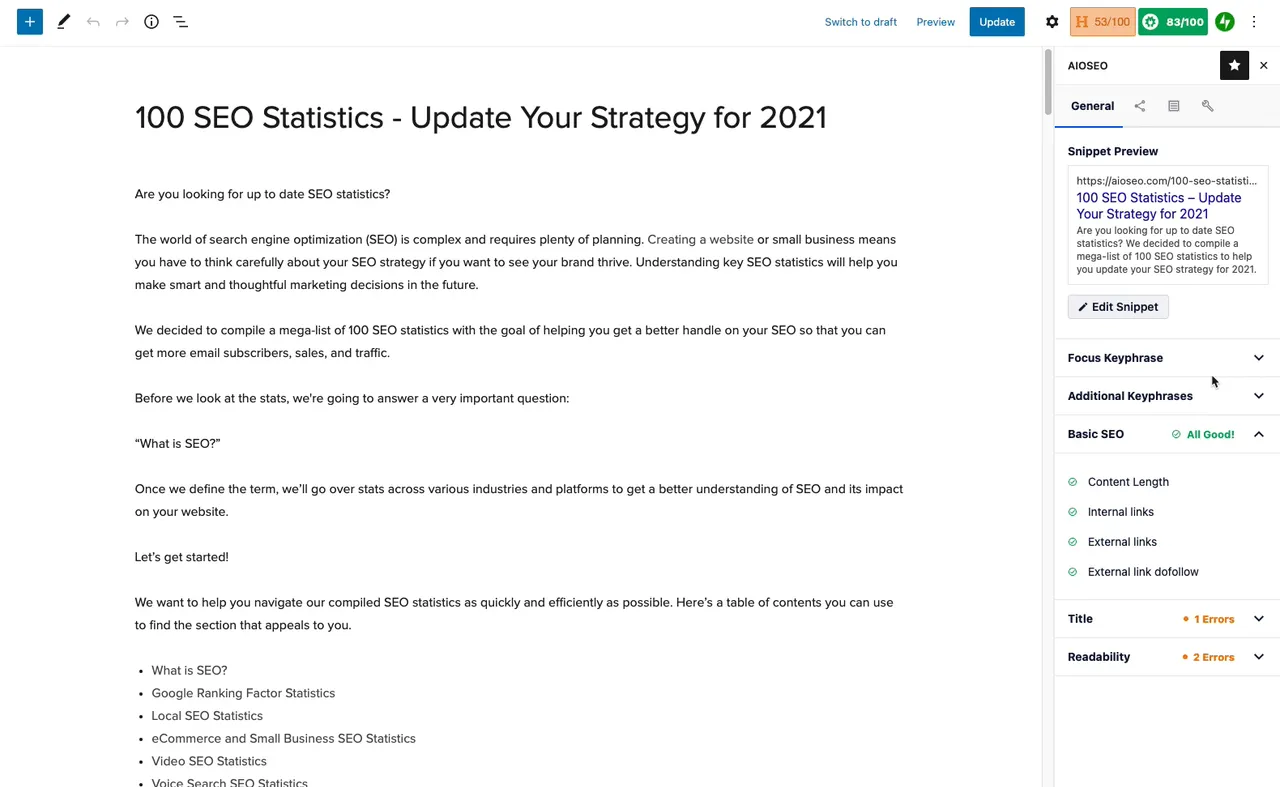
SEO Content Analyzer (Gutenberg) -
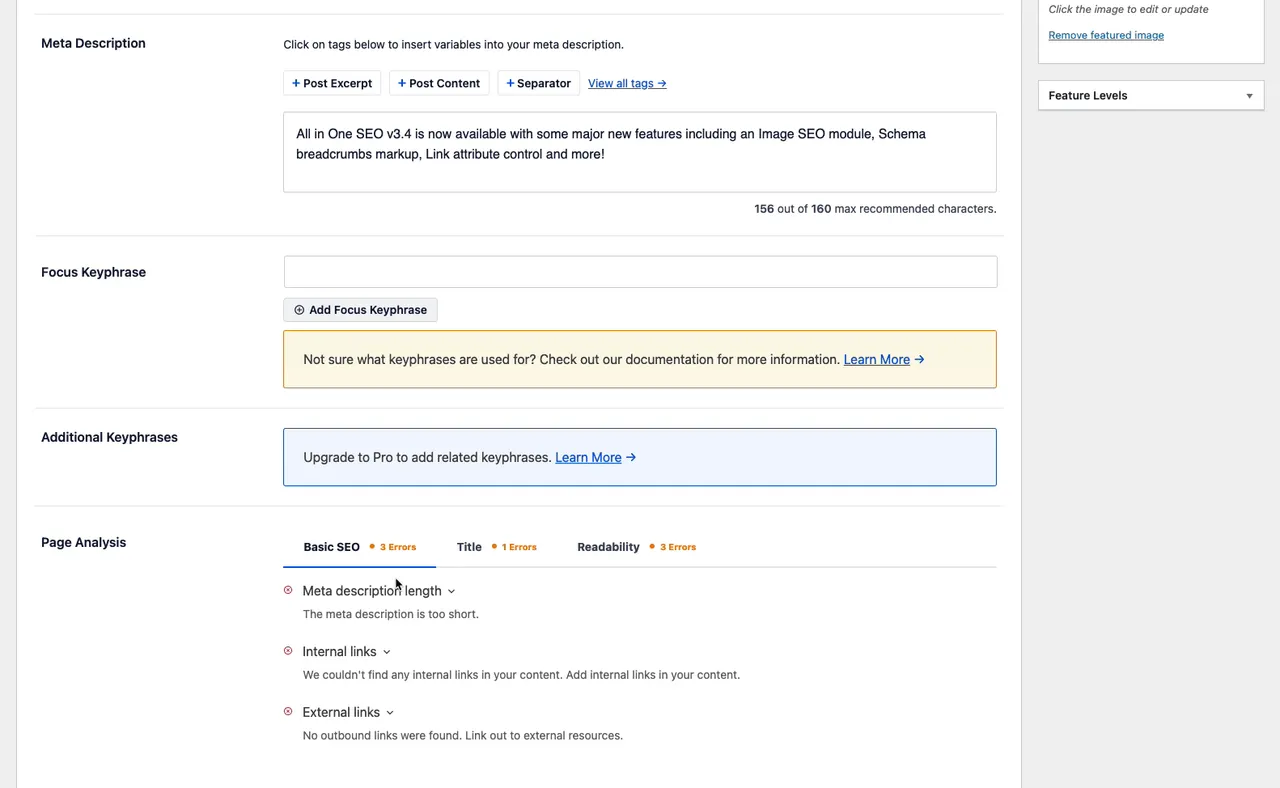
SEO Content Analyzer (Classic Editor) -

SEO Setup Wizard -
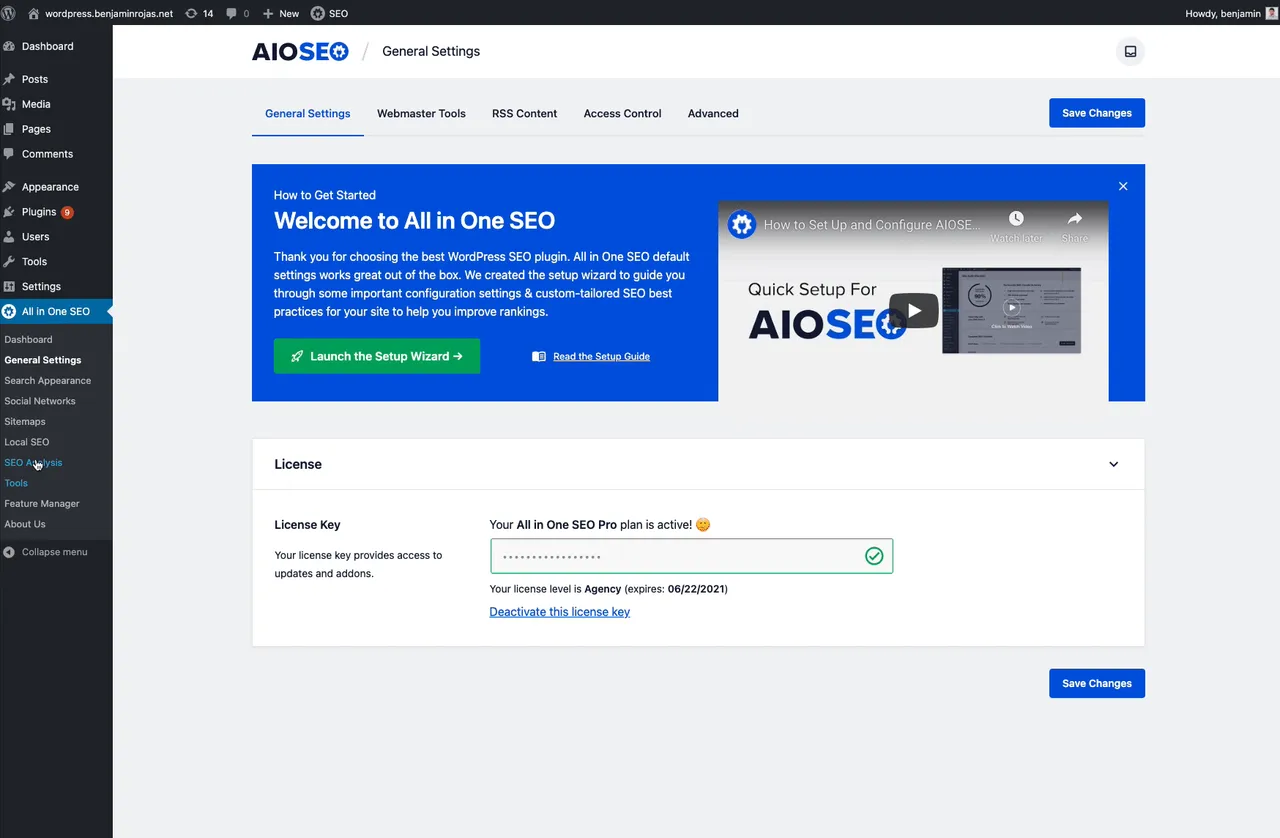
SEO Site Analysis -
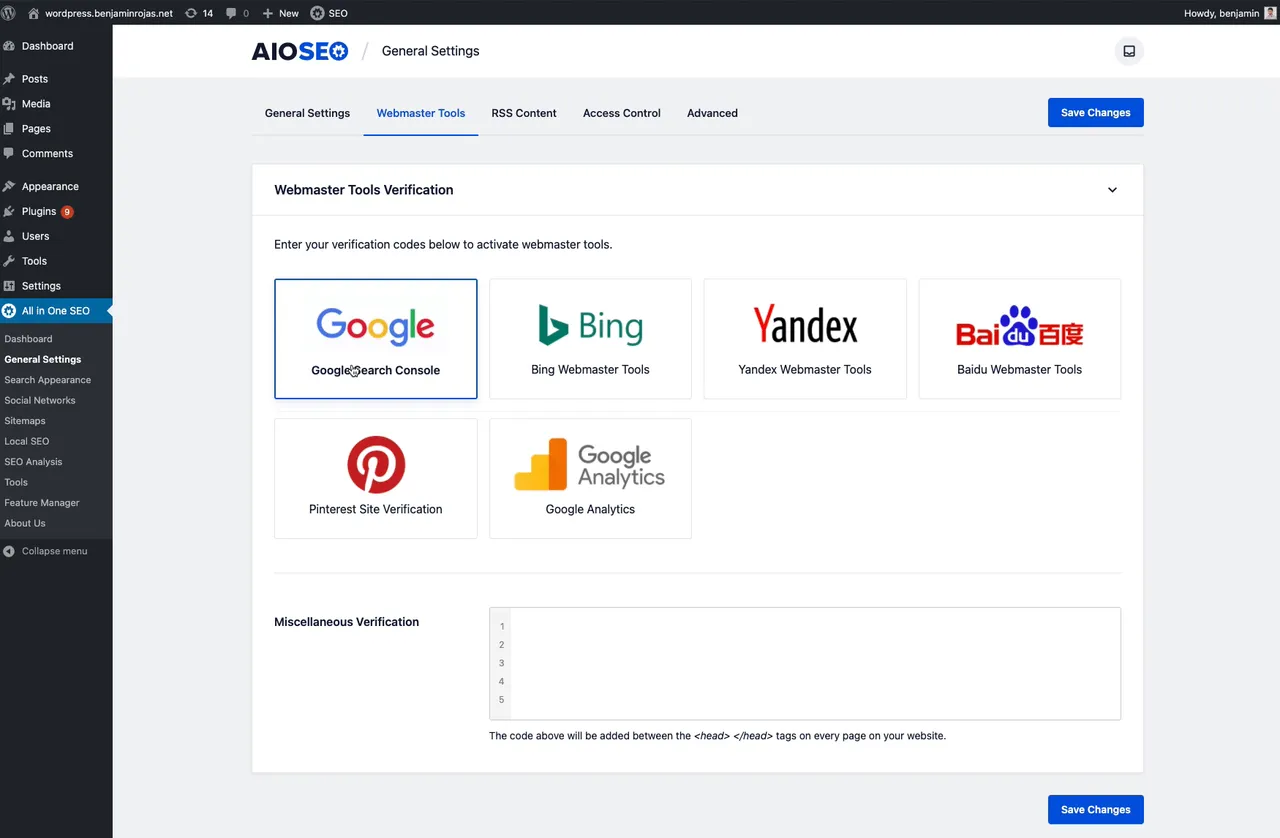
Webmaster Tools Connect -
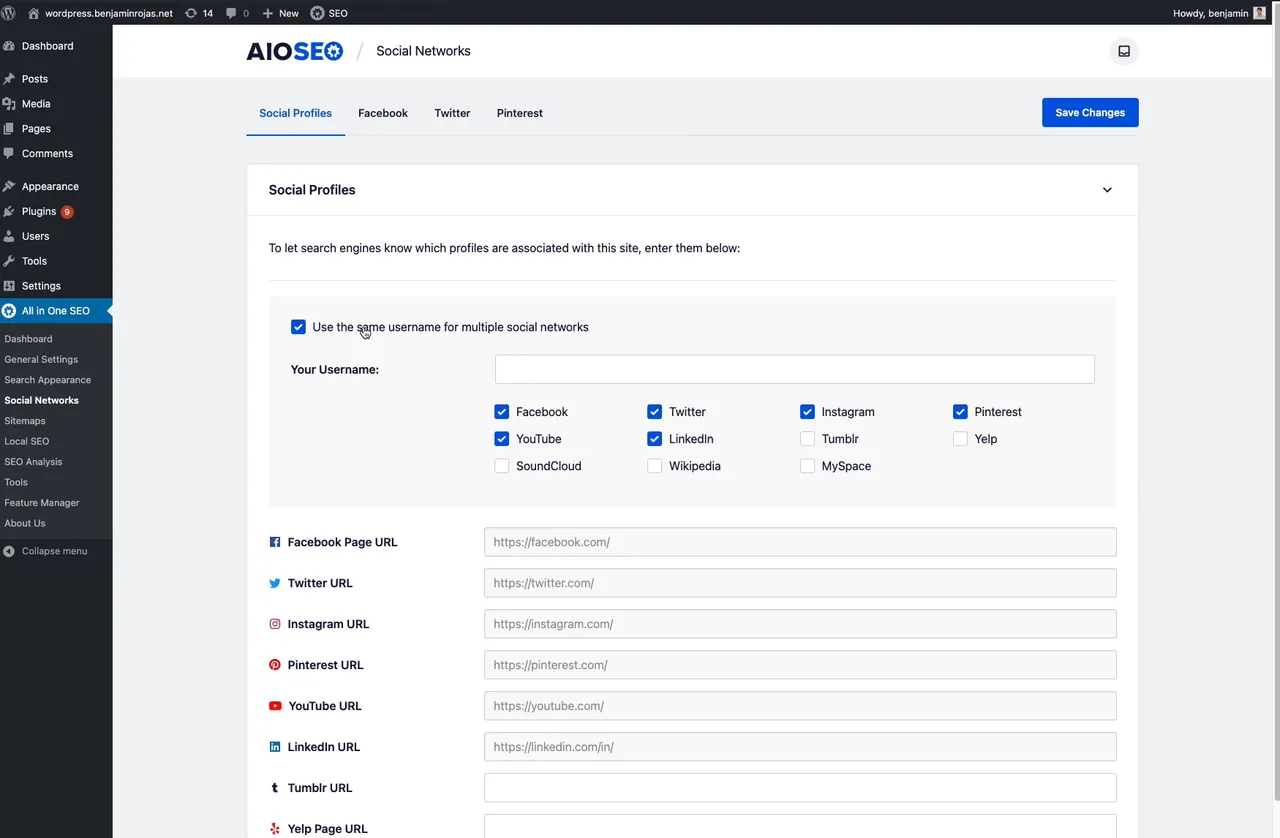
Social Media Integrations -
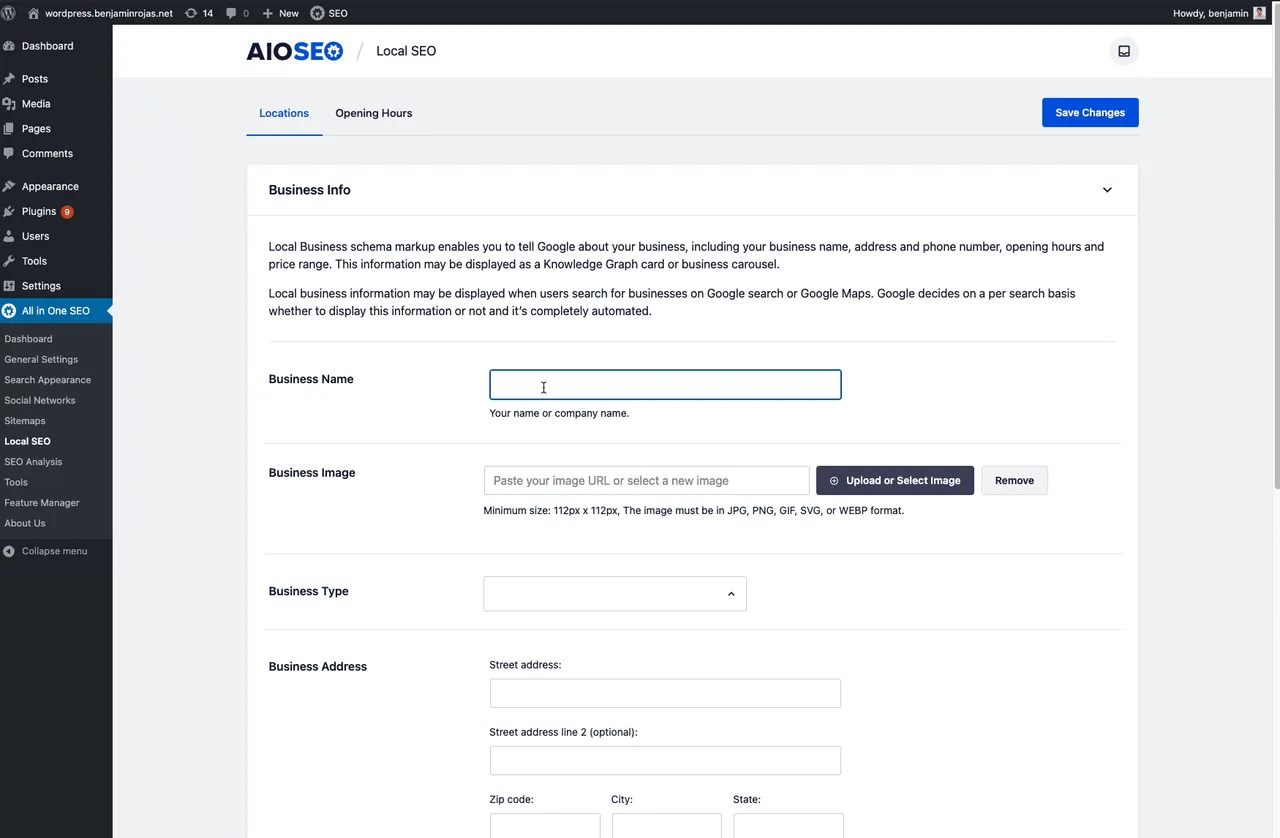
Local SEO -
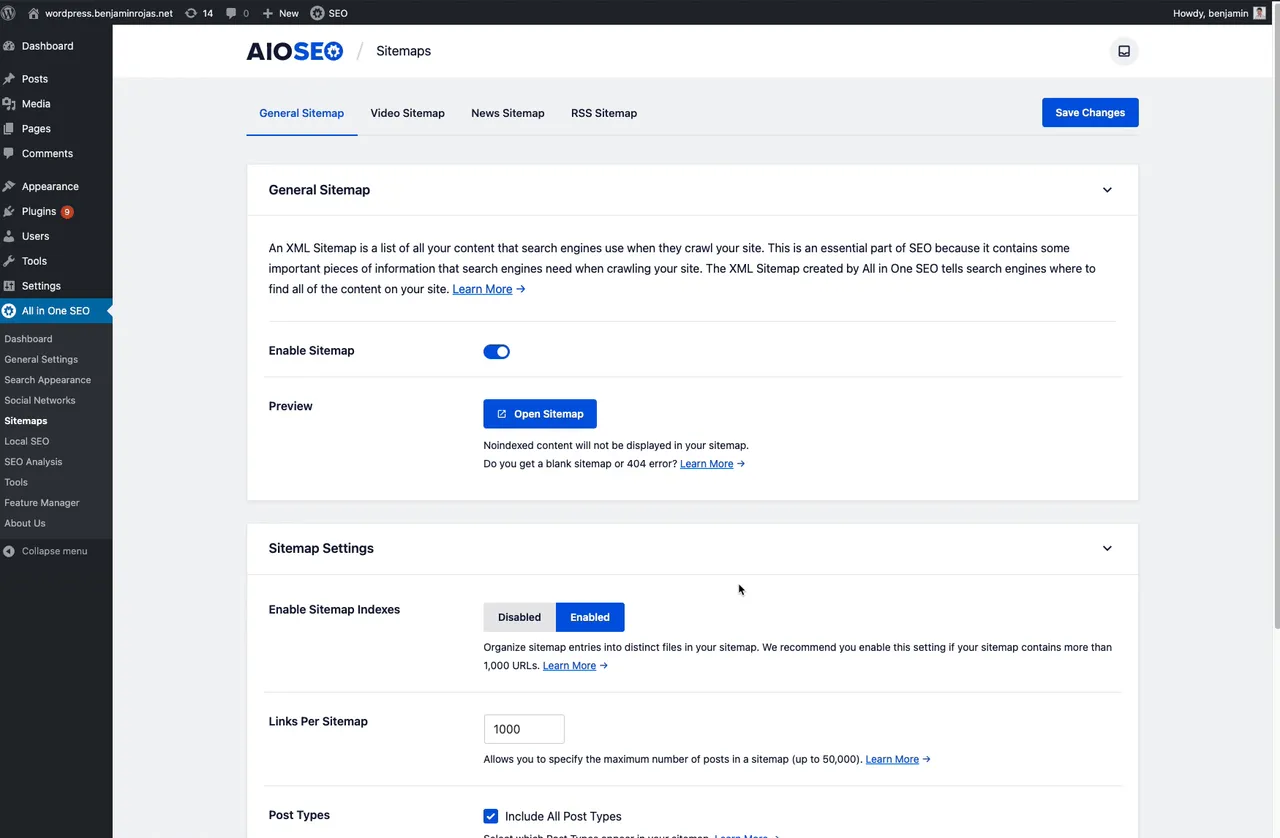
Sitemaps -
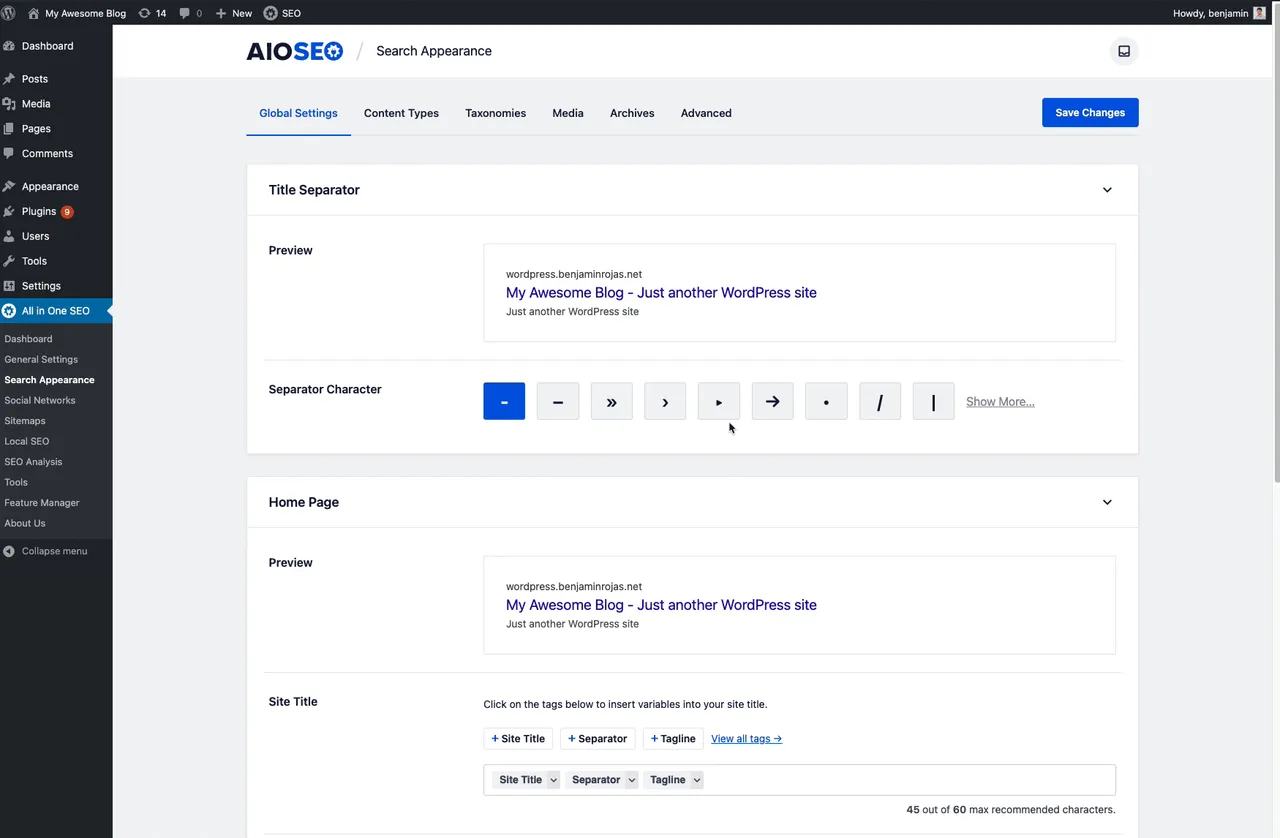
Search Appearance Settings -
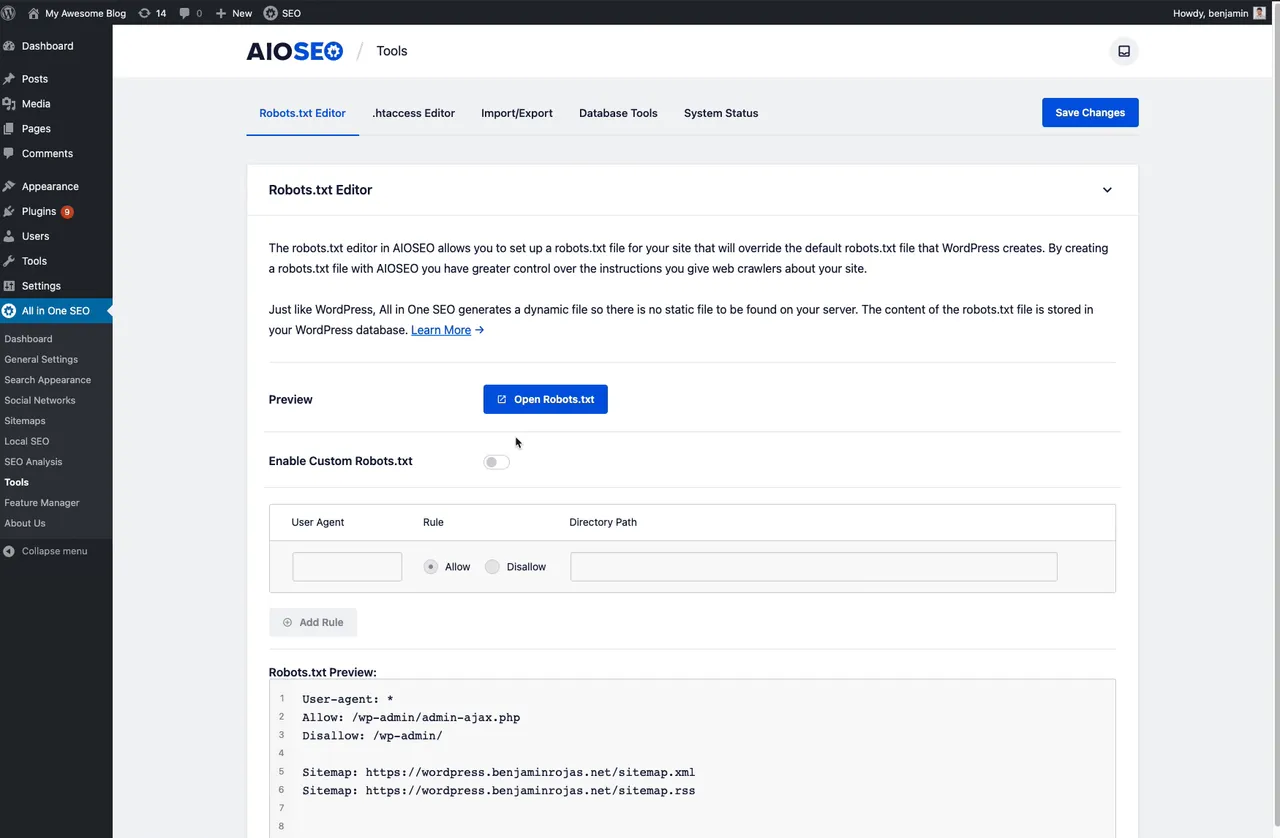
Robots.txt Editor -
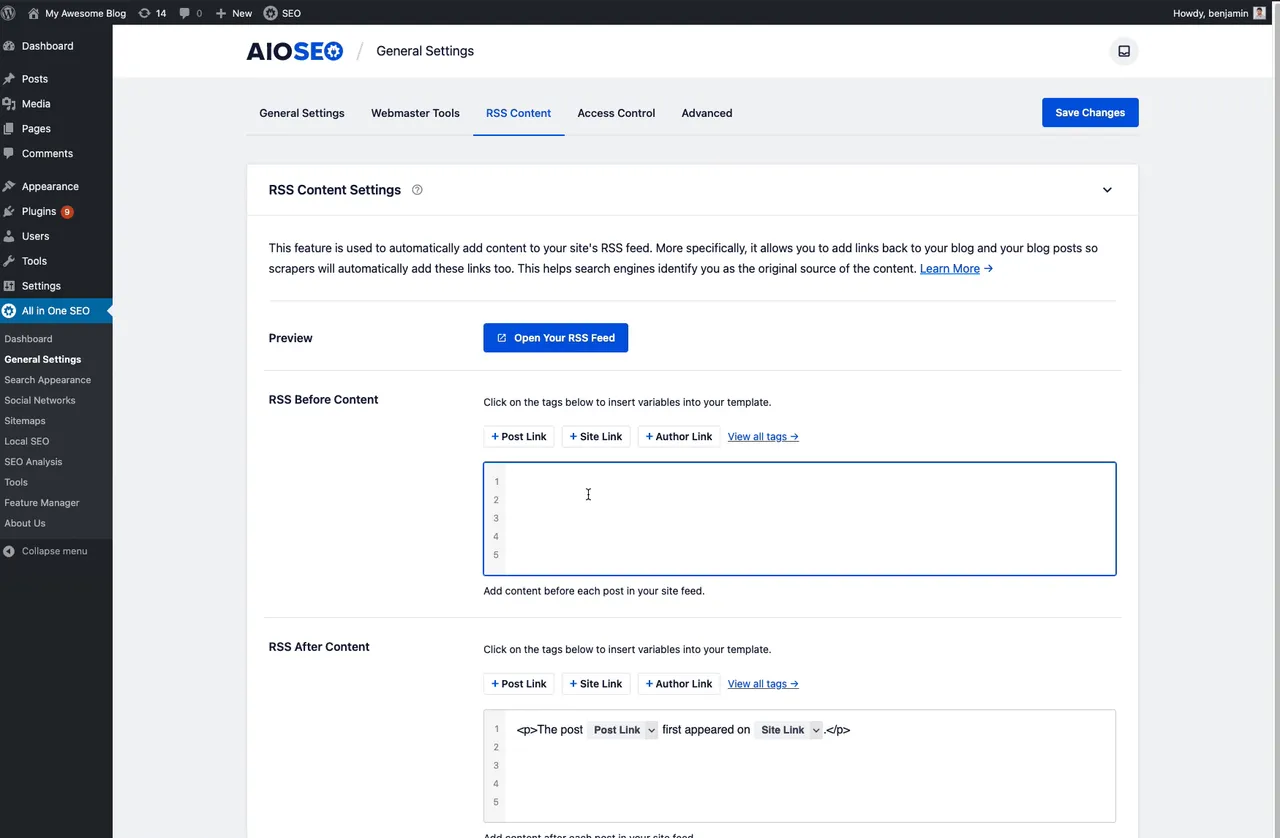
RSS Content Control -
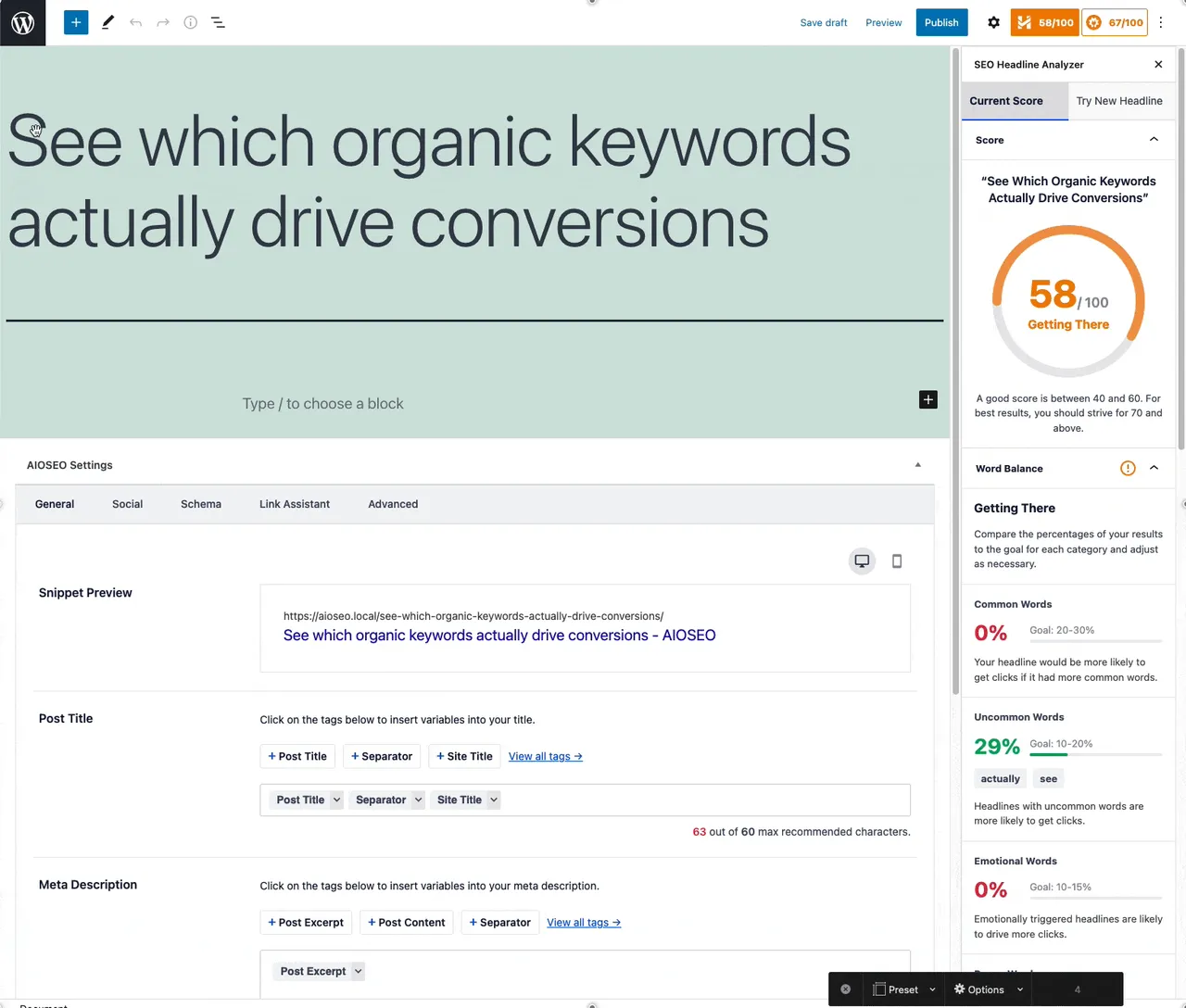
Headline Analyzer
Important information
- Run only one SEO plugin at a time. Import your data first, then deactivate the old one to avoid duplicate meta tags and sitemaps.
- Requires WordPress 5.7 or later and PHP 7.4 or later. The data lists it as tested up to WordPress 7.1.4.
- AI features send your content to an AI service. The listing does not describe the cost or limits, so review the plugin settings before bulk actions.
- The built-in MCP server gives connected AI agents access to edit SEO data. Only connect agents you trust.
- The plugin has 33 published vulnerabilities in its history, all patched. Keep it updated to the latest release.
From the All in One SEO readme
Straight from the developer's WordPress.org listing.
Full description
AIOSEO – The Original AI SEO Plugin for WordPress
All in One SEO is the original WordPress SEO plugin, founded in 2007 and trusted by over 3 million website owners and SEO experts.
AIOSEO is a complete AI SEO plugin and marketing toolkit. Use it to optimize WordPress SEO settings, write and optimize content with AI, add schema markup, create XML sitemaps, add local SEO, track keyword rankings, automate internal linking, manage redirects, perform SEO audits, add Author SEO (EEAT), monitor SEO revisions, connect Google Search Console, and everything else an SEO Pro needs to rank higher in search engines.
AIOSEO brings AI into every step of your SEO workflow. Generate SEO titles, meta descriptions, FAQs, images, and full articles with the built-in AI Content Generator, create schema markup with AI, and let AI agents like Claude and Gemini connect to your site to read and update its SEO through our built-in MCP server and WordPress Abilities API. AIOSEO is the AI SEO plugin built for how search works today, including AI search engines like ChatGPT, Google AI Overviews, and Perplexity.
AIOSEO Pro
This is the lite version of the All in One SEO Pro plugin that comes with all the SEO features you need to rank higher in search engines, including AI content and image generation, smart SEO schema markup, advanced SEO modules, the XML sitemap suite, local SEO module, keyword rank tracking, automatic internal linking, redirection manager, WooCommerce SEO, and tons more. Click here to get AIOSEO Pro and unlock all premium WordPress SEO features!
Trusted by Over 3 Million Websites
From bloggers to agencies to large eCommerce stores, AIOSEO holds a 4.7 out of 5 star rating from over 5,000 reviews and is built by the team behind WPForms, MonsterInsights, and OptinMonster.
AI SEO: Write and Optimize Content with AI
AIOSEO puts a complete AI SEO toolkit inside WordPress, so you can create optimized content faster and win at both traditional SEO and generative engine optimization (GEO) for AI search engines like ChatGPT.
• AI Content Generator
Break through writer’s block and publish faster. Generate SEO titles, meta descriptions, FAQs, image alt text, and full articles in seconds with the built-in AI Content Generator, and write or rewrite content right inside the editor with the AI Assistant block. Bulk AI actions handle titles, descriptions, and alt text across many posts at once.
• AI Image Generator
Create unique, on-brand images for your posts on demand with the built-in AI Image Generator, so you never have to pay for stock photos or open a design tool.
• AI Schema Generator
Generate accurate structured data with AI using smart analysis and custom prompts, so you win rich snippets without learning schema or writing a line of code.
• AI Agents & Built-in MCP Server
Manage your SEO just by chatting with AI. AIOSEO includes an MCP server and WordPress Abilities API support, so agents like Claude and Cursor can connect to your site and read, audit, and update its SEO data directly.
• Generative Engine Optimization (GEO)
Get found in AI search, not just Google. Generative engine optimization (GEO) is the new frontier of SEO, and AIOSEO generates an llms.txt file so AI engines like ChatGPT, Google AI Overviews, and Perplexity can discover your content and surface it in their answers.
• AI Search Rank Tracking
Track how your brand and content show up across AI search (ChatGPT, Google AI Overviews, and other engines) with our AI Insights keyword report, so you can see whether AI is putting you in front of customers and improve it.
What Makes AIOSEO Better than Yoast, Rank Math and SEOPress?
Our SEO features give you a competitive advantage over other WordPress SEO plugins like Yoast, Rank Math and SEOPress.
• Redirection Manager
Stop broken links and dead pages from quietly costing you traffic and rankings. Our Redirection Manager automatically monitors and logs 404 errors, fixes them, and safely redirects old or changed URLs (or your whole site when you move domains) so you keep the SEO value you have already earned.
• Local Business SEO
Rank higher on Google Maps and win customers away from your local competitors. Add your business hours, multiple locations, and contact details so Google can surface your phone number, email, and address in its Knowledge Panel and customers can reach you, all with our Local SEO module.
• Smart Schema Markup (aka Rich Snippets)
Stand out in the search results and win more clicks with eye-catching rich snippets like star ratings, FAQs, prices, and recipes. Add FAQ, product, recipe, WooCommerce product, and dozens more schema types without touching code, plus the Organization and Person schema that power your Google Knowledge Graph panel, using our custom Schema Generator.
• Google Keyword Rank Tracking
Know exactly where you rank and what to work on next. Track your Google keyword positions over time right inside your WordPress dashboard, import keywords from Google Search Console, and uncover related keywords and new ranking opportunities with our Search Statistics module.
• Author SEO (Google E-E-A-T)
Build the author authority that Google rewards. Add author profile pages, bio boxes, and author schema that strengthen your E-E-A-T signals, a trust factor that helps you rank and stay resilient through Google’s Helpful Content updates.
• AI Link Assistant
Keep visitors on your site longer and send ranking power to the pages that matter most. Get smart internal link suggestions automatically and add them in a couple of clicks with our internal linking algorithm.
• Unlimited Keywords
Write content that actually ranks. Optimize for unlimited focus keywords with our TruSEO content analysis, which scores your on-page SEO and content readability and shows you exactly what to fix to climb the rankings.
• Smart XML Sitemap
Get your content discovered and indexed faster. Advanced XML sitemaps hand search engines a clear roadmap of your site (with one-click Google Search Console setup), plus a Video sitemap, News sitemap, RSS sitemap, and HTML sitemap.
• Site Audit & SEO Checklist
Find out exactly what is holding your rankings back. Get a full audit of every post and term, plus a step-by-step SEO checklist, with clear, prioritized fixes you can act on right away.
• SEO Revisions
Never wonder whether an SEO change helped or hurt. Keep a full history of your SEO changes, see their impact over time, and roll back to any previous version in one click.
• Content Decay Tracking
Catch declining content before it costs you traffic. Spot which pages are losing rankings and visits so you can refresh them and win that traffic back, with our Search Statistics module.
• Automatic Image SEO
Get more traffic from Google Images with zero manual work. Generate image alt text with AI, plus automatic image titles and clean SEO filenames.
• Smart Breadcrumbs
Give visitors and Google an easy path through your site, and earn breadcrumb links in search results, with full JSON-LD schema support.
• Robots.txt Editor & Robots Meta
Control what search engines crawl and index, right from WordPress: edit your robots.txt and set per-page robots meta tags (noindex, nofollow, no archive, max snippet, and more), with no FTP or code needed.
• Table of Contents
Help readers and Google navigate your content, and earn jump-to links in the search results. Automatically generate a table of contents with our redesigned block (with multi-block and accordion layouts), and customize, hide, or reorder headings.
Who Is AIOSEO For?
SEO matters for every website, and AIOSEO is built for all of them:
• Business owners & bloggers who want higher rankings without hiring an SEO expert.
• eCommerce & WooCommerce stores optimizing product pages and categories for more sales.
• Marketers & SEO agencies managing SEO across one site or hundreds of client sites.
• Local businesses that want to show up in local search and Google Maps.
• Developers who want REST API access, headless support, and granular SEO control.
Multilingual SEO
Running a multilingual website? AIOSEO is built for it. Generate a multilingual XML sitemap so Google indexes every language of your content, and keep your titles, meta descriptions, and schema correct across every translation. AIOSEO works with WPML, Weglot, and other multilingual plugins so each translated page is fully optimized for search.
WordPress SEO Integrations
• Google Search Console — keywords, clicks, rankings, and index status inside your WordPress dashboard.
• WooCommerce SEO — optimize WooCommerce product pages and categories to rank in Google and convert.
• Social Media & Open Graph — Facebook, Twitter, and Pinterest previews, Open Graph data, and a Google Knowledge Panel from your profiles.
• Webmaster Tools — Google Search Console, Bing, Yandex, Baidu, Google Analytics, and Pinterest verification.
• Google AMP SEO — better mobile SEO for your AMP pages.
• Semrush — pull additional SEO keyword data into AIOSEO.
• SEOBoost Writing Assistant — content briefs and recommendations to help you outrank competitors.
• Microsoft Clarity — heatmaps and session recordings of visitor behavior.
• IndexNow — instantly notify Bing and Yandex for faster indexing.
• Page Builder SEO — Elementor, Bricks, Oxygen, Divi, Avada, WP Bakery, SeedProd, and SiteOrigin.
• Block & Classic Editor — full SEO controls in the Gutenberg block editor and the Classic Editor metabox.
• ACF & Custom Fields — pull Advanced Custom Fields content into your SEO analysis, smart tags, and schema.
Switch from Yoast, Rank Math or SEOPress in Minutes
Moving from another SEO plugin? Users switch to AIOSEO for its built-in AI SEO tools, easy setup wizard, and features like the Redirection Manager, Link Assistant, and keyword rank tracking. Our point-and-click importer brings your titles, meta descriptions, and settings over intact, so you can switch in minutes. It imports from:
• Yoast SEO & Yoast SEO Premium
• Rank Math (RankMath)
• SEOPress
It also imports redirects from the Redirection, Simple 301 Redirects, Safe Redirect Manager, and 301 Redirects plugins, and lets you import/export AIOSEO settings, create a backup, and bulk-import pages to your XML sitemap via CSV.
Full All in One SEO Feature List
• SEO Setup Wizard – configure your WordPress SEO settings in under 5 minutes.
• TruSEO On-Page Analysis – real-time content analysis and readability scoring for unlimited focus keywords.
• AI Content Generator – generate SEO titles, meta descriptions, FAQs, and full articles with AI content tools.
• AI Image Generator – create optimized images for your posts on demand.
• Smart Schema Markup – add schema markup and rich snippets (FAQ, product, recipe, and more) without code.
• Headline Analyzer – the Headline Analyzer scores your post headlines to improve CTR and SEO rankings.
• Keyword Rank Tracker – track Google keyword rankings and import keywords from Google Search Console.
• Local SEO – local business schema, multiple locations, opening hours, and Google Maps for local SEO.
• Smart XML Sitemap – advanced XML sitemap with Video sitemap, News sitemap, RSS sitemap, and HTML sitemap.
• Link Assistant – automatic internal linking suggestions to improve on-page SEO.
• Redirection Manager – manage redirects, fix 404 errors, and set up 301 redirect rules or full-site redirects.
• Smart Breadcrumbs – breadcrumb navigation with full JSON-LD breadcrumb schema for better SEO.
• Robots.txt Editor – edit your robots.txt file and per-page robots meta tags from WordPress.
• SEO Canonical URLs – automatic canonical URLs and per-post canonical tags to prevent duplicate content.
• Image SEO – automatic image alt text, image titles, and clean SEO filenames.
• Author SEO (E-E-A-T) – author profile pages, bio boxes, and author schema to strengthen E-E-A-T.
• SEO Revisions – track your SEO changes over time and roll back in one click.
• Site Audit Checklist – full site audit and SEO audit with prioritized, actionable fixes.
• Open Graph & Social – Open Graph data and social previews for Facebook, Twitter, and Pinterest.
• WooCommerce SEO – optimize WooCommerce product pages and categories for eCommerce SEO.
• Google Search Console – see Google Search Console keywords, clicks, and index status in your dashboard.
• Elementor SEO – Elementor SEO controls and TruSEO analysis inside the Elementor page builder.
• Gutenberg & Classic Editor – full SEO controls in the Gutenberg block editor and the Classic Editor.
• ACF & Custom Fields – pull ACF and custom fields content into your SEO analysis, smart tags, and schema.
• WPML & Multilingual SEO – multilingual SEO with WPML support and a multilingual XML sitemap.
• llms.txt Generator – generate an llms.txt file for generative engine optimization in AI search.
• IndexNow – instantly notify Bing and Yandex for faster indexing.
• Table of Contents – automatic table of contents block with customizable headings.
Now you can see why over 3 million website owners trust AIOSEO to grow their search traffic.
Give AIOSEO a try.
Want to unlock more SEO features? Upgrade to AIOSEO Pro.
Credits
This plugin is created by Benjamin Rojas and Syed Balkhi.
Branding Guideline
AIOSEO® is a registered trademark of Semper Plugins LLC. When writing about the WordPress SEO plugin by AIOSEO, please use the following format.
• AIOSEO (correct)
• All in One SEO (correct)
• AIO SEO (incorrect)
• All in 1 SEO (incorrect)
• AISEO (incorrect)
Developer FAQ (9)
- Does AIOSEO use AI for SEO?
- Yes. AIOSEO is an AI SEO plugin. You can generate SEO titles, meta descriptions, FAQs, and full articles with the AI Content Generator, create images with the AI Image Generator, and build schema markup with AI. AIOSEO also includes an MCP server and WordPress Abilities API support, so AI agents like Claude can connect to your site and manage its SEO directly. With our llms.txt generator, you can also help your content rank in AI search results like ChatGPT and Google AI Overviews.
- Is AIOSEO free?
- Yes. AIOSEO has a free version that covers the SEO essentials — SEO titles and meta descriptions, an XML sitemap, schema markup, Google Search Console integration, and TruSEO content analysis — everything most sites need to start ranking. AIOSEO Pro adds advanced features like the redirection manager, local SEO, keyword rank tracking, automatic internal linking, and WooCommerce SEO. You can start free and upgrade anytime.
- Can I switch from Yoast or Rank Math to AIOSEO?
- Yes, and it takes just a few clicks. AIOSEO’s built-in importer migrates your SEO titles, meta descriptions, and settings from Yoast SEO, Rank Math, and SEOPress so your metadata carries over intact, with no re-optimization needed. It also imports redirects from popular redirect plugins, so most sites complete the switch in minutes.
- Does AIOSEO work with WooCommerce, Elementor, and other page builders?
- Yes. AIOSEO includes WooCommerce SEO for optimizing product pages and categories, and it integrates with Elementor, Divi, Bricks, Oxygen, WP Bakery, and SeedProd so you can edit your SEO settings and run TruSEO analysis right inside the builder. It also works in both the Gutenberg block editor and the Classic Editor.
- Does AIOSEO support multilingual and WPML sites?
- Yes. AIOSEO works with WPML, Weglot, and other multilingual plugins, and it generates a multilingual XML sitemap so search engines index every language version of your content. Your titles, meta descriptions, and schema stay correct across all your translated pages.
- Which themes does AIOSEO support?
- AIOSEO works with all WordPress themes. Simply enable AIOSEO to make your WordPress theme SEO friendly.
- Are AIOSEO sitemaps better than default WordPress sitemaps?
- Yes, AIOSEO smart sitemaps are a lot more optimized than the default WordPress sitemaps. Once you enable AIOSEO, our XML sitemaps will override the default WordPress sitemaps, so you can improve your SEO rankings. We also offer advanced SEO sitemaps such as News Sitemap, Video Sitemap, and RSS Sitemap. Our SEO sitemaps come with granular control such as links per sitemap, enable / disable post types or taxonomies, include / exclude specific links from sitemap, add additional non-WordPress pages to sitemaps, customize sitemap priority & frequency for each section of your site, and more.
- Will AIOSEO slow down my website?
- No. AIOSEO is built for performance — its code is optimized and menu pages and libraries are lazy-loaded so they only load when needed, keeping both your dashboard and your front end fast. Since page speed is itself a ranking factor, a fast, well-coded SEO plugin helps your rankings rather than hurting them.
- Do I really need an XML Sitemap?
- Yes! XML Sitemaps help Google and other search engines to find all the pages of your website. An XML sitemap is a list of all the content on your website. The sitemap helps search engine bots to easily see all the content on your site in one place. The XML sitemap file is hidden from your human visitors, but search engines like Google can see it. Without an XML sitemap, some of your web pages may never be included in Google search results, and won’t get any traffic. XML Sitemaps also help you tell Google which pages you DON’T want included in search results. This can help your SEO to prevent keyword cannibalization and duplicate content issues. As part of your SEO strategy, an XML sitemap can help you to improve your domain authority and unlock more traffic from Google, Bing and other search engines. AIOSEO can easily help you get your sitemaps listed inside Google Search Console so your content can start to get indexed today!
Downloads, last 30 days
Trend vs previous period: +4.9%
Average daily downloads: 116,321 over the last 7 days , 72,025 over 30 days.
Security history
Past CVEs, patched · 33 published vulnerabilities (Wordfence) · most recent Oct 31, 2026
- Patched 6.4 Medium All In One SEO Pack <= 3.2.6 - Stored Cross-Site Scripting CVE-2019-16520 · Oct 16, 2019 · affects *-3.2.6 · fixed in 3.2.7
- Patched 6.4 Medium All in One SEO <= 4.6.0 - Authenticated (Contributor+) Stored Cross-Site Scripting CVE-2024-3368 · Apr 29, 2024 · affects *-4.6.0 · fixed in 4.6.1.1
- Patched 6.1 Medium All in One SEO <= 2.2.6.1 - Reflected Cross-Site Scripting Apr 20, 2015 · affects [*, 2.2.6.2) · fixed in 2.2.6.2
- Patched 4.3 Medium All in One SEO - Powerful SEO Plugin to Boost SEO Rankings & Increase Traffic <= 4.8.9 - Missing Authorization to Authenticated (Contributor+) Arbitrary Media Deletion CVE-2025-12847 · Nov 15, 2025 · affects *-4.8.9 · fixed in 4.9.0
- Patched 5.4 Medium All In One SEO Pack <= 4.8.7.1 - Missing Authorization CVE-2025-58650 · Sep 22, 2025 · affects *-4.8.7.1 · fixed in 4.8.7.2
- Patched 4.3 Medium All in One SEO <= 4.9.7 - Authenticated (Contributor+) Sensitive Information Exposure via 'internalOptions' Localized Script Data CVE-2026-5075 · May 19, 2026 · affects *-4.9.7 · fixed in 4.9.7.1
- Patched 8.8 High All in One SEO 4.0.0 - 4.1.5.2 Authorization Bypass CVE-2021-25036 · Dec 14, 2021 · affects 4.0.0-4.1.5.2 · fixed in 4.1.5.3
- Patched 6.4 Medium All in One SEO Pack <= 4.2.9 - Authenticated (Contributor+) Stored Cross-Site Scripting CVE-2023-0586 · Feb 24, 2023 · affects *-4.2.9 · fixed in 4.3.0
Show all 33 vulnerabilities
- Patched 6.4 Medium All in One SEO - Best WordPress SEO Plugin - Easily Improve SEO Rankings & Increase Traffic <= 4.6.0 - Authenticated (Contributor+) Stored Cross-Site Scripting via Shortcode CVE-2024-3554 · Apr 29, 2024 · affects *-4.6.0 · fixed in 4.6.1.1
- Patched 5.3 Medium All in One SEO <= 2.2.5.1 - Information Disclosure CVE-2015-0902 · Mar 31, 2015 · affects [*, 2.2.6) · fixed in 2.2.6
- Patched 4.4 Medium All in One SEO Pack <= 4.2.9 - Authenticated (Administrator+) Stored Cross-Site Scripting CVE-2023-0585 · Feb 24, 2023 · affects *-4.2.9 · fixed in 4.3.0
- Patched 6.4 Medium All in One SEO Pack <= 3.6.1 - Authenticated (Contributor+) Stored Cross-Site Scripting CVE-2020-35946 · Jul 16, 2020 · affects [*, 3.6.2) · fixed in 3.6.2
- Patched 7.2 High All in One SEO - Best WordPress SEO Plugin - Easily Improve SEO Rankings & Increase Traffic <= 2.3.6 - Stored Cross-Site Scripting Jul 1, 2016 · affects [*, 2.3.7) · fixed in 2.3.7
- Patched 6.4 Medium All in One SEO <= 5.0.0.0 - Authenticated (Contributor+) Stored Cross-Site Scripting CVE-2026-82884 · Sep 1, 2026 · affects *-5.0.0.0 · fixed in 5.0.0.1
- Patched 6.3 Medium All in One SEO <= 2.1.5 - Missing Authorization May 31, 2014 · affects *-2.1.5 · fixed in 2.1.6
- Patched 6.1 Medium All in One SEO <= 5.0.1.1 - Reflected DOM-Based Cross-Site Scripting via URL Pathname CVE-2026-85492 · Oct 2, 2026 · affects *-5.0.1.1 · fixed in 5.0.2
- Patched 6.4 Medium All in One SEO <= 2.1.5 - Cross-Site Scripting May 31, 2014 · affects *-2.1.5 · fixed in 2.1.6
- Patched 8.8 High All in One SEO <= 4.2.3.1 - Cross-Site Request Forgery CVE-2022-38093 · Sep 5, 2022 · affects *-4.2.3.1 · fixed in 4.2.4
- Patched 6.4 Medium All in One SEO <= 2.9.1.1 - Authenticated Stored Cross-Site Scripting Oct 18, 2018 · affects [*, 2.10) · fixed in 2.10
- Patched 5.3 Medium All in One SEO <= 5.0.3 - Unauthenticated Sensitive Information Disclosure in 's' Search Query Parameter CVE-2026-109367 · Oct 31, 2026 · affects *-5.0.3 · fixed in 5.0.4
- Patched 6.4 Medium All in One SEO Pack <= 4.8.1.1 - Authenticated (Contributor+) Stored Cross-Site Scripting via Post Meta Description and Canonical URL CVE-2025-2892 · May 18, 2025 · affects *-4.8.1.1 · fixed in 4.8.2
- Patched 6.5 Medium All in One SEO <= 5.0.2 - Unauthenticated Arbitrary Shortcode Execution via 's' Search Query Parameter CVE-2026-100152 · Oct 2, 2026 · affects *-5.0.2 · fixed in 5.0.2.1
- Patched 8.8 High All in One SEO <= 4.1.0.1 - Authenticated Code Injection CVE-2021-24307 · May 9, 2021 · affects [*, 4.1.0.2) · fixed in 4.1.0.2
- Patched 9.6 Critical All in One SEO 4.1.3.1 - 4.1.5.2 - Authenticated SQL Injection CVE-2021-25037 · Dec 14, 2021 · affects 4.1.3.1-4.1.5.2 · fixed in 4.1.5.3
- Patched 4.3 Medium All In One SEO Pack <= 4.8.7.1 - Authenticated (Contributor+) Sensitive Information Exposure CVE-2025-58649 · Sep 22, 2025 · affects *-4.8.7.1 · fixed in 4.8.7.2
- Patched 6.5 Medium All in One SEO <= 5.0.2.0 - Unauthenticated Arbitrary Shortcode Execution CVE-2026-19856 · Oct 2, 2026 · affects *-5.0.2.0 · fixed in 5.0.2.1
- Patched 5.3 Medium All in One SEO < 4.9.9 - Missing Authorization CVE-2026-10755 · Jun 29, 2026 · affects [*, 4.9.9) · fixed in 4.9.9
- Patched 7.2 High All in One SEO Pack <= 2.3.7 - Unauthenticated Stored Cross-Site Scripting Jul 13, 2016 · affects [*, 2.3.8) · fixed in 2.3.8
- Patched 4.3 Medium All In One SEO Pack <= 4.8.6.1 - Authenticated (Subscriber+) Information Exposure CVE-2025-64295 · Nov 26, 2025 · affects *-4.8.6.1 · fixed in 4.8.7
- Patched 4.3 Medium All in One SEO <= 2.2.4.1 - Privilege Escalation to Arbitrary Post Modification May 31, 2014 · affects *-2.2.4.1 · fixed in 2.2.5
- Patched 6.1 Medium All in One SEO <= 2.0.3 - Cross-Site Scripting via Search Parameter CVE-2013-5988 · Aug 1, 2014 · affects *-2.0.3 · fixed in 2.0.3.1
- Patched 4.3 Medium All in One SEO - Powerful SEO Plugin to Boost SEO Rankings & Increase Traffic <= 4.9.2 - Missing Authorization to Authenticated (Contributor+) AI Access Token and Credit Disclosure CVE-2025-14384 · Jan 16, 2026 · affects *-4.9.2 · fixed in 4.9.3
- Patched 6.5 Medium All In One SEO Pack <= 4.9.1 - Authenticated (Contributor+) SQL Injection CVE-2025-67950 · Dec 6, 2025 · affects *-4.9.1 · fixed in 4.9.1.1
All in One SEO FAQ
Does All in One SEO use AI?
Yes. It can write titles, meta descriptions, FAQs, images and full articles, and it can build schema with AI. It also has an MCP server so AI agents can manage SEO settings on your site.
Is the plugin free?
There is a free version with titles, descriptions, sitemaps, schema, Search Console integration and content analysis. A Pro version adds redirects, local SEO, rank tracking, internal linking and WooCommerce SEO.
Can I move over from Yoast or Rank Math?
Yes. A built-in importer copies titles, descriptions and settings from Yoast SEO, Rank Math and SEOPress. It can also import redirects from popular redirect plugins.
Does it work with WooCommerce and page builders?
Yes. It has WooCommerce SEO options and works with Elementor, Divi, Bricks, Oxygen, WP Bakery and SeedProd. It runs in the block editor and the Classic Editor.
Does it support multilingual sites?
Yes. It works with WPML, Weglot and similar plugins and builds a multilingual XML sitemap so each language version can be indexed.
Will its sitemap replace the WordPress default?
Yes. Once enabled, its XML sitemaps take over from the default WordPress sitemaps and are more detailed.
All in One SEO alternatives

Real-time SEO guidance, schema, and AI built in. Help search engines and AI systems understand your content. All AI tools included, no hidden fees. Yoast SEO: the #1 WordPress SEO plugin Since 2008, Yoast SEO has…

Rank Math SEO - WordPress AI SEO Plugin to Rank Higher 📈 ★★★★★ Rank Math SEO helps you stay ahead of competitors with AI-powered SEO tools built for today’s search engines and AI assistants. The plugin brings…

SEOPress - The fast, privacy-first WordPress SEO plugin, ready for AI search Rank higher in Google AND in AI answer engines (ChatGPT, Claude, Perplexity, Gemini). SEOPress is the all-in-one WordPress SEO plugin…

CrawlWP - The WordPress SEO Plugin That Also Gets You Indexed Optimize every page, submit it to search engines (Google, Bing, Yandex, Yep etc) the moment you publish, and see which ones actually indexed it - all…

ThinkRank is an AI SEO plugin for WordPress that helps you write SEO titles and meta descriptions, optimize content around a focus keyword, add schema markup, generate XML sitemaps, and review Google Search Console…

An AI SEO Plugin That’s Lightweight, Fast & Automated Currently there are many SEO plugins for WordPress in the market. But these plugins often have too many options and are very complicated for ordinary users.…
Listing data from WordPress.org and the Wordfence vulnerability feed, refreshed Nov 9, 2026; listing details fetched Nov 14, 2026. Screenshots are from the plugin's WordPress.org listing. Not affiliated with Syed Balkhi.