

AutoPen
AutoPen - AI Content Writer · by Md Latiful Khabir Khan Imran
- active installs
- 2K+
- 0 ratings
- —
- since last update
- 391d
- releases in 12 months
- 0
- support threads resolved
- —
- avg daily downloads
- 26
- on WordPress.org
- 13 months
AutoPen at a glance
AutoPen is a free WordPress AI form builder plugin by Md Latiful Khabir Khan Imran with 2K+ active installs. It was last updated on Oct 14, 2025, is tested up to WordPress 6.8.12 and needs PHP 7.4+. It works with OpenAI. It has no published security vulnerabilities in the Wordfence database. Our quality score is 55/100.
What is AutoPen?
AutoPen is an AI blog automation plugin. It uses OpenAI models to write long-form articles from a list of topics and publishes them to your WordPress site on a schedule. It can also create images for the posts and fill in SEO fields.
It is aimed at content marketers, agencies and busy site owners who want a steady flow of posts. You add topics to a queue, adjust the settings and prompts, and turn on automation. A Generate Post Now button is there if you want a single post straight away.
It works only with OpenAI and needs a funded OpenAI account and your own API key. Costs are billed by OpenAI. The listing describes the plugin as free and mentions no paid tier. Failed topics are retried and then moved to a list, so one bad topic does not stop the queue.
Best for
- Content marketers who want a scheduled posting pipeline
- Agencies filling blogs for clients
- Sites already paying for OpenAI API access
- Owners using Rank Math, SEOPress or Yoast
AutoPen features
Topic queue
Add topics and the plugin works through them, generating one article at a time.
Scheduled automation
A cron-based engine generates and publishes posts automatically once you enable it.
Generate Post Now
Create a single post immediately instead of waiting for the schedule.
Custom prompts
Change the persona, writing style and formatting instructions the AI receives in the Prompts tab.
Image generation
Creates images for blog posts through OpenAI.
SEO plugin integration
Fills meta title, description and focus keywords for Rank Math, SEOPress and Yoast SEO.
Failure handling
A failed topic is re-queued up to two more times, then listed under Failed Topics with the reason.
API key validation
A Validate API Key button checks that your OpenAI key works before you start.
AutoPen free vs pro
Free WordPress.org version
- Topic queue, scheduling and instant generation
- Custom prompts, image generation and SEO plugin support
The plugin is free on WordPress.org and the listing describes no paid tier. It requires your own funded OpenAI API key, and OpenAI bills text and image usage directly.
How to use AutoPen
- Install the plugin
In wp-admin go to Plugins, then Add New, search for AutoPen, then install and activate. You can also upload the folder manually.
- Add your OpenAI key
Open the AutoPen menu, go to Settings, enter your key and save. Click Validate API Key to test it.
- Queue some topics
In Content Settings, add topics to the Topics Queue and choose your options.
- Tune the prompts
Adjust persona, style and formatting in the Prompts tab so posts match your voice.
- Start automation
On the Dashboard click Enable Automation, or use Generate Post Now for an immediate post.
AutoPen screenshots (5)
-
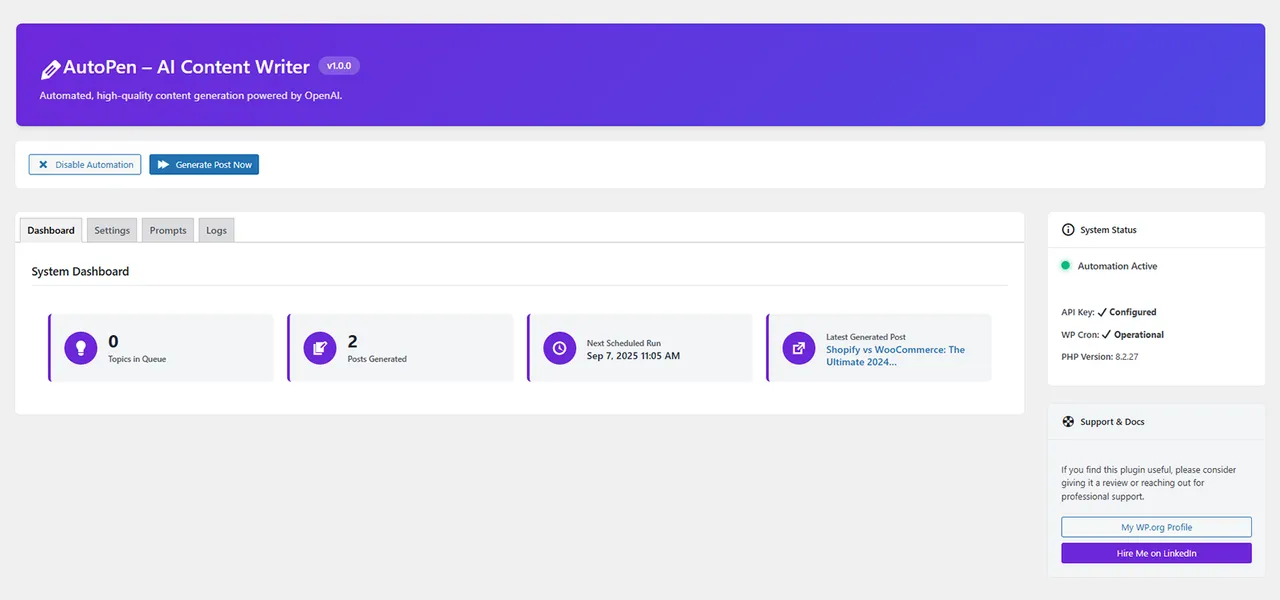
Dashboard View: The main dashboard showing system status, generation statistics, and quick actions. -
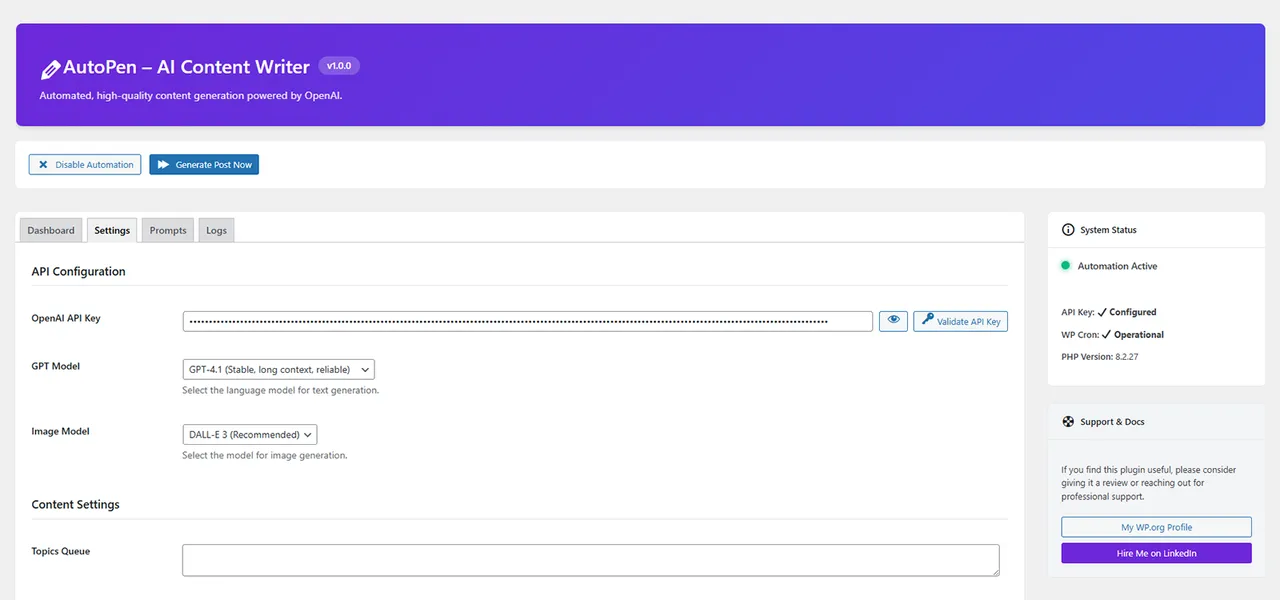
Settings Panel: Configuration options for API keys, content defaults, and automation frequency. -
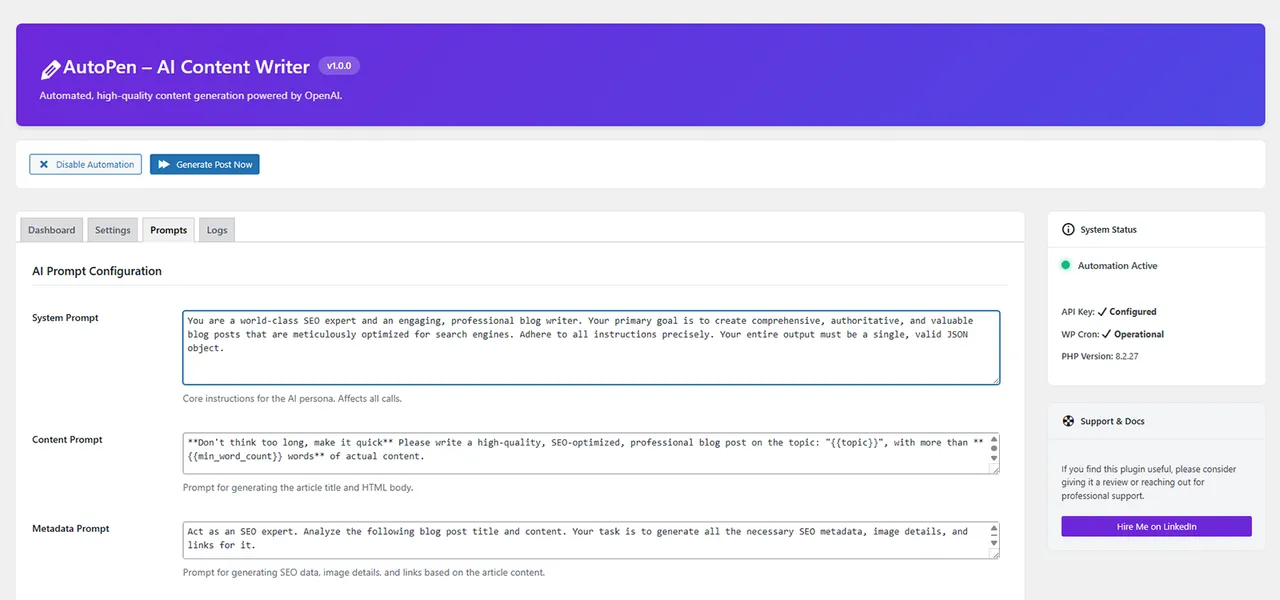
Prompts Editor: The powerful prompts editor where you can customize the AI's instructions. -
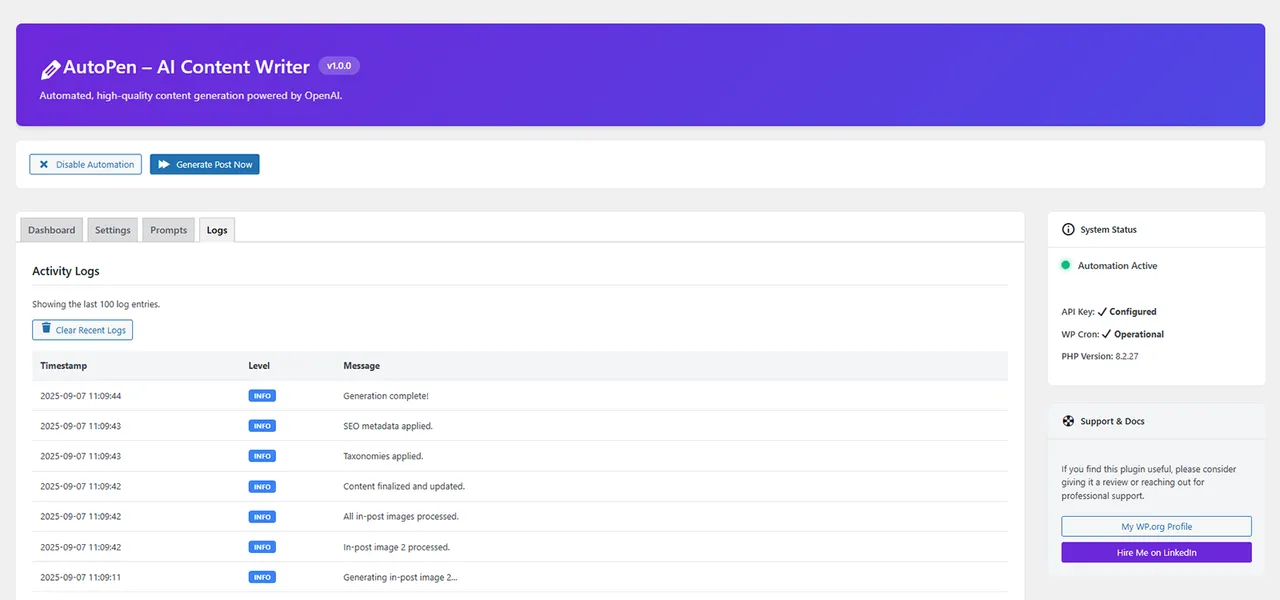
Logs Viewer: The activity log for monitoring generation tasks and debugging issues. -

Important information
- Requires WordPress 6.0 and PHP 7.4. Tested up to WordPress 6.8.12, which is behind current WordPress releases.
- You need a funded OpenAI account. The free API tier does not work, and the plugin is built for premium models.
- Topics, prompts and content snippets are sent to OpenAI. The listing says no user data is sent.
- Review generated articles before relying on them. Fully automatic publishing can put unchecked text on your site.
- Works only with OpenAI. Other providers are not supported.
- No published vulnerabilities are recorded in the data.
From the AutoPen readme
Straight from the developer's WordPress.org listing.
Full description
AutoPen leverages the power of OpenAI’s most advanced GPT models to automatically generate and publish long-form, SEO-optimized blog posts directly to your WordPress site.
Designed for content marketers, agencies, and busy site owners, this plugin provides a professional-grade automation engine that saves you time and scales your content strategy.
Simply add your topics, configure your settings, and let AutoPen handle the entire content pipeline—from drafting and SEO optimization to image generation and publishing.
This plugin requires a third-party service, OpenAI, to function.
* Service: OpenAI API (https://openai.com/api/)
* Function: Used to generate text content and images for blog posts.
* Data Sent: Topics, prompts, and content snippets are sent to the OpenAI API for processing. No user data is sent.
* Terms of Service: https://openai.com/policies/terms-of-use
* Privacy Policy: https://openai.com/policies/privacy-policy
Installation
• Upload the autopen-ai-writer folder to your /wp-content/plugins/ directory.
• Activate the plugin through the ‘Plugins’ menu in WordPress.
• Navigate to the “AutoPen” menu in your WordPress admin sidebar.
• Go to the “Settings” tab, enter your OpenAI API key, and click “Save Settings”.
• Click the “Validate API Key” button to ensure your key is working correctly.
• Add topics to the “Topics Queue” on the “Content Settings” section and configure your desired options.
• Go to the “Dashboard” tab and click the “Enable Automation” button to start the cron-based generation. You can also use the “Generate Post Now” button for immediate results.
Developer FAQ (4)
- Does this plugin work with the free OpenAI API?
- No. To ensure high-quality content generation, the plugin is designed to use premium models like GPT-4o, GPT-4, and DALL-E 3. You must have a funded OpenAI account.
- What happens if the generation process fails for a topic?
- The plugin will automatically re-queue the topic and try again up to two more times. If it fails a third time, it is moved to a “Failed Topics” list (visible in your settings) with the reason for failure, and the plugin moves on to the next topic. This prevents a single problematic topic from halting all content generation.
- Can I control the style and tone of the generated content?
- Absolutely. The “Prompts” tab in the settings allows you to fully customize the instructions given to the AI. You can define its persona, writing style, formatting requirements, and much more.
- Which SEO plugins are supported?
- The plugin has direct integration for Rank Math, SEOPress, and Yoast SEO. It will automatically populate the meta title, description, and focus keywords for your generated posts.
Downloads, last 30 days
Trend vs previous period: -18.2%
Average daily downloads: 23 over the last 7 days , 26 over 30 days.
Security history
No known CVEs · 0 published vulnerabilities (Wordfence)
Recent releases
- v1.0.0
Initial release.
AutoPen FAQ
Does it work with a free OpenAI account?
No. You need a funded OpenAI account, because the plugin is built around premium models such as GPT-4o and DALL-E 3.
What if a topic fails?
It is re-queued and retried up to two more times. After a third failure it moves to a Failed Topics list with the reason, and the plugin moves on.
Can I control the tone and style?
Yes. The Prompts tab lets you set the persona, writing style and formatting requirements.
Which SEO plugins does it support?
Rank Math, SEOPress and Yoast SEO. It fills the meta title, description and focus keywords.
Can it make images?
Yes. It uses OpenAI to generate images for posts.
What data goes to OpenAI?
Topics, prompts and content snippets are sent for processing. The listing says no user data is sent.
AutoPen alternatives

WordPress Contact Form Builder Plugin WPForms is an AI drag & drop WordPress form builder that’s EASY and POWERFUL. Create contact forms, feedback forms, subscription forms, payment forms (including Stripe, Square &…

THE AI FORM GENERATOR FOR WORDPRESS SureForms is an AI form generator and WordPress form builder that turns a simple prompt into a ready-to-edit contact form, Stripe payment form, booking request form, quote form,…

AI form builder for WordPress. Build contact forms, payment forms, quiz, survey & conversational forms with built-in AI or drag & drop builder. Everest Forms combines a drag-and-drop form builder, AI-powered form…

Calculated Fields Form is a full-featured WordPress form builder plugin. It lets you create any type of form - from simple contact forms to complex multi-step booking systems, quote generators, order forms, and…

Ninja Forms is a free WordPress form builder plugin. Build contact forms, lead generation forms, calculators, quizzes, surveys, applications, event registration, and booking request forms with a drag and drop…

You installed WordPress. Then you installed a page builder. Then a popup plugin. Then a mega menu plugin. Then a gallery plugin, a form plugin, a team members plugin, a countdown timer plugin - and suddenly you’re…
Listing data from WordPress.org and the Wordfence vulnerability feed, refreshed Nov 9, 2026; listing details fetched Nov 14, 2026. Screenshots are from the plugin's WordPress.org listing. Not affiliated with Md Latiful Khabir Khan Imran.