
Nexter Blocks
Nexter Blocks - Gutenberg Blocks, Page Builder & AI Website Builder · by POSIMYTH
- active installs
- 9K+
- 90 ratings
- 4.8
- since last update
- 12d
- releases in 12 months
- —
- support threads resolved
- 100%
- avg daily downloads
- 420
- on WordPress.org
- 5.9 years
Nexter Blocks at a glance
Nexter Blocks is a freemium WordPress AI form builder plugin by POSIMYTH with 9K+ active installs and a 4.8/5 rating from 90 reviews. It was last updated on Oct 28, 2026, is tested up to WordPress 7.1.4 and needs PHP 7.4+. It works with OpenAI, Google Gemini. All 14 of its published vulnerabilities have patched versions. Our quality score is 94/100.
What is Nexter Blocks?
Nexter Blocks, listed on WordPress.org as The Plus Addons for Block Editor, adds more than 90 blocks to the Gutenberg editor. It also covers builders for popups, mega menus, headers, forms, blog layouts, WooCommerce pages and full theme parts, so a site can be designed without leaving the native block editor.
It is for people building on Gutenberg who would rather not stack separate plugins for each job. Each block is a separate module. A disabled block loads no CSS or JavaScript on the front end, and the code uses plain JavaScript rather than jQuery. It works with Nexter Theme, Astra, Kadence, Blocksy, GeneratePress, OceanWP, Neve and block themes.
An AI layer connects to ChatGPT (OpenAI) and Gemini inside the editor. It can write or rewrite block text, generate images and fill repeating sections from one prompt. AI credits are included with the Pro plan. The plugin needs the block editor, not the Classic editor or another page builder.
Best for
- Builders who want to stay in the native Gutenberg editor
- Sites needing popups, mega menus and headers without extra plugins
- WooCommerce owners designing store pages with blocks
- Editors who want AI help for text and images in the editor
Nexter Blocks features
90+ Gutenberg blocks
A wide block library that can be switched on or off module by module from the Nexter dashboard.
AI content and images
Write, expand, rewrite or translate text and generate images inside the editor, using ChatGPT or Gemini.
AI repeater auto-fill
Fill a whole repeating section, such as a testimonial grid or FAQ list, from a single prompt.
Popup builder
Six popup types, 10+ trigger conditions and 16+ display rules, designed in the block editor.
Mega menu and header builder
Build horizontal and vertical mega menus, plus sticky, transparent and scroll-triggered headers independent of the theme.
Form builder block
Contact, newsletter and lead forms, with Mailchimp integration built in.
WooCommerce store blocks
27 WooCommerce blocks for product, cart, mini cart, checkout, thank-you and account pages.
Dynamic post grid builder
Create grid, carousel, masonry and metro layouts for any post type or product with a skin builder.
Starter templates
Import ready-made site templates and fill them with AI-written content.
Nexter Blocks free vs pro
Free WordPress.org version
- The core block library and builders available in the free plugin
- Block-level on and off switches in the Nexter dashboard
- Works with major classic and block themes
Pro Paid version
- AI credits included, so no separate API key is needed
- Dynamic Content that pulls WooCommerce and other meta fields into blocks
- Additional premium blocks and features beyond the free set
A paid Pro plan exists. The listing does not give prices or a complete split of free and Pro blocks, so check the comparison on the vendor site. AI features are described as running on credits included with Pro.
How to use Nexter Blocks
- Use the block editor
Make sure the page uses Gutenberg, not the Classic editor or another page builder.
- Install the plugin
In wp-admin go to Plugins, then Add New, search for Nexter Blocks, install it and click Activate.
- Choose your blocks
Open the Nexter dashboard and enable only the blocks you plan to use.
- Add blocks to a page
Edit a page, click Add Block and pick Nexter blocks from the library.
- Try the AI tools
Choose ChatGPT or Gemini in the AI settings, then use the toolbar to rewrite text, generate images or fill repeating sections.
Nexter Blocks screenshots (12)
-
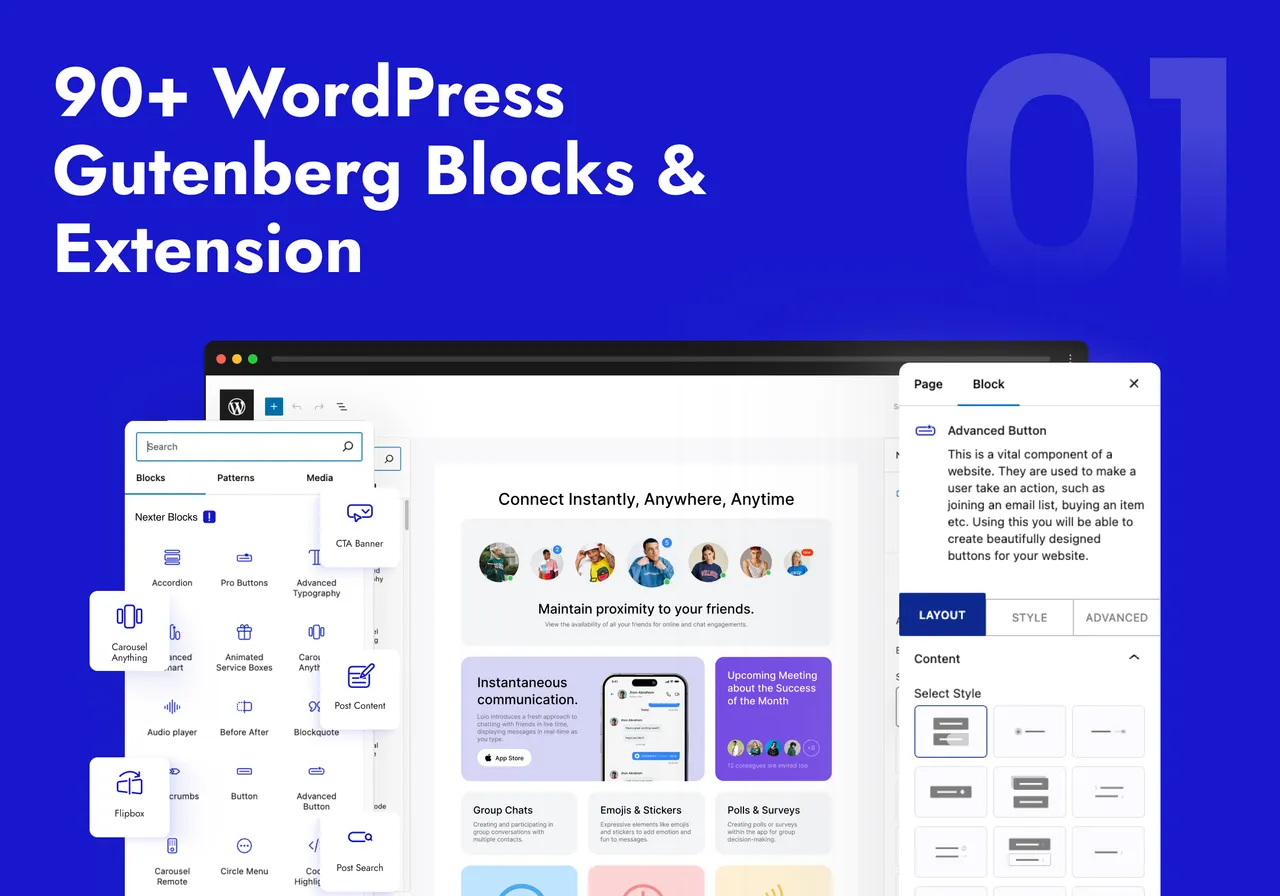
All-in-One WordPress 90+ WordPress Blocks Collections -
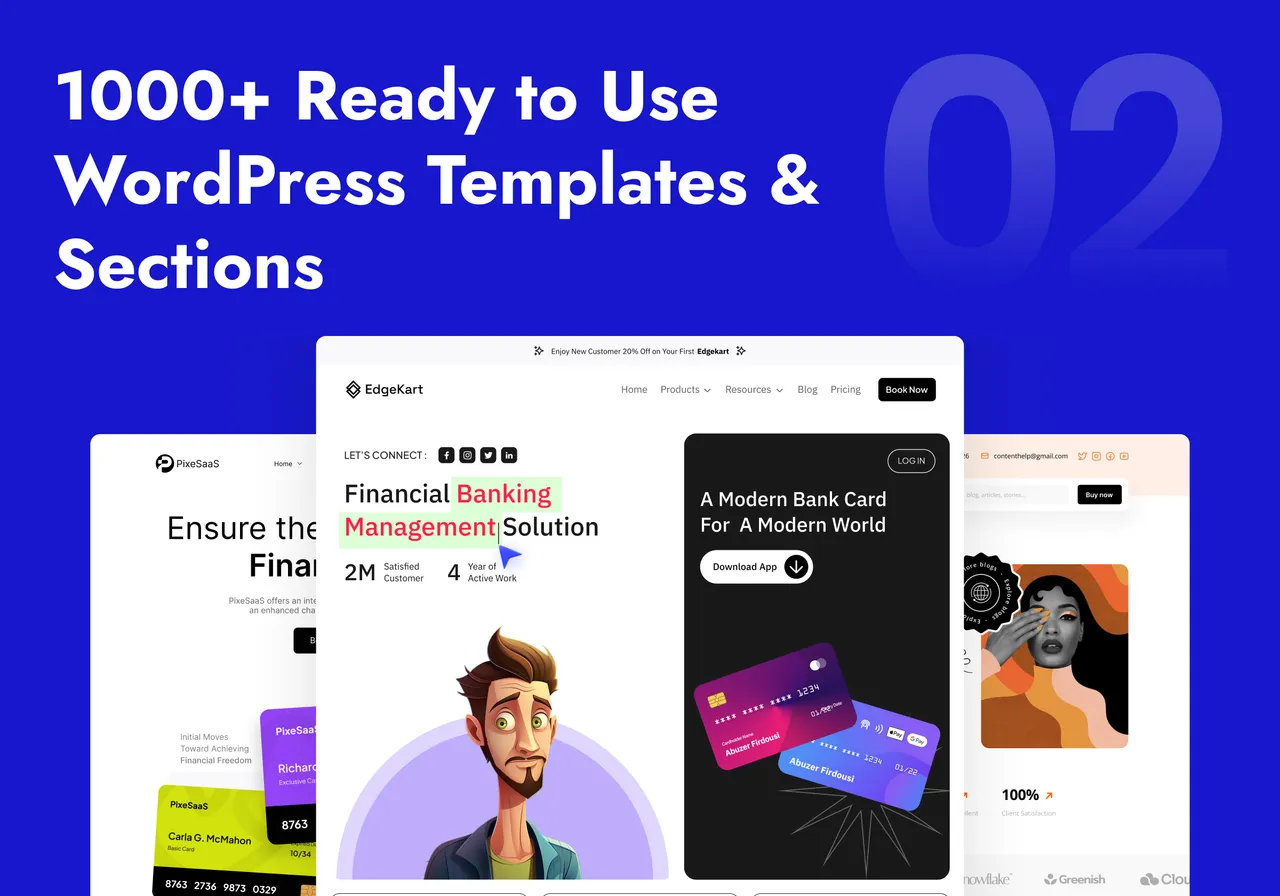
1000+ Ready to Use WordPress Templates & Sections -
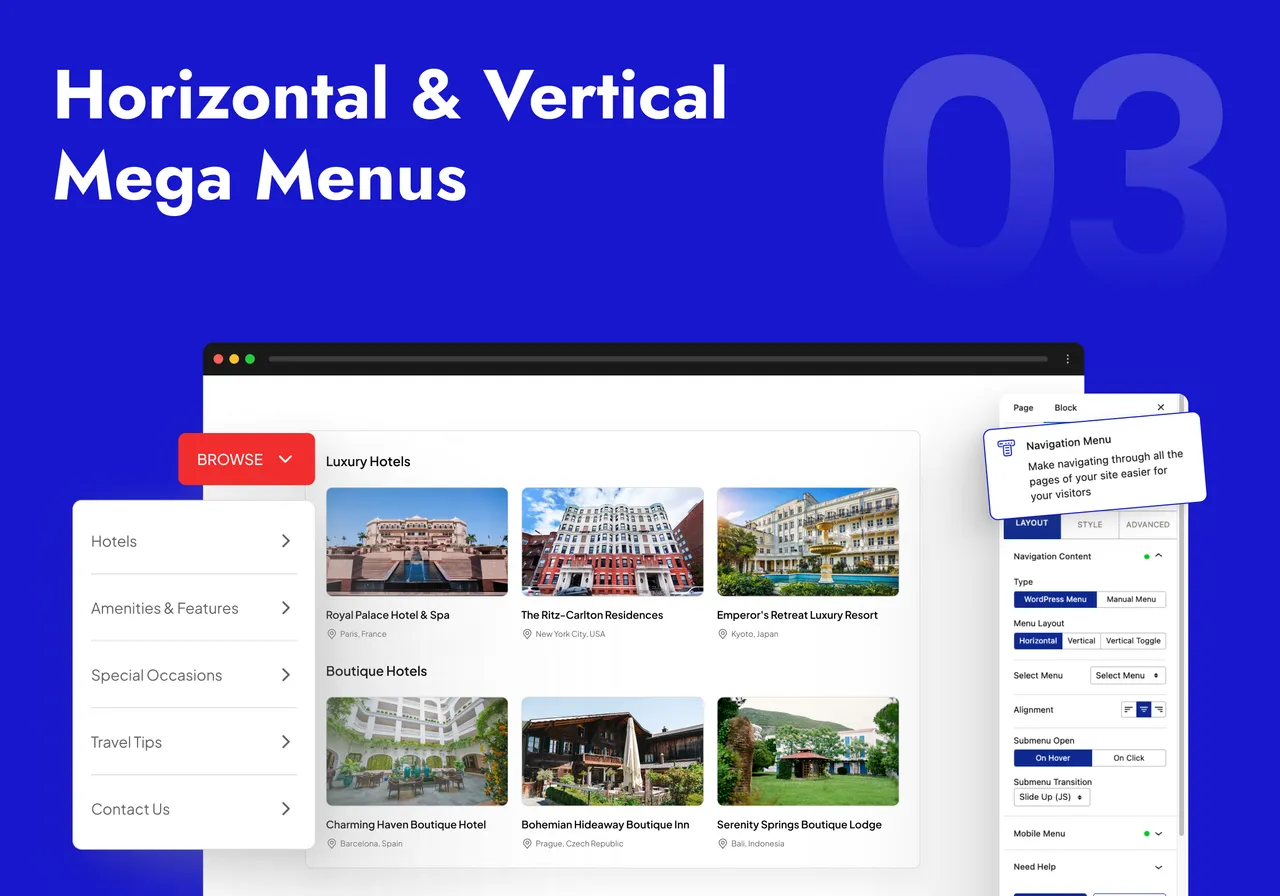
Horizontal & Vertical Mega Menu Builder -

Popup, Modal & Off Canvas Builder for Sale & Advertisement -
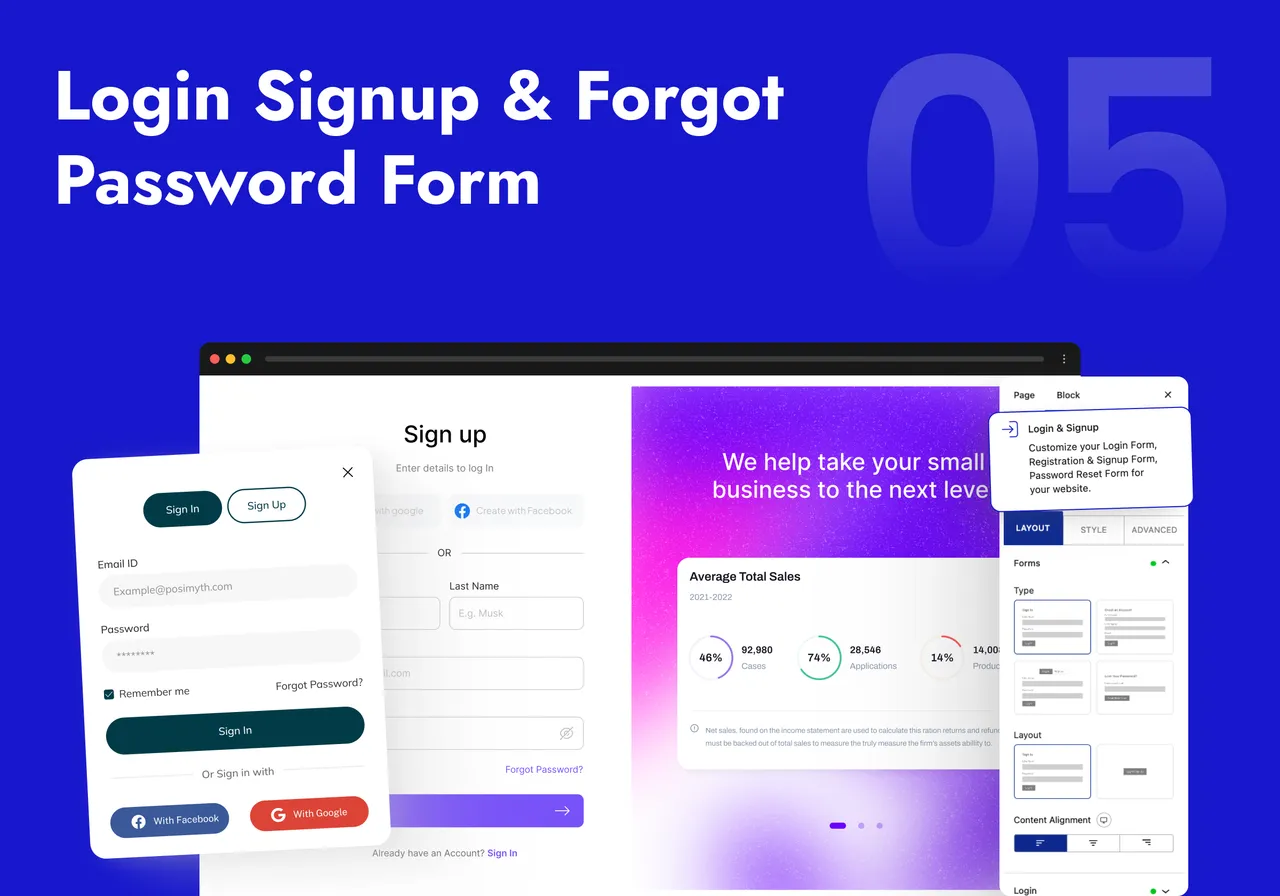
Login Form, Register Form & Forgot Password Form Maker -

Facebook, Instagram, Twitter, YouTube, Vimeo Feeds -

Image & Video Gallery (Grid, Carousel, Masonry) with Category Filters -
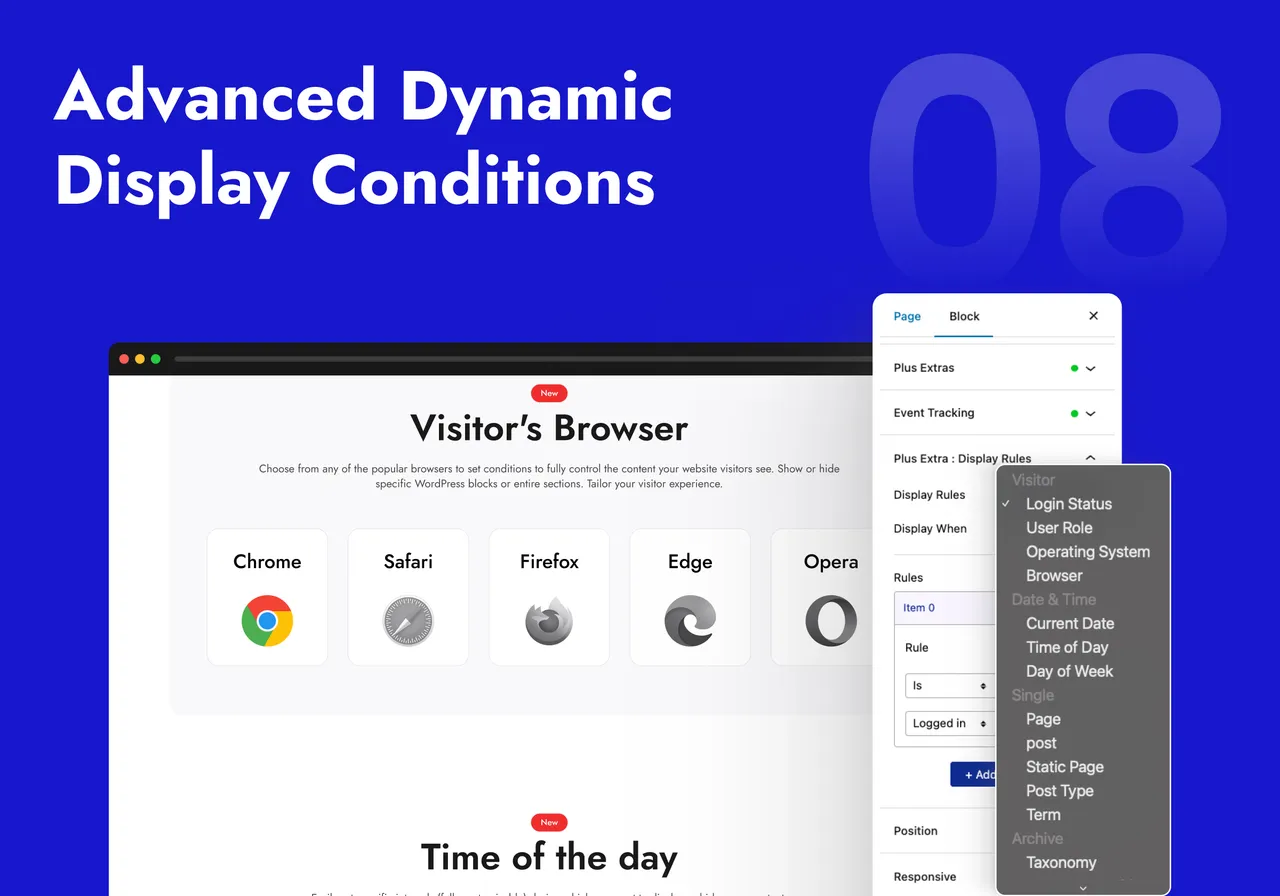
Advanced Dynamic Display & Visibility Controls for Blocks -

Responsive Data Tables with Search, Sort & Filters -
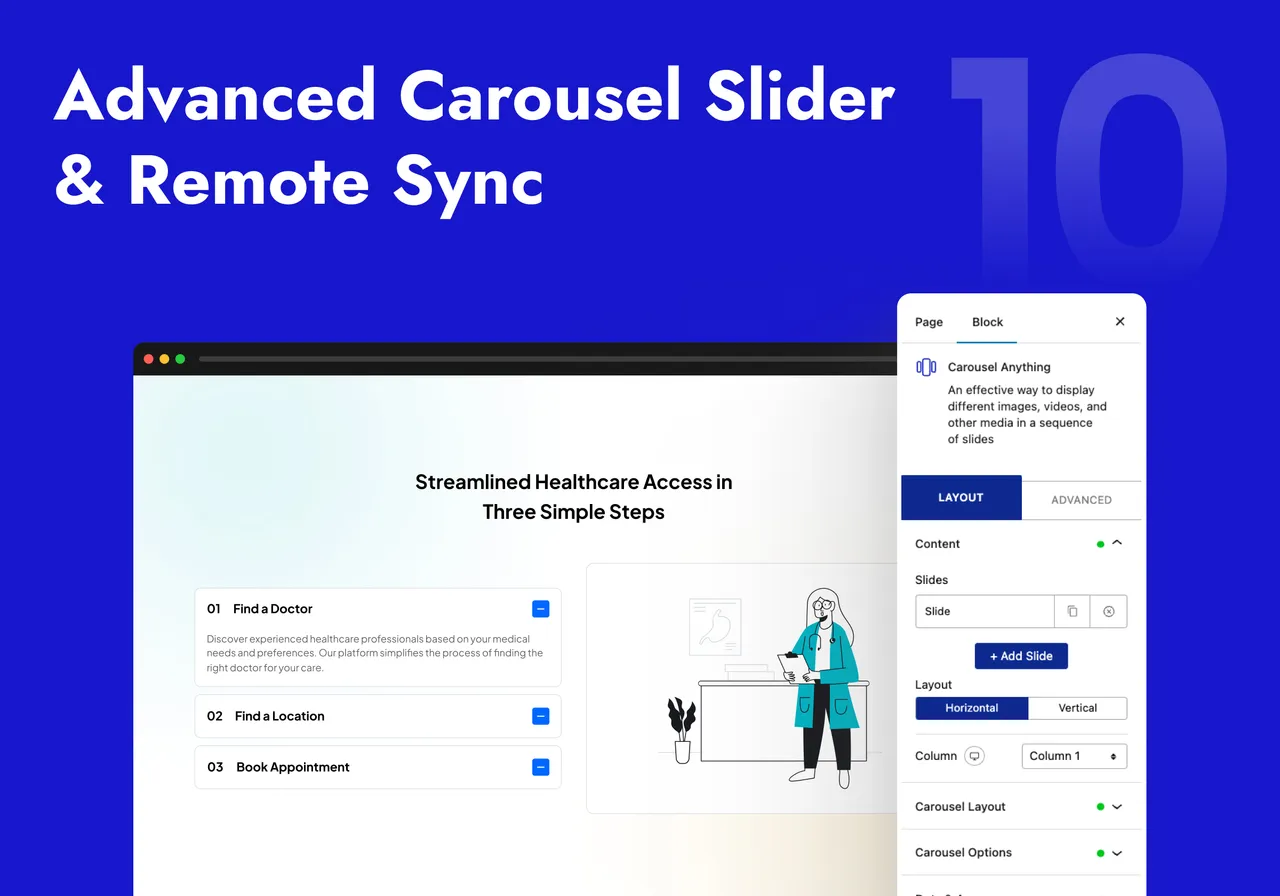
Most Advanced Carousel Slider with Remote Connection with Accordion, Tabs, etc. -

Real-time Live Ajax Search for Blogs, Woo Products, Dynamic Listing & Filters -

Go Limitedness with Nexter WordPress Gutenberg Blocks
Important information
- Works only with the Gutenberg block editor, not the Classic editor or other page builders.
- Requires WordPress 5.6 or newer and PHP 7.4 or newer. Tested up to WordPress 7.1.4.
- AI prompts are processed by OpenAI or Google depending on the model you choose. AI credits come with the Pro plan.
- Fourteen vulnerabilities have been published for this plugin over time. All are marked patched. Keep it updated.
- Many of the larger builders are described together in the listing, so confirm which are free before planning a build around them.
From the Nexter Blocks readme
Straight from the developer's WordPress.org listing.
Full description
You installed WordPress. Then you installed a page builder. Then a popup plugin. Then a mega menu plugin. Then a gallery plugin, a form plugin, a team members plugin, a countdown timer plugin — and suddenly you’re managing 12 plugins, dreading every update, and wondering why your site is slow.
Nexter Blocks is the answer to all of it. It’s a complete wordpress website builder and wordpress page builder that lives natively inside Gutenberg — 90+ blocks, built-in AI powered by ChatGPT and Gemini, popup builder, mega menu, form builder, header builder, and full theme building — all in one plugin with one dashboard, one update, and zero jQuery. Our users call it “the plugin that replaced 20 others.” That’s what we built it to be.
Works with Nexter Theme, Astra, Kadence, Blocksy, GeneratePress, OceanWP, Neve, Hello Elementor, and all major block themes.
Website | All Blocks Demo | Free vs Pro | Pricing | Docs | Roadmap | Community | Free Support | Premium Support | AI Chat | Video Tutorials
🤖 AI Website Builder Natively Inside Gutenberg
No other Gutenberg blocks plugin has AI this deep. While other tools make you leave the editor to use AI, Nexter Blocks connects directly to ChatGPT (OpenAI) and Gemini — choose your preferred model in the AI settings dashboard — and runs generation inside the block editor itself. AI credits are included with Pro.
This is what a real ai website builder wordpress experience looks like in 2026:
• AI Content Generator — Write, expand, rewrite or translate any block content with a prompt. Supports all Gutenberg text blocks. The fastest AI content workflow for Gutenberg builders.
• AI Image Generator — Generate original images from a text prompt and drop them directly into any block. No Midjourney tab. No copy-pasting.
• AI Repeater Auto-Fill — Populate entire repeating sections in one prompt. Fill a 6-card testimonial grid, a 4-step process, or a full FAQ accordion from a single instruction.
• AI Toolbar Editing — Select any text in the editor. The AI toolbar appears. Improve, shorten, translate, or rewrite without leaving the block.
• 1000+ AI-Ready Website Templates — Import a full site template, let AI fill every content section with your brand voice, and go live in hours — not days.
🏗️ Full Gutenberg Page Builder — Popups, Mega Menus, Headers & More
Most people are surprised to discover that Nexter Blocks is a complete gutenberg page builder — not just a block collection. Every major site-building capability is built in, without any additional plugin or third-party dependency.
Popup Builder
The built-in wordpress popup builder covers 6 popup types (modal, slide-in, bar, full screen, inline, and widget), 10+ trigger conditions (scroll, exit intent, click, time delay, inactivity, URL, device, cookie, login status), and 16+ display rules. Build any popup directly in the Gutenberg editor. Design it like a page. No separate popup plugin needed.
Mega Menu Builder
The wordpress mega menu builder lets you design horizontal and vertical mega menus with full Gutenberg block content inside every dropdown panel — images, icons, columns, CTAs. No code. No third-party mega menu plugin required.
Header Builder
Design sticky, transparent, and scroll-triggered headers that are completely independent of your theme. Combine with the Sticky Header Scrolling Effect, color-change-on-scroll, nested sticky effects, and transparent header variants for effects that used to require a premium theme.
Form Builder
A full wordpress form builder block in Gutenberg — contact forms, newsletter signups, lead forms. Mailchimp integration built in. No WPForms or Contact Form 7 required for basic form needs.
Blog Builder, Ajax Search & Navigation
Blog Builder for fully custom blog archive layouts, Ajax Search Bar for real-time live search across posts and WooCommerce, Navigation Menu, and Mobile Menu with slide-in, toggle, and dropdown variants.
WooCommerce Store Builder
Build your entire WooCommerce store in Gutenberg with 27 dedicated WooCommerce blocks. Design the single product page, cart, mini cart, checkout, thank-you page, and My Account dashboard block by block, with no page builder and no separate plugins for a custom checkout, variation swatches, wishlist, compare, or quick view. Every block inherits your theme colors, typography, and spacing, so your store stays on brand without CSS.
Dynamic Post Grid Builder
A drag-and-drop skin builder for any post type, CPT, or WooCommerce product — build fully custom grid, carousel, masonry, and metro layouts without touching code. Learn more.
👑 Why Serious WordPress Builders Choose Nexter Blocks
Performance: Zero jQuery, Pure Vanilla JS
Every block is a separate module. Disable it, and it loads zero CSS and zero JavaScript on the front end. Enable only what you need. One CSS file and one JS file load per page regardless of how many blocks are active. Vanilla JS throughout — no jQuery dependency means no jQuery debt. This is why our users score Core Web Vitals in the green while other block plugins struggle.
Global Block Styles — Site-Wide Design Control
Change one setting, update every instance of that block across your entire site. Global Block Styles is the feature that turns 90 blocks into a consistent design system — not 90 separate styling decisions to maintain.
Display Conditions — Show the Right Content to the Right Person
Show or hide any block based on user role, login status, device type, ACF field value, URL parameter, post category, WooCommerce cart status, and 20+ more conditions. Build personalized pages without a membership plugin.
Cross-Domain Live Copy-Paste — Unique to Nexter Blocks
Copy any styled section from one WordPress site and paste it — live, with all styles — into a completely different site. No plugin on the market does this. It is the single most requested feature by agency users managing multiple client sites.
ACF, WooCommerce, WPML & Multisite Ready
Dynamic Content (Pro) pulls live data from ACF, Toolset, Pods, and native WordPress custom fields into any block. Full WooCommerce integration. WPML, RTL, and Multisite supported. Security audited by Patchstack.
1000+ Gutenberg Block Templates
Full starter site kits, section templates, and per-block presets — importable in one click. Built by professional designers. Compatible with AI Auto-Fill so you can use a starter template as a structure and let AI write the content.
⭐ What Our Users Say
★★★★★ “Superb collection of Gutenberg blocks… support is amongst the best I’ve ever experienced.” — @captainretro
★★★★★ “Massive collection of Blocks. One of the best gutenberg addons in WordPress. Used on more than 10 client websites.” — @vincentbao
Read All Reviews on WordPress.org
🆓 45+ Free Gutenberg Blocks
Layout & Structure
• Flexbox Container — full flexbox layout control, the foundation of every page
• Section Background — video, gradient, image, and parallax section backgrounds
• Spacer
Typography & Heading Blocks
• Advanced Heading — gradient text, animated typing, split, highlight, and stroke effects on any heading
• Heading | Pro Paragraph | Block Quote | Message Box | Source Code Syntax Highlighter
Accordion, Tabs & Interactive UI
• Accordion Toggle — the wordpress accordion plugin experience built into Gutenberg, with FAQ schema markup for SEO
• Tab Content — horizontal and vertical tabs with full Gutenberg blocks inside each panel
• Infobox & Iconbox — service cards and feature boxes with icon, image, and hover animation support
• Flipbox — animated front-back flip cards for services, team, and portfolio
• Hover Card Animations | Dark Mode Switcher | Interactive Circle Infographic
Conversion & Sales Blocks
These are the blocks that turn pages into revenue. Every one is optimized for performance and built with SEO and conversion in mind.
• Pricing Table — the wordpress pricing table plugin experience as a native Gutenberg block. Toggle highlights, badges, feature lists, and CTA buttons — no shortcodes.
• Countdown Timer — wordpress countdown timer plugin block with evergreen, fixed-date, and recurring modes. Adds urgency to offers and launch pages without a separate plugin.
• Data Table — responsive data tables with search, sort, filter, and pagination — zero jQuery dependency
• Number Counter — animate social proof numbers on scroll: clients, projects, years of experience
• Progress Bar | Pie Chart | Stylish Icon List | Pricing List | Button | Advanced Button
Post, Blog & Testimonials
• Testimonial Reviews — the wordpress testimonials plugin experience as a Gutenberg block — star ratings, author photos, structured layouts
• Post Grid — fully customizable blog post grid with category filters and AJAX load more
• Post Listing | Post Carousel | Post Masonry | Post Metro | Testimonial Masonry
Media & Icons
• Image | Advanced Image | Video Player | Animated SVG Icons | Social Icons | Icons | Google Maps
Social Feeds & Embeds
• Facebook Feed | Social Feed | Facebook Reviews | Social Reviews | Social Embed | YouTube Embed | Vimeo Embed | Facebook Embed | Instagram Embed | Google Map Embed | Contact Form Styler
Theme Builder Blocks
Build complete post and page templates with these Gutenberg theme builder blocks:
• Site Logo | Post Image | Post Title | Post Content | Post Navigation | Post Meta Info | Post Comments Form | Post Author Box
SEO, Scroll & Site-Wide Productivity
• Breadcrumb Bar — SEO breadcrumb navigation with schema markup built in
• On Scroll Content Animations — entrance animations for any block, triggered on scroll
• Reading Scroll Progress Bar | Smooth Scroll | Global Block Styles | Global Options | Copy Paste Style | Cross-Domain Live Copy-Paste
🔒 45+ Pro Gutenberg Blocks
Animation & Visual Effects
• Parallax Background — wordpress parallax plugin effect on any section or container
• Lottiefiles Animations — wordpress lottie animation plugin as a native Gutenberg block
• Heading Animation — typewriter, wave, character-by-character, and word-by-word heading animations
• Image Scroll Sequence | Canvas Background | Gallery Background | Floating Effect | Page Preloader & Transitions | Spline 3D Embed | Animated Service Boxes | Magic Scroll Effect | Mouse Hover Animation
Advanced UI & Content Blocks
• Table of Contents — auto-generated sticky wordpress table of contents plugin for long posts and documentation
• Before After Image Comparison — interactive drag-slider for portfolios, transformations, and product demos
• Hotspot Pinpoint Image — clickable image hotspots with tooltip and popup support
• Advanced Carousel Sliders — wordpress carousel plugin that works with any block content — not just images
• Content Switcher | One Page Scroll Navigation | Process Steps | Timeline | Circle Menu | Device Mockup Previewer | Advanced Typography | CTA Banners | Read More Unfold | Copy Coupon Code | Custom Cursors | Pro Button | Audio Music Player | Advanced Charts & Graph | Global Tooltip | Advanced Border Radius | Same Equal Height
Dynamic Content & Data
• Dynamic Content — the complete wordpress dynamic content plugin experience: pull ACF, Toolset, Pods, and WordPress custom fields into any block
• Dynamic Repeater | Smart Ajax Content | Remote Sync | Display Conditional Rules
Analytics & Admin
• GA4 Event Conversion Tracker | Facebook Pixel Event Tracker | White Label Nexter Plugin | Design Grid Tool | Sticky Column Effect
Google Reviews, Social Feeds & Galleries
• Google Reviews — embed live wordpress google reviews plugin on any page — auto-updated from your Google listing
• Image Gallery — wordpress image gallery plugin with grid, masonry, metro, and carousel layouts with lightbox
• Video Gallery — wordpress video gallery plugin with category filters and an inline lightbox player
• Google Reviews Badge | Google & Facebook Reviews Wall | Facebook Reviews Badge | Instagram Feed | YouTube Feed | Vimeo Feed | Multi Social Feed | Social Sharing Icons | Image Carousel | Image Masonry | Image Metro | Image Grid | Video Grid Gallery | Video Masonry Gallery | Video Carousel | Video Metro
WooCommerce Blocks
• WooCommerce Product Grid — fully styled wordpress woocommerce blocks with custom layouts beyond the default WooCommerce templates
• Product Carousel | Product Masonry | Product Metro | Product Listing | Taxonomy Category & Tags Listing
WooCommerce Store Builder Blocks
Build the entire store in the block editor: 27 dedicated blocks across the single product page, cart, checkout, order, thank-you page, and account. See the full WooCommerce Store Builder demo.
• Single Product Page: Single Product Image | Single Product Pricing | Single Product Rating | Single Product Stock | Single Product Meta | Single Product Review | Single Product Tab | Product Add to Cart
• Cart & Mini Cart: Cart Table | Cart Total | Mini Cart | Apply Coupon | Free Shipping Progress Bar
• Checkout: Checkout Login | Billing Address | Shipping Address | Additional Information | Payment Method | Order Review
• Order, Thank You & My Account: Order Confirmation | Order Payment | Thank You Order Details | Thank You Address | My Account
• Catalog & Conversion: Product Quick View | Product Compare | Product Wishlist
Team Members
• Team Member — wordpress team members plugin block — photos, bio, role, and social profile links
• Team Members Grid | Team Members Carousel
Header, Mega Menu & Navigation (Pro)
• Horizontal Mega Menu | Vertical Toggle Mega Menu | Vertical Mega Menu | Sticky Header Scrolling Effect | Nested Sticky Header | Sticky Color Change on Scroll | Sticky Fixed Header | Change Header Height on Scroll | Transparent Sticky Header | Header Menu Logo on Hover | Shape Dividers
Login, Registration & Membership Forms
• Login Form — a fully styled wordpress login form plugin experience as a Gutenberg block — brand-consistent, no shortcodes
• Registration Form | Password Reset Form | Mailchimp Form | Blog Builder | Custom Dynamic Post Listing
🔍 Our Other Products
• Nexter Extension — 50+ site tools: Security, SMTP, Image Optimizer (WebP/AVIF), Theme Builder, Code Snippets, Performance
• The Plus Addons for Elementor — 120+ All-in-One widgets for Elementor
• NexterWP Theme — Ultra-light, FSE-ready starter theme. Zero jQuery
• UiChemy — Figma to Gutenberg Converter — Convert Figma designs to editable Gutenberg blocks
• WDesignKit — 1000+ Templates, Cloud Block Storage, Gutenberg Block Builder
External services
Nexter Blocks may connect to external services only when the related feature is enabled:
• api.posimyth.com — usage analytics. Off by default; submitting the plugin deactivation feedback form also sends it, even when sharing is off. Terms · Privacy · what’s shared
• theplusaddons.com — fetches templates and social review data. Terms · Privacy
• instagram.com — embeds Instagram content when an Instagram block is used. Terms · Privacy
• connect.facebook.net — Facebook SDK for sharing and embedding Facebook content when a Facebook block is used. Terms · Privacy
• maps.google.com — displays maps and directions, using your own Google Maps API key. Terms · Privacy
• player.vimeo.com — embeds Vimeo videos when a Vimeo block is used. Terms · Privacy
• api.openai.com — AI content, …
Installation
⚠️ NOTE: Make sure you are using Gutenberg Block Editor which is the current default page editor, and not Classic editor or any other Page Builder for WordPress.
☑️ 5 Steps for Installation
• Go to ‘Plugins’ option in your dashboard and select ‘Add New’
• Search for ‘Nexter Blocks’ and install it
• Now You will have all the Blocks available in your Block Library. You can easily add them using the ‘Add Block’ button in your page editor.
• You may enable/disable Blocks from Nexter Dashboard.
• Congratulations, Now your site is ⚡ SUPERCHARGED, Get ready to build amazing websites
Developer FAQ (13)
- Will 90+ blocks slow down my site?
- No — and this is the most important thing to understand about how Nexter Blocks is built. Every block is a completely isolated module. When you disable a block in the Nexter dashboard, it loads zero CSS and zero JavaScript on the front end. Only enabled blocks add any page weight at all. And because the entire plugin is built on Vanilla JS with no jQuery dependency, the overhead is a fraction of what comparable page builders add. One CSS file and one JS file load per page regardless of how many blocks you have enabled.
- How does the built-in AI work?
- Nexter Blocks connects directly to ChatGPT (OpenAI) and Gemini. You choose your preferred AI model in the AI settings dashboard inside your WordPress admin. AI credits are included with the Pro plan — no separate API key required for Pro users. The AI generates content, images, and full section auto-fills entirely inside the Gutenberg block editor without switching to any external tool or browser tab.
- Why Nexter Blocks instead of a standalone page builder?
- Standalone page builders like Elementor, Beaver Builder, and Divi replace the native WordPress editor with a custom interface. Nexter Blocks extends the native Gutenberg block editor — which means your content is portable, your editor stays standard, your site loads faster (no heavy page builder wrapper), and everything is compatible with the Full Site Editor direction WordPress is heading. You get a better page builder experience while staying inside the native editor.
- Does it work with my theme?
- Compatible with Nexter Theme, Astra, Kadence, Blocksy, GeneratePress, OceanWP, Neve, Hello Elementor, and all major block-based and classic themes. Also compatible with the Full Site Editor. Nexter Theme is recommended for best combined performance.
- Does it work with WooCommerce?
- Yes. WooCommerce Product Grid, Carousel, Masonry, and Metro blocks give you complete design control over product listings. The Dynamic Post Grid Builder supports WooCommerce custom post types. Dynamic Content (Pro) pulls WooCommerce meta fields into any block. Login, Registration, and Password Reset form blocks are WooCommerce account-compatible.
- Can I build popups without a separate popup plugin?
- Yes. The built-in Popup Builder supports 6 popup types, 10+ trigger conditions (including exit intent, scroll depth, time delay, and click), and 16+ display rules. Every popup is designed inside the Gutenberg editor itself — no separate popup plugin, no shortcodes.
- Can I build a mega menu without a separate plugin?
- Yes. The Mega Menu Builder supports horizontal and vertical mega menus with full Gutenberg block content inside every dropdown panel — columns, icons, images, CTAs. No separate mega menu plugin required.
- Does it support ACF and custom post type dynamic content?
- Yes. Dynamic Content (Pro) pulls live field data from ACF, Toolset, Pods, and native WordPress custom fields into any block on any page. The Custom Dynamic Post Listing builder creates fully custom layouts for any post type or CPT with drag-and-drop skin control.
- Does it support WPML, RTL, and multisite?
- Yes — fully compatible with WPML for multilingual sites, right-to-left languages, and WordPress multisite networks. The plugin is security-audited by Patchstack.
- How do I enable a block I cannot find in the editor?
- Go to Nexter, Blocks in your WordPress dashboard and toggle the block on. It appears in the block inserter immediately. Disabled blocks load no code on the front end, so you can enable and disable freely without affecting site performance.
- Is there a Pro version?
- Yes. Compare Free vs Pro | See Pricing. Pro includes 45+ additional blocks, AI credits, dynamic content, display conditions, WooCommerce blocks, gallery layouts, and all advanced animation and header effects.
- Where can I suggest new features or vote on the roadmap?
- Submit and vote on the public roadmap
- How do I report a security vulnerability?
- Via Patchstack Vulnerability Disclosure: https://patchstack.com/database/vdp/the-plus-addons-for-block-editor
Downloads, last 30 days
Trend vs previous period: -28.5%
Average daily downloads: 193 over the last 7 days , 420 over 30 days.
Security history
Past CVEs, patched · 14 published vulnerabilities (Wordfence) · most recent Aug 3, 2026
- Patched 5.3 Medium Nexter Blocks <= 4.7.0 - Unauthenticated Information Exposure CVE-2026-39516 · Mar 26, 2026 · affects *-4.7.0 · fixed in 4.7.1
- Patched 6.4 Medium Nexter Blocks <= 5.0.1 - Authenticated (Author+) Stored Cross-Site Scripting CVE-2025-15678 · Aug 3, 2026 · affects *-5.0.1 · fixed in 5.0.2
- Patched 4.3 Medium Nexter Blocks <= 4.6.3 - Authenticated (Subscriber+) Information Exposure CVE-2026-24377 · Jan 26, 2026 · affects *-4.6.3 · fixed in 4.6.4
- Patched 6.4 Medium Nexter Blocks <= 3.3.3 - Authenticated (Contributor+) Stored Cross-Site Scripting CVE-2024-50452 · Oct 24, 2024 · affects *-3.3.3 · fixed in 4.0.0
- Patched 4.3 Medium The Plus Blocks for Block Editor | Gutenberg <= 3.2.5 - Missing Authorization CVE-2024-33572 · Apr 25, 2024 · affects *-3.2.5 · fixed in 3.2.6
- Patched 4.3 Medium Nexter Blocks <= 4.0.7 - Missing Authorization CVE-2024-56294 · Jan 3, 2025 · affects *-4.0.7 · fixed in 4.0.8
- Patched 4.3 Medium Nexter Blocks <= 5.0.0 - Authenticated (Subscriber+) Path Traversal to Arbitrary CSS/JS File Deletion via 'plus_name' Parameter CVE-2026-15420 · Jul 23, 2026 · affects *-5.0.0 · fixed in 5.0.1
- Patched 6.1 Medium The Plus Blocks for Block Editor | Gutenberg <= 3.2.5 - Reflected Cross-Site Scripting CVE-2024-30435 · Mar 28, 2024 · affects *-3.2.5 · fixed in 3.2.6
Show all 14 vulnerabilities
- Patched 6.4 Medium Nexter Blocks <= 4.0.4 - Authenticated (Contributor+) Stored Cross-Site Scripting CVE-2024-56246 · Dec 30, 2024 · affects *-4.0.4 · fixed in 4.0.5
- Patched 4.3 Medium Nexter Blocks <= 5.0.1 - Payment Bypass to Authenticated (Contributor+) Stored CSS Injection CVE-2026-17011 · Aug 3, 2026 · affects *-5.0.1 · fixed in 5.0.2
- Patched 6.4 Medium Nexter Blocks <= 4.5.4 - Authenticated (Contributor+) Stored Cross-Site Scripting via Multiple Widgets CVE-2025-8567 · Aug 19, 2025 · affects *-4.5.4 · fixed in 4.5.5
- Patched 6.4 Medium Multiple Plugins <= (Various Versions) - Authenticated (Contributor+) Stored DOM-Based Cross-Site Scripting via FancyBox JavaScript Library CVE-2024-5020 · Dec 3, 2024 · affects *-4.3.1 · fixed in 4.3.2
- Patched 5.3 Medium Nexter Blocks <= 4.5.4 - Missing Authorization CVE-2025-54739 · Aug 14, 2025 · affects *-4.5.4 · fixed in 4.5.5
- Patched 6.4 Medium Nexter Blocks <= 4.7.4 - Authenticated (Contributor+) Stored Cross-Site Scripting via 'commentIcon' Block Attribute CVE-2026-6740 · Jul 8, 2026 · affects *-4.7.4 · fixed in 4.7.5
Nexter Blocks FAQ
Will 90+ blocks slow my site?
Each block is a separate module. A disabled block loads no CSS or JavaScript. One CSS file and one JS file load per page regardless of how many blocks are active, and no jQuery is used.
How does the built-in AI work?
It connects to ChatGPT (OpenAI) and Gemini. You pick the model in the AI settings. It generates text, images and section fills inside the block editor. Credits are included with Pro, with no separate key for Pro users.
Why use this instead of a standalone page builder?
It extends the native block editor instead of replacing it. Content stays portable, the editor stays standard, and it fits the Full Site Editor direction.
Does it work with my theme?
It works with Nexter Theme, Astra, Kadence, Blocksy, GeneratePress, OceanWP, Neve, Hello Elementor and major block and classic themes. Nexter Theme is recommended.
Does it work with WooCommerce?
Yes. It has product grid, carousel, masonry and metro blocks, and dedicated store blocks. Dynamic Content is a Pro feature that pulls meta fields into blocks.
Can I build popups without another plugin?
Yes. The built-in builder offers six popup types, 10+ triggers such as exit intent, scroll and time delay, and 16+ display rules.
Nexter Blocks alternatives

WordPress Contact Form Builder Plugin WPForms is an AI drag & drop WordPress form builder that’s EASY and POWERFUL. Create contact forms, feedback forms, subscription forms, payment forms (including Stripe, Square &…

THE AI FORM GENERATOR FOR WORDPRESS SureForms is an AI form generator and WordPress form builder that turns a simple prompt into a ready-to-edit contact form, Stripe payment form, booking request form, quote form,…

AI form builder for WordPress. Build contact forms, payment forms, quiz, survey & conversational forms with built-in AI or drag & drop builder. Everest Forms combines a drag-and-drop form builder, AI-powered form…

Calculated Fields Form is a full-featured WordPress form builder plugin. It lets you create any type of form - from simple contact forms to complex multi-step booking systems, quote generators, order forms, and…

Ninja Forms is a free WordPress form builder plugin. Build contact forms, lead generation forms, calculators, quizzes, surveys, applications, event registration, and booking request forms with a drag and drop…

AutoPen leverages the power of OpenAI’s most advanced GPT models to automatically generate and publish long-form, SEO-optimized blog posts directly to your WordPress site. Designed for content marketers, agencies,…
Listing data from WordPress.org and the Wordfence vulnerability feed, refreshed Nov 9, 2026; listing details fetched Nov 14, 2026. Screenshots are from the plugin's WordPress.org listing. Not affiliated with POSIMYTH.