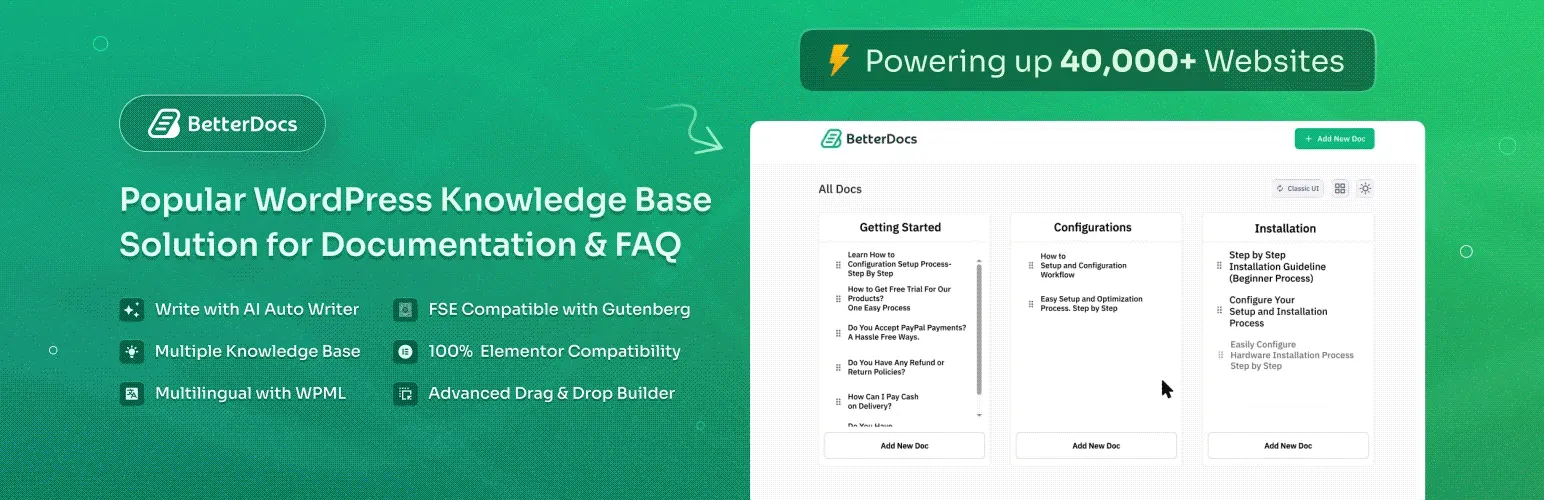

BetterDocs
BetterDocs - AI Documentation, Knowledge Base, MCP Server, Docs, Wikis, FAQ & Chatbot · by WPDeveloper
- active installs
- 30K+
- 515 ratings
- 4.8
- since last update
- 28d
- releases in 12 months
- —
- support threads resolved
- 33%
- avg daily downloads
- 1,025
- on WordPress.org
- 7.1 years
BetterDocs at a glance
BetterDocs is a freemium WordPress AI-powered plugin by WPDeveloper with 30K+ active installs and a 4.8/5 rating from 515 reviews. It was last updated on Oct 12, 2026, is tested up to WordPress 7.1.4 and needs PHP 7.4+. It works with OpenAI. All 15 of its published vulnerabilities have patched versions. Our quality score is 84/100.
What is BetterDocs?
BetterDocs is a WordPress plugin for building a knowledge base, documentation site, FAQ section or help center. Visitors can browse and search articles to answer their own questions, which cuts repeat support requests.
It provides ready layouts for the docs landing page, single doc pages and archives, plus live search, a table of contents and category views. You can design with its settings, shortcodes, Elementor widgets or Gutenberg blocks. AI features include a Write With AI writer built on ChatGPT, a doc summarizer, and an MCP server so assistants like Claude and ChatGPT can read and write docs.
It suits software vendors, agencies and store owners who maintain help content. Several features, such as multiple knowledge bases, analytics, the AI chatbot and glossaries, are marked Pro in the listing.
Best for
- Software companies cutting support tickets
- Agencies building help centers for clients
- Teams wanting an internal knowledge base
- Sites that edit docs with Elementor
Our take
A documentation and knowledge-base plugin that added AI chat and search over your docs. The AI makes your existing docs answerable in natural language: a sensible, contained use of AI.
BetterDocs features
Ready doc layouts
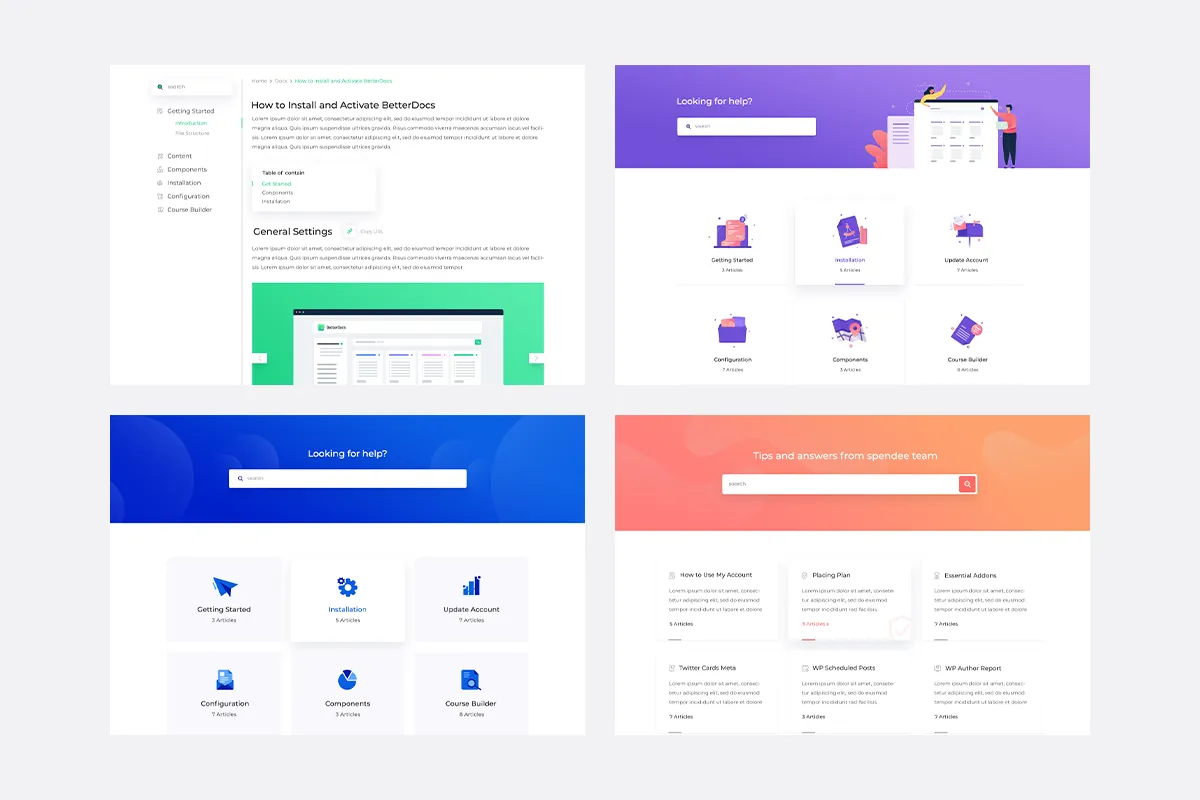
Choose from prebuilt templates for the landing page, single doc and archive pages, such as Slate, Handbook and Modern.
Live search
A built-in search bar lets visitors find the right article quickly. Advanced search and popular docs layouts are Pro.
Elementor and Gutenberg support
Design docs with free Elementor widgets or blocks, including full site editor compatibility.
Table of contents
A table of contents, including a sticky version, helps readers move around long articles.
Write With AI
Generate documentation and FAQs through a ChatGPT-based writing feature.
AI doc summarizer
Create a short AI summary of a doc to give readers a fast overview.
MCP server
Connect Claude, ChatGPT, Cursor or VS Code to your docs with an OAuth setup, to read and manage content from chat.
Import, export and migration
Move docs with CSV and XML files, or migrate from third-party tools such as Help Scout.
FAQ builder and WPML
Add FAQ sections and translate docs with WPML.
Code snippets
Show formatted code blocks inside technical docs in Elementor and Gutenberg.
BetterDocs free vs pro
Free WordPress.org version
- Knowledge base with ready layouts and live search
- Elementor widgets and Gutenberg blocks
- Table of contents and estimated reading time
- Write With AI, AI doc summarizer and MCP server
- Import and export, migration and FAQ builder
- Code snippet block
Pro Paid version
- Multiple knowledge bases
- Advanced search and popular docs layouts
- Analytics
- AI chatbot addon
- Internal knowledge base with access restrictions
- Attachments, related docs and glossaries
BetterDocs is freemium, with a Pro version that adds the features above. The listing gives no prices. The Write With AI feature uses ChatGPT, and the listing does not say how it is billed, so check the settings before relying on it.
How to use BetterDocs
- Install and activate
In wp-admin go to Plugins, then Add New. Search for BetterDocs, install it and activate it.
- Follow the setup guide
Open the BetterDocs menu and go through the documentation steps to set up the knowledge base.
- Create categories and docs
Add doc categories and write your articles. You can generate sample data to see how it looks first.
- Choose a layout
Pick a landing page layout and style the pages with settings, Elementor widgets or blocks.
- Add search and AI options
Add the search form to a page. Turn on Write With AI, or enable MCP under BetterDocs, then MCP, to connect an assistant.
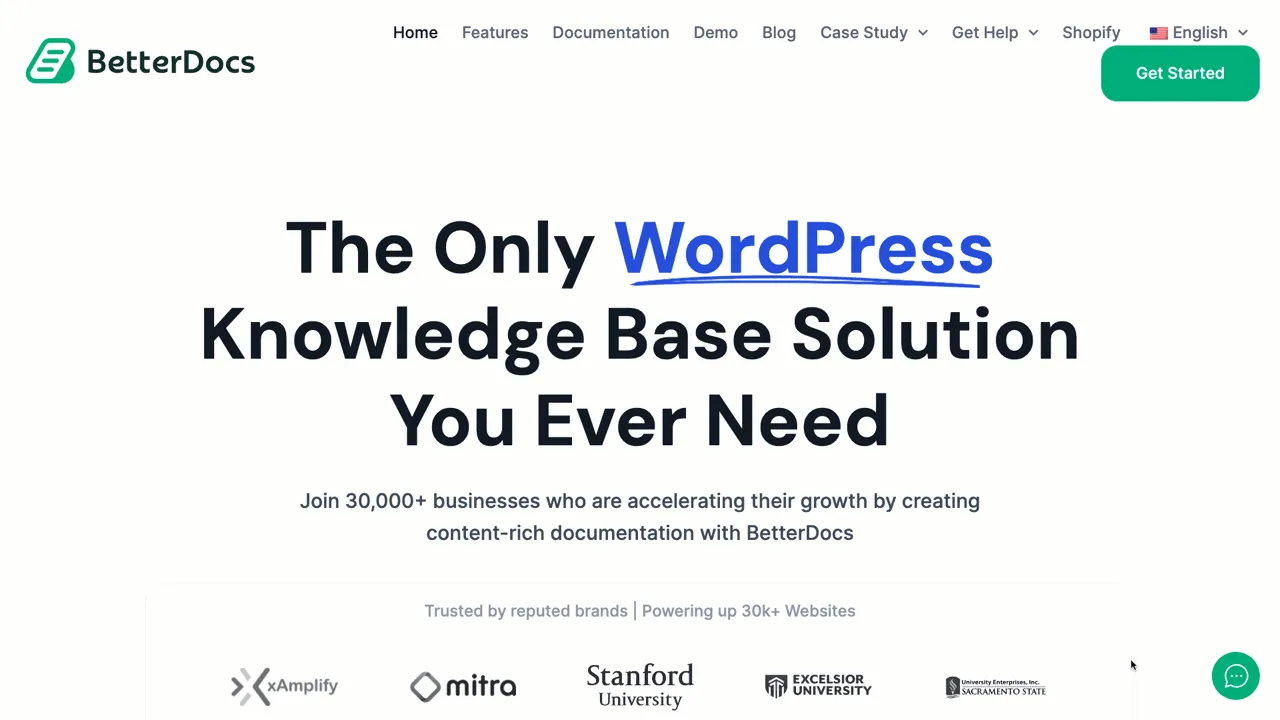
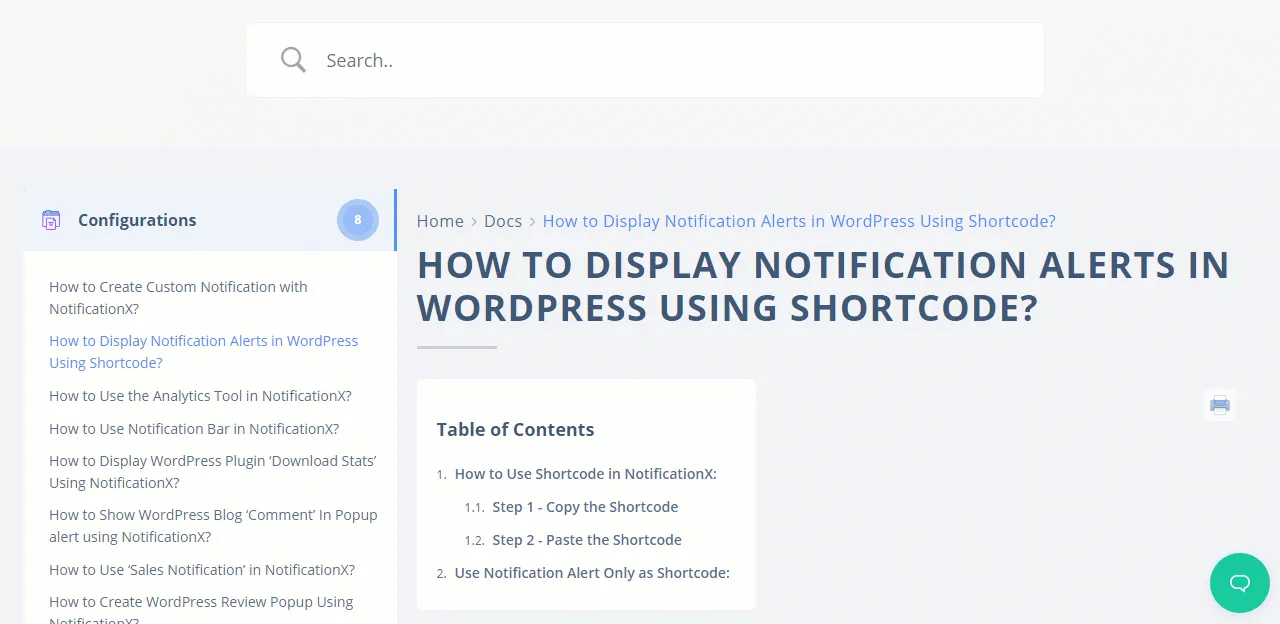
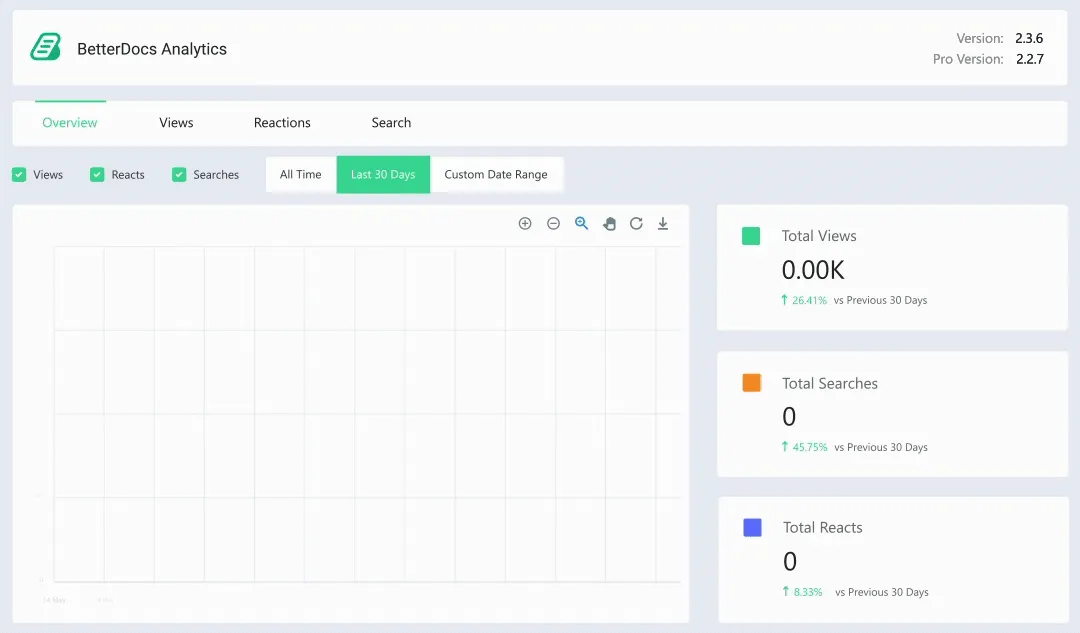
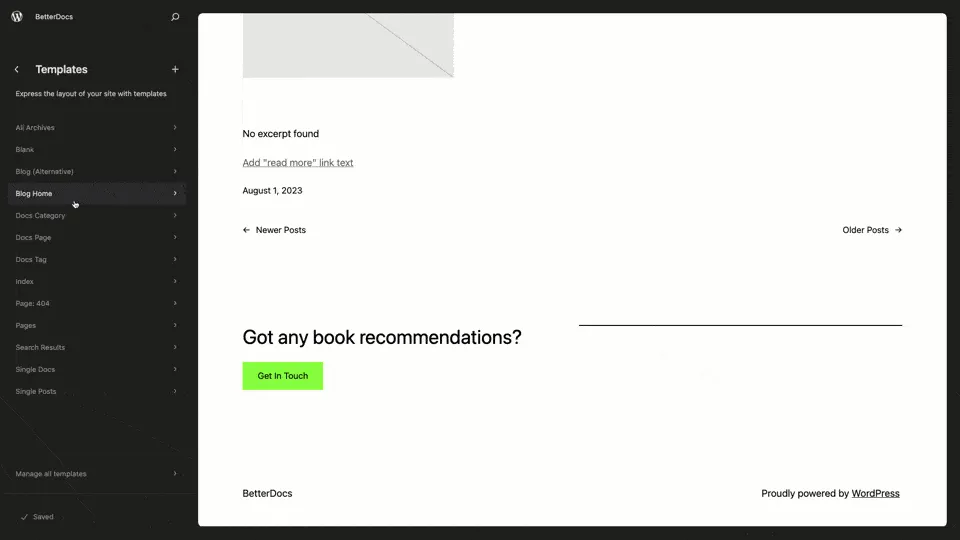
BetterDocs screenshots (9)
Important information
- Multiple knowledge bases, analytics, glossaries and the AI chatbot addon need the Pro version.
- The AI writing feature uses ChatGPT, so prompts go to OpenAI. Check how usage is billed.
- MCP lets assistants read and write your docs. You approve the connection on your own site, so review what you allow.
- Requires WordPress 6.4 or newer and PHP 7.4 or newer. Tested up to WordPress 7.1.4.
- Past published vulnerabilities exist in the data and are marked patched. Keep the plugin updated.
From the BetterDocs readme
Straight from the developer's WordPress.org listing.
Full description
Do you want to reduce support tickets immediately? How about you creating a resourceful knowledge base for your customers with AI-powered documentation and FAQs? 🤔
👨💻 82% of customers prefer to support through an online knowledge base and get annoyed creating support tickets as it’s a lengthy process. So an informative Documentation page can help to enhance your customer experience.
But how do you create a knowledge base easily on web site without any coding? Well, we’ve got you covered. 😎
📒 Create Effective Knowledge Base To Scale Customer Support
BetterDocs will help you to create & organize your documentation page in a beautiful way that will make your visitors find any help article easily. It will facilitate your client to make faster decisions and get help on the spot by self-service instead of avoiding lengthy conversations.
🔥 Power Up Knowledge Base To Reduce Support Tickets
Let the visitors instantly find the answers they are searching for without having to wait for the support team and reduce support workload.
🌟 Top Features
• Ready-made template designs to create your Docs landing page, Single Doc page, & Archive page without any coding
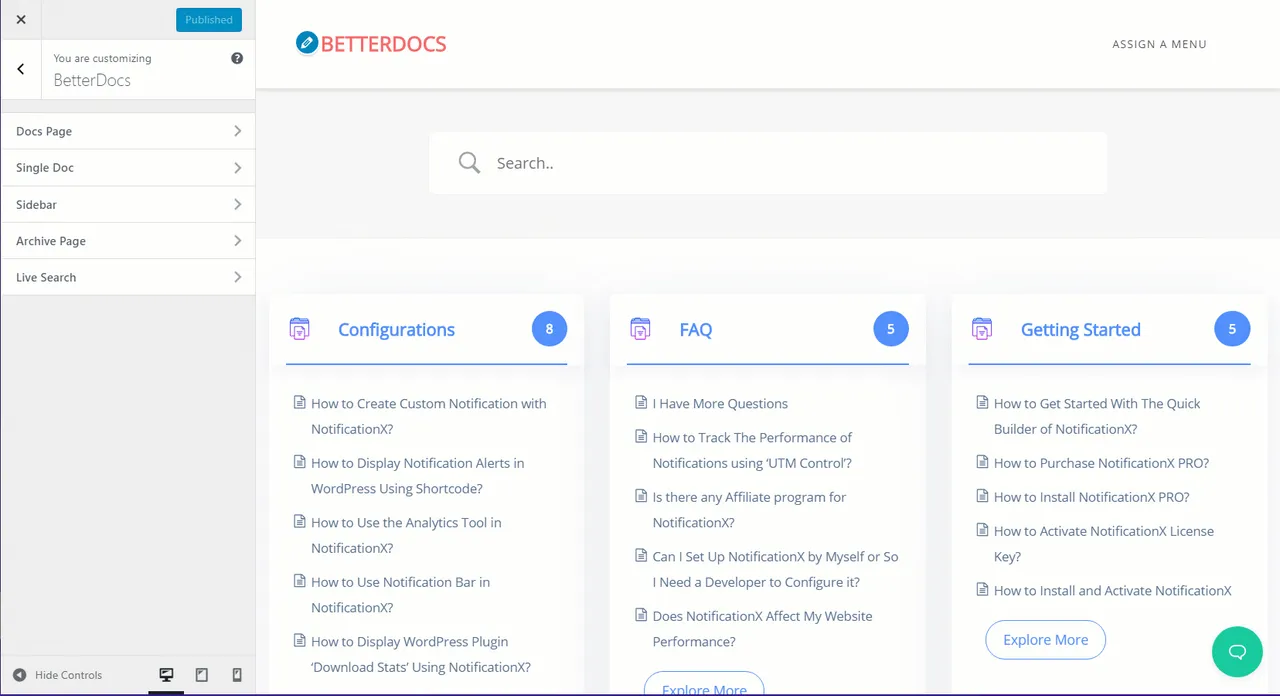
• In-built theme customization option, or use Shortcodes & Elementor widgets, or Gutenberg Blocks to design & customize the entire documentation page
• Table of Contents or Sticky TOC to provide an absolute user experience
• An in-built advanced live search bar to help visitors get the exact docs solution
• Advanced List View & Drag & Drop Grid View feature
• Connect AI assistants like Claude, ChatGPT, and Cursor to your documentation via MCP with a simple OAuth-based setup — no coding or manual API configuration required
• Create & manage multiple knowledge bases for all products separately (PRO)
• Manage roles for your knowledgebase users & give access accordingly
• Integrated with Analytics to track and evaluate the performance
• 100% Compatibility with Elementor Page Builder
• WPML Certified Plugin
• Gutenberg Blocks BetterDocs Search Form, BetterDocs Category Box & BetterDocs Category Grid to easily create your Knowledgebase
• Create Advanced Search & showcase Popular Docs with ready layouts (PRO)
• FSE Compatible with 10+ Gutenberg Blocks & Patterns
• Import and export CSV and XML files options to migrate essential documentation or back up your knowledge base
• Generate advanced documentation instantly using Write With AI, the powerful AI auto writer feature by integrating ChatGPT
• Generate Sample Data to make the knowledge base data creation process smooth
• Seamless migration of the knowledge base from any 3rd party solution like Help Scout
• Estimated Reading Time for Single Docs
• Add attachments to any single doc to provide additional content to help readers (PRO)
• Related doc embedding in any single doc to provide supporting documentation for more knowledge (PRO)
• Add glossaries to help readers understand the frequently used terms or technical jargon easily with tooltips. (PRO)
• Showcase your glossary or documentation alphabetically so that users can find what they need easily. (PRO)
• BetterDocs AI Chatbot Addon provides instant, intelligent support by enhancing documentation searchability and answering user questions seamlessly.(PRO)
• BetterDocs AI Doc Summarizer allows you to generate an AI-powered summary of your documentation to give readers a quick, accurate overview of the doc content.
• BetterDocs Code Snippet allows you to add and display formatted code blocks within your technical documentation, making it easier for readers to understand and replicate technical instructions in both Elementor and Gutenberg.
🙌 VERSATILE READY LAYOUTS FOR DOCS LANDING PAGE
Design your WordPress documentation site using multiple ready layouts, such as the Slate layout, Handbook layout, and Modern layout with customization flexibility.
🗣️ TRANSLATE SINGLE DOC PAGE WITH WPML
Translate your knowledge base documentation for users around the world by using WPML.
💬 CREATE FAQ INSTANTLY
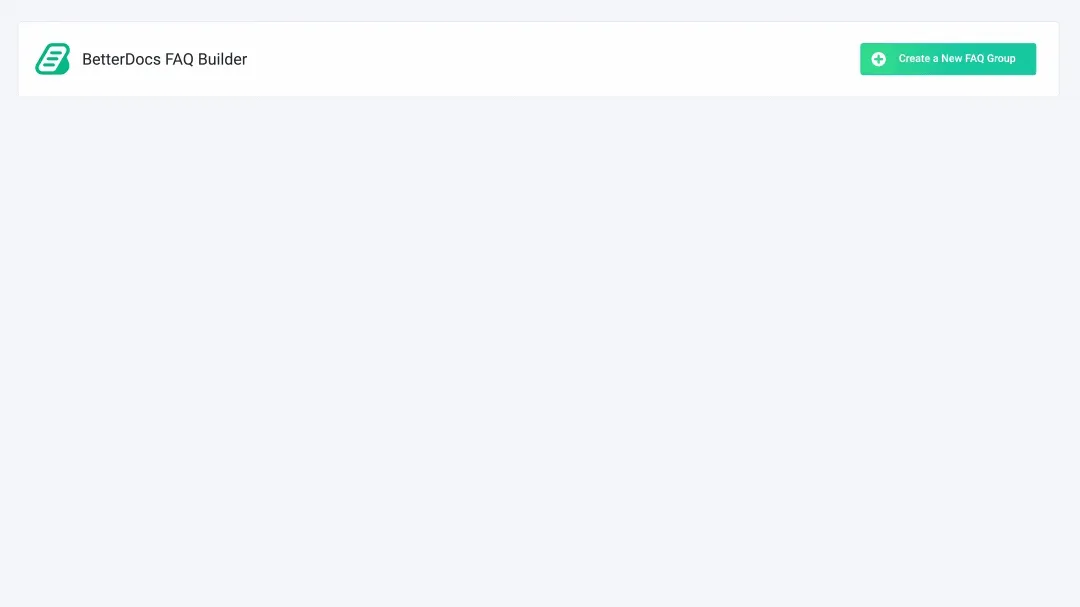
Design FAQ sections for your Knowledge base easily with the help of BetterDocs FAQ Builder.
✅ FULL SITE EDITOR (FSE) COMPATIBILITY
Design your documentation, single docs, and archive pages effortlessly in the Block Editor using BetterDocs.
🛠️ AI-NATIVE DOCUMENTATION ACCESS WITH MCP
Let AI assistants like Claude, ChatGPT, and Cursor read and write your documentation directly through the Model Context Protocol, so your team can create, update, and manage docs from chat instead of switching between tools.
📋 INTERACTIVE TABLE OF CONTENTS (TOC)
Create a reader-friendly Table Of Contents(TOC) while you are writing your documentation. This TOC moves with your scroll, so your visitors can always go to other pages easily.
🔎 IN-BUILT ADVANCED SEARCH OPTION
Assist your visitors to get the exact docs and reduce dependency on support with a built-in advanced live search & advanced search option(PRO) from the top.
⚙️ ADVANCED CUSTOMIZATION OPTION
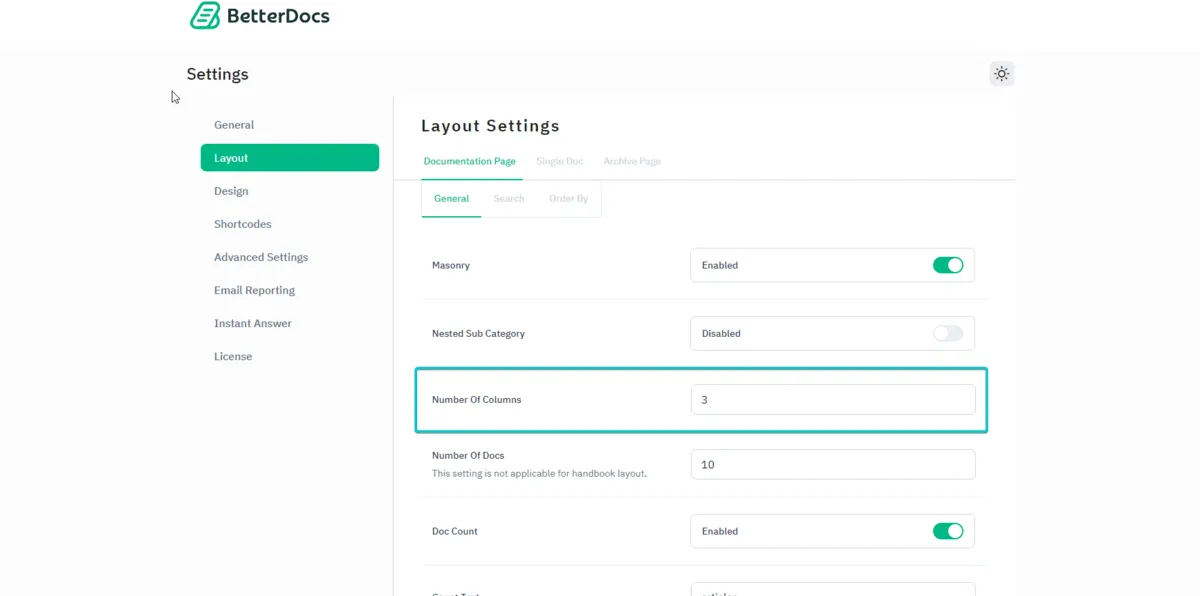
Customize documentation pages from settings or even add shortcode (PRO), page builder widgets, and more to get the full authority to make it stand out for your web visitors.
💯 100% COMPATIBILITY WITH ELEMENTOR PAGE BUILDER [FREE ELEMENTOR WIDGETS]
Design amazing single docs and the docs archive page without any hassle with Elementor Page Builder using free Elementor widgets
🔥 SINGLE DOC & DOC ARCHIVE TEMPLATE WITH ELEMENTOR
Create an amazing single doc & archieve template with advanced elements, and ready layouts with Elementor Theme Builder
🤖 WRITE DOCUMENTATION & FAQ WITH AI AUTO WRITER
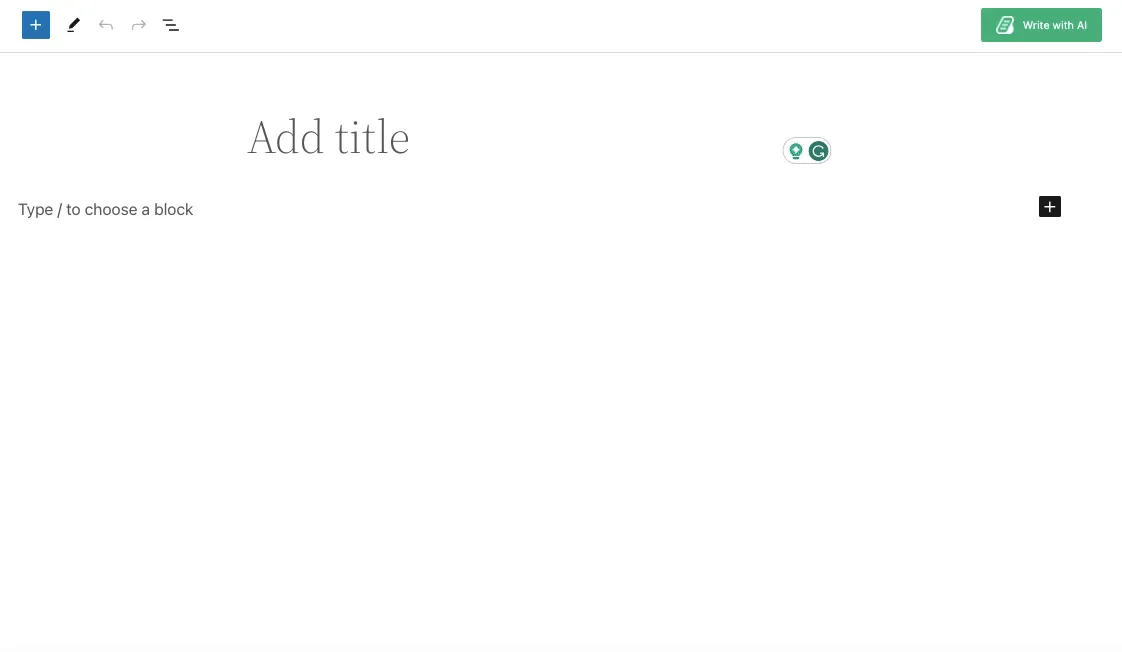
Use the powerful ‘’Write With AI’’ – auto writer feature that integrates ChatGPT to quickly generate detailed documentation & FAQs in a few clicks.
🔄 IMPORT AND EXPORT OPTION
Migrate your valuable content and back up your knowledge base with just a few clicks with an easy import and export feature that seamlessly supports CSV and XML formats.
↪️ 3RD PARTY MIGRATION SUCH AS HELP SCOUT
Seamless migration of the knowledge base from any 3rd party plugin solution like Help Scout with a single click to improve customer service capabilities.
🤖 INSTANT ANSWER TO REDUCE SUPPORT TICKETS (PRO)
Help your customers browse the docs and knowledge base articles right from the chat window without leaving the page and reduce the support tickets.
📊 INSIGHTFUL ANALYTICS TO EVALUATE PERFORMANCE (PRO)
Track and evaluate activities on your documentation page and improve customer experience. Also, analyze the site traffic to get insights into your Knowledge Base.
🆕 CREATE MULTIPLE KNOWLEDGE BASES (PRO)
Create multiple knowledge bases for different products and provide instant support to your customers from one place
🔒 MANAGE INTERNAL KNOWLEDGE BASE (PRO)
Restrict your knowledge base based on certain user roles and manage the Internal Knowledge Base to make your documentation private
🔗 ADD ATTACHMENT IN SINGLE DOCUMENTATION (PRO)
Include attachments within each document to offer supplementary content and extra details, enhancing comprehension and accessibility.
📚 EMBED RELATED DOCS IN SINGLE DOCUMENTATION
Incorporate relevant documentation into each document to promote supporting content and additional information.
⚡ AI-POWERED REAL-TIME RELATED DOCS (PRO)
Automatically suggest the most relevant documentation to your readers using AI-powered, real-time related docs, helping users discover answers faster and stay engaged.
📙 GLOSSARY (PRO)
Create glossaries for frequently used terms or technical jargon and showcase them as tooltips so readers can easily understand them.
📖 ENCYCLOPEDIA (PRO)
Build an Encyclopedia page to display your glossary or documentation in alphabetical order and help readers easily find what they are looking for.
🤖 AI CHATBOT ADDON (PRO)
BetterDocs AI Chatbot Addon allows instant, AI-powered support for your documentation, helping users quickly find answers and improve customer service more efficiently. It integrates seamlessly and enhances user satisfaction.
🔗 GIT INTEGRATION TO SYNC DOCS WITH GIT ACCOUNT (PRO)
Instantly sync your documentation directly with your Git account and keep everything updated in one place. Manage changes, streamline workflows, and maintain accurate docs effortlessly with Git Integration.
You don’t have to just take our word for it. See what one of the WordPress experts are saying:
• Sweet solution for adding a knowledge base to your website.
• Visit /docs to view the built-in page (URL is changeable in settings)
• Easy to create and manage with beautiful layouts and powerful search.
-Nathan, iThemes
🙌 After reading this feature list, you can probably imagine BetterDocs is a great solution for creating knowledge bases for your website. Give BetterDocs a try.
Want to unlock the advanced features? Upgrade to our Pro version
🚀 Backed By A Trusted Team
This Documentation plugin is brought to you by the team behind WPDeveloper, a renowned name in the WordPress industry, trusted by 6 Million+ happy users.
👨💻 DOCUMENTATION AND SUPPORT
• For documentation and tutorials go to our Documentation
• For video tutorials go to our YouTube Playlist
• If you have any more questions, visit our support on the Plugin’s Forum
• For more information about features, FAQs and documentation, check out our website at BetterDocs
Create better Docs, Knowledge Base and wiki with BetterDocs
💙 Loved BetterDocs?
• Join our Facebook Group
• Learn from our tutorials on YouTube Channel
• Or rate BetterDocs on WordPress
🔥 WHAT’S NEXT
If you like BetterDocs, then consider checking out our other projects:
Essential Addons For Elementor –Elementor widgets library with 2 Million+ active users in the WordPress repository.
NotificationX – Powerful social proof & FOMO Marketing Plugin
SchedulePress – Content Scheduling and Editorial Solution.
EmbedPress– Embed & customize 150+ multimedia sources inwith one click with customization flexibility.
Templately Ready Templates Library for Elementor & Block Editor with 6,000+ Versatile Designs.
Visit WPDeveloper to learn more about how to do better in WordPress with Help Tutorial, Tips & Tricks!
External services
BetterDocs works without contacting any outside service. The services below are only contacted after you opt in, enter your own API key, or click the feature that needs them.
Usage tracking (WPInsight, by WPDeveloper)
Only if you click “Sure, I’d like to help” on the opt-in notice. Once a day, it sends your site URL, the email of the admin who opted in, WordPress and PHP versions, active theme and plugins, and BetterDocs usage counts to send.wpinsight.com. It also sends your public IP to ip-api.com to look up the country.
WPDeveloper: Terms, Privacy Policy. ip-api.com: Terms and Privacy.
AI Sample Docs (BetterDocs AI service, api.betterdocs.co)
Only when you click “Generate” in AI Sample Docs. It sends your site name, tagline, URL, short excerpts from your pages, posts and products, and your BetterDocs Pro license key (if any), and gets back draft docs.
Terms, Privacy Policy.
Elementor template library (betterdocs.co)
Only when you open the BetterDocs templates in Elementor’s template library. It requests the template list and the template you insert; your site URL is sent as part of the request.
Terms, Privacy Policy.
AI providers (OpenAI, Anthropic, Google Gemini)
Only for the provider you configure with your own API key, and only when an AI feature runs (Write with AI, AI editing, article summaries, FAQ generation and similar). It sends the prompt and the doc content the feature works on.
– OpenAI (api.openai.com): Terms, Privacy Policy
– Anthropic (api.anthropic.com): Terms, Privacy Policy
– Google Gemini (generativelanguage.googleapis.com): Terms, Privacy Policy
Help Scout migration (docsapi.helpscout.net)
Only when you enter your Help Scout API key and run the migration. It sends your key to read your Help Scout Docs collections, categories and articles.
Terms, Privacy Policy.
Google Analytics 4 (googletagmanager.com)
Only if a GA4 Measurement ID is set. The standard GA4 tag is loaded on doc pages and sends page views to Google.
Terms, Privacy Policy.
Installation
Modern Way:
• Go to the WordPress Dashboard “Add New Plugin” section.
• Search For “BetterDocs”.
• Install, then Activate it.
• Follow the Documentation
Old Way:
• Upload betterdocs to the /wp-content/plugins/ directory
• Activate the plugin through the ‘Plugins’ menu in WordPress
• Follow the Documentation
Developer FAQ (11)
- What is BetterDocs used for?
- BetterDocs helps you create and manage a WordPress knowledge base, documentation site, FAQ section, wiki, or help center so visitors can find answers faster and your team can reduce repetitive support tickets.
- Does BetterDocs work with any WordPress theme?
- Yes. BetterDocs works with standard WordPress themes. You can use it to create documentation pages and knowledge base layouts while keeping your existing site design.
- Can BetterDocs help reduce support tickets?
- Yes. By organizing documentation, FAQs, and help articles in a searchable knowledge base, BetterDocs helps customers find answers on their own before contacting support.
- Does BetterDocs include live search for documentation?
- Yes. BetterDocs includes an advanced search experience so visitors can quickly find relevant documentation articles, FAQs, and knowledge base content.
- Can I create documentation with Elementor or Gutenberg?
- Yes. BetterDocs supports designing documentation with ready templates and works with popular WordPress editing workflows, including Elementor and the Gutenberg block editor.
- Does BetterDocs support AI features?
- BetterDocs includes AI-focused documentation features such as writing assistance, document summarization, quality analysis, and an AI chatbot experience depending on the feature setup and plan you use.
- Can I create an internal knowledge base with BetterDocs?
- Yes. BetterDocs can be used for internal documentation and private knowledge bases, including role-based access control for teams that need internal docs, SOPs, or company resources.
- Does BetterDocs support multiple knowledge bases?
- BetterDocs is designed to help organize documentation into categories and knowledge bases. Multiple knowledge base workflows are useful when you need separate docs for different products, teams, or audiences.
- Can I track how my documentation performs?
- Yes. BetterDocs provides analytics-focused features to help you understand documentation performance, visitor behavior, popular docs, and opportunities to improve your help center content.
- Is BetterDocs useful for multilingual documentation?
- Yes. BetterDocs supports multilingual documentation workflows and integrates with multilingual tools such as WPML, helping you create knowledge base content for users in different languages.
- Can I connect ChatGPT or Claude to my documentation?
- Yes. BetterDocs includes an MCP server, which lets AI assistants such as Claude, ChatGPT, Cursor and VS Code work with your documentation directly. Turn it on under BetterDocs → MCP, copy the connection URL, and add it to your assistant — it will ask you to approve the connection on your own site.
Downloads, last 30 days
Trend vs previous period: -24.5%
Average daily downloads: 352 over the last 7 days , 1,025 over 30 days.
Security history
Past CVEs, patched · 15 published vulnerabilities (Wordfence) · most recent Sep 1, 2026
- Patched 6.5 Medium BetterDocs <= 4.6.0 - Authenticated (Custom+) SQL Injection via 'lang' Parameter CVE-2026-15104 · Jul 10, 2026 · affects *-4.6.0 · fixed in 4.6.1
- Patched 7.2 High BetterDocs <= 4.5.4 - Unauthenticated Stored Cross-Site Scripting CVE-2026-11371 · Jun 25, 2026 · affects *-4.5.4 · fixed in 4.5.5
- Patched 6.5 Medium BetterDocs <= 4.3.3 - Authenticated (Contributor+) Sensitive Information Exposure CVE-2025-14980 · Jan 9, 2026 · affects *-4.3.3 · fixed in 4.3.4
- Patched 4.3 Medium BetterDocs <= 2.5.2 - Missing Authorization via AJAX actions CVE-2023-47762 · Nov 13, 2023 · affects *-2.5.2 · fixed in 2.5.3
- Patched 6.4 Medium BetterDocs - Best Documentation, FAQ & Knowledge Base Plugin with AI Support & Instant Answer For Elementor & Gutenberg <= 3.4.2 - Authenticated (Contributor+) Stored Cross-Site Scripting via Shortcode CVE-2024-2845 · Mar 25, 2024 · affects *-3.4.2 · fixed in 3.5.0
- Patched 4.3 Medium BetterDocs <= 4.3.11 - Missing Authorization to Authenticated (Subscriber+) Unauthorized AI API Usage CVE-2026-6393 · Apr 23, 2026 · affects *-4.3.11 · fixed in 4.3.12
- Patched 6.4 Medium BetterDocs - AI Documentation, Knowledge Base, Docs, Wikis, FAQ with Chatbot <= 4.6.2 - Authenticated (Contributor+) Stored Cross-Site Scripting CVE-2026-65562 · Jul 24, 2026 · affects *-4.6.2 · fixed in 4.7.0
- Patched 5.3 Medium BetterDocs <= 4.1.1 - Missing Authorization to Private And Password-Protected Posts Information Disclosure CVE-2025-7499 · Aug 16, 2025 · affects *-4.1.1 · fixed in 4.1.2
Show all 15 vulnerabilities
- Patched 6.4 Medium BetterDocs <= 4.3.8 - Authenticated (Contributor+) Stored Cross-Site Scripting via Shortcode Attributes CVE-2026-3875 · Apr 16, 2026 · affects *-4.3.8 · fixed in 4.3.9
- Patched 6.4 Medium BetterDocs <= 4.5.3 - Authenticated (Contributor+) Stored Cross-Site Scripting via 'blockId' Block Attribute CVE-2026-12157 · Jun 18, 2026 · affects *-4.5.3 · fixed in 4.5.4
- Patched 9.8 Critical BetterDocs - Best Documentation, FAQ & Knowledge Base Plugin with AI Support & Instant Answer for Elementor & Gutenberg <= 3.3.3 - Unauthenticated PHP Object Injection CVE-2024-30226 · Mar 26, 2024 · affects *-3.3.3 · fixed in 3.3.4
- Patched 8.8 High BetterDocs <= 3.5.8 - Authenticated (Contributor+) Local File Inclusion CVE-2024-43129 · Aug 7, 2024 · affects *-3.5.8 · fixed in 3.5.9
- Patched 5.3 Medium BetterDocs <= 4.3.10 - Unauthenticated Information Exposure CVE-2026-42644 · Mar 18, 2026 · affects *-4.3.10 · fixed in 4.3.11
- Patched 6.4 Medium BetterDocs <= 4.8.1 - Authenticated (Contributor+) Stored Cross-Site Scripting via Heading 'id' Attribute in Post Content CVE-2026-75980 · Sep 1, 2026 · affects *-4.8.1 · fixed in 4.8.2
- Patched 6.4 Medium BetterDocs <= 3.5.8 - Authenticated (Contributor+) Stored Cross-Site Scripting CVE-2024-43227 · Aug 9, 2024 · affects *-3.5.8 · fixed in 3.5.9
BetterDocs FAQ
What is BetterDocs for?
It builds a knowledge base, documentation site, FAQ section, wiki or help center, so visitors find answers faster and support gets fewer repeat tickets.
Does it work with my theme?
Yes. It works with standard WordPress themes and keeps your existing design while adding docs layouts.
Does it include live search?
Yes. Visitors can search articles, FAQs and knowledge base content from the page.
Can I design docs with Elementor or Gutenberg?
Yes. It supports ready templates, Elementor widgets and Gutenberg blocks, including full site editing.
What AI features does it have?
The listing names writing help, document summaries, quality analysis and an AI chatbot, depending on your setup and plan.
Can I run an internal knowledge base?
Yes. Private docs with role-based access suit internal SOPs and company resources.
Can I track how docs perform?
Yes. Analytics show visitor behavior and popular docs, so you can see what to improve.
Can I connect Claude or ChatGPT?
Yes. Turn on the MCP server under BetterDocs, then MCP. Copy the connection URL into your assistant, which asks you to approve the link on your site.
BetterDocs alternatives

Live Demo | Add-ons | Assets | Documentation | Code Snippets GamiPress is the easiest way to gamify your WordPress website in just a few minutes, letting you award your users with digital rewards for interacting with…

Better Messages is the most feature-rich realtime private messaging system for WordPress , with native integrations for BuddyPress, BuddyBoss Platform, Ultimate Member, PeepSo and any other WordPress powered…

Visualizer: Tables and Charts Manager for WordPress is a powerful and easy to use plugin used to create, manage and embed interactive, responsive charts & tables into your WordPress posts and pages. The plugin…

Smart Search, Replace & Media Tool (with AI) for WordPress Better Find and Replace lets you easily search and replace text, HTML, links and media across your entire WordPress site - no coding needed. Perfect for…

👉 See what users are saying about Directorist ⭐⭐⭐⭐⭐ I’ve been using Directorist for my directory website for over a year now, and I can honestly say it’s one of the most reliable and feature-rich directory plugins…

Any map. One prompt. Describe the map you want. MapSVG AI helps you build and configure it directly in WordPress: connect your data, place it on the map, arrange the layout and set the styling. See the actual result…
Listing data from WordPress.org and the Wordfence vulnerability feed, refreshed Nov 9, 2026; listing details fetched Nov 14, 2026. Screenshots are from the plugin's WordPress.org listing. Not affiliated with WPDeveloper.