ChatBot.com
ChatBot.com Conversational AI Support · by Text
- active installs
- 1K+
- 10 ratings
- 3.7
- since last update
- 98d
- releases in 12 months
- —
- support threads resolved
- —
- avg daily downloads
- 36
- on WordPress.org
- 6.9 years
ChatBot.com at a glance
ChatBot.com is a free WordPress AI chatbot plugin by Text with 1K+ active installs and a 3.7/5 rating from 10 reviews. It was last updated on Aug 3, 2026, is tested up to WordPress 6.9.0 and needs PHP 5.6+. It has no published security vulnerabilities in the Wordfence database. Our quality score is 73/100.
What is ChatBot.com?
ChatBot.com Conversational AI Support is a WordPress plugin that adds a ChatBot.com chat widget to your site. The bot itself is built and managed on the ChatBot.com platform. The plugin only places the widget on your pages, so you need an account there.
It is for businesses that want automated support and lead capture without writing code. The listing says the bot can answer support questions, generate leads, schedule meetings, collect feedback, create tickets or hand a chat to a live agent. Flows are set up in a visual drag-and-drop builder on the platform.
The AI side is a model trained on your own content, such as your website, store, help center or text articles. The listing says it is based strictly on the data you provide and does not rely on third-party providers like OpenAI. It can also launch on Facebook Messenger and Slack and connect to LiveChat and HelpDesk.
Best for
- Businesses automating customer support
- Sites wanting lead capture through chat
- Teams that already use LiveChat or HelpDesk
- Owners who want no-code chat flows
ChatBot.com features
Chat widget for your site
The plugin adds a customizable widget. You can change colors, texts and style to match your brand.
AI model trained on your content
Learns from your website, help center or text articles, and answers questions from that knowledge.
Visual flow builder
Build chat flows by dragging and dropping elements on the ChatBot.com platform, with no code.
Support and lead automations
Bots can create support tickets, collect leads, book meetings or pass visitors to live agents.
Chat-based optimization
Use completed conversations to train the bot to be more precise.
Multiple channels
The same bot can run on your website, Facebook Messenger, Slack and other channels.
Multilingual bots
You can build a bot that answers in several languages.
LiveChat and HelpDesk link
Connects bot chats with live chat and email tickets for one support flow.
ChatBot.com free vs pro
Free WordPress.org version
- The WordPress plugin that adds the widget
- A 14-day trial of the full ChatBot.com software, as described in the FAQ
Pro Paid version
- Continued use of the ChatBot.com platform after the trial. The listing does not describe plans.
The plugin is free, but you need a ChatBot.com account. The listing offers a 14-day free trial of all features and does not describe plan names or prices. No API key from an AI provider is needed, since the bot runs on the vendor's own model.
How to use ChatBot.com
- Create a ChatBot.com account
Sign up on the ChatBot.com site. You can use the 14-day trial to test the features.
- Build your bot
In the ChatBot.com app, train the AI on your website or help center content and set up any chat flows.
- Install the plugin
In wp-admin go to Plugins, then Add New, search for ChatBot.com, then install and activate it.
- Connect your account
Follow the plugin's prompts to link your ChatBot.com account so your bot appears on the site.
- Adjust the widget
Change colors, texts and style in ChatBot.com, then test the chat on your site and review completed chats to improve answers.
ChatBot.com screenshots (8)
-
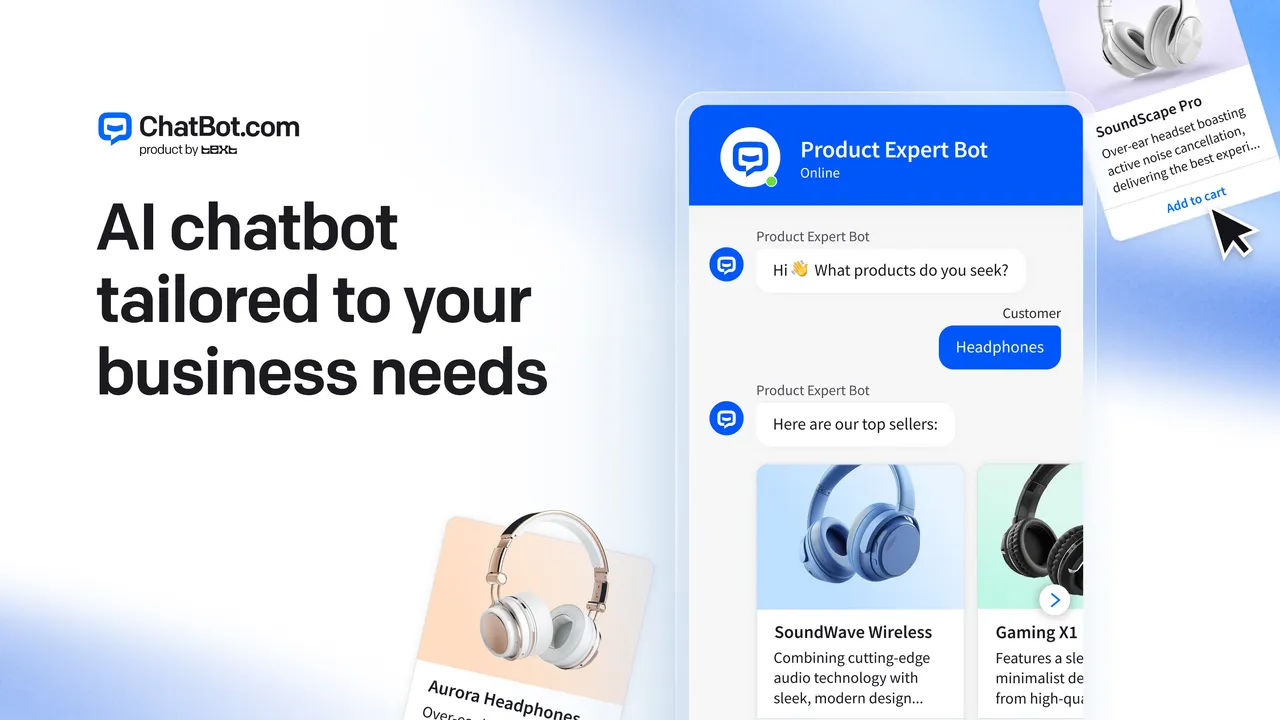
Transform your customer experience with AI chatbots. -
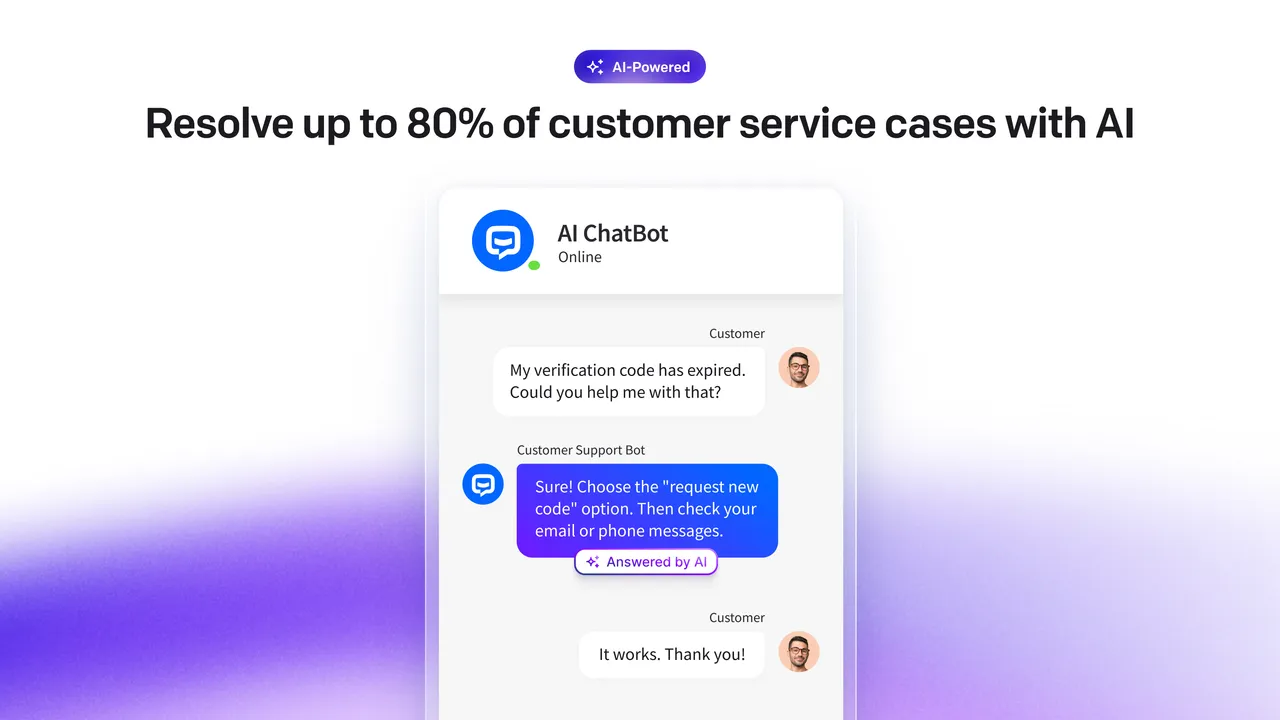
Use AI to resolve any edge cases in customer service queries. -
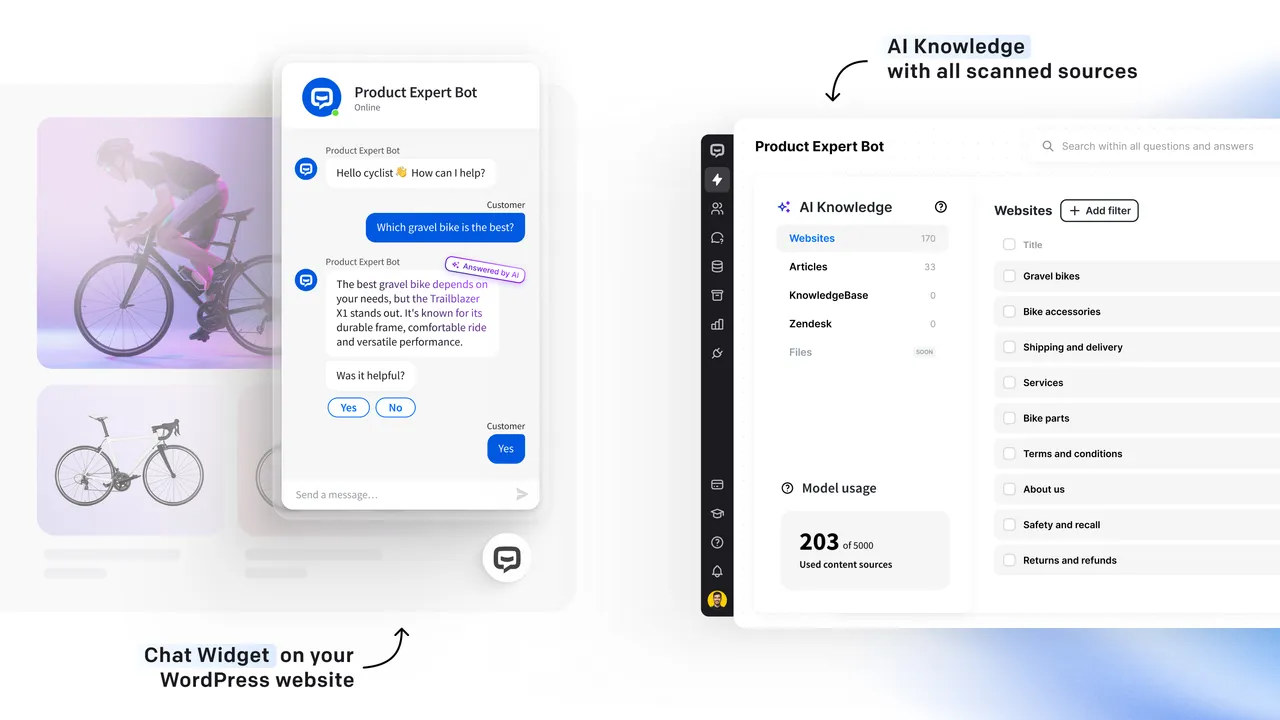
Scan the content of your website or help center to create a smart, AI-powered assistant. -
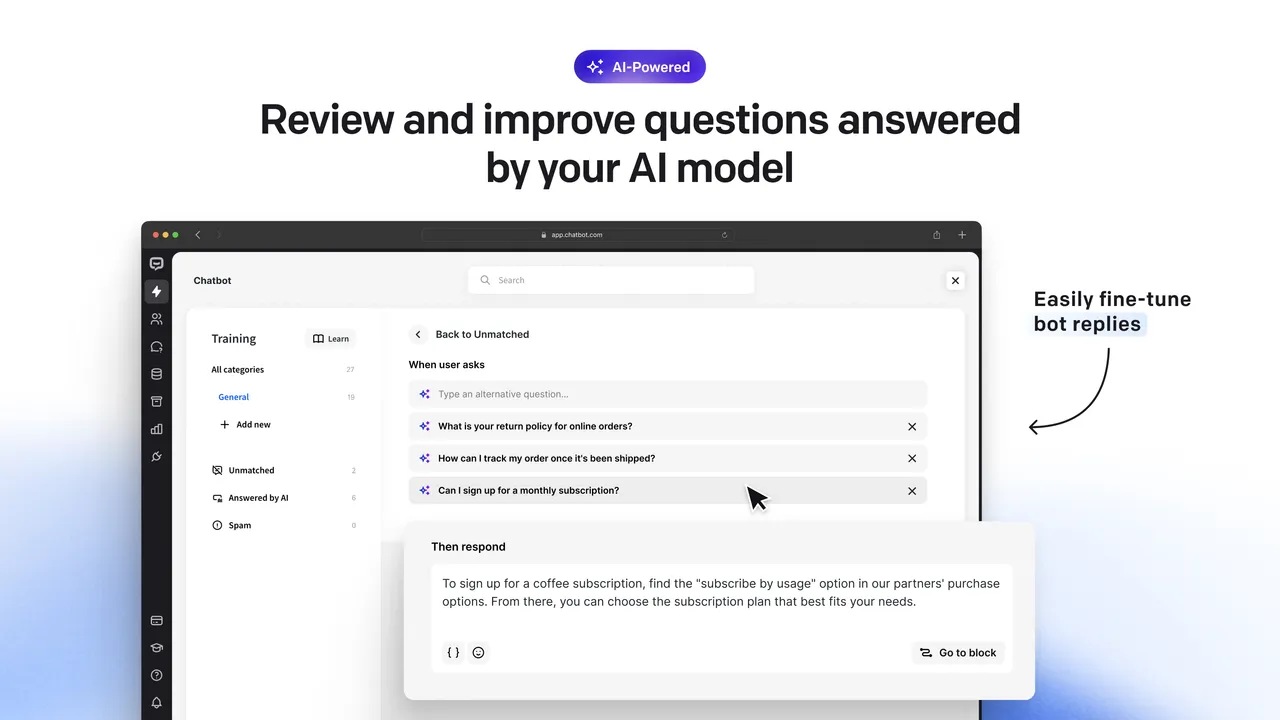
Easily train your AI bot with custom answers and follow-up actions. -
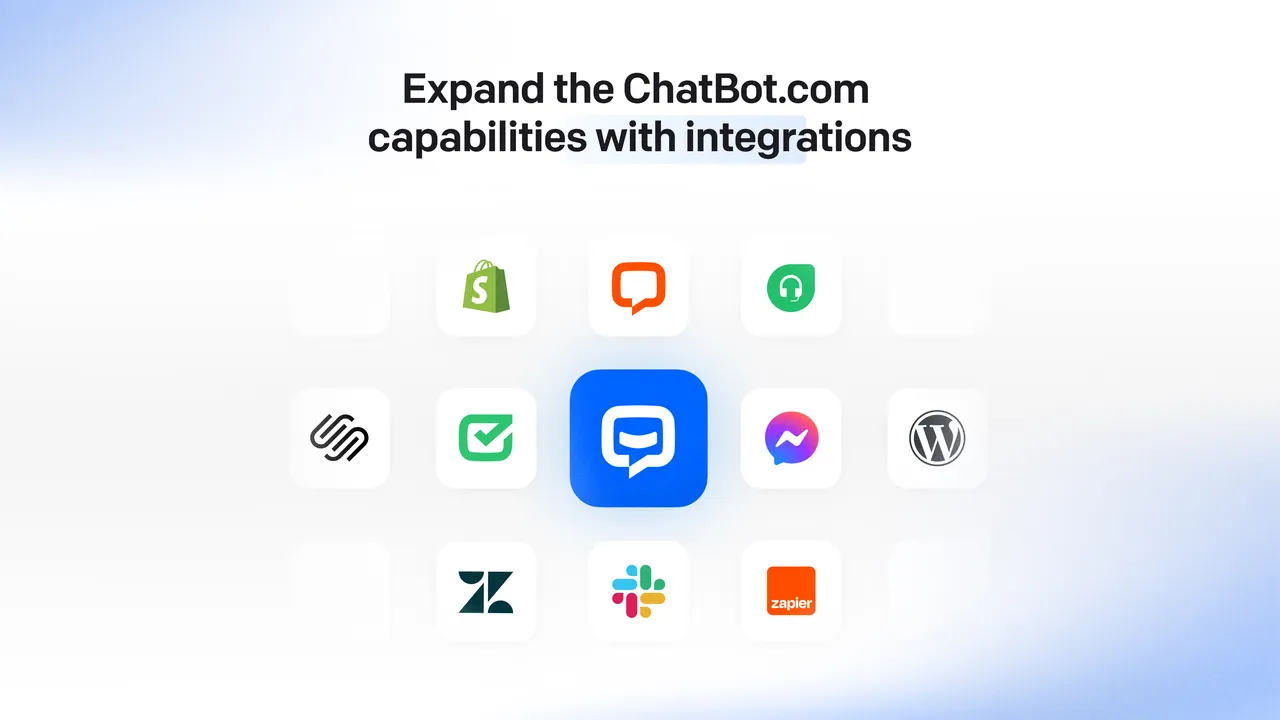
Use integrations to connect across multiple channels and expand your bot's capabilities with more actions. -
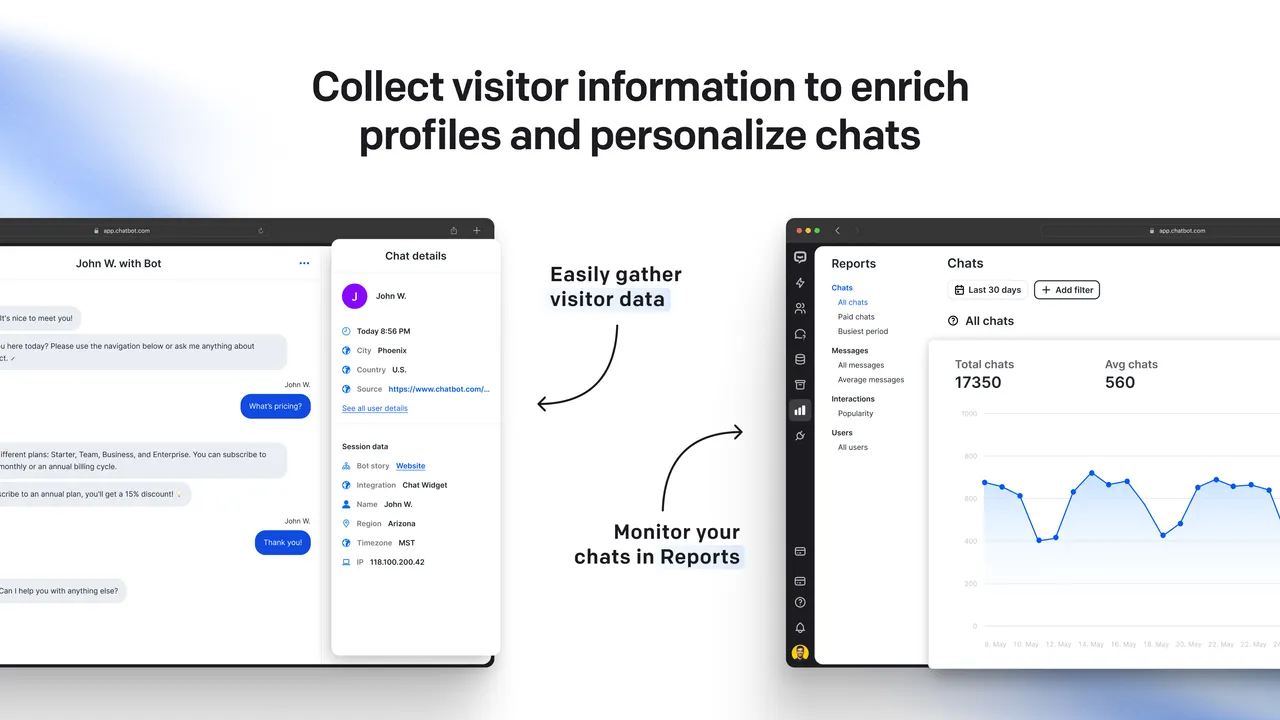
Collect visitor data for personalization and external use. Check Reports for details on chats and visitors. -
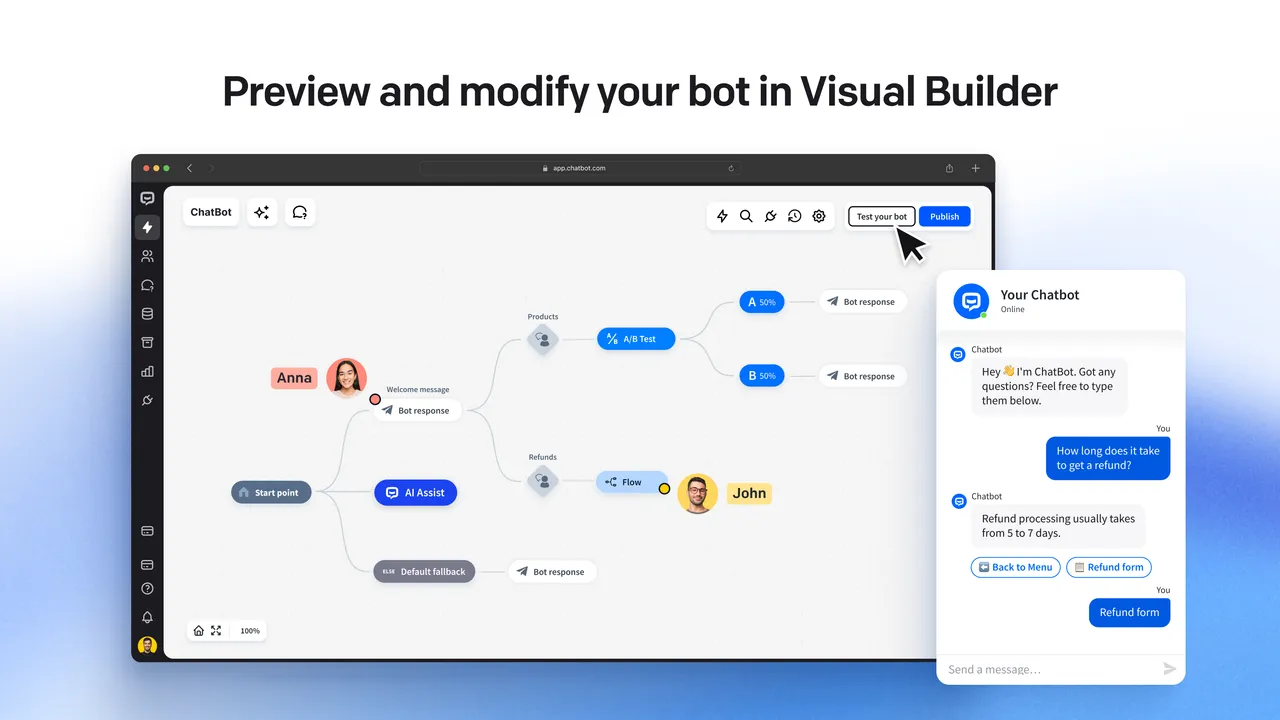
Use the drag-and-drop Visual Builder to customize the chatbot flow for your specific business needs. -
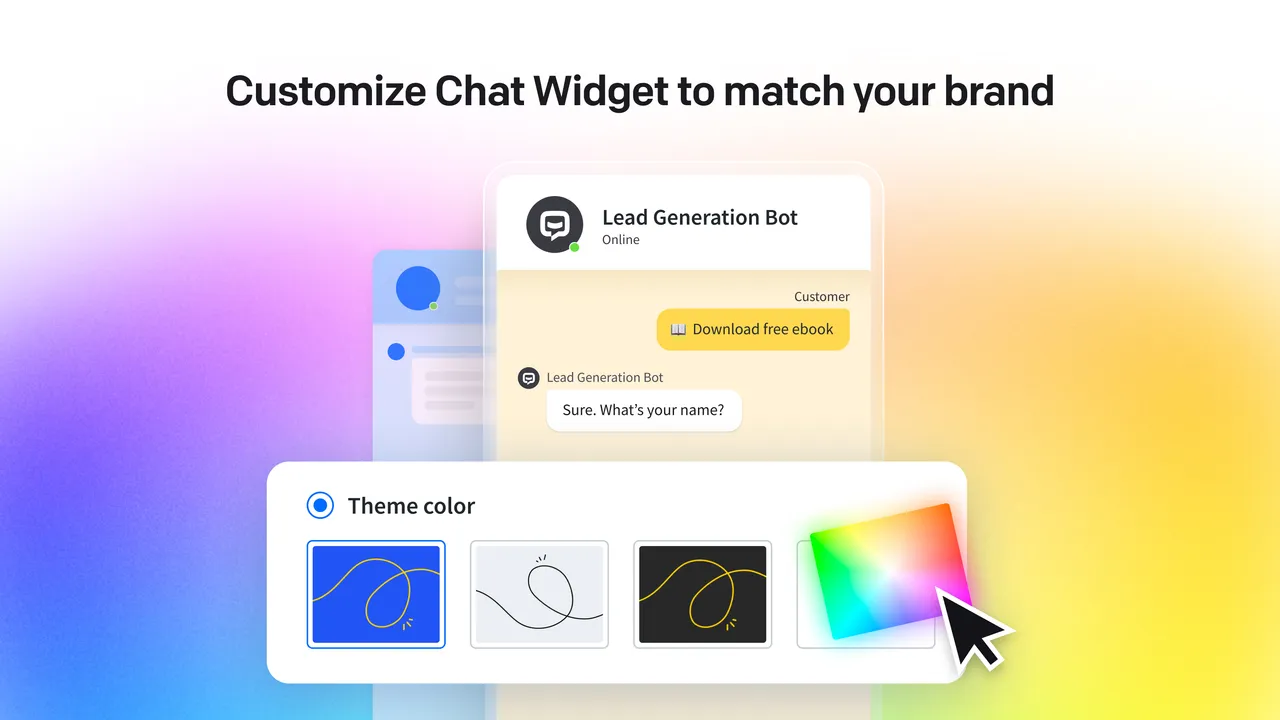
Freely customize the widget's appearance to match your brand and website.
Important information
- A ChatBot.com account is required. The bot, training data and chats are hosted on the vendor's platform, not in WordPress.
- Your website content and visitor chats are handled by ChatBot.com. Check its privacy terms before use.
- The listing says the free trial lasts 14 days. It does not state what happens afterward or what paid plans cost.
- The plugin lists WordPress 3.4 and PHP 5.6 as minimums and is tested up to WordPress 6.9.0. Test on a staging site if you run a newer version.
- The claims about answering up to 80 percent of questions come from the vendor and depend on your content.
From the ChatBot.com readme
Straight from the developer's WordPress.org listing.
Full description
ChatBot.com is an all-in-one platform to create, deploy, and track chatbots across channels, trusted by 2900+ companies.
Create your AI chat bot in a snap and easily launch it on your website, Facebook Messenger, Slack, and more. Integrate ChatBot.com with LiveChat and HelpDesk.com for a seamless support experience that connects live chats, conversations with AI bots, and email support tickets.
Use the ChatBot.com WordPress plugin to instantly add an AI chatbot and make it appear as an interactive and customizable chat widget on your website.
End-to-end Customer Service Automation
Automate tasks 24/7/365, without human engagement: answer support questions, generate leads, schedule meetings, get customer feedback, collect personal data, promote products and create any other custom chat flow in the ChatBot.com app.
Self-learning AI Chatbot
ChatBot.com uses a dedicated AI model crafted based on the content provided from your website, online store, help center, or text documentation. It learns from your business knowledge (like information about your products and services) and uses this knowledge to answer customers’ questions.
Answer Up To 80% Of Customers’ Questions With AI
ChatBot.com utilizes ML (machine learning), LLM (large language models), and generative AI to dynamically provide answers to questions in chats. It creates a unique and accurate AI model (AI Assist) that is strictly based on the provided data and does not rely on third-party providers like OpenAI (ChatGPT), Google Bard, or Bing AI.
Why ChatBot.com is a Better Customer Service Solution than ChatGPT
• 👉 One Simple App Interface: All your chatbot setup, deployment, and optimization are done via the intuitive ChatBot.com platform interface without any coding.
• 👉 Easy No Code Installation: Setting up a chatbot on your website is quick and simple. It does not require any coding or API use. Simply install the WP plugin, and it’s ready to go.
• 👉 One-Click Training and Setup: To train your chatbot, simply use data from your website, help center, or text articles. The scanned data will be used in your dedicated AI model.
• 👉 Customizable Chat Widget: Easily adjust the look and settings of Chat Widget to fully match your brand and website.
• 👉 Easy Chatbot Optimization: Use data from completed chats to train your chatbot to be even more precise if needed.
• 👉 Enterprise-grade Data Security: All training data and chats are hosted exclusively on the ChatBot.com platform.
• 👉 Reliable AI Model: ChatBot.com AI Assist is fully trained on the provided data, and it doesn’t makeup facts in chats. There’s no way of “hacking” the AI model to get out of track with answers.
• 👉 Many Automations in One Chatbot Widget: In addition to answering questions, your chatbot can create support tickets, generate leads, schedule meetings, or redirect to live agents. All automations are set up in a visual drag-and-drop builder.
How ChatBot.com Will Improve Your WP Website
• 📈 Improve customer experience with ChatBot.com: Use ChatBot.com to help your customers round-the-clock and improve your conversion rates to grow your revenue effortlessly.
• 📈 Boost visitor engagement on your WordPress website: Reach out to a wider audience and acquire new customers.
• 📈 Turn traffic into growing revenue: Use real-time communication to get more happy customers.
• 📈 Support your website visitors 24/7/365: Help your visitors at every stage of their decision-making.
Key ChatBot.com Features
• Feature-rich WordPress chat bot plugin
• Advanced AI training and custom AI models
• Generative AI for dynamic response creation
• Easy conversation flow testing and chatbot optimization
• One-click installation for WordPress
• Fully customizable Chat Widget
• Rich messages for a more engaging customer experience
• Intuitive interface – no coding and technical skills needed
• One-click integrations with LiveChat, Facebook Messenger, Slack, and more
• Intuitive drag & drop Visual Builder for more advanced chat automation
• Ready-to-start chatbot templates with business-oriented flows
• Reports, analytics, and detailed data on visitors
• Advanced chatbot actions with integrations and webhooks
ChatBot.com’s Most Popular Integrations
• WordPress
• LiveChat
• HelpDesk.com
• Facebook Messenger
• Shopify
• Squarespace
• Webflow
• BigCommerce
• Wix
• Slack
• Zapier
• Freshdesk
• Zendesk
Testimonials
The ChatBot.com platform has become a key part of our proposition. It’s fully flexible and has allowed us to drive 30% more leads while dramatically reducing our cost to serve.
Joe Bush, Co-founder of The Chat Shop
With ChatBot.com, we were able to reduce our help ticket numbers by 50%! So now the elves spend less time answering the phones/emails and more time providing an unforgettable experience to our customers.
Dale & Carey, owners of PackageFromSanta.com
We have used various chatbot platforms in the past, but we find ChatBot.com to be the most flexible, quick to implement, and easily trainable.
Andy Dharmani, Founder, ako.ai
After we implemented ChatBot.com, we witnessed immediate relief within our support operation. Our chatbot provides instantaneous support to 60% of all chatting customers and has reduced queued visitors by over 50%.
Brian Vail, CE Support Agent, ProctorU
The Text ecosystem
The ecosystem of Text products includes:
– LiveChat – a communication tool that allows you to chat live with your customers – official LiveChat plugin page
– HelpDesk.com – an online ticketing system suitable both for small businesses and enterprise clients
– ChatBot.com – a bot framework for AI chat bots
– KnowledgeBase – a public Help Center widget
– OpenWidget – free widgets for website – official OpenWidget plugin page
– Text Messaging Platform – chat platform for innovative teams
Developer FAQ (7)
- Is ChatBot.com the same as ChatGPT?
- ChatBot.com is an autonomous solution without dependencies on third-party providers like OpenAI (ChatGPT). ChatBot.com is a platform dedicated to creating customer service chatbots for businesses, while ChatGPT is a universal generative AI service, and using it for customer service requires integration with an additional chat widget interface via OpenAI API. ChatGPT can’t be easily trained for specific business needs, as it requires advanced technical knowledge. In addition, ChatGPT can’t be trained exclusively on the provided data, and that means that the accuracy of provided answers can’t be guaranteed.
- Do I need a ChatBot.com account to use this plugin?
- Yes – you can create your ChatBot.com account here.
- Do you offer a free trial?
- Yes, you can test all of the features of our ChatBot.com software for 14 days. Sign up for free here.
- How much coding is involved?
- Zero! You don’t need to have the technical knowledge to use ChatBot.com. Simply drag and drop elements in our visual editor to create a chatbot.
- Can my chat bot speak multiple languages?
- Yes, you can create a multilingual AI chat bot in ChatBot.com.
- Is the chat widget customizable?
- Yes, you can customize the chat window colors, texts, and style. With the simple creator, you can adjust the widget look and make your bot more personal.
- Do you provide support?
- Yes! You can contact our support at any time. Reach us at support@chatbot.com.
Downloads, last 30 days
Trend vs previous period: -12.7%
Average daily downloads: 36 over the last 7 days , 36 over 30 days.
Security history
No known CVEs · 0 published vulnerabilities (Wordfence)
ChatBot.com FAQ
Is ChatBot.com the same as ChatGPT?
No. ChatBot.com is a platform for building customer service chatbots. The listing says it has its own model and does not depend on third-party providers such as OpenAI.
Do I need an account?
Yes. You need a ChatBot.com account to use the plugin.
Is there a free trial?
Yes. You can test all features of the software for 14 days.
How much coding is involved?
None. You build the bot by dragging and dropping elements in the visual editor.
Can the bot speak several languages?
Yes. You can create a multilingual AI chatbot in the platform.
Can I change how the widget looks?
Yes. You can adjust the colors, texts and style of the chat window.
How do I get support?
The vendor offers support by email at any time.
ChatBot.com alternatives

The free MCP server and AI chatbot for WordPress. Claude and ChatGPT connect to your site with no account, no API key and no usage limits. AI Engine connects WordPress and AI, both ways. AI comes into your site:…

Chatway is a WordPress live chat, AI chatbot, and helpdesk plugin for customer support. Chat with website visitors in real time, automate replies with an AI chatbot, or connect your own AI agents including ChatGPT,…

🟦 Tidio - Live Chat for WordPress with AI Chatbots, Customer Support & Sales Tools Tidio Live Chat is an all-in-one customer support plugin for WordPress that lets you talk to your website visitors in real time.…

THE SIMPLE, SECURE AND FEATURE-RICH SUPPORT TICKETING SYSTEM PLUGIN FOR YOUR WORDPRESS SITE. Click here to visit our official website. SupportCandy is a self-hosted WordPress helpdesk and support ticket system.…
AI ChatBot for WordPress - WPBot. Support, Sale, Convert, Automate WPBot is a feature rich AI ChatBot for WordPress websites. Provide 24/7 Automated Live Chat Support , Generate Leads and Convert , Collect…
MxChat is the most powerful free AI chatbot and content generation plugin for WordPress - connecting your website to ChatGPT, Claude, Gemini, Grok, DeepSeek, and 100+ AI models through a single, easy-to-use…
Listing data from WordPress.org and the Wordfence vulnerability feed, refreshed Nov 9, 2026; listing details fetched Nov 14, 2026. Screenshots are from the plugin's WordPress.org listing. Not affiliated with Text.