
- active installs
- 10K+
- 73 ratings
- 4.6
- since last update
- 19d
- releases in 12 months
- —
- support threads resolved
- —
- avg daily downloads
- 454
- on WordPress.org
- 10.8 years
Crisp at a glance
Crisp is a freemium WordPress AI chatbot plugin by crisp with 10K+ active installs and a 4.6/5 rating from 73 reviews. It was last updated on Oct 21, 2026, is tested up to WordPress 7.1.4 and needs PHP 5.3+. All 2 of its published vulnerabilities have patched versions. Our quality score is 88/100.
What is Crisp?
Crisp adds a live chat widget to your WordPress site and connects it to the Crisp customer messaging platform. Visitors chat with you from the site, and your team answers from a shared inbox or from the Crisp mobile and desktop apps. The plugin is the link between WordPress and that service.
It is aimed at small and medium businesses, agencies, bloggers and store owners who want live chat without writing code. You install the plugin, then link it to a Crisp account. Chat, an AI chatbot and support tools live in the Crisp service, not in WordPress itself.
The AI parts are an AI agent called Hugo and an AI copilot for support staff. Hugo answers repeat questions using your website content and other sources you add, and can pass chats to a person. The copilot summarizes chats and drafts replies. The listing does not say which of these are free or paid.
Best for
- Small businesses that want live chat
- WooCommerce stores that need order context in chats
- Teams wanting one inbox for several channels
- Sites that want an AI bot to handle repeat questions
Our take
A one-click live-chat and chatbot plugin tied to the Crisp SaaS platform. The free tier is genuinely usable; the AI features live behind the hosted plans.
Crisp features
Live chat widget
A customizable chat window for your site. You can match it to your brand and answer from desktop or mobile apps.
Proactive messages
Start a conversation at a chosen moment instead of waiting for a visitor to write first.
AI chatbot (Hugo)
Answers common questions using your own content. It can learn from your website, help articles and files.
Custom bot instructions
Set how the chatbot should behave and reply. Chats can be handed to your team when a person is needed.
AI copilot for agents
Summarizes long conversations, drafts replies and gives context when an agent takes over from the bot.
Shared inbox
Brings chat, email, WhatsApp, Messenger and Instagram into one place, with private notes and assignments.
WooCommerce context
Shows order history, cart contents and customer details next to a conversation.
Analytics and triggers
Tracks conversation volume, response times and satisfaction, and shows messages based on visitor behavior.
Campaigns and contacts
Send targeted messages to groups and keep customer profiles and history together.
Crisp free vs pro
Free WordPress.org version
- The WordPress plugin that adds the chat widget
- A free live chat setup, as described in the listing
Pro Paid version
- Advanced functionality in paid Crisp tiers. The listing does not say which features are included in each tier.
The plugin is free and works with a Crisp account. Paid tiers exist for more advanced features, but the listing gives no prices or plan details. No AI provider API key is mentioned.
How to use Crisp
- Install the plugin
In wp-admin go to Plugins, then Add New, search for Crisp, then install and activate it.
- Link your Crisp account
Open Settings, then Crisp, and click Link with Crisp. Sign in or create an account when asked.
- Set up the widget
Adjust the chat widget in Crisp so it matches your site, and turn on any proactive messages you want.
- Train the AI chatbot
In Crisp, let Hugo learn from your website and add help articles or files. Write instructions for how it should reply.
- Answer from the inbox
Reply to visitors from the Crisp inbox or apps, and use private notes and assignments with your team.
Crisp screenshots (5)
-

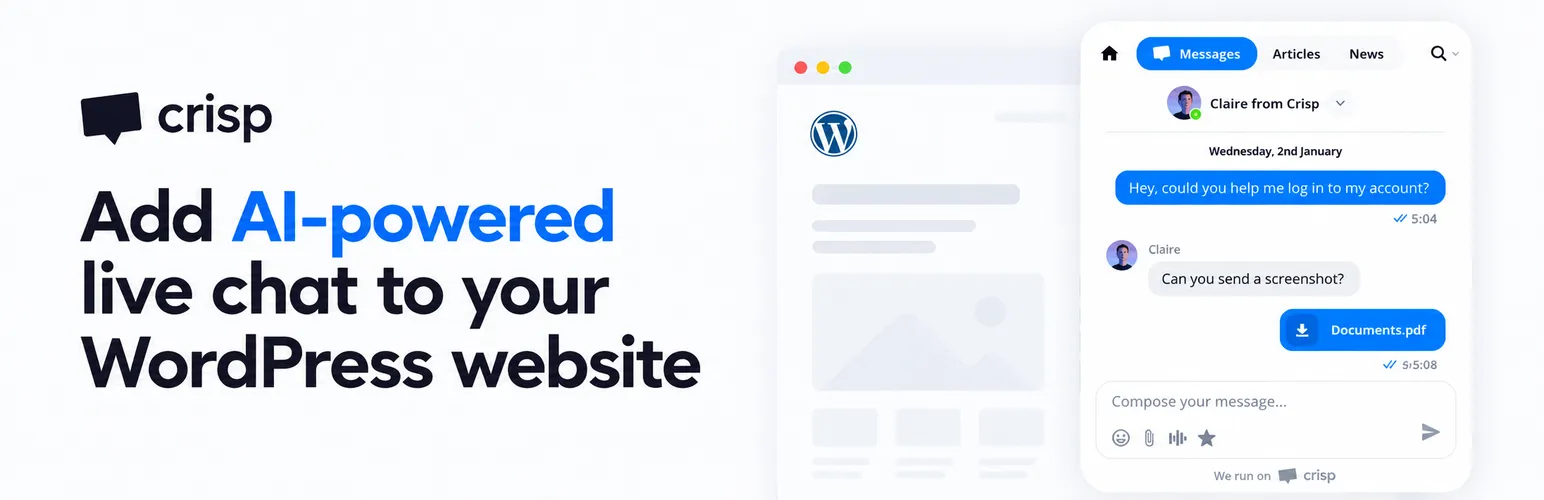
Add live chat to your WordPress website in minutes -
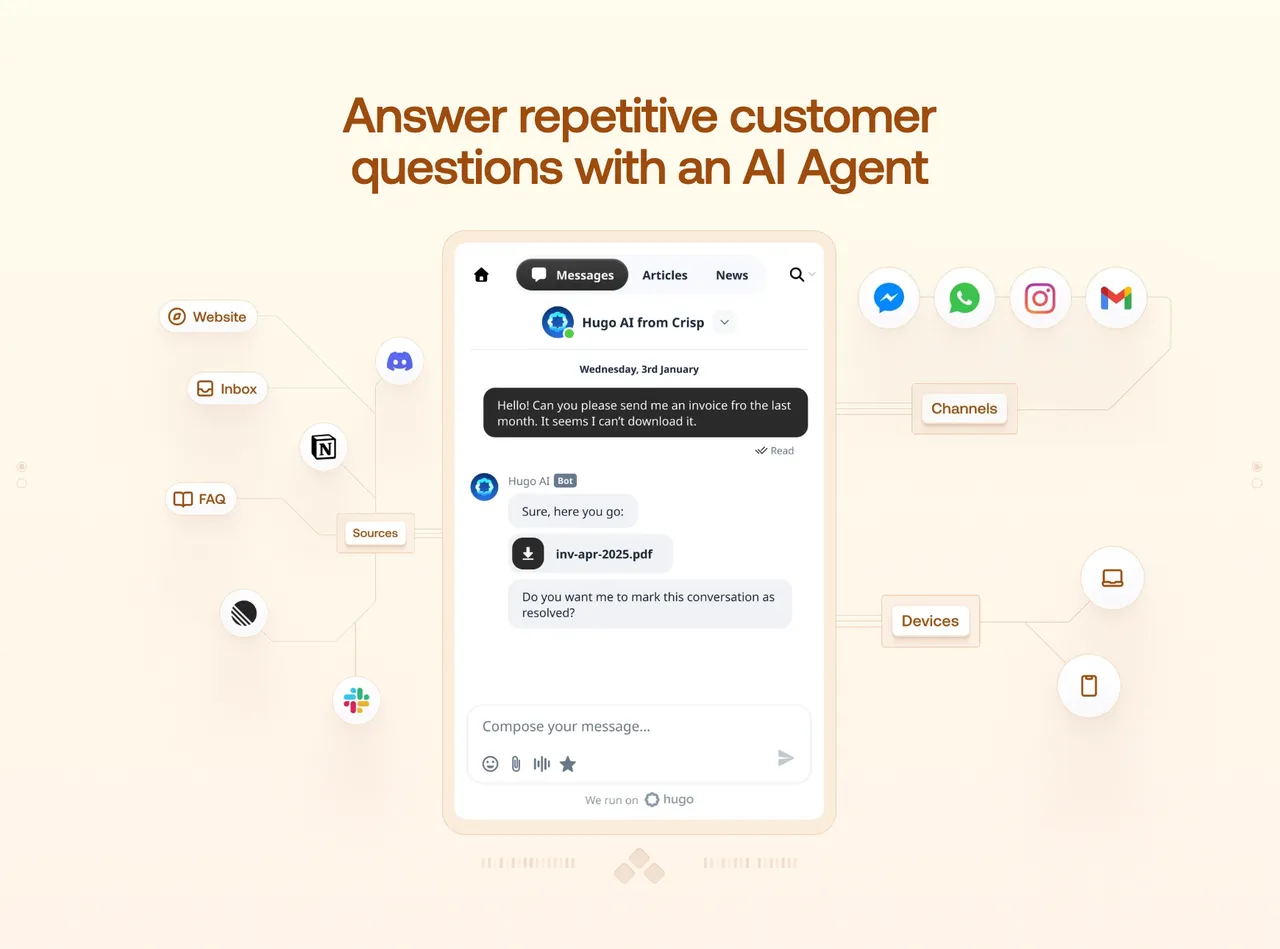
Answer repetitive customer questions with an AI Agent -

Manage all customer conversations from one shared inbox -
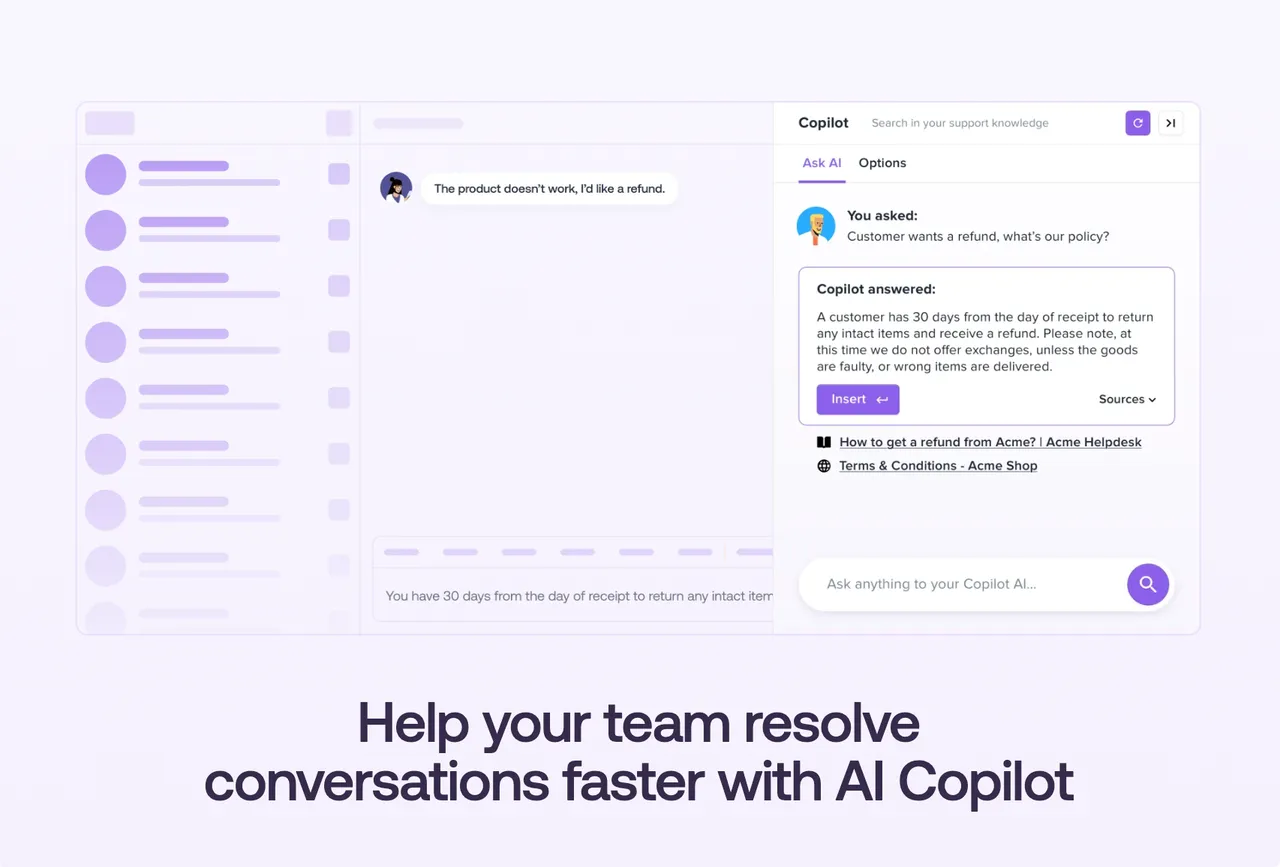
Help your team resolve conversations faster with AI Copilot -
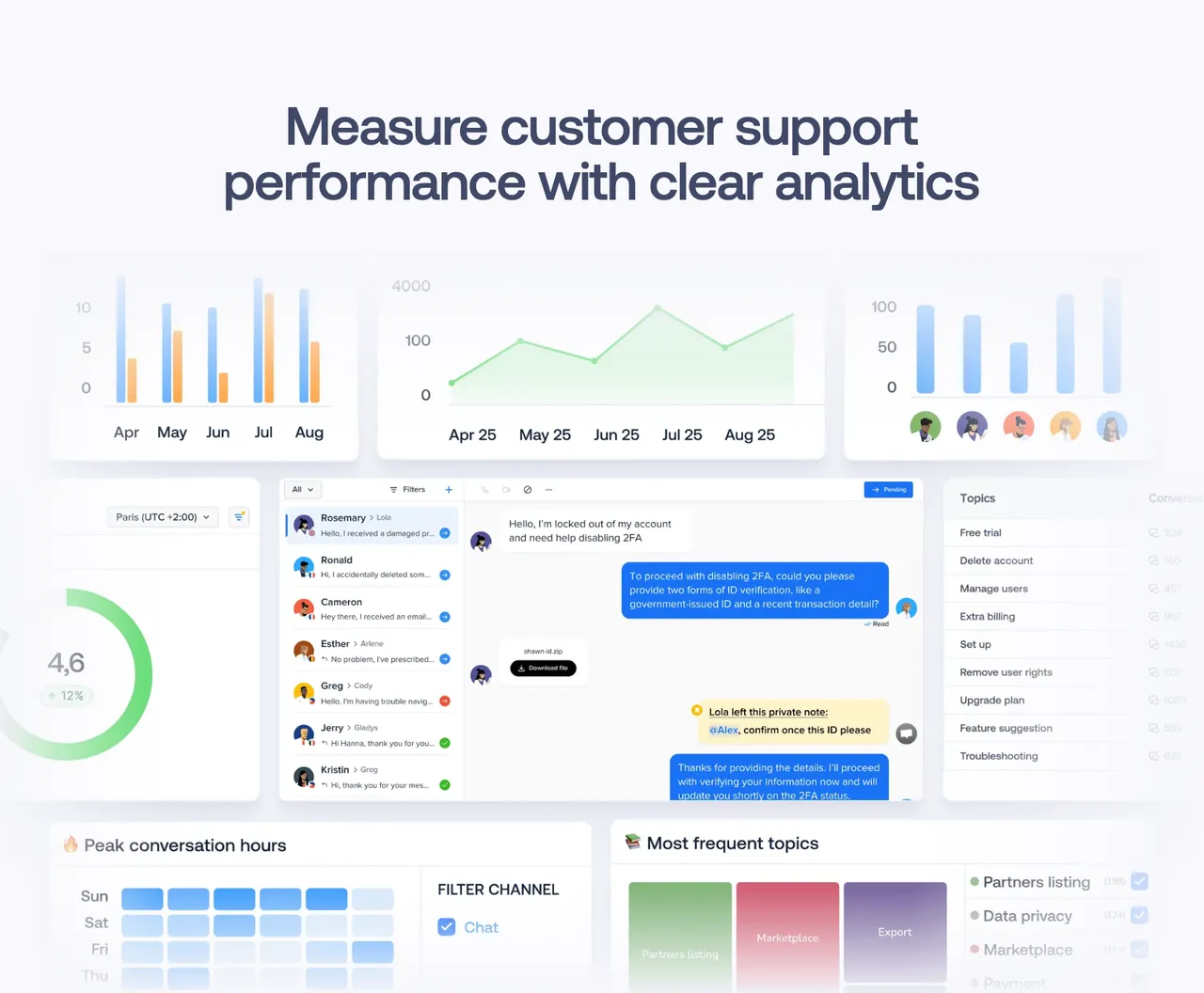
Measure customer support performance with clear analytics
Important information
- You need a Crisp account. Chat, the AI agent and the inbox run on Crisp's service, not on your WordPress server.
- Visitor conversations and any content you give the AI chatbot are handled by Crisp. Check their privacy terms before use.
- The listing does not say which features are free and which need a paid plan. Check the pricing page before relying on the AI features.
- WooCommerce details in chats work when you connect your store.
- The plugin lists very old minimum versions, WordPress 3.0.1 and PHP 5.3. Use current versions in practice.
From the Crisp readme
Straight from the developer's WordPress.org listing.
Full description
Crisp is a Live Chat and AI Chatbot plugin for WordPress that helps you talk to website visitors, answer customer questions 24/7, and manage customer support from one place.
Install Crisp on your WordPress website in a few clicks, with no coding required. Use live chat to engage visitors in real time, automate repetitive questions with AI, and give your team the tools they need to support customers faster.
Discover Crisp:
https://crisp.chat/
Learn more about Crisp for WordPress:
https://crisp.chat/en/integrations/wordpress/
Live Chat for WordPress
Turn website visitors into conversations and customers.
Add a fast, customizable live chat widget to your WordPress website and talk to visitors when they need help. Answer questions before they leave, remove friction during the buying journey, capture leads, and support customers directly from your website.
• Customizable chat widget → match the chat experience with your WordPress website and brand.
• Proactive messages → engage visitors at the right moment instead of waiting for them to contact you.
• Mobile and desktop apps → answer visitors and customers wherever you are.
• Real-time notifications → know when someone starts a conversation so you can reply quickly.
AI Chatbot for WordPress
Support customers 24/7 without increasing your workload.
Hugo, Crisp’s AI Agent, works as an AI chatbot that answers repetitive customer questions automatically using your own business knowledge. Give customers instant answers when your team is unavailable, reduce waiting time, and let your team focus on requests where human support makes a difference.
• Website training → let Hugo learn from the content already available on your WordPress website.
• Knowledge sources → add help articles, files, and other business content to improve AI answers.
• Custom instructions → define how your AI chatbot should behave and respond to customers.
• Human escalation → automatically hand conversations over to your team when human help is needed.
Learn more about Crisp AI Chatbot:
https://crisp.chat/en/chatbot/
Shared Inbox for Customer Support
Keep every customer conversation under control.
Bring WordPress live chat, email, WhatsApp, Messenger, Instagram, and other channels into one shared inbox. Give your team the full conversation context, reduce tool switching, and make sure customers always reach the right person.
• Private notes → collaborate with teammates without involving the customer.
• Conversation history → understand previous interactions before replying.
• Assignments and routing → send conversations to the right teammate or team.
• Multichannel inbox → manage customer conversations from multiple channels in one place.
AI Copilot for Support Teams
Help your team resolve customer conversations faster.
Crisp AI Copilot helps support agents understand requests, write answers, and take over conversations faster. Reduce repetitive work and help your team handle more customer conversations without sacrificing response quality.
• AI summaries → understand long conversations in seconds.
• Draft replies → spend less time writing repetitive answers.
• Conversation context → generate more relevant replies based on what the customer already said.
• AI handover → give agents useful context when they take over from Hugo.
WooCommerce Customer Support
Help WooCommerce customers without constantly switching tools.
Connect Crisp with WooCommerce to keep useful ecommerce context close to every customer conversation. Understand purchase-related questions faster and give your team the information they need to help customers.
• Order history → check previous purchases while talking to a customer.
• Cart context → understand what a customer is currently trying to buy.
• Customer information → keep useful WooCommerce data close to the conversation.
More ways Crisp helps you manage customer support
Crisp gives WordPress businesses more tools to engage visitors, understand customers, and improve their support as they grow.
• Analytics → track conversation volume, response times, and customer satisfaction.
• Campaigns → send targeted messages to specific groups of customers or leads.
• Triggers → automatically display messages based on visitor behavior on your website.
• Contact management → keep customer profiles, attributes, and history organized in one place.
• Integrations → connect Crisp with the other tools your business already uses.
Whether you want to add a free live chat to your WordPress website, automate customer support with an AI chatbot, or give your team a better way to manage customer conversations, Crisp helps you support visitors and customers from one place as your business grows.
Trusted by customer support teams
Crisp is rated 4.5/5 on G2 and 4.6/5 on Capterra by hundreds of verified users.
“Crisp is incredibly easy to use and set up, making customer communication seamless.”
Pedro M., Founder & Director — 5/5 on G2
“Works really well with our e-commerce stores – both Shopify and WooCommerce.”
Steinar L., Co-founder — 5/5 on Capterra
“It’s value for money already bringing us a 40% reduction in queries.”
Leandi M., Product Manager & Conversational AI — 5/5 on Capterra
Read more Crisp reviews on G2:
https://www.g2.com/products/crisp/reviews
Read more Crisp reviews on Capterra:
https://www.capterra.com/p/151292/Crisp/reviews/
Developer FAQ (6)
- How to install Crisp Live Chat on my website?
- Upload the plugin files to the /wp-content/plugins/crisp directory, or install the plugin through the WordPress plugins screen directly. Use the Settings->Crisp screen and click on “Link with Crisp” If you’re getting in trouble, we have a video about how to install Crisp on WordPress
- What is Crisp?
- Crisp provides a customer messaging platform for small and medium companies to help them scale their customers relationship. Live Chat is one of the main features but not the only one. Give them a try!
- Who should use Crisp Live Chat?
- Crisp is perfect for agencies, business owners, small businesses, bloggers, designers, anyone with a WordPress website and wants to use live chat on their website.
- Do I need coding skills to use Crisp Live Chat WordPress plugin?
- Not at all. You can create and manage your conversations without any coding using our user-friendly software.
- How can I upgrade to paid features?
- The Crisp’s paid tiers are built for those who want more advanced functionality. If you’d like to learn more about Crisp’s paid tiers, view our pricing page.
- My Question is not listed
- Please visit Crisp Help Center for more detailed documentation and support. Thank you!
Downloads, last 30 days
Trend vs previous period: +159.5%
Average daily downloads: 221 over the last 7 days , 454 over 30 days.
Security history
Past CVEs, patched · 2 published vulnerabilities (Wordfence) · most recent Mar 13, 2024
- Patched 8.8 High Crisp Live Chat <= 0.31 Cross-Site Request Forgery to Stored Cross-Site Scripting CVE-2021-43353 · Dec 16, 2021 · affects *-0.31 · fixed in 0.32
- Patched 6.4 Medium Crisp <= 0.44 - Authenticated (Subscriber+) Stored Cross-Site Scripting CVE-2024-27963 · Mar 13, 2024 · affects *-0.44 · fixed in 0.45
Recent releases
- v0.49
Tested up to WordPress 7.1 * New plugin name, description, banners and screenshots
- v0.33
Better onboarding
- v0.24
Bug fixes
- v0.23
Bug fixes
- v0.22
Bug fixes
Show 10 older releases
- v0.21
Auto-set language
- v0.20
Verify emails using HMAC
- v0.19
Woocommerce compatibility
- v0.18
Migrates .IM to .CHAT
- v0.17
This release is fixing a bug
- v0.16
This release is fixing a bug
- v0.15
Simplifies the Crisp setup process
- v0.14
Design improvement
- v0.13
Auto-restore chats
- v0.12
This version improves asynchronous API
Crisp FAQ
How do I install Crisp?
Install the plugin from the Plugins screen, activate it, then open Settings, Crisp and click Link with Crisp. The vendor also has a video guide.
What is Crisp?
It is a customer messaging platform for small and medium companies. Live chat is one of its main features, among several others.
Who is it for?
Agencies, business owners, small businesses, bloggers, designers and anyone with a WordPress site who wants live chat.
Do I need to code?
No. You manage chats and settings through the Crisp software, without code.
How do I get paid features?
Crisp sells paid tiers for advanced functionality. See the vendor pricing page for what each includes.
Does it have an AI chatbot?
Yes. The agent is called Hugo. It answers common questions from your website and other content you add, and can hand chats to your team.
Does it work with WooCommerce?
Yes. It can show order history, cart contents and customer info next to a conversation.
Crisp alternatives

The free MCP server and AI chatbot for WordPress. Claude and ChatGPT connect to your site with no account, no API key and no usage limits. AI Engine connects WordPress and AI, both ways. AI comes into your site:…

Chatway is a WordPress live chat, AI chatbot, and helpdesk plugin for customer support. Chat with website visitors in real time, automate replies with an AI chatbot, or connect your own AI agents including ChatGPT,…

🟦 Tidio - Live Chat for WordPress with AI Chatbots, Customer Support & Sales Tools Tidio Live Chat is an all-in-one customer support plugin for WordPress that lets you talk to your website visitors in real time.…

THE SIMPLE, SECURE AND FEATURE-RICH SUPPORT TICKETING SYSTEM PLUGIN FOR YOUR WORDPRESS SITE. Click here to visit our official website. SupportCandy is a self-hosted WordPress helpdesk and support ticket system.…

AI ChatBot for WordPress - WPBot. Support, Sale, Convert, Automate WPBot is a feature rich AI ChatBot for WordPress websites. Provide 24/7 Automated Live Chat Support , Generate Leads and Convert , Collect…

MxChat is the most powerful free AI chatbot and content generation plugin for WordPress - connecting your website to ChatGPT, Claude, Gemini, Grok, DeepSeek, and 100+ AI models through a single, easy-to-use…
Listing data from WordPress.org and the Wordfence vulnerability feed, refreshed Nov 9, 2026; listing details fetched Nov 14, 2026. Screenshots are from the plugin's WordPress.org listing. Not affiliated with crisp.