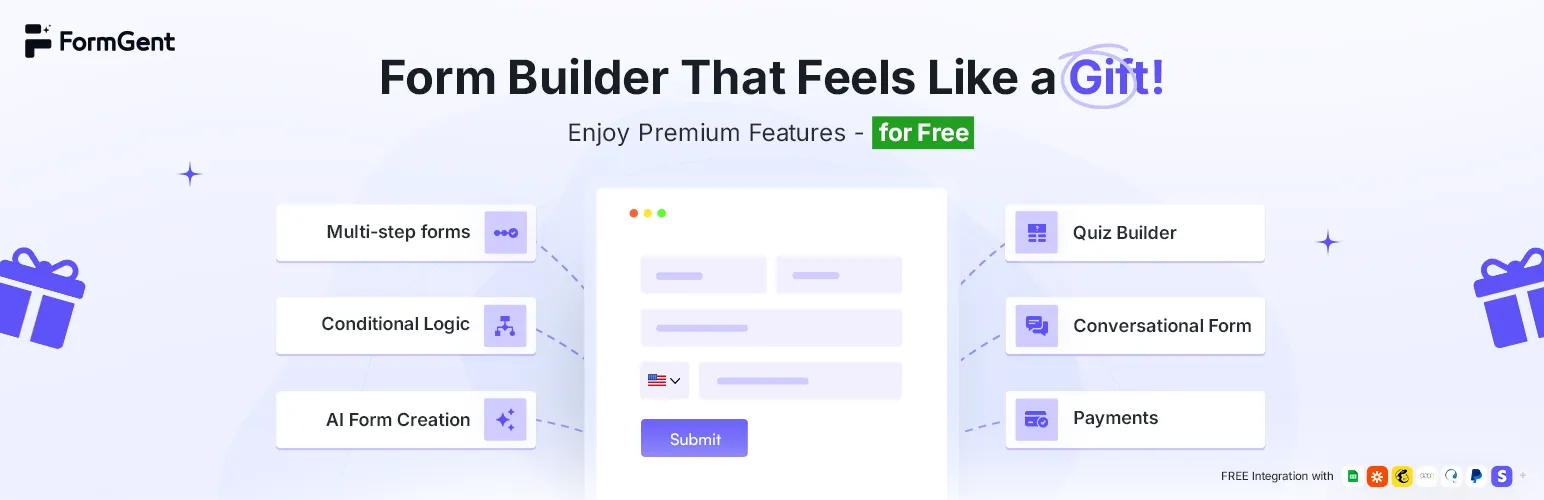

FormGent
FormGent - Next-Gen AI Form Builder for WordPress with Multi-Step, Quizzes, Payments & More · by wpWax
- active installs
- 1K+
- 7 ratings
- 4.4
- since last update
- 22d
- releases in 12 months
- —
- support threads resolved
- —
- avg daily downloads
- 95
- on WordPress.org
- 2.1 years
FormGent at a glance
FormGent is a free WordPress AI chatbot plugin by wpWax with 1K+ active installs and a 4.4/5 rating from 7 reviews. It was last updated on Oct 18, 2026, is tested up to WordPress 7.1.4 and needs PHP 7.4+. It works with Google Gemini. It has an unpatched published vulnerability, so check the security section before installing. Our quality score is 77/100.
What is FormGent?
FormGent is a WordPress form builder with an AI form creator. You can describe a form in a prompt, drag and drop fields yourself, or start from a template. It supports classic forms, conversational forms that ask one question at a time, and multi-step forms with welcome and end screens. It installs like any other plugin from the Plugins screen and adds its own menu to the WordPress admin.
The free plugin is unusually broad. It includes conditional logic, quizzes, surveys and polls, one-time payments through Stripe, PayPal and Mollie, product order fields, email notifications and PDFs from submissions. Entries are managed in a Responses area with exports, notes and basic analytics, and it connects to Google Sheets, Mailchimp, Zoho CRM and Zapier. Read the free and paid split carefully before you build a workflow around any single feature.
It suits site owners who want forms, payments and automation without a pile of add-ons. Pro adds subscription payments with Stripe and PayPal and deeper analytics. The data shows an unpatched published vulnerability, so check its status before installing. Try it on a staging copy of your site first, so you can check compatibility with your theme and other plugins. That also lets you judge whether the features fit how you actually work before going live.
Best for
- Sites that want payments inside forms
- Owners who like one-question-at-a-time forms
- Quiz and survey builders
- Teams that send entries to Google Sheets or Mailchimp
FormGent features
AI form creation
Create a working form from a plain-language prompt, or use ready templates.
Three form styles
Classic, conversational and multi-step forms, with page breaks, welcome screens and end screens.
Conditional logic
Show or hide fields based on previous answers.
Payments and orders
One-time payments with Stripe, PayPal and Mollie, plus product fields, custom amounts and quantity controls.
Quizzes, surveys and polls
Add scoring, answer summaries and result display.
Notifications and PDFs
Emails with dynamic tags, CC, BCC and reply-to, and PDFs from submissions with document and invoice templates.
Responses and logs
A response area with entry editing, notes, starred and read status, exports and logs.
Integrations
Google Sheets, Mailchimp, Zoho CRM, Zapier, WPML, Google Maps and Directorist.
FormGent free vs pro
Free WordPress.org version
- AI form generation and templates
- Classic, conversational and multi-step forms
- Conditional logic, quizzes, surveys and polls
- One-time payments with Stripe, PayPal and Mollie
- Email notifications, PDFs and integrations
- Login and registration blocks
Pro Paid version
- Subscription payment workflows with Stripe and PayPal
- Advanced analytics such as completed submission counts and field drop-off
A Pro version exists and adds subscription payments and deeper analytics. Prices are not in the listing. The data lists Google as the AI provider, but the listing does not say whether form generation needs your own key.
How to use FormGent
- Install the plugin
Go to Plugins, Add New in wp-admin, search for FormGent, then install and activate it.
- Create a form
Choose a template, describe a form for the AI, or start with a blank form and add fields.
- Set logic and style
Add conditional logic, multi-step breaks or conversational mode and adjust the styling.
- Configure notifications
Set email notifications, confirmations and any payment or integration settings.
- Embed the form
Add the form to a page with its block or shortcode, publish, and review entries under Responses.
Important information
- Security: the data shows an unpatched published vulnerability for this plugin. Check the vulnerability record and the latest changelog before installing.
- Requires WordPress 6.6 or later and PHP 7.4 or later.
- Payment forms depend on accounts with Stripe, PayPal or Mollie, and those providers have their own fees.
- Form data may go to connected services such as Google Sheets and Mailchimp. A GDPR consent field is available.
- FormGent registers its own WordPress capabilities, so a role editor plugin can control who manages forms.
From the FormGent readme
Straight from the developer's WordPress.org listing.
Full description
Form Building, Reimagined for WordPress
Website forms aren’t just for collecting emails anymore. They’re essential tools for growth. Whether you’re capturing leads, scheduling appointments, collecting payments, or running surveys or quizzes, your form builder should do more than just gather data. It should help you convert, automate, and scale.
Meet FormGent – a modern, AI-powered form builder that’s built for performance, simplicity, and feels like a part of WordPress, not a separate platform.
FormGent lets you create high-converting forms of any kind of conversational form, multi-step form, payment, surveys, and more, in just a few clicks. Simply drag and drop, or describe it with AI to generate your form in seconds. You can also connect tools like Google Sheets, Mailchimp, Zapier, or Zoho to automate your entire workflow, no code, no complexity.
And best of all? The most premium features aren’t locked behind a paywall.
• Premium Features: FREE
• AI Form Builder: create forms in seconds
• Drag, Drop & Done: as easy as it sounds
• Ready-Made Templates: build smarter, not longer
• Feels like WordPress: no learning curve, no clutter
So if you’re ready to build forms that are faster, smarter, and easier, you’re in the right place.
What You Can Build With FormGent
With FormGent, you can create any type of form your website needs. Here are a few practical examples to spark your imagination, each with a step-by-step guide.
• Create Conversational Forms That Boost Engagement
• Build a Job Application Form Like a Pro in Just 4 Steps
• Step-by-Step Guide to Crafting an RSVP Form
• How to Collect Meaningful Feedback
Need Something Else? You Can Build That Too
• Contact Form
• Lead Generation Form / Newsletter Signup
• Payment Form / Payment Collection
• Multi-Step Form
• Survey Form
• Customer Testimonials Form
• Quote Request Form
• Product Order Form
• Support Ticket Form
• Course Registration Form
• NPS (Net Promoter Score) Survey
• Student Feedback Form
• Volunteer Sign-Up Form
• Employee Onboarding Form
• Workshop Registration Form
• Post-Purchase Feedback Form
• Scholarship Application Form
• Employee Leave Request Form
Key Features at a Glance
• AI Form Creation
Effortlessly create fully functional forms from a simple prompt. Save time and eliminate guesswork with support for both conversational and classic form formats.
• Classic, Conversational, and Multi-Step Forms
Build traditional forms, one-question-at-a-time conversational forms, and multi-step forms with page breaks, welcome screens, end screens, and custom buttons.
• Conditional Logic
Deliver personalized form experiences by showing or hiding fields based on user input. Create dynamic forms that adapt in real time, improving engagement and data quality.
• Payments and Orders
Collect one-time payments with Stripe, PayPal & Mollie. Build product order forms with payment items, custom amounts, quantity controls, payment summaries, and order details.
• Quizzes, Surveys, and Polls
Turn any form into an interactive quiz, survey, or poll with scoring, answer summaries, and result display support.
• Email Notifications and PDFs
Create email notifications with dynamic form tags, From Name, From Email, Reply-To, CC, BCC, and PDF links. Generate PDFs from form submissions with document and invoice template support.
• Confirmations and Customization
Show a success message, redirect to a WordPress page, redirect to a custom URL, control post-submit behavior, and add custom CSS/JS per form.
• Responses, Analytics, and Logs
Manage entries from a dedicated response area with single-entry views, field editing, notes, starred/read status, exports, unread badges, response logs, and form analytics summaries.
• Integrations and Automation
Connect submissions with Google Sheets, Mailchimp, Zoho CRM, Zapier, Directorist, WPML, Google Maps, Stripe, PayPal & Mollie.
• User Login and Registration
Build login and registration forms with dedicated blocks, account field mapping, redirect settings, and user verification workflows.
• Role and Capability Support
FormGent registers WordPress capabilities so site owners can manage FormGent access with third-party role editor plugins. Administrators keep access by default.
What You Get for FREE
FormGent includes a broad set of production features in the free plugin:
• AI form generation and ready-made templates
• Classic forms, conversational forms, and multi-step forms
• Conditional field logic
• Quiz, survey, and poll support
• Stripe, PayPal & Mollie one-time payment forms
• Product order fields, payment items, custom payment amounts, quantity fields, and payment summaries
• Email notifications with dynamic tags, CC, BCC, Reply-To, From Name, and From Email
• Form confirmations with success messages, page redirects, and custom URL redirects
• PDF Generator with invoice and document template support
• Response management, CSV/Excel/PDF exports, response editing, notes, read/starred states, unread counts, and response logs
• Form analytics summaries
• User login and registration forms
• Google Sheets integration with field mapping and conditional sync rules
• Mailchimp integration with field mapping, groups, tags, and conditional sync rules
• Zoho CRM integration with module mapping and conditional sync rules
• Zapier integration
• Directorist integration
• WPML compatibility
• Google Maps integration
• Google reCAPTCHA, hCaptcha, and Cloudflare Turnstile support
• Publishing with Gutenberg blocks, shortcode, Elementor widget, share URL, and iFrame embedding
• Per-form custom CSS/JS
• WordPress role/capability support for access control
Form Fields and Blocks Included
FormGent includes the following blocks and field types:
• Form structure blocks: Dynamic Form, Welcome, Step, Page Break, End, Form Info, HTML, Next Button, and Custom Button.
• Standard fields: Name, Email, Single-Line Text, Multi-Line Text, Number, Phone Number, Website URL, and Address.
• Choice and scoring fields: Dropdown, Single Choice, Multiple Choice, Rating, and Range Slider.
• Advanced inputs: Date & Time Picker, File Upload, Google Map, GDPR Compliance, Captcha, Input Masking, Password, and Repeater.
• Payment blocks: Payment, Payment Item, Custom Payment Amount, Quantity, Payment Summary, Stripe, PayPal & Mollie.
• Login and registration blocks: Login, Login Username, Login Password, Remember Me, Forgot Password, Signup Link, Register, and Register Signin Link.
Pro Isn’t Required. But It’s Worth It
We care about your single penny, that’s why we packaged FormGent in a solid way. Our free plan will cover almost every need about the term “Form”. But if you really want a no compromise solution, here is the Pro solution for you.
• Digital Signature block
• Webhooks with custom request settings
• Conditional email notifications
• Conditional confirmations with message, page, URL, and quiz result actions
• Advanced analytics, including completed submission counts and field drop-off summaries
• Save incomplete data, form drafts, and save-and-resume links
• OTP verification with email, SMS, Twilio, Firebase, and custom gateway workflows
• Post/CPT submission feeds with field, taxonomy, featured image, author, and post meta mapping
• Stripe and PayPal subscription payment workflows
• Additional Directorist dashboard support
Grow with FormGent
The features list has just begun. We’re continuously developing our product with exciting features. And surely this will not be possible without your support. Feel free to submit your feedback. Let’s grow together and build an awesome form builder with FormGent.
For a clear vision, you can check out our roadmap section.
From Idea to Form, In Just a Few Seconds
Building forms shouldn’t feel like work. With FormGent, it’s as easy as having a conversation.
• Tell us what you need: Say something like: “I need a contact form with name, email, and message.”
• Let our AI do the heavy lifting: It instantly creates the form for you, with the right fields and settings.
• Make it yours: Tweak the design with drag & drop, then publish it anywhere using a shortcode or block, or URL.
That’s it. No tech headaches, no starting from scratch. Your form is done in seconds.
Love FormGent? You’ll Love These Too
FormGent is proudly developed by wpWax, the team behind several top-rated WordPress plugins:
👉 Directorist – Build any directory or classified ads listing sites. It’s the only directory plugin with 20K+ active users in its niche!
👉 HelpGent – Your Ultimate Help Agent for Video, Voice, and Text Messaging with Screen Record Facility
👉 Legal Pages – Privacy Policy, Terms & Conditions, GDPR, CCPA, and Cookie Notice Generator
👉 Post Grid, Slider & Carousel Ultimate – The easiest and most useful plugin to display blog posts, pages, or custom posts in beautiful post layouts like post grid, post carousel & post slider
👉 Product Carousel Slider & Grid Ultimate for WooCommerce – The most intuitive solution to make your eCommerce site visually appealing by creating WooCommerce product carousel, sliders, or grids easily
👉 Logo Showcase Ultimate – Ultimate logo showcase plugin to create a responsive logo carousel, logo slider & logo grid and display unlimited clients, partners, sponsors’ logos
Privacy Policy
FormGent uses the Appsero SDK to collect diagnostic and usage data only after an administrator explicitly allows it through the WordPress admin notice. This information helps us troubleshoot problems and improve the plugin.
The collected information can include the site URL and name, the administrator’s name and email address, WordPress and server environment details, user and plugin counts, the FormGent version, and the site’s public IP address. FormGent does not send this telemetry before consent.
Administrators can decline telemetry when the notice appears. Learn more about how Appsero collects and uses this data.
Support & Documentation
FormGent comes with detailed, step-by-step documentation and helpful video tutorials to guide you. Join our growing Facebook community where FormGent users share ideas and help each other grow faster. And if you ever need direct help, our friendly support team is just a message away.
Developer FAQ (13)
- Is FormGent compatible with all WordPress themes?
- Yes, FormGent works seamlessly with any modern themes in the market.
- Can I create multi-step or conversational forms with FormGent?
- Yes, FormGent supports both multi-step and conversational forms to provide a rich and engaging user experience.
- Can I use FormGent for surveys or quizzes?
- Yes, FormGent supports advanced functionalities for building surveys, quizzes, and polls effortlessly.
- Can I use FormGent with a Page Builder?
- Absolutely! FormGent is designed to be fully compatible with all major page builders, ensuring seamless integration without any interference.
- Are there advanced customization options for fields and layouts?
- Yes, FormGent provides extensive options for customizing fields, layouts, and styling to match your brand.
- Is FormGent optimized for mobile?
- Absolutely! FormGent is designed with a mobile-first approach.
- Does FormGent support payment forms?
- Yes, FormGent supports Stripe, PayPal & Mollie one-time payments. Stripe and PayPal subscription payment workflows are available in FormGent Pro.
- Can I create login and registration forms?
- Yes, FormGent includes login and registration blocks, account field mapping, redirect settings, and user verification workflows.
- Can I control FormGent access with a role editor plugin?
- Yes, FormGent registers formgent_access, formgent_manage_forms, formgent_read_forms, formgent_create_forms, formgent_edit_forms, formgent_delete_forms, and formgent_publish_forms. Administrators receive these capabilities by default, and you can grant them to other roles with a third-party role editor plugin.
- How does FormGent handle user data?
- FormGent adheres to GDPR standards, and you can add a GDPR consent field to your forms.
- How can I get support if I have an issue?
- You can visit our Support Page for help or contact our support team directly. We’re here to assist you with any issues or questions you may have.
- Do I need any coding knowledge to use FormGent?
- No, FormGent is beginner-friendly and does not require coding knowledge to create or customize forms.
- Can I track form submissions and user engagement?
- Absolutely! FormGent provides form analytics summaries and response management in the All Responses section. FormGent Pro adds advanced analytics such as completed submission counts and field drop-off summaries.
Downloads, last 30 days
Trend vs previous period: -14.2%
Average daily downloads: 70 over the last 7 days , 95 over 30 days.
Security history
Open vulnerability · 5 published vulnerabilities (Wordfence) · most recent Sep 29, 2026
- Patched 7.5 High FormGent - Next-Gen AI Form Builder for WordPress with Multi-Step, Quizzes, Payments & More < 1.0.4 - Unauthenticated Arbitrary File Deletion CVE-2025-10916 · Sep 30, 2025 · affects *-1.0.3 · fixed in 1.0.4
- Patched 9.1 Critical FormGent <= 1.9.2- Missing Authorization to Unauthenticated Arbitrary File Deletion via 'file_token' Parameter CVE-2026-3141 · Aug 1, 2026 · affects *-1.9.2 · fixed in 1.10.0
- Unpatched 9.1 Critical FormGent - Next-Gen AI Form Builder for WordPress with Multi-Step, Quizzes, Payments & More <= 1.4.2 - Unauthenticated Arbitrary File Deletion CVE-2026-22460 · Mar 3, 2026 · affects *-1.4.2
- Patched 4.3 Medium FormGent - Next-Gen AI Form Builder for WordPress with Multi-Step, Quizzes, Payments & More <= 1.12.2 - Missing Authorization CVE-2026-94499 · Sep 29, 2026 · affects *-1.12.2 · fixed in 1.12.3
- Patched 7.2 High FormGent - Next-Gen AI Form Builder for WordPress with Multi-Step, Quizzes, Payments & More <= 1.9.2 - Unauthenticated Stored Cross-Site Scripting CVE-2025-15028 · Aug 6, 2026 · affects *-1.9.2 · fixed in 1.10.0
FormGent FAQ
Is it compatible with all themes?
The listing says it works with modern themes.
Can I make multi-step or conversational forms?
Yes. Both are supported, along with classic forms.
Can I build surveys or quizzes?
Yes. It supports surveys, quizzes and polls with scoring and result display.
Does it work with page builders?
The listing says it is compatible with major page builders.
Does it take payments?
Yes. One-time payments with Stripe, PayPal and Mollie are free. Subscriptions on Stripe and PayPal need Pro.
Can I make login and registration forms?
Yes. It includes login and registration blocks with account field mapping, redirects and user verification workflows.
Can I control access with a role editor?
Yes. It registers its own capabilities, and administrators have them by default.
FormGent alternatives

The free MCP server and AI chatbot for WordPress. Claude and ChatGPT connect to your site with no account, no API key and no usage limits. AI Engine connects WordPress and AI, both ways. AI comes into your site:…

Chatway is a WordPress live chat, AI chatbot, and helpdesk plugin for customer support. Chat with website visitors in real time, automate replies with an AI chatbot, or connect your own AI agents including ChatGPT,…

🟦 Tidio - Live Chat for WordPress with AI Chatbots, Customer Support & Sales Tools Tidio Live Chat is an all-in-one customer support plugin for WordPress that lets you talk to your website visitors in real time.…

THE SIMPLE, SECURE AND FEATURE-RICH SUPPORT TICKETING SYSTEM PLUGIN FOR YOUR WORDPRESS SITE. Click here to visit our official website. SupportCandy is a self-hosted WordPress helpdesk and support ticket system.…

AI ChatBot for WordPress - WPBot. Support, Sale, Convert, Automate WPBot is a feature rich AI ChatBot for WordPress websites. Provide 24/7 Automated Live Chat Support , Generate Leads and Convert , Collect…

MxChat is the most powerful free AI chatbot and content generation plugin for WordPress - connecting your website to ChatGPT, Claude, Gemini, Grok, DeepSeek, and 100+ AI models through a single, easy-to-use…
Listing data from WordPress.org and the Wordfence vulnerability feed, refreshed Nov 9, 2026; listing details fetched Nov 14, 2026. Screenshots are from the plugin's WordPress.org listing. Not affiliated with wpWax.