
- active installs
- 5K+
- 1 ratings
- 5.0
- since last update
- 17d
- releases in 12 months
- 25
- support threads resolved
- 100%
- avg daily downloads
- 299
- on WordPress.org
- 21 months
Jotform AI Chatbot at a glance
Jotform AI Chatbot is a freemium WordPress AI chatbot plugin by Jotform with 5K+ active installs and a 5.0/5 rating from 1 reviews. It was last updated on Oct 23, 2026, is tested up to WordPress 7.1.4 and needs PHP 7.4+. It works with OpenAI. All 1 of its published vulnerabilities have patched versions. Our quality score is 90/100.
What is Jotform AI Chatbot?
Jotform AI Chatbot is a WordPress plugin that lets you build, train and publish an AI chatbot on your site. The chatbot runs on Jotform's service. The plugin handles installing it, so you do not need to paste embed codes. Once you create the chatbot in the WordPress admin, it is placed on your pages automatically. It installs like any other plugin from the Plugins screen and adds its own menu to the WordPress admin.
The chatbot can answer FAQs, guide visitors through forms with a step-by-step conversation, and respond in many languages. It can train itself by crawling your site content and stays in sync as you add pages or posts. You can also add FAQs, documents and product data. With WooCommerce it can answer product questions, track orders and help with cart recovery. Read the free and paid split carefully before you build a workflow around any single feature.
It suits small businesses and stores that want support automation without code. You control where the chatbot appears by page, and you can read conversations from the WordPress dashboard. Because it is a hosted service, plan details sit with Jotform and the listing marks the plugin as freemium. Try it on a staging copy of your site first, so you can check compatibility with your theme and other plugins.
Best for
- Small businesses that want FAQ automation
- WooCommerce stores
- Sites with long forms that lose visitors
- Non-technical owners who want a ready chatbot
Our take
Jotform's AI chatbot for support and WooCommerce, riding the brand's strong forms reputation. Very low review count on WordPress.org so far - judged mostly on the parent platform's track record.
Jotform AI Chatbot features
No-code chatbot builder
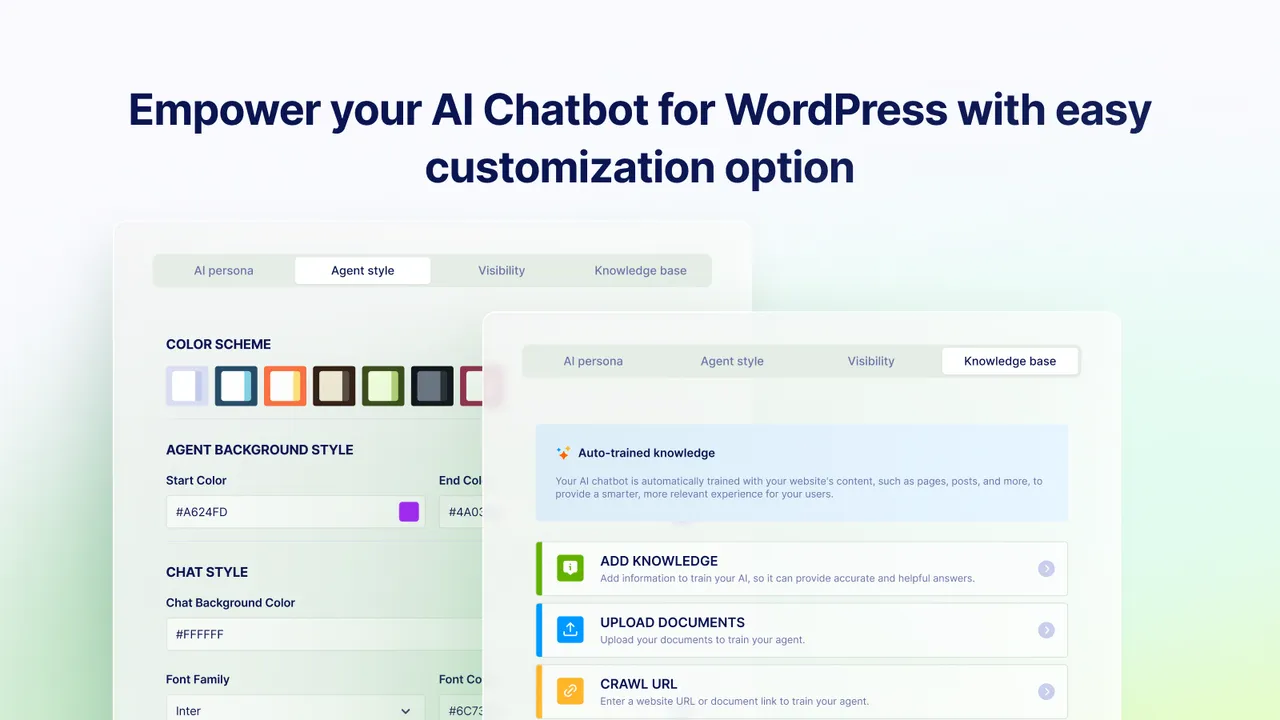
Create and customize a chatbot with the Agent Builder, including persona, tone, layout, appearance and target device.
Auto training from your site
Crawls your pages and keeps the chatbot up to date when you add or change content.
Custom training data
Add FAQs, documents, product details and policies and retrain at any time.
Form assistance
Turns long forms into a conversational flow to reduce errors.
Chatbot visibility rules
Choose which pages or typed URLs show or hide the chatbot.
Conversation inbox
Review and reply to chats inside the WordPress dashboard.
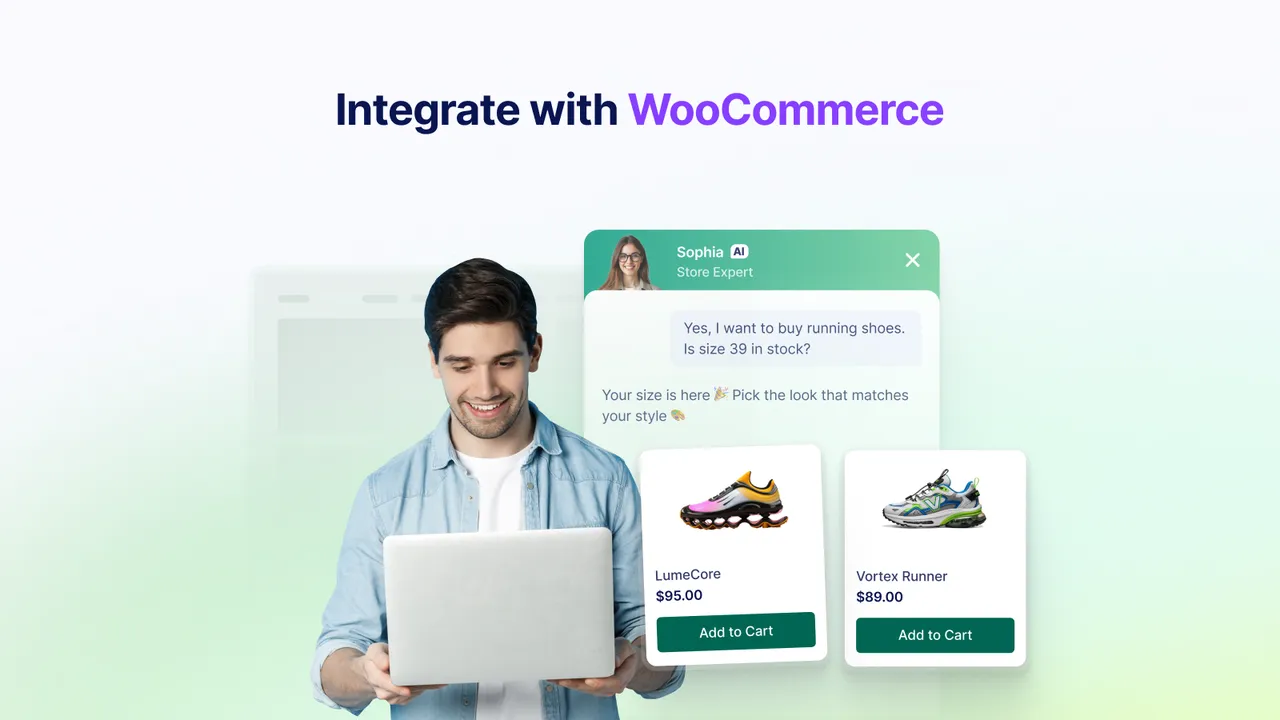
WooCommerce support
Answers product questions, helps with order tracking and addresses cart abandonment.
Multilingual replies
Adapts to the visitor's language.
Jotform AI Chatbot free vs pro
Free WordPress.org version
- Install the plugin and build a chatbot from the WordPress admin
The data marks this plugin as freemium, meaning a paid plan exists on the Jotform service, but the listing does not describe plan limits or prices. The listing does not mention an API key from you, since the chatbot runs on Jotform's service.
How to use Jotform AI Chatbot
- Install the plugin
Go to Plugins, Add New in wp-admin, search for Jotform AI Chatbot, then install and activate it.
- Open the Jotform menu
A Jotform icon appears in the admin sidebar after activation.
- Create your chatbot
Build it from the admin panel, or edit it in the Jotform chatbot builder.
- Train it
Let it crawl your site and add FAQs or documents for specific answers.
- Set where it shows
Choose which pages show the chatbot, then publish.
Jotform AI Chatbot screenshots (5)
-
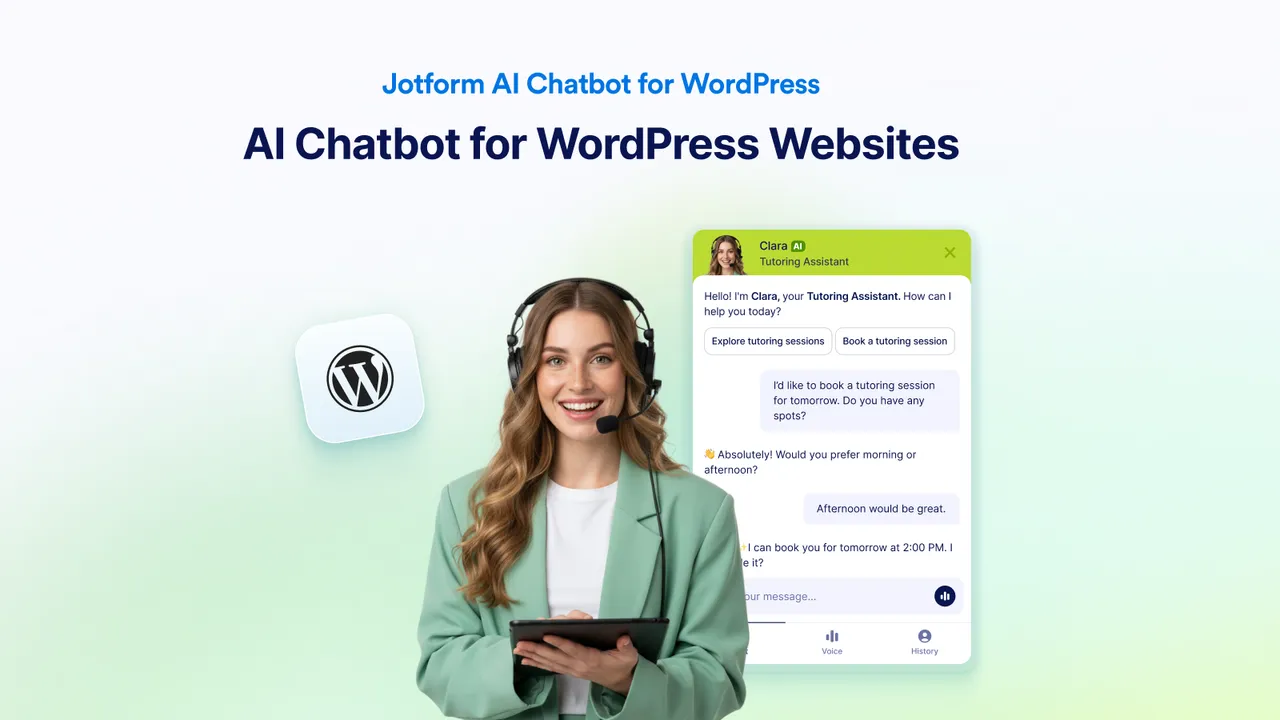
Advanced Customization -
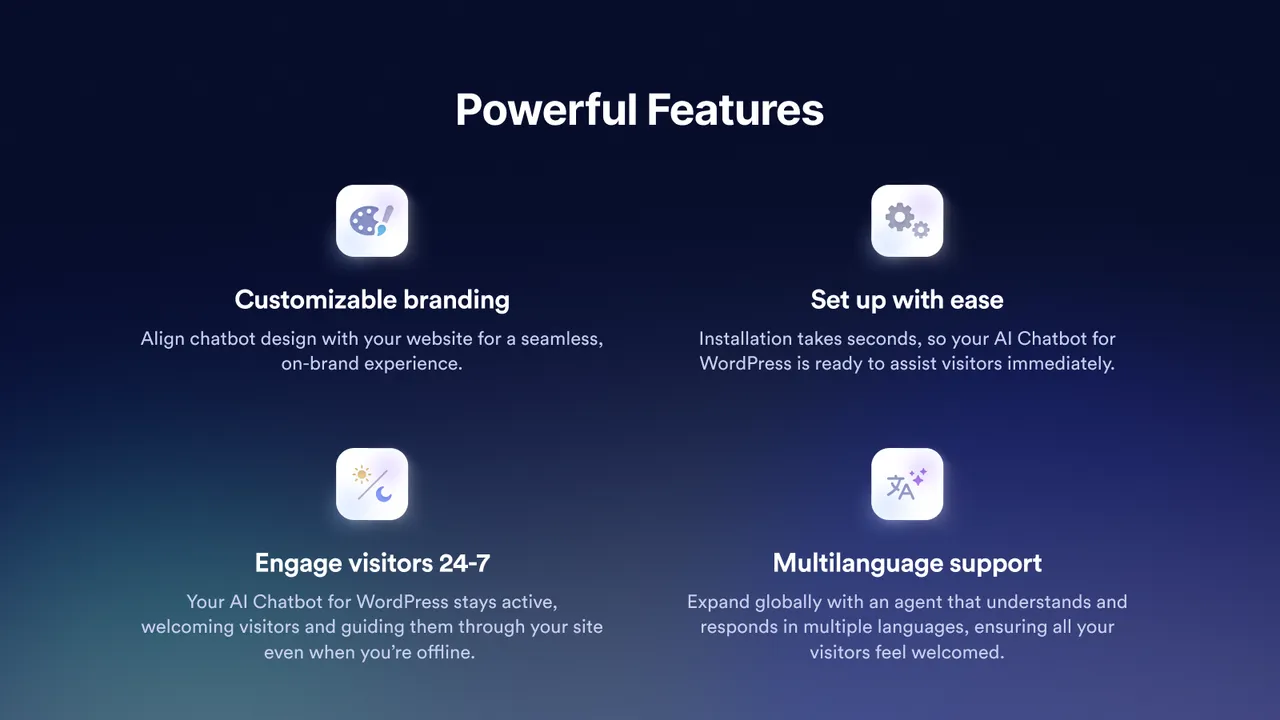
Instant Responses -
Form Assistance -
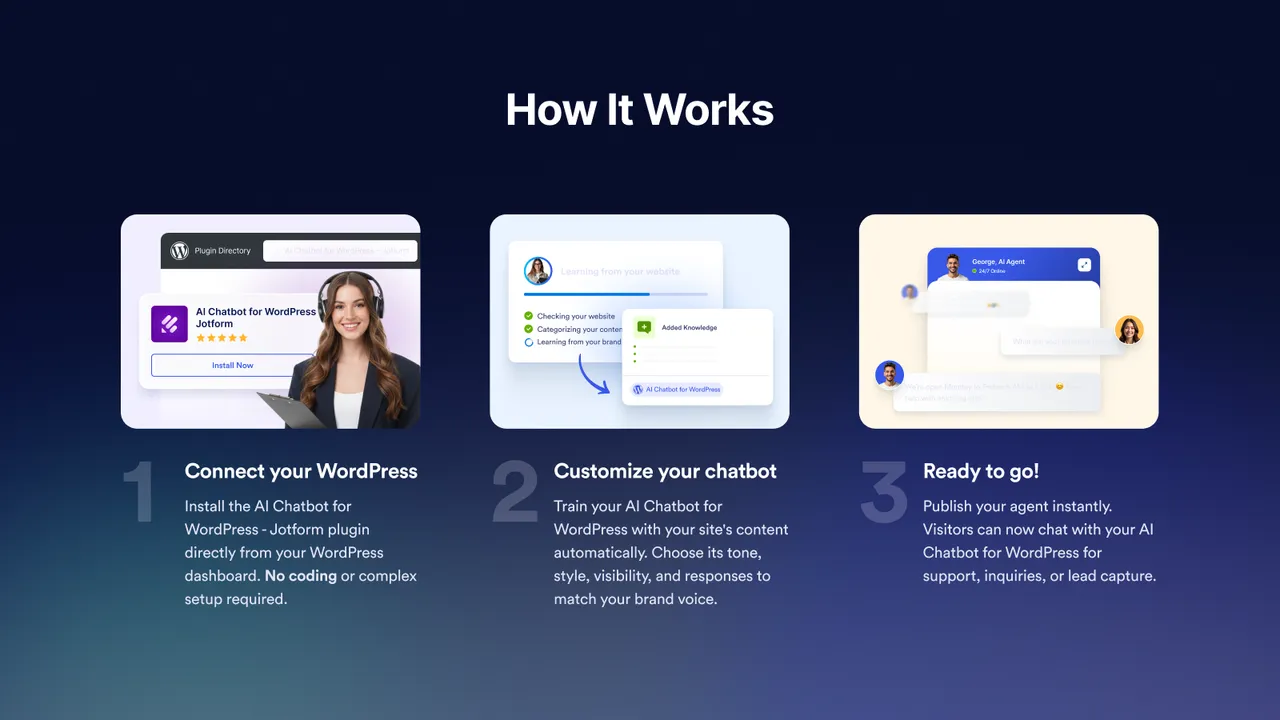
Customizable Branding -
How It Works
Important information
- A Jotform account is needed and the chatbot runs on Jotform's service, so visitor messages are processed there. Review Jotform's privacy terms before use.
- Requires PHP 7.4 or later. The data lists no minimum WordPress version.
- Pricing, message limits and plan features are not in the listing. Check them on Jotform before relying on it.
- WooCommerce features such as order tracking require a connected store.
- The data records 1 published vulnerability in the plugin's history, patched.
From the Jotform AI Chatbot readme
Straight from the developer's WordPress.org listing.
Full description
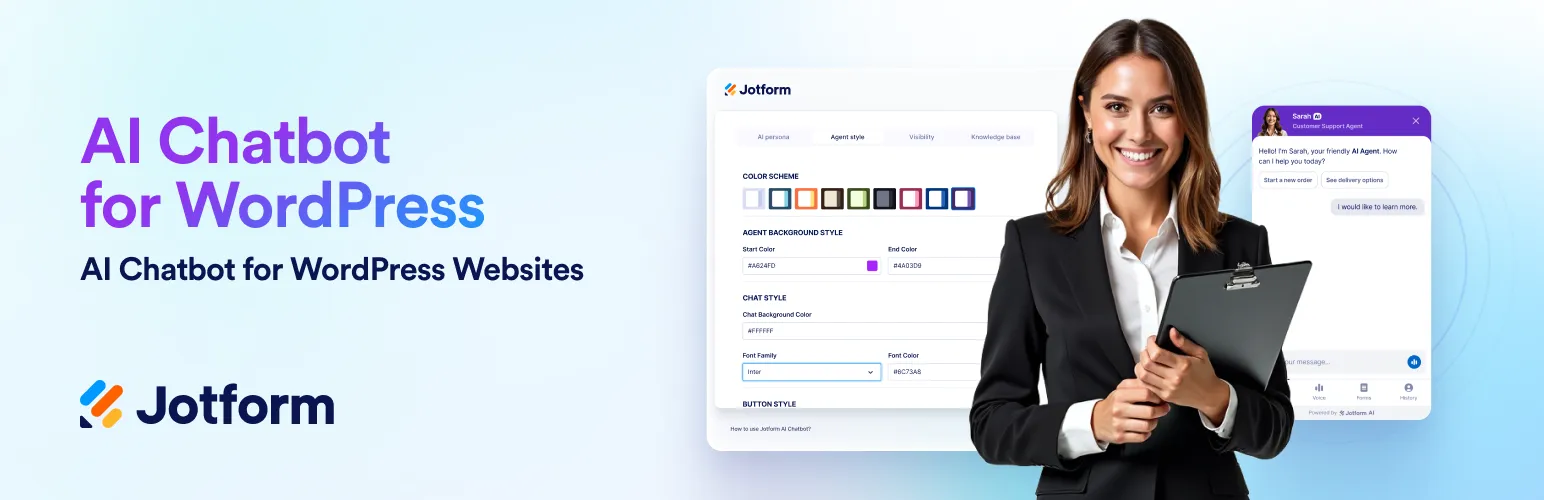
Jotform AI Chatbot for WordPress automates support, answers FAQs, drives WooCommerce sales, generates leads and boosts engagement with easy setup and no coding required.
🟪 Jotform AI Chatbot allows businesses to engage visitors, guide them through forms, and streamline communication effortlessly. By providing seamless, real-time assistance, it helps convert passive visitors into active users.
💬 What does the Jotform AI Chatbot do?
The Jotform AI Chatbot plugin allows you to easily create and train custom chatbots to handle queries, guide users, and share information. It offers seamless publishing on any WordPress site without coding and enhances user engagement through interactive conversations. You can customize chatbot personas, tones, and styles to align with your brand identity. With WooCommerce integration, the plugin supports online stores with product Q&A, order tracking, and cart recovery.
🎥 Product demo videos:
▶️ How to Use Jotform AI Chatbot on WordPress
▶️ How to Set Up Your Chatbot WordPress Plugin in 5 Minutes
▶️ How to Install Jotform AI Chatbot WordPress Plugin
▶️ How to Connect Your Jotform AI Chatbot to Your WooCommerce Store
🚀 Why use Jotform AI Chatbot on your WordPress website?
💬 Instant responses: Provide quick and accurate answers to FAQs, ensuring users receive the necessary information immediately.
📱 Mobile-fiendly live chat widget: A fully responsive chat experience that adapts seamlessly to desktop, tablet, and mobile devices. Ensure every visitor enjoys smooth, accessible conversations—anytime, anywhere.
ℹ️ Multilingual support: Communicate with users in their preferred language to expand your global reach.
🎨 Customizable branding: Align the chatbot’s design with your website’s branding for a cohesive and integrated user experience.
🔒 Secure and reliable: Built on Jotform’s robust infrastructure, the AI Chatbot keeps your data safe and ensures consistent, dependable performance.
🚀 Top features of Jotform AI Chatbot WordPress Plugin
🟣 Advanced customization & training: With the Agent Builder, you can tailor responses, tone, layout control, appearance, and target device, using your data and insights for personalized interactions.
🟣 Auto train: The plugin automatically crawls your website content and trains the chatbot without any manual setup. Whenever you update your pages or add a new page, blog post, or FAQ, the chatbot stays in sync and instantly learns from the latest information. This ensures visitors always receive accurate, up-to-date answers, saving you hours of maintenance while delivering a smarter, more reliable customer experience.
🟣 Chatbot visibility: Decide where the chatbot should appear on your website. You can choose which pages or typed URLs the chatbot will be shıwn or hidden.
🟣 Form assistance: Guide users through form completion with a conversational flow to reduce errors and improve submission success.
🟣 Chatbot Conversations: View and manage all user chats directly from your WordPress dashboard. Track interactions, review messages, and respond in real time—without leaving your site.
🌍 Multi-language AI Chatbot for global support
The Jotform AI Chatbot automatically adapts to your visitors’ preferred language, supporting seamless conversations in dozens of languages worldwide. Deliver personalized, AI-powered assistance in your users’ native language—no manual setup required.
🛒 Smart eCommerce chatbot
• Boost your WooCommerce store with Jotform AI Chatbot WordPress Plugin:
• Engage visitors by answering product questions in real time
• Assist with order tracking
• Reduce cart abandonment
• Drive more completed purchases
• Suggest relevant items and create natural upsell moments
• Turn casual visitors into repeat buyers with always-on assistance
💡Tip: Want to get started even faster? Explore our ready-made AI Chatbot templates for various industries. Choose a template, customize it, and publish it on your website in minutes.
ℹ️ If you have any questions or concerns regarding your online forms, chatbots, or our Agent Builder, feel free to contact our friendly 24/7 support team.
🔍 Discover all the features and capabilities of the Jotform AI Chatbot Plugin in our detailed user guide.
Who can benefit from Jotform AI Chatbot?
Jotform AI Chatbot is designed to meet the needs of various users and industries:
🛒 WooCommerce store owners: Help shoppers find the perfect products, provide instant support, and handle order tracking to reduce cart abandonment.
👩🏽💼 Small to mid-sized business owners using WordPress who want to capture leads, qualify visitors, or provide instant support.
✏️ Agencies and freelancers who build WordPress websites for clients and need to add interactive engagement tools.
🧳 Travel and hospitality businesses (hotels, tour operators, restaurants) that want to answer booking inquiries instantly, share availability, and improve the guest experience on their websites.
🧑🏾💻 SaaS companies using WordPress for their marketing sites that need to engage prospects, qualify leads, and direct them to demos, trials, or pricing pages.
📚 Content creators, coaches, and educators who want to automate responses, book sessions, or provide resources through their site.
🎉 Event organizers: Simplify event registration, answer attendee questions, and provide real-time updates.
💬 Customer support teams: Deliver 24-7 assistance to resolve user issues, answer common questions, and escalate complex queries when necessary.
🛠️ External Services
This plugin connects to external services to provide functionality and improve user experience. Below are the details of the external services used:
🌟 Jotform AI Platform
• The plugin connects to Jotform’s servers to enable chatbot creation, training, and deployment. This includes accessing your Jotform account data to retrieve chatbot configurations and training data.
• Privacy Policy
• AI Terms of Use
• Terms of Use
⚙️ API usage
– The plugin makes external API requests on the following domain to enable chatbot-related functionalities:
https://api.jotform.com
– The plugin uses this domain [https://api.jotform.com] as an API service to create realtime chatbot agent conversions.
☁️ CDN usage
– The plugin makes external CDN requests on the following domain to enable chatbot-related functionalities:
https://cdn.jotfor.ms
– The plugin uses an API to create real-time conversions with chatbot agents.
🔑 API Key usage
– The plugin uses an API key, which is sent to the domain [https://api.jotform.com] to authenticate with the Jotform API service.
🛍️ WooCommerce integration
If WooCommerce is installed and connected, the plugin can access WooCommerce data (such as products, orders, and customer information) to allow the chatbot to answer related questions. This data remains on your WordPress site and is not sent to third-party services except through Jotform’s servers when needed for chatbot responses.
📎 Data disclosure
The plugin may send the following data to external services:
• Chatbot configurations and training data (sent to Jotform servers).
• User input and interaction data (processed to generate responses).
• IP address and metadata for debugging and analytics purposes.
Installation
Jotform AI Chatbot WordPress Plugin installation from the directory:
• Log in to your WordPress admin dashboard.
• Go to “Plugins” using the sidebar on the left.
• Click “Add New” and search for “Jotform AI Chatbot”.
• Install the plugin and activate it.
• The Jotform icon will appear on the left sidebar of your WordPress admin panel.
After activating the plugin, you can create your chatbot on the admin panel, or you can create or edit your chatbot from the Jotform chatbot builder. Voila! Your AI Chatbot is embedded on your website. 🙂
Jotform AI Chatbot WordPress Plugin installation from:
• Go to your WordPress Administrator panel (http://my-wordpress.url/wp-admin).
• Download the repo’s zip and extract it to your WordPress’s Plugins folder ({wordpress-folder}/wp-content/plugins).
• Activate the plugin under the Plugins section.
• The Jotform icon will appear on the left sidebar of your WordPress admin panel.
After activating the plugin, you can create your chatbot in the admin panel or in the Jotform chatbot builder. Voila! Your AI Chatbot is published on your website. 🙂
See the Jotform AI Chatbot WordPress Plugin support page to troubleshoot any issues.
Developer FAQ (9)
- What is the Jotform AI Chatbot WordPress plugin?
- The Jotform AI Chatbot WordPress plugin lets users easily create, train, and publish AI Chatbots on their websites. It enhances engagement by providing real-time assistance, answering questions, and guiding users through forms. With a no-code setup and seamless WordPress integration, businesses can effortlessly improve customer support, streamline operations, and boost lead generation.
- How does the plugin simplify chatbot embedding on WordPress?
- Traditionally, embedding a chatbot required copying and pasting embed codes or using shortcodes, which could be cumbersome for non-technical users. Jotform AI Chatbot WordPress Plugin simplifies the process to just a few clicks. Once you’ve created and customized your chatbot in the WordPress admin dashboard, you can directly publish it to your site without additional steps. The plugin automatically integrates the chatbot into your website, ensuring seamless setup and a consistent user experience across all pages.
- Can I customize the chatbot through the plugin?
- Yes, the plugin offers extensive customization options to ensure your chatbot aligns with your brand. You can adjust its appearance by changing the colors, fonts, and avatars to match your website’s design. Beyond appearance, you can customize the chatbot’s tone and conversational style to reflect your brand’s voice, whether formal, casual, friendly, or professional. The plugin automatically crawls your site content and lets you train the chatbot with specific data, such as FAQs, product details, and business policies, enabling it to deliver highly relevant responses tailored to your audience’s needs.
- What types of questions can the chatbot answer?
- The chatbot can handle everything from basic FAQs to complex, business-specific queries. Based on the data you provide, it provides detailed answers, such as product details, return policies, and pricing. It also offers context-aware responses, guides users through decisions, and assists with troubleshooting. With advanced AI, it continuously learns from interactions, improving accuracy over time.
- Do I need coding skills to use the plugin?
- Nope! The Jotform AI Chatbot WordPress plugin is user-friendly and requires no coding knowledge. Its intuitive dashboard lets users create, train, and manage chatbots effortlessly. Whether you’re a small business owner or a developer, you can customize and deploy a chatbot quickly with minimal effort.
- Can the chatbot be trained with my business data?
- Yes! The plugin offers robust training tools that let you upload FAQs, documents, and product catalogs to train the chatbot. This ensures it provides accurate, relevant responses about your services, policies, and operations. You can also retrain it at any time to keep information up to date for consistent, helpful interactions.
- How does the chatbot improve form submissions?
- The chatbot transforms form-filling into a guided, conversational experience. Instead of presenting long forms, it asks step-by-step questions. This reduces user fatigue, minimizes errors, and ensures all fields are completed correctly, leading to a smoother experience and higher completion rates.
- What industries benefit most from this plugin?
- The Jotform AI Chatbot WordPress plugin is adaptable for various industries: • E-commerce: WooCommerce users who want to guide shoppers, answer FAQs, and reduce cart abandonment. • Real estate: Qualify leads by collecting preferences and providing property information. • Education: Help students with enrollment processes, course information, and feedback collection. • Hospitality: Streamline booking processes, answer inquiries about amenities, and share local travel tips. The chatbot adapts to specific business needs, ensuring value across diverse applications.
- Is the plugin compatible with all WordPress themes?
- Yes! The plugin seamlessly integrates with all modern WordPress themes, ensuring a smooth and consistent user experience. Whether your site has a minimalist or feature-rich design, the chatbot adapts effortlessly. Plus, regular updates keep it compatible with the latest WordPress versions and themes.
Downloads, last 30 days
Trend vs previous period: +68.1%
Average daily downloads: 128 over the last 7 days , 299 over 30 days.
Security history
Past CVEs, patched · 1 published vulnerability (Wordfence) · most recent Oct 6, 2026
- Patched 7.2 High Jotform - AI Chatbot <= 3.8.3 - Unauthenticated Stored Cross-Site Scripting CVE-2026-40803 · Oct 6, 2026 · affects *-3.8.3 · fixed in 3.8.4
Recent releases
Release cadence: every ~14 days.
- v3.8.4 Oct 23, 2026
Update: Validate login callbacks, restrict embed rendering, and enforce permissions before actions
- v3.8.3 Oct 16, 2026
Update: Updated action buttons
- v3.8.2 Sep 24, 2026
Fix: Minor fix on cache issues
- v3.8.1 Aug 13, 2026
Update: Tested up to WordPress 7.1 and readme.txt file updated
- v3.8.0 Jul 28, 2026
Fix: Minor fix on banner dismiss
Show 10 older releases
- v3.7.9 Jul 27, 2026
Update: Minor asset update
- v3.7.8 Jun 30, 2026
Update: Tested up to WordPress 7.0 and readme.txt file updated
- v3.7.7 Jun 22, 2026
Fix: Minor fix on cache issues
- v3.7.6 Jun 19, 2026
Fix: Minor fix on cache issues
- v3.7.5 Apr 29, 2026
Fix: Fixes on WooCommerce integration
- v3.7.4 Apr 28, 2026
Fix: Fixes on visibility options of chatbot
- v3.7.3 Apr 28, 2026
Fix: Fixes on visibility options of chatbot * Update: Plugin title updated * Update: readme.txt file updated
- v3.7.2 Apr 27, 2026
Update: Codebase refactor * Update: Plugin title updated * Update: readme.txt file updated * Fix: Fixes on WooCommerce integration
- v3.7.1 Mar 12, 2026
Fix: Minor fix on cache issues
- v3.7.0 Feb 19, 2026
Update: All plugin labels are now translation-ready * Update: Minor UI improvements
Jotform AI Chatbot FAQ
What does the plugin do?
It lets you create, train and publish an AI chatbot on your WordPress site. The chatbot answers questions and can guide visitors through forms.
How does it simplify embedding?
You create the chatbot in the WordPress admin and publish it from there. No embed codes or shortcodes are needed.
Can I customize the chatbot?
Yes. You can change colors, fonts and avatars, and set the tone and style to match your brand.
Can I train it with my own data?
Yes. It crawls your site and you can upload FAQs, documents and product catalogs. You can retrain it later.
Do I need coding skills?
No. The dashboard is designed for non-technical users.
How does it help with forms?
It asks step-by-step questions instead of showing a long form, which reduces errors and drop-off.
Jotform AI Chatbot alternatives

The free MCP server and AI chatbot for WordPress. Claude and ChatGPT connect to your site with no account, no API key and no usage limits. AI Engine connects WordPress and AI, both ways. AI comes into your site:…

Chatway is a WordPress live chat, AI chatbot, and helpdesk plugin for customer support. Chat with website visitors in real time, automate replies with an AI chatbot, or connect your own AI agents including ChatGPT,…

🟦 Tidio - Live Chat for WordPress with AI Chatbots, Customer Support & Sales Tools Tidio Live Chat is an all-in-one customer support plugin for WordPress that lets you talk to your website visitors in real time.…

THE SIMPLE, SECURE AND FEATURE-RICH SUPPORT TICKETING SYSTEM PLUGIN FOR YOUR WORDPRESS SITE. Click here to visit our official website. SupportCandy is a self-hosted WordPress helpdesk and support ticket system.…
AI ChatBot for WordPress - WPBot. Support, Sale, Convert, Automate WPBot is a feature rich AI ChatBot for WordPress websites. Provide 24/7 Automated Live Chat Support , Generate Leads and Convert , Collect…
MxChat is the most powerful free AI chatbot and content generation plugin for WordPress - connecting your website to ChatGPT, Claude, Gemini, Grok, DeepSeek, and 100+ AI models through a single, easy-to-use…
Listing data from WordPress.org and the Wordfence vulnerability feed, refreshed Nov 9, 2026; listing details fetched Nov 14, 2026. Screenshots are from the plugin's WordPress.org listing. Not affiliated with Jotform.