
weDocs
weDocs: AI Powered Knowledge Base, Docs, Documentation, Wiki & AI Chatbot · by weDevs
- active installs
- 5K+
- 69 ratings
- 4.6
- since last update
- 5d
- releases in 12 months
- —
- support threads resolved
- 0%
- avg daily downloads
- 233
- on WordPress.org
- 10.7 years
weDocs at a glance
weDocs is a free WordPress AI chatbot plugin by weDevs with 5K+ active installs and a 4.6/5 rating from 69 reviews. It was last updated on Nov 4, 2026, is tested up to WordPress 7.1.4 and needs PHP 7.4+. All 11 of its published vulnerabilities have patched versions. Our quality score is 78/100.
What is weDocs?
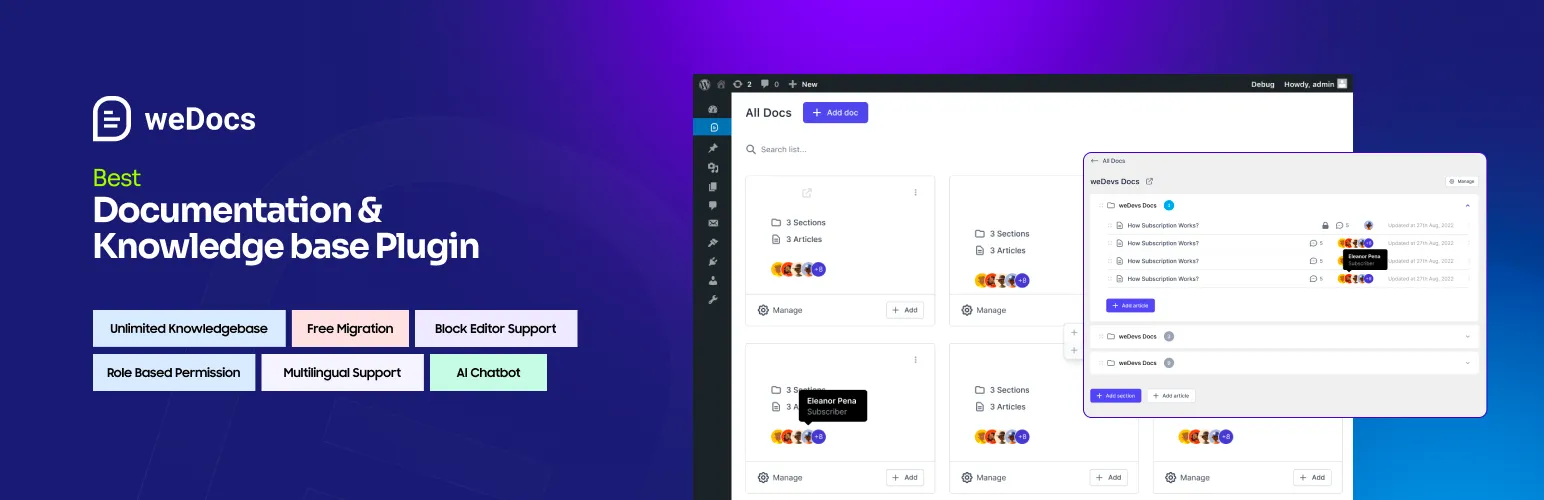
weDocs is a documentation and knowledge base plugin for WordPress. You write articles in the block editor, organize them in a drag-and-drop tree of sections and sub-sections, and publish them as a help center with search, feedback voting and a sidebar. It also includes an FAQ builder and a dashboard with basic stats.
It suits software makers, plugin authors, support teams and anyone running product documentation or an internal wiki. The free version allows unlimited docs and knowledge bases. You can build pages with Gutenberg or Elementor, and move over existing docs from BetterDocs with a one-click migration tool.
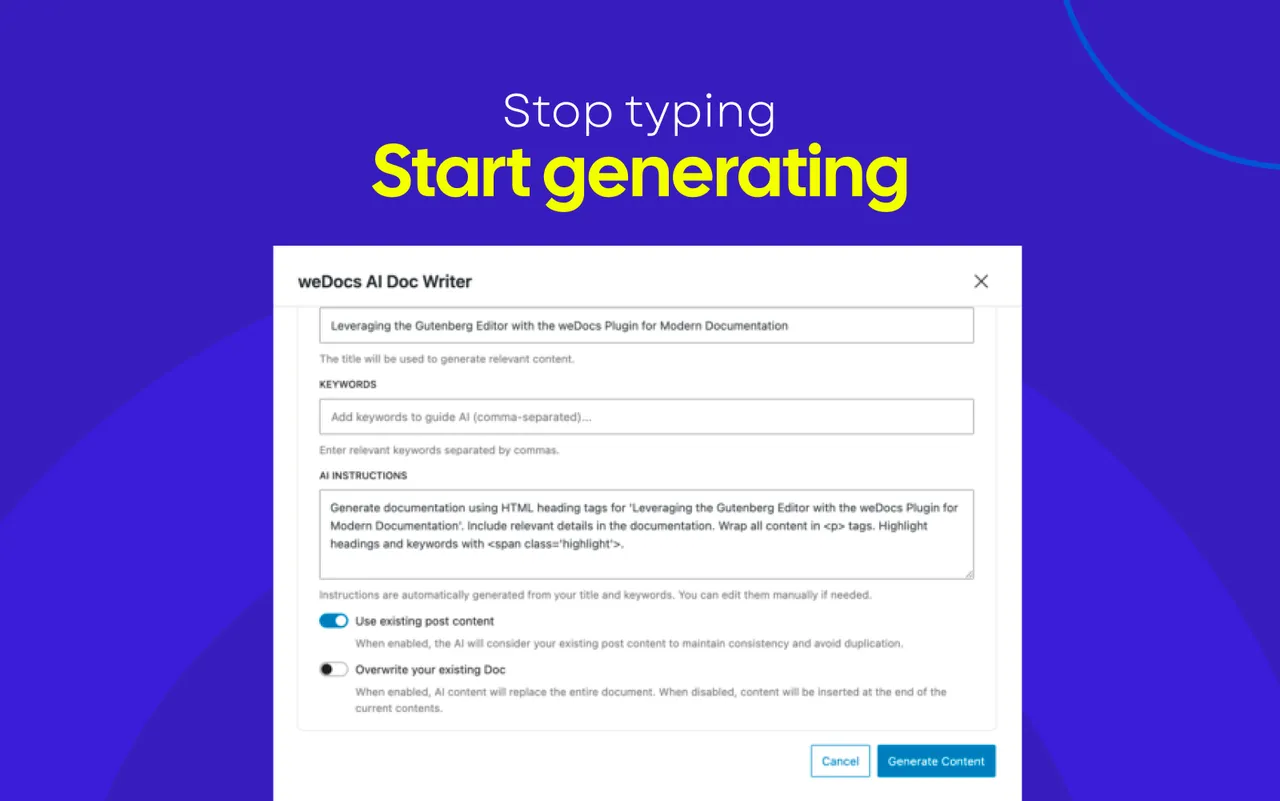
Two AI features appear in the listing. An AI Doc Writer in the free version creates documentation from prompts, product details or screenshots. A ChatGPT-powered chatbot that answers from your docs, and an MCP link for Claude and ChatGPT, are part of Pro.
Best for
- Software and plugin makers writing product docs
- Support teams building a self-service help center
- Dokan marketplaces needing vendor guides
- Teams moving from BetterDocs
weDocs features
AI Doc Writer
Generates documentation from a prompt, product details or screenshots. This one is in the free version.
Drag-and-drop doc tree
Organize docs into sections, subsections and articles with a three-level structure in the free version.
Block editor and Elementor
Write in Gutenberg or build pages visually with Elementor widgets and a ready-made single-doc template.
Live search
AJAX search lets readers find answers inside your docs without reloading the page.
Feedback and voting
Readers can rate a document and leave feedback, which feeds the dashboard stats.
FAQ builder
Create question groups, reorder them by dragging, and show them as an accordion with the wedocs_faq shortcode.
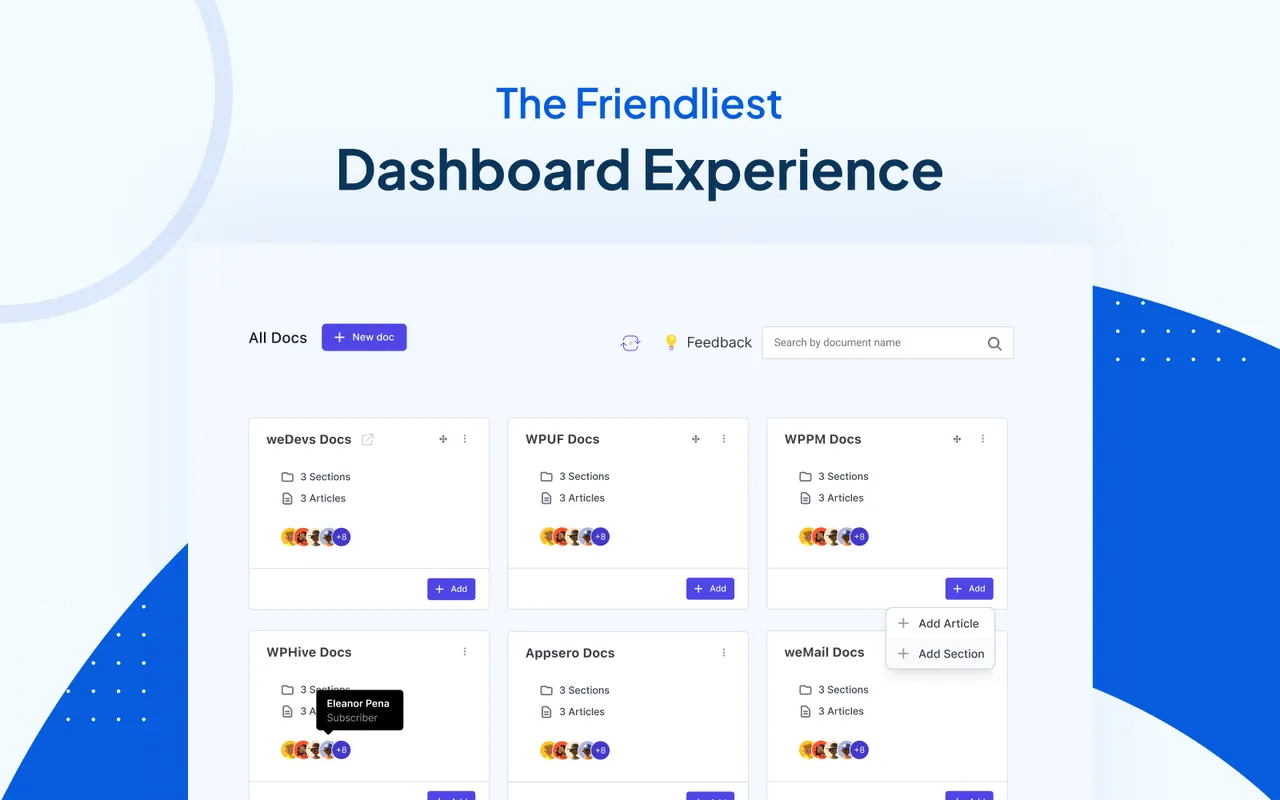
Documentation dashboard
Shows total docs, views, helpful rate, popular docs and recently updated content.
BetterDocs migration
Moves existing BetterDocs documentation into weDocs in one step.
Dokan vendor docs
Mark a doc as vendor-only and show it inside the Dokan vendor dashboard. One doc is free, and more need Pro.
Multilingual via Weglot
Offer documentation in several languages through the Weglot integration.
weDocs free vs pro
Free WordPress.org version
- Unlimited docs and knowledge bases
- Drag-and-drop organizer with three levels
- AI Doc Writer with image analysis
- Live search, feedback voting and sidebar navigation
- FAQ builder and shortcodes
- Documentation dashboard
- BetterDocs migration, Gutenberg and Elementor support
Pro Paid version
- AI Chatbot powered by ChatGPT, based on your docs
- AI assistant link with Claude and ChatGPT via MCP
- Privacy settings and role-based permissions
- Changelog with a public timeline and RSS
- Glossary with tooltips
- Floating contact form and table of contents
- Pre-built layouts, docs duplicator, 7-level hierarchy
- Advanced analytics and unlimited Dokan vendor docs
The free version is on WordPress.org and a paid Pro version exists. The listing gives no prices. It does not say whether the AI Doc Writer or the chatbot need your own API key, so check the vendor documentation before relying on them.
How to use weDocs
- Install the plugin
In wp-admin go to Plugins, then Add New, search for weDocs, then install and activate it.
- Create a knowledge base
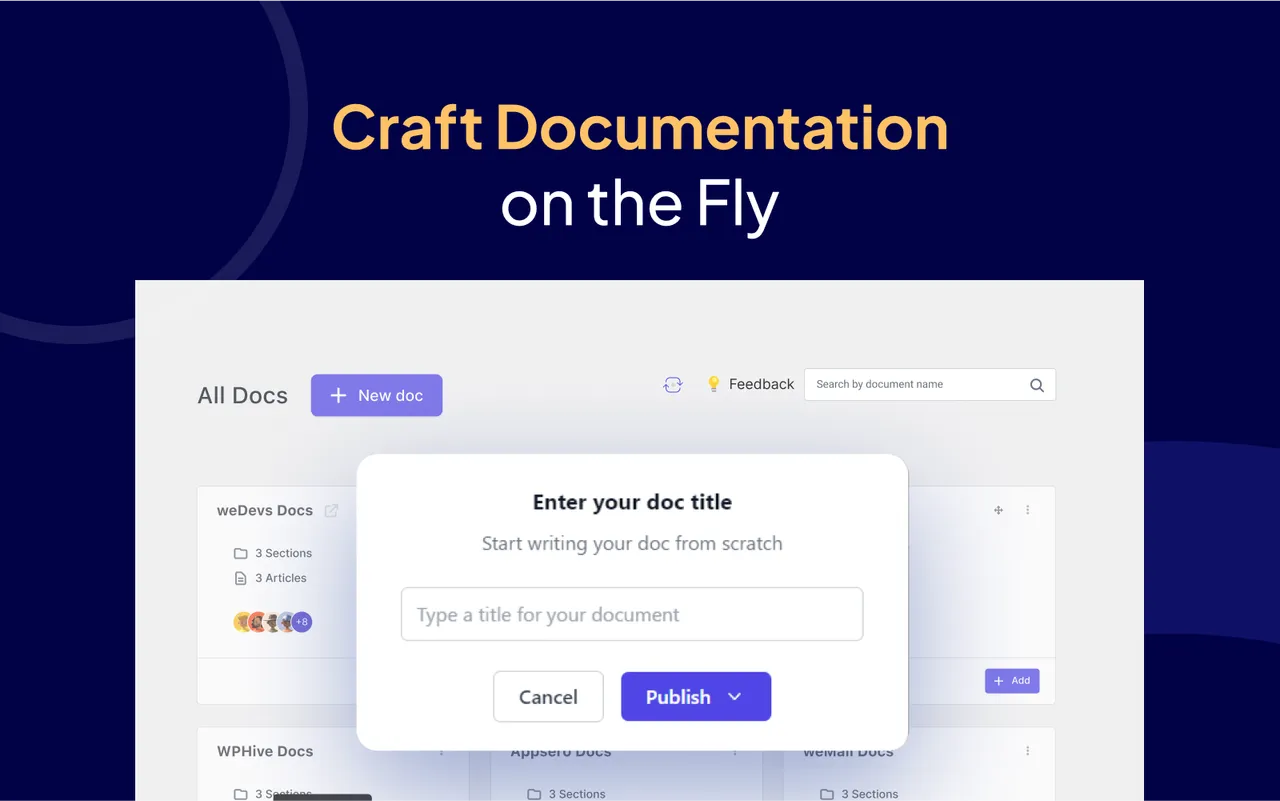
Add your first documentation set and give it a title. You can create as many as you need.
- Write or generate docs
Write articles in the block editor, or use the AI Doc Writer to draft them from a prompt or a screenshot. Review the draft before publishing.
- Organize the structure
Drag docs into sections and subsections to set the hierarchy and sidebar order.
- Turn on search and feedback
Enable live search and voting, then add an FAQ group with the shortcode where you want it shown.
weDocs screenshots (10)
-
Smart AI Doc Writer -
The Friendliest Dashboard Experience -
Craft Documentation on the Fly -
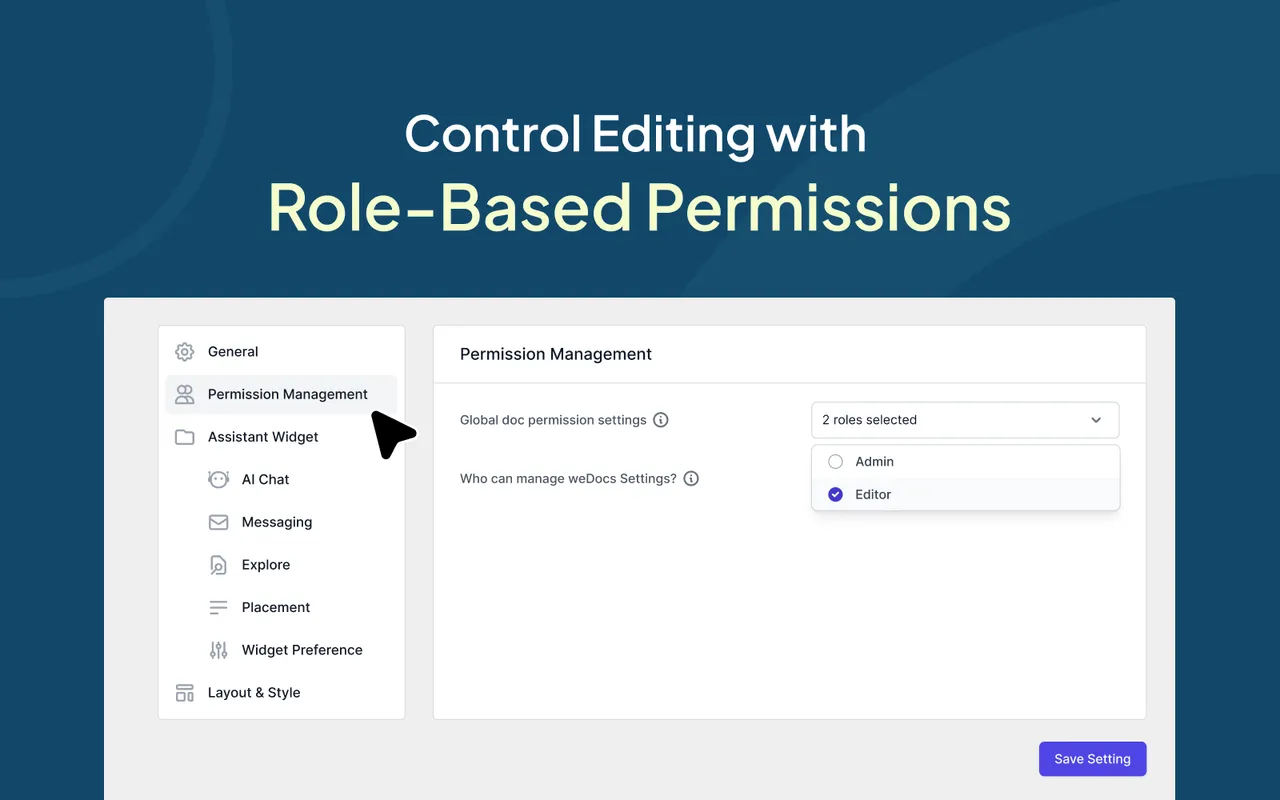
Control Editing with Role-Based Permissions -
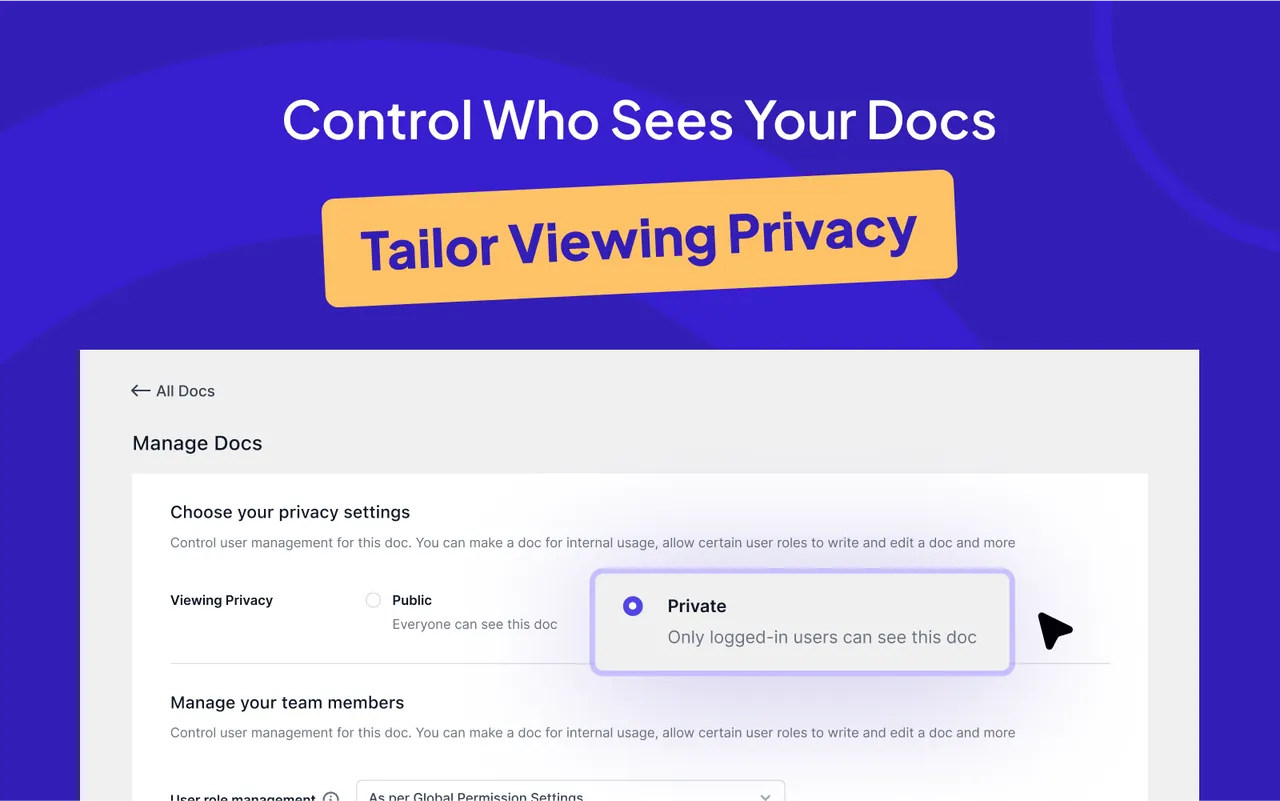
Control Who Sees Your Docs -
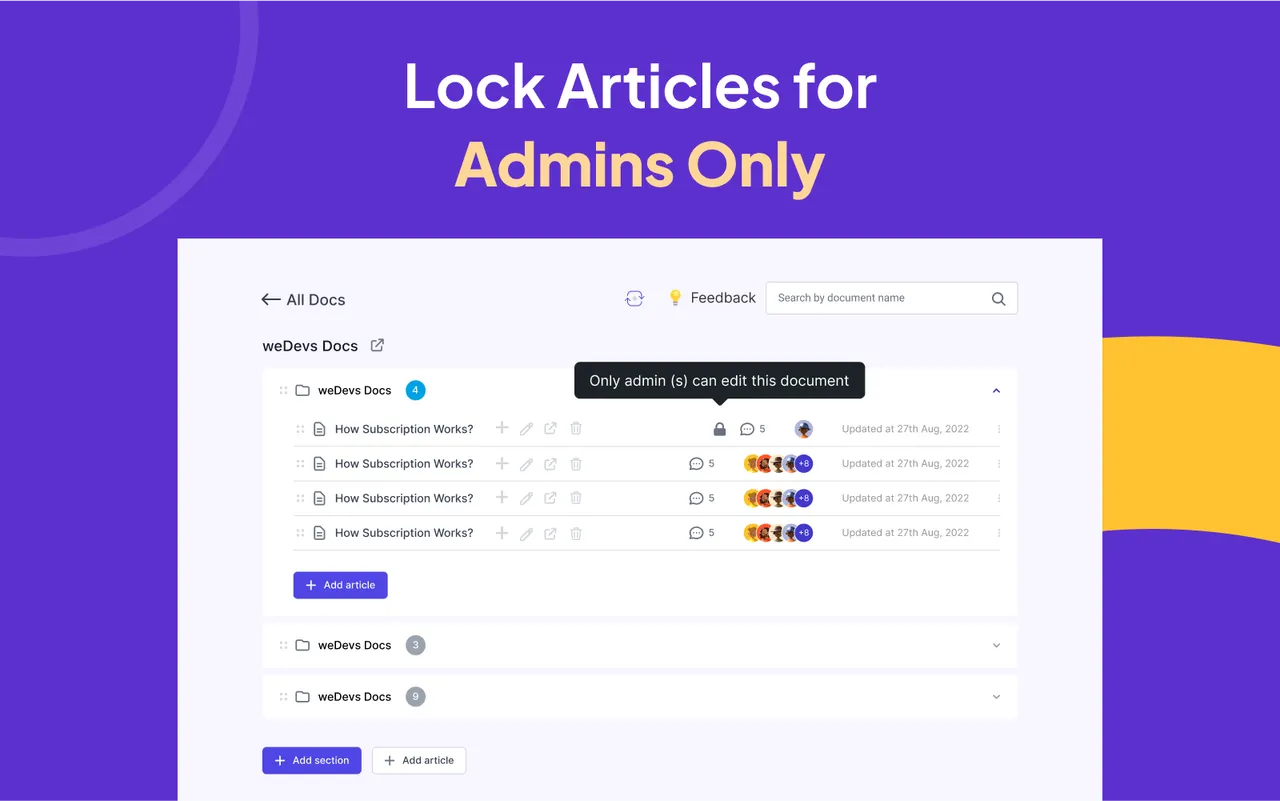
Locked Articles – Exclusive Edit Mode -
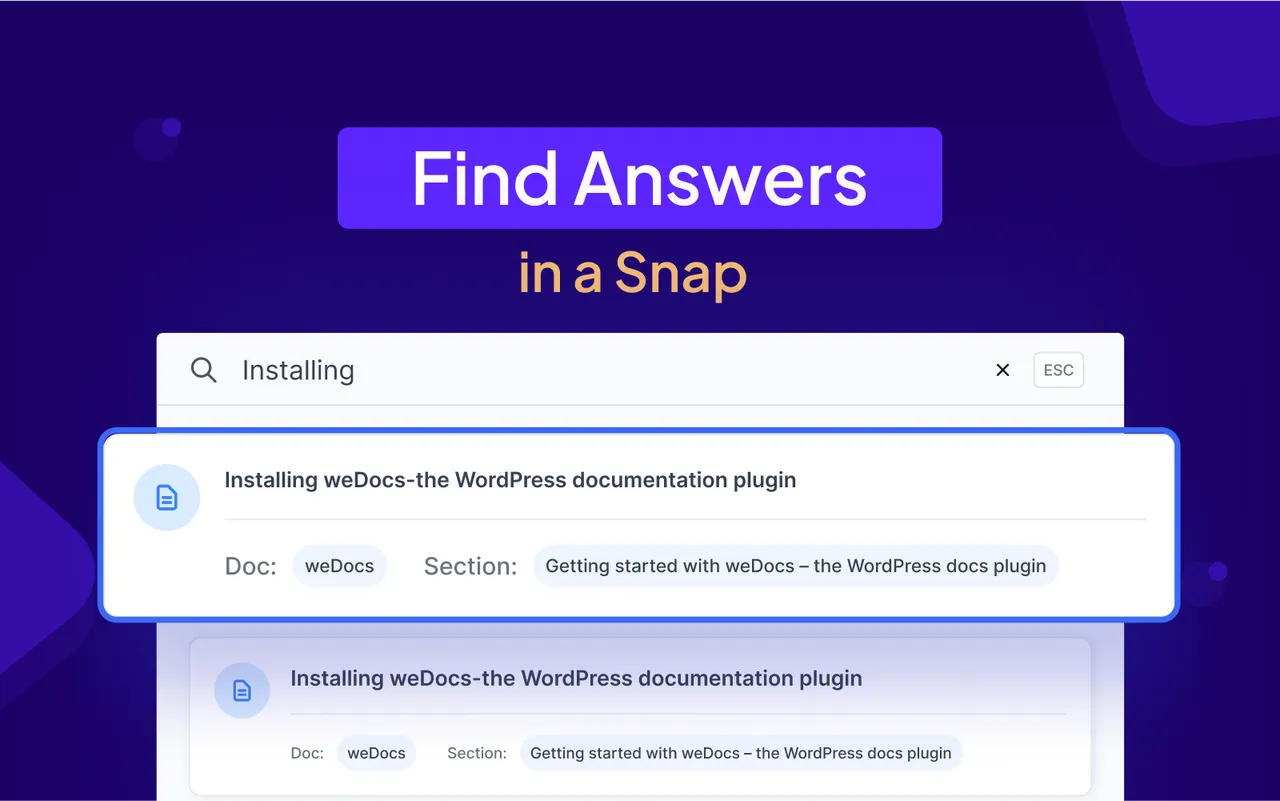
Find Answers in a Snap -
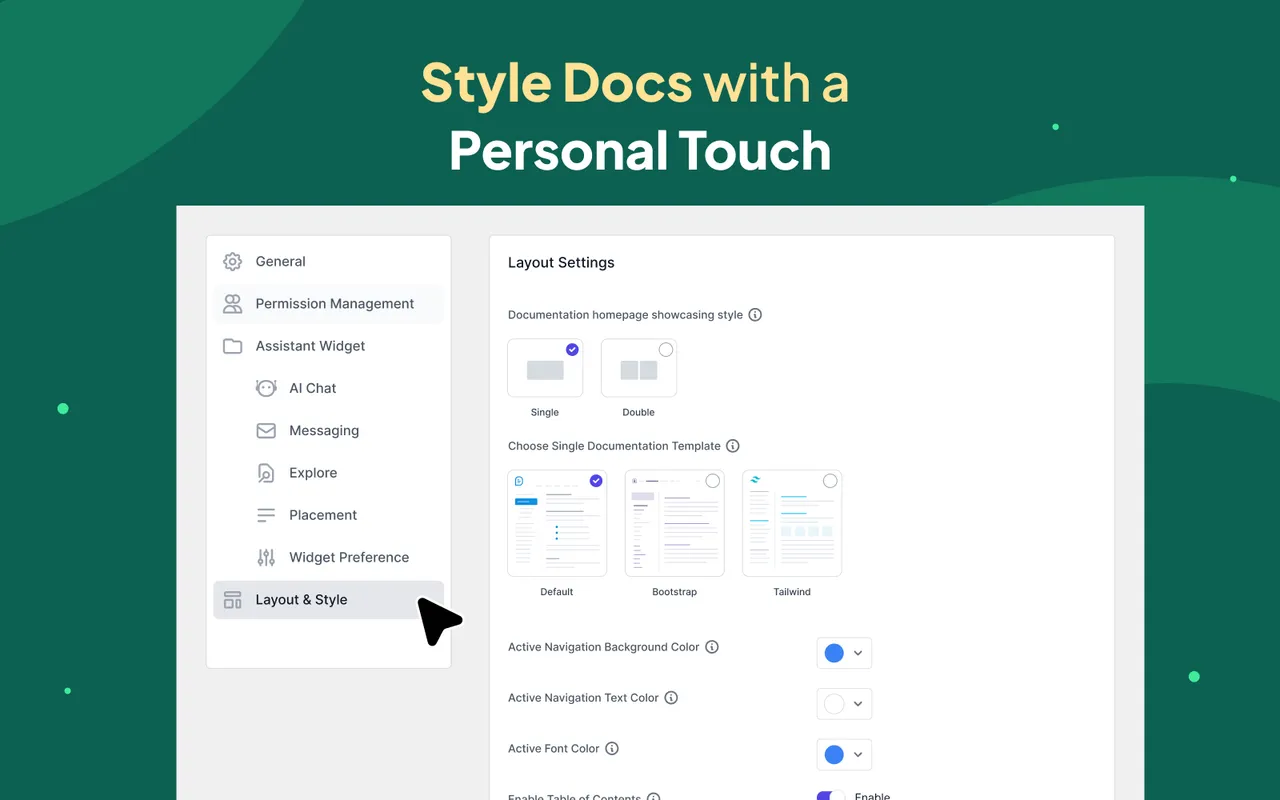
Style Docs with a Personal Touch -
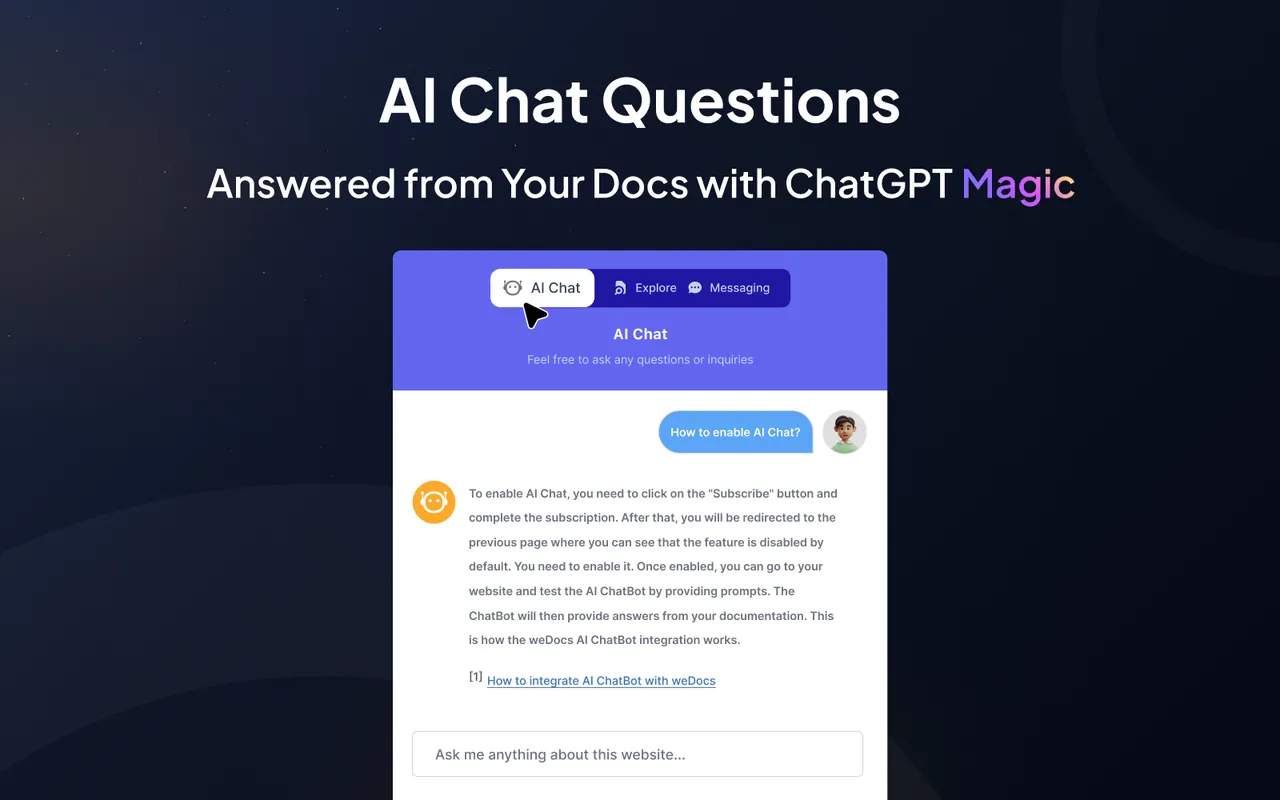
AI Chatbot Support -
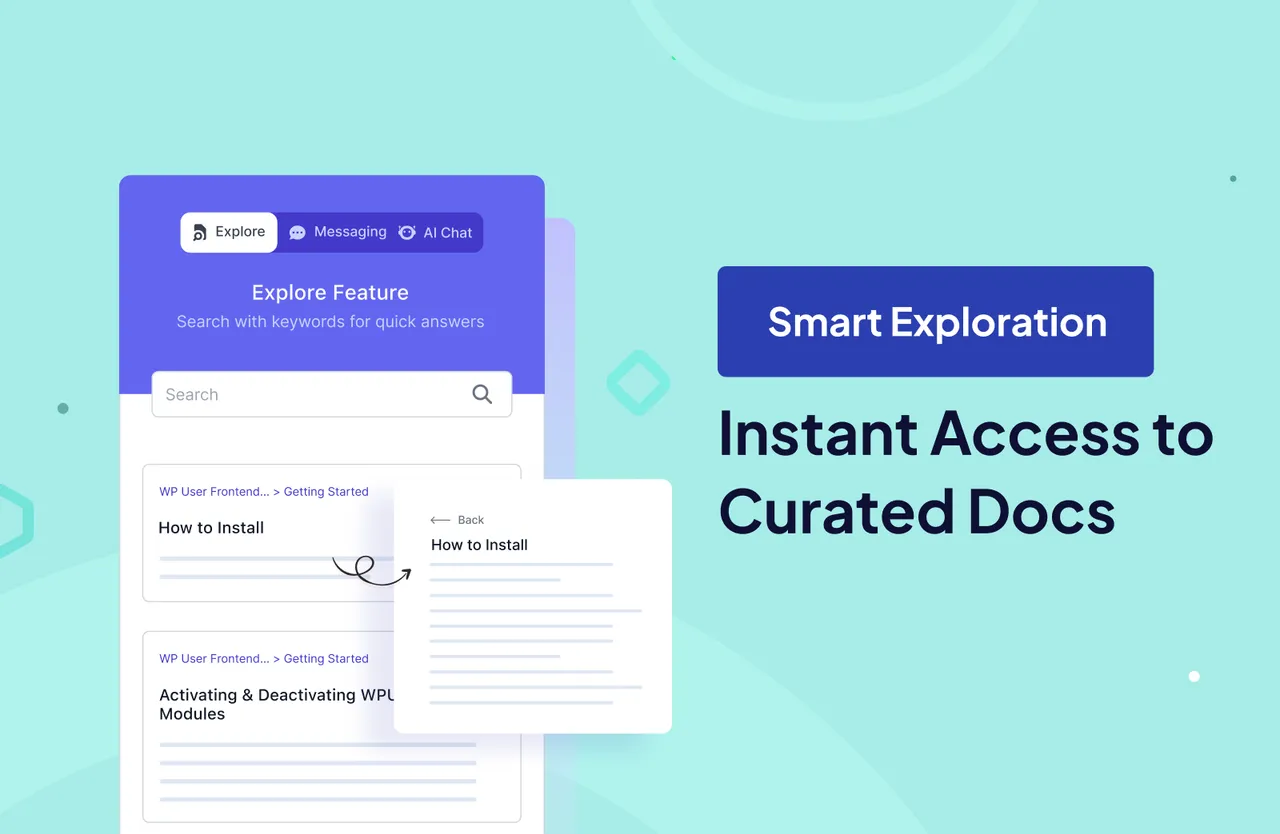
Smart Exploration View
Important information
- Requires WordPress 6.6 or higher and PHP 7.4 or higher.
- The AI chatbot, MCP connection, privacy controls and changelog are Pro features.
- AI-written documentation can contain mistakes. Check each draft, especially when it is based on screenshots.
- The listing does not say what data the AI features send or whether they need your own key. Check before using them with private material.
- The plugin has had published vulnerabilities in the past. The data shows them as patched, so keep it updated.
- The plugin loads its scripts and styles only on documentation pages, according to the vendor.
From the weDocs readme
Straight from the developer's WordPress.org listing.
Full description
Build a powerful documentation hub with an AI-powered knowledge base, docs, wiki tools, changelogs, FAQ, glossary and an AI chatbot to help users find answers instantly.
Useful Links
Docs | Videos | Support | Get Pro
Create and Manage Your Documentation and Knowledge Base at Ease
Key Benefits
• Organize all your documentation in one place
• Easy-to-use drag-and-drop interface
• Built-in FAQ builder with accordion display
• Supports unlimited documents and knowledge bases
• Seamless integration with WordPress & Gutenberg
• AI Chatbot (Pro) for instant automated user support
• Floating contact form for quick user feedback (Pro)
• Pre-built layouts and advanced styling options (Pro)
• Role-based permissions and privacy control (Pro)
• Multilingual support via Weglot
• Documentation dashboard with knowledge base analytics
• Product changelog with a public release timeline (Pro)
• Build documentation pages with Gutenberg or Elementor
• AI Assistant integration with Claude and ChatGPT via MCP (Pro)
• Glossary with automatic term highlighting and tooltips (Pro)
Create and Manage Documentation with Useful Free Features
The free version of weDocs provides a solid foundation for building a professional knowledge base. It includes:
– Full Gutenberg Support: Design and customize your documentation using Gutenberg blocks with complete flexibility.
– User-friendly Interface: Clean and intuitive dashboard for creating and managing documentation without technical complexity.
– Unlimited Document Creation: Create unlimited documents and knowledge bases for any product, service, or business.
– Drag-and-Drop Functionality: Organize, rearrange, and structure documentation using a simple drag-and-drop interface.
– Three-Level Nested Document Structure: Categorize documentation into sections, subsections, and articles for clear hierarchy.
– Easy Documentation Creation & Organization: Create, publish, draft, and manage unlimited documents with full control.
– SEO Optimization: Documentation pages are fully optimized for search engines.
– Sidebar Navigation: Automatically generated sidebar-based navigation for easy browsing.
– Writing Docs with Block Editor: Create and format documentation using the WordPress Block Editor.
– Migration from BetterDocs: Easily migrate your existing documentation from BetterDocs to weDocs.
– Multilingual Support (via Weglot): Offer documentation in multiple languages.
– Embed Anywhere with Shortcodes: Display documentation or doc lists anywhere on your site via shortcodes.
– Feedback and Voting System: Let users rate documents and leave feedback.
– Quick Search on Documentation: AJAX-powered in-document search for fast navigation.
– AI Doc Writer with Image Analysis: Generate documentation from prompts, product details, or even screenshots. Turn visuals into structured docs instantly.
–Documentation Dashboard: Get a complete overview of your knowledge base at a glance, including total docs, article views, helpful rate, popular docs, most helpful docs, and recently updated content.
– FAQ Section: Create FAQ groups, write questions and answers in a rich text editor, drag to reorder them, and publish them as an expandable accordion on any page with the [wedocs_faq] shortcode. Switch any group on or off without deleting it.
• Elementor Support: Build and customize documentation pages visually using dedicated Elementor widgets.
Vendor Documentation for Dokan Multivendor Marketplaces
weDocs now integrates with Dokan, the most popular multivendor marketplace plugin for WooCommerce. Mark any document as Vendor Documentation and display it right inside the Dokan vendor dashboard, so your sellers get a dedicated knowledge base built just for them.
Instead of answering the same questions over and over, give your marketplace vendors self-service docs for onboarding, store setup, marketplace policies, shipping, and payout information. Vendor documentation stays separate from your customer-facing help center, so each audience finds exactly what it needs.
• Mark any doc as vendor-only with a single click
• Show vendor docs inside the Dokan vendor dashboard
• Organize vendor onboarding guides, store guides, policies, and payout info
• Reduce repetitive vendor support requests with self-service documentation
• Works with the free version of weDocs and Dokan (mark one vendor doc free, unlimited with Pro)
weDocs Pro Allows You to Create a Professional & Advanced Knowledge Base
weDocs Pro unlocks advanced tools for businesses that need deeper customization, team collaboration, and AI-driven support.
– Advanced Customization for Assistant Widget: Style, reposition, and customize the assistant widget.
– AI Chatbot: ChatGPT-powered bot that answers questions based on your documentation and suggests relevant articles.
– Table of Contents: Auto-generated ToC for long documentation pages.
– Floating Contact Form: Allow users to send quick support messages through a built-in floating contact form.
– Privacy Settings: Restrict visibility to selected users or roles.
– Role-Based Permission Management: Control access and edit rights for specific documents.
– Pre-Built Layouts & Styles: Choose from multiple templates and design styles without coding.
– Docs Duplicator: Clone entire documents or structures with one click.
– 7-Layer Hierarchical Article Creation: Great for extensive product documentation.
– Social Sharing Options: Allow users to share docs across popular social platforms.
– Changelog: Publish a public release timeline for your product, with multiple channels, custom categories, banner styling, and RSS support.
– Advanced Analytics: Go deeper than the basic dashboard with views broken down per document, a full reactions overview, plus Top Contributors and Top Tags cards.
• Glossary: Define terms once and highlight them throughout your documentation with tooltips.
• AI Assistant with MCP: Connect weDocs with Claude or ChatGPT to create and update articles, tags, changelogs, glossary entries, and FAQs.
Perfect For
• SaaS product documentation and help centers
• WordPress plugin and theme docs
• Internal team wikis and private knowledge bases
• FAQ and self-service support pages
• Customer onboarding and how-to guides
How It Works
• Install and activate weDocs.
• Create your first knowledge base and add documents.
• Organize content using drag-and-drop and nested levels.
• Enable search, feedback, and AI chatbot features (Pro).
• Use shortcodes to embed documentation anywhere.
Checkout Our Other Products
– Dokan: The pioneer WooCommerce multivendor marketplace solution for WordPress. Build a marketplace like Amazon, eBay, or Etsy in minutes.
– weMail: A simplified WordPress solution for email marketing, newsletters, automations, and audience growth.
– wePOS: WooCommerce Point of Sale solution for in-store sales with fast cart management and barcode scanning.
– WP Project Manager: Full-featured project management with task lists, Gantt chart, Kanban board, and team collaboration tools.
– Happy Addons: A powerful addon suite for Elementor with templates, widgets, Mega Menu, Theme Builder, and more.
– WP ERP: Complete HR, CRM, Accounting, and Recruitment system for WordPress.
– WP User Frontend : All-in-one frontend posting, membership, subscription payments, user dashboards, and AI-powered post creation.
What Others Say About weDocs:
Privacy Policy
weDocs uses the Appsero SDK to collect telemetry data (only with user permission) to help improve product stability and performance.
Blocks Included
weDocs – Docs Grid: Display documents in a customizable grid layout.
Developer FAQ (13)
- Is weDocs free?
- Yes. The free version includes unlimited docs, a drag-and-drop editor, live search, the AI Doc Writer, BetterDocs migration, and more. You can build and publish a complete knowledge base without paying. Pro adds the AI Chatbot, permissions, privacy controls, and advanced styling.
- Does weDocs slow down my site?
- No. weDocs 2.x loads its scripts and styles only on documentation pages where they are needed, so the rest of your site stays fast. If you ever see a performance issue, contact support and the team will help.
- Can I build a help center or FAQ page with weDocs?
- Yes. weDocs is built for help centers, FAQ pages, product docs, and self-service support. Use the built-in FAQ builder for common questions, then sections, live search, and feedback voting for longer documentation.
- Is the AI Chatbot free?
- The AI Chatbot is a Pro feature. The free version still includes the AI Doc Writer, which generates documentation from prompts, product details, or screenshots.
- Can I create private or internal documentation?
- Yes. With weDocs Pro you can restrict docs to selected users or roles, which is ideal for internal team wikis and private knowledge bases.
- Can I migrate from BetterDocs?
- Yes. weDocs includes a one-click migration tool that moves your existing BetterDocs documentation into weDocs.
- Can I customize how my documentation looks?
- Yes. weDocs supports both Gutenberg and Elementor for customizing your documentation. The latest version includes dedicated Elementor widgets and a ready-made Elementor single-doc template, with options to choose Classic, Block, Elementor, or Automatic rendering.
- Can I publish a changelog with weDocs?
- Yes. weDocs Pro includes a changelog feature that publishes your product updates on a public timeline alongside your documentation. You can run separate release channels, categorize entries, style the banner, and offer an RSS feed. The free version includes a changelog preview in Settings so you can see how it looks before upgrading.
- Does weDocs show analytics for my documentation?
- Yes. The free version includes a dashboard showing total docs, articles, total views, helpful rate, popular docs, most helpful docs, and recently updated content. Pro adds advanced analytics with views per document, a reactions overview, top contributors, and top tags.
- Can I add an FAQ section to my site?
- Yes. Create FAQ groups, add questions and answers using a rich text editor, drag them into the order you want, and publish the group anywhere on your site with the [wedocs_faq] shortcode. It renders as an expandable accordion. You can switch a group off without deleting it, which is useful for seasonal or product-specific questions.
- Can I create a glossary with weDocs?
- Yes. weDocs Pro includes a Glossary feature that lets you define terms once and automatically highlight them throughout your documentation with tooltips.
- Can I connect weDocs with AI assistants?
- Yes. weDocs Pro can connect with AI assistants like Claude and ChatGPT via MCP to create and update articles, tags, changelogs, glossary entries, and FAQs.
- Where do I report security bugs found in this plugin?
- Please report security bugs found in the source code of the weDocs plugin through the Patchstack Vulnerability Disclosure Program. The Patchstack team will assist you with verification, CVE assignment, and notify the developers of this plugin.
Downloads, last 30 days
Trend vs previous period: -2%
Average daily downloads: 393 over the last 7 days , 233 over 30 days.
Security history
Past CVEs, patched · 11 published vulnerabilities (Wordfence) · most recent Nov 7, 2026
- Patched 6.4 Medium weDocs: AI Powered Knowledge Base, Docs, Documentation, Wiki & AI Chatbot <= 2.3.0 - Authenticated (Contributor+) Stored Cross-Site Scripting via 'connectorWidth' Block Attribute CVE-2026-12734 · Jul 2, 2026 · affects *-2.3.0 · fixed in 2.3.1
- Patched 4.3 Medium weDocs: AI Powered Knowledge Base, Docs, Documentation, Wiki & AI Chatbot <= 2.3.0 - Missing Authorization to Authenticated (Subscriber+) Data Migration via wedocs_migrate_betterdocs_to_wedocs AJAX Action CVE-2026-12729 · Jul 2, 2026 · affects *-2.3.0 · fixed in 2.3.1
- Patched 5.4 Medium weDocs <= 2.1.14 - Missing Authorization to Settings Update CVE-2025-12505 · Dec 5, 2025 · affects *-2.1.14 · fixed in 2.1.15
- Patched 6.4 Medium weDocs: AI Powered Knowledge Base, Docs, Documentation, Wiki & AI Chatbot <= 2.6.1 - Authenticated (Contributor+) Stored Cross-Site Scripting via 'modalPlaceholder' Block Attribute CVE-2026-104760 · Nov 7, 2026 · affects *-2.6.1 · fixed in 2.6.2
- Patched 4.3 Medium Appsero <= 1.2.1 - Missing Authorization Dec 16, 2022 · affects 1.6-1.7.5 · fixed in 1.7.6
- Patched 4.3 Medium weDocs <= 2.1.16 - Missing Authorization to Authenticated (Subscriber+) Documentation Post Update CVE-2025-13921 · Jan 22, 2026 · affects *-2.1.16 · fixed in 2.1.17
- Patched 5.3 Medium weDocs: AI Powered Knowledge Base, Docs, Documentation, Wiki & AI Chatbot <= 2.1.15 - Unauthenticated Sensitive Information Exposure CVE-2025-14574 · Jan 9, 2026 · affects *-2.1.15 · fixed in 2.1.16
- Patched 6.4 Medium weDocs: AI Powered Knowledge Base, Docs, Documentation, Wiki & AI Chatbot <= 2.3.0 - Authenticated (Contributor+) Stored Cross-Site Scripting via 'sectionTitleTag' and 'articleTitleTag' Block Attributes CVE-2026-12731 · Jul 2, 2026 · affects *-2.3.0 · fixed in 2.3.1
Show all 11 vulnerabilities
- Patched 5.3 Medium weDocs <= 2.1.4 - Missing Authorization CVE-2024-34442 · May 7, 2024 · affects *-2.1.4 · fixed in 2.1.5
- Patched 4.3 Medium Appsero <= 1.2.0 - Cross-Site Request Forgery CVE-2022-47150 · Dec 14, 2022 · affects 1.6-1.7.5 · fixed in 1.7.6
- Patched 5.3 Medium weDocs <= 2.1.18 - Missing Authorization CVE-2026-39520 · Feb 25, 2026 · affects *-2.1.18 · fixed in 2.2.1
weDocs FAQ
Is weDocs free?
Yes. The free version has unlimited docs, drag-and-drop editing, live search, the AI Doc Writer and BetterDocs migration. Pro adds the chatbot, permissions and advanced styling.
Will it slow down my site?
The vendor says version 2 loads its scripts and styles only on documentation pages, so the rest of the site is not affected.
Can I use it for a help center or FAQ page?
Yes. It includes an FAQ builder, search, sections and feedback voting for self-service support.
Is the AI chatbot free?
No. The chatbot is a Pro feature. The free version includes the AI Doc Writer.
Can I keep some docs private?
Yes, with Pro. You can limit docs to chosen users or roles, which suits internal wikis.
Can I migrate from BetterDocs?
Yes. A one-click migration tool moves your BetterDocs documentation into weDocs.
Can I publish a changelog or glossary?
Yes, with Pro. The changelog runs as a public timeline with channels and RSS. The glossary highlights terms with tooltips.
Can AI assistants manage my docs?
With Pro, Claude and ChatGPT can connect through MCP to create and update articles, tags, changelogs, glossary entries and FAQs.
weDocs alternatives

The free MCP server and AI chatbot for WordPress. Claude and ChatGPT connect to your site with no account, no API key and no usage limits. AI Engine connects WordPress and AI, both ways. AI comes into your site:…

Chatway is a WordPress live chat, AI chatbot, and helpdesk plugin for customer support. Chat with website visitors in real time, automate replies with an AI chatbot, or connect your own AI agents including ChatGPT,…

🟦 Tidio - Live Chat for WordPress with AI Chatbots, Customer Support & Sales Tools Tidio Live Chat is an all-in-one customer support plugin for WordPress that lets you talk to your website visitors in real time.…

THE SIMPLE, SECURE AND FEATURE-RICH SUPPORT TICKETING SYSTEM PLUGIN FOR YOUR WORDPRESS SITE. Click here to visit our official website. SupportCandy is a self-hosted WordPress helpdesk and support ticket system.…
AI ChatBot for WordPress - WPBot. Support, Sale, Convert, Automate WPBot is a feature rich AI ChatBot for WordPress websites. Provide 24/7 Automated Live Chat Support , Generate Leads and Convert , Collect…
MxChat is the most powerful free AI chatbot and content generation plugin for WordPress - connecting your website to ChatGPT, Claude, Gemini, Grok, DeepSeek, and 100+ AI models through a single, easy-to-use…
Listing data from WordPress.org and the Wordfence vulnerability feed, refreshed Nov 9, 2026; listing details fetched Nov 14, 2026. Screenshots are from the plugin's WordPress.org listing. Not affiliated with weDevs.