
Dokan
Dokan: AI Powered WooCommerce Multivendor Marketplace Solution - Build Your Own Amazon, eBay, Etsy · by Dokan, Inc.
- active installs
- 30K+
- 769 ratings
- 4.6
- since last update
- 4d
- releases in 12 months
- —
- support threads resolved
- 83%
- avg daily downloads
- 1,918
- on WordPress.org
- 11.8 years
Dokan at a glance
Dokan is a free WordPress AI WooCommerce plugin by Dokan, Inc. with 30K+ active installs and a 4.6/5 rating from 769 reviews. It was last updated on Nov 5, 2026, is tested up to WordPress 7.1.4 and needs PHP 7.4+. All 28 of its published vulnerabilities have patched versions. Our quality score is 91/100.
What is Dokan?
Dokan is a WooCommerce plugin that turns a store into a multivendor marketplace, where several sellers list products and the site owner takes a cut of each sale. Each vendor gets a storefront with its own address and a dashboard on the front end for products, orders and withdrawals. Only the admin uses the WordPress backend. Vendors never need the WordPress backend, which keeps the admin side simple and limited to the site owner.
It is built for owners who want to run something like a shop-in-shop or a niche marketplace for physical goods, downloads, bookings, auctions or subscriptions. The listing says an unlimited number of vendors and products is supported. Commission can be a flat amount or a percentage, with per-vendor overrides, and collection is automatic. Setup is described as quick, although a real marketplace still needs work on commission rules, payouts, shipping and vendor onboarding.
The free version covers the core marketplace. Many extras, such as variable products, table rate shipping, vendor analytics and the Elementor store customizer, are marked as paid in the listing. The listing also describes an AI assistant that writes product titles and descriptions and improves product photos from the vendor dashboard, but it does not say which version includes it.
Best for
- Owners launching a WooCommerce marketplace with many sellers
- Shops that earn through vendor commission
- Niche marketplaces for products, downloads or bookings
- Sites that want vendors to work without admin access
Our take
The leading WooCommerce multivendor marketplace plugin, now using AI to help vendors write product content. You install Dokan for the marketplace; the AI is a bonus for sellers.
Dokan features
Independent vendor stores
Every seller gets a storefront with a unique address and branding, plus contact details and widgets on the store page.
Front-end vendor dashboard
Vendors manage products, orders and payout requests from the site front end, without access to the WordPress admin.
Commission settings
The admin sets commission as a flat amount or a percentage, collected automatically, and can override the rate for individual vendors.
Vendor withdrawals
Vendors request payouts by PayPal or bank. PayPal supports a mass payment file, while other methods are handled by hand.
Standard WooCommerce payments
Any standard WooCommerce payment gateway can be used. The listing also mentions many extra payment integrations, such as Stripe Express and Razorpay.
AI product assistant
Generate product titles and descriptions from the vendor dashboard, and enhance product photos so they look clearer and brighter.
Admin control
The admin controls product publishing, vendor registration and subscription renewal, and can run the site in single-seller mode.
Vendor subscription packs
Create packs that limit product uploads, category choice or time period, so you can charge vendors for access.
Pro modules for shipping and reports
Table rate shipping, delivery time, ShipStation, zone shipping, vendor analytics and import and export are described as paid.
Wide compatibility
The listing says Dokan works with more than 70 plugins and 71 themes, and with booking and auction add-ons.
Dokan free vs pro
Free WordPress.org version
- Multivendor marketplace on top of WooCommerce
- Vendor storefronts and a front-end vendor dashboard
- Commission rules, including per-vendor overrides
- PayPal and bank withdrawals
- Standard WooCommerce payment gateways
- Unlimited vendors and products, per the listing
Pro Paid version
- Variable and downloadable products, and vendor attribute management
- Vendor table rate shipping, delivery time, ShipStation and zone shipping
- Vendor analytics, sales reports and import and export
- Elementor store customizer with Dokan widgets
- Store location map, Skrill withdrawals and vendor-created orders
- Delivery driver app and a bundled responsive theme
A paid Pro version exists and adds the items above, but the listing does not state prices. The listing does not say whether the AI assistant needs a separate account or API key, so check that before counting on it.
How to use Dokan
- Install WooCommerce first
Dokan runs on WooCommerce, so set up a working store before you add it.
- Install Dokan
In wp-admin, go to Plugins, then Add New, search for Dokan, then install and activate it. You can also upload the zip file.
- Set commission and payouts
Open the Dokan settings and choose your commission type and rate. Pick withdrawal methods and configure any WooCommerce payment gateways.
- Register vendors
Allow vendor registration or add vendors yourself. Each vendor gets a storefront and a front-end dashboard.
- Let vendors add products
Vendors list products from their dashboard, and you review or publish them depending on your settings.
- Upgrade when needed
To move to Pro, install and activate it while keeping the free plugin. The listing says your data stays in the database.
Dokan screenshots (12)
-
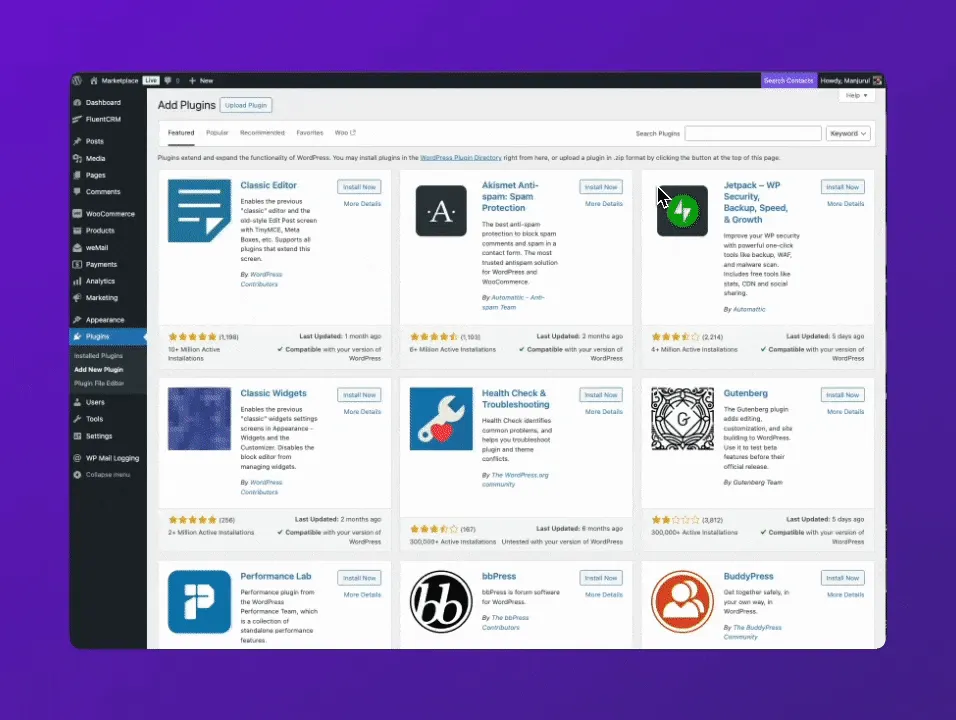
Dokan Install -
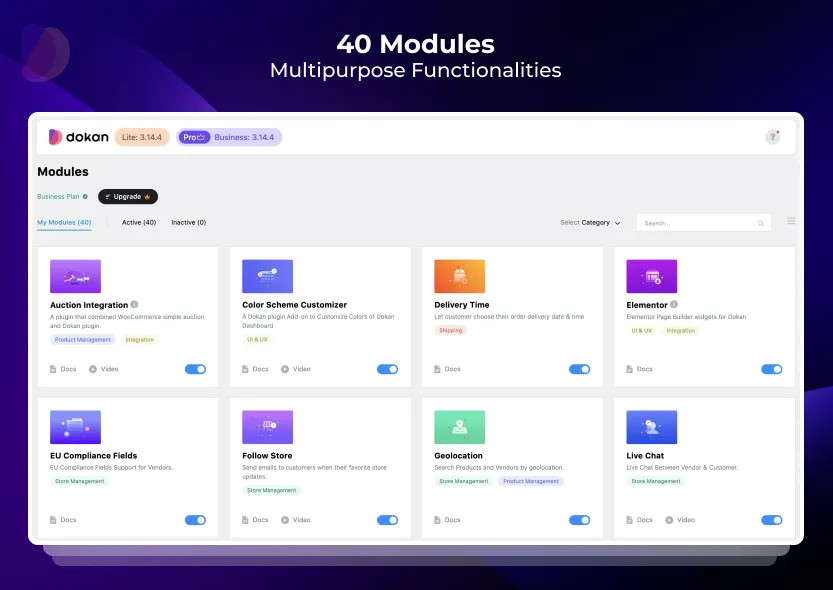
Dokan Modules -
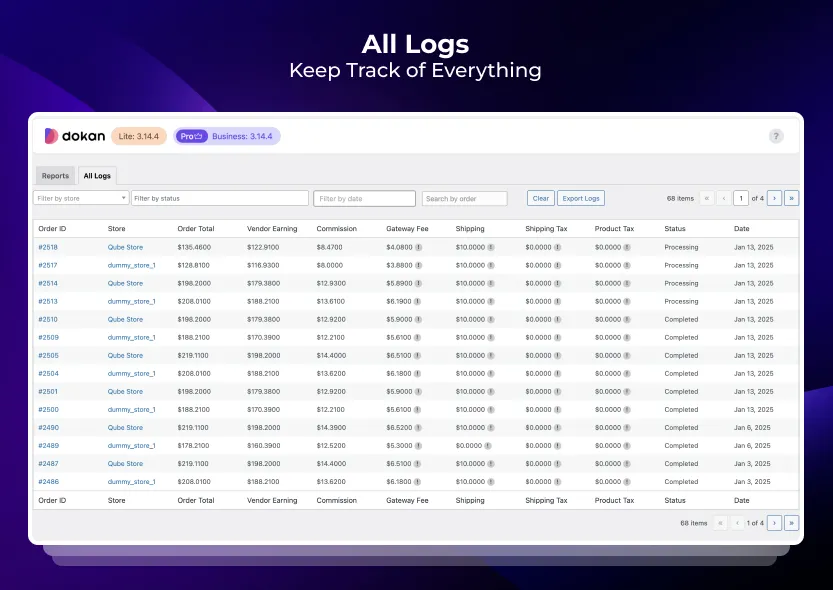
Admin → Report Logs -
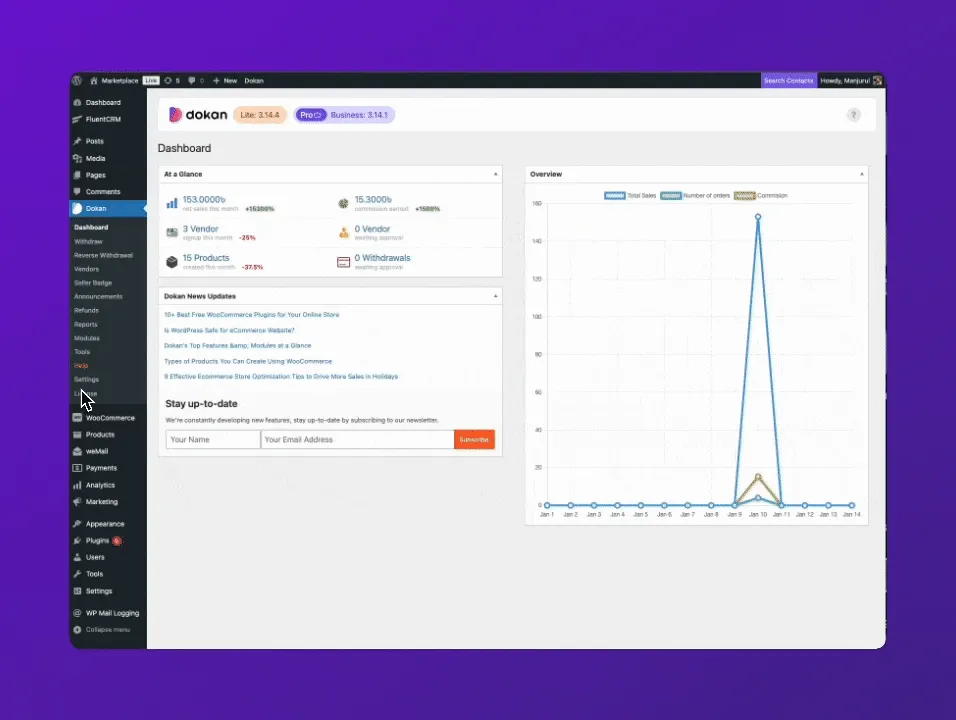
Admin Settings → General -
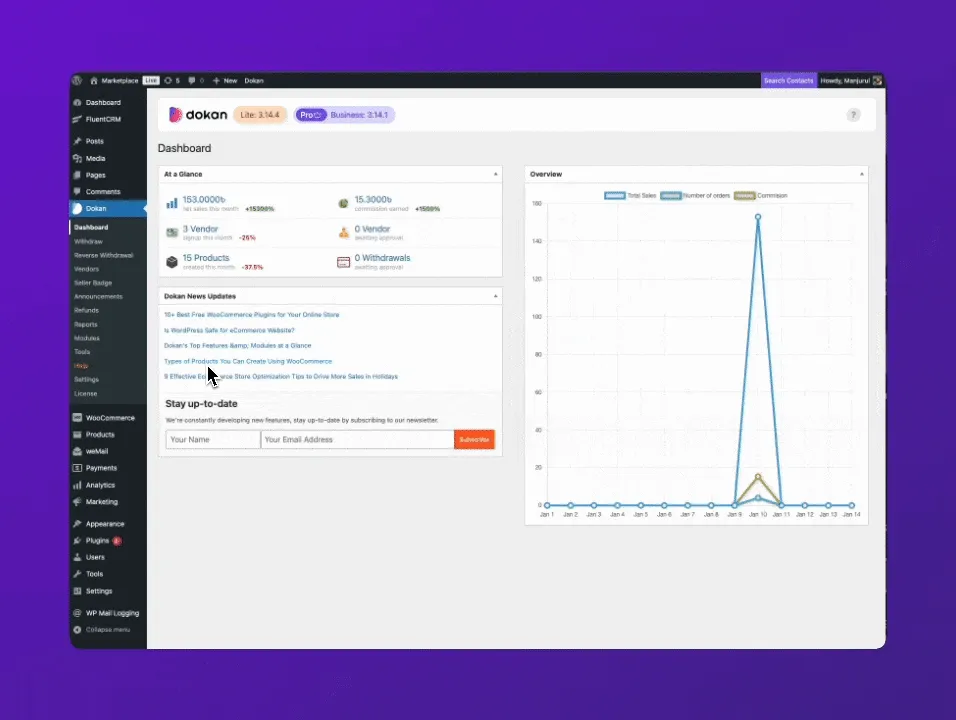
Admin Settings → Selling Options -
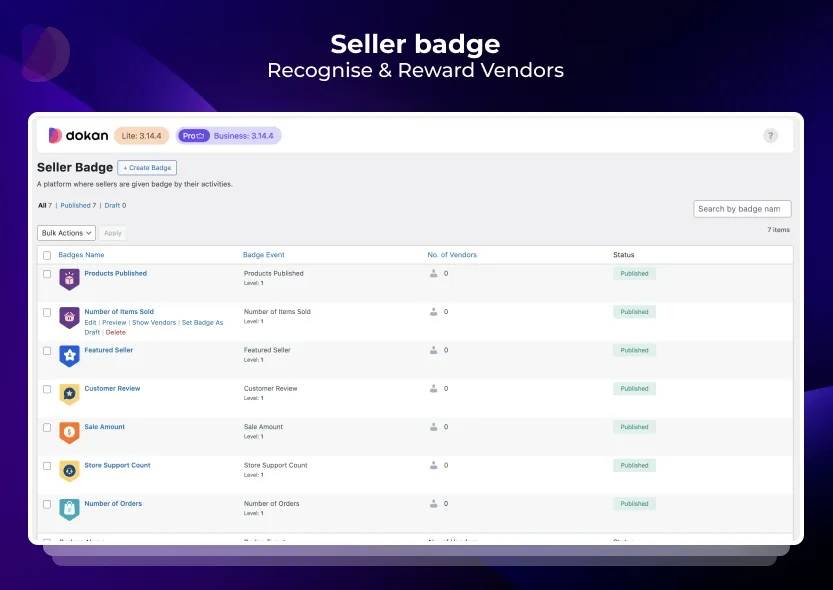
Seller Badges -
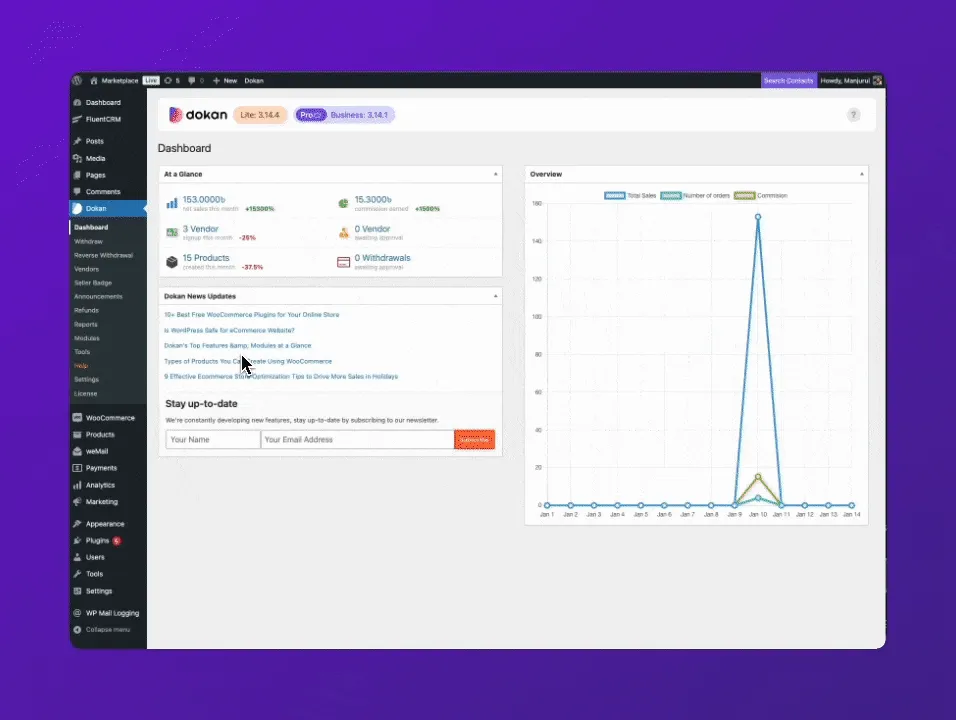
Admin Settings → Appearance -
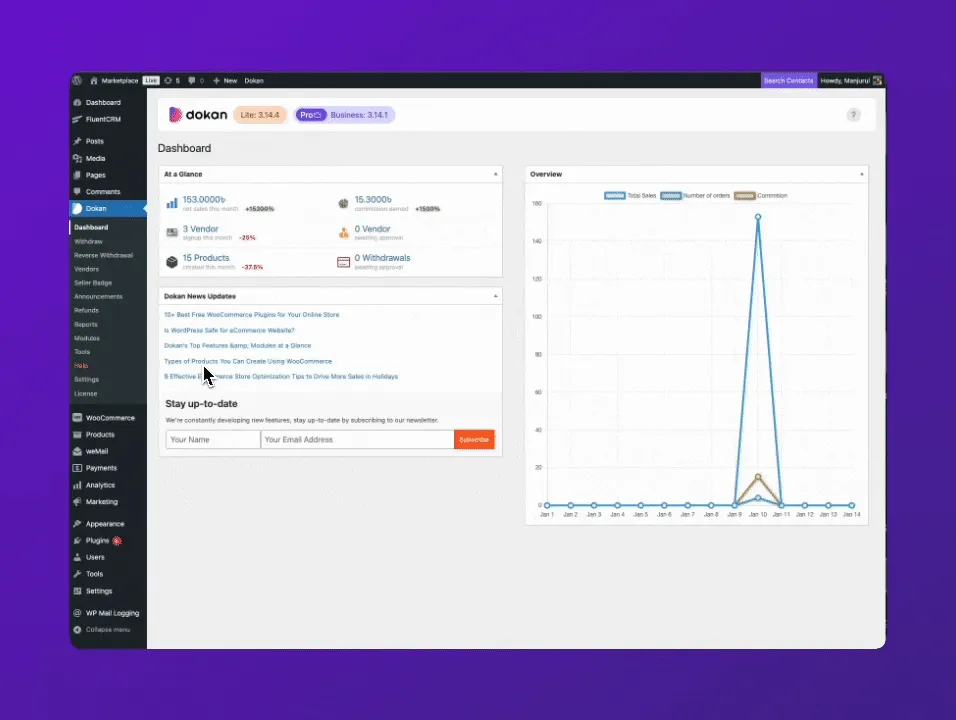
Admin Settings → Withdraw Options -
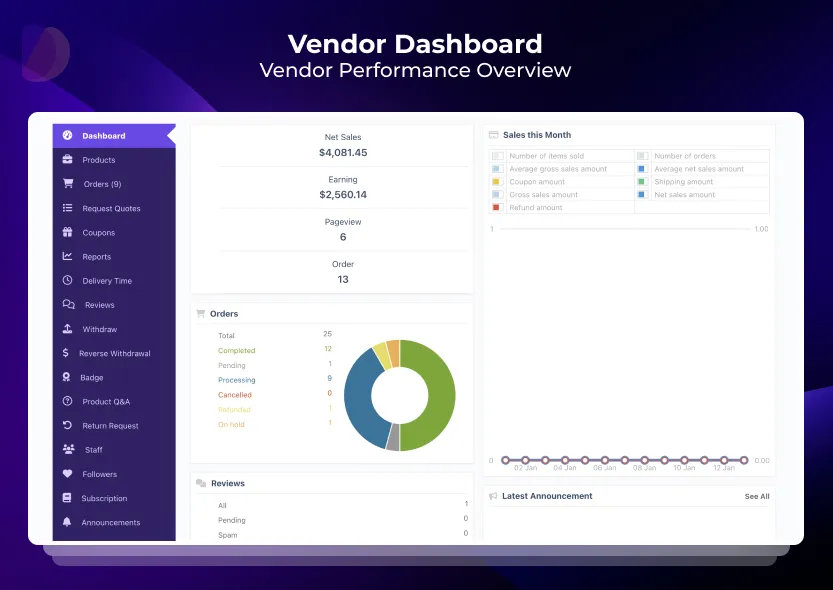
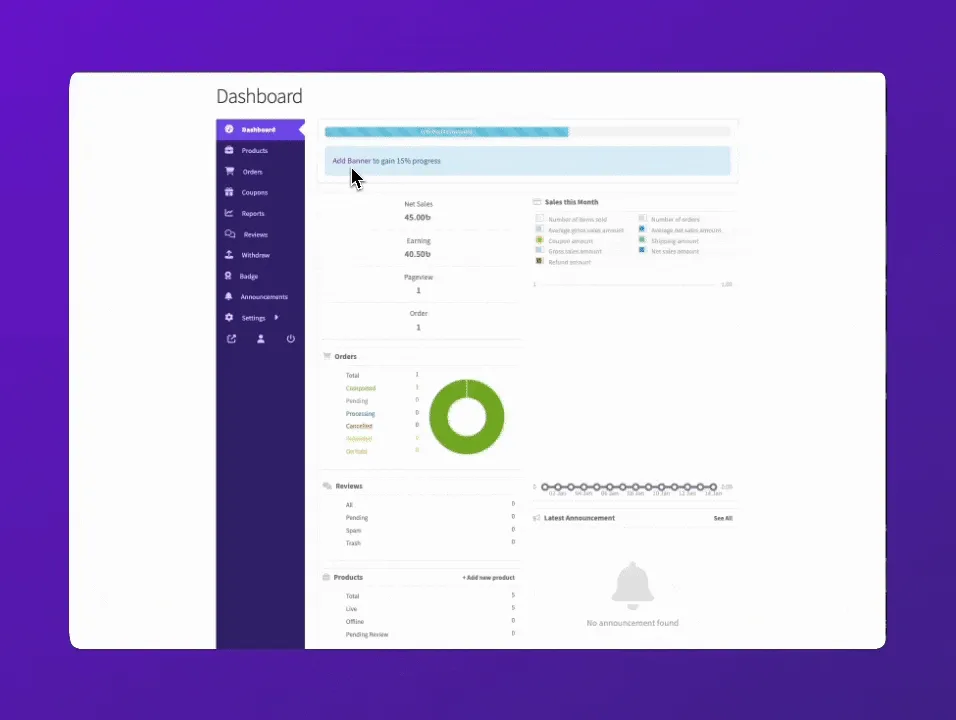
Frontend → Vendor Dashboard -
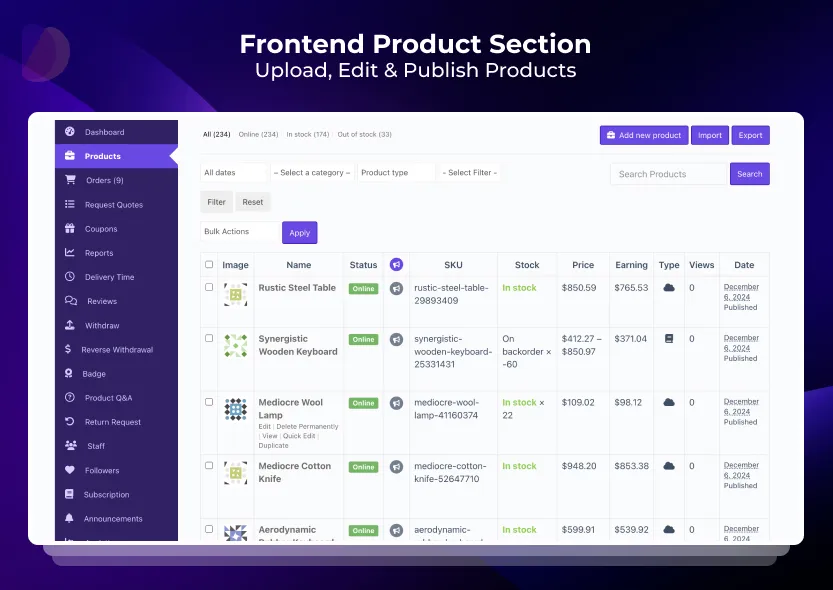
Frontend → Product Listing -
Frontend → Create a new Product -
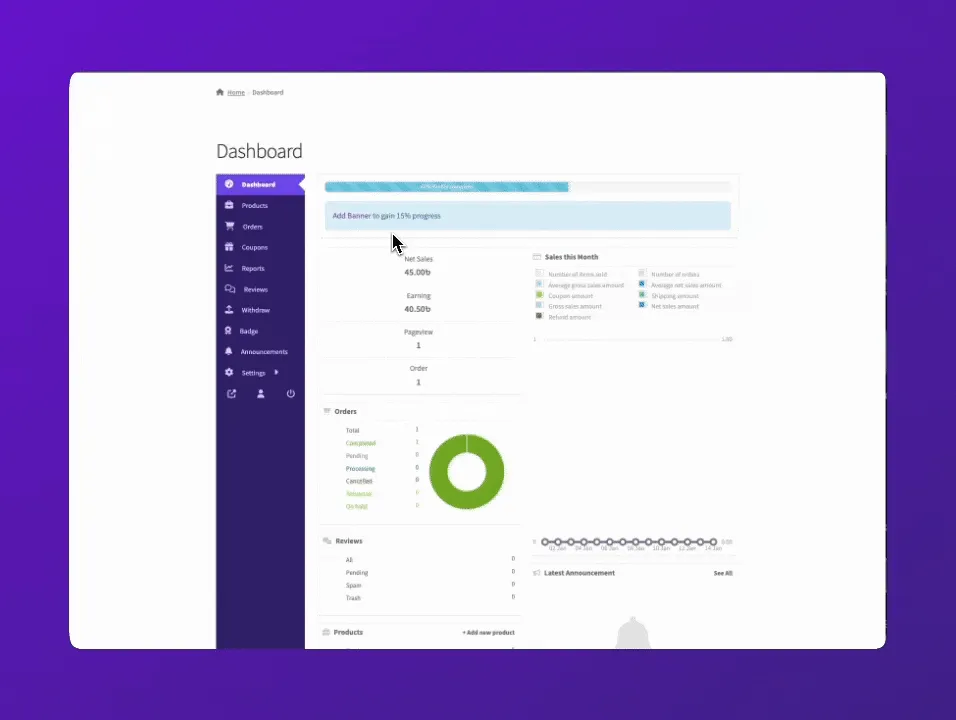
Frontend → Orders Details
Important information
- WooCommerce is required, since Dokan builds on its products, orders and payment gateways.
- Dokan needs WordPress 7.0 or newer and PHP 7.4 or newer, and is tested up to WordPress 7.1.4.
- Dokan has had 28 published vulnerabilities in total. The current status is patched, so update promptly and test on staging.
- Several of the most requested marketplace features, such as variable products and shipping rules per vendor, are Pro only.
- Only PayPal and bank payouts are listed for the free version, and PayPal mass payment is the only automated route described. Other payouts are manual.
From the Dokan readme
Straight from the developer's WordPress.org listing.
Full description
Want to build a multivendor marketplace where multiple vendors sell, and you earn on every transaction? Dokan is the easiest and fastest way to launch a multivendor marketplace on WordPress.
Dokan is a well established AI powered WooCommerce multivendor marketplace plugin for WordPress, powering over 40,000 live multivendor marketplaces worldwide. Build your own multi vendor marketplace for physical products, digital downloads, bookings, auctions, or subscriptions without writing a single line of code.
Dokan is built and maintained by weDevs, a WordPress focused software company with 13 years in the ecosystem, trusted by over 1 million users across its product portfolio.
Dokan is under active development, with regular releases, security improvements, and ongoing compatibility updates for the latest versions of WordPress and WooCommerce.
Hear what reputed WordPress influencer and online business strategist, Darrel Wilson, has to say about Dokan Multi vendor Marketplace Solution.
👉 Official Free Demo Link: Try out multiple Dokan Demo sites
👉 Learn More About Dokan (PRO): All The Features of Dokan
👉 Check out the comprehensive customer Dokan Mobile App to enhance your Dokan marketplace shopping experience.
👉 Easy Delivery Management with Dokan Delivery Driver App (Pro) with real-time order tracking, live timeline updates, and an asynchronous system between admin, vendors, customers, and delivery drivers.
👉 Confused about how to get started? Read our blogs from weDevs and Dokan
👉 Docs & Support: Access Now
Here is how you can build your multi vendor marketplace with Dokan.
🌍 Marketplaces You Can Build with Dokan: Complete list
• Retail Marketplace like Amazon, Flipkart, Walmart, using Dokan
• Niche marketplaces like Etsy, Redbubble, Zazzle, using Dokan
• Digital Products Marketplace like Gumroad, Envato, using Dokan
• Booking Marketplace like Airbnb, Booking.com, using Dokan
• Auction Marketplace like eBay, Catawiki, using Dokan
• Subscription Marketplace like Cratejoy, using Dokan
• Local Marketplace like Craigslist, Nextdoor, using Dokan
• Print-on-Demand Marketplace (via Printful integration), using Dokan
• B2B, B2C, P2B, D2C, or any kind of Marketplace, using Dokan
PLACES WHERE DOKAN HAS BEEN FEATURED
🏆 Dokan Multivendor Marketplace featured by Cloudways
🏆 Dokan for WooCommerce Multivendor Marketplace featured by Astra Themes
🏆 Dokan wins the Best Plugin in the Temple Monster Award 2023 for WooCommerce through public voting
🏆 Dokan wins two prestigious awards with 99% user satisfaction
🏆 How to Setup a WordPress Marketplace with Multiple Vendors
🏆 How to create a Multi-Vendor Marketplace for WordPress using Dokan
🏆 Dokan Theme Review: A Multi-Vendor Marketplace Theme for WordPress
DOKAN WAS FEATURED IN CAPTERRA WITH MULTIPLE POSITIVE REVIEWS
👏 “Great Platform to start and grow your business with. Provides the ability to grow our startup to a global level with a low financial burden.”
👏 “Dokan is a product with a huge potential. And has evolved during the last years. We have implemented a stable marketplace environment serving hundreds of satisfied customers using this tool.”
👏 “Dokan is the most complete multi vendor plugin/product one can ever found.”
👏 “I have been using Dokan for 3 years. Overall experiences with the software are awesome!”
👏 “Best investment we made last year.”
👏 “Excellent product. Ease of use. Saved hundreds of work hours with lots of additional benefits.”
SUCCESS STORIES WE ARE PROUD TO BE A PART OF
✌️ “Dokan is a solution for us to provide a fully automized shop-in-shop-system with a very helpful commission-calculation and reports to do all financial details with the vendors.” – Bernd Payer, Founder JOSHi
✌️ “The functionality delivers everything that you need to grow your marketplace.” – Hawk and Peddle
HIGHLY USER-FRIENDLY FRONTEND INTERFACE
To provide a comprehensive frontend experience, every vendor has a personalized customizable dashboard on the store frontend. They can easily navigate and control every aspect of their marketplace from there. Backend access is restricted to only the admin, which sets Dokan apart from other marketplace plugins. However, all Dokan modules are frontend compatible so that both the admin and vendors can enjoy the benefits and advanced features of Dokan.
Dokan (Pro) comes with a free, fully responsive eCommerce theme – Dokani With special widgets that let you customize your theme however you like and build any type of multivendor store.
Dokan is also compatible with the Otel theme, a customizable and fully responsive WordPress theme for any hotel booking management site.
IT’S FAST AND EASY TO USE
With Dokan, experience a smooth, fast setup process in under an hour and have your WooCommerce multivendor marketplace running within a day. It perfectly matches your expectations and is designed with intuitive practices from eCommerce leaders like WooCommerce and others.
AI Assistant
• Generative AI: Generate product titles, short & long descriptions using generative AI directly from the vendor dashboard.
• AI Image Enhancer: Instantly make product photos clearer, brighter, and more appealing.
A RELIABLE GROWING PLATFORM & COMMUNITY
We continuously update Dokan with reliable services for flawless operation, staying ahead of industry trends and introducing new features with each update.
See Our Official GitHub page: Official Dokan GitHub
A SCALABLE MARKET
Dokan Multivendor Marketplace plugin allows you to have an unlimited number of vendors on any marketplace, each with the ability to create an unlimited number of products. Create multi seller marketplaces that offer –
• Physical products
• Downloadable products
• Variable products
• Bookable products through the Dokan WC Bookings Integration
• Auction products through the Dokan Simple Auction Integration
EARN IN MULTIPLE WAYS
Profit doesn’t only rely on sales. Dokan offers multiple ways to earn money by creating a multivendor marketplace with features that let you collect vendor commissions and product-based commissions. You can also create subscription packs that allow you to charge for product uploads, product category selection, and time period restrictions.
PUTS YOU IN CONTROL
Dokan empowers admins with full control over marketplace operations, including product publishing, vendor registration, subscription renewal, and all other vendor activities.
In the Pro Version, there are additional stunning features, updates, and scope for powerful modules to provide more admin power and control while improving the marketplace functionality.
DYNAMIC SETTINGS FOR SHIPPING CONDITIONS
Admin can extend flexibility to individual vendors to take control over their shipping methods based on various conditions, such as setting multiple rates, tracking shipments with available integrations, and much more.
• Vendor Table Rate Shipping (Pro) – Multi-vendor support on setting shipping rates based on location, price, weight, shipping class, or item count of the shipment.
• Delivery Time (Pro) – Let customers choose the time and date they want their product delivered.
• ShipStation (Pro) – Enable vendors to import, manage, and ship orders hassle-free with the leading shipping application for online marketplaces.
• Your vendors will also be able to use zone-wise shipping management (Pro).
PLAYS NICELY WITH OTHER PLUGINS
Dokan is compatible with 70+ plugins and 71+ themes, ensuring worry-free compatibility. Whether it’s shipping, payment, or wallets, rest assured when building your global eCommerce business with Dokan.
➡️ Check Out Dokan Compatible Plugins & Themes ⬅️
MORE FREEDOM TO CUSTOMIZE THE STORE
Never get bored with the old-fashioned appearance of your store. Have full control over your store customization and give life to your imagination with Dokan integrations.
• Elementor Customizer (Pro): Customize vendor store pages effortlessly and access over 12 exclusive Dokan widgets, drag and drop them anywhere, and Save as many customized templates as you want.
🎯🎯 Dokan’s Superior Features for Your WooCommerce Marketplace 🎯🎯
Marketplace with Independent Stores
• Every seller gets their own store with a unique URL and branding.
• Beautiful storefront styles with contact details and widgets.
• Store location map on the store front (Pro).
• Single products can be offered by different merchants (Pro).
Frontend Dashboard For Each Seller
• Vendors can manage products, control orders from customers, and make payment withdrawals right from the site frontend.
• Vendors can manually create or place orders on behalf of customers (Pro).
• WordPress backend and administrative settings can only be accessed by the admin.
Earn From Each Sale
• The admin can set commission rates based on a flat amount or a percentage of the sale value.
• Vendor commissions are automatically collected to reduce administrative burden.
• Per vendor percentage override eases the manual condition of specially setting different commission settings for vendors. Create a global commission structure on the marketplace with this feature.
Hassle Free Payments & Transactions
• Utilize 100+ payment integrations of Dokan including GooglePay, ApplePay, Stripe Express, MANGOPAY, Razorpay.
• Reverse Withdrawal facilitates commission collection for admins in instances when it cannot be collected via the regular commission system, such as when vendors ship orders with cash on delivery.
• Automatic Payment Disbursement simplifies vendor commission calculations, splitting customer payments instantly based on marketplace settings.
Simple Product Management
• Create and manage your products from the frontend.
• Create variable or downloadable products (Pro).
• Vendors have the option to manage product attributes (Pro).
• Vendors can manage downloadable product permission, expiry date, and download limit (Pro).
Detailed Reports Of Your Marketplace (Pro)
* Vendors can see their sales report, generate statements and overview from the frontend (Vendor Analytics).
* Admins can overview orders and filter by sale, date, top vendors, or top earners.
* Let Vendors easily migrate from other marketplaces to your Dokan marketplace using the Export/Import feature (Pro) without losing any product data, including stock value, SKU information, tags and other information.
* Admin has access to all customer reviews on the marketplace. The customer can leave reviews for a product/vendor they are satisfied with. The vendor cannot change a review, promoting transparency.
* Vendors can track earnings, revenue by product, category, variation, and download statements (Pro).
Vendors Discounts Creation & Management
* Configure coupon expiration and restrictions.
* All product reviews are managed by vendors (with admin override), and make decisions on whether to display the review on their site.
* Vendors will be able to create diverse coupons by setting different rules based on usage limit, expiration date, excluding sale items while also specifying only certain products on which the coupons are valid on (Pro).
* Admins can create coupons without affecting vendors’ earnings at the product or marketplace level (pro).
💪 ADMINS CONTROL EVERY ASPECT OF THE MARKETPLACE
* Admin can view and modify vendor store products.
* Admin can view a comprehensive Admin Earning Report with data categorization by day, year, or vendors. Moreover, the admin can also view each vendor’s earning reports individually.
* Dokan Pro has an advanced support option for customers, allowing customers to directly interact with vendors and admin for product inquiry (Product Enquiry module).
• Dokan Pro has update and support option for the customer.
• Advanced settings for the admin –
• General Settings
• Admin can enable/disable the map on the store page.
• Admin can enable/disable the contact form on the store page.
• Admin can also enable/disable the store sidebar from theme.
• Selling Options
• Admin can manage new product status.
• Admin can set the order status for withdrawal.
• The admin can configure automatic withdrawal disbursement for vendor payments based on amount or time period.
• Admin can change the vendor store URL.
• Admin can also enable/disable the permission of review editing for the vendor.
• Widgets
• Best vendor widget.
• Featured vendor widget.
• Store contact widget.
• Store location widget.
• And much more.
➡️ LEARN MARKETPLACE MANAGEMENT TIPS & TRICKS ⬅️
💥💥 EXTENDED FEATURES BY SIMPLY ENABLING A TOGGLE BUTTON 💥💥
Dokan comes with a number of advanced features & modules that boost your WooCommerce marketplace position, always keeping you one step ahead of the competition. Continuous innovations and features are brought with regular and timely releases. Check out the changelog here
• Product Form Manager(Pro)
• Paystack(Pro)
• Stripe Express(Pro)
• Vendor Support(Pro)
• Print on Demand Marketplace(Pro)
• Minimum Maximum Order (Pro)
• Product Advertising (Pro)
• Product Subscription (Pro)
• Request for Quotation (Pro)
• Rank Math SEO (Pro)
• Dokan MANGOPAY Integration (Pro)
• Dokan Paypal Marketplace (Pro)
• PDF Invoice
• Product Duplicator
• Ajax Live Search (Pro)
• Geolocation (Pro)
• Live Chat (Pro)
• Seller Verification (Pro)
• Stripe Connect (Pro)
• Wirecard(Moip) (Pro)
• Subscriptions (Pro)
• Vendor Review (Pro)
• Vendor Staff Manager (Pro)
• Dokan WooCommerce Booking (Pro)
• Dokan Simple Auctions (Pro)
• Report Abuse (Pro)
• Follow Store (Pro)
• Razorpay Integration (Pro)
• EU Compliance Fields (Pro)
• Dokan Product Addon (Pro)
• Colour Scheme Customizer (Pro)
• Product Enquiry (Pro)
• Return and Warranty Request (Pro)
• Single Product Multivendor (Pro)
• Product Store Support (Pro)
• Vendor Vacation (Pro)
• Wholesale Module (Pro)
• Vendor Analytics (Pro)
• WPML Integration
• WC Vendor Migrator
• Seller Badge (Pro)
• Vendor Dashboard
• Dokan Delivery Driver App (Pro)
AND MANY MORE ⏩
🔄 Migrate to Dokan — Worry Free
Already using another multivendor plugin? Dokan makes switching fast and painless.
Our migration tools support importing from:
• ✅ WC Vendors → Dokan (free migration tool)
• ✅ WCFM Marketplace → Dokan
• ✅ MultiVendorX → Dokan
It helps to migrate all your vendor data, products, and orders safely.
WE KNOW WE ARE NOT PERFECT THAT’S WHY WE ARE IMPROVING EVERYDAY
This could have bugs and lack some features. If you want to contribute to this project, you are more than welcome.
👨💻 Please fork the repository from Github 👨💻
Privacy Policy
Dokan Lite uses Appsero SDK to collect some telemetry data upon user’s confirmation. This helps us to troubleshoot problems faster & make product improvements.
Appsero SDK does not gather any data by default. The SDK only starts gathering basic telemetry data when a user allows it via the admin notice. We collect the data to ensure great user experience for all our users.
Integrating Appsero SDK DOES NOT IMMEDIATELY start gathering data, without confirmation from users in any case.
Contribute
This may have bugs and lack of many features. If you want to contribute on this project, you are more than welcome. Please fork the repository from Github.
Installation
Extract the zip file and just drop the contents in the wp-content/plugins/ directory of your WordPress installation and then activate the Plugin from Plugins page.
Developer FAQ (10)
- Q. Can I add a payment method?
- A. Just use any standard WooCommerce payment gateway.
- Q. How do withdrawals work?
- A. Right now, we offer PayPal, Bank and Skrill (pro) withdraw method for “Dokan”. For PayPal withdraw, you can generate Mass Payment File to payout your sellers at once. Other methods are manual though.
- Q. Does Dokan integrate with BuddyPress?
- A. Not for the moment. We have plans to integrate with BuddyPress via an add-on in the near future.
- Q. Is Dokan responsive?
- A. Yes, Dokan is fully responsive. We take mobile first approach and it displays very well in mobile and tablet devices. We are using Twitter Bootstrap as a framework and it just works.
- Q. Does it supports variable products?
- A. The Pro version does! You can sell normal products, downloadable products, and variable products with your own attributes.
- Q. Can each vendor customize his store?
- A. Right now we have options for only changing the store banner page. We are working on a better customizable seller store page.
- Q. Will it be possible to take a cut or commission from the sales?
- A. Yes, that’s how Dokan works. In every sales, you can cut a commission from a order. That’s configurable from Dokan settings.
- Q. Can Dokan be used in a single seller mode?
- A. Obviously, you can use this on a single seller site to give them a nice front-end experience.
- Q. How to upgrade to the Pro version?
- A. Just install and activate the PRO version without deleting the free plugin. All your data will be safe on the database and some extra features will be added. If you feel something may go wrong, please consult with our support staff first.
- Q. Where do I report security bugs found in this plugin?
- A. Please report security bugs found in the source code of the plugin through the Patchstack Vulnerability Disclosure Program. The Patchstack team will assist you with verification, CVE assignment, and notify the developers of this plugin.
Downloads, last 30 days
Trend vs previous period: +19.8%
Average daily downloads: 1,915 over the last 7 days , 1,918 over 30 days.
Security history
Past CVEs, patched · 28 published vulnerabilities (Wordfence) · most recent Nov 3, 2026
- Patched 5.3 Medium Dokan: AI Powered WooCommerce Multivendor Marketplace Solution <= 4.3.1 - Unauthenticated Information Disclosure in Store Reviews REST API Endpoint CVE-2026-3504 · May 1, 2026 · affects *-4.3.1 · fixed in 4.3.2
- Patched 4.3 Medium Dokan <= 5.0.10 - Insecure Direct Object Reference to Authenticated (Vendor+) Cross-Vendor Downloadable Product Access Grant CVE-2026-16574 · Aug 3, 2026 · affects *-5.0.10 · fixed in 5.0.11
- Patched 4.3 Medium Dokan: AI Powered WooCommerce Multivendor Marketplace Solution <= 5.0.4 - Authenticated (Subscriber+) Insecure Direct Object Reference to Information Disclosure via 'id' Parameter CVE-2026-11987 · Jun 27, 2026 · affects *-5.0.4 · fixed in 5.0.5
- Patched 6.6 Medium Dokan <=3.7.19 - Authenticated(Shop Manager+) PHP Object Injection via create_dummy_vendor CVE-2023-34382 · Jun 7, 2023 · affects [*, 3.7.20) · fixed in 3.7.20
- Patched 8.8 High Dokan <= 3.6.5 - Cross-Site Request Forgery CVE-2022-3194 · Sep 28, 2022 · affects *-3.6.5 · fixed in 3.6.6
- Patched 6.4 Medium Dokan: AI Powered WooCommerce Multivendor Marketplace Solution <= 5.0.4 - Authenticated (Custom+) Stored Cross-Site Scripting via Product SKU CVE-2026-11783 · Jun 27, 2026 · affects *-5.0.4 · fixed in 5.0.5
- Patched 8.8 High Dokan <= 5.0.2 - Missing Authorization to Authenticated (Vendor+) Privilege Escalation CVE-2026-8761 · Aug 4, 2026 · affects *-5.0.2 · fixed in 5.0.3
- Patched 7.2 High Dokan: AI Powered WooCommerce Multivendor Marketplace Solution - Build Your Own Amazon, eBay, Etsy < 5.0.14 - Authenticated (Shop Manager+) Remote Code Execution CVE-2026-16576 · Aug 28, 2026 · affects [*, 5.0.14) · fixed in 5.0.14
Show all 28 vulnerabilities
- Patched 5.5 Medium Dokan <= 3.6.3 - Authenticated (Vendor+) Stored Cross-Site Scripting CVE-2022-3194 · Sep 13, 2022 · affects *-3.6.3 · fixed in 3.6.4
- Patched 4.3 Medium Dokan <= 5.0.8 - Insecure Direct Object Reference to Authenticated (Vendor+) Cross-Vendor Product Attribute Modification CVE-2026-16565 · Jul 24, 2026 · affects *-5.0.8 · fixed in 5.0.9
- Patched 8.1 High Dokan: AI Powered WooCommerce Multivendor Marketplace Solution - Build Your Own Amazon, eBay, Etsy <= 4.2.4 - Insecure Direct Object Reference to PayPal Account Takeover and Sensitive Information Disclosure CVE-2025-14977 · Jan 19, 2026 · affects *-4.2.4 · fixed in 4.2.5
- Patched 6.6 Medium Dokan: AI Powered WooCommerce Multivendor Marketplace Solution - Build Your Own Amazon, eBay, Etsy <= 5.3.1 - Authenticated (Shop Manager+) PHP Object Injection CVE-2026-115590 · Oct 26, 2026 · affects *-5.3.1 · fixed in 5.3.2
- Patched 4.3 Medium Dokan <= 5.0.8 - Insecure Direct Object Reference to Authenticated (Vendor+) Arbitrary Order Status Modification CVE-2026-16564 · Jul 24, 2026 · affects *-5.0.8 · fixed in 5.0.9
- Patched 5.3 Medium Dokan: AI Powered WooCommerce Multivendor Marketplace Solution - Build Your Own Amazon, eBay, Etsy < 5.0.14 - Unauthenticated Information Exposure CVE-2026-16575 · Aug 24, 2026 · affects [*, 5.0.14) · fixed in 5.0.14
- Patched 5.3 Medium Dokan: AI Powered WooCommerce Multivendor Marketplace Solution - Build Your Own Amazon, eBay, Etsy <= 5.3.2 - Missing Authorization CVE-2026-119487 · Nov 3, 2026 · affects *-5.3.2 · fixed in 5.3.3
- Patched 7.2 High Dokan <= 4.1.3 - Authenticated (Shop Manager+) Privilege Escalation CVE-2025-53425 · Sep 20, 2025 · affects *-4.1.3 · fixed in 4.1.4
- Patched 4.3 Medium Dokan <= 3.0.8 - Cross-Site Request Forgery Bypass CVE-2020-36748 · Sep 16, 2020 · affects [*, 3.0.9) · fixed in 3.0.9
- Patched 5.3 Medium Dokan: AI Powered WooCommerce Multivendor Marketplace Solution - Build Your Own Amazon, eBay, Etsy <= 5.3.2 - Missing Authorization CVE-2026-119485 · Nov 3, 2026 · affects *-5.3.2 · fixed in 5.3.3
- Patched 4.3 Medium Dokan: AI Powered WooCommerce Multivendor Marketplace Solution <= 5.0.3 - Insecure Direct Object Reference to Authenticated (Custom+) Arbitrary Order Modification via Multiple AJAX Handlers CVE-2026-10023 · Jun 17, 2026 · affects *-5.0.3 · fixed in 5.0.4
- Patched 9.8 Critical Dokan <= 3.7.5 - Unauthenticated SQL Injection CVE-2022-3915 · Nov 21, 2022 · affects *-3.7.5 · fixed in 3.7.6
- Patched 7.2 High Dokan: AI Powered WooCommerce Multivendor Marketplace Solution - Build Your Own Amazon, eBay, Etsy <= 5.0.6 - Unauthenticated Stored Cross-Site Scripting CVE-2026-57706 · Jul 10, 2026 · affects *-5.0.6 · fixed in 5.0.7
- Patched 4.3 Medium Dokan: AI Powered WooCommerce Multivendor Marketplace Solution - Build Your Own Amazon, eBay, Etsy < 5.0.14 - Missing Authorization CVE-2026-16577 · Aug 24, 2026 · affects [*, 5.0.14) · fixed in 5.0.14
- Patched 8.8 High Dokan: AI Powered WooCommerce Multivendor Marketplace Solution - Build Your Own Amazon, eBay, Etsy <= 5.0.2 - Authenticated (Customer+) Privilege Escalation CVE-2026-49780 · Jun 3, 2026 · affects *-5.0.2 · fixed in 5.0.3
- Patched 7.2 High Dokan <= 3.7.12 - Authenticated (Vendor+) SQL Injection CVE-2023-26525 · Mar 2, 2023 · affects *-3.7.12 · fixed in 3.7.13
- Patched 4.3 Medium Dokan: AI Powered WooCommerce Multivendor Marketplace Solution - Build Your Own Amazon, eBay, Etsy <= 4.2.4 - Missing Authorization CVE-2026-24359 · Mar 16, 2026 · affects *-4.2.4 · fixed in 4.2.5
- Patched 4.3 Medium Dokan <= 5.1.0 - Authenticated (Vendor+) Information Exposure CVE-2026-107694 · Oct 9, 2026 · affects *-5.1.0 · fixed in 5.2.0
- Patched 4.3 Medium Dokan: AI Powered WooCommerce Multivendor Marketplace Solution <= 5.2.1 - Insecure Direct Object Reference to Authenticated (Custom+) Limited Account Takeover via 'password' Parameter to /wp-json/dokan/v1/customers/{id} CVE-2026-89280 · Oct 15, 2026 · affects *-5.2.1 · fixed in 5.3.0
- Patched 4.3 Medium Dokan: AI Powered WooCommerce Multivendor Marketplace Solution - Build Your Own Amazon, eBay, Etsy <= 5.0.10 - Missing Authorization CVE-2026-66699 · Jul 29, 2026 · affects *-5.0.10 · fixed in 5.0.11
Dokan FAQ
Can I use any payment method?
Yes, standard WooCommerce payment gateways work. The listing also describes many extra payment integrations in the paid version.
How do vendors get paid?
The free version lists PayPal and bank withdrawals, and Skrill in Pro. PayPal can use a mass payment file to pay many vendors at once. Other methods are processed manually.
Can I take a commission?
Yes. You set commission as a flat amount or a percentage in the settings. You can also override it for single vendors.
Can vendors sell variable products?
Only with the Pro version, according to the listing. It lets vendors sell normal, downloadable and variable products, with their own attributes.
Can each vendor customize their store?
The listing describes storefront styling with contact details and widgets, and an Elementor customizer in Pro. An older FAQ answer says only the store banner can be changed.
Can I use it for one seller only?
Yes. The listing says it can be used on a single-seller site to give that seller a front-end dashboard.
Does it work with BuddyPress?
Not directly. The FAQ says an integration is planned as an add-on.
How do I move to Pro?
Install and activate the Pro version without deleting the free plugin. Your data stays in the database and extra features are added. The listing suggests contacting support first if you are worried.
Dokan alternatives

Element Pack Lite is a powerful Elementor addon that extends the Elementor page builder with advanced Elementor widgets, ready-made Elementor templates and design extensions. Build professional WordPress websites…

WP Carousel builds carousels, 3D carousels, sliders, slideshows, grids and photo galleries right in the WordPress block editor, from your images, posts, WooCommerce products and YouTube or Vimeo videos. Start from a…
🏆 The #1 WooCommerce Product Feed Manager Plugin trusted by 90,000+ online stores worldwide. Stop losing sales to rejected product feeds. CTXFeed is the most powerful product feed plugin for WooCommerce , designed…

BEAR - WooCommerce Bulk Editor and Products Manager Professional (former name is WOOBE) is WordPress plugin for woocommerce bulk edit woocommerce products in the robust and flexible way! With a built-in MCP server,…

Built for Shop, Ready for Every Website. BEW gives Elementor the widgets, templates, and AI tools to launch and grow your online store - or any website - faster. WooCommerce is at its core, with 16 widgets built for…

If you are looking to increase sales and repeat purchases using email marketing automation, then we introduce you to Mail Mint! The self hosted, AI email marketing plugin for WordPress and WooCommerce stores. ✅…
Listing data from WordPress.org and the Wordfence vulnerability feed, refreshed Nov 9, 2026; listing details fetched Nov 14, 2026. Screenshots are from the plugin's WordPress.org listing. Not affiliated with Dokan, Inc..