

BEAR
BEAR - Bulk Editor for WooCommerce Professional. AI assistant on board (MCP Server) · by RealMag777
- active installs
- 30K+
- 228 ratings
- 4.7
- since last update
- 8d
- releases in 12 months
- —
- support threads resolved
- 100%
- avg daily downloads
- 732
- on WordPress.org
- 8.5 years
BEAR at a glance
BEAR is a free WordPress AI WooCommerce plugin by RealMag777 with 30K+ active installs and a 4.7/5 rating from 228 reviews. It was last updated on Nov 1, 2026, is tested up to WordPress 7.1.4 and needs PHP 7.4+. It works with OpenAI, Claude. All 28 of its published vulnerabilities have patched versions. Our quality score is 94/100.
What is BEAR?
BEAR is a bulk editor for WooCommerce products. It shows many products on one screen so you can change prices, stock, SKUs, categories, attributes and more without opening each product. It was previously named WOOBE and also includes a built-in MCP server for AI assistants.
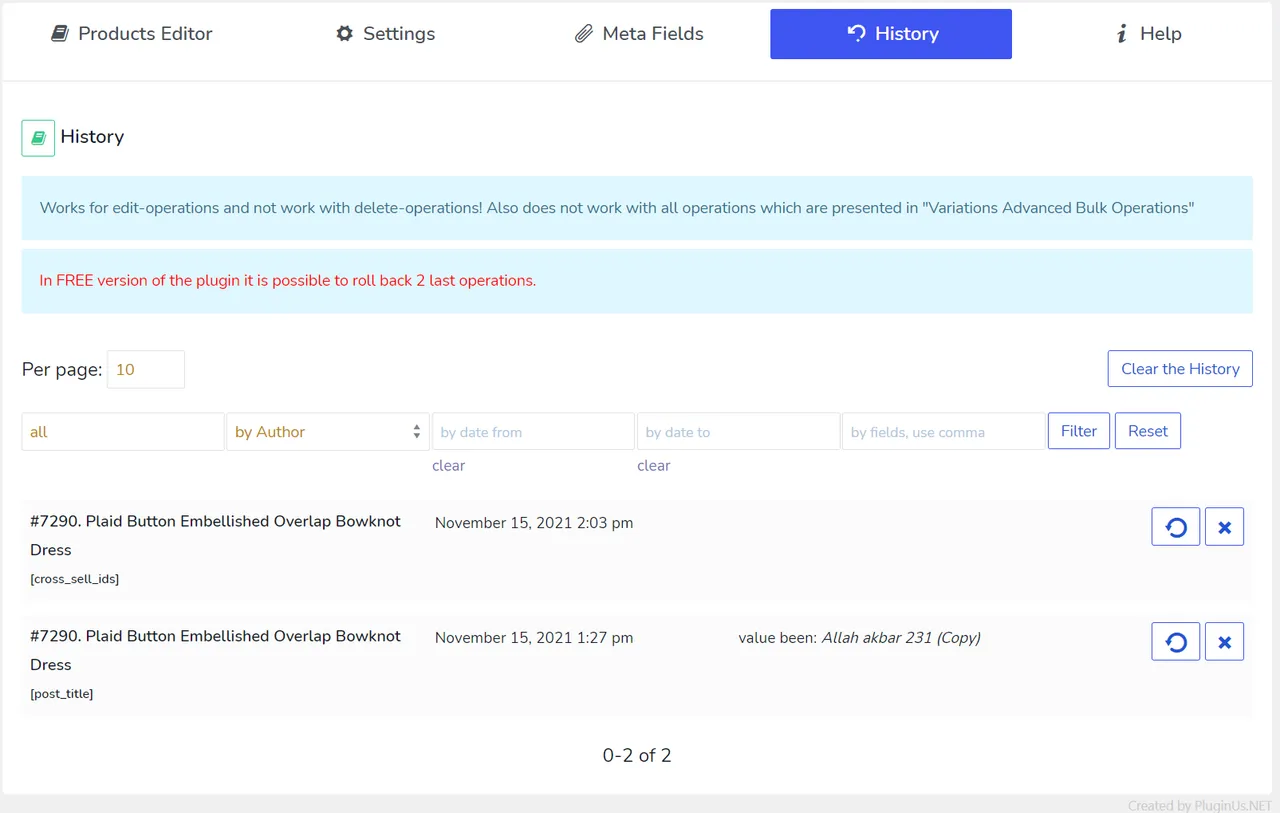
It is meant for store owners and managers with large catalogs who need to run mass price changes, sale schedules or clean-ups. You can filter products by many criteria and edit only the matches. Every change is logged, and bulk operations can be rolled back from a history screen.
The MCP server lets assistants such as Claude or ChatGPT work with the catalog by description. The listing says each change is previewed before it is written and can be reversed. The free version limits which fields and how many products you can work with, so check the limits before relying on it.
Best for
- Stores with large WooCommerce catalogs
- Managers running scheduled sale or price changes
- Teams that want AI-assisted catalog edits with rollback
- Shops that export filtered product lists to CSV
BEAR features
Bulk price changes
Set a new price or raise or lower prices by a percentage or fixed amount. A price calculator helps with decimal fields.
Edit many fields at once
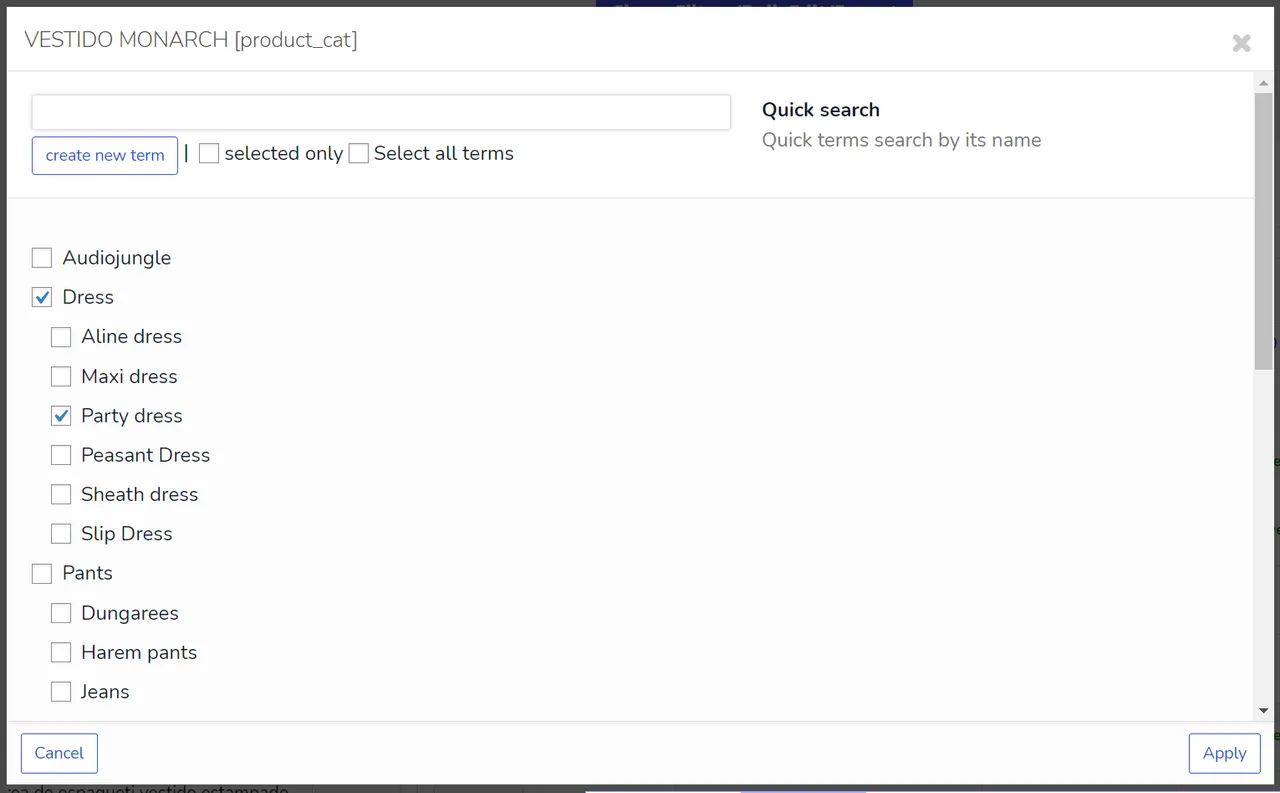
Change stock, SKU, status, categories, tags, attributes and custom meta across products. Data saves instantly through AJAX.
Sale scheduling
Set sale prices with start and end dates across a whole category.
Filtering
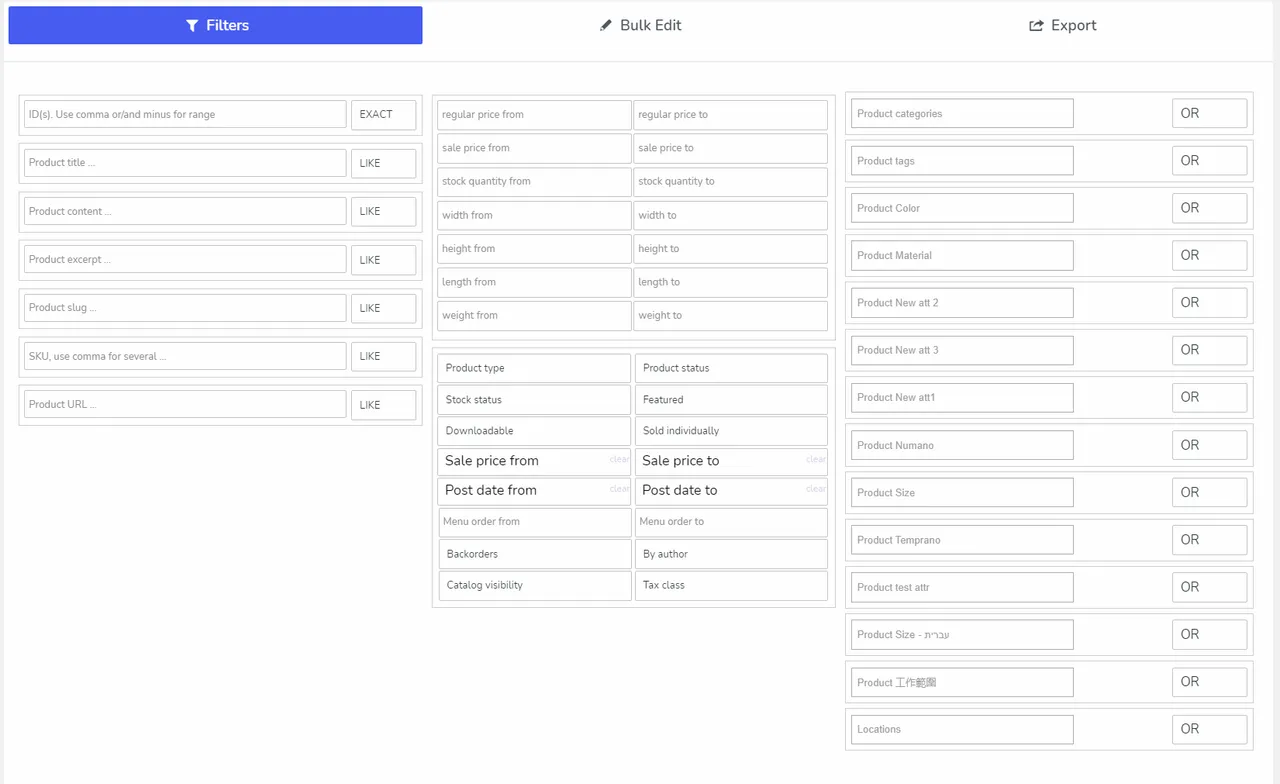
Find products by combining criteria, then edit or export only that set. Filter and column sets can be saved as profiles.
Variable product tools
Edit variations of variable products in bulk. Parent ID and variation fields are included.
History and rollback
Bulk and single edits are recorded and can be reverted. This lowers the risk of a bad mass update.
CSV export
Export filtered products in the native WooCommerce format with the columns you pick. The file can be imported back with the WooCommerce importer.
Bulk delete
Delete products in bulk using a combination of criteria.
Custom meta and serialized data
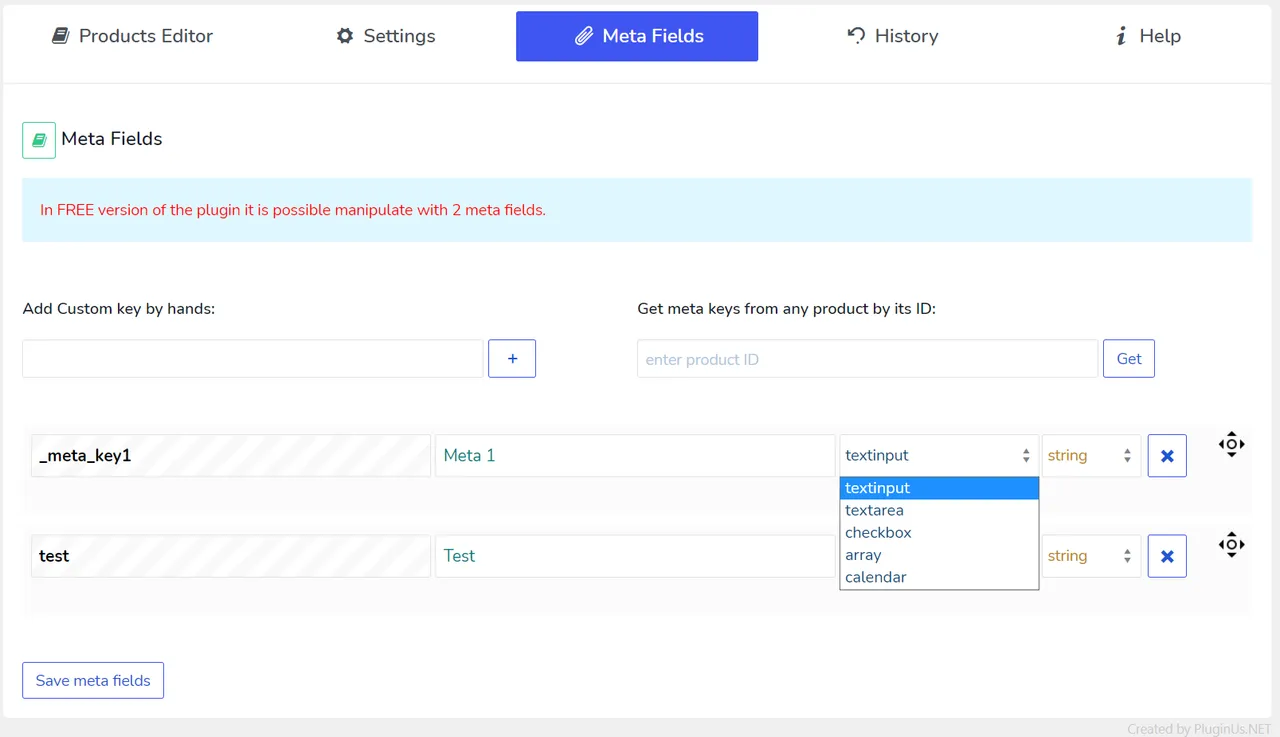
Add meta fields to manage them. A built-in constructor helps edit serialized data.
MCP server for AI assistants
Connect Claude, ChatGPT in developer mode or your own agent to filter, edit and export products in plain language.
BEAR free vs pro
Free WordPress.org version
- Editing of fields such as thumbnail, title, description, status, regular and sale price, SKU and stock
- Categories, dates, download files, upsells, grouped products, weight and dimensions
- Parent ID and menu order
- One attribute and two custom meta fields
- A limited number of products
Pro Paid version
- More fields than the free list, with the full set shown in the premium version
- The listing does not itemize other premium additions
A Premium version exists but the listing gives no prices. The MCP server connects to your own AI assistant, so any AI subscription or usage cost comes from that provider.
How to use BEAR
- Install WooCommerce first
BEAR needs WooCommerce active. Then go to Plugins → Add New, search for the bulk editor and click Install Now.
- Activate and open BEAR
Activate the plugin and open its screen from the admin menu. Your products load in an editable table.
- Filter the products
Combine filter criteria to isolate the products you want to change. Save the filter as a profile if you reuse it.
- Make bulk edits
Edit a field across the selected products, for example raising prices by a percentage. Changes are saved as you go.
- Review history or connect AI
Check the History screen to roll back a change. To use an assistant, follow the MCP server setup and approve each previewed change.
BEAR screenshots (12)
-
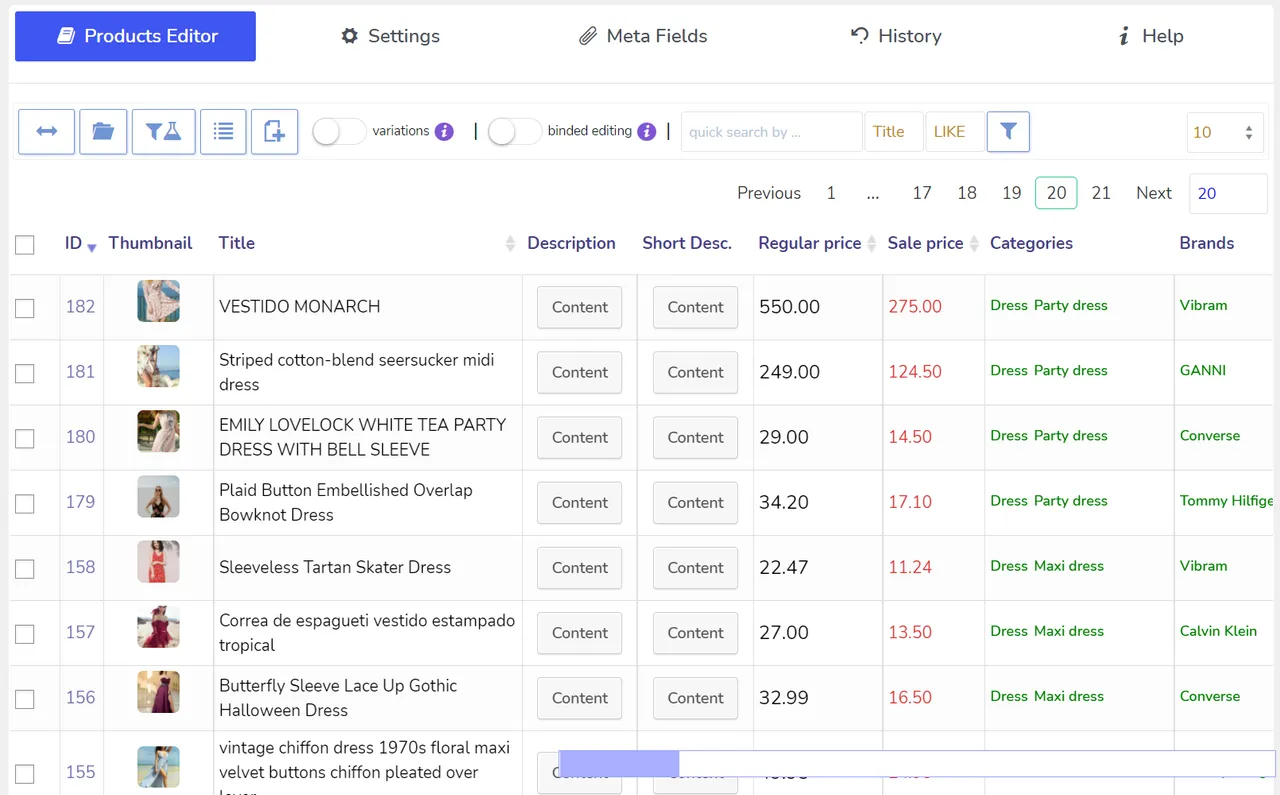
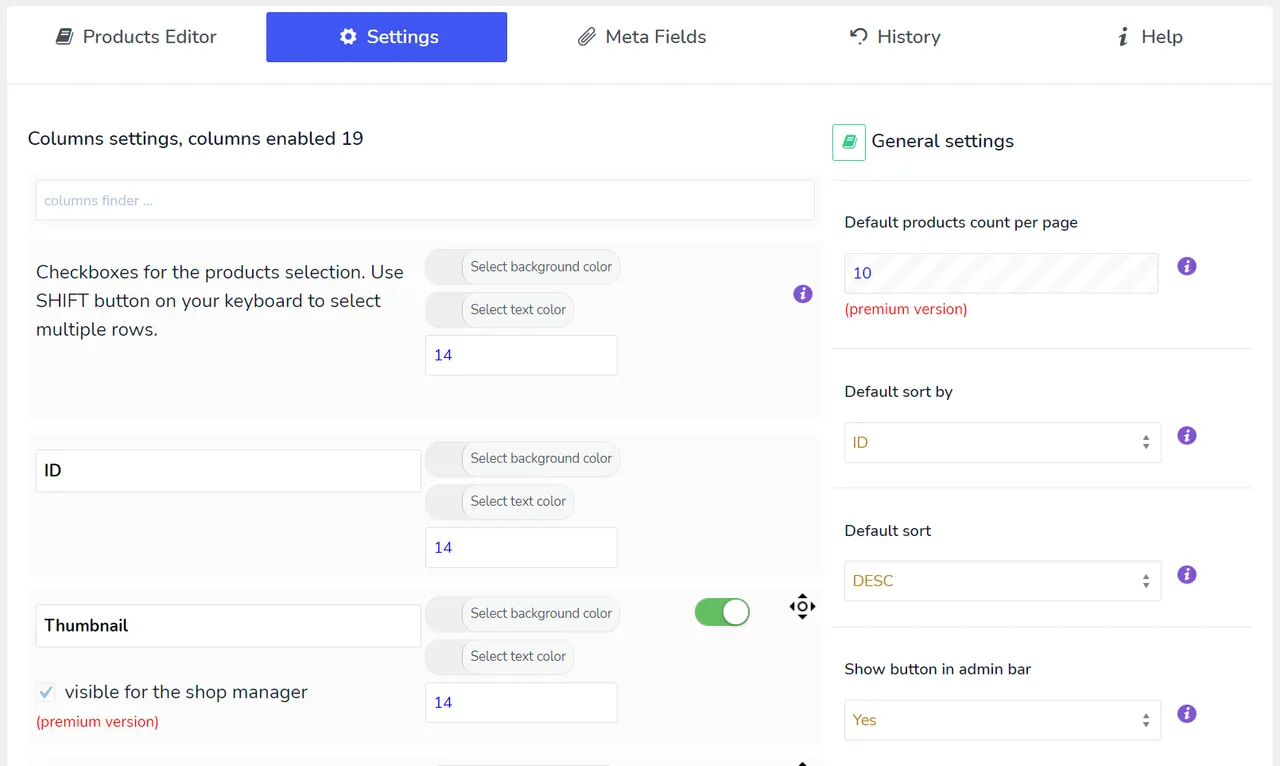
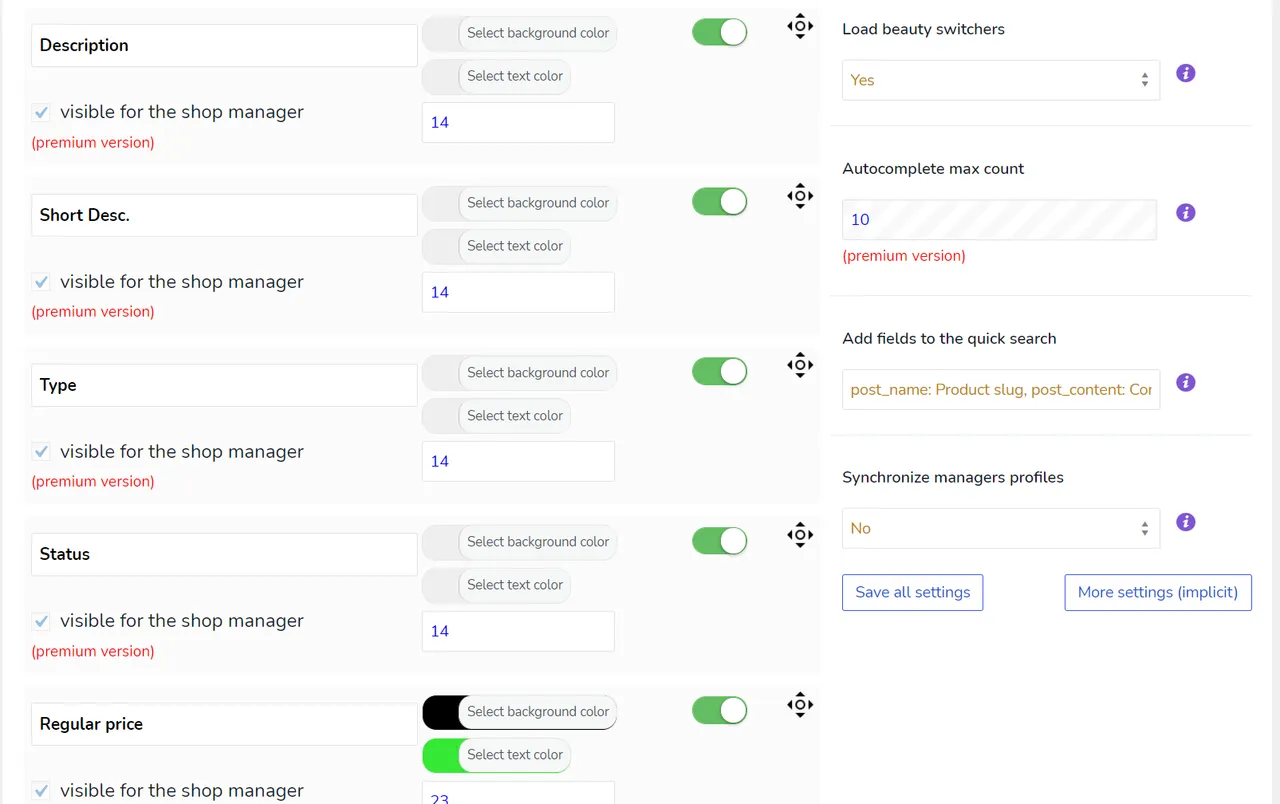
The plugin settings -
-
-
-
-
-
-
-
-
-
-
Important information
- Requires WooCommerce, WordPress 6.0 or newer and PHP 7.4 or newer. The listing says it works with WooCommerce from 6.0 to the latest release.
- The free version limits the number of products, one attribute and two custom meta fields.
- Bulk edits can touch many products fast. Back up your store and test on a small filtered set first.
- AI assistants connect through MCP and can change catalog data. Use the preview step and keep rollback in mind.
- The plugin has 28 published vulnerabilities in its history. The data shows them as patched, but keep it updated.
From the BEAR readme
Straight from the developer's WordPress.org listing.
Full description
BEAR – WooCommerce Bulk Editor and Products Manager Professional (former name is WOOBE) is WordPress plugin for woocommerce bulk edit woocommerce products in the robust and flexible way! With a built-in MCP server, so an AI assistant like Claude or ChatGPT can work with your catalogue directly.
🖥️ Latest PHP 8.x.x – COMPATIBLE! WooCommerce compatibility: from v.6.0 to the latest WooCommerce version.
🔗 Backend demo request here
⚠️ ATTENTION! For WordPress posts, pages and custom post types use plugin WPBE – WordPress Posts Bulk Editor Professional
🌐 Documentation: https://bulk-editor.com/documentation/
🤖 MCP Server: https://bulk-editor.com/document/mcp-server/
🎥 Video tutorials: https://bulk-editor.com/video/
🔧 Support: https://pluginus.net/support/forum/woobe-woocommerce-bulk-editor-professional/
BEAR is a WooCommerce bulk editor and product manager: it edits many products at once from one screen, instead of opening each product separately. It is also the first WooCommerce bulk editor with a built-in MCP server, so an AI assistant like Claude or ChatGPT can work with your catalogue directly.
What people use BEAR for:
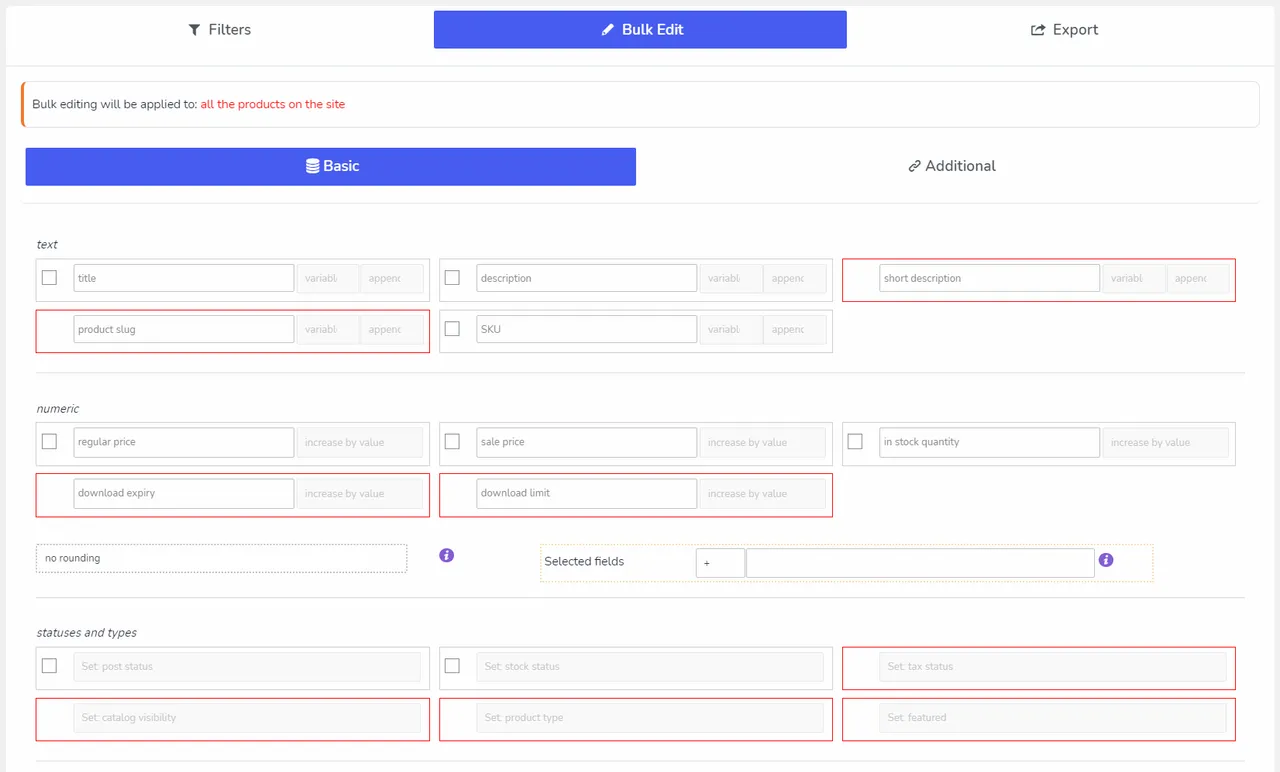
• Change prices for many WooCommerce products at once – set a new price, add or subtract a percentage or a fixed amount
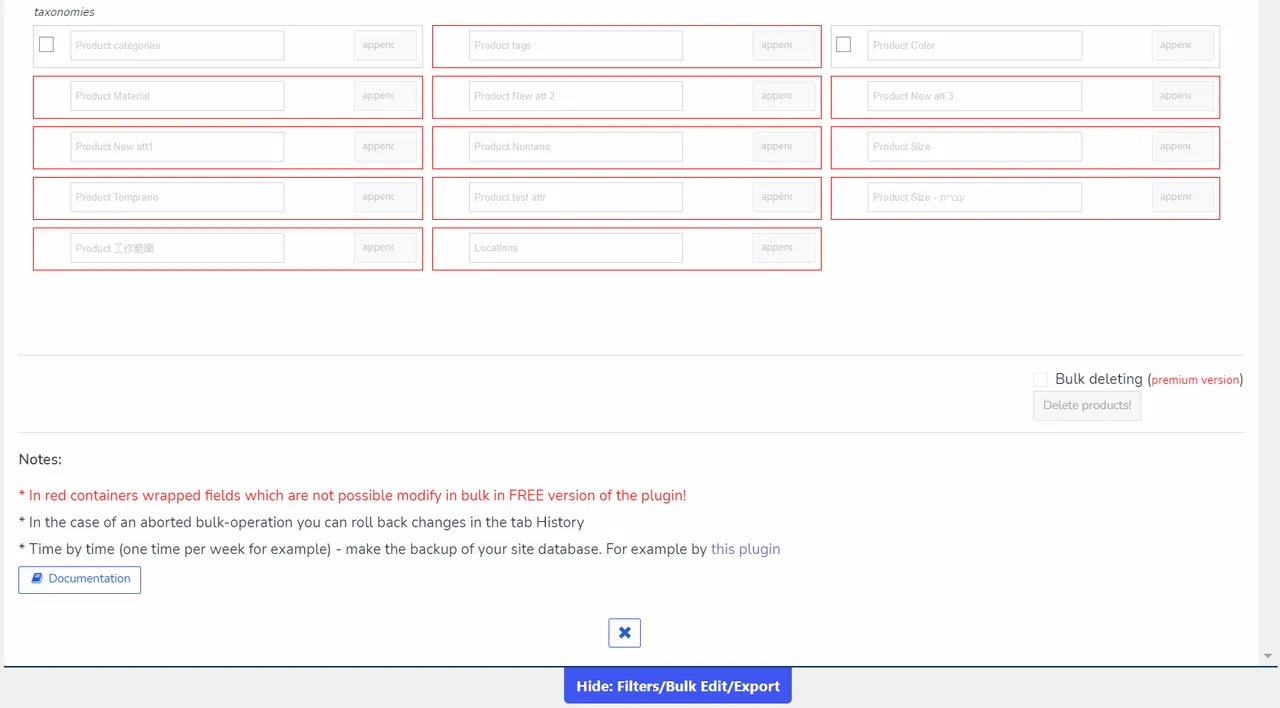
• Bulk edit stock, SKU, status, categories, tags, attributes and any custom meta field
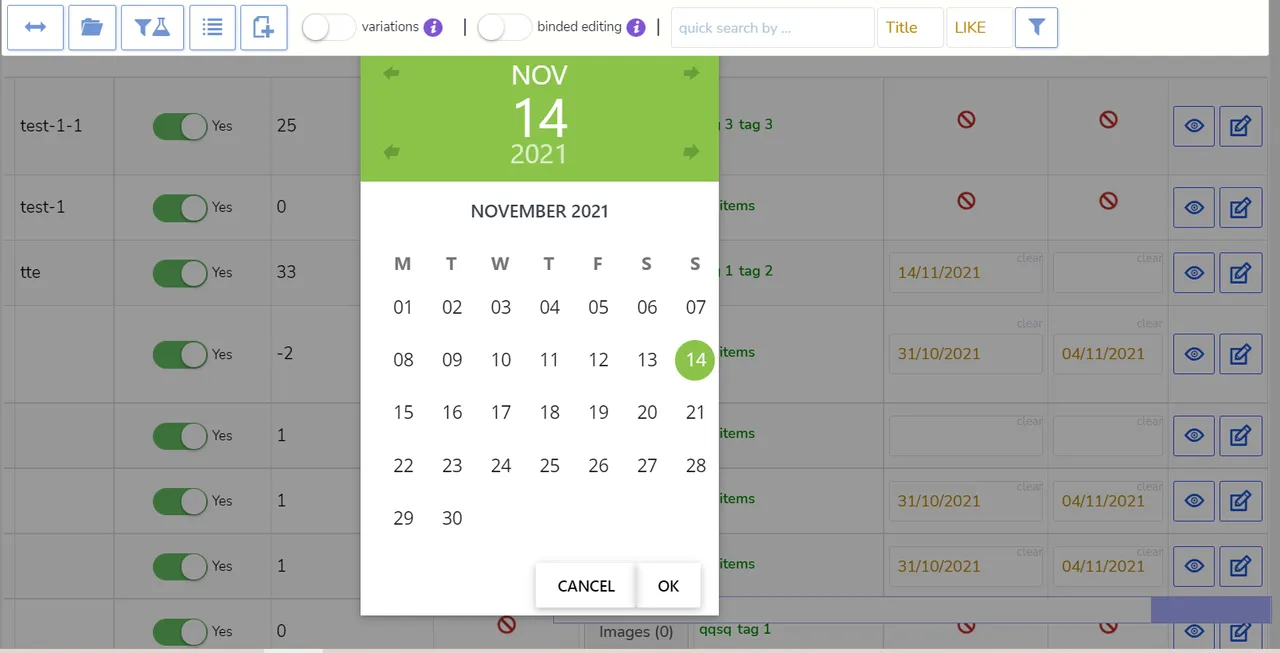
• Set sale prices with a start and end date across a whole category
• Find products by any combination of criteria and edit only those
• Bulk delete products, and bulk edit variations of variable products
• Export filtered products to CSV with the columns you choose
• Undo any bulk operation – every change is recorded and revertible
Editing your shop with an AI assistant
BEAR ships an MCP server, the open standard for connecting AI assistants to software. Connect Claude, ChatGPT in developer mode, or an agent of your own, and manage the shop by describing what you want:
• Raise prices 20% on everything red
• What sold best last season, and what has not moved since spring?
• Which variation gets returned most often?
• How many days of stock do I have left at the current rate?
• Discount the “winter” category 30% until Sunday
• Export a price list for these products as CSV
Every change is previewed before it is written and can be rolled back with one click. How to connect an AI assistant
Bulk Editor Benefits:
🤖 AI Assistant (MCP Server) – connect Claude, ChatGPT or your own agent and manage the shop in plain language: filter, bulk edit, check what sells, export CSV – with a preview before every change and rollback from History
🛠️ Bulk Editing of all WooCommerce fields: attributes, categories, tags, custom taxonomies, meta fields
🗑️ Bulk Delete Operations – delete products in bulk using criterias combination
🔄 Bulk Operations with variable products variations
🔍 Filtering by all WooCommerce products fields for further bulk editing or export
📤 Products Export using native WooCommerce data format which allows import data back using native WooCommerce importer
📜 History of Bulk and Solo operations with roll-back possibility
🔢 Add necessary Meta Fields to the system and manage by them. JSONed (serialized) metadata bulk editing is possible with nice popup where data constructor is in-built!
💲 Price Calculator for decimal fields
🔧 Advanced operations with variable products and their variations
✏️ Binded editing – edit several products with two clicks!
💸 Change prices relatively
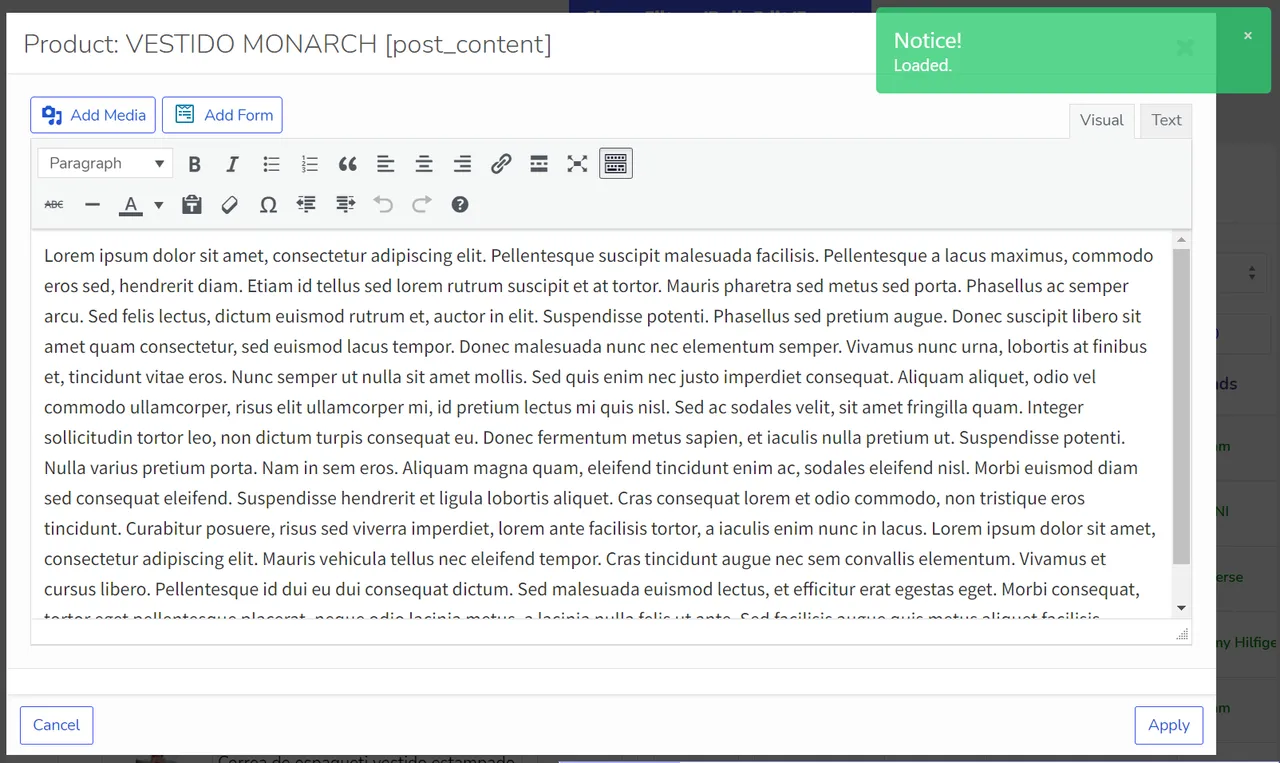
🖊️ Nice and convenient WooCommerce Products Editor with rich HTML elements
⏱️ Instant saving of entered data by AJAX
🔗 Automatic attach of any taxonomies related to the products for further editing
🤝 POSSIBILITY of joint editing of the products without interference to each other.
📋 Profiles for any set of columns for quick loading
🔄 Profiles for any filters combination for quick loading
• 📚 Documentation: https://bulk-editor.com/documentation/ and https://bulk-editor.com/video/
• 🔧 Support: https://pluginus.net/support/forum/woobe-woocommerce-bulk-editor-professional/
• 🌟 The Premium version: https://bulk-editor.com/downloads
Fields possible to edit in FREE version of the plugin:
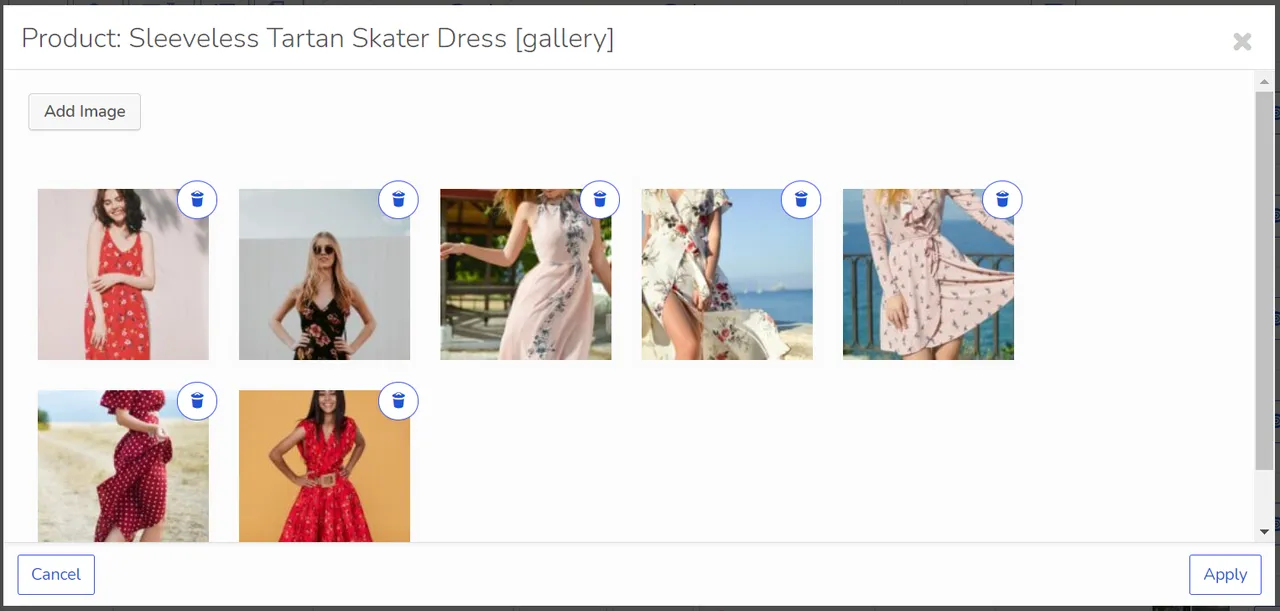
• 🖼️ Thumbnail
• 📝 Title
• 🖊️ Description
• 📅 Status
• 💵 Regular price
• 🏷️ Sale price
• 🔢 SKU
• 📦 Stock
• 📅 Date
• 🏷️ Categories
• 📂 Download files
• ⬆️ Upsells
• 🔗 Grouped products
• ⚖️ Weight
• 📏 Length, Width, Height
• 🔢 Parent ID (for variations)
• 🔢 Menu order
• 🏷️ 1 attribute
• 🧩 2 custom meta fields
• 🤖 Limited count of products
🌟 See all fields available in Premium
🎥 Plugin Overview on YouTube
🔗 Get Premium version
Related Plugins:
✅ HUSKY – Products Filter Professional for WooCommerce: products filter plugin for WooCommerce that allows your customers filter products by categories, attributes, products tags, products custom taxonomies and price – a must have plugin for your WooCommerce online store!
✅ WOOT – WooCommerce Active Products Tables: is WooCommerce plugin for displaying shop products in table format. Tables makes focus for your buyers on the things they want to get, nothing superfluous, just what the client wants, and full attention to what is offered!
✅ FOX – Currency Switcher Professional for WooCommerce: is WooCommerce multi currency plugin, that allows your site visitors switch products prices currencies according to set currencies rates in the real time and pay in the selected currency (optionally). Allows to add any currency for WooCommerce store!
✅ MDTF – Meta Data Filter and Taxonomies Filter: the plugin for filtering and searching WordPress content in posts and their custom types by taxonomies and meta data fields. The plugin has very high flexibility thanks to its rich filter elements and in-built meta fields constructor!
✅ TABLEON – WordPress Post Tables Filterable: WordPress plugin for displaying site posts and their custom post types in table format. Tables makes focus for your customers on the things they want to get, nothing superfluous, just what the client wants, and full attention to what is offered!
✅ WPCS – WordPress Currency Switcher: is a WordPress plugin that allows to switch currencies and get their rates converted in the real time on your site!
✅ WOLF – WordPress Posts Bulk Editor Professional: is WordPress plugin for managing and bulk edit WordPress posts, pages and custom post types data in robust and flexible way! Be professionals with managing data of your site!
✅ Taxonomy Chain Menu: is WordPress plugin with one shortcode, which allows to create taxonomies terms chain menus using dropdowns with inbuilt or custom types of WordPress taxonomies.
License
This plugin is copyright pluginus.net © 2012-2027 with GNU General Public License by realmag777.
This program is free software; you can redistribute it and/or modify it under the terms of the GNU General Public License as published by the Free Software Foundation; either version 2 of the License, or (at your option) any later version.
This program is distributed in the hope that it will be useful, but WITHOUT ANY WARRANTY. See the GNU General Public License for more details.
Installation
• Download to your plugin directory or simply install via WordPress admin interface.
• Activate.
• Use.
Downloads, last 30 days
Trend vs previous period: -20.3%
Average daily downloads: 334 over the last 7 days , 732 over 30 days.
Security history
Past CVEs, patched · 28 published vulnerabilities (Wordfence) · most recent Oct 4, 2026
- Patched 5.3 Medium BEAR - Bulk Editor for WooCommerce Professional. AI assistant on board (MCP Server) <= 1.2.2 - Missing Authorization CVE-2026-95526 · Oct 4, 2026 · affects *-1.2.2 · fixed in 1.2.3
- Patched 5.3 Medium BEAR <= 1.1.4.1 & WOLF <= 1.0.8.1 - Cross-Site Request Forgery to Notice Dismissal CVE-2024-31430 · Apr 10, 2024 · affects *-1.1.4.1 · fixed in 1.1.4.2
- Patched 4.3 Medium BEAR - Bulk Editor and Products Manager Professional for WooCommerce by Pluginus.Net <= 1.1.5 - Cross-Site Request Forgery to Taxonomy Term Deletion CVE-2026-1673 · Apr 7, 2026 · affects *-1.1.5 · fixed in 1.1.6
- Patched 4.3 Medium BEAR <= 1.1.3.3 - Cross-Site Request Forgery to Product Manipulation CVE-2023-4942 · Sep 25, 2023 · affects *-1.1.3.3 · fixed in 1.1.4
- Patched 4.3 Medium BEAR <= 1.1.3.3 - Missing Authorization to Product Manipulation CVE-2023-4943 · Sep 25, 2023 · affects *-1.1.3.3 · fixed in 1.1.4
- Patched 4.3 Medium BEAR - Bulk Editor for WooCommerce Professional. AI assistant on board (MCP Server) < 1.2.2 - Cross-Site Request Forgery CVE-2026-84024 · Sep 12, 2026 · affects [*, 1.2.2) · fixed in 1.2.2
- Patched 5.3 Medium BEAR <= 1.1.4.3 - Missing Authorization CVE-2024-30463 · Mar 28, 2024 · affects *-1.1.4.3 · fixed in 1.1.4.4
- Patched 6.1 Medium BEAR - Bulk Editor and Products Manager Professional for WooCommerce by Pluginus.Net <= 1.1.4.2 - Reflected Cross-Site Scripting CVE-2024-30200 · Mar 26, 2024 · affects *-1.1.4.2 · fixed in 1.1.4.3
Show all 28 vulnerabilities
- Patched 4.3 Medium BEAR <= 1.1.3.3 - Cross-Site Request Forgery to Product Manipulation CVE-2023-4940 · Sep 25, 2023 · affects *-1.1.3.3 · fixed in 1.1.4
- Patched 5.5 Medium BEAR <= 1.1.4 - Authenticated (Shop manager+) Stored Cross-Site Scripting via Plugin Options CVE-2024-24834 · Feb 2, 2024 · affects *-1.1.4 · fixed in 1.1.4.1
- Patched 4.3 Medium BEAR <= 1.1.3.3 - Cross-Site Request Forgery to Product Manipulation CVE-2023-4937 · Sep 25, 2023 · affects *-1.1.3.3 · fixed in 1.1.4
- Patched 5.3 Medium BEAR <= 1.1.4 - Missing Authorization via Several Functions CVE-2024-24835 · Feb 2, 2024 · affects *-1.1.4 · fixed in 1.1.4.1
- Patched 5.5 Medium BEAR <= 1.1.4.4 - Authenticated (Administrator+) Stored Cross-Site Scripting CVE-2025-26775 · Feb 14, 2025 · affects *-1.1.4.4 · fixed in 1.1.4.5
- Patched 4.3 Medium BEAR <= 1.1.3.3 - Cross-Site Request Forgery to Stored Cross-Site Scripting CVE-2023-4920 · Sep 25, 2023 · affects *-1.1.3.3 · fixed in 1.1.4
- Patched 4.3 Medium BEAR <= 1.1.3.3 - Cross-Site Request Forgery to Profile Creation CVE-2023-4935 · Sep 25, 2023 · affects *-1.1.3.3 · fixed in 1.1.4
- Patched 5.4 Medium BEAR <= 1.1.3.3 - Cross-Site Request Forgery to Product Deletion CVE-2023-4923 · Sep 25, 2023 · affects *-1.1.3.3 · fixed in 1.1.4
- Patched 5.4 Medium BEAR <= 1.1.3.3 - Missing Authorization to Product Deletion CVE-2023-4924 · Sep 25, 2023 · affects *-1.1.3.3 · fixed in 1.1.4
- Patched 4.3 Medium BEAR - Bulk Editor and Products Manager Professional for WooCommerce by Pluginus.Net <= 1.1.5 - Cross-Site Request Forgery CVE-2026-27415 · May 7, 2026 · affects *-1.1.5 · fixed in 1.1.6
- Patched 6.5 Medium BEAR <= 1.1.3.1 - Cross-Site Request Forgery via Multiple Functions CVE-2023-33314 · May 22, 2023 · affects *-1.1.3.1 · fixed in 1.1.3.2
- Patched 5.4 Medium BEAR <= 1.1.3.3 - Cross-Site Request Forgery to Product Deletion CVE-2023-4926 · Sep 25, 2023 · affects *-1.1.3.3 · fixed in 1.1.4
- Patched 4.3 Medium BEAR - Bulk Editor for WooCommerce Professional. AI assistant on board (MCP Server) < 1.2.2 - Cross-Site Request Forgery CVE-2026-84023 · Sep 12, 2026 · affects [*, 1.2.2) · fixed in 1.2.2
- Patched 7.2 High BEAR - Bulk Editor and Products Manager Professional for WooCommerce by Pluginus.Net <= 1.1.8 - Unauthenticated Stored Cross-Site Scripting CVE-2026-57320 · Jun 29, 2026 · affects *-1.1.8 · fixed in 1.1.9
- Patched 4.3 Medium BEAR <= 1.1.3.3 - Missing Authorization to Product Manipulation CVE-2023-4941 · Sep 25, 2023 · affects *-1.1.3.3 · fixed in 1.1.4
- Patched 6.5 Medium BEAR - Bulk Editor and Products Manager Professional for WooCommerce by Pluginus.Net <= 1.1.5 - Cross-Site Request Forgery to Product Data Modification CVE-2026-1672 · Apr 7, 2026 · affects *-1.1.5 · fixed in 1.1.6
- Patched 4.3 Medium BEAR <= 1.1.3.3 - Cross-Site Request Forgery to Profile Deletion CVE-2023-4935 · Sep 25, 2023 · affects *-1.1.3.3 · fixed in 1.1.4
- Patched 4.9 Medium BEAR <= 1.1.7.1 - Authenticated (Shop manager+) SQL Injection CVE-2026-45213 · Mar 30, 2026 · affects *-1.1.7.1 · fixed in 1.1.8
- Patched 4.3 Medium BEAR <= 1.1.3.3 - Missing Authorization to Product Manipulation CVE-2023-4938 · Sep 25, 2023 · affects *-1.1.3.3 · fixed in 1.1.4
- Patched 4.3 Medium BEAR - Bulk Editor for WooCommerce Professional. AI assistant on board (MCP Server) < 1.2.2 - Authenticated (Custom Role+) Insecure Direct Object Reference CVE-2026-84025 · Sep 12, 2026 · affects [*, 1.2.2) · fixed in 1.2.2
Recent releases
- v1.2.6
New: a variation's own image in the Thumbnail column shows a × on hover that removes the image (History keeps it for rollback); with a variation gallery the cell shows its first image faded again....
- v1.2.5
MCP server fix: a change written to particular variations (include_variations matching) with variations_only reached every variation of the product, not only the chosen ones. * MCP server fix:...
- v1.2.4
MCP server: MCP access for selected users - the administrator grants MCP to named users, each gets a personal key and works under his own WordPress account and rights; two-factor connection is...
- v1.2.3
Security: hardening of the MCP server and the bulk editor. Updating is strongly recommended. Thanks to the WordPress.org Plugin Review Team and Patchstack for responsible disclosure. * MCP server:...
- v1.2.2
Security: audited all AJAX handlers and added the missing nonce, capability and ownership checks. Reported by Ali Mousavi via WPScan: a taxonomy term update handler with no nonce or capability...
Show 10 older releases
- v1.2.1
Fix: Button gallery redraw https://pluginus.net/support/topic/button-for-gallery-images-disappeared
- v1.2.0
Fix: "Invalid Date" error in calendar picker when sale date field is empty
- v1.1.9
Improvement: Codebase aligned with WordPress Coding Standards (WPCS) and PluginCheck recommendations. * Security fix, thanks to Bonds and patchstack.com * Fix: Sale price range filter could return...
- v1.1.8
security fix, thanks to daroo and patchstack.com
- v1.1.7.1
fix: clear scalar field value properly when emptied
- v1.1.7
set of small fixes * security fix, thanks to daroo and patchstack.com * [Bug: Setting stock to 0 leaves _stock meta empty (NULL) instead of...
- v1.1.6
2 security fixes, thanks to Dmitrii Ignatyev and wordfence.com
- v1.1.5
Set of small fixes
- v1.1.4.7
Fixes for the new CSS design, thanks to user feedback * Fix about gallery-button update after img is removed * New feature: you can now create a woobe.css file in your current WordPress theme...
- v1.1.4.6
[https://bulk-editor.com/update-v-2-1-4-6/](https://bulk-editor.com/update-v-2-1-4-6/)
BEAR FAQ
What does BEAR do?
It edits many WooCommerce products from one screen. It covers prices, stock, SKUs, categories, attributes and meta fields.
Can I undo a bulk change?
Yes. Changes are recorded in a history and can be reverted.
Does it work with variable products?
Yes. It supports bulk operations on variations.
Can an AI assistant use it?
Yes, through the built-in MCP server. Claude, ChatGPT in developer mode or a custom agent can filter and edit products, with a preview before each write.
Can I edit posts and pages with it?
No. The listing points to a separate plugin from the same team for posts, pages and custom post types.
What are the free limits?
The free version edits a set list of fields, one attribute and two custom meta fields, and a limited number of products.
Which WooCommerce versions are supported?
WooCommerce 6.0 up to the latest version, and PHP 8.x is listed as compatible.
BEAR alternatives

Element Pack Lite is a powerful Elementor addon that extends the Elementor page builder with advanced Elementor widgets, ready-made Elementor templates and design extensions. Build professional WordPress websites…

WP Carousel builds carousels, 3D carousels, sliders, slideshows, grids and photo galleries right in the WordPress block editor, from your images, posts, WooCommerce products and YouTube or Vimeo videos. Start from a…

🏆 The #1 WooCommerce Product Feed Manager Plugin trusted by 90,000+ online stores worldwide. Stop losing sales to rejected product feeds. CTXFeed is the most powerful product feed plugin for WooCommerce , designed…

Want to build a multivendor marketplace where multiple vendors sell, and you earn on every transaction? Dokan is the easiest and fastest way to launch a multivendor marketplace on WordPress. Dokan is a well…

Built for Shop, Ready for Every Website. BEW gives Elementor the widgets, templates, and AI tools to launch and grow your online store - or any website - faster. WooCommerce is at its core, with 16 widgets built for…

If you are looking to increase sales and repeat purchases using email marketing automation, then we introduce you to Mail Mint! The self hosted, AI email marketing plugin for WordPress and WooCommerce stores. ✅…
Listing data from WordPress.org and the Wordfence vulnerability feed, refreshed Nov 9, 2026; listing details fetched Nov 14, 2026. Screenshots are from the plugin's WordPress.org listing. Not affiliated with RealMag777.