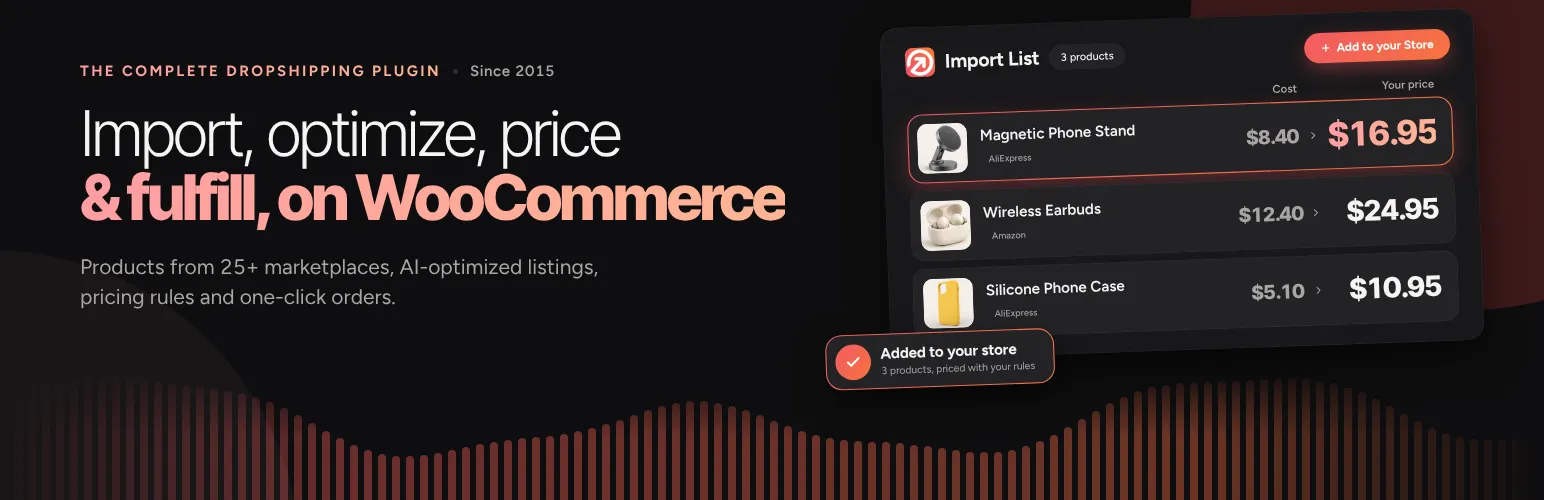

Importify
Importify - AI Dropshipping for WooCommerce · by importify
- active installs
- 1K+
- 27 ratings
- 4.5
- since last update
- 9d
- releases in 12 months
- —
- support threads resolved
- —
- avg daily downloads
- 139
- on WordPress.org
- 5.3 years
Importify at a glance
Importify is a free WordPress AI WooCommerce plugin by importify with 1K+ active installs and a 4.5/5 rating from 27 reviews. It was last updated on Oct 31, 2026, is tested up to WordPress 7.0.8 and needs PHP 7.2+. All 1 of its published vulnerabilities have patched versions. Our quality score is 87/100.
What is Importify?
Importify is a dropshipping plugin for WooCommerce. It imports products from more than 25 marketplaces, including AliExpress, Alibaba, Etsy, Walmart, Taobao, 1688, Temu, Shein and CJDropshipping, and lets you edit titles, descriptions, images, variants and prices before they land in your store. The plugin connects to the Importify service, where much of the work happens. It installs like any other plugin from the Plugins screen and adds its own menu to the WordPress admin.
Beyond importing, it covers pricing rules, variant splitting, automatic category assignment, currency conversion and, on higher plans, AI rewriting and translation, stock sync and order fulfillment for AliExpress. The AI features run on the vendor's own OpenAI account, so you do not add an API key. Read the free and paid split carefully before you build a workflow around any single feature.
It suits WooCommerce merchants who source from supplier sites and want a faster import and listing workflow. The plugin is free to install but the service is sold in monthly plans with a short trial, and the AI and fulfillment features sit on the higher ones. Try it on a staging copy of your site first, so you can check compatibility with your theme and other plugins.
Best for
- Dropshippers on WooCommerce
- Stores that import from several marketplaces
- Merchants selling in multiple languages
- Owners who want pricing rules applied automatically
Importify features
Import from 25+ marketplaces
Pulls images, titles, variants, descriptions and prices from supported supplier sites.
Edit before import
Change titles, descriptions, images, variants and prices before products are added.
AI Product Optimizer
Rewrites titles and descriptions, writes FAQs and trust sections, and sets brand voice. Available on Premium and Gold.
Translation and localization
Translates listings into 20 or more languages, including right-to-left output.
Currency conversion
Converts supplier prices into your store currency using daily exchange rates, on all plans.
Smart pricing rules
Fixed or percentage markups with rounding to endings like .99 and a price preview.
Variant management
Import selected variants, or split a multi-variant listing into separate products.
Order fulfillment and stock sync
On Gold, sends orders to AliExpress for you to review and pay, with daily stock sync and price rise alerts.
Importify free vs pro
Free WordPress.org version
- The WordPress plugin connector and dashboard access
Pro Paid version
- Basic plan: import from 25+ marketplaces except Amazon, with currency conversion
- Premium plan: adds Amazon sourcing, AI Product Optimizer and translation
- Gold plan: adds AliExpress order fulfillment, daily stock sync for up to 200 products and price rise alerts
Per the listing, three plans exist: Basic at $14.95 a month, Premium at $27.95 and Gold at $37.95, each with a 1-day free trial and 20 percent off yearly. The AI features use the vendor's own OpenAI account, so no API key from you is needed.
How to use Importify
- Install the plugin
Go to Plugins, Add New in wp-admin, search for Importify, then install and activate it.
- Open the dashboard
Click the Importify menu item, then Proceed to Importify Dashboard.
- Choose an import method
Install the Importify Chrome extension for supplier pages, or use the other import option offered in the dashboard.
- Set pricing rules
Define your markup and rounding so imports follow your margins.
- Import and edit
Import a product, adjust the listing and publish it to WooCommerce.
Importify screenshots (6)
-
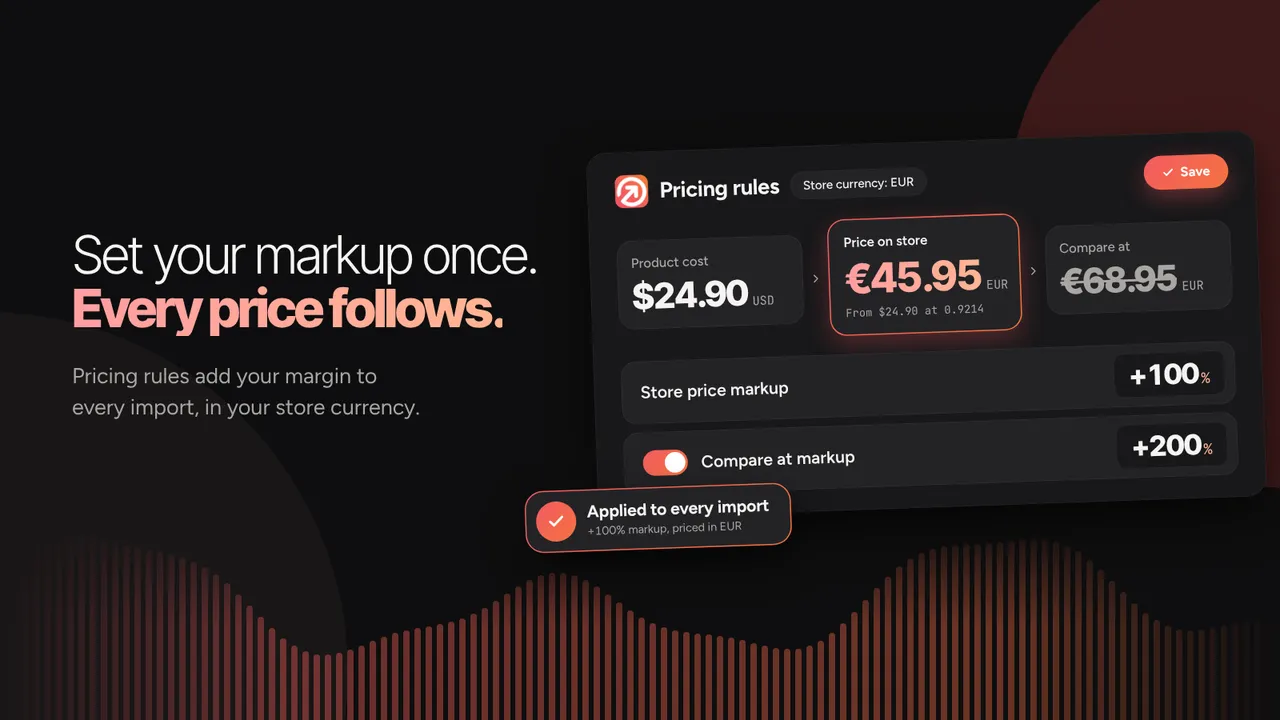
Pricing rules add your markup to every import, in your store currency -
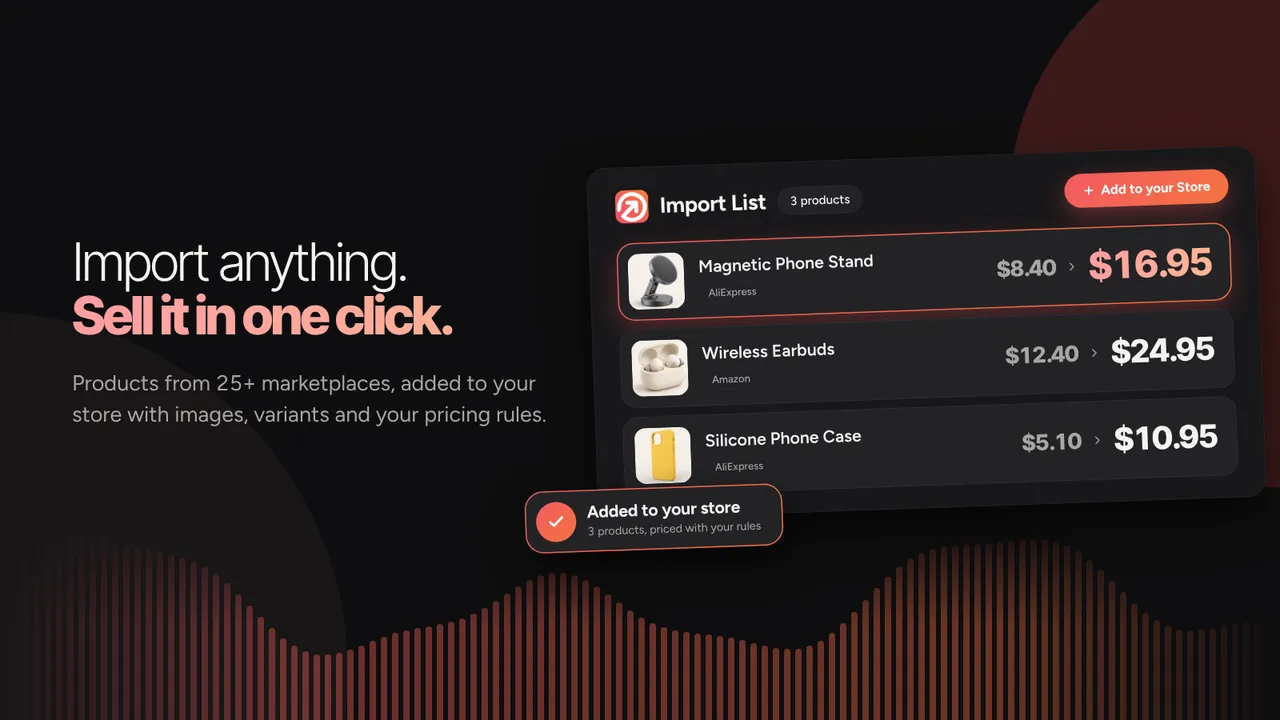
Import products from 25+ marketplaces with images, variants and your pricing rules -
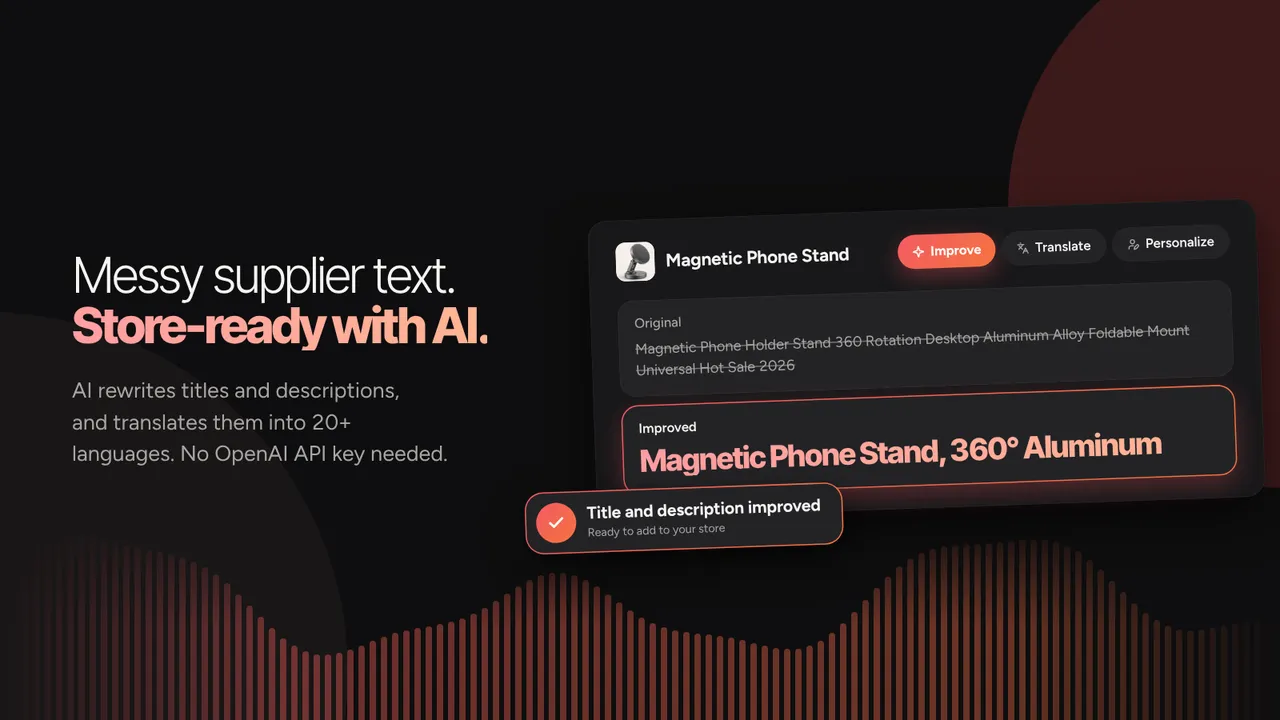
AI rewrites titles and descriptions and translates them into 20+ languages -
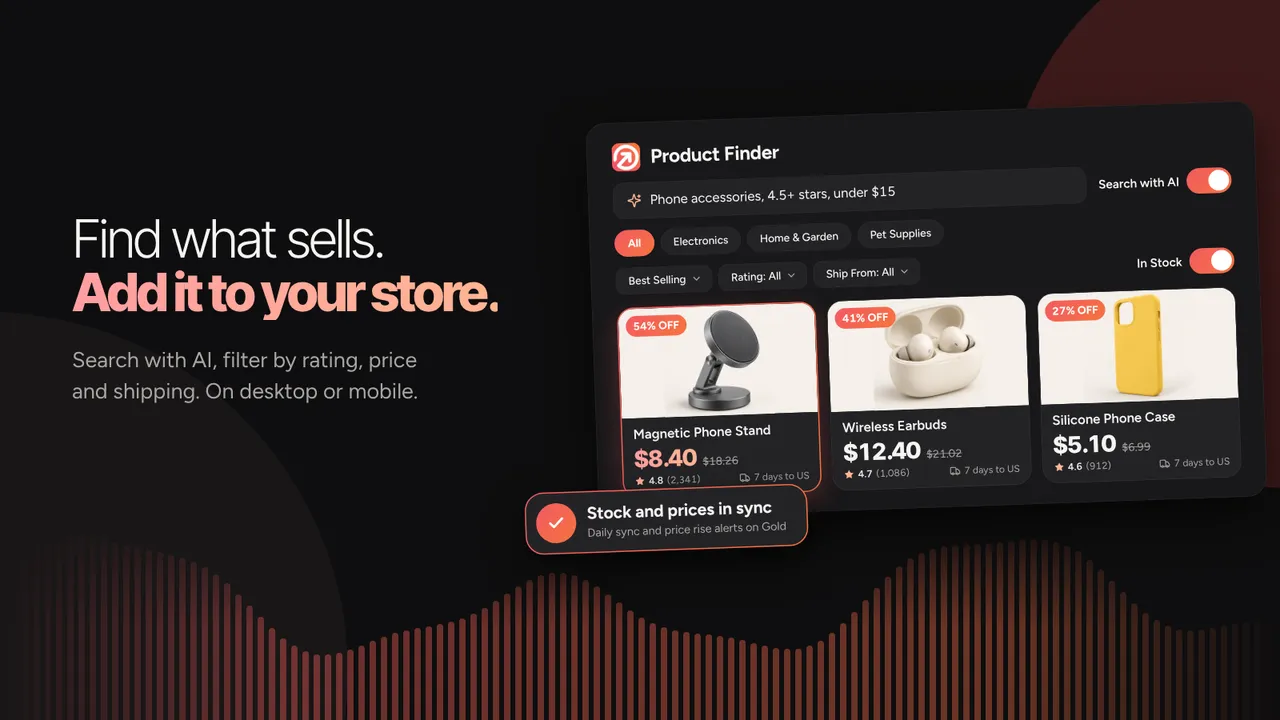
Product Finder: search with AI and filter by rating, price and shipping -
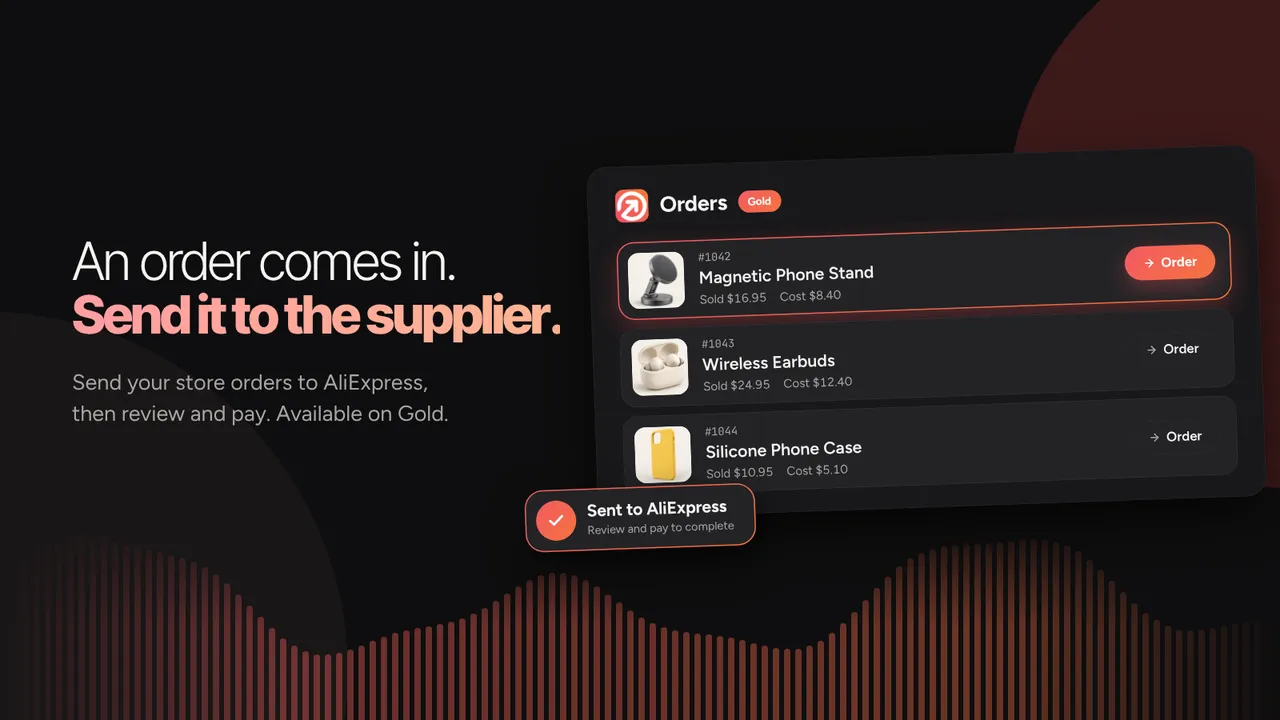
Send your store orders to AliExpress, then review and pay (Gold) -
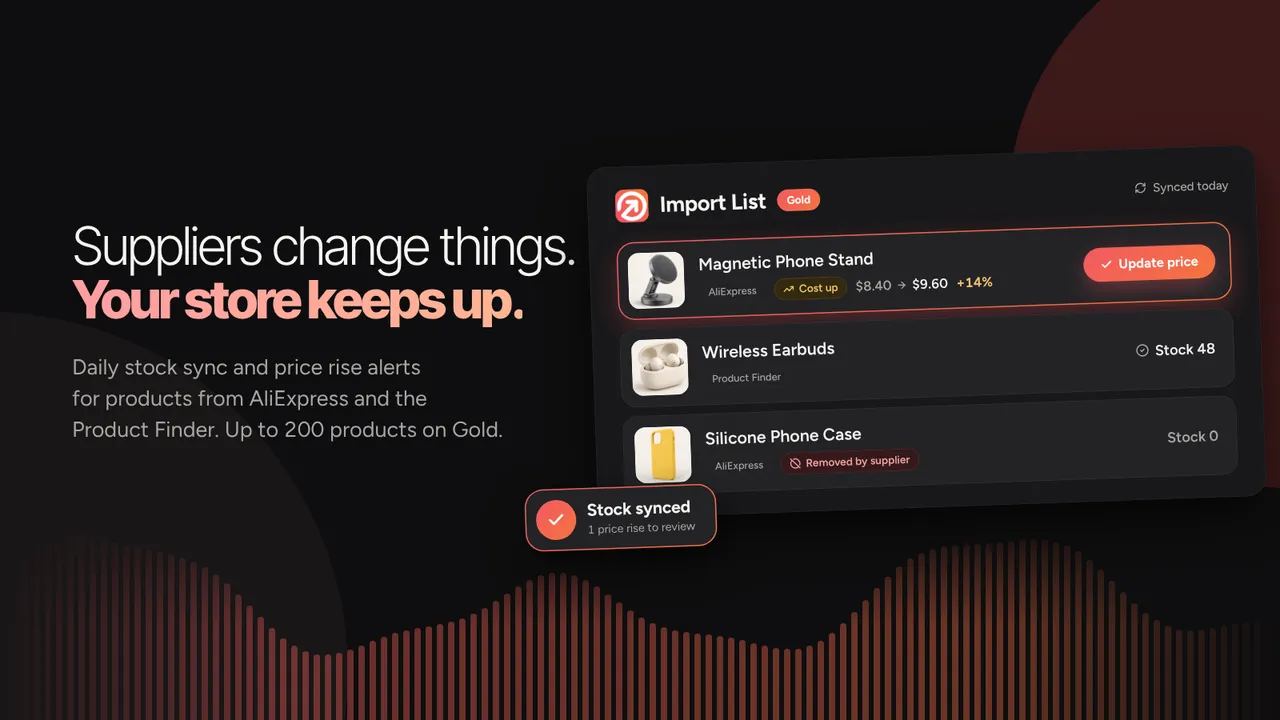
Daily stock sync and price rise alerts for AliExpress and Product Finder products (Gold)
Important information
- Requires WordPress 6.0 or later and PHP 7.2 or later, plus WooCommerce.
- The service runs on a paid plan after the trial. AI and fulfillment features need Premium or Gold.
- Amazon sourcing is not included in the Basic plan.
- Check suppliers' terms and product rights before selling imported listings.
- The data records 1 published vulnerability in the plugin's history, patched.
From the Importify readme
Straight from the developer's WordPress.org listing.
Full description
The complete dropshipping plugin for WooCommerce, since 2015.
Importify is more than a product importer. It runs the whole workflow on WooCommerce: import products from 25+ marketplaces, optimize your listings with AI, price them for profit, and fulfill orders, all from one plugin. The manual work that eats your day, copying listings, retyping descriptions, checking prices, comes off your plate. 20,000+ merchants across 5 store platforms, running since 2015.
Import from 25+ marketplaces, not just AliExpress. Importify imports from AliExpress, Alibaba, Etsy, Walmart, Taobao, 1688, Temu, Shein, Banggood, CJDropshipping, and 15+ more, then gives you the tools to turn raw supplier listings into product pages that convert.
Key Features and Benefits
🌍 Import from 25+ Marketplaces and Suppliers Worldwide
Source products from global and regional suppliers, including but not limited to:
• AliExpress
• Alibaba
• Etsy
• Walmart
• Taobao
• 1688
• Temu
• Shein
• Banggood
• CJDropshipping
• DHgate
• Flipkart
• Snapdeal
• Lazada
• Shopee
• Nordstrom
• Kohl’s
• Costco
…and many more suppliers for all product niches.
🚀 One-Click Product Import and Customization
Click once, edit anything:
• Import product images, titles, variants, descriptions, and pricing from supported marketplaces in one click.
• Edit titles, descriptions, images, variants, and prices before you import.
• Full control means your listings are your own, not copy-pasted from the supplier.
🤖 AI Product Optimizer (Premium & Gold Plans)
Powered by OpenAI models and running on Importify’s own account, so there is no OpenAI key to add and no extra setup. The AI Product Optimizer rewrites supplier listings so they sound like your store:
• Rewrites titles and descriptions to be benefit-driven, clear, and SEO-friendly.
• Set your brand voice, writing style, and target audience (parents, gamers, pet owners, budget buyers, premium shoppers) so every product reads like your brand.
• Generates FAQ sections that cut buyer hesitation and support tickets.
• Adds trust sections with shipping, returns, and refund policies for your store region.
• Translates and localizes into 20+ languages, including right-to-left languages.
🌐 One-Click Translation and Localization
Sell to customers in their own language:
• Translate titles, descriptions, variants, FAQ, and trust content into 20+ languages.
• Built for sourcing from non-English suppliers like Taobao, 1688, and Tmall.
• Keeps the original formatting and structure intact.
• Right-to-left output supported for Hebrew and Arabic.
💱 Automated Currency Conversion with Live Exchange Rates (All Plans)
Importify detects the supplier’s currency and converts costs into your store’s own currency:
• Converts to the currency your WooCommerce store sells in, not USD only.
• Supports major world currencies including USD, EUR, GBP, CAD, and AUD.
• Live rates, updated daily, so your pricing and margins stay accurate.
• Choose Automatic or Ask first in the extension settings.
• Works with your smart pricing rules.
💰 Smart Pricing Rules
Set your margins once and let every import follow them:
• Apply fixed or percentage markups on supplier prices automatically.
• Round prices to endings like .99 or .95.
• Preview the price before you import, so there are no surprises.
🧩 Variant Management and Splitting
Control how variants land in your catalog:
• Import all variants, or pick the ones you want to sell.
• Split a multi-variant listing into separate products for better SEO, targeted ads, and inventory control.
• Edit variant names, SKUs, and pricing one by one.
🗂 Auto Assign Categories
Keep the store organized without manual sorting:
• Importify reads the AliExpress category and selects the matching WooCommerce category.
• Keep a tidy storefront that is easy for customers to browse.
🔄 Switch Suppliers and Override Existing Products
Change suppliers or connect products you already have, without breaking anything:
• Swap the supplier behind any product without losing SEO, URLs, reviews, analytics, or layout.
• Connect products already in your WooCommerce store to Importify.
• Useful for supplier testing, price changes, and fulfillment updates.
🚚 Order Fulfillment (Gold Plan, AliExpress)
Fulfill AliExpress orders without retyping addresses:
• For AliExpress orders, Importify selects the correct variant, prefills the customer’s shipping details, and opens AliExpress checkout for your review and payment.
• Available for AliExpress on the Gold plan.
• Honest note: order fulfillment is for AliExpress orders. For other suppliers, Importify prepares the order details so you place the order with the supplier yourself.
🔍 Product Finder: Import from the Dashboard, No Chrome Extension Needed (NEW)
Find trending products without leaving the Importify dashboard:
• Describe a product, or paste an AliExpress link, and import it from the dashboard.
• Import straight to your WooCommerce store in one click, no Chrome extension required.
• Works on mobile too, so you can source from any device.
📦 CSV Migration: Switch from Other Dropshipping Apps (NEW)
Bring your existing store to Importify:
• Import CSV exports from AutoDS, DSers, CJDropshipping and Zendrop, or a Shopify CSV export.
• Import your product CSV to connect existing products with Importify.
• Keep your products, SEO rankings, and customer reviews intact during the move.
• The Override feature reconnects existing products to new suppliers without deleting anything.
🛡 System Diagnostics Dashboard (NEW)
WooCommerce has more moving parts than a hosted platform, so Importify checks them for you the moment you activate:
• 7 automated health checks: SSL, WooCommerce, permalinks, PHP version, firewall, Cloudflare, and API connection.
• Step-by-step fix guides in expandable panels for each issue.
• Detection for 13+ security plugins that can block Importify’s API (Wordfence, Sucuri, Jetpack, MalCare, and more).
• One-click “Re-run System Checks” after you make a fix.
►What You Can Dropship with Importify
Importify covers all popular product categories, so you can build a niche or a general store:
• Arts & Crafts
• Automotive Accessories
• Baby & Kids Products
• Bags & Luggage
• Business & Office Supplies
• Clothing & Fashion Accessories
• Electronics & Gadgets
• Entertainment & Media
• Food & Beverage
• Furniture & Home Decor
• Hardware & Tools
• Health & Beauty
• Home & Garden
• Pet Supplies
• Sports Equipment
• Toys & Games
►Why Importify Stands Out
• Running since 2015, with 20,000+ merchants across 5 store platforms.
• A complete dropshipping platform: import, optimize, price, and fulfill, not just an importer.
• Imports from 25+ marketplaces, not AliExpress alone.
• Product Finder imports straight from the dashboard, with no Chrome extension needed.
• The System Diagnostics dashboard finds and fixes setup issues the moment you activate the plugin.
►Minimum Requirements
• WooCommerce plugin installed and activated on your WordPress website.
• WordPress permalinks set to anything except “plain.”
• SSL certificate installed (HTTPS).
• To import from supplier product pages: Google Chrome, Firefox, or Edge with the Importify extension. To import without the extension, use Product Finder in the dashboard.
• Premium or Gold plan for the AI Product Optimizer and translation features. No personal OpenAI API key is required; the AI is powered by OpenAI models running on Importify’s own account.
Start Building a Brand, Not Just a Store
You chose WooCommerce for control: your store, your data, your brand, not rented space on someone else’s platform. Importify works the same way. Your success depends on how well you present your products, not just where you source them. Importify helps you:
• Turn raw supplier listings into polished, benefit-driven product pages that match your brand.
• Cut support tickets with clear FAQs and trust-building policies.
• Improve SEO and conversions with better titles and descriptions.
• Save time with automation while keeping full control over product details and pricing.
►HOW TO REGISTER AND INSTALL THE IMPORTIFY APP?
To set up Importify on your WordPress WooCommerce store, follow these steps:
• Install and Activate the Importify Plugin:
Option 1: Download from the WordPress Marketplace
• Visit the WordPress marketplace and search for the Importify plugin.
• Download the plugin from the marketplace.
• Log in to your WordPress admin dashboard.
• Go to “Plugins” and click “Add New.”
• Upload the Importify plugin file and click “Install Now.”
• When the installation finishes, click “Activate” to enable the plugin.
Option 2: Install from the WordPress Admin Dashboard
• Log in to your WordPress admin dashboard.
• Click “Plugins” in the left-hand menu.
• Click the “Add New” button at the top of the page.
• Type “Importify” in the search bar and press Enter.
• Find the Importify plugin in the results.
• Click “Install Now.”
• When the installation finishes, click “Activate” to enable the plugin.
Once the plugin is installed and active, move on to the next steps: choosing a plan and connecting your import method.
2. Access the app’s dashboard: Click the Importify icon in the side menu, then click “Proceed to Importify Dashboard.”
3. Choose an Importify Subscription Plan: From the Importify dashboard, pick the plan that fits your business and complete the subscription to unlock Importify’s features.
4. Pick How You Import: To import from supplier product pages, install the Importify Chrome extension in Google Chrome. It adds an “Add” button to supported supplier pages so you can send products to your import list while you browse. To import without the extension, use Product Finder in the dashboard.
5. Select a Supported Marketplace: Refer to Importify’s list of supported websites and choose a marketplace to dropship from.
6. Import Products from Supplier Pages: Open the product page of a supported supplier (screenshot below). Click the “Add” button from the Importify extension to start importing the product to your WooCommerce store. Or skip the supplier pages entirely and import from Product Finder in the dashboard.
►AliExpress Dropshipping
– Am I able to dropship from AliExpress using Importify?
Yes. You can import products from AliExpress to WooCommerce and fulfill orders, including AliExpress order fulfillment (you review and pay) on the Gold plan.
Check out the video below to see how to import products from AliExpress.
►Alibaba Dropshipping
– Am I able to dropship from Alibaba using Importify?
Yes. You can import products from Alibaba to WooCommerce. Fulfillment is handled by the merchant.
Check out the video below to see how to import products from Alibaba into WooCommerce.
► Etsy Dropshipping
– Am I able to dropship from Etsy using Importify?
You can import products from Etsy to WooCommerce. Fulfillment is handled by the merchant.
Check out the video below to see how to import products from Etsy into WooCommerce.
► Taobao Dropshipping
– Am I able to dropship from Taobao using Importify?
You can import products from Taobao to WooCommerce. Fulfillment is handled by the merchant.
Check out the video below to see how to import products from Taobao into WooCommerce.
► 1688 Dropshipping
– Am I able to dropship from 1688 using Importify?
You can import products from 1688 to WooCommerce. Fulfillment is handled by the merchant.
Check out the video below to see how to import products from 1688 into WooCommerce.
► DHgate Dropshipping
– Am I able to dropship from DHgate using Importify?
You can import products from DHgate to WooCommerce. Fulfillment is handled by the merchant.
► Temu Dropshipping
– Am I able to dropship from Temu using Importify?
You can import products from Temu to WooCommerce. Fulfillment is handled by the merchant.
► Shein Dropshipping
– Am I able to dropship from Shein using Importify?
You can import products from Shein to WooCommerce. Fulfillment is handled by the merchant.
►HOW TO USE IMPORTIFY?
Importify is built to be simple. Once the plugin is active, you have two ways to import. Install the Importify Chrome extension and click the “Add” button on any supported supplier page, or skip the extension and import straight from the dashboard with Product Finder.
►WHAT ARE THE SYSTEM REQUIREMENTS?
To import from supplier product pages, use Google Chrome with the Importify extension. To import from the dashboard without the extension, use Product Finder.
►HOW DOES THE FREE TRIAL WORK?
Every plan includes a 1-day free trial. Cancel before the trial ends and you will not be charged. After the trial, billing starts on the plan you chose.
►CAN I CANCEL MY ACCOUNT AT ANY TIME?
Yes. If Importify is not the right fit, cancel your recurring payment at any time.
External services
This plugin connects to Importify (app.importify.net) to link your WooCommerce store to your Importify account. On activation it sends your site address and admin email, and it creates WooCommerce REST API keys (read/write) so Importify can add the products you import. The settings page sends your site address and your Importify key to check the connection. With that check it also sends the WordPress, WooCommerce and PHP versions, the plugin version and the system check results, so Importify support can see what the page shows. Importify Terms: https://www.importify.com/terms-of-use/ Privacy: https://www.importify.com/privacy-policy/
Installation
Installing Importify is quick, and it works with WordPress and WooCommerce on your site.
Instructions:
• Install the plugin through the WordPress plugins screen, or unzip the plugin archive to ‘/wp-content/plugins’.
• On the WordPress ‘Plugins’ page, activate the plugin.
• Click the “Importify” menu item in your admin sidebar.
• Click “Proceed to Importify Dashboard.”
• From the Importify dashboard, choose your import method: install the Importify Chrome extension for supplier pages, or use Product Finder to import from the dashboard.
• Visit a supported supplier site, open a product page, and click the “Add” button (or import from Product Finder).
Developer FAQ (5)
- What sites can I import products from?
- Using Importify you can import products from AliExpress, Alibaba, Etsy, DHgate, Banggood, CJdropshipping, Taobao, 1688, Tmall, Walmart, JD.com, Kohl’s, Wish, Costco, Snapdeal, Flipkart, Bonanza, LTD Commodities, SHEIN, EmmaCloth, AllStarHealth, Lazada, Shopee, SaleYee, Temu, Nordstrom.
- Do I need my own OpenAI API key for the AI features?
- No. Importify’s AI features are powered by OpenAI models running on Importify’s own account. There is no OpenAI key to add and no extra setup on your side.
- Will I need a web developer to handle code embedding?
- No. After installing the plugin and choosing your import method, you are good to go.
- How much does Importify cost?
- Importify offers three plans, and every plan includes a 1-day free trial: • Basic, $14.95/month: import from 25+ marketplaces (excludes Amazon), with automatic currency conversion. • Premium, $27.95/month: everything in Basic, plus Amazon sourcing and AI features (AI Product Optimizer and translation). • Gold, $37.95/month: everything in Premium, plus AliExpress order fulfillment (you review and pay), daily stock sync for AliExpress and Product Finder products (up to 200), and price rise alerts for synced products. Save 20% on any yearly plan. For full details, visit our pricing page.
- How do I reach out to Importify’s customer support?
- 24/7 email support, or the contact form on importify.com.
Downloads, last 30 days
Trend vs previous period: +26%
Average daily downloads: 157 over the last 7 days , 139 over 30 days.
Security history
Past CVEs, patched · 1 published vulnerability (Wordfence) · most recent Dec 1, 2023
- Patched 5.3 Medium Importify <= 1.0.4 - Unauthenticated Sensitive Information Exposure CVE-2023-49194 · Dec 1, 2023 · affects *-1.0.4 · fixed in 1.0.5
Recent releases
- v1.0.24
IMPROVEMENT: The connection check now tells Importify which versions you run and which setup checks did not pass, so support can help without asking for screenshots. No personal data is sent. *...
- v1.0.23
FIX: When the plugin isn't linked to your Importify account, it now reconnects on its own when you open the Importify page. If it can't, the page says the plugin isn't linked and shows how to...
- v1.0.22
SECURITY: "Proceed to Importify Dashboard" and "Product Finder" now sign you in with a single-use code that expires after two minutes, instead of a link containing your account key. The buttons...
- v1.0.21
NEW: The setup page shows a Plugin Version check. When a newer Importify is available, it says so and links to the one-click update. * NEW: When Importify can't reconnect a reinstalled store (for...
- v1.0.20
SECURITY: The settings page now proves which Importify account it belongs to before Importify answers with account details, and reconnecting after a reinstall is verified with WooCommerce keys...
Show 8 older releases
- v1.0.19
NEW: System diagnostics no longer flag detected security plugins or Cloudflare as blocking issues. Firewall and Cloudflare detections are now informational, so stores running Wordfence, Jetpack,...
- v1.0.18
IMPROVEMENT: Slim plugin download - the zipped plugin now weighs ~70 KB instead of 6.6 MB (a ~95× reduction). We stopped bundling the WordPress.org listing assets (banners, icons, screenshots)...
- v1.0.17
NEW: Redesigned setup page with a clean, light-themed layout (warm off-white surface, brick-red brand accents, Manrope + Inter typography). * NEW: Plugin-activated "All set" screen pairs each...
- v1.0.16
NEW: Find Products - browse and import trending products directly from the dashboard. * NEW: AI Product Wizard - generate SEO-optimized titles, descriptions, tags, meta descriptions, and product...
- v1.0.14
AI Product Optimizer with GPT openAI API support. * Smart pricing rules with currency conversion. * Variant management and splitting. * Auto assign collections on import.
- v1.0.5
Bug fixes.
- v1.0.1
Update error message handling. * Update account check action.
- v1.0.0
Initial release.
Importify FAQ
Which sites can I import from?
More than 25 marketplaces, including AliExpress, Alibaba, Etsy, DHgate, Banggood, CJdropshipping, Taobao, 1688, Walmart, Temu and Shein.
Do I need my own OpenAI key?
No. The AI features run on the vendor's own OpenAI account, with nothing to set up on your side.
Do I need a developer?
No. After installing the plugin and choosing an import method you can start importing.
How much does it cost?
Three plans are listed: Basic at $14.95 a month, Premium at $27.95 and Gold at $37.95, all with a 1-day trial.
How do I contact support?
By email, with the listing stating support is available around the clock, or through the contact form.
Can it fulfill orders?
On Gold, it sends orders to AliExpress, and you review and pay.
Importify alternatives

Element Pack Lite is a powerful Elementor addon that extends the Elementor page builder with advanced Elementor widgets, ready-made Elementor templates and design extensions. Build professional WordPress websites…

WP Carousel builds carousels, 3D carousels, sliders, slideshows, grids and photo galleries right in the WordPress block editor, from your images, posts, WooCommerce products and YouTube or Vimeo videos. Start from a…

🏆 The #1 WooCommerce Product Feed Manager Plugin trusted by 90,000+ online stores worldwide. Stop losing sales to rejected product feeds. CTXFeed is the most powerful product feed plugin for WooCommerce , designed…

BEAR - WooCommerce Bulk Editor and Products Manager Professional (former name is WOOBE) is WordPress plugin for woocommerce bulk edit woocommerce products in the robust and flexible way! With a built-in MCP server,…

Want to build a multivendor marketplace where multiple vendors sell, and you earn on every transaction? Dokan is the easiest and fastest way to launch a multivendor marketplace on WordPress. Dokan is a well…

Built for Shop, Ready for Every Website. BEW gives Elementor the widgets, templates, and AI tools to launch and grow your online store - or any website - faster. WooCommerce is at its core, with 16 widgets built for…
Listing data from WordPress.org and the Wordfence vulnerability feed, refreshed Nov 9, 2026; listing details fetched Nov 14, 2026. Screenshots are from the plugin's WordPress.org listing. Not affiliated with importify.