
Search Atlas SEO
Search Atlas SEO - OTTO AI SEO Automation for WordPress · by Search Atlas Group
- active installs
- 7K+
- 24 ratings
- 3.3
- since last update
- 11d
- releases in 12 months
- —
- support threads resolved
- —
- avg daily downloads
- 565
- on WordPress.org
- 4.6 years
Search Atlas SEO at a glance
Search Atlas SEO is a free WordPress AI SEO plugin by Search Atlas Group with 7K+ active installs and a 3.3/5 rating from 24 reviews. It was last updated on Oct 29, 2026, is tested up to WordPress 7.1.4 and needs PHP 8.1+. It works with Google Gemini. All 8 of its published vulnerabilities have patched versions. Our quality score is 83/100.
What is Search Atlas SEO?
Search Atlas SEO connects a WordPress site to the Search Atlas platform and its OTTO optimization engine. OTTO applies meta titles, descriptions, image alt text, headings and internal links to your pages on the server side, without changing your theme. You can also publish posts and landing pages straight from the Search Atlas dashboard into WordPress.
It is aimed at site owners and agencies that already use, or plan to use, a Search Atlas account. The plugin also includes a general on-page toolkit: 15 schema types, XML sitemaps, a robots.txt editor, a redirect manager, 404 monitoring, hreflang and Open Graph tags. A built-in llms.txt endpoint serves AI-readable content to crawlers.
A Search Atlas account is required for OTTO, AI optimization and publishing. Your site sends and receives data from Search Atlas servers when connected. An MCP server exposes 138 tools in 31 categories so AI assistants can edit content, manage SEO and schema, handle redirects and audit the site.
Best for
- Search Atlas customers who want OTTO applied to WordPress
- Agencies managing many client sites with white-label settings
- Sites moving from Yoast, Rank Math or All in One SEO
- Owners wanting to publish content from one SEO dashboard
Search Atlas SEO features
OTTO on-page optimization
Applies titles, descriptions, alt text, headings and internal links server side. Roll fixes out to up to 100 pages at once and exclude any URL.
llms.txt endpoint
Serves clean content to AI crawlers such as ChatGPT and Perplexity, aiming to help your site show up in AI answers.
One-click publishing
Push posts, landing pages and updates from the Search Atlas dashboard to WordPress with titles, meta, alt text and links.
Bulk AI updates
Rewrite titles and descriptions site-wide, and find and fix missing or weak alt text across the media library.
Schema and sitemaps
15 structured data types with JSON-LD output, plus XML, news and video sitemaps.
Redirects and 404 monitor
Five match types and five status codes, automatic redirects on slug changes and hit tracking with suggestions.
Instant indexing
Submit URLs to Google's Instant Indexing API and Bing's IndexNow, singly or in bulk.
MCP server
138 tools let AI assistants manage content, SEO, schema, indexing and redirects, secured by API key or token.
Media and cache handling
Convert images to WebP or AVIF, lazy load, set image dimensions and purge popular cache plugins and CDNs.
Search Atlas SEO free vs pro
Free WordPress.org version
- The plugin itself on WordPress.org
- On-page toolkit: schema, sitemaps, robots.txt editor, redirects, 404 monitor, hreflang, Open Graph
- Import from Yoast SEO, Rank Math and All in One SEO
Pro Paid version
- OTTO AI optimization, AI bulk tools and content publishing need a Search Atlas account, with AI features on paid Search Atlas plans
The plugin is free, but the AI features need a paid Search Atlas account per the listing. A free trial is mentioned for starting an account. No prices are given, and no separate AI provider key is needed because the plugin connects through Search Atlas.
How to use Search Atlas SEO
- Install the plugin
In wp-admin go to Plugins, then Add New, search for Search Atlas SEO, install it and click Activate.
- Have a Search Atlas account
Sign up at the Search Atlas site, where a free trial is offered, and add your site as a project.
- Connect from WordPress
Open the Search Atlas menu and click Connect to Search Atlas. The plugin completes a secure single sign-on connection and creates the API key.
- Switch on OTTO
Turn OTTO on, and exclude any URLs that should not be changed.
- Review other tools
Set up schema, sitemaps, redirects and the 404 monitor, or import data from another SEO plugin.
Search Atlas SEO screenshots (12)
-
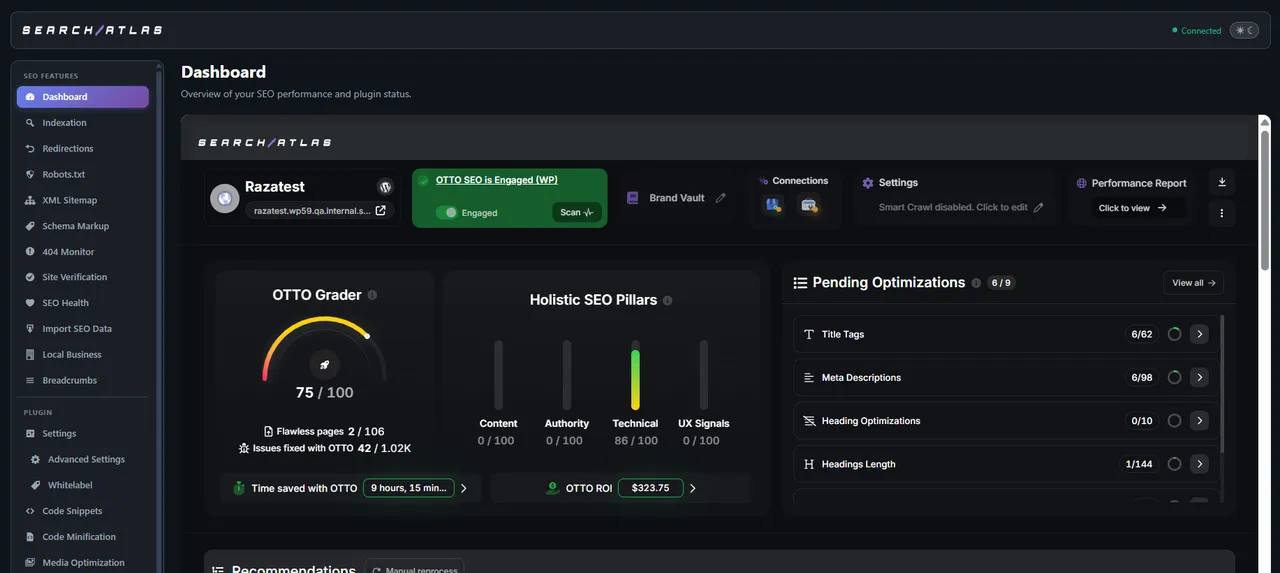
Dashboard -
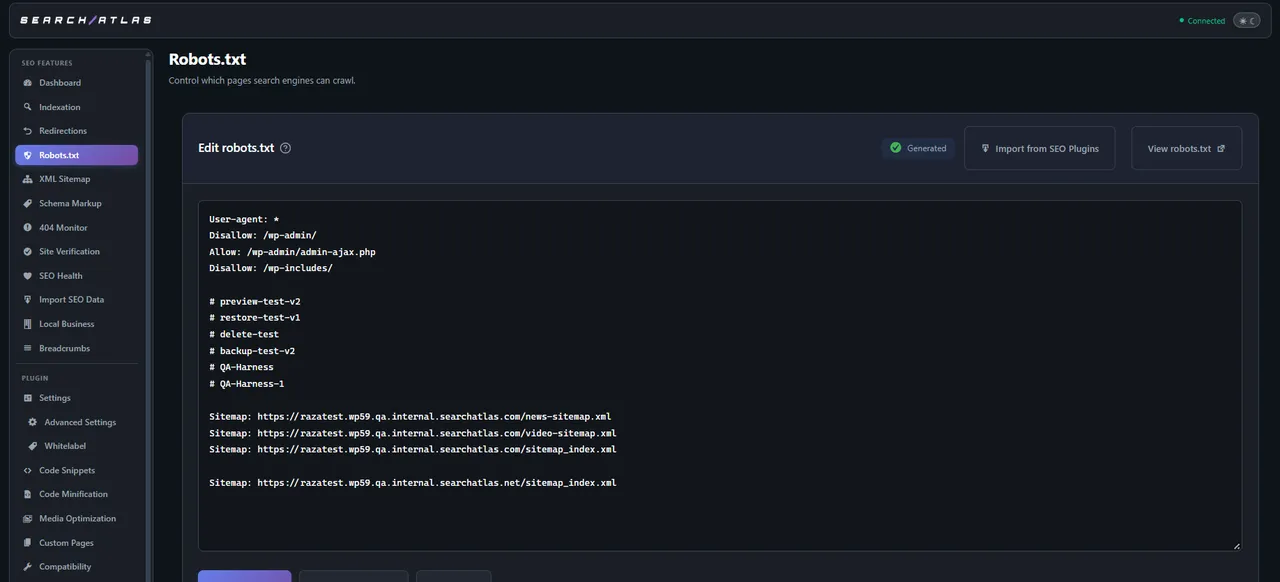
Robots.txt Editor -
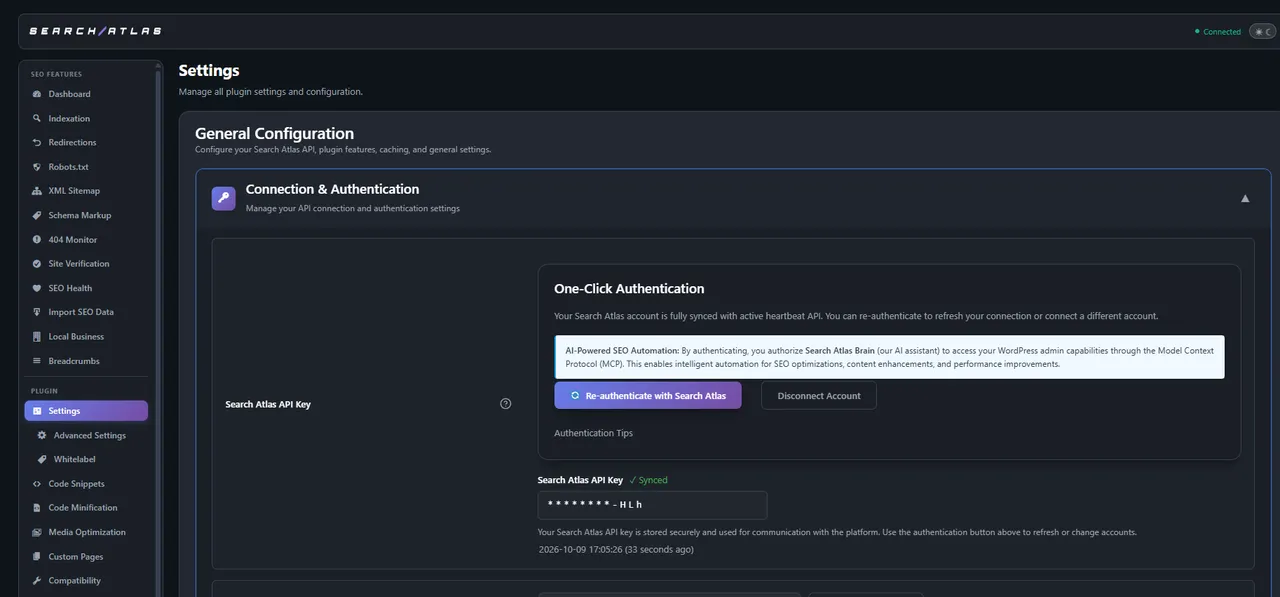
Connection & Authentication -
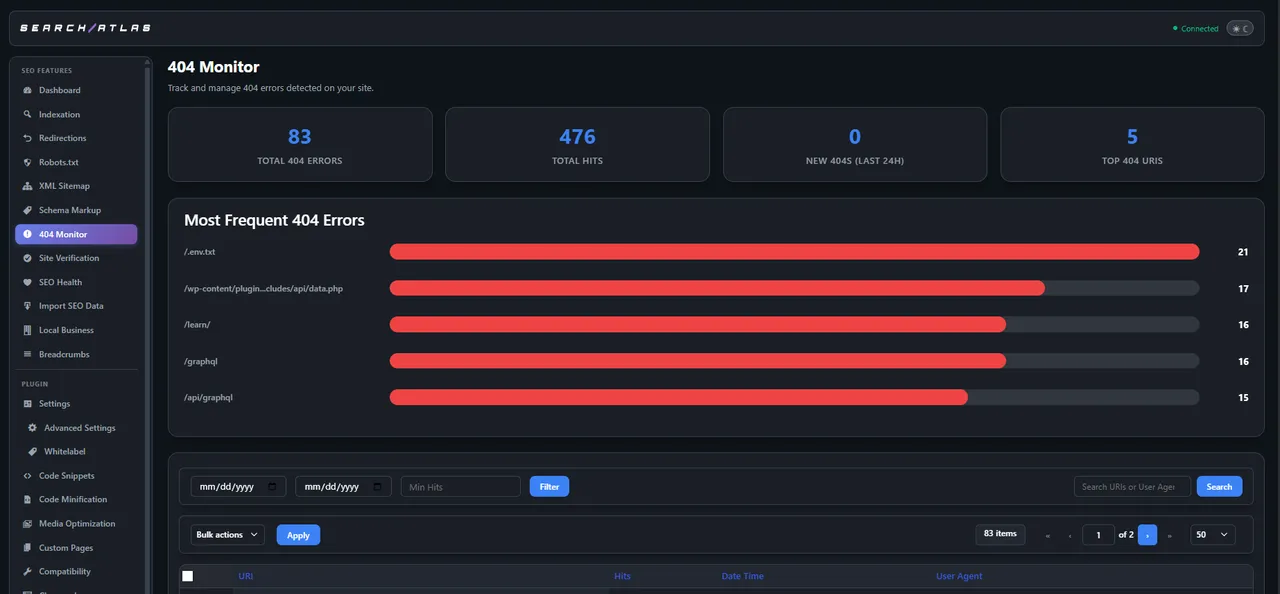
404 Monitor -
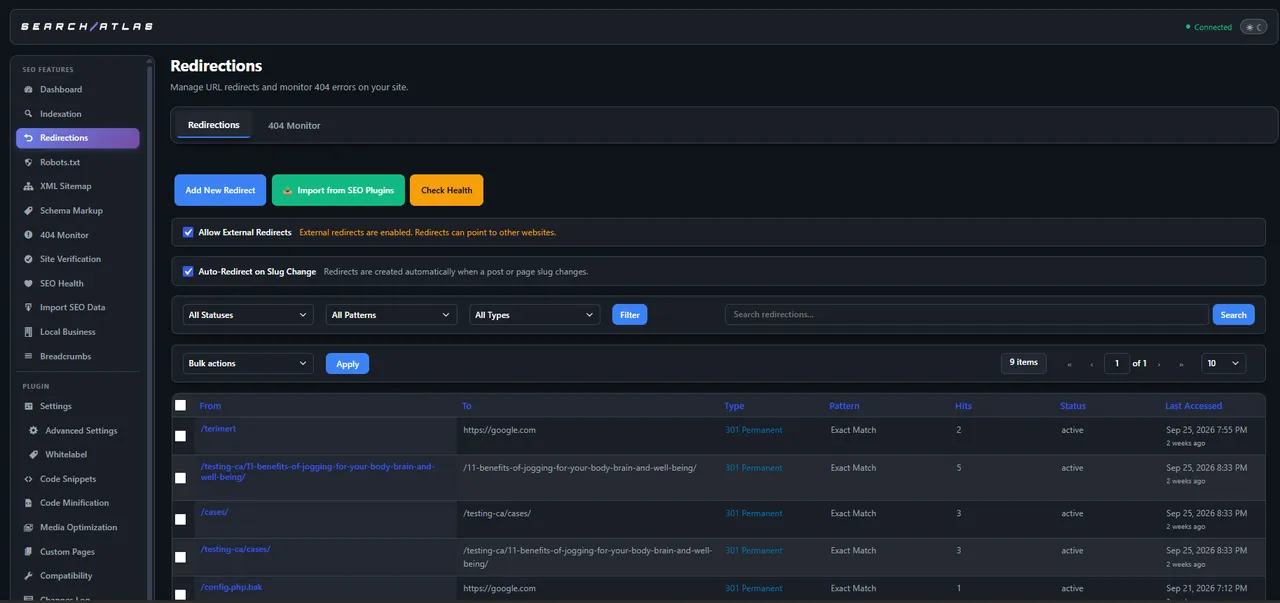
Redirections -
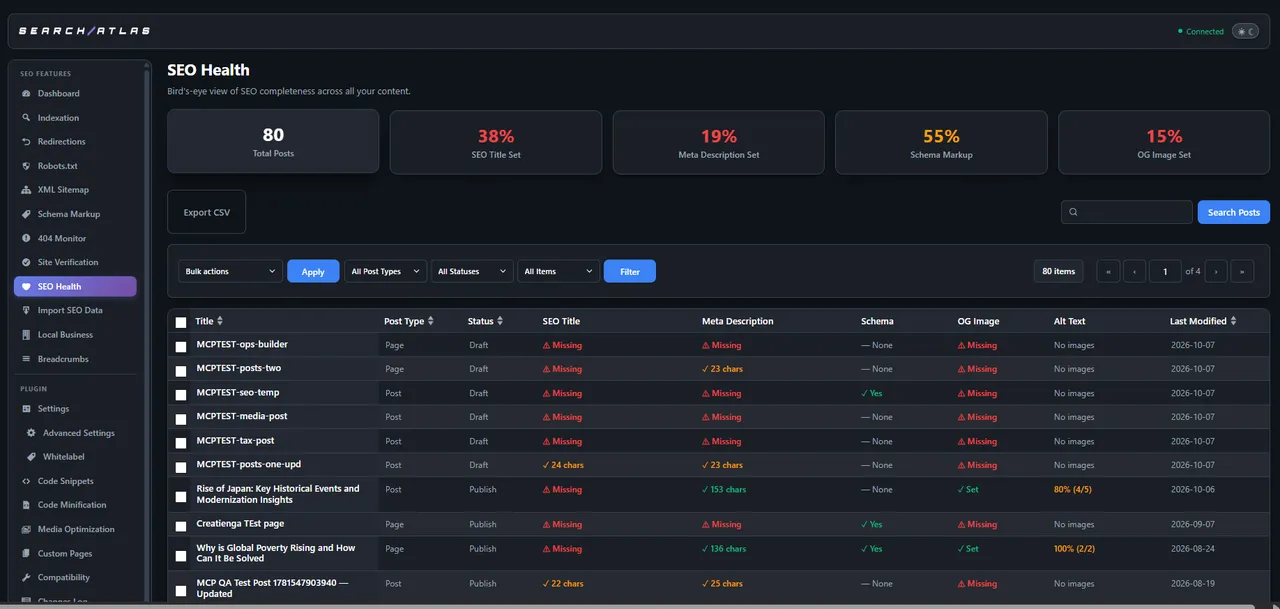
SEO Health -
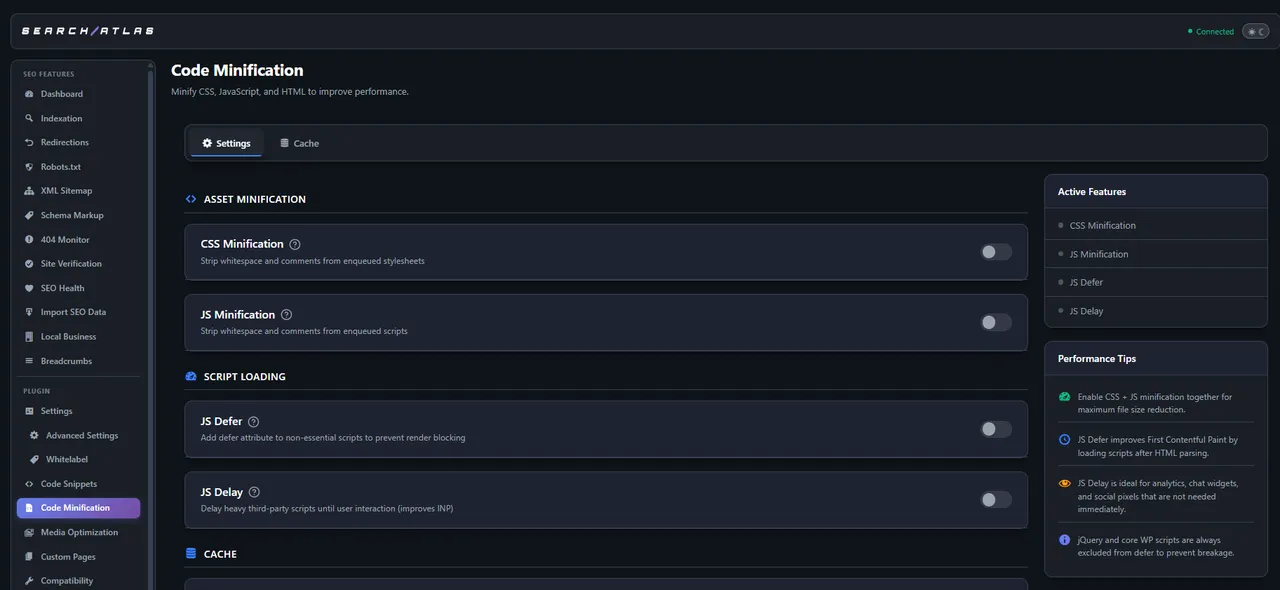
Code Minification -
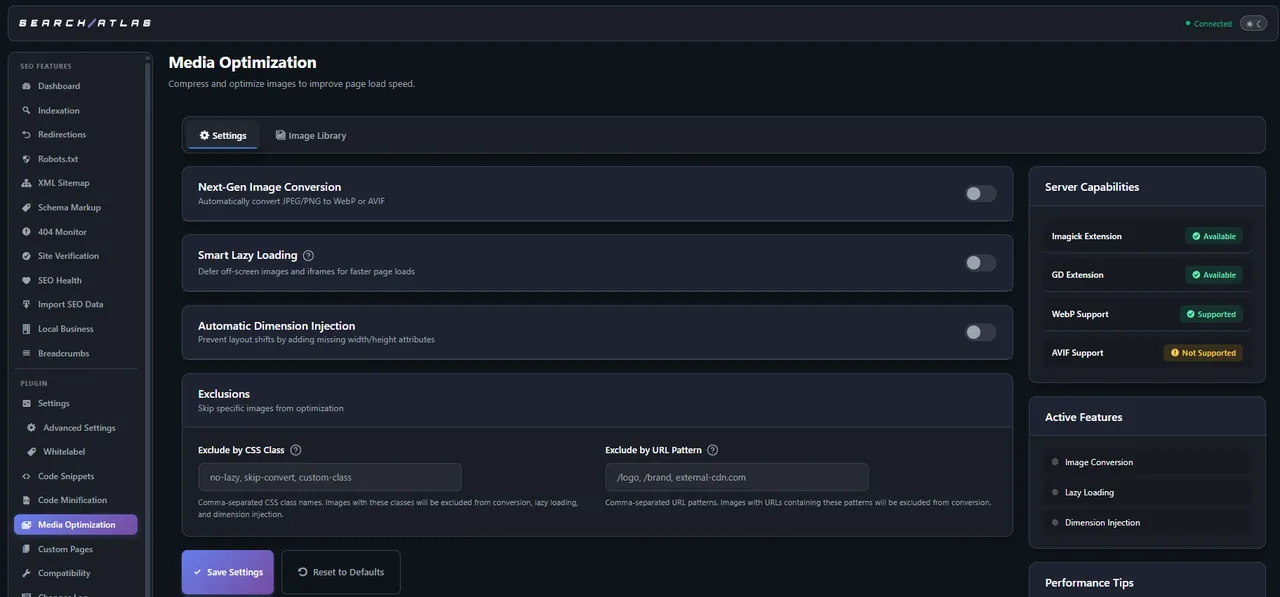
Media Optimization -
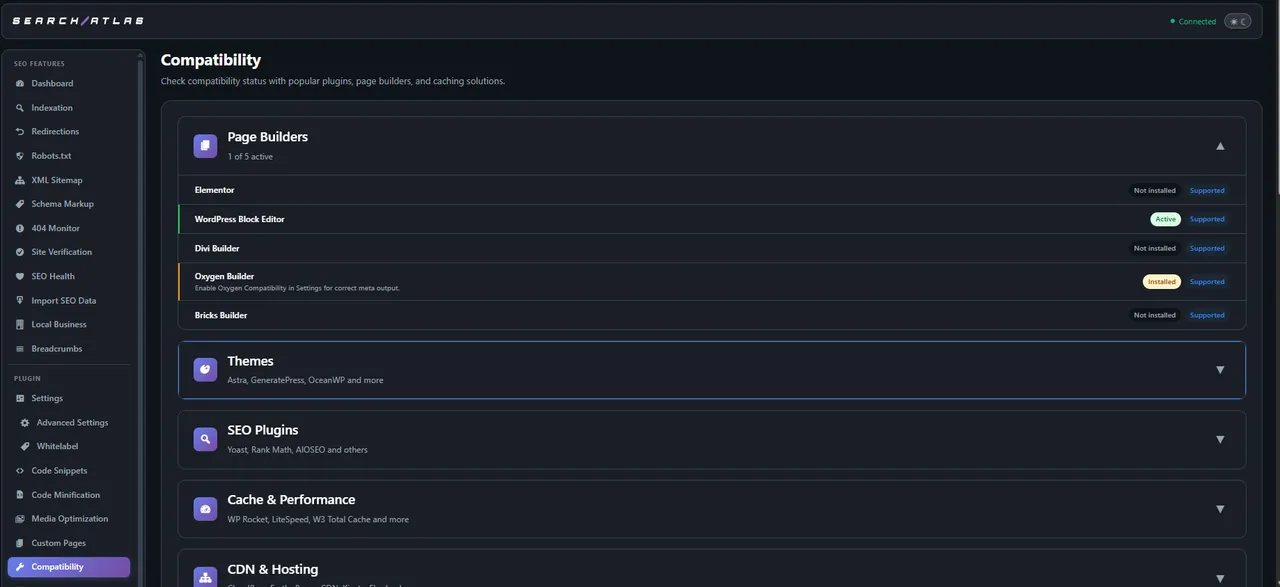
Compatibility -
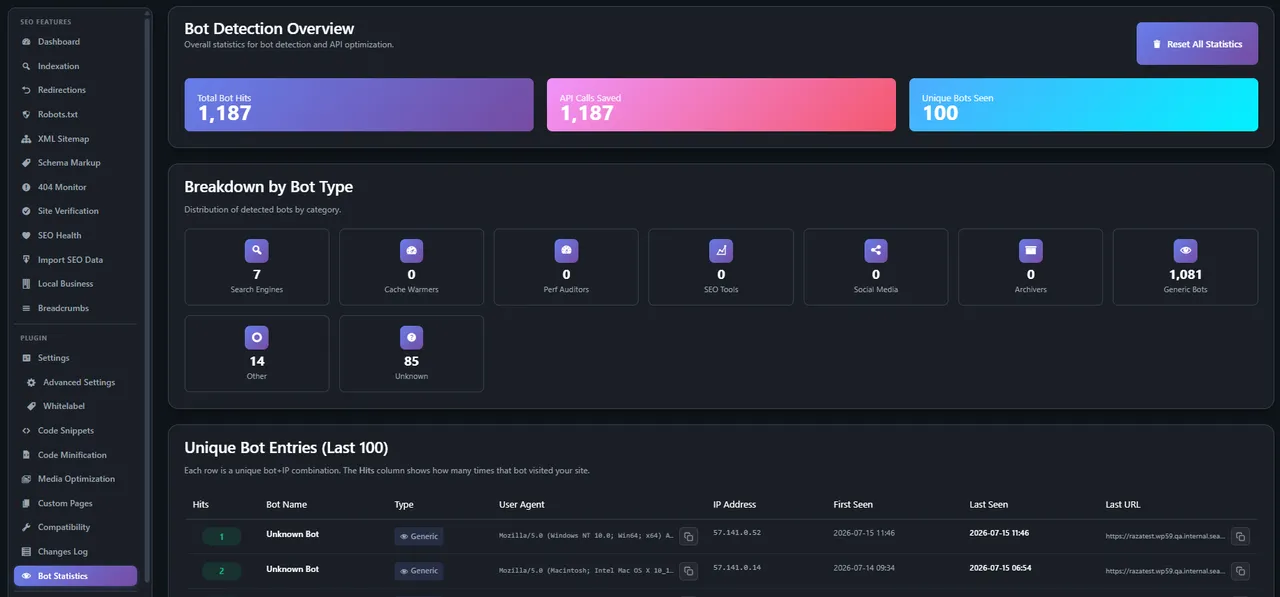
Bot Statistics -
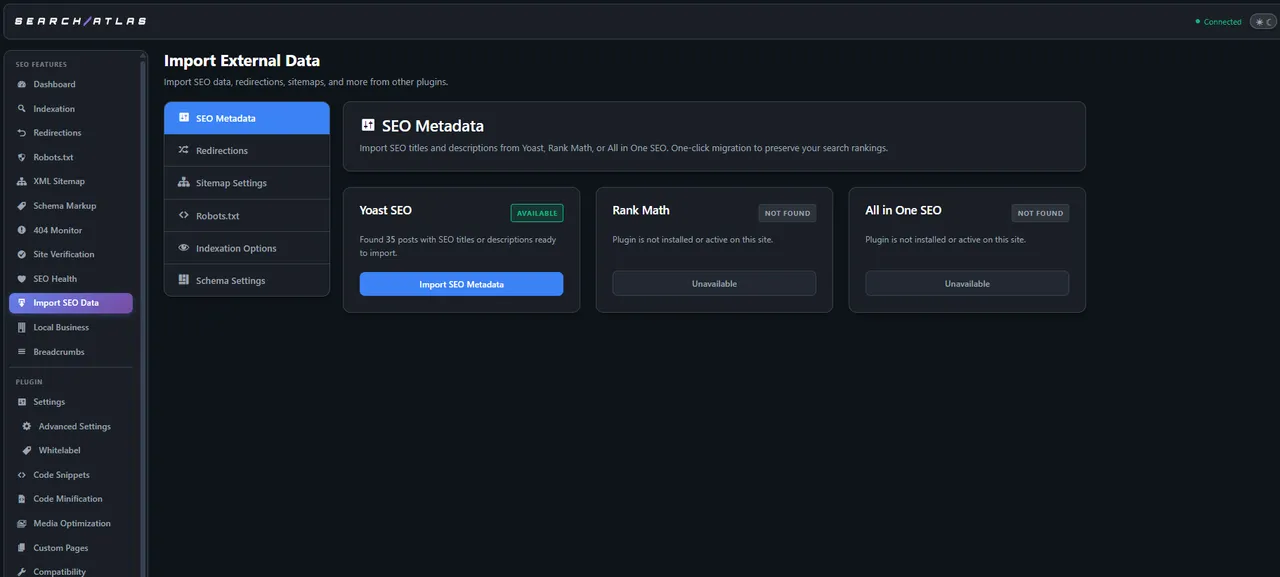
Import External Data -
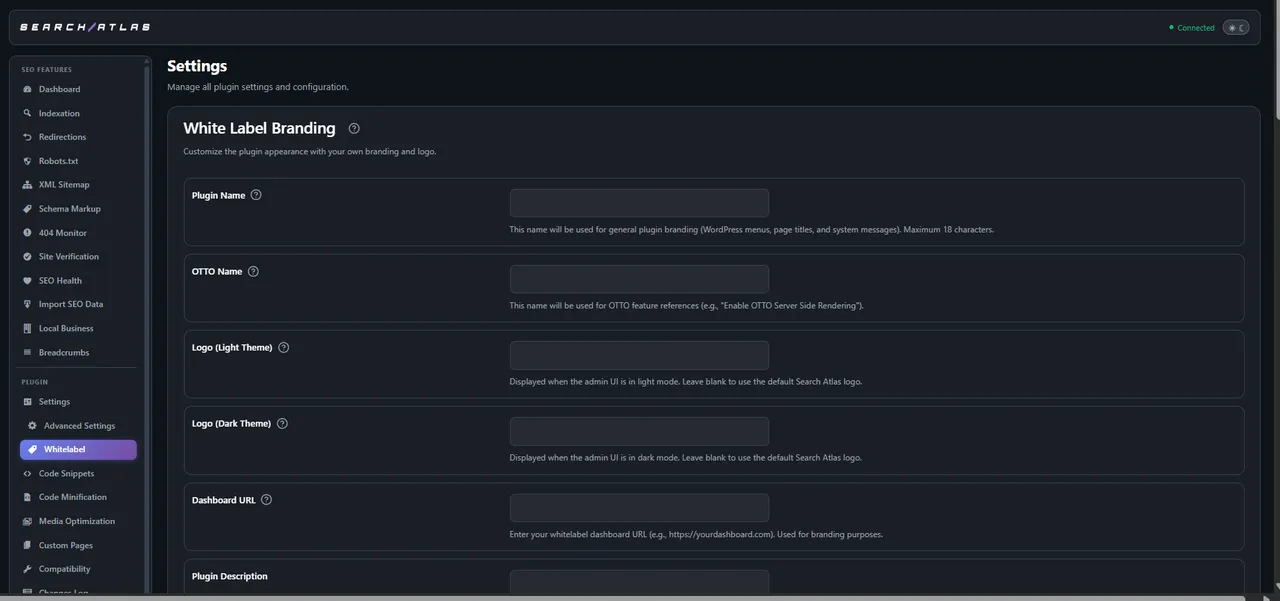
White Label Branding
Important information
- A Search Atlas account is required for OTTO, AI optimization and publishing. Data is exchanged with Search Atlas servers while connected.
- Error and performance reports are always sent to Search Atlas. Usage analytics are optional and off by default until an admin allows them.
- Requires WordPress 6.3 or newer and PHP 8.1 or newer. Tested up to WordPress 7.1.4.
- The plugin detects Yoast SEO, Rank Math and All in One SEO to avoid duplicate tags, but running several SEO plugins still needs care.
- Eight vulnerabilities have been published for this plugin over time. All are marked patched. Keep it updated.
- The MCP server can edit content and settings. Protect your API key or token.
From the Search Atlas SEO readme
Straight from the developer's WordPress.org listing.
Full description
AI-powered SEO for WordPress — built for Google rankings and the new era of AI search.
Search Atlas connects your WordPress site to the Search Atlas platform and its OTTO AI optimization engine, automating the technical SEO work that used to take hours. Optimize for traditional search engines and for AI answer engines (GEO — Generative Engine Optimization), publish content in one click, and manage your entire on-page SEO from a single dashboard.
OTTO — AI SEO on autopilot
OTTO server-side optimizes your pages for search crawlers and AI engines: meta titles and descriptions, image alt text, headings, and internal links are applied automatically, without changing your theme. Roll fixes out across up to 100 pages at once, exclude any URL, and optionally save optimizations into native WordPress fields so they persist even if you switch tools.
Get found in AI search (GEO)
A built-in /llms.txt endpoint serves clean, AI-readable content to AI crawlers such as ChatGPT and Perplexity — so your site can surface in AI answers and AI Overviews, not just classic search results.
One-click publishing from Search Atlas
Push blog posts, landing pages, and content updates straight from the Search Atlas dashboard to WordPress — complete with optimized titles, meta descriptions, image alt text, formatted headings, and internal links.
Bulk AI optimization
• AI bulk meta updates — rewrite titles and descriptions across your whole site in one pass
• AI alt-text generation & auditing — find missing or weak alt text and fix it library-wide
• Bulk status and content operations to manage many posts at once
A complete on-page SEO toolkit
• 15 schema / structured-data types (Article, FAQ, Product, Recipe, Event, LocalBusiness, HowTo, VideoObject, and more) with JSON-LD output
• XML sitemaps, including dedicated news and video sitemaps
• Virtual robots.txt editor — manage rules with no file editing
• Redirection manager — 5 match types (exact, wildcard, regex, contains, start/end) and 5 status codes (301/302/307/410/451), with automatic redirects on slug changes
• 404 monitoring with hit tracking and smart redirect suggestions
• Breadcrumb schema, canonical URLs, and hreflang (multi-language) support
• Open Graph and Twitter Card meta with automatic de-duplication
Instant indexing
Submit new and updated URLs directly to Google (Instant Indexing API) and Bing (IndexNow) for faster crawling — one at a time or in bulk.
MCP server — control WordPress with AI agents
A built-in Model Context Protocol (MCP) server exposes 138 tools across 31 categories, letting AI assistants create and edit content, manage SEO and schema, submit URLs for indexing, handle redirects, and audit your site — secured with API-key or token authentication.
Media & performance
• Convert images to WebP/AVIF, smart lazy-loading, and automatic width/height attributes to reduce layout shift (CLS)
• Automatic cache purging for popular caching plugins (WP Rocket, LiteSpeed Cache, W3 Total Cache, WP Super Cache, WP Fastest Cache, and more)
• Edge/CDN cache purging for Cloudflare, Fastly, Akamai, and Sucuri
Works with your stack
• Page builders: Gutenberg, Elementor, Divi, Oxygen, and Bricks
• WooCommerce breadcrumbs and shop pages
• Coexistence and migration with Yoast SEO, Rank Math, and All in One SEO
• Google Search Console and GA4 integration
• Agency-ready white-label settings to show or hide features per client
Search Atlas account & external service
Search Atlas is a companion plugin for the Search Atlas platform, an external service. A Search Atlas account is required to use the AI optimization, OTTO, and content-publishing features. When connected, your site sends and receives data from Search Atlas servers to provide these features. Learn more in the Search Atlas Terms of Service and Privacy Policy.
Usage analytics (optional, off by default)
The plugin can send limited usage analytics to Search Atlas so we can see which features are used and find problems. It is off until a site administrator clicks “Allow” in the admin notice, and it can be turned off anytime in Settings. When on, events are sent to a PostHog analytics instance hosted by Search Atlas (posthog.internal.searchatlas.com). The data includes your site URL, plugin version, WordPress and PHP versions, the user’s role, and feature usage, linked to a hashed site ID. We do not collect passwords, API keys, post content, names, or email addresses. This data is covered by the Search Atlas Privacy Policy.
Error and performance reports (always on)
To help us find and fix bugs, the plugin automatically sends error and performance reports to Search Atlas. When the plugin hits a PHP error, or runs slowly, it sends the error message, performance timings, the plugin, WordPress and PHP versions, and the site address to a Sentry error-tracking service hosted by Search Atlas (wordpress.telemetry.infra.searchatlas.com). These reports are not optional and are separate from the usage analytics above. We do not collect passwords, API keys, post content, names, or email addresses. This data is covered by the Search Atlas Privacy Policy.
Installation
• In your WordPress admin, go to Plugins, then Add New, and search for Search Atlas SEO. Click Install Now, then Activate.
• You need a Search Atlas account. If you do not have one, start a free trial at searchatlas.com.
• In Search Atlas, add your site as a project. Then, in WordPress, open the Search Atlas menu and click Connect to Search Atlas. The plugin will automatically complete the secure SSO connection.
• Switch OTTO on.
Installing by hand: download the ZIP, upload the metasync folder to /wp-content/plugins/, then activate it from the Plugins menu. After that, continue from step 2.
Developer FAQ (6)
- What does the Search Atlas SEO plugin do?
- It connects your WordPress site to Search Atlas so OTTO, our AI optimization engine, can work on your pages. It applies titles, descriptions, alt text, headings, internal links and schema, and it lets you publish content straight from Search Atlas into WordPress in one click. You need a Search Atlas account to use it.
- Do I need a paid Search Atlas account to use this plugin?
- Yes. The plugin connects to your Search Atlas account, and OTTO’s AI-driven SEO features are available on paid Search Atlas plans.
- Where do I get my API key?
- You don’t need to enter one manually. Use the “Connect to Search Atlas” option in the plugin settings, and it will generate your API key and connect your account automatically.
- Does it work alongside Yoast SEO or Rank Math?
- Yes. The plugin detects Yoast SEO, Rank Math, and All in One SEO, avoids duplicate meta tags and schema conflicts, and includes an “Import from Other SEO Plugins” feature that imports meta titles, descriptions, canonical tags, schema, and redirects from those plugins directly into Search Atlas SEO.
- How do I turn OTTO off for one page?
- You can exclude individual URLs from OTTO processing in the plugin’s OTTO settings, so those pages render as they normally would without OTTO’s changes.
- Can I manage 404 errors and redirects with this plugin?
- Yes. The 404 Monitor logs every not-found URL with hit counts and suggests redirects, and the Redirections manager supports 5 match types (exact, wildcard, regex, contains, start/end) with 301, 302, 307, 410 and 451 status codes. You can create a redirect straight from a logged 404, and slug changes are redirected automatically. Both screens are in the Search Atlas menu in your admin.
Downloads, last 30 days
Trend vs previous period: -14%
Average daily downloads: 332 over the last 7 days , 565 over 30 days.
Security history
Past CVEs, patched · 8 published vulnerabilities (Wordfence) · most recent Sep 19, 2026
- Patched 4.3 Medium Search Atlas SEO <= 2.6.23 - Missing Authorization to Authenticated (Subscriber+) Site-Wide Option Modification via 'metasync_post_types' Parameter CVE-2026-15947 · Sep 19, 2026 · affects *-2.6.23 · fixed in 2.6.24
- Patched 4.3 Medium Search Atlas SEO - OTTO AI SEO Automation for WordPress < 2.6.24 - Missing Authorization CVE-2026-15247 · Sep 5, 2026 · affects [*, 2.6.24) · fixed in 2.6.24
- Patched 6.1 Medium Search Atlas SEO - Premier SEO Plugin for One-Click WP Publishing & Integrated AI Optimization <= 2.6.6 - Reflected Cross-Site Scripting CVE-2026-57357 · Jul 1, 2026 · affects *-2.6.6 · fixed in 2.6.7
- Patched 4.3 Medium Search Atlas SEO <= 2.6.23 - Missing Authorization to Authenticated (Subscriber+) Whitelabel Password Modification via handle_whitelabel_password_early Function CVE-2026-15946 · Sep 19, 2026 · affects *-2.6.23 · fixed in 2.6.24
- Patched 8.8 High Search Atlas SEO - Premier SEO Plugin for One-Click WP Publishing & Integrated AI Optimization 2.4.4 - 2.5.15 - Missing Authorization to Authenticated (Subscriber+) Authentication Bypass via Account Takeover CVE-2025-14386 · Jan 28, 2026 · affects 2.4.4-2.5.15 · fixed in 2.5.16
- Patched 6.4 Medium Search Atlas SEO <= 2.5.4 - Authenticated (Contributor+) Stored Cross-Site Scripting CVE-2025-58019 · Sep 22, 2025 · affects *-2.5.4 · fixed in 2.5.5
- Patched 4.3 Medium Search Atlas SEO - Premier SEO Plugin for One-Click WP Publishing & Integrated AI Optimization < 2.6.12 - Missing Authorization CVE-2026-15252 · Jul 30, 2026 · affects [*, 2.6.12) · fixed in 2.6.12
- Patched 4.4 Medium Search Atlas SEO <= 1.8.2 - Authenticated (Administrator+) Stored Cross-Site Scripting CVE-2024-47387 · Sep 30, 2024 · affects *-1.8.2 · fixed in 1.8.3
Recent releases
- v2.7.5
Security: The OTTO dashboard now loads only the public, read-only view and never embeds an authenticated session; if the view is unavailable, a clear status message with a way to retry or...
- v2.7.4
Fix: The plugin authorization token is now masked in the settings UI and protected on write - re-spelled or token-only MCP settings writes can no longer leak or wipe it, and the token survives...
- v2.7.3
New Feature: The Report Issue page now also accepts questions, feedback and feature requests with structured fields, image attachments, per-user rate limiting and clear fallback messaging when...
- v2.7.2
New Feature: Opt-in product analytics for the plugin admin, sent only after the site owner gives consent; existing installs are asked once through a dismissible notice that can be snoozed * New...
- v2.7.1
Fix: The Changes Log admin page no longer shows misaligned headings or inconsistent toolbar control sizing * Fix: A "%" character in a saved settings value no longer fatals the page, and the...
Show 2 older releases
- v2.7.0
New Feature: Headless WordPress support - the WordPress backend and a decoupled public frontend now stay in sync through SSO and heartbeat, with SEO data exposed over WPGraphQL, frontend-aware...
- v2.6.26
Fix: Yoast schema conflict handling no longer emits invalid JSON-LD on OTTO-covered pages * Fix: Third-party SEO sync now reports success only when SEO data was actually written, preventing stale...
Search Atlas SEO FAQ
What does the plugin do?
It connects the site to Search Atlas so OTTO can apply titles, descriptions, alt text, headings, internal links and schema, and so content can be published to WordPress in one click.
Do I need a paid Search Atlas account?
Yes. The plugin works with your account, and OTTO's AI features are on paid plans.
Where do I get the API key?
You do not enter one by hand. The Connect to Search Atlas option generates the key and links your account.
Does it work with Yoast SEO or Rank Math?
Yes. It detects Yoast SEO, Rank Math and All in One SEO, avoids duplicate meta and schema, and can import titles, descriptions, canonicals, schema and redirects from them.
How do I stop OTTO on one page?
Add the URL to the exclusion list in the OTTO settings, and that page renders without OTTO's changes.
Can it manage 404s and redirects?
Yes. The 404 monitor logs missing URLs with hit counts and suggests redirects. The redirect manager supports five match types and 301, 302, 307, 410 and 451 codes, and slug changes redirect automatically.
Search Atlas SEO alternatives

Real-time SEO guidance, schema, and AI built in. Help search engines and AI systems understand your content. All AI tools included, no hidden fees. Yoast SEO: the #1 WordPress SEO plugin Since 2008, Yoast SEO has…
Rank Math SEO - WordPress AI SEO Plugin to Rank Higher 📈 ★★★★★ Rank Math SEO helps you stay ahead of competitors with AI-powered SEO tools built for today’s search engines and AI assistants. The plugin brings…

AIOSEO - The Original AI SEO Plugin for WordPress All in One SEO is the original WordPress SEO plugin, founded in 2007 and trusted by over 3 million website owners and SEO experts. AIOSEO is a complete AI SEO plugin…

SEOPress - The fast, privacy-first WordPress SEO plugin, ready for AI search Rank higher in Google AND in AI answer engines (ChatGPT, Claude, Perplexity, Gemini). SEOPress is the all-in-one WordPress SEO plugin…

CrawlWP - The WordPress SEO Plugin That Also Gets You Indexed Optimize every page, submit it to search engines (Google, Bing, Yandex, Yep etc) the moment you publish, and see which ones actually indexed it - all…

ThinkRank is an AI SEO plugin for WordPress that helps you write SEO titles and meta descriptions, optimize content around a focus keyword, add schema markup, generate XML sitemaps, and review Google Search Console…
Listing data from WordPress.org and the Wordfence vulnerability feed, refreshed Nov 9, 2026; listing details fetched Nov 14, 2026. Screenshots are from the plugin's WordPress.org listing. Not affiliated with Search Atlas Group.