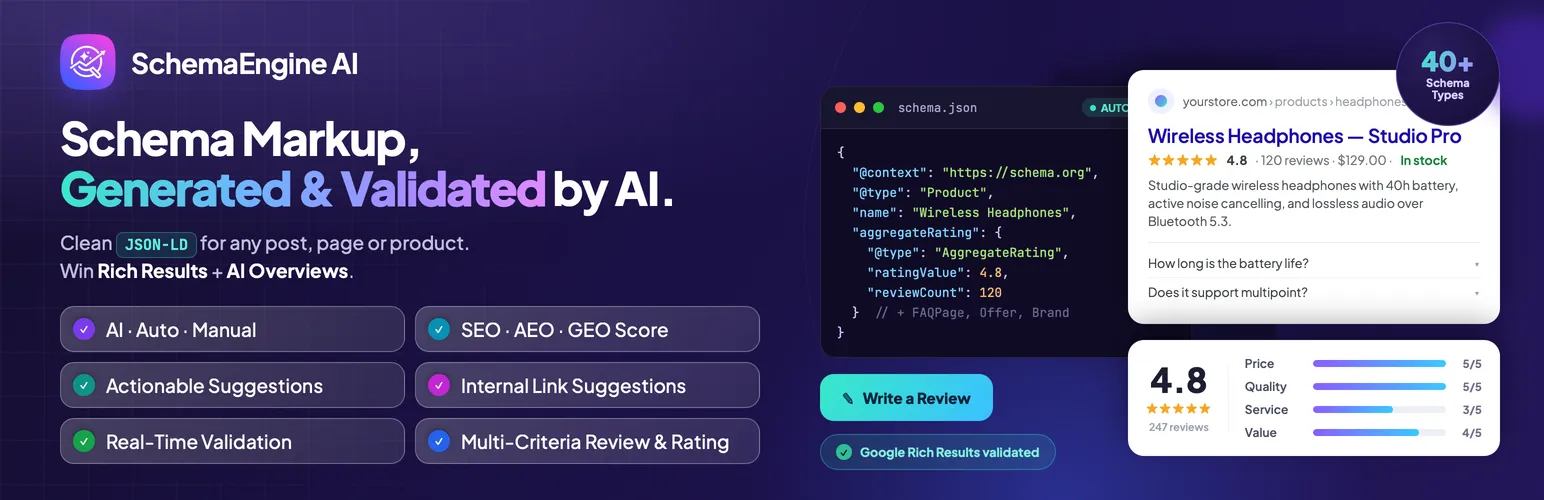

SchemaEngine AI
SchemaEngine AI - AI Schema Markup, Reviews & Rich Snippets for SEO · by RadiusTheme
- active installs
- 10K+
- 25 ratings
- 4.8
- since last update
- 6d
- releases in 12 months
- —
- support threads resolved
- 0%
- avg daily downloads
- 431
- on WordPress.org
- 5.2 years
SchemaEngine AI at a glance
SchemaEngine AI is a freemium WordPress AI SEO plugin by RadiusTheme with 10K+ active installs and a 4.8/5 rating from 25 reviews. It was last updated on Nov 3, 2026, is tested up to WordPress 7.1.4 and needs PHP 7.4+. It works with Google Gemini. All 5 of its published vulnerabilities have patched versions. Our quality score is 77/100.
What is SchemaEngine AI?
SchemaEngine AI, formerly Review Schema, adds structured data (JSON-LD) to WordPress pages so search engines can read them. It can build markup for articles, FAQs, products, events, local businesses and more than 35 other types, and it also works as a review and rating plugin.
You choose how much to automate. Manual mode gives full control over every property. Auto mode applies rules by post type. AI mode reads the page, suggests a schema type and fills in properties for you to review. A built-in validator checks the output against Google rich result requirements as you edit.
It is aimed at site owners and SEO professionals who want correct markup without writing JSON-LD by hand. Existing reviews and settings from the old Review Schema plugin are kept. AI features need your own API key, while Manual and Auto modes need no external service.
Best for
- SEOs who want validated JSON-LD without hand coding
- Content sites wanting FAQ markup generated from posts
- Stores needing Product schema and review stars
- Owners who want an audit of structured data across a site
Our take
Schema Engine AI generates JSON-LD schema and FAQs with AI - directly useful for rich results and AI citation. Schema is unglamorous but exactly what AI crawlers parse.
SchemaEngine AI features
Three generation modes
Choose Manual, Auto or AI per page, or set a default per post type.
AI schema generator
Reads page content, suggests a schema type and fills properties. A human reviews it before saving, and bulk generation is supported.
AI FAQ generation
Drafts question and answer pairs from a page, writes FAQPage markup and shows a matching FAQ block on the front end.
Real-time rich results validator
Flags missing required and recommended properties while you edit, so problems show up before publishing.
Connected graph output
Links Organization, WebSite, WebPage, Breadcrumb, Author and content schemas with shared IDs.
35+ schema types
Covers Article, NewsArticle, BlogPosting, TechArticle, FAQPage, HowTo, Event, LocalBusiness, Person and more.
Site-wide audit
One screen shows which content has valid markup, warnings or none.
Product and store schema
Maps WooCommerce and Easy Digital Downloads fields to Product schema, with SureCart, FluentCart and LMS integrations.
Reviews and ratings
Collect single or multi-criteria ratings with pros and cons, images and GDPR consent. Aggregate scores are output as structured data.
SchemaEngine AI free vs pro
Free WordPress.org version
- Manual, Auto and AI modes
- Validator, site-wide audit and schema preview
- 35+ schema types and graph output
- AI schema and FAQ generation with your own API key
- Review and rating features
Pro Paid version
- Merchant Return Policy and Shipping Details for product schema
A free version is available and a Pro version exists, though the listing only names a few Pro additions. AI features need your own API key from OpenAI, Anthropic Claude or Google Gemini, billed by that provider.
How to use SchemaEngine AI
- Install the plugin
In wp-admin go to Plugins, then Add New, search for SchemaEngine AI, then install and activate it.
- Run the setup wizard
Open SchemaEngine AI in the sidebar. Choose which post types to enable, default schema types and whether to use AI mode.
- Add an API key for AI
To use AI mode, paste a key from OpenAI, Anthropic or Google. Without a key, Manual and Auto modes still work.
- Edit a page
Open any post or page and use the SchemaEngine AI panel to generate, validate or edit its structured data.
- Check and audit
Review the validator warnings, preview the JSON-LD, then run the site-wide audit to find pages without markup.
SchemaEngine AI screenshots (10)
-
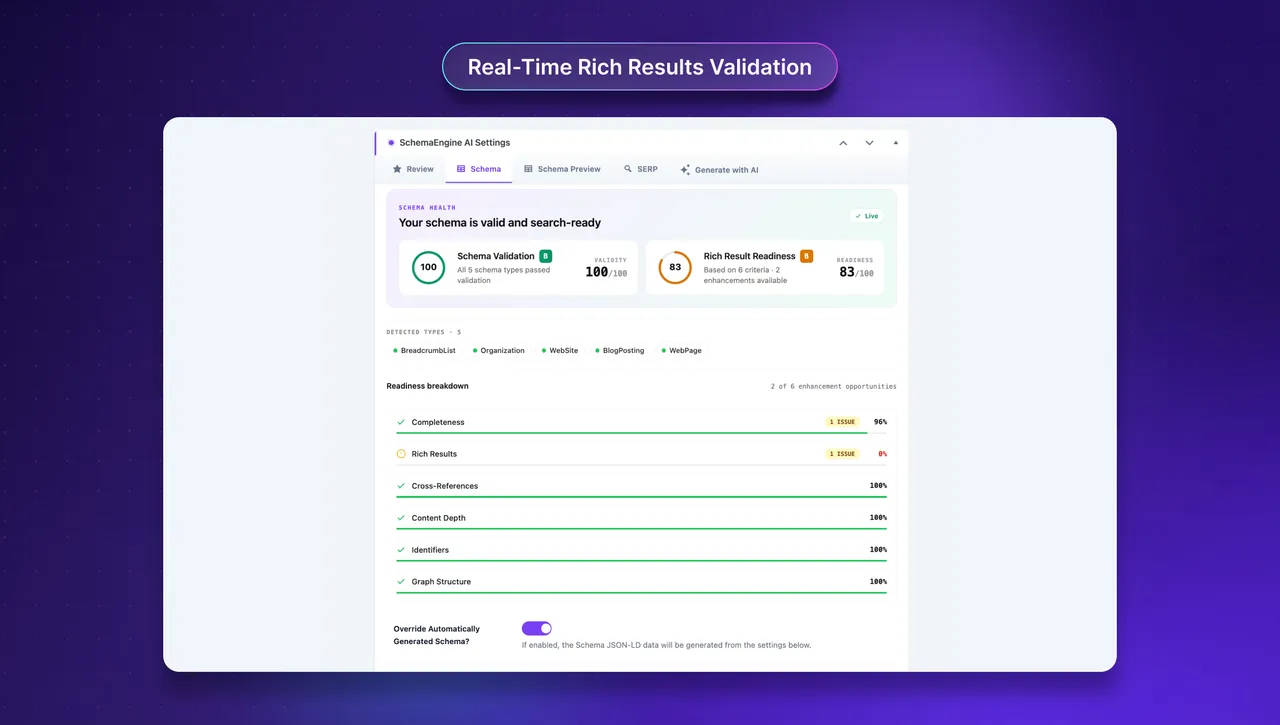
Real-Time Rich Results Validation -
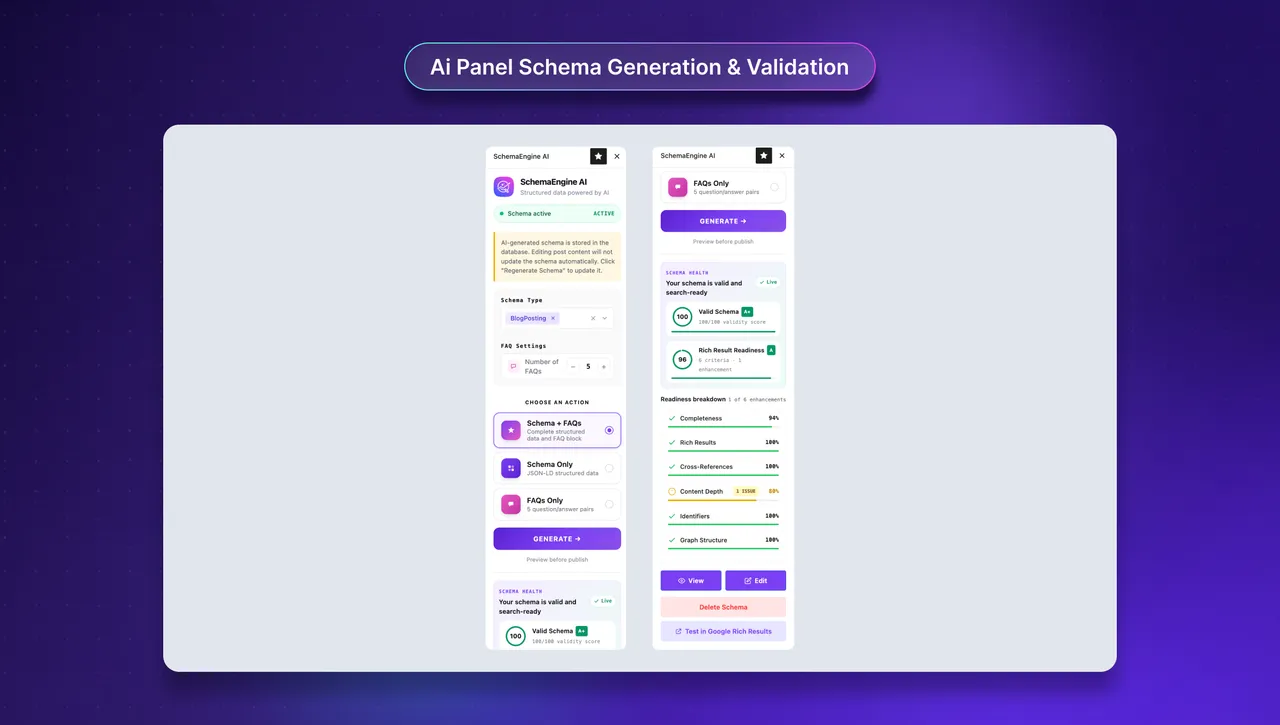
Ai Panel Schema Generation & Validation -
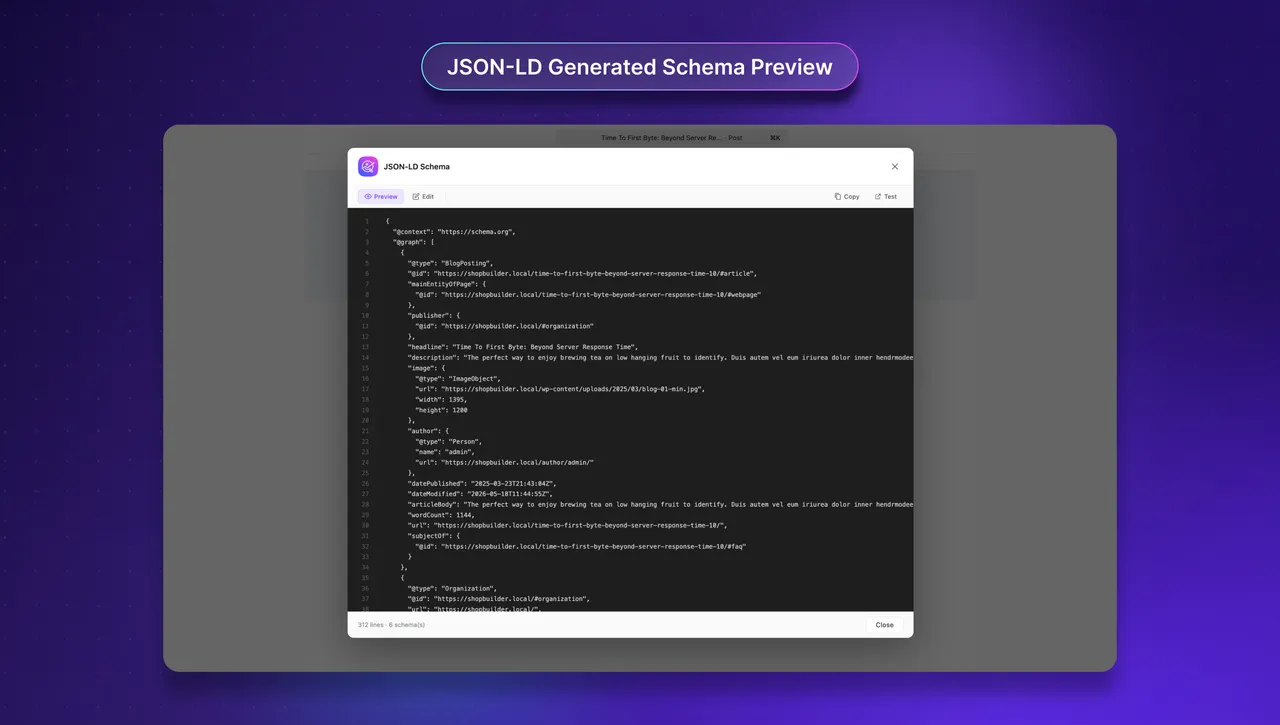
JSON-LD Generated Schema Preview -
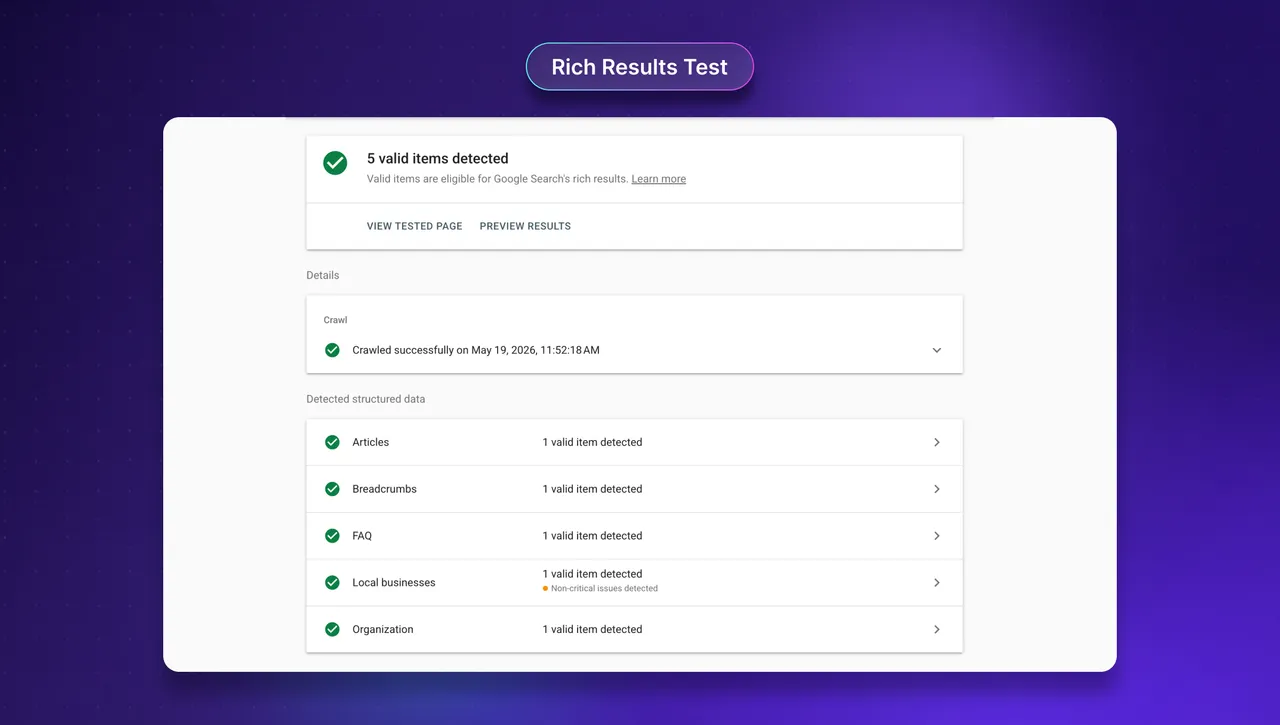
Rich Results Test -
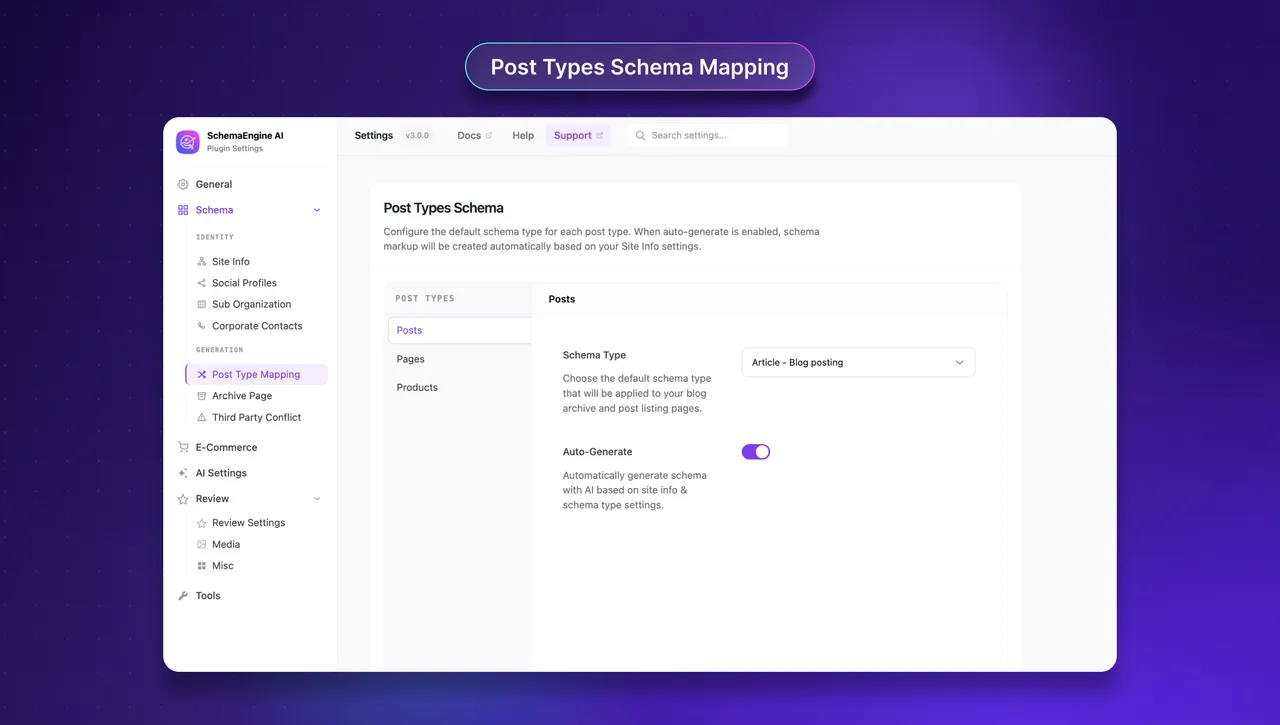
Post-Types Schema Mapping -
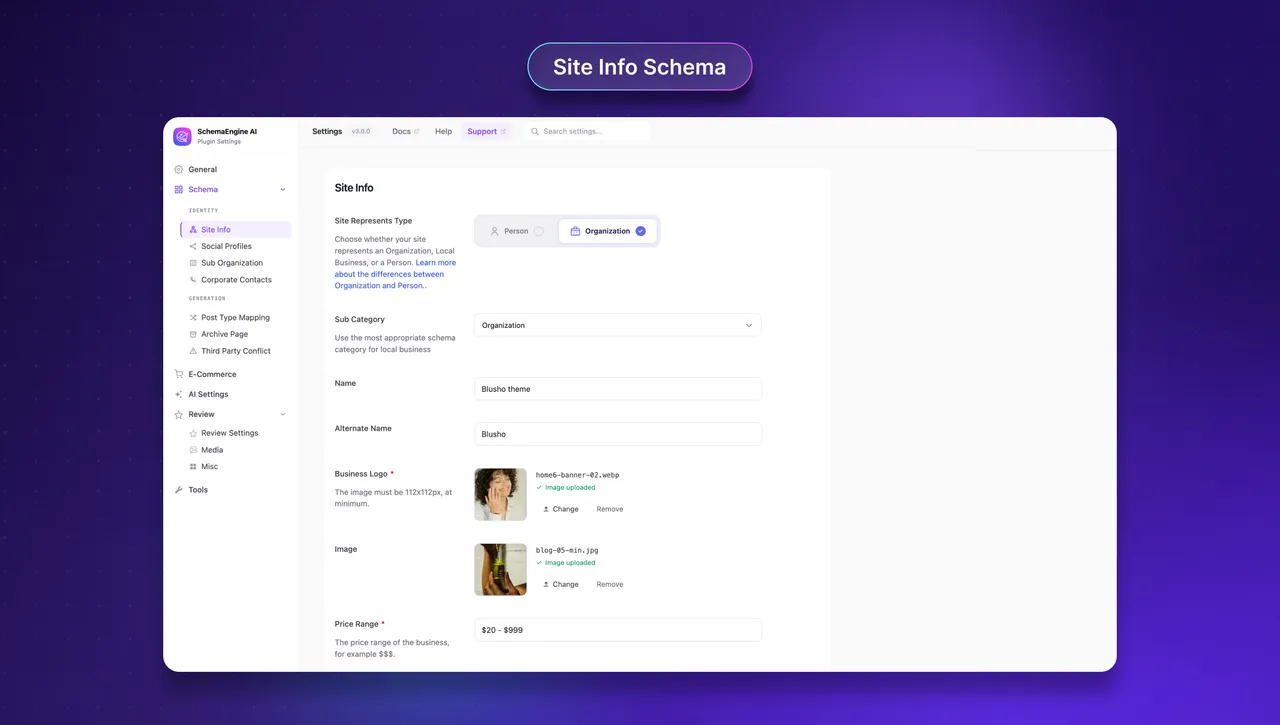
Site Info Schema -
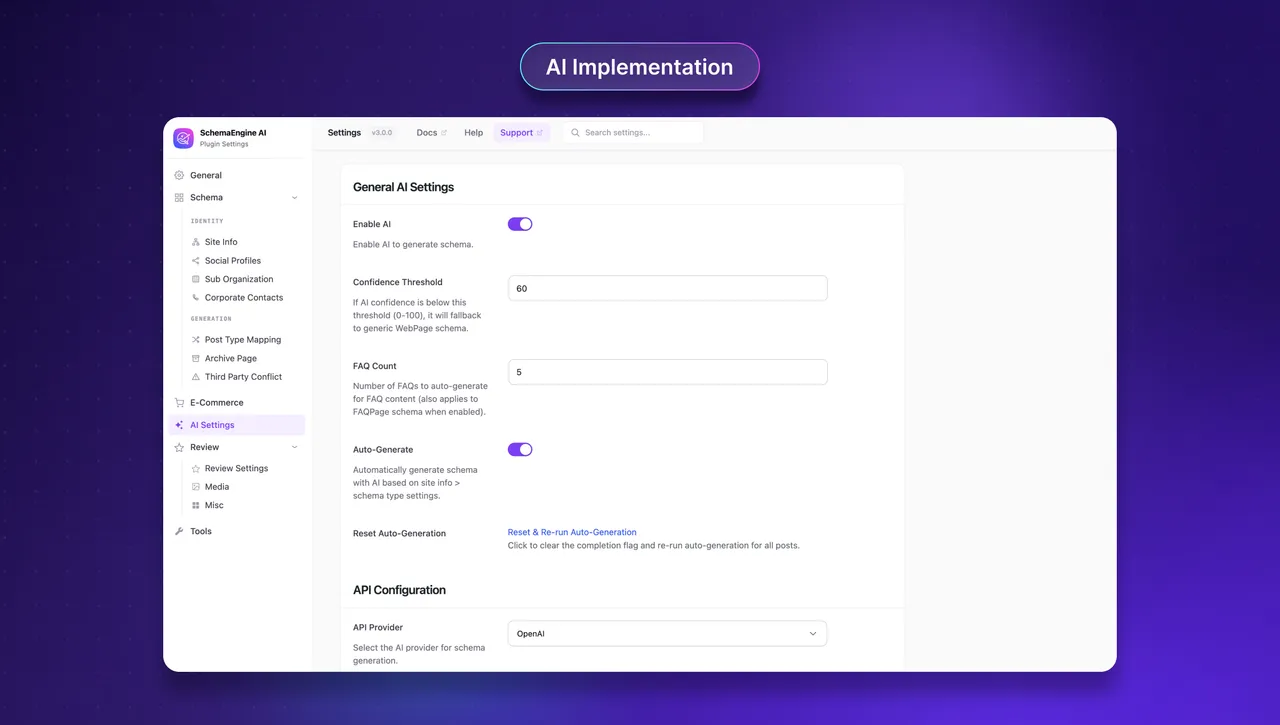
AI Implementation -
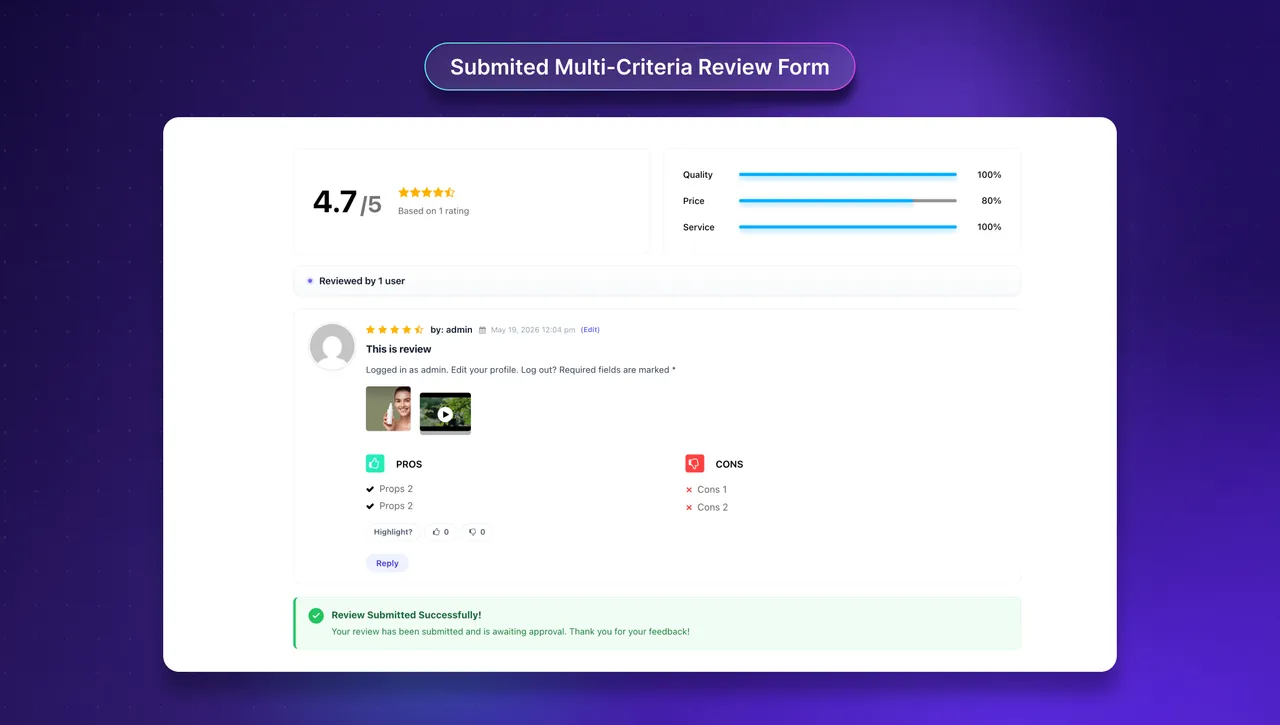
Submitted Multi-Criteria Review Form -
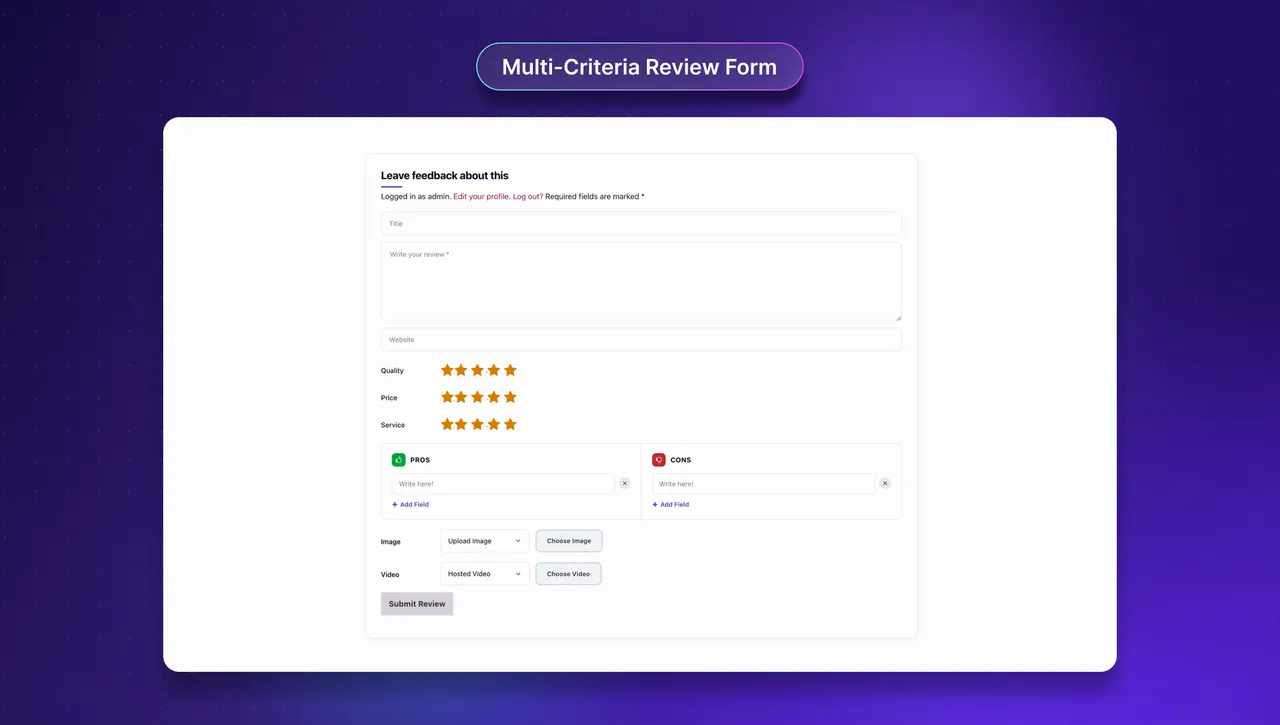
Multi-Criteria Review Form -
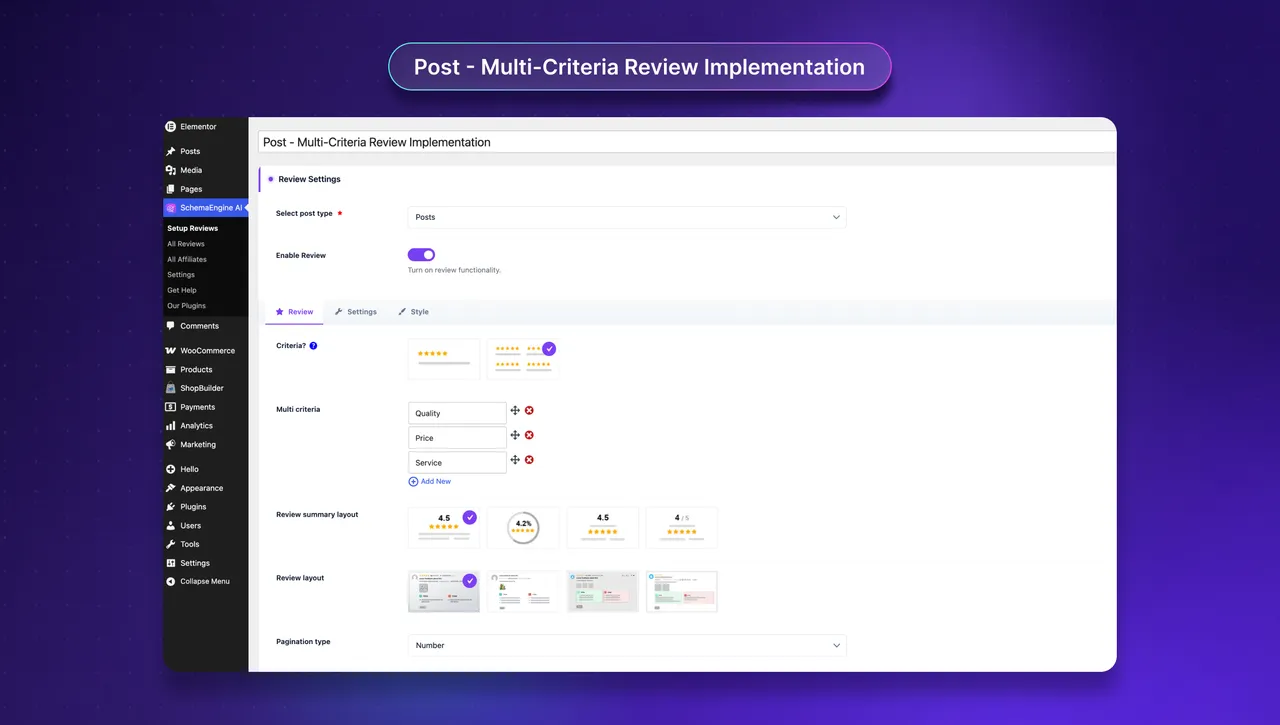
Multi-Criteria Review Implementation
Important information
- AI schema and FAQ generation send page content to the AI provider you configure. Manual and Auto modes make no external calls.
- An API key from OpenAI, Anthropic Claude or Google Gemini is needed for AI features, and costs are billed by that provider.
- Requires WordPress 7.0 or later and PHP 7.4 or later.
- Five vulnerabilities have been published for this plugin and are marked patched. Keep it updated.
- Structured data is not a direct ranking factor. It makes pages eligible for rich results, per the listing.
- It detects schema from Yoast SEO and Rank Math and skips duplicates.
From the SchemaEngine AI readme
Straight from the developer's WordPress.org listing.
Full description
SchemaEngine AI is an AI-powered schema markup plugin for WordPress that generates valid JSON-LD based structured data, generate FAQ content from your existing pages, validates output against Google Rich Results requirements, and produces a site-wide schema audit. It is designed for editors and site owners who want clean, accurate structured data without writing JSON-LD by hand, and for SEO professionals who need a validator and a report alongside their existing workflow.
📢 Important: Review Schema is now SchemaEngine AI
Same plugin, same review and rating features, plus AI-powered schema generation for articles, FAQs, products, and more. Your existing reviews and settings are preserved automatically.
👉 Demo | Documentation | Support | Get Pro 👈
The plugin supports three ways to work:
• Manual Mode: Build or edit JSON-LD for any schema type with complete control over properties and nesting. Ideal for technical SEOs.
• Auto Mode: Applies rule-based schema generation across post types, adapting to your content type and site structure without manual configuration.
• AI Mode: Proposes a schema type and pre-fills properties from your content. Every output is checked against Schema.org and the public Google Rich Results documentation, and editors review the result before it is saved.
Why SchemaEngine AI (Formerly Review Schema)
Most schema plugins ask you to fill in long forms or apply one-size-fits-all templates. SchemaEngine AI lets you choose the level of automation that fits the page in front of you. A blog post can use Auto mode and a template. A complex landing page can use AI mode to draft a starting point, which you then edit. A product or local business page can use Manual mode for full control. The validator runs in the background in all three modes, so you see what is missing before you publish, not after.
• AI as a drafting tool, not an autonomous publisher. Suggestions are reviewed and edited by a human before they are saved.
• Rich results validator built in. Required and recommended properties are flagged in real time, so you see what is missing before you publish.
• Site-wide audit. One screen shows which content has valid markup, which has warnings, and which has none.
• Graph relation output. A connected @graph links Organization, WebSite, WebPage, Author, and content schemas so search engines understand entity relationships.
• SERP Preview. See how your structured data will appear as a Google search result card directly in the post editor.
• Editor-friendly. The default FAQ block renders on the front end and outputs FAQPage schema in the same step.
AI-powered Schema Markup Generator
SchemaEngine AI reads your page content and generates valid JSON-LD structured data in seconds. It detects the content type article, event, local business, FAQ, and more then pre-fills every required and recommended property. Review, edit, and save: clean, Google-ready rich results without writing a line of JSON-LD.
Bring your own API key from OpenAI, Anthropic Claude, or Google Gemini to power the AI features use the provider that fits your workflow and budget.
WordPress Review Plugin
SchemaEngine AI is a complete WordPress review plugin for posts, pages, custom post types, and WooCommerce products. Collect single-criterion or multi-criteria ratings (quality, value, support, and more) with star or numerical scoring, pros and cons, image attachments, and GDPR consent. Aggregate ratings are output as valid structured data, so review scores can appear as star snippets in Google rich results.
Core features
• AI Schema Generator. Reads the page content, suggests an appropriate schema type, and pre-fills properties from WordPress fields. Editor reviews and approves before saving. Supports OpenAI, Anthropic Claude, and Google Gemini as AI providers. Also support bulk schema markup generation.
• AI FAQ Generation. Drafts question-and-answer pairs from existing page content. Outputs valid FAQPage JSON-LD and renders a matching front-end FAQ block with accordion or tab layouts.
• Real-time rich results validator. Checks required and recommended properties against Google rich results documentation as you edit the structured data.
• Graph relation output. Builds a connected @graph so Organization, WebSite, WebPage, BreadcrumbList, Author, and content schemas reference each other with proper @id linking.
• Schema Preview Panel. Preview the complete generated JSON-LD schema markup before publishing.
• Three generation modes. Manual, Auto, and AI — switch per page or set a default per post type.
• 35+ schema types. Article, NewsArticle, BlogPosting, TechArticle, FAQPage, HowTo, Event, LocalBusiness, Person and more..
• E-commerce ready. Product schema for WooCommerce and Easy Digital Downloads with name, image, SKU, price, currency, availability, aggregate rating, and review count. Integrations for SureCart, FluentCart, and six LMS platforms.
• Review and rating system. Single-criterion or multi-criteria ratings with stars, pros and cons, and image uploads. GDPR consent support included.
• FAQ Gutenberg Block. Native block with accordion and tab layouts, search, animations, responsive controls, typography and spacing customization, and JSON import/export.
• Elementor widgets. Six review widgets (Affiliate Review, Average Rating Stars, Average Rating Count, Review List, Review Form, Review Summary) plus Elementor FAQ schema support.
• Data Migration. Import structured data from WP SEO Structured Data Schema with background processing and progress tracking.
• Compatible with Yoast SEO and Rank Math. Detects existing schema and avoids duplicate JSON-LD output.
• Third-party conflict prevention. Toggles to disable default schema from WooCommerce, Easy Digital Downloads, SureCart, Rank Math, and Yoast SEO.
• Google ReCAPTCHA v3. Protect review submissions from spam without user-facing challenges.
• Fully translatable. POT files included in /languages/.
Free version includes:
• Manual, Auto, and AI schema generation modes
• AI Schema Generator and AI FAQ Generation (your own API key — OpenAI, Claude, or Gemini)
• Real-time rich results validator
• Schema Preview Panel and SERP Preview
• Graph relation output with @graph entity linking
• Setup Wizard with third-party conflict prevention
• GDPR consent for review submissions
• Data migration from WP SEO Structured Data Schema
• Single or multi-criteria review with star rating, pros and cons, and images
• FAQ Gutenberg Block with accordion/tab layouts, search, animations, and import/export
• Google ReCAPTCHA v3 for review forms
• Yoast SEO and Rank Math duplicate detection
Supported Schema Types
• WebPage
• ItemPage
• WebSite
• BreadcrumbList
• Organization/ Person (entity)
• Article
• TechArticle
• NewsArticle
• BlogPosting
• FAQPage
• AboutPage
• ContactPage
• ProfilePage
• MedicalWebPage
• HowTo
• Event
• Person
• Service
• Movie
• VideoObject
• AudioObject
• Mosque
• Church
• HinduTemple
• BuddhistTemple
• Product(Pro)
• SoftwareApplication(Pro)
• VehicleListing(Pro)
• Book(Pro)
• Recipe(Pro)
• RealEstateListing(Pro)
• VacationRental(Pro)
• Restaurant(Pro)
• Course(Pro)
• JobPosting(Pro)
• TVSeries(Pro)
• PodcastEpisode(Pro)
• ImageObject(Pro)
• DiscussionForumPosting(Pro)
• TaxiService(Pro)
• TouristAttraction(Pro)
Pro version adds:
• AI Auto-Generate — background AI schema generation with WordPress cron scheduling, for post types with Apply Schema Automatically enabled
• AI Schema Auto-Classification with confidence scoring
• Schema Quality Evaluation — multi-criteria quality scoring (0-100) across six dimensions
• AI Product and Course Data Extraction for WooCommerce, EDD, FluentCart, SureCart, Tutor LMS, and LearnPress
• ProductGroup schema for WooCommerce variable products with hasVariant and variesBy
• WooCommerce Shipping Details and Merchant Return Policy auto-generation
• Review with video upload
• Purchase badge (Verified Buyer) for WooCommerce
• Sticky and highlighted reviews with custom styling
Why schema markup matters for SEO, AEO, and GEO
Structured data is how search engines and AI systems read the entities, facts, and relationships on a page. It is not a direct ranking factor, but it is a prerequisite for many features that improve visibility and click-through rate.
• SEO. Pages with valid schema are eligible for Google Rich Results: review stars, FAQ dropdowns, product cards, recipe cards, breadcrumbs, and similar features. These features tend to increase click-through rate from organic search.
• AEO (Answer Engine Optimization). Featured snippets, voice assistant answers, and direct answer boxes select content that is structured, specific, and easy to extract. FAQPage and HowTo schema map directly to these surfaces.
• GEO (Generative Engine Optimization). AI search experiences such as Google AI Overviews and answer engines synthesize answers from sources they trust. Clear structured data helps these systems understand what your page is about and which claim came from where.
Data Migration
Migrate your existing structured data from the WP SEO Structured Data Schema plugin without losing a single entry. SchemaEngine AI maps each schema type to its SchemaEngine AI equivalent, and transfers all properties — including nested objects and custom fields — into the new format.
External services and data handling
AI Schema Generator and AI FAQ Generation send the post content you choose to process to a third-party large language model provider. The provider is the one whose API key you enter in plugin settings (OpenAI, Anthropic, or Google). No content is sent to any AI provider until you connect a key and trigger a generation. Post content is never sent to RadiusTheme servers.
• OpenAI API. Terms of Use | Privacy Policy
• Anthropic (Claude) API. Terms of Service | Privacy Policy
• Google (Gemini) API. Terms of Service | Privacy Policy
Manual and Auto modes do not contact any external service.
• Google reCAPTCHA (optional, for the review form). Only when you enter reCAPTCHA keys: the visitor’s browser loads the reCAPTCHA script from Google, and the review form’s reCAPTCHA token, your secret key and the visitor’s IP address are sent to Google to verify a review submission. Terms of Service | Privacy Policy
• RadiusTheme deactivation survey (optional). Only when an administrator deactivates the plugin and clicks “Submit & Deactivate” in the feedback dialog: the selected reason, the message typed, the site URL, the plugin version and the date are sent to RadiusTheme (shopbuilderwp.com). “Skip & Deactivate” sends nothing. Service provider: RadiusTheme.
How AI is used in this plugin
In line with Google’s public guidance on AI-generated content, AI in SchemaEngine AI is a drafting tool. The model suggests a schema type and property values; an editor reviews and edits the output; the rich results validator checks the result against Google requirements before it is written to the page. AI mode can be disabled entirely — Manual and Auto modes work without any AI provider configured.
Need Any Help?
• For any bug, support or suggestion please submit your ticket here.
Liked RadiusTheme
• Join our Facebook Group.
• Learn from our tutorials on YouTube Channel.
🔥 WHAT’S NEXT
If you like SchemaEngine AI Plugin, then consider checking out our other WordPress Plugins:
• The Post Grid – Shortcode, Gutenberg Blocks and Elementor Addon for Post Grid.
• Classified Listing – Classified ads and Business Directory Plugin
• ShopBuilder – Elementor WooCommerce Builder Addons with 100+ widgets and 20+ modules.
• Radius Booking – WordPress Booking plugin with ChatBot.
• Team – WordPress Team members slider and showcase plugin.
• Food Menu – Restaurant Menu & Online Ordering using WooCommerce.
Installation
Using The WordPress Dashboard
• From your WordPress admin, go to Plugins > Add New, search for SchemaEngine AI, and click Install Now, then Activate.
• Or upload the plugin folder to /wp-content/plugins/review-schema/ and activate it from the Plugins screen.
• Open SchemaEngine AI in the admin sidebar to run the setup wizard. Select which post types to enable, which schema types to map by default, and whether to enable AI mode.
• To use AI mode, paste an API key from a supported provider (OpenAI, Anthropic, or Google). Without a key, Manual and Auto modes work fully.
• Open any post or page and use the SchemaEngine AI panel to generate, validate, or edit structured data for that page.
Uploading in WordPress Dashboard
• Navigate to the ‘Add New’ in the plugins dashboard
• Navigate to the ‘Upload’ area
• Select review-schema.zip from your computer
• Click ‘Install Now’
• Activate the plugin in the Plugin dashboard
Using FTP
• Download review-schema.zip
• Extract the review-schema directory to your computer
• Upload the review-schema directory to the /wp-content/plugins/ directory
• Activate the plugin in the Plugin dashboard
Requirements
• WordPress version: 7.0 or later
• PHP version: 7.4 or later
Developer FAQ (13)
- What is SchemaEngine AI (formerly Review Schema)?
- SchemaEngine AI is a WordPress schema plugin that generates JSON-LD structured data, drafts FAQ content with AI FAQ generation, validates output against Google rich results requirements, and builds graph relations across your site. It supports Manual, Auto, and AI generation modes with 35+ schema types.
- Does the plugin work without an AI API key?
- Yes. Manual mode and Auto mode run entirely on your own server with no external calls. Only AI Schema and AI FAQ generation require an API key from a supported provider.
- Does adding structured data directly improve Google rankings?
- No. Google has stated that structured data is not a direct ranking factor. What JSON-LD schema does is make pages eligible for rich results and help search and AI systems understand the content, which can improve click-through rate and the chance of being cited in AI Overviews and answer engines.
- How does AI FAQ generation work?
- You select a page and click Generate FAQs. The plugin sends the page content to the AI provider you have configured, returns suggested questions and answers, and lets you review and edit them. When you save, the plugin writes a valid FAQPage JSON-LD block and renders the matching FAQ block on the front end.
- What are graph relations and why do they matter?
- Graph relations connect your structured data entities using a shared @graph array with @id references. This means your Organization, WebSite, WebPage, BreadcrumbList, and content schemas are linked together instead of being isolated. Search engines and AI systems use these connections to understand the full context of your content and entity relationships.
- Will it conflict with Yoast SEO or Rank Math?
- No. SchemaEngine AI detects structured data produced by Yoast SEO and Rank Math, including their FAQ blocks, and skips duplicates so you do not output two competing JSON-LD blocks for the same content. You can keep using your existing SEO plugin for titles, meta descriptions, and sitemaps.
- Does it work with WooCommerce and Easy Digital Downloads?
- Yes. The WordPress schema plugin maps WooCommerce and EDD product fields to Product schema: name, description, image, SKU, price, currency, availability, aggregate rating, and review count. The Pro version adds Merchant Return Policy and Shipping Details, which are required for some Google Merchant features.
- Does the plugin support Gutenberg and Elementor?
- Yes. The Free version ships a native Gutenberg FAQ block with accordion and tab layouts, plus six Elementor review widgets. The Pro version adds Elementor FAQ widgets.
- What schema types are supported?
- The Free version covers Article, TechArticle, NewsArticle, BlogPosting, FAQPage, HowTo, Event, Person, Service, AboutPage, ContactPage, ProfilePage, MedicalWebPage, Movie, VideoObject, AudioObject, and place types (Mosque, Church, HinduTemple, BuddhistTemple). The Pro version adds Product, SoftwareApplication, Book, Recipe, RealEstateListing, VacationRental, Restaurant, Course, JobPosting, VehicleListing, TVSeries, PodcastEpisode, ImageObject, DiscussionForumPosting, and TaxiService.
- What data does the plugin send to third parties?
- Only when you trigger AI Schema or AI FAQ generation. The plugin sends the post content you selected, plus a short instruction prompt, to the AI provider whose API key you supplied. It does not send admin emails, user accounts, or settings. No data is sent on plugin activation, on every page load, or in the background.
- Where is plugin data stored?
- Schema configuration and per-post overrides are stored in your WordPress database in post meta and plugin options. The plugin does not store generated content on third-party servers.
- Is the JSON-LD output editable?
- Yes. Every property is editable in Manual mode and editable after generation in Auto and AI modes. You can also disable any field you do not want to publish.
- Where do I report security bugs found in this plugin?
- Please report security bugs found in the source code of the undefined plugin through the Patchstack Vulnerability Disclosure Program. The Patchstack team will assist you with verification, CVE assignment, and notify the developers of this plugin.
Downloads, last 30 days
Trend vs previous period: -24.6%
Average daily downloads: 472 over the last 7 days , 431 over 30 days.
Security history
Past CVEs, patched · 5 published vulnerabilities (Wordfence) · most recent Oct 1, 2026
- Patched 4.3 Medium Review Schema - Review & Structure Data Schema Plugin <= 2.2.6 - Authenticated (Subscriber+) Information Exposure CVE-2026-25344 · Mar 23, 2026 · affects *-2.2.6 · fixed in 2.2.7
- Patched 8.8 High Review Schema <= 2.2.4 - Authenticated (Contributor+) Local File Inclusion via Post Meta CVE-2025-1707 · Mar 11, 2025 · affects *-2.2.4 · fixed in 2.2.5
- Patched 4.3 Medium WordPress Review & Structure Data Schema Plugin - Review Schema <= 2.1.14 - Missing Authorization to Arbitrary Review Update CVE-2024-0836 · Jan 30, 2024 · affects *-2.1.14 · fixed in 2.2.0
- Patched 5.3 Medium SchemaEngine AI - AI Schema Markup, Reviews & Rich Snippets for SEO 3.1.0 - Missing Authorization CVE-2026-97280 · Oct 1, 2026 · affects 3.1.0 · fixed in 3.1.1
- Patched 5.3 Medium SchemaEngine AI - AI Schema Markup, Reviews & Rich Snippets for SEO <= 3.1.0 - Unauthenticated Insecure Direct Object Reference CVE-2026-97282 · Sep 30, 2026 · affects *-3.1.0 · fixed in 3.1.1
SchemaEngine AI FAQ
Is this the same as Review Schema?
Yes. Review Schema was renamed SchemaEngine AI. Existing reviews and settings carry over, and the review and rating features remain.
Does it work without an AI key?
Yes. Manual and Auto modes run on your server with no external calls. Only AI schema and AI FAQ generation need a key.
Will schema improve my rankings?
Not directly. Google says structured data is not a ranking factor. It can make pages eligible for rich results, which may improve click-through.
How does FAQ generation work?
Select a page and click Generate FAQs. The page content goes to your chosen AI provider, you edit the suggested questions and answers, and saving writes FAQPage markup plus a front-end FAQ block.
Will it clash with Yoast SEO or Rank Math?
No. It detects their structured data, including FAQ blocks, and skips duplicates so you do not get two competing blocks. Keep using them for titles and sitemaps.
What are graph relations?
They link your schema entities in one @graph using shared IDs, so Organization, WebSite, WebPage and content schemas reference each other instead of standing alone.
Does it support WooCommerce and Easy Digital Downloads?
Yes. Product fields such as price, SKU, availability and ratings map to Product schema. Pro adds return policy and shipping details.
SchemaEngine AI alternatives

Real-time SEO guidance, schema, and AI built in. Help search engines and AI systems understand your content. All AI tools included, no hidden fees. Yoast SEO: the #1 WordPress SEO plugin Since 2008, Yoast SEO has…
Rank Math SEO - WordPress AI SEO Plugin to Rank Higher 📈 ★★★★★ Rank Math SEO helps you stay ahead of competitors with AI-powered SEO tools built for today’s search engines and AI assistants. The plugin brings…

AIOSEO - The Original AI SEO Plugin for WordPress All in One SEO is the original WordPress SEO plugin, founded in 2007 and trusted by over 3 million website owners and SEO experts. AIOSEO is a complete AI SEO plugin…

SEOPress - The fast, privacy-first WordPress SEO plugin, ready for AI search Rank higher in Google AND in AI answer engines (ChatGPT, Claude, Perplexity, Gemini). SEOPress is the all-in-one WordPress SEO plugin…

CrawlWP - The WordPress SEO Plugin That Also Gets You Indexed Optimize every page, submit it to search engines (Google, Bing, Yandex, Yep etc) the moment you publish, and see which ones actually indexed it - all…

ThinkRank is an AI SEO plugin for WordPress that helps you write SEO titles and meta descriptions, optimize content around a focus keyword, add schema markup, generate XML sitemaps, and review Google Search Console…
Listing data from WordPress.org and the Wordfence vulnerability feed, refreshed Nov 9, 2026; listing details fetched Nov 14, 2026. Screenshots are from the plugin's WordPress.org listing. Not affiliated with RadiusTheme.