
Praison AI SEO
Praison AI SEO · by Mervin Praison
- active installs
- 1K+
- 5 ratings
- 3.6
- since last update
- 34d
- releases in 12 months
- —
- support threads resolved
- —
- avg daily downloads
- 50
- on WordPress.org
- 14.6 years
Praison AI SEO at a glance
Praison AI SEO is a freemium WordPress AI SEO plugin by Mervin Praison with 1K+ active installs and a 3.6/5 rating from 5 reviews. It was last updated on Oct 6, 2026, is tested up to WordPress 7.1.4 and needs PHP 7.4+. It works with OpenAI. All 2 of its published vulnerabilities have patched versions. Our quality score is 82/100.
What is Praison AI SEO?
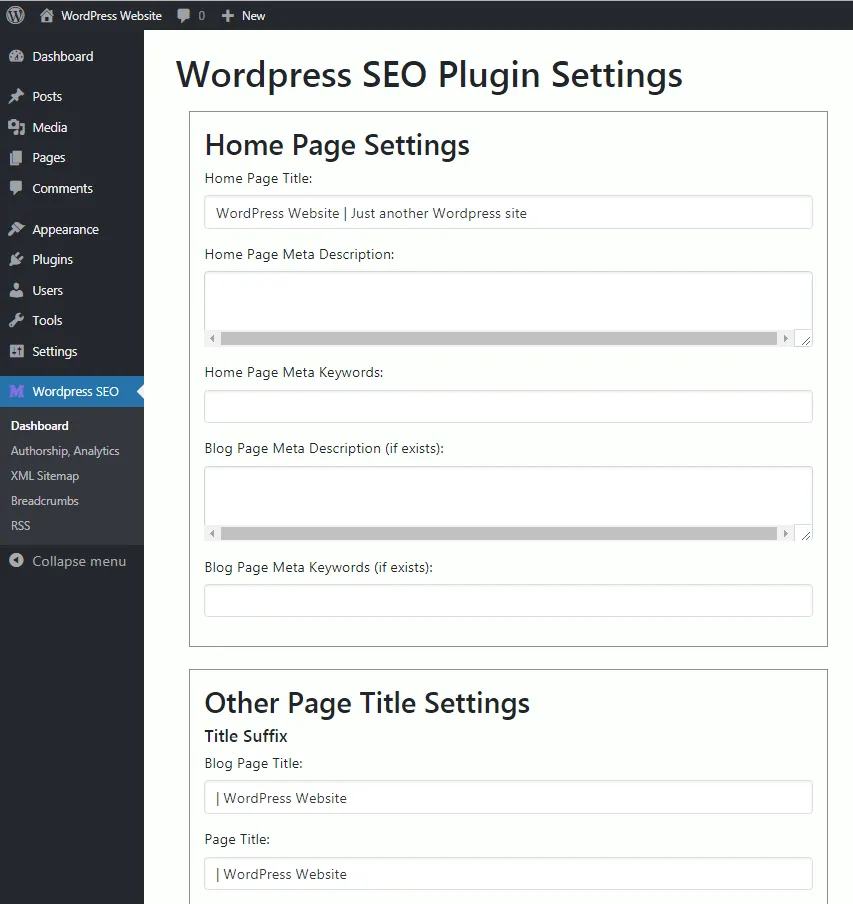
Praison AI SEO is a WordPress SEO plugin that uses OpenAI's GPT-4o-mini model to generate SEO text. It creates meta titles and descriptions, image alt text, FAQs and content outlines, and it scores content against 11 SEO metrics. Alongside the AI features it handles schema markup, social tags, an XML sitemap, canonical URLs and 404 monitoring. It installs like any other plugin from the Plugins screen and adds its own menu to the WordPress admin.
The plugin leans toward developers. It lists more than 60 REST API endpoints and more than 70 WP-CLI commands, so batch jobs and automation are possible without the admin screens. A bulk editor and import and export tools help with larger sites, and importers exist for Yoast SEO, Rank Math and All in One SEO. Read the free and paid split carefully before you build a workflow around any single feature.
It suits site owners who are comfortable bringing their own OpenAI key and paying for usage. The plugin itself is free to install, and the listing gives sample per-request costs. It is a small, newer plugin, so test it on a staging site before replacing an established SEO plugin. Try it on a staging copy of your site first, so you can check compatibility with your theme and other plugins.
Best for
- Developers who want WP-CLI and REST control
- Site owners comfortable with their own OpenAI key
- Bulk metadata cleanup jobs
- Sites moving from Yoast or Rank Math
Our take
Praison AI SEO generates meta, titles and schema with AI. Early-stage and lightly reviewed - promising for hands-off metadata, unproven at scale.
Praison AI SEO features
AI meta generation
Writes titles of 50 to 60 characters and descriptions of 155 to 160 characters.
Content analysis
Scores posts on 11 SEO metrics with recommendations.
Image alt text
Generates alt text with AI.
Content tools
FAQ generation, content outlines, topic suggestions, internal linking suggestions and a rewriter with six modes.
Schema and social tags
JSON-LD for Article, BlogPosting, WebPage, FAQ and HowTo, plus Open Graph and Twitter Card tags.
Technical SEO
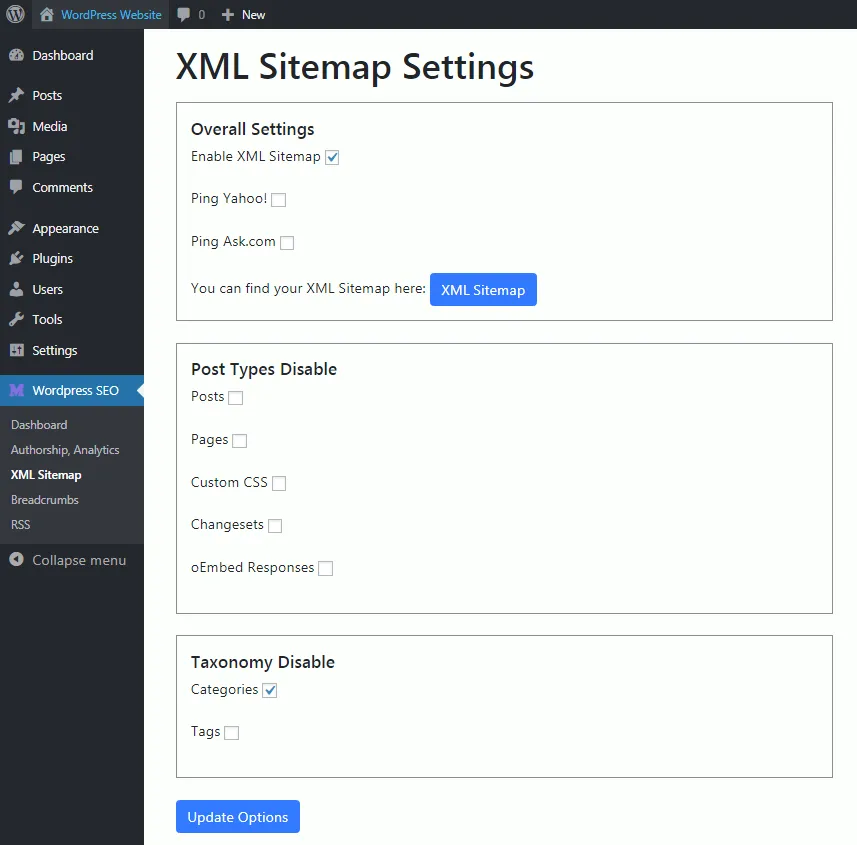
XML sitemap with caching, canonical URLs, robots meta tags, and 404 monitoring with redirects.
Bulk and import tools
Edit many posts at once and import from Yoast, Rank Math and All in One SEO.
REST API and WP-CLI
More than 60 endpoints and more than 70 commands for automation.
Praison AI SEO free vs pro
Free WordPress.org version
- AI meta, alt text and content generation with your OpenAI key
- Content analysis and schema
- Sitemap, canonical and social tags
- Bulk editing, import and export
- REST API and WP-CLI
The data marks the plugin as freemium, but the listing does not describe a paid tier. The plugin is free and you pay OpenAI directly for usage with your own API key. The listing cites small per-request costs for GPT-4o-mini.
How to use Praison AI SEO
- Install the plugin
Go to Plugins, Add New in wp-admin, search for AISEO, then click Install Now and Activate.
- Add your OpenAI key
Open Settings, AISEO and enter your OpenAI API key.
- Import old data
If you are switching, import metadata from Yoast, Rank Math or All in One SEO.
- Generate metadata
Edit a post and use the generate buttons for the title and description, then review the output.
- Use bulk tools
Use the bulk editor or WP-CLI for larger batches.
Praison AI SEO screenshots (6)
-
SEO Optimization metabox in post editor with real-time scoring -
AI-powered meta title and description generation -
Content analysis with 11 SEO metrics -
Settings page with OpenAI API configuration -
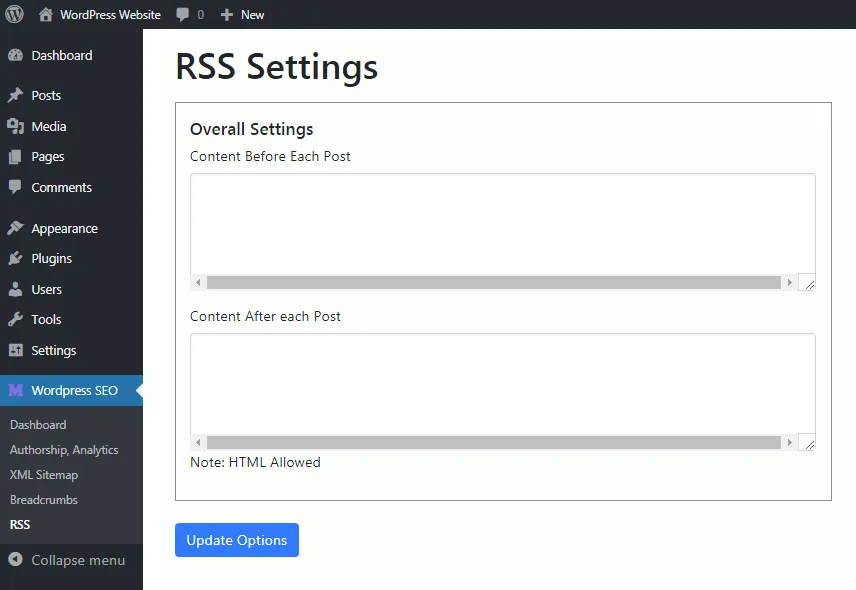
Bulk editing interface for multiple posts -
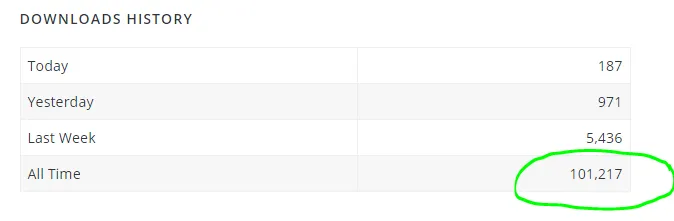
Image SEO dashboard with alt text generation
Important information
- An OpenAI API key is required for AI features. Post title, body and focus keyword are sent to OpenAI when you generate, and OpenAI bills you.
- Requires WordPress 5.0 or later and PHP 7.4 or later.
- Only run one SEO plugin at a time, to avoid duplicate tags and sitemaps.
- The data records 2 published vulnerabilities in the plugin's history, both patched.
- It has a small install base, so test it before using it on a production site.
From the Praison AI SEO readme
Straight from the developer's WordPress.org listing.
Full description
Praison AI SEO is a powerful AI-powered SEO plugin that helps you optimize your WordPress content using OpenAI’s GPT-4o-mini model. Automatically generate SEO-optimized meta titles, descriptions, schema markup, and get comprehensive content analysis.
Key Features
• AI-Powered Meta Generation – Generate SEO-optimized titles and descriptions
• Content Analysis – 11 SEO metrics with actionable recommendations
• Schema Markup – Automatic JSON-LD schema generation
• Social Media Optimization – Open Graph and Twitter Card tags
• XML Sitemap – Automatic sitemap generation
• Image SEO – AI-powered alt text generation
• Bulk Operations – Edit multiple posts at once
• Import/Export – Migrate from Yoast, Rank Math, AIOSEO
• REST API – 60+ endpoints for developers
• WP-CLI – 70+ commands for automation
AI-Powered Features
• Meta title generation (50-60 characters)
• Meta description generation (155-160 characters)
• Content analysis with 11 SEO metrics
• Image alt text generation
• FAQ generation from content
• Content outline generation
• Smart content rewriter (6 modes)
• Internal linking suggestions
• Content topic suggestions
Technical SEO
• Schema markup (Article, BlogPosting, WebPage, FAQ, HowTo)
• Meta tags management
• Canonical URLs
• Robots meta tags
• Open Graph tags
• Twitter Card tags
• XML sitemap with smart caching
• 404 monitoring and redirects
Developer Features
• 60+ REST API endpoints
• 70+ WP-CLI commands
• Comprehensive caching system
• Structured logging
• Performance optimized
• Fully documented
External Services
This plugin connects to the OpenAI API to provide AI-powered SEO features.
Service Used: OpenAI API (https://api.openai.com/)
Purpose: Generate SEO titles, meta descriptions, content analysis, and other AI-powered features.
Data Sent: When you actively use AI generation features:
* Post content (title and body)
* Focus keyword (if specified)
* User-specified parameters
When Data is Sent: Only when you:
* Click “Generate Title” or “Generate Description”
* Run WP-CLI commands with AI generation
* Call REST API endpoints for AI generation
Privacy & Terms:
* Privacy Policy: https://openai.com/policies/privacy-policy
* Terms of Use: https://openai.com/policies/terms-of-use
* API Data Usage: https://openai.com/policies/api-data-usage-policies
User Control: The plugin only connects to OpenAI when you provide an API key and explicitly use AI generation features. No data is sent without your explicit action.
External Services
This plugin relies on the OpenAI API to provide its AI-powered features. It is required for any feature that generates or analyses content with AI.
What it is used for:
* Generating SEO meta titles, meta descriptions, and focus keywords
* Generating content outlines, FAQs, briefs, and content suggestions
* Rewriting and improving existing content
* Generating image alt text (including image analysis via the vision model)
* AI-assisted content and SEO analysis
What data is sent and when: when you trigger one of the AI features listed above (manually from the post editor, the plugin admin screens, the REST API, or WP-CLI), the plugin sends the relevant post or image content, and where applicable the focus keyword, to the OpenAI API. No data is sent unless you trigger one of these features, and no data is sent to any service operated by the plugin author.
This service is provided by OpenAI:
* Terms of use: https://openai.com/policies/row-terms-of-use/
* Privacy policy: https://openai.com/policies/row-privacy-policy/
You must supply your own OpenAI API key to use these features.
Google Analytics (optional)
If you enable the Google Analytics integration and enter your own GA4 measurement ID, the plugin loads the Google Tag (gtag.js) script from Google on your site’s front end, which sends visitor analytics data to Google. This is disabled by default and only happens if you enable it and provide a measurement ID.
This service is provided by Google:
* Terms of service: https://policies.google.com/terms
* Privacy policy: https://policies.google.com/privacy
Competitor and backlink analysis (optional)
The competitor analysis and backlink monitoring features fetch the URLs that you explicitly add in the plugin’s settings, in order to read their public pages. Requests are only made to addresses you enter yourself.
Privacy Policy
This plugin does not collect or store any personal data on our servers. All data remains on your WordPress installation.
When you use AI-powered features, the plugin sends content to OpenAI’s API. Please review OpenAI’s privacy policy at https://openai.com/policies/privacy-policy.
Your OpenAI API key is stored encrypted in your WordPress database using AES-256-CBC encryption.
Support
For support, please visit:
* Documentation: https://github.com/MervinPraison/WordPressAISEO
* Issues: https://github.com/MervinPraison/WordPressAISEO/issues
* Website: https://mer.vin
Installation
Automatic Installation
• Log in to your WordPress admin panel
• Navigate to Plugins → Add New
• Search for “AISEO”
• Click “Install Now” and then “Activate”
Manual Installation
• Download the plugin ZIP file
• Log in to your WordPress admin panel
• Navigate to Plugins → Add New → Upload Plugin
• Choose the ZIP file and click “Install Now”
• Activate the plugin
Configuration
• Navigate to Settings → AISEO
• Enter your OpenAI API key (get one at https://platform.openai.com/api-keys)
• Click “Save Changes”
• Start optimizing your content!
Developer FAQ (9)
- Do I need an OpenAI API key?
- Yes, you need an OpenAI API key to use the AI-powered features. You can get one at https://platform.openai.com/api-keys. The plugin uses the cost-efficient GPT-4o-mini model.
- How much does it cost to use?
- The plugin itself is free. You only pay for OpenAI API usage: * GPT-4o-mini: $0.15 per 1M input tokens, $0.60 per 1M output tokens * Average meta description: ~100 tokens = $0.00006 * Average SEO title: ~50 tokens = $0.00003
- Does it work with other SEO plugins?
- Yes! AISEO can import metadata from Yoast SEO, Rank Math, and All in One SEO. You can also export your AISEO data to JSON or CSV.
- Is my data sent to OpenAI?
- Only when you explicitly use AI generation features. The plugin does not automatically send any data. You have full control over when and what data is sent.
- Does it support WP-CLI?
- Yes! AISEO includes 70+ WP-CLI commands for automation and batch processing. Perfect for large sites and developers.
- Does it have a REST API?
- Yes! AISEO provides 60+ REST API endpoints for all features. Perfect for headless WordPress, mobile apps, and custom integrations.
- Can I use it with custom post types?
- Yes! AISEO supports all custom post types. You can enable/disable SEO features for any post type.
- Does it support multilingual sites?
- Yes! AISEO is compatible with WPML, Polylang, and TranslatePress. It can sync metadata across translations.
- How do I get support?
- • Documentation: https://github.com/MervinPraison/WordPressAISEO • Issues: https://github.com/MervinPraison/WordPressAISEO/issues • Website: https://praison.ai
Downloads, last 30 days
Trend vs previous period: +4.3%
Average daily downloads: 46 over the last 7 days , 50 over 30 days.
Security history
Past CVEs, patched · 2 published vulnerabilities (Wordfence) · most recent Jul 2, 2026
- Patched 6.4 Medium Praison SEO WordPress <= 4.0.15 - Authenticated (Author+) Stored Cross-Site Scripting CVE-2024-34801 · May 20, 2024 · affects *-4.0.15 · fixed in 4.0.16
- Patched 5.3 Medium Praison AI SEO <= 5.0.6 - Missing Authorization CVE-2026-12082 · Jul 2, 2026 · affects *-5.0.6 · fixed in 5.0.7
Recent releases
- v5.0.10
Security: Require a per-post edit_post capability check before bulk, import, export, and AJAX SEO metadata changes, so a Contributor cannot modify posts they do not own
- v5.0.9
Remove the global browser-console AJAX interceptor that logged every AISEO request's payload and nonce to devtools * Remove remaining leftover debug console.log statements from the admin screens,...
- v5.0.8
Security: Remove nonce verification bypass in the AI title and description AJAX handlers; both now enforce check_ajax_referer() and an edit_posts capability check * Security: Remove the debug AJAX...
- v5.0.7
Security: Require authentication and capability checks on all aiseo/v1 REST API routes * Security: Prevent unauthenticated access to settings, redirects, analytics, and post modification endpoints...
- v5.0.1
Fix: Limit to 5 tags as required by WordPress.org
Show 3 older releases
- v5.0.0
Complete rewrite with modern architecture * Added REST API with 60+ endpoints * Added WP-CLI support with 70+ commands * Added Homepage SEO settings (title, description, keywords) * Added Taxonomy...
- v4.0.18
Previous version (legacy Praison SEO)
- v1.0.0
Initial release * AI-powered meta title and description generation * Content analysis engine with 11 SEO metrics * Schema markup generator (Article, BlogPosting, WebPage, FAQ, HowTo) * Meta tags...
Praison AI SEO FAQ
Do I need an OpenAI key?
Yes, for AI features. The plugin uses GPT-4o-mini, a low-cost model.
How much does it cost to use?
The plugin is free. You pay only for OpenAI usage, and the listing gives example costs of a small fraction of a cent per title or description.
Does it work with other SEO plugins?
It can import metadata from Yoast SEO, Rank Math and All in One SEO, and export its own data to JSON or CSV.
Is my data sent to OpenAI?
Only when you run an AI feature. Nothing is sent automatically.
Does it support WP-CLI and a REST API?
Yes, with more than 70 commands and more than 60 endpoints.
Does it support custom post types and multilingual sites?
Yes. You can enable it per post type, and it works with WPML, Polylang and TranslatePress.
Praison AI SEO alternatives

Real-time SEO guidance, schema, and AI built in. Help search engines and AI systems understand your content. All AI tools included, no hidden fees. Yoast SEO: the #1 WordPress SEO plugin Since 2008, Yoast SEO has…

Rank Math SEO - WordPress AI SEO Plugin to Rank Higher 📈 ★★★★★ Rank Math SEO helps you stay ahead of competitors with AI-powered SEO tools built for today’s search engines and AI assistants. The plugin brings…

AIOSEO - The Original AI SEO Plugin for WordPress All in One SEO is the original WordPress SEO plugin, founded in 2007 and trusted by over 3 million website owners and SEO experts. AIOSEO is a complete AI SEO plugin…

SEOPress - The fast, privacy-first WordPress SEO plugin, ready for AI search Rank higher in Google AND in AI answer engines (ChatGPT, Claude, Perplexity, Gemini). SEOPress is the all-in-one WordPress SEO plugin…

CrawlWP - The WordPress SEO Plugin That Also Gets You Indexed Optimize every page, submit it to search engines (Google, Bing, Yandex, Yep etc) the moment you publish, and see which ones actually indexed it - all…

ThinkRank is an AI SEO plugin for WordPress that helps you write SEO titles and meta descriptions, optimize content around a focus keyword, add schema markup, generate XML sitemaps, and review Google Search Console…
Listing data from WordPress.org and the Wordfence vulnerability feed, refreshed Nov 9, 2026; listing details fetched Nov 14, 2026. Screenshots are from the plugin's WordPress.org listing. Not affiliated with Mervin Praison.