
SEO WRITING
SEO WRITING - AI Writer for SEO & AI Search · by seowriting
- active installs
- 20K+
- 120 ratings
- 4.9
- since last update
- 9d
- releases in 12 months
- 8
- support threads resolved
- 0%
- avg daily downloads
- 651
- on WordPress.org
- 2.6 years
SEO WRITING at a glance
SEO WRITING is a free WordPress AI SEO plugin by seowriting with 20K+ active installs and a 4.9/5 rating from 120 reviews. It was last updated on Oct 31, 2026, is tested up to WordPress 7.1.4 and needs PHP 7.1+. It works with OpenAI, Google Gemini, Perplexity. It has an unpatched published vulnerability, so check the security section before installing. Our quality score is 71/100.
What is SEO WRITING?
SEO WRITING is a connector plugin that links your WordPress site to the SEO WRITING web service. You create articles in that service, and the plugin delivers them to your site as drafts, scheduled posts or published posts, along with images and SEO metadata.
The service generates blog posts, how-to guides, reviews and comparisons from a keyword or brief. You can set the outline, language, tone and brand voice. It also finds internal links by matching the meaning of your existing articles, and it can queue up to 100 articles in a batch.
It suits bloggers, publishers and agencies who want a planned content pipeline. The plugin itself is free to install, but it does nothing without an SEO WRITING account. Generation limits and features depend on your plan.
Best for
- Bloggers planning a steady content queue
- Agencies publishing to client sites
- Publishers wanting automatic internal links
- Sites optimizing for AI search answers
SEO WRITING features
Article delivery to WordPress
Send generated articles to your site as drafts, scheduled posts or published posts.
Keyword-to-article generation
Create posts, guides, reviews and comparisons from a keyword or brief, with settings for tone and language.
Semantic internal linking
The service matches your related articles by meaning and inserts links. An option skips pages with no natural fit.
Bulk article generation
Prepare up to 100 generation tasks in a batch and send them to connected sites.
Post settings control
Pick authors, categories, tags and slug, import images, set a featured image and use the meta description as the excerpt.
SEO plugin field transfer
SEO titles and meta descriptions go to Yoast SEO, Rank Math, AIOSEO, SEOPress, The SEO Framework and Squirrly SEO.
Pages and custom post types
Publish posts, pages and supported public custom post types.
Super Page
Create structured service pages and product comparisons guided by search-result analysis.
Elementor conversion
An optional setting converts content for use with Elementor.
SEO WRITING free vs pro
Free WordPress.org version
- The WordPress connector plugin
- A free plan on the SEO WRITING service, with limits
- Draft, publish and schedule options
Pro Paid version
- Paid plans on the SEO WRITING service with higher generation limits and more features
The plugin is free to install, but you need an SEO WRITING account. The listing says free and paid plans differ in generation limits and features, and gives no prices. No separate API key is needed for internal linking.
How to use SEO WRITING
- Install and activate
In wp-admin go to Plugins, then Add New. Search for SEO WRITING, install it and activate it.
- Open the plugin settings
Open its settings page in wp-admin.
- Connect your account
Sign in to your SEO WRITING account and click Connect. Finish the connection flow.
- Confirm the site is linked
In the web app, check that your website appears under Integrations.
- Create and send an article
Make an article or a bulk task, select your site, and choose Draft, Publish or Schedule.
Important information
- An SEO WRITING account is required. Without it the plugin does not generate content.
- Your site's article content is sent to the SEO WRITING service for indexing and internal linking. Review its terms and privacy policy first.
- There is an unpatched published vulnerability on record. Check the details before installing.
- Requires WordPress 4.9 or newer and PHP 7.1 or newer. Tested up to WordPress 7.1.4.
- Available SEO metadata fields vary by SEO plugin. Review drafts before publishing.
From the SEO WRITING readme
Straight from the developer's WordPress.org listing.
Full description
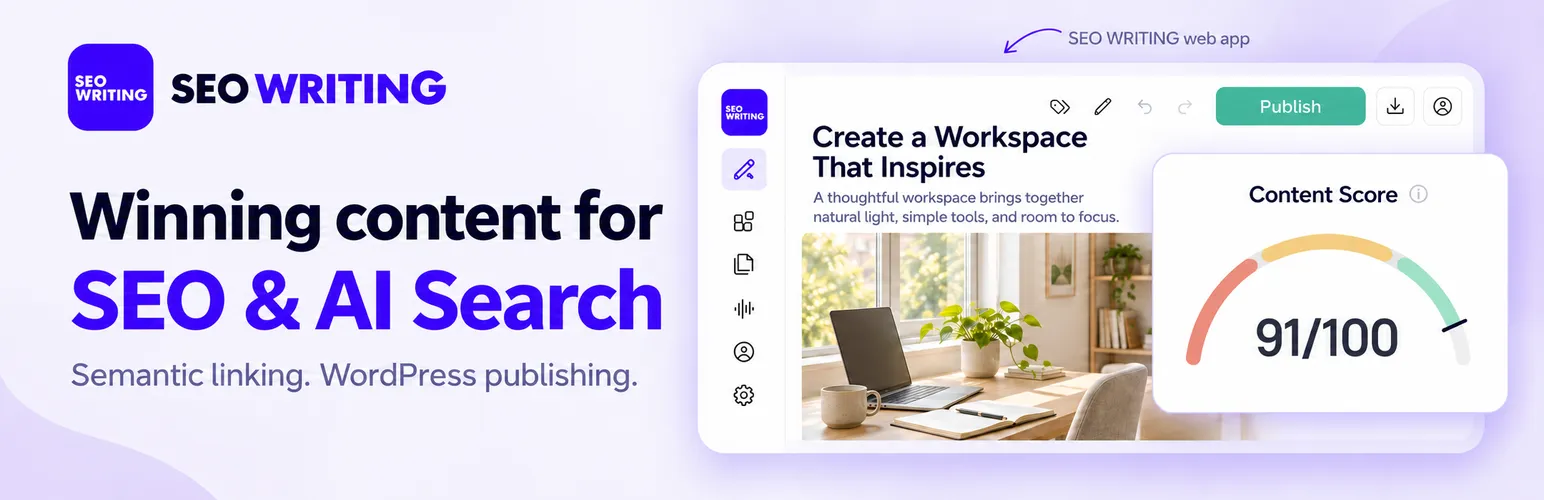
SEO WRITING helps you create articles for SEO and AI Search and publish them to WordPress. Prepare content with AI answers in mind, including ChatGPT, Google AI Overviews, Google AI Mode, Gemini, and Perplexity. Build articles around clear answers, supporting sources, and relevant internal links.
Create content in the SEO WRITING web app at seowriting.ai. This plugin connects your website to the service and delivers articles, images, and SEO metadata as drafts, scheduled posts, or published articles.
An SEO WRITING account is required. The plugin is free to install. Content generation and semantic search run in the web app. Free and paid plans have different generation limits and features.
Get started with SEO WRITING | WordPress setup guide
Articles for SEO and AI Search
Create blog posts, how-to guides, product reviews, and comparisons from a keyword or brief. Set the outline, language, tone, and Brand Voice; include AI-generated images.
Use clear sections and FAQ answers to address readers’ questions. Add external sources beside the claims they support and connect related pages through internal links. These features help you prepare useful, well-supported content for traditional search and AI search experiences.
Internal linking with our own semantic search
SEO WRITING uses a semantic search model built and hosted by our team to index your site’s articles and find relevant internal links by meaning, beyond shared keywords.
For example, a post about villa cleaning can connect to your article on marble floor care because the topics belong together. Matching considers the content’s meaning rather than relying on the word “cleaning” alone.
The model is designed for fast, accurate matching of related pages during generation. Keep “Insert only if relevant” enabled to skip pages that have no natural place in the article.
No additional API keys, third-party search subscriptions, or per-link charges are needed for semantic internal linking.
Bulk generation and auto blogging
Prepare up to 100 article-generation tasks in a batch with Bulk Article Generation. Save articles as drafts for review, publish completed articles, or schedule them for later. Bloggers, publishers, and agencies can deliver a planned queue of content to connected WordPress sites.
Learn about Bulk Article Generation
WordPress publishing and SEO integrations
• Choose Draft, Publish, or Schedule.
• Import article images and set a featured image when selected.
• Select authors and categories, add tags, and configure the post slug.
• Optionally use the meta description as the post excerpt.
• Publish posts, pages, and supported public custom post types.
• Transfer SEO titles and meta descriptions to supported fields in Yoast SEO, Rank Math, All in One SEO (AIOSEO), SEOPress, The SEO Framework, and Squirrly SEO.
• Enable Elementor content conversion in the plugin settings when needed.
Supported metadata fields vary by integration. SEO WRITING works alongside your installed SEO plugin.
Super Page for structured pages
Create service pages, product comparisons, and other structured pages with Super Page. Use search-result analysis to guide the structure, images, and calls to action, then publish to your connected WordPress site.
Explore Super Page
Product walkthrough
Documentation and support
Browse the documentation or visit the WordPress support forum. For account help, use the support options in the SEO WRITING web app.
External services
This plugin connects to the SEO WRITING service at https://seowriting.ai/api/v1/ for account connection and the publishing integration.
Article generation and semantic indexing for internal linking take place in the SEO WRITING service. Site article content is processed there to find related pages. Please review the service’s Terms of Service and Privacy Policy.
Installation
• Install and activate the plugin, then open its settings.
• Sign in to your SEO WRITING account and click Connect in the plugin settings. Complete the connection flow.
• Check that your website appears under Integrations in the web app.
• Create an article or bulk generation task, select your connected site, and choose Draft, Publish, or Schedule.
See the WordPress integration guide for illustrated instructions.
Developer FAQ (8)
- Is the SEO WRITING plugin free?
- Yes. The WordPress connector is free to install. You need an SEO WRITING account for generation and publishing through the service. Free and paid plans have different limits and features; see SEO WRITING plans for details.
- Where do article generation and semantic search run?
- They run in the SEO WRITING web app. The plugin connects your WordPress site, provides site content to the service for features such as internal linking, and receives articles for publication. You can edit imported posts in WordPress.
- Can I create content for ChatGPT and Google AI Overviews?
- Yes. SEO WRITING helps prepare content with clear answers, supporting sources, and relevant links for SEO and AI Search, including ChatGPT, Google AI Overviews, AI Mode, Gemini, and Perplexity. Search engines and AI services choose which content to surface; rankings and citations are not guaranteed.
- How does semantic internal linking work?
- SEO WRITING’s own model indexes your site’s articles and matches related content by meaning. It runs during generation to find relevant destinations quickly. With “Insert only if relevant” enabled, pages without a natural fit are skipped.
- Do I need a separate subscription or API key for internal linking?
- No additional search subscription or API key is required, and semantic internal linking has no per-link charges. Your SEO WRITING plan’s generation limits and feature availability still apply.
- Can I review articles before publishing or schedule them?
- Yes. Choose Draft to review articles in WordPress, Publish for immediate publication, or Schedule for a later date and time. These options are available in the WordPress posting settings for 1-Click Blog Post and Bulk Article Generation.
- Will images and SEO metadata be transferred?
- Yes. The plugin imports article images and can set a featured image. Supplied SEO titles and meta descriptions are transferred to supported SEO integrations; available fields vary by integration.
- How do I disconnect my WordPress site?
- Use Disconnect in the plugin settings, or disconnect the website from Integrations in your SEO WRITING account.
Downloads, last 30 days
Trend vs previous period: +3.9%
Average daily downloads: 1,145 over the last 7 days , 651 over 30 days.
Security history
Open vulnerability · 1 published vulnerability (Wordfence) · most recent Sep 2, 2026
- Unpatched 6.4 Medium SEOWriting <= 1.12.5 - Authenticated (Contributor +) Stored Cross-Site Scripting CVE-2026-75134 · Sep 2, 2026 · affects *-1.12.5
Recent releases
Release cadence: every ~24 days.
- v1.14.0 Nov 1, 2026
Feature: * Images can be uploaded to the media library as WebP (the "Upload images as WebP" option of a publication, when your server supports WebP)
- v1.13.0 Oct 27, 2026
Feature: * Update existing posts from SEO WRITING without changing their date, author, URL or images * FAQ schema for Super Page Fix: * Correct post time on sites outside UTC * Dollar amounts in...
- v1.12.9 Sep 22, 2026
Feature: * Bump stable tag to 1.12.9
- v1.12.8 Sep 22, 2026
Fix: * PHPStan issues
- v1.12.7 Sep 22, 2026
Fix: * PHPStan issues
Show 10 older releases
- v1.12.6 Sep 22, 2026
Feature: * Added 7.1.0 and 7.1.1 WP versions support
- v1.12.5 Nov 28, 2025
Fix: * PCP issues
- v1.12.4 Nov 28, 2025
Feature: * Added `6.8.2`, `6.8.3`, `6.9` and `7.0` WP versions support * Added `8.5` PHP version support * Support for `5.6.20` and `7.0` PHP versions has been removed * The...
- v1.12.3 Jul 26, 2025
Fix: * Remove dev file inclusion logic
- v1.12.2 Jun 5, 2025
Fix: * Correct processing of pages in Elementor with division into blocks
- v1.12.0 May 21, 2025
Feature: * Custom CSS for Super Page
- v1.11.14 May 16, 2025
Fix: * Elementor image block
- v1.11.13 May 15, 2025
Feature: * Re-upload plugin to WP
- v1.11.12 May 14, 2025
Feature: * Super Page for Elementor * Update `readme.txt` file
- v1.11.9 May 9, 2025
Fix: * Custom CSS for Super Page
SEO WRITING FAQ
Is the plugin free?
Yes, the connector is free to install. You still need an SEO WRITING account to generate and publish content, and free and paid plans differ in limits.
Where does generation happen?
In the SEO WRITING web app. The plugin links your site, shares site content for features such as internal linking, and receives finished articles.
Can it prepare content for AI search?
It aims to produce clear answers, sources and links for ChatGPT, Google AI Overviews, AI Mode, Gemini and Perplexity. Those services decide what they surface.
How does semantic internal linking work?
The service's own model indexes your articles and matches related ones by meaning. Pages without a natural fit are skipped when the relevance option is on.
Do I need an extra subscription for internal linking?
No. It needs no separate search subscription or API key, and there are no per-link charges. Your plan limits still apply.
Can I review before publishing?
Yes. Choose Draft to check posts in WordPress, Publish for immediate release, or Schedule for a later date.
Are images and SEO fields transferred?
Yes. Images are imported and a featured image can be set. Titles and meta descriptions go to supported SEO plugins.
How do I disconnect my site?
Use Disconnect in the plugin settings, or remove the site under Integrations in your SEO WRITING account.
SEO WRITING alternatives

Real-time SEO guidance, schema, and AI built in. Help search engines and AI systems understand your content. All AI tools included, no hidden fees. Yoast SEO: the #1 WordPress SEO plugin Since 2008, Yoast SEO has…

Rank Math SEO - WordPress AI SEO Plugin to Rank Higher 📈 ★★★★★ Rank Math SEO helps you stay ahead of competitors with AI-powered SEO tools built for today’s search engines and AI assistants. The plugin brings…

AIOSEO - The Original AI SEO Plugin for WordPress All in One SEO is the original WordPress SEO plugin, founded in 2007 and trusted by over 3 million website owners and SEO experts. AIOSEO is a complete AI SEO plugin…

SEOPress - The fast, privacy-first WordPress SEO plugin, ready for AI search Rank higher in Google AND in AI answer engines (ChatGPT, Claude, Perplexity, Gemini). SEOPress is the all-in-one WordPress SEO plugin…

CrawlWP - The WordPress SEO Plugin That Also Gets You Indexed Optimize every page, submit it to search engines (Google, Bing, Yandex, Yep etc) the moment you publish, and see which ones actually indexed it - all…

ThinkRank is an AI SEO plugin for WordPress that helps you write SEO titles and meta descriptions, optimize content around a focus keyword, add schema markup, generate XML sitemaps, and review Google Search Console…
Listing data from WordPress.org and the Wordfence vulnerability feed, refreshed Nov 9, 2026; listing details fetched Nov 14, 2026. Screenshots are from the plugin's WordPress.org listing. Not affiliated with seowriting.